ESP HYUNDAI PALISADE 2021 Service Manual
[x] Cancel search | Manufacturer: HYUNDAI, Model Year: 2021, Model line: PALISADE, Model: HYUNDAI PALISADE 2021Pages: 612, PDF Size: 33.36 MB
Page 384 of 612
5-75
Driving your vehicle
5
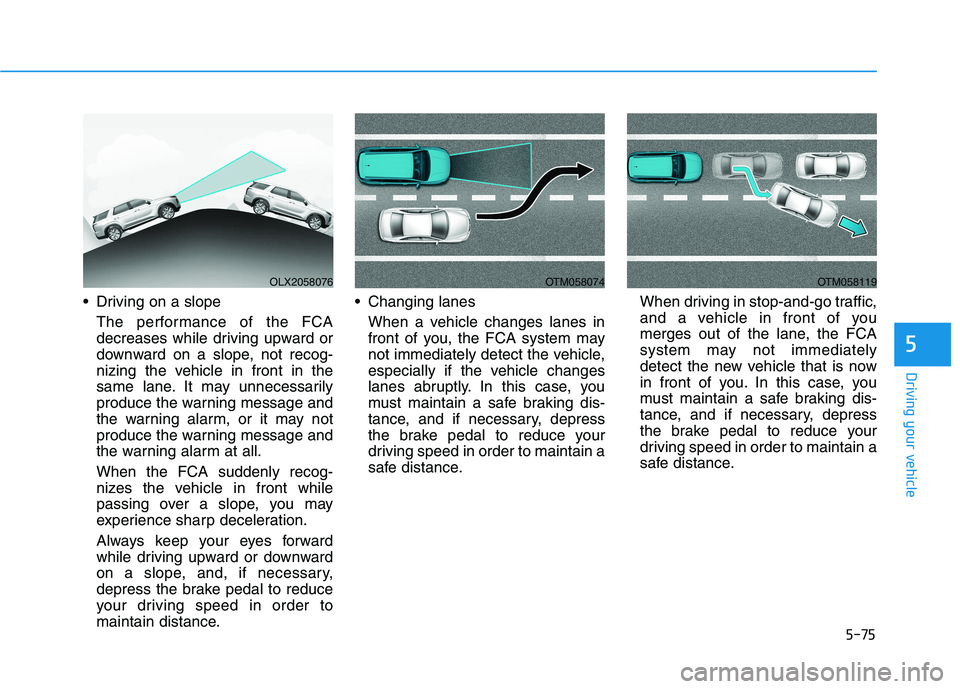
Driving on a slope
The performance of the FCA
decreases while driving upward or
downward on a slope, not recog-
nizing the vehicle in front in the
same lane. It may unnecessarily
produce the warning message and
the warning alarm, or it may not
produce the warning message and
the warning alarm at all.
When the FCA suddenly recog-
nizes the vehicle in front while
passing over a slope, you may
experience sharp deceleration.
Always keep your eyes forward
while driving upward or downward
on a slope, and, if necessary,
depress the brake pedal to reduce
your driving speed in order to
maintain distance. Changing lanes
When a vehicle changes lanes in
front of you, the FCA system may
not immediately detect the vehicle,
especially if the vehicle changes
lanes abruptly. In this case, you
must maintain a safe braking dis-
tance, and if necessary, depress
the brake pedal to reduce your
driving speed in order to maintain a
safe distance.When driving in stop-and-go traffic,
and a vehicle in front of you
merges out of the lane, the FCA
system may not immediately
detect the new vehicle that is now
in front of you. In this case, you
must maintain a safe braking dis-
tance, and if necessary, depress
the brake pedal to reduce your
driving speed in order to maintain a
safe distance.
OLX2058076OTM058074OTM058119
Page 393 of 612
5-84
Driving your vehicle
Blind-Spot Collision-Avoidance Assist
(BCA) system is automatically deacti-
vated when:
- The vehicle drives a certain dis-
tance away
- The vehicle direction is changed
against the possible-colliding point
- The steering wheel is abruptly
moved
- The brake pedal is depressed
- After a certain period of time
The driver should drive the vehicle in
the middle of the vehicle lanes to
keep the system in the ready status.
When the vehicle drives too close to
one side of the vehicle lanes, the
system may not properly operate.
In addition, the system may not prop-
erly control your vehicle in accor-
dance with driving situations. Thus,
always pay close attention to road
conditions.
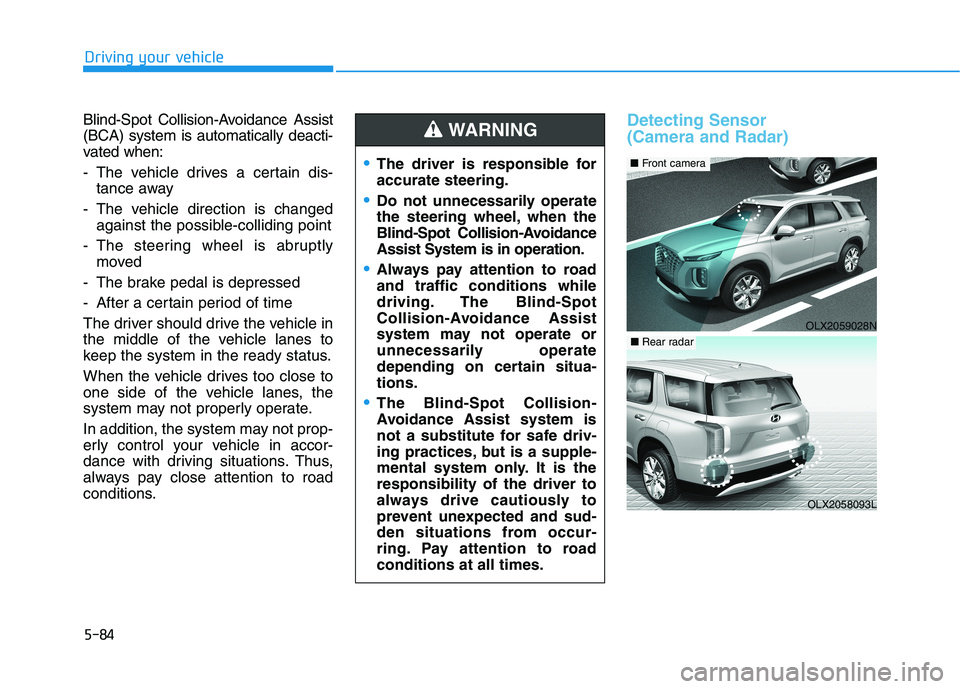
Detecting Sensor
(Camera and Radar)
The driver is responsible for
accurate steering.
Do not unnecessarily operate
the steering wheel, when the
Blind-Spot Collision-Avoidance
Assist System is in operation.
Always pay attention to road
and traffic conditions while
driving. The Blind-Spot
Collision-Avoidance Assist
system may not operate or
unnecessarily operate
depending on certain situa-
tions.
The Blind-Spot Collision-
Avoidance Assist system is
not a substitute for safe driv-
ing practices, but is a supple-
mental system only. It is the
responsibility of the driver to
always drive cautiously to
prevent unexpected and sud-
den situations from occur-
ring. Pay attention to road
conditions at all times.
WARNING
OLX2059028N
■Front camera
OLX2058093L
■Rear radar
Page 407 of 612
5-98
Driving your vehicle
The brake control may not operate
properly according to the status of
the ESC (Electronic Stability
Control). The same warning mes-
sage is displayed on the instrument
cluster when :
- the ESC (Electronic Stability
Control) warning light is on.
- the ESC (Electronic Stability
Control) is engaged in a different
function.Always pay attention to road
and traffic conditions while
driving, whether or not the
warning light on the outer
side view mirror illuminates or
there is a warning alarm.
Playing the vehicle audio sys-
tem at high volume may pre-
vent occupants from hearing
the system's warning sounds.
If any other warning sound
such as seat belt warning
chime is already generated,
the Rear Cross-Traffic Collision
Warning system warning may
not sound.
Drive safely even though the
vehicle is equipped with a
Rear Cross-Traffic Collision
Warning system and Rear
Cross-Traffic Collision-Avoidance
Assist system. Do not solely
rely on the system but check
your surrounding when back-
ing the vehicle up.
The driver is responsible for
accurate brake control.
Always pay extreme caution
while driving. The Rear Cross-
Traffic Collision Warning sys-
tem and Rear Cross-Traffic
Collision-Avoidance Assist
system may not operate prop-
erly or unnecessarily operate
depending on traffic and driv-
ing conditions.
The Rear Cross-Traffic
Collision-Avoidance Assist
system is not a substitute for
safe driving practices, but a
convenience function only. It
is the responsibility of the
driver to always drive cau-
tiously to prevent unexpected
and sudden situations from
occurring. Pay attention to the
road conditions at all times.
WARNING
When the operation condition
of the Rear Cross-Traffic
Collision Warning system is
satisfied, the warning will
occur every time a vehicle
approaches the side or rear
of your stopped (0 mph vehi-
cle speed) vehicle.
The system's warning may
not operate properly if the left
or right of your vehicle's rear
bumper is blocked by a vehi-
cle or obstacle.
CAUTION
Page 413 of 612
5-104
Driving your vehicle
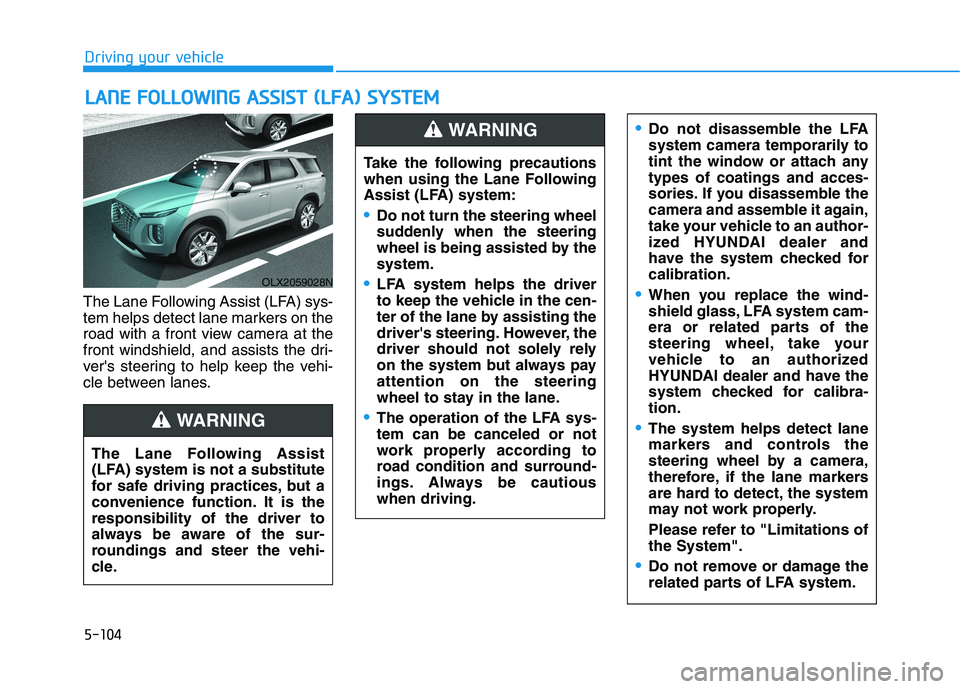
The Lane Following Assist (LFA) sys-
tem helps detect lane markers on the
road with a front view camera at the
front windshield, and assists the dri-
ver's steering to help keep the vehi-
cle between lanes.
L LA
AN
NE
E
F
FO
OL
LL
LO
OW
WI
IN
NG
G
A
AS
SS
SI
IS
ST
T
(
(L
LF
FA
A)
)
S
SY
YS
ST
TE
EM
M
OLX2059028N
The Lane Following Assist
(LFA) system is not a substitute
for safe driving practices, but a
convenience function. It is the
responsibility of the driver to
always be aware of the sur-
roundings and steer the vehi-
cle.
WARNING
Take the following precautions
when using the Lane Following
Assist (LFA) system:
Do not turn the steering wheel
suddenly when the steering
wheel is being assisted by the
system.
LFA system helps the driver
to keep the vehicle in the cen-
ter of the lane by assisting the
driver's steering. However, the
driver should not solely rely
on the system but always pay
attention on the steering
wheel to stay in the lane.
The operation of the LFA sys-
tem can be canceled or not
work properly according to
road condition and surround-
ings. Always be cautious
when driving.
Do not disassemble the LFA
system camera temporarily to
tint the window or attach any
types of coatings and acces-
sories. If you disassemble the
camera and assemble it again,
take your vehicle to an author-
ized HYUNDAI dealer and
have the system checked for
calibration.
When you replace the wind-
shield glass, LFA system cam-
era or related parts of the
steering wheel, take your
vehicle to an authorized
HYUNDAI dealer and have the
system checked for calibra-
tion.
The system helps detect lane
markers and controls the
steering wheel by a camera,
therefore, if the lane markers
are hard to detect, the system
may not work properly.
Please refer to "Limitations of
the System".
Do not remove or damage the
related parts of LFA system.
WARNING
Page 416 of 612
5-107
Driving your vehicle
5
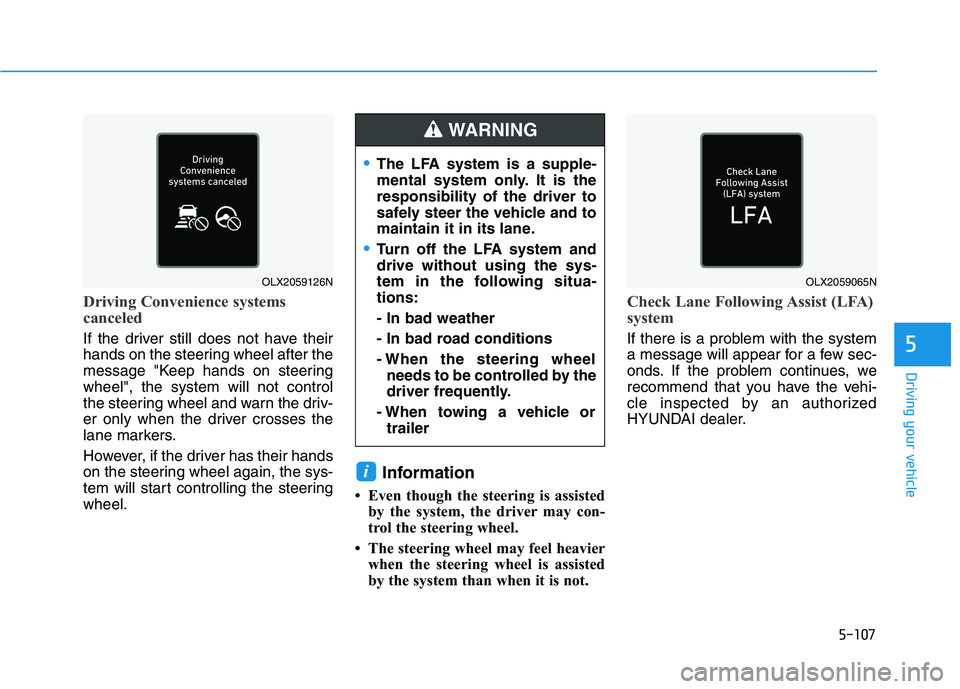
Driving Convenience systems
canceled
If the driver still does not have their
hands on the steering wheel after the
message "Keep hands on steering
wheel", the system will not control
the steering wheel and warn the driv-
er only when the driver crosses the
lane markers.
However, if the driver has their hands
on the steering wheel again, the sys-
tem will start controlling the steering
wheel.
Information
• Even though the steering is assisted
by the system, the driver may con-
trol the steering wheel.
• The steering wheel may feel heavier
when the steering wheel is assisted
by the system than when it is not.
Check Lane Following Assist (LFA)
system
If there is a problem with the system
a message will appear for a few sec-
onds. If the problem continues, we
recommend that you have the vehi-
cle inspected by an authorized
HYUNDAI dealer.
i
OLX2059126NOLX2059065N
The LFA system is a supple-
mental system only. It is the
responsibility of the driver to
safely steer the vehicle and to
maintain it in its lane.
Turn off the LFA system and
drive without using the sys-
tem in the following situa-
tions:
- In bad weather
- In bad road conditions
- When the steering wheel
needs to be controlled by the
driver frequently.
- When towing a vehicle or
trailer
WARNING
Page 419 of 612
5-110
Driving your vehicle
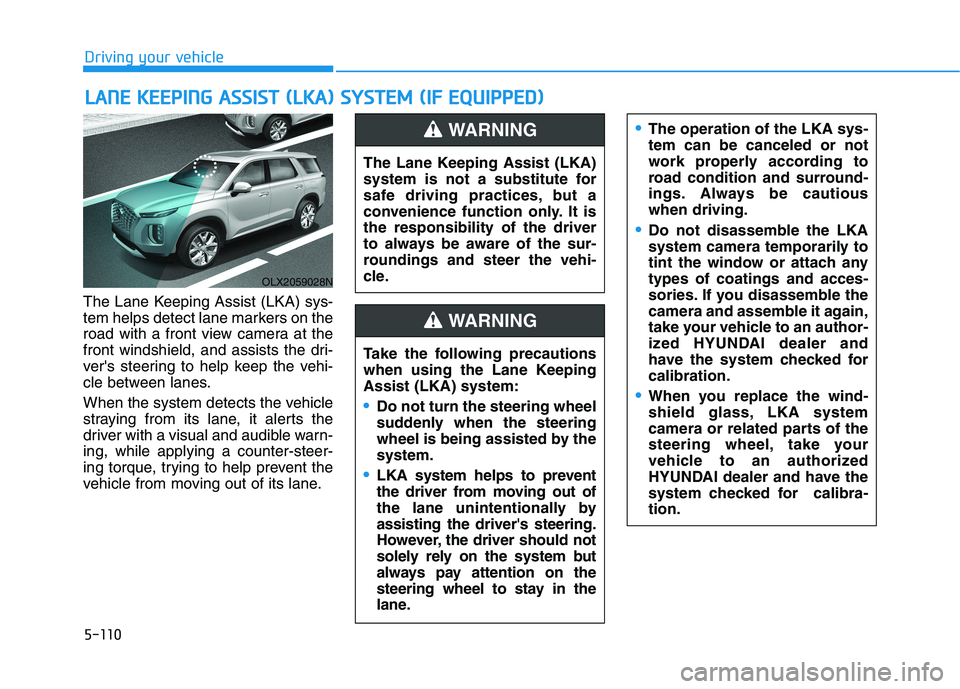
The Lane Keeping Assist (LKA) sys-
tem helps detect lane markers on the
road with a front view camera at the
front windshield, and assists the dri-
ver's steering to help keep the vehi-
cle between lanes.
When the system detects the vehicle
straying from its lane, it alerts the
driver with a visual and audible warn-
ing, while applying a counter-steer-
ing torque, trying to help prevent the
vehicle from moving out of its lane.
L LA
AN
NE
E
K
KE
EE
EP
PI
IN
NG
G
A
AS
SS
SI
IS
ST
T
(
(L
LK
KA
A)
)
S
SY
YS
ST
TE
EM
M
(
(I
IF
F
E
EQ
QU
UI
IP
PP
PE
ED
D)
)
OLX2059028N
The Lane Keeping Assist (LKA)
system is not a substitute for
safe driving practices, but a
convenience function only. It is
the responsibility of the driver
to always be aware of the sur-
roundings and steer the vehi-
cle.
WARNING
Take the following precautions
when using the Lane Keeping
Assist (LKA) system:
Do not turn the steering wheel
suddenly when the steering
wheel is being assisted by the
system.
LKA system helps to prevent
the driver from moving out of
the lane unintentionally by
assisting the driver's steering.
However, the driver should not
solely rely on the system but
always pay attention on the
steering wheel to stay in the
lane.
WARNING
The operation of the LKA sys-
tem can be canceled or not
work properly according to
road condition and surround-
ings. Always be cautious
when driving.
Do not disassemble the LKA
system camera temporarily to
tint the window or attach any
types of coatings and acces-
sories. If you disassemble the
camera and assemble it again,
take your vehicle to an author-
ized HYUNDAI dealer and
have the system checked for
calibration.
When you replace the wind-
shield glass, LKA system
camera or related parts of the
steering wheel, take your
vehicle to an authorized
HYUNDAI dealer and have the
system checked for calibra-
tion.
Page 423 of 612
5-114
Driving your vehicle
Information
• Even though the steering is assisted
by the system, the driver can still
steer to control the steering wheel.
• The steering wheel may feel heavier
when the steering wheel is assisted
by the system than when it is not.
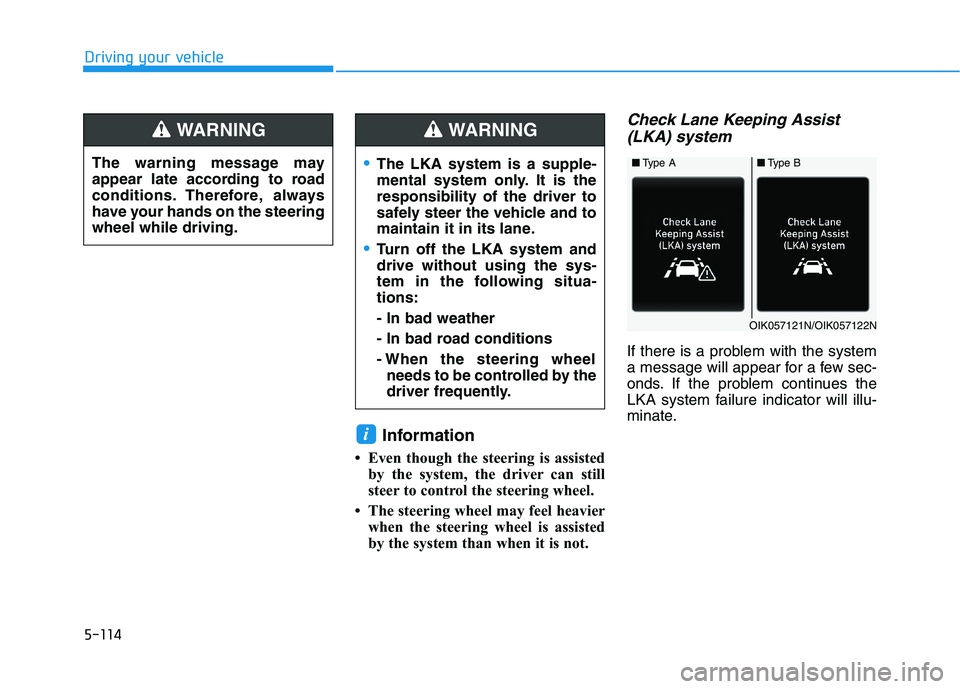
Check Lane Keeping Assist
(LKA) system
If there is a problem with the system
a message will appear for a few sec-
onds. If the problem continues the
LKA system failure indicator will illu-
minate.
i
The warning message may
appear late according to road
conditions. Therefore, always
have your hands on the steering
wheel while driving.
WARNING
The LKA system is a supple-
mental system only. It is the
responsibility of the driver to
safely steer the vehicle and to
maintain it in its lane.
Turn off the LKA system and
drive without using the sys-
tem in the following situa-
tions:
- In bad weather
- In bad road conditions
- When the steering wheel
needs to be controlled by the
driver frequently.
WARNING
■Type A■Type B
OIK057121N/OIK057122N
Page 429 of 612
5-120
Driving your vehicle
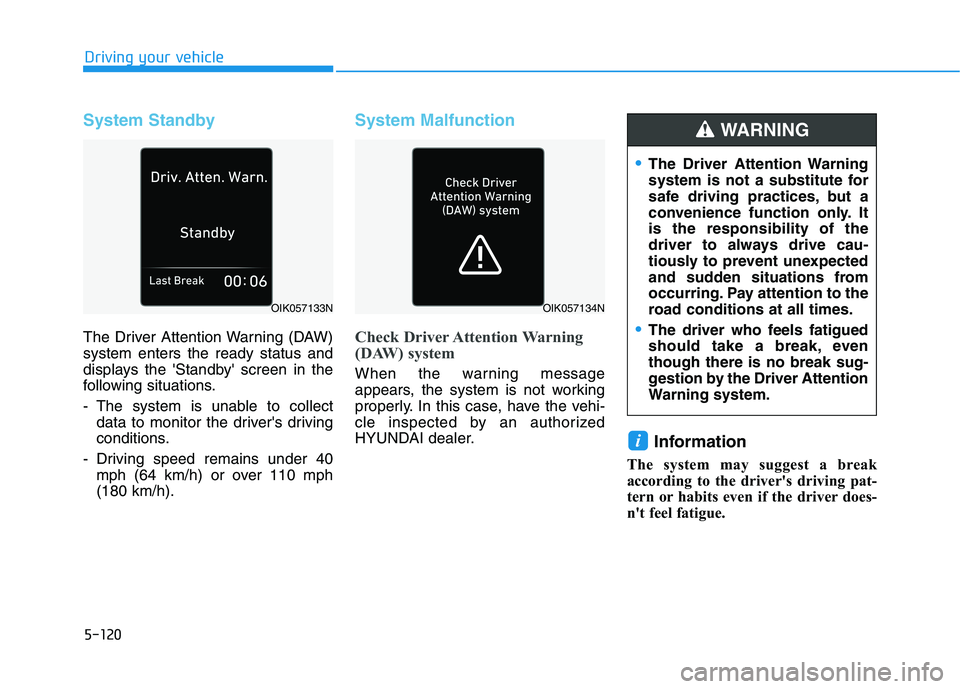
System Standby
The Driver Attention Warning (DAW)
system enters the ready status and
displays the 'Standby' screen in the
following situations.
- The system is unable to collect
data to monitor the driver's driving
conditions.
- Driving speed remains under 40
mph (64 km/h) or over 110 mph
(180 km/h).
System Malfunction
Check Driver Attention Warning
(DAW) system
When the warning message
appears, the system is not working
properly. In this case, have the vehi-
cle inspected by an authorized
HYUNDAI dealer.
Information
The system may suggest a break
according to the driver's driving pat-
tern or habits even if the driver does-
n't feel fatigue.
i
OIK057133N
The Driver Attention Warning
system is not a substitute for
safe driving practices, but a
convenience function only. It
is the responsibility of the
driver to always drive cau-
tiously to prevent unexpected
and sudden situations from
occurring. Pay attention to the
road conditions at all times.
The driver who feels fatigued
should take a break, even
though there is no break sug-
gestion by the Driver Attention
Warning system.
WARNING
OIK057134N
Page 431 of 612
5-122
Driving your vehicle
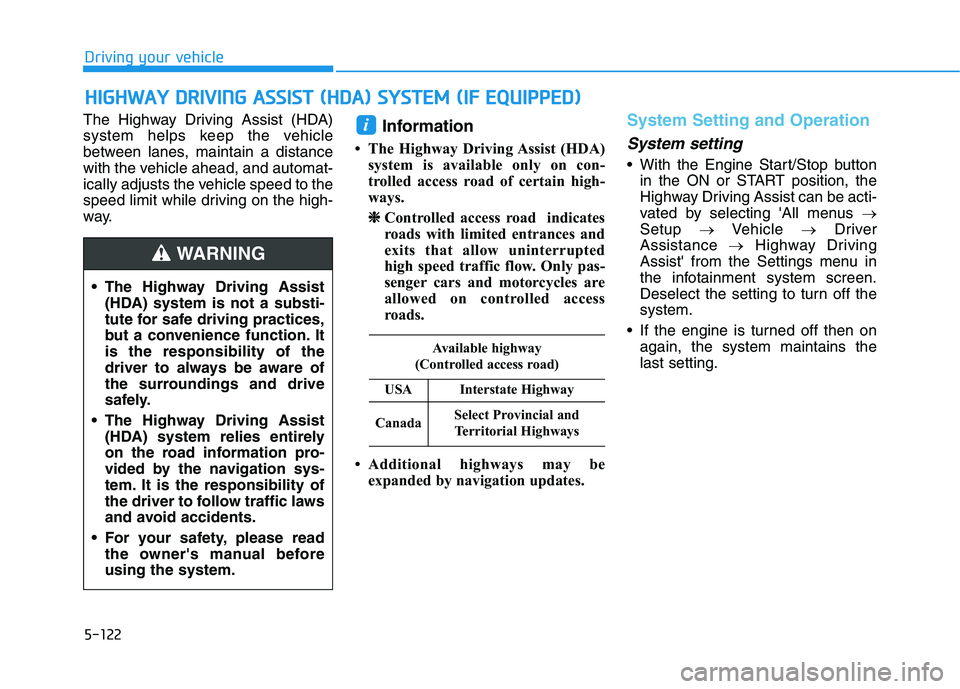
The Highway Driving Assist (HDA)
system helps keep the vehicle
between lanes, maintain a distance
with the vehicle ahead, and automat-
ically adjusts the vehicle speed to the
speed limit while driving on the high-
way.
Information
• The Highway Driving Assist (HDA)
system is available only on con-
trolled access road of certain high-
ways.
❈ ❈
Controlled access road indicates
roads with limited entrances and
exits that allow uninterrupted
high speed traffic flow. Only pas-
senger cars and motorcycles are
allowed on controlled access
roads.
• Additional highways may be
expanded by navigation updates.
System Setting and Operation
System setting
With the Engine Start/Stop button
in the ON or START position, the
Highway Driving Assist can be acti-
vated by selecting 'All menus →
Setup →Vehicle →Driver
Assistance →Highway Driving
Assist' from the Settings menu in
the infotainment system screen.
Deselect the setting to turn off the
system.
If the engine is turned off then on
again, the system maintains the
last setting.
i
H HI
IG
GH
HW
WA
AY
Y
D
DR
RI
IV
VI
IN
NG
G
A
AS
SS
SI
IS
ST
T
(
(H
HD
DA
A)
)
S
SY
YS
ST
TE
EM
M
(
(I
IF
F
E
EQ
QU
UI
IP
PP
PE
ED
D)
)
The Highway Driving Assist
(HDA) system is not a substi-
tute for safe driving practices,
but a convenience function. It
is the responsibility of the
driver to always be aware of
the surroundings and drive
safely.
The Highway Driving Assist
(HDA) system relies entirely
on the road information pro-
vided by the navigation sys-
tem. It is the responsibility of
the driver to follow traffic laws
and avoid accidents.
For your safety, please read
the owner's manual before
using the system.
WARNING
Available highway
(Controlled access road)
USAInterstate Highway
CanadaSelect Provincial and
Territorial Highways
Page 437 of 612
5-128
Driving your vehicle
Information
• For information's on vehicle to vehi-
cle distance control and the front
radar, refer to "Smart Cruise
Control (Stop & Go)" in this chap-
ter.
• For information's on steering con-
trol and distance control and the
front camera, refer to "Lane
Following Assist (LFA)" in this
chapter.
Information
This device complies with Part 15 of
the FCC rules.
Operation is subject to the following
three conditions:
1. This device may not cause harmful
interference, and
2. This device must accept any inter-
ference received, including interfer-
ence that may cause undesired
operation.
3. Changes or modifications not
expressly approved by the party
responsible for compliance could
void the user's authority to operate
the device.
Information
Radio frequency radiation exposure
information:
This equipment complies with FCC
radiation exposure limits set forth for
an uncontrolled environment.
This equipment should be installed
and operated with minimum distance
of 8 in. (20 cm) between the radiator
(antenna) and your body.
This transmitter must not be co-locat-
ed or operating in conjunction with
any other antenna or transmitter.
ii
i
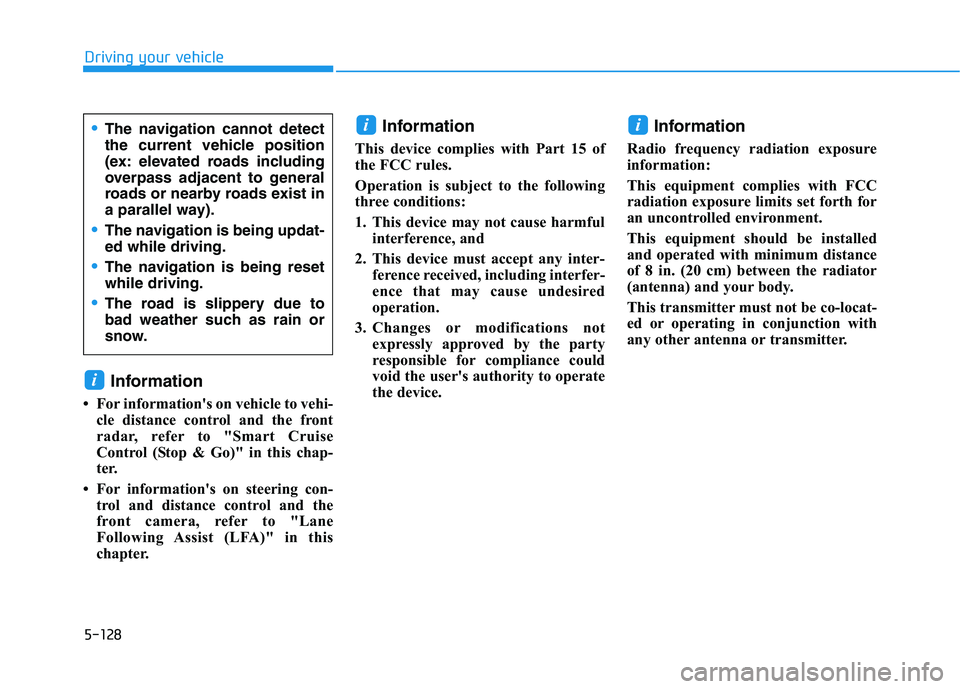
The navigation cannot detect
the current vehicle position
(ex: elevated roads including
overpass adjacent to general
roads or nearby roads exist in
a parallel way).
The navigation is being updat-
ed while driving.
The navigation is being reset
while driving.
The road is slippery due to
bad weather such as rain or
snow.