ECO mode HYUNDAI PALISADE 2021 Workshop Manual
[x] Cancel search | Manufacturer: HYUNDAI, Model Year: 2021, Model line: PALISADE, Model: HYUNDAI PALISADE 2021Pages: 612, PDF Size: 33.36 MB
Page 436 of 612
5-127
Driving your vehicle
5
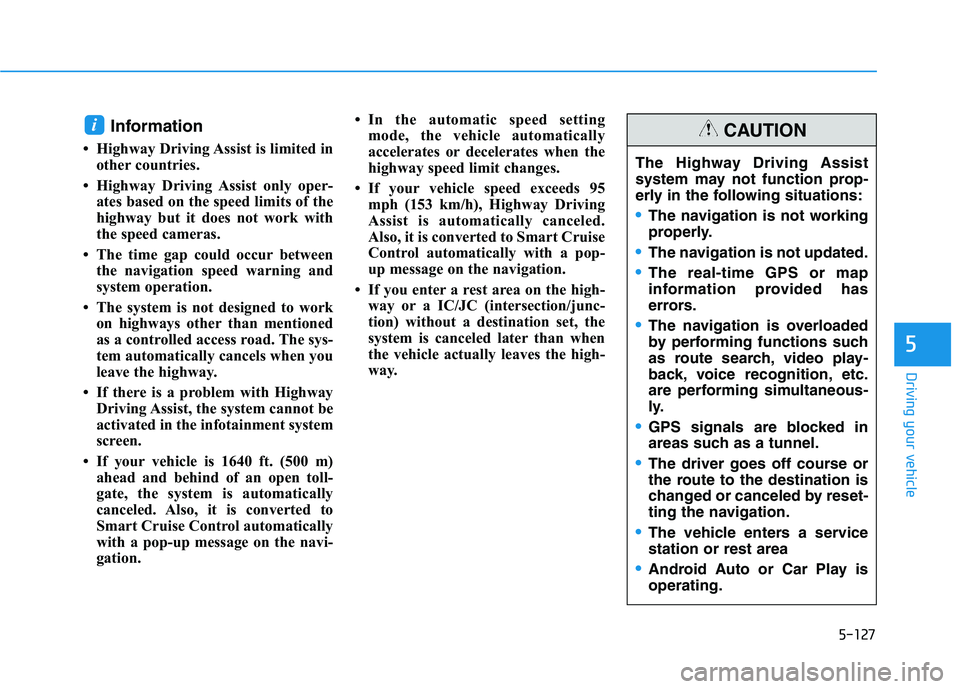
Information
• Highway Driving Assist is limited in
other countries.
• Highway Driving Assist only oper-
ates based on the speed limits of the
highway but it does not work with
the speed cameras.
• The time gap could occur between
the navigation speed warning and
system operation.
• The system is not designed to work
on highways other than mentioned
as a controlled access road. The sys-
tem automatically cancels when you
leave the highway.
• If there is a problem with Highway
Driving Assist, the system cannot be
activated in the infotainment system
screen.
• If your vehicle is 1640 ft. (500 m)
ahead and behind of an open toll-
gate, the system is automatically
canceled. Also, it is converted to
Smart Cruise Control automatically
with a pop-up message on the navi-
gation.• In the automatic speed setting
mode, the vehicle automatically
accelerates or decelerates when the
highway speed limit changes.
• If your vehicle speed exceeds 95
mph (153 km/h), Highway Driving
Assist is automatically canceled.
Also, it is converted to Smart Cruise
Control automatically with a pop-
up message on the navigation.
• If you enter a rest area on the high-
way or a IC/JC (intersection/junc-
tion) without a destination set, the
system is canceled later than when
the vehicle actually leaves the high-
way.
i
The Highway Driving Assist
system may not function prop-
erly in the following situations:
The navigation is not working
properly.
The navigation is not updated.
The real-time GPS or map
information provided has
errors.
The navigation is overloaded
by performing functions such
as route search, video play-
back, voice recognition, etc.
are performing simultaneous-
ly.
GPS signals are blocked in
areas such as a tunnel.
The driver goes off course or
the route to the destination is
changed or canceled by reset-
ting the navigation.
The vehicle enters a service
station or rest area
Android Auto or Car Play is
operating.
CAUTION
Page 440 of 612
5-131
Driving your vehicle
5
Normal:
Vehicle speed following the front
vehicle to maintain the set distance
is normal.
Slow:
Vehicle speed following the front
vehicle to maintain the set distance
is slower than normal speed.
Information
The last selected speed sensitivity of
the smart cruise control is remained in
the system.
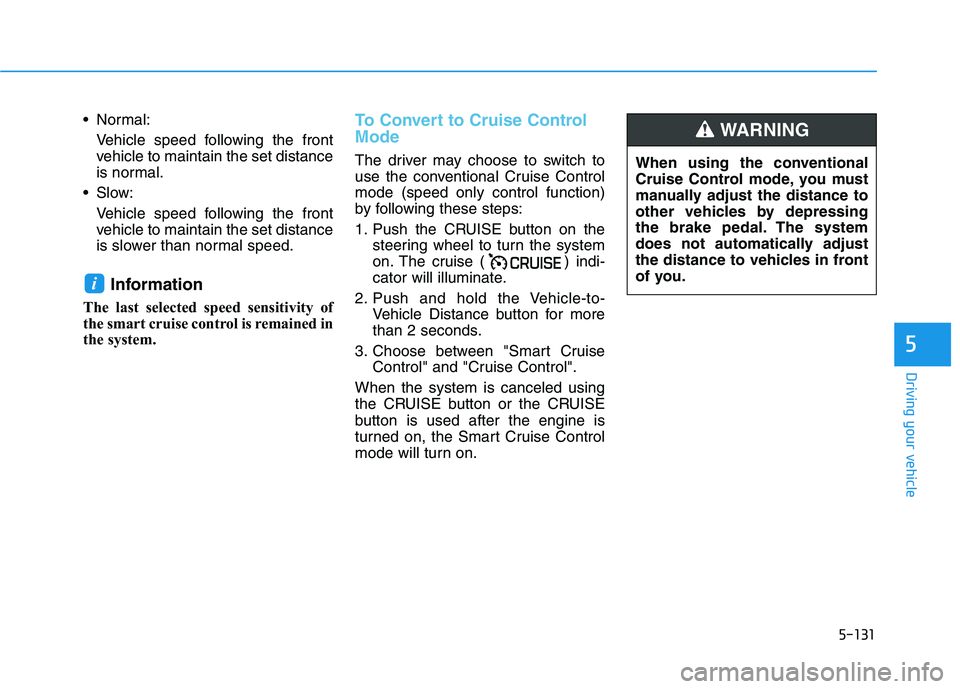
To Convert to Cruise Control
Mode
The driver may choose to switch to
use the conventional Cruise Control
mode (speed only control function)
by following these steps:
1. Push the CRUISE button on the
steering wheel to turn the system
on. The cruise ( ) indi-
cator will illuminate.
2. Push and hold the Vehicle-to-
Vehicle Distance button for more
than 2 seconds.
3. Choose between "Smart Cruise
Control" and "Cruise Control".
When the system is canceled using
the CRUISE button or the CRUISE
button is used after the engine is
turned on, the Smart Cruise Control
mode will turn on.
i
When using the conventional
Cruise Control mode, you must
manually adjust the distance to
other vehicles by depressing
the brake pedal. The system
does not automatically adjust
the distance to vehicles in front
of you.
WARNING
Page 449 of 612
5-140
Driving your vehicle
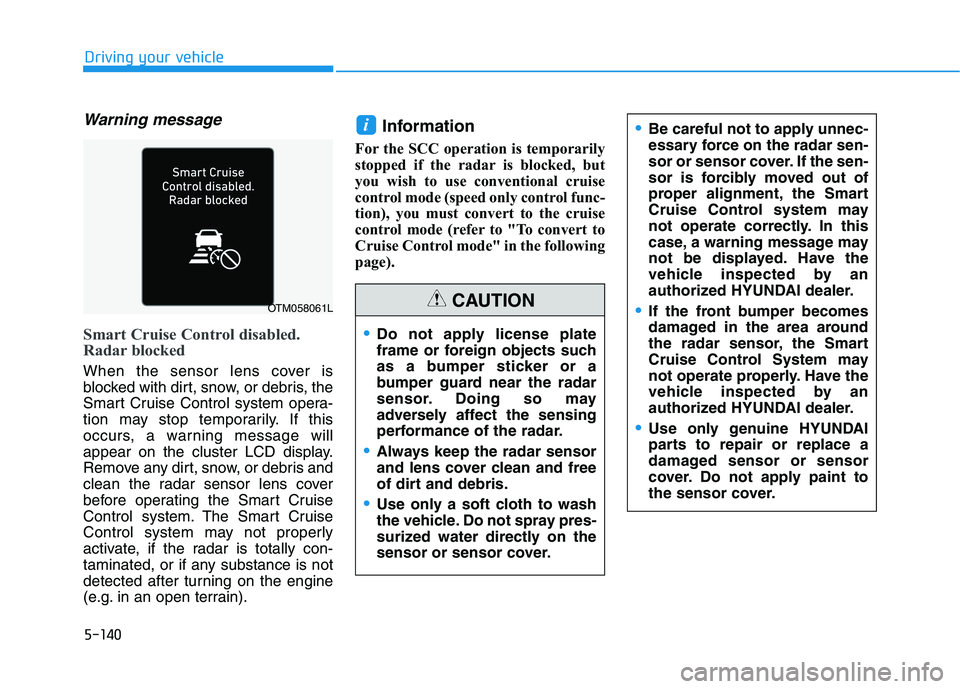
Warning message
Smart Cruise Control disabled.
Radar blocked
When the sensor lens cover is
blocked with dirt, snow, or debris, the
Smart Cruise Control system opera-
tion may stop temporarily. If this
occurs, a warning message will
appear on the cluster LCD display.
Remove any dirt, snow, or debris and
clean the radar sensor lens cover
before operating the Smart Cruise
Control system. The Smart Cruise
Control system may not properly
activate, if the radar is totally con-
taminated, or if any substance is not
detected after turning on the engine
(e.g. in an open terrain).
Information
For the SCC operation is temporarily
stopped if the radar is blocked, but
you wish to use conventional cruise
control mode (speed only control func-
tion), you must convert to the cruise
control mode (refer to "To convert to
Cruise Control mode" in the following
page).
i
OTM058061L
Do not apply license plate
frame or foreign objects such
as a bumper sticker or a
bumper guard near the radar
sensor. Doing so may
adversely affect the sensing
performance of the radar.
Always keep the radar sensor
and lens cover clean and free
of dirt and debris.
Use only a soft cloth to wash
the vehicle. Do not spray pres-
surized water directly on the
sensor or sensor cover.
CAUTION
Be careful not to apply unnec-
essary force on the radar sen-
sor or sensor cover. If the sen-
sor is forcibly moved out of
proper alignment, the Smart
Cruise Control system may
not operate correctly. In this
case, a warning message may
not be displayed. Have the
vehicle inspected by an
authorized HYUNDAI dealer.
If the front bumper becomes
damaged in the area around
the radar sensor, the Smart
Cruise Control System may
not operate properly. Have the
vehicle inspected by an
authorized HYUNDAI dealer.
Use only genuine HYUNDAI
parts to repair or replace a
damaged sensor or sensor
cover. Do not apply paint to
the sensor cover.
Page 550 of 612
7-46
Maintenance
Vehicle Capacity Weight
The number of designated seating
positions multiplied by 150 lbs. (68
kg) plus the rated cargo and luggage
load.
Vehicle Maximum Load on the
Tire
Load on an individual tire due to curb
and accessory weight plus maximum
occupant and cargo weight.
Vehicle Normal Load on the Tire
Load on an individual tire that is
determined by distributing to each
axle its share of the curb weight,
accessory weight, and normal occu-
pant weight and dividing by 2.
Vehicle Placard
A label permanently attached to a
vehicle showing the original equip-
ment tire size and recommended
inflation pressure.
All Season Tires
HYUNDAI specifies all season tires
on some models to provide good
performance for use all year round,
including snowy road conditions. All
season tires are identified by ALL
SEASON and/or M+S (Mud and
Snow) on the tire sidewall. Snow tires
have better snow traction than all
season tires and may be more
appropriate in some areas.
Snow Tires
If you equip your car with snow tires,
they should be the same size and
have the same load capacity as the
original tires. Snow tires should be
installed on all four wheels; other-
wise, poor handling may result. Snow
tires should carry 4 psi (28 kPa)
more air pressure than the pressure
recommended for the standard tires
on the tire label on the driver’s side of
the center pillar, or up to the maxi-
mum pressure shown on the tire
sidewall, whichever is less. Do not
drive faster than 75 mph (120 km/h)
when your vehicle is equipped with
snow tires.
Radial-Ply Tires
Radial-ply tires provide improved
tread life, road hazard resistance and
smoother high speed ride. The radi-
al-ply tires used on this vehicle are of
belted construction, and are selected
to complement the ride and handling
characteristics of your vehicle.
Radial-ply tires have the same load
carrying capacity, as bias-ply or bias
belted tires of the same size, and use
the same recommended inflation
pressure. Mixing of radial-ply tires
with bias-ply or bias belted tires is
not recommended. Any combina-
tions of radial-ply and bias-ply or bias
belted tires when used on the same
vehicle will seriously deteriorate
vehicle handling. The best rule to fol-
low is: Identical pairs of radial-ply
tires should always be used as a set
for the front tires and a set for the
rear tires.
Page 611 of 612
I-13
Tire traction ................................................................7-38
Use of compact spare tires .........................................6-19
Wheel alignment and tire balance ..............................7-36
Wheel replacement .....................................................7-38
Towing ............................................................................6-22
Trailer Stability Assist (TSA) .........................................5-42
Trailer towing................................................................5-157
Trip computer ................................................................3-110
Accumulated Info display ........................................3-112
Average fuel economy ..............................................3-111
Digital speedometer ..................................................3-113
Driving Info display .................................................3-112
Instant fuel economy ................................................3-111
Smart shift ................................................................3-113
Turn signals...................................................................3-137
USB charger ..................................................................3-200
USB port ...........................................................................4-2
Use of compact spare tires ..............................................6-19
User settings mode........................................................3-100Vanity mirror lamp........................................................3-141
Vehicle break-in process ....................................................F9
Vehicle certification label ...............................................8-10
Vehicle identification number (VIN) ..............................8-10
Vehicle load limit ..........................................................5-165
Vehicle modification ..........................................................F9
Vehicle Stability Management (VSM)............................5-38
Vehicle weight and luggage volume .................................8-6
View modes ...................................................................3-115
Warning and indicator lights...........................................3-76
Air bag warning light .................................................3-77
All Wheel Drive (AWD) warning light......................3-83
All wheel drive lock indicator light ...........................3-89
Anti-lock Brake System (ABS) warning light ...........3-78
Auto hold ON indicator light .....................................3-88
Auto stop indicator light ............................................3-85
Charging system warning light .................................3-81
Cruise indicator light ..................................................3-88
Downhill Brake Control (DBC) indicator light .........3-89
Electric Power Steering (EPS) warning light.............3-79
Electronic brake force warning light..........................3-78
Electronic Parking Brake (EPB) warning light..........3-80
Electronic stability control (ESC) indicator light ......3-85
I
Index
U
V
W