ignition HYUNDAI PALISADE 2021 Manual PDF
[x] Cancel search | Manufacturer: HYUNDAI, Model Year: 2021, Model line: PALISADE, Model: HYUNDAI PALISADE 2021Pages: 612, PDF Size: 33.36 MB
Page 345 of 612
5-36
Driving your vehicle
When operating
When the ESC is in opera-
tion, the ESC indicator light
blinks:
When you apply your brakes under
conditions which may lock the
wheels, you may hear sounds from
the brakes, or feel a corresponding
sensation in the brake pedal. This
is normal and it means your ESC is
active.
When the ESC activates, the
engine may not respond to the
accelerator as it does under rou-
tine conditions.
If the Cruise Control was in use
when the ESC activates, the Cruise
Control automatically disengages.
The Cruise Control can be reen-
gaged when the road conditions
allow. See "Cruise Control System"
later in this chapter. (if equipped)
When moving out of the mud or
driving on a slippery road, the
engine RPM (revolutions per
minute) may not increase even if
you press the accelerator pedal
deeply. This is to maintain the sta-
bility and traction of the vehicle and
does not indicate a problem.
ESC OFF condition
To cancel ESC operation :
State 1
Press the ESC OFF button briefly.
The ESC OFF indicator light and
message "Traction Control disabled"
will illuminate. In this state, the trac-
tion control function of ESC (engine
management) is disabled, but the
brake control function of ESC (brak-
ing management) still operates.
Press and hold the ESC OFF button
continuously for more than 3 sec-
onds. The ESC OFF indicator light
and message "Traction and Stability
Control disabled" illuminates and a
warning chime sounds. In this state,
both the traction control function of
ESC (engine management) and the
brake control function of ESC (brak-
ing management) are disabled.
If the ignition switch is placed to the
LOCK/OFF position when ESC is off,
ESC remains off. Upon restarting the
engine, the ESC will automatically turn
on again.
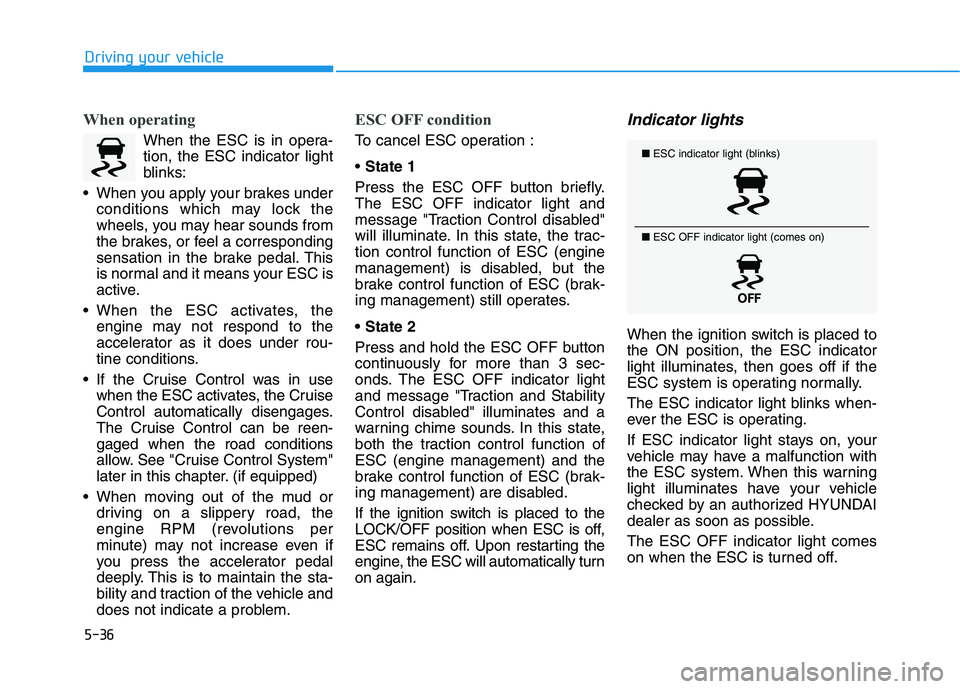
Indicator lights
When the ignition switch is placed to
the ON position, the ESC indicator
light illuminates, then goes off if the
ESC system is operating normally.
The ESC indicator light blinks when-
ever the ESC is operating.
If ESC indicator light stays on, your
vehicle may have a malfunction with
the ESC system. When this warning
light illuminates have your vehicle
checked by an authorized HYUNDAI
dealer as soon as possible.
The ESC OFF indicator light comes
on when the ESC is turned off.
■ESC indicator light (blinks)
■ ESC OFF indicator light (comes on)
Page 348 of 612
5-39
Driving your vehicle
5
Driving with wheels and tires with dif-
ferent sizes may cause the ESC sys-
tem to malfunction. Before replacing
tires, make sure all four tires and
wheels are the same size. Never
drive the vehicle with different sized
tires and wheels installed.Hill-Start Assist Control (HAC)
The Hill-Start Assist Control (HAC)
helps prevent the vehicle from rolling
backwards when starting a vehicle
from a stop on a hill. The system
operates the brakes automatically for
approximately 2 seconds and releas-
es the brake after 2 seconds or when
the accelerator pedal is depressed.
The HAC does not operate when
the vehicle is shifted to P (Park)
or N (Neutral)
The HAC activates even though
the ESC (Electronic Stability
Control) is off but does not acti-
vate when the ESC has malfunc-
tioned.
Downhill Brake Control (DBC)
(if equipped)
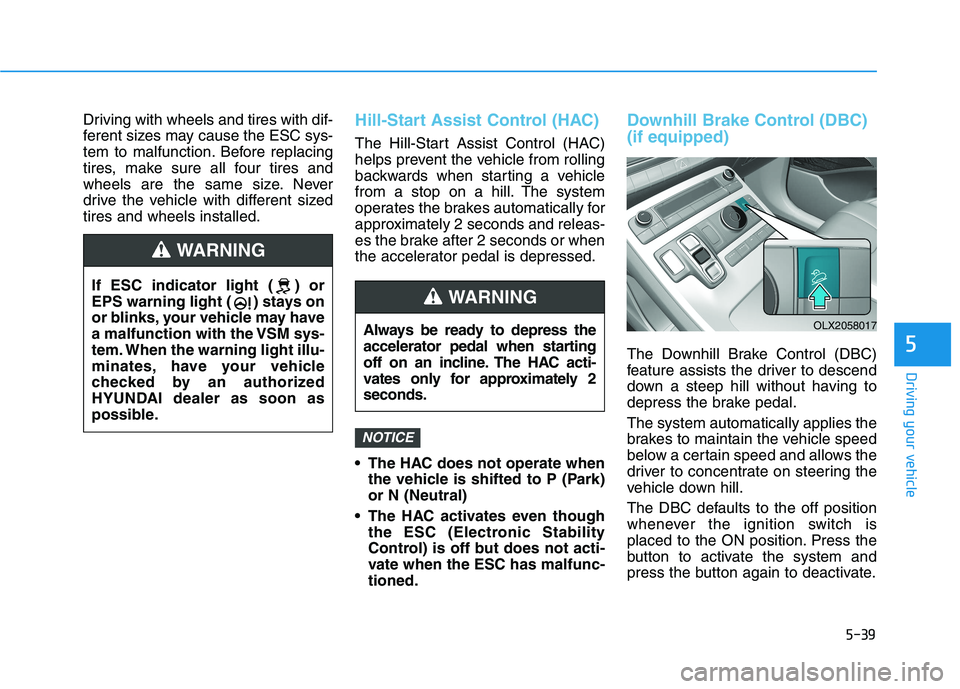
The Downhill Brake Control (DBC)
feature assists the driver to descend
down a steep hill without having to
depress the brake pedal.
The system automatically applies the
brakes to maintain the vehicle speed
below a certain speed and allows the
driver to concentrate on steering the
vehicle down hill.
The DBC defaults to the off position
whenever the ignition switch is
placed to the ON position. Press the
button to activate the system and
press the button again to deactivate.
NOTICE
Always be ready to depress the
accelerator pedal when starting
off on an incline. The HAC acti-
vates only for approximately 2
seconds.
WARNING
OLX2058017
If ESC indicator light ( ) or
EPS warning light ( ) stays on
or blinks, your vehicle may have
a malfunction with the VSM sys-
tem. When the warning light illu-
minates, have your vehicle
checked by an authorized
HYUNDAI dealer as soon as
possible.
WARNING
Page 351 of 612
5-42
Driving your vehicle
Trailer Stability Assist (TSA)
Trailer Stability Assist system helps
stabilize the vehicle and trailer when
the trailer sways or oscillates. There
are various reasons making the vehi-
cle sway and oscillate.
Factors of swaying are such as:
- High speed
- Strong crosswinds
- Improper overloading
- Sudden controlling of steering
wheel
- Uneven road
Trailer Stability Assist system contin-
uously analyzes the vehicle and trail-
er instability. When the Trailer
Stability Assist system detects some
sway, the brakes are applied auto-
matically to stabilize the vehicle on
the front wheel. However, if it is not
enough to stabilize, the brakes are
applied on all wheels automatically
and engine power is properly
reduced. When the vehicle is stable
from swaying, trailer stability assist
system does not operate.
Good Braking Practices
Wet brakes can be dangerous! The
brakes may get wet if the vehicle is
driven through standing water or if it
is washed. Your vehicle will not stop
as quickly if the brakes are wet. Wet
brakes may cause the vehicle to pull
to one side.To dry the brakes, apply the brakes
lightly until the braking action returns
to normal, taking care to keep the
vehicle under control at all times. If
the braking action does not return to
normal, stop as soon as it is safe to
do so and call an authorized
HYUNDAI dealer for assistance.
DO NOT drive with your foot resting
on the brake pedal. Even light, but
constant pedal pressure can result in
the brakes overheating, brake wear,
and possibly even brake failure.
If a tire goes flat while you are driv-
ing, apply the brakes gently and
keep the vehicle pointed straight
ahead while you slow down. When
you are moving slowly enough for it
to be safe to do so, pull off the road
and stop in a safe location.
Keep your foot firmly on the brake
pedal when the vehicle is stopped to
prevent the vehicle from rolling for-
ward. Whenever leaving the vehicle or
parking, always come to a com-
plete stop and continue to
depress the brake pedal. Shift
the gear to P (Park), then apply
the parking brake, and place the
ignition switch in the LOCK/OFF
position.
Vehicles parked with the park-
ing brake not applied or not
fully engaged may roll inadver-
tently and may cause injury to
the driver and others. ALWAYS
apply the parking brake before
exiting the vehicle.
WARNING
Page 355 of 612
5-46
Driving your vehicle
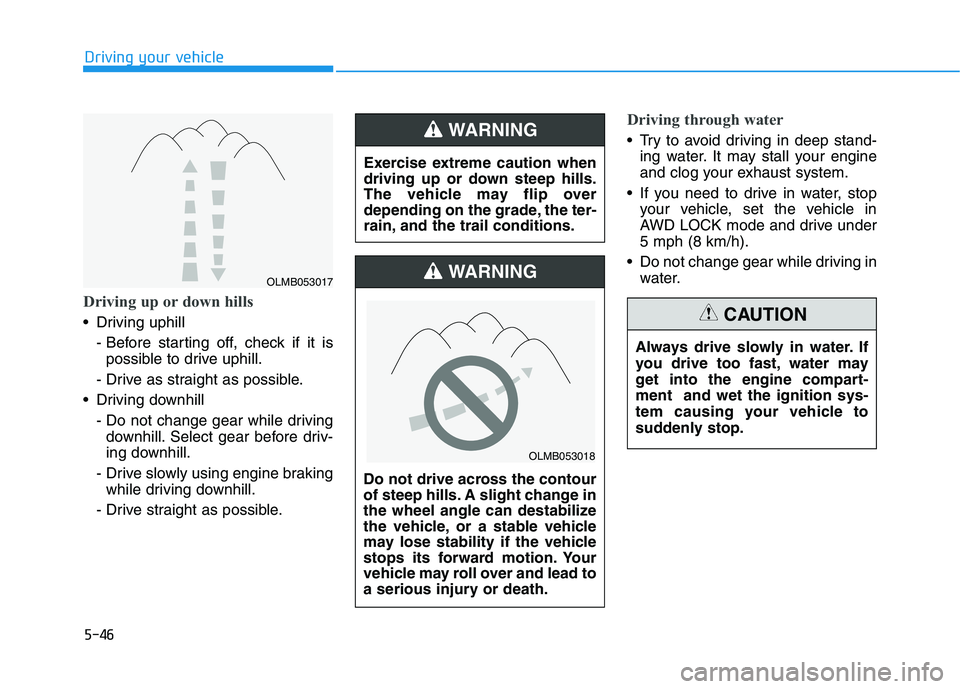
Driving up or down hills
Driving uphill
- Before starting off, check if it is
possible to drive uphill.
- Drive as straight as possible.
Driving downhill
- Do not change gear while driving
downhill. Select gear before driv-
ing downhill.
- Drive slowly using engine braking
while driving downhill.
- Drive straight as possible.
Driving through water
Try to avoid driving in deep stand-
ing water. It may stall your engine
and clog your exhaust system.
If you need to drive in water, stop
your vehicle, set the vehicle in
AWD LOCK mode and drive under
5 mph (8 km/h).
Do not change gear while driving in
water. Exercise extreme caution when
driving up or down steep hills.
The vehicle may flip over
depending on the grade, the ter-
rain, and the trail conditions.WARNING
Do not drive across the contour
of steep hills. A slight change in
the wheel angle can destabilize
the vehicle, or a stable vehicle
may lose stability if the vehicle
stops its forward motion. Your
vehicle may roll over and lead to
a serious injury or death.
WARNING
Always drive slowly in water. If
you drive too fast, water may
get into the engine compart-
ment and wet the ignition sys-
tem causing your vehicle to
suddenly stop.
CAUTION
OLMB053018
OLMB053017
Page 362 of 612
5-53
Driving your vehicle
5
To Deactivate the ISG System
Press the ISG OFF button to deac-
tivate the ISG system. Then, the
ISG OFF button indicator illumi-
nates.
Press the ISG OFF button again to
reactivate the ISG system. Then,
the ISG OFF button indicator turns
OFF.
ISG System Malfunction
The ISG system may not operate:
When there is a malfunction with the
ISG sensors or the ISG system.
The followings occur, when there is
a malfunction with the ISG system:
The auto stop indicator ( ) will
blink in yellow on the instrument
cluster.
The light on the ISG OFF button
will illuminate.
Information
• When you cannot turn OFF the ISG
OFF button indicator by pressing the
ISG OFF button, or when the mal-
function with the ISG system per-
sists, contact an authorized
HYUNDAI dealer.
• You can turn off the ISG OFF but-
ton indicator by driving over 50
mph (80 km/h) for up to 2 hours
with the fan speed below the 2nd
position. If the ISG OFF button
indicator remains ON, contact an
authorized HYUNDAI dealer.
i
When the engine is in auto stop
mode, the engine may restart.
Before leaving the vehicle or
checking the engine compart-
ment, stop the engine placing
the ignition switch to the
LOCK/OFF position or remove
the ignition key.
WARNING
Page 363 of 612
5-54
Driving your vehicle
Battery Sensor Deactivation
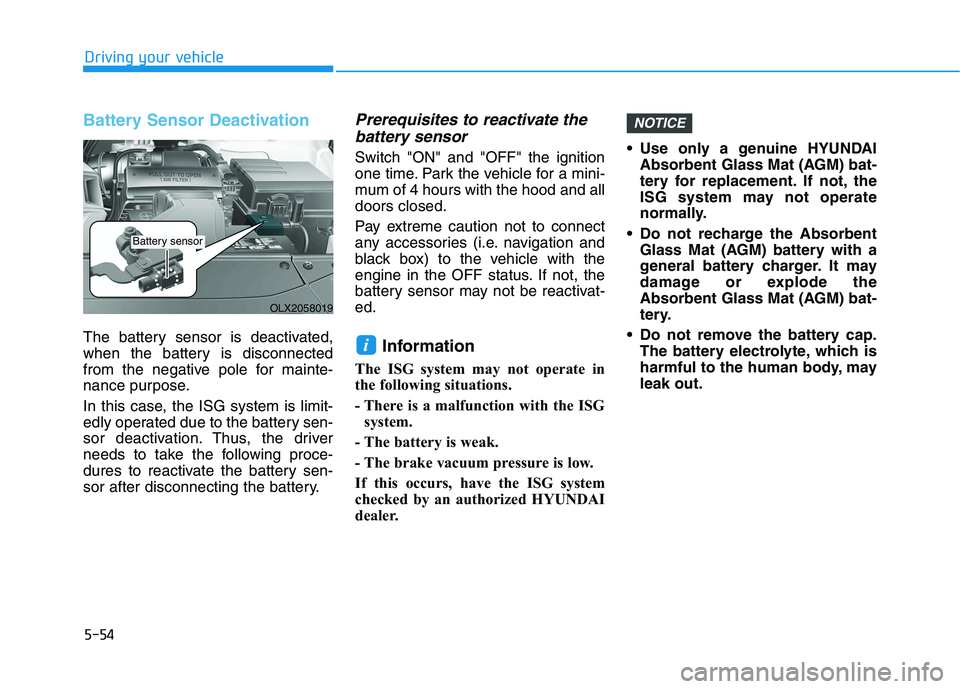
The battery sensor is deactivated,
when the battery is disconnected
from the negative pole for mainte-
nance purpose.
In this case, the ISG system is limit-
edly operated due to the battery sen-
sor deactivation. Thus, the driver
needs to take the following proce-
dures to reactivate the battery sen-
sor after disconnecting the battery.
Prerequisites to reactivate the
battery sensor
Switch "ON" and "OFF" the ignition
one time. Park the vehicle for a mini-
mum of 4 hours with the hood and all
doors closed.
Pay extreme caution not to connect
any accessories (i.e. navigation and
black box) to the vehicle with the
engine in the OFF status. If not, the
battery sensor may not be reactivat-
ed.
Information
The ISG system may not operate in
the following situations.
- There is a malfunction with the ISG
system.
- The battery is weak.
- The brake vacuum pressure is low.
If this occurs, have the ISG system
checked by an authorized HYUNDAI
dealer. Use only a genuine HYUNDAI
Absorbent Glass Mat (AGM) bat-
tery for replacement. If not, the
ISG system may not operate
normally.
Do not recharge the Absorbent
Glass Mat (AGM) battery with a
general battery charger. It may
damage or explode the
Absorbent Glass Mat (AGM) bat-
tery.
Do not remove the battery cap.
The battery electrolyte, which is
harmful to the human body, may
leak out.
NOTICE
i
OLX2058019
Battery sensor
Page 372 of 612
5-63
Driving your vehicle
5
The Forward Collision-Avoidance
Assist (FCA) system is designed to
help detect and monitor the vehicle
ahead or help detect a pedestrian in
the roadway through radar signals
and camera recognition to warn the
driver that a collision is imminent,
and if necessary, apply emergency
braking.System Setting and Operation
System setting
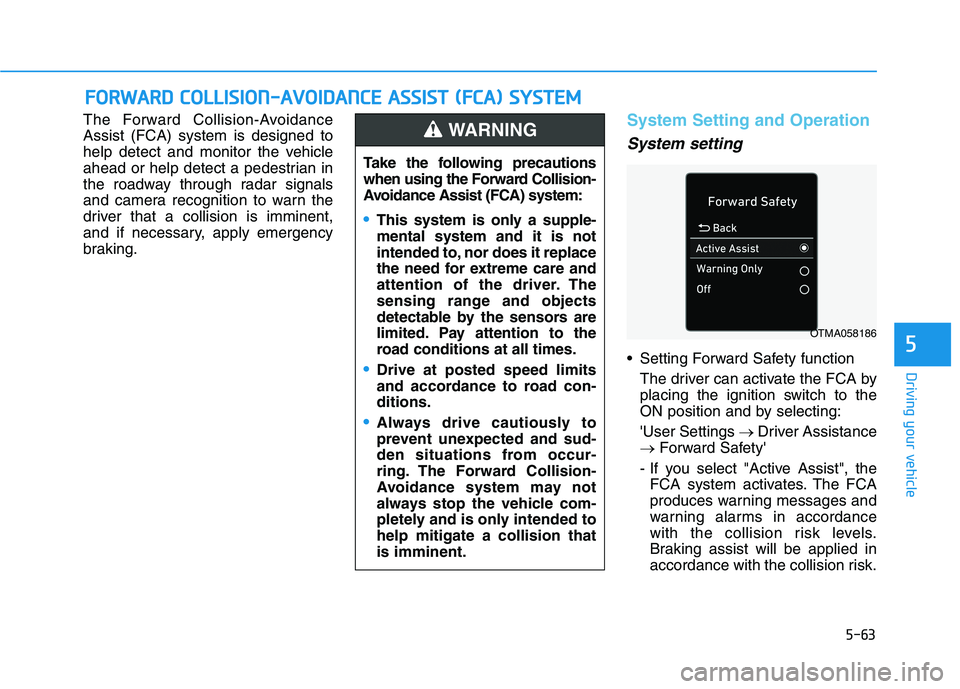
Setting Forward Safety function
The driver can activate the FCA by
placing the ignition switch to the
ON position and by selecting:
'User Settings →Driver Assistance
→Forward Safety'
- If you select "Active Assist", the
FCA system activates. The FCA
produces warning messages and
warning alarms in accordance
with the collision risk levels.
Braking assist will be applied in
accordance with the collision risk.
F FO
OR
RW
WA
AR
RD
D
C
CO
OL
LL
LI
IS
SI
IO
ON
N-
-A
AV
VO
OI
ID
DA
AN
NC
CE
E
A
AS
SS
SI
IS
ST
T
(
(F
FC
CA
A)
)
S
SY
YS
ST
TE
EM
M
Take the following precautions
when using the Forward Collision-
Avoidance Assist (FCA) system:
This system is only a supple-
mental system and it is not
intended to, nor does it replace
the need for extreme care and
attention of the driver. The
sensing range and objects
detectable by the sensors are
limited. Pay attention to the
road conditions at all times.
Drive at posted speed limits
and accordance to road con-
ditions.
Always drive cautiously to
prevent unexpected and sud-
den situations from occur-
ring. The Forward Collision-
Avoidance system may not
always stop the vehicle com-
pletely and is only intended to
help mitigate a collision that
is imminent.
WARNING
OTMA058186
Page 374 of 612
5-65
Driving your vehicle
5
- Later:
When this option is selected, the
initial Forward Collision Warning is
activated later than normal. This
setting reduces the amount of dis-
tance between the vehicle, pedes-
trian ahead before the initial warn-
ing occurs.
Select 'Later' when traffic is light
and when driving speed is slow.
Information
If you change the warning timing, the
warning time of other systems may
change. Always be aware before
changing the warning timing.
Prerequisite for activation
The FCA system is on and ready
when 'Active Assist' or 'Warning
Only' under Forward Safety is select-
ed in the LCD display and when the
following prerequisites are satisfied:
- ESC (Electronic Stability Control)
is on.
- Vehicle speed is over 5 mph (8
km/h ) (The FCA is only activated
within a certain speed range.).
- The system detects a pedestrian
or a vehicle in front, which may col-
lide with your vehicle. However,
FCA may not be activated or may
only sound a warning alarm
depending on the driving or vehicle
conditions.
i
To avoid driver distractions,
do not attempt to set or can-
cel the FCA while driving the
vehicle. Always completely
stop the vehicle at a safe
place before setting or cancel-
ing the system.
FCA automatically activates
upon placing the ignition
switch to the ON position. The
driver can deactivate FCA by
canceling the system setting
in the cluster LCD display.
FCA automatically deacti-
vates upon canceling ESC.
When ESC is canceled, FCA
cannot be activated in the
cluster LCD display. In this sit-
uation, the FCA warning light
will illuminate which is nor-
mal.
WARNING
Page 388 of 612
5-79
Driving your vehicle
5
System Setting and Operation
System setting
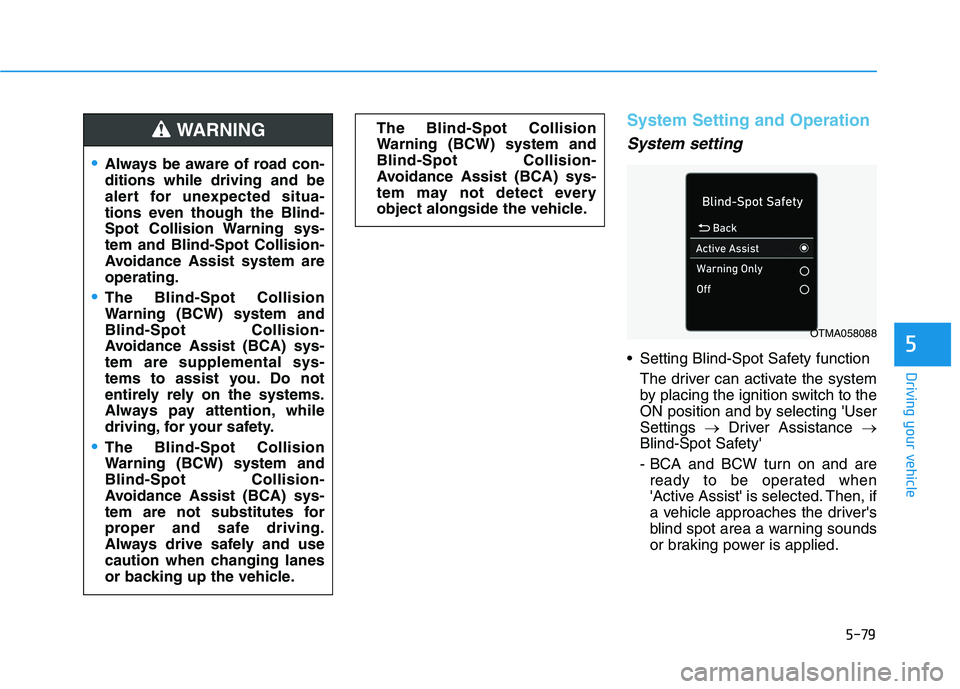
Setting Blind-Spot Safety function
The driver can activate the system
by placing the ignition switch to the
ON position and by selecting 'User
Settings →Driver Assistance →
Blind-Spot Safety'
- BCA and BCW turn on and are
ready to be operated when
'Active Assist' is selected. Then, if
a vehicle approaches the driver's
blind spot area a warning sounds
or braking power is applied. The Blind-Spot Collision
Warning (BCW) system and
Blind-Spot Collision-
Avoidance Assist (BCA) sys-
tem may not detect every
object alongside the vehicle.
Always be aware of road con-
ditions while driving and be
alert for unexpected situa-
tions even though the Blind-
Spot Collision Warning sys-
tem and Blind-Spot Collision-
Avoidance Assist system are
operating.
The Blind-Spot Collision
Warning (BCW) system and
Blind-Spot Collision-
Avoidance Assist (BCA) sys-
tem are supplemental sys-
tems to assist you. Do not
entirely rely on the systems.
Always pay attention, while
driving, for your safety.
The Blind-Spot Collision
Warning (BCW) system and
Blind-Spot Collision-
Avoidance Assist (BCA) sys-
tem are not substitutes for
proper and safe driving.
Always drive safely and use
caution when changing lanes
or backing up the vehicle.
WARNING
OTMA058088
Page 403 of 612
5-94
Driving your vehicle
System Setting and Operation
System setting
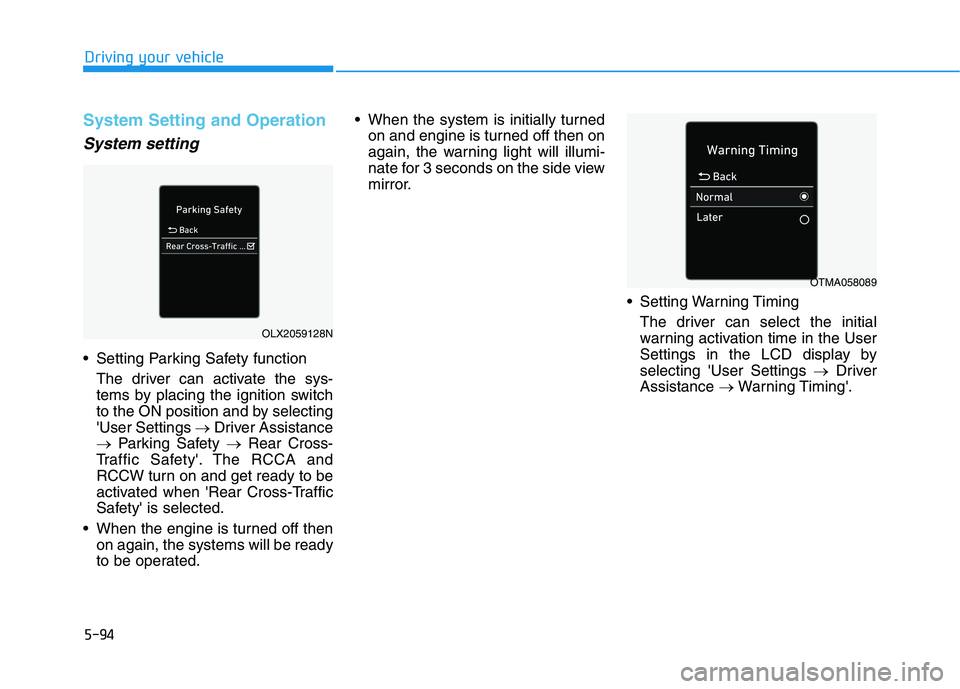
Setting Parking Safety function
The driver can activate the sys-
tems by placing the ignition switch
to the ON position and by selecting
'User Settings →Driver Assistance
→Parking Safety →Rear Cross-
Traffic Safety'. The RCCA and
RCCW turn on and get ready to be
activated when 'Rear Cross-Traffic
Safety' is selected.
When the engine is turned off then
on again, the systems will be ready
to be operated. When the system is initially turned
on and engine is turned off then on
again, the warning light will illumi-
nate for 3 seconds on the side view
mirror.
Setting Warning Timing
The driver can select the initial
warning activation time in the User
Settings in the LCD display by
selecting 'User Settings →Driver
Assistance →Warning Timing'.
OLX2059128N
OTMA058089