turn on HYUNDAI PALISADE 2022 Owner's Manual
[x] Cancel search | Manufacturer: HYUNDAI, Model Year: 2022, Model line: PALISADE, Model: HYUNDAI PALISADE 2022Pages: 663, PDF Size: 15.74 MB
Page 106 of 663
3-10
Convenience Features
The Two Press Unlock feature, when
enabled, will require the user to
press the door unlock button once for
driver door only and twice for unlock-
ing all the doors.
Select or Deselect the Two Press
Unlock feature in the User Settings
mode in the cluster LCD display. The
option can be found under the follow-
ing menu:
User Settings ➞ Door ➞Two Press
Unlock
The Two Press Unlock feature can
also be enabled or disabled by
pressing the door lock and unlock
buttons simultaneously on the Key
FOB:
Press and hold both the Door Lock
button and the Door Unlock button
simultaneously until the hazard
warning lights blink.
This will enable or disable the Two
Press Unlock feature. Repeat this
procedure to enable/disable the
mode again.
Information
• The door handle buttons will only operate when the smart key is with-
in 28-40 inches (0.7~1m) from the
outside door handle.
• Either the driver or front passenger door can be opened with the door
handle button when the smart key is
within this range.
• If you press the front passenger out- side door handle with the smart key
in your possession, all the doors will
unlock.
Remote start (if equipped)
You can start the vehicle using the
remote start button (4) of the smart
key.
To start the vehicle remotely :
- Lock the doors by pressing thedoor lock button (1) within 32 ft (10
m) distance from the vehicle.
- Press the remote start button for over 2 seconds within 4 seconds
after locking the doors. The engine
will start. Press the remote start button once to
turn off the vehicle.
Air conditioner/heater system main-
tains the status before turning off the
vehicle.
If no further action for operating/driv-
ing the vehicle is taken, the vehicle
will be turned off 10 minutes after
starting the vehicle remotely.
i
Laws in your country may
restrict the use of remote start.
You should check country reg-
ulations before using this
remote starting system.
It is only possible to start the
vehicle remotely when shifted
to P (Park).
If the hood or the liftgate is
opened, you cannot start the
vehicle remotely.
The Remote start function
works the same as Blue Link
remote start. For further cau-
tion information, refer to the
separately supplied "Blue
Link (Infotainment system)
manual".
CAUTION
Page 110 of 663
3-14
If you suspect your smart key might
have sustained some damage, or
you feel your smart key is not work-
ing correctly, contact an authorized
HYUNDAI dealer.
Information
An inappropriately disposedbattery can be harmful to the
environment and human
health. Dispose of the battery
according to your local law(s)
or regulations.
Immobilizer System
(if equipped)
The immobilizer system protects
your vehicle from theft. If an improp-
erly coded key (or other device) is
used, the engine's fuel system is dis-
abled.
When the ignition switch is placed in
the ON position, the immobilizer sys-
tem indicator should come on briefly,
then go off. If the indicator starts to
blink, the system does not recognize
the coding of the key.
Turn the ignition switch to the
LOCK/OFF position, then turn the
ignition switch to the ON position
again.
In some circumstances, the vehicle
may not recognize your remote key
or smart key if another remote key or
smart key device is nearby or a metal
object such as a key chain is causing
interference with the remote key or
smart key.
If this occurs, your vehicle may not
start. Remove any metal objects or
additional keys near the remote key
or smart key before attempting to
start the vehicle again. If the system repeatedly does not
recognize the coding of the key, it is
recommended that you contact your
HYUNDAI dealer.
Do not attempt to alter this system or
add other devices to it. Electrical
problems could result that may make
your vehicle inoperable.
i
Convenience Features
In order to prevent theft of your
vehicle, do not leave spare keys
anywhere in your vehicle. Your
immobilizer password is a cus-
tomer unique password and
should be kept confidential.
WARNING
THIS PRODUCT CONTAINS A
BUTTONBATTERY.
If swallowed, a lithium button
battery can cause severe or
fatal injuries within 2 hours.
Keep batteries out of reach of
children.
If you think batteries may have
been swallowed or placed
inside any part of the body, seek
immediate medical attention.
WARNING
Page 112 of 663
![HYUNDAI PALISADE 2022 Owners Manual 3-16
Convenience Features
Operating Door Locks from
Outside the Vehicle
Mechanical key
[A] : Unlock, [B] : Lock
First, pull the outside door handle (1)
and push the hook (2) located inside
of outside](/img/35/41170/w960_41170-111.png "HYUNDAI PALISADE 2022 Owners Manual 3-16
Convenience Features
Operating Door Locks from
Outside the Vehicle
Mechanical key
[A] : Unlock, [B] : Lock
First, pull the outside door handle (1)
and push the hook (2) located inside
of outside")
3-16
Convenience Features
Operating Door Locks from
Outside the Vehicle
Mechanical key
[A] : Unlock, [B] : Lock
First, pull the outside door handle (1)
and push the hook (2) located inside
of outside door handle by using the
mechanical key. And remove the
cover (3) and lower the cover down-
ward not to be damaged.
Be careful not to damage the
cover while removing it or mis-
place it after removing it.
After removing the cover, turn the
key toward the front of the vehicle to
unlock and toward the rear of the
vehicle to lock.
If you lock the driver's door with a
mechanical key, the driver's door will
lock. If you unlock the driver's door
with a mechanical key, you can open
and close the driver's door only.
Once the doors are unlocked, they
may be opened by pulling the door
handle. When closing the door, push
the door by hand. Make sure that
doors are closed securely.Remote key
To lock the doors, press the Door
Lock button (1) on the remote key.
Press the Door Unlock button (2) on
the remote key, the driver's door will
unlock. If you press the Door Unlock
button on the remote key again with-
in four seconds, then all the doors
will unlock.
Once the doors are unlocked, they
may be opened by pulling the door
handle. When closing the door, push
the door by hand. Make sure that
doors are closed securely.
NOTICE
D DO O O OR R L L O O C CK K S S
OLX2049415N
OLX2048005
OLX2049052L
Page 117 of 663
3-21
Convenience Features
3
Child-Protector Rear Door
Locks (if equipped)
The child safety lock is provided to
help prevent children seated in the
rear from accidentally opening the
rear doors. The rear door safety locks
should be used whenever children
are in the vehicle.
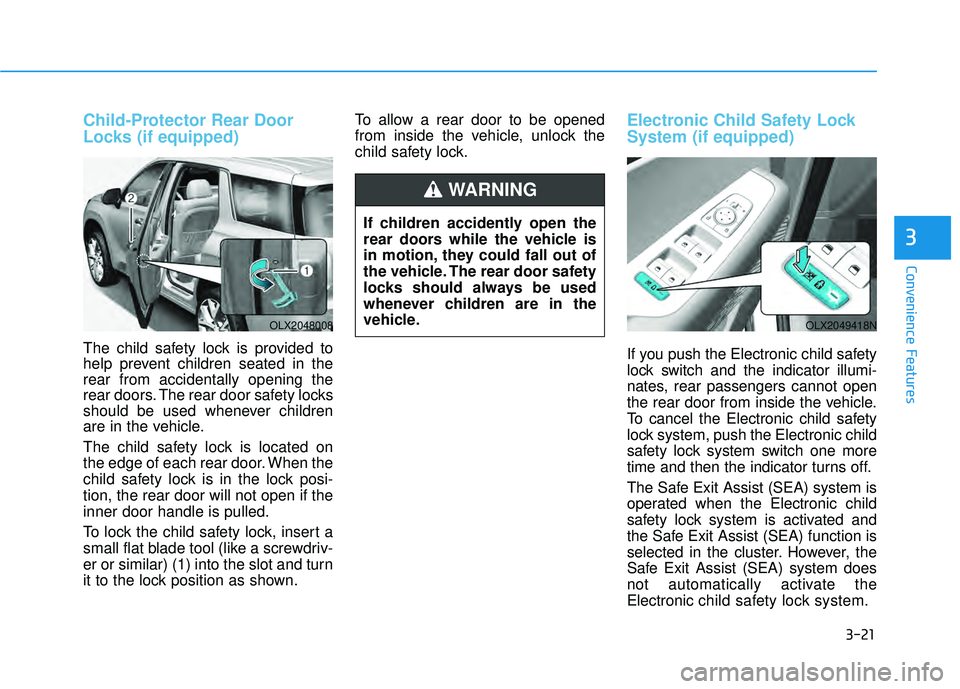
The child safety lock is located on
the edge of each rear door. When the
child safety lock is in the lock posi-
tion, the rear door will not open if the
inner door handle is pulled.
To lock the child safety lock, insert a
small flat blade tool (like a screwdriv-
er or similar) (1) into the slot and turn
it to the lock position as shown.To allow a rear door to be opened
from inside the vehicle, unlock the
child safety lock.
Electronic Child Safety Lock
System (if equipped)
If you push the Electronic child safety
lock switch and the indicator illumi-
nates, rear passengers cannot open
the rear door from inside the vehicle.
To cancel the Electronic child safety
lock system, push the Electronic child
safety lock system switch one more
time and then the indicator turns off.
The Safe Exit Assist (SEA) system is
operated when the Electronic child
safety lock system is activated and
the Safe Exit Assist (SEA) function is
selected in the cluster. However, the
Safe Exit Assist (SEA) system does
not automatically activate the
Electronic
child safety lock system.
OLX2048008OLX2049418N
If children accidently open the
rear doors while the vehicle is
in motion, they could fall out of
the vehicle. The rear door safety
locks should always be used
whenever children are in the
vehicle.
WARNING
Page 118 of 663
3-22
Convenience Features
The Electronic child safety lock sys-
tem can be operated for approxi-
mately 10 minutes after the engine is
turned off.
If your vehicle is equipped with the
Electronic child safety lock system,
the Child-protector rear door locks
which is manually operated is not
provided.
If Electronic child safety lock system
is activated, rear passenger cannot
open or close the rear window also.
For more details, refer to “Windows”
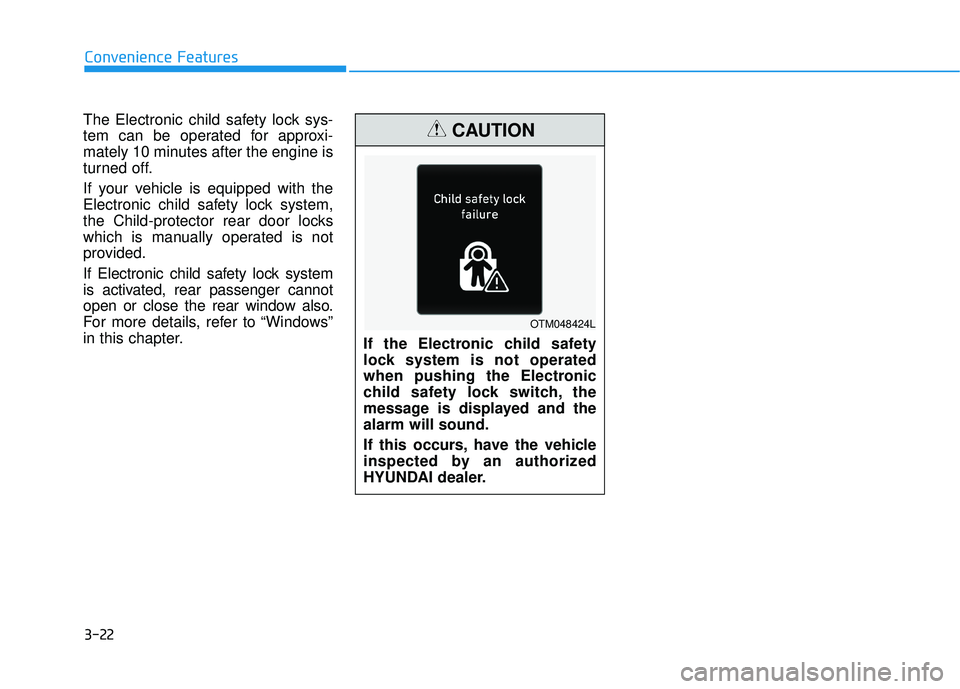
in this chapter. If the Electronic child safety
lock system is not operated
when pushing the Electronic
child safety lock switch, the
message is displayed and the
alarm will sound.
If this occurs, have the vehicle
inspected by an authorized
HYUNDAI dealer.
CAUTION
OTM048424L
Page 120 of 663
3-24
Safe Exit Assist settings
Setting features
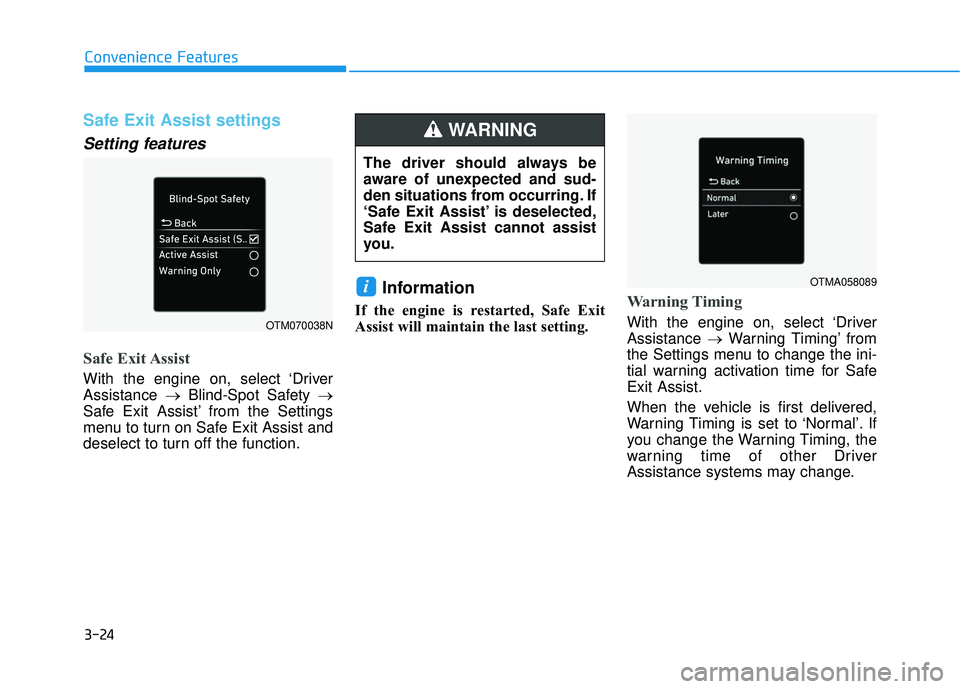
Safe Exit Assist
With the engine on, select ‘Driver
Assistance →Blind-Spot Safety →
Safe Exit Assist’ from the Settings
menu to turn on Safe Exit Assist and
deselect to turn off the function.
Information
If the engine is restarted, Safe Exit
Assist will maintain the last setting.Warning Timing
With the engine on, select ‘Driver
Assistance →Warning Timing’ from
the Settings menu to change the ini-
tial warning activation time for Safe
Exit Assist.
When the vehicle is first delivered,
Warning Timing is set to ‘Normal’. If
you change the Warning Timing, the
warning time of other Driver
Assistance systems may change.
i
Convenience Features
OTM070038N
OTMA058089
The driver should always be
aware of unexpected and sud-
den situations from occurring. If
‘Safe Exit Assist’ is deselected,
Safe Exit Assist cannot assist
you.
WARNING
Page 121 of 663
3-25
Convenience Features
Warning volume
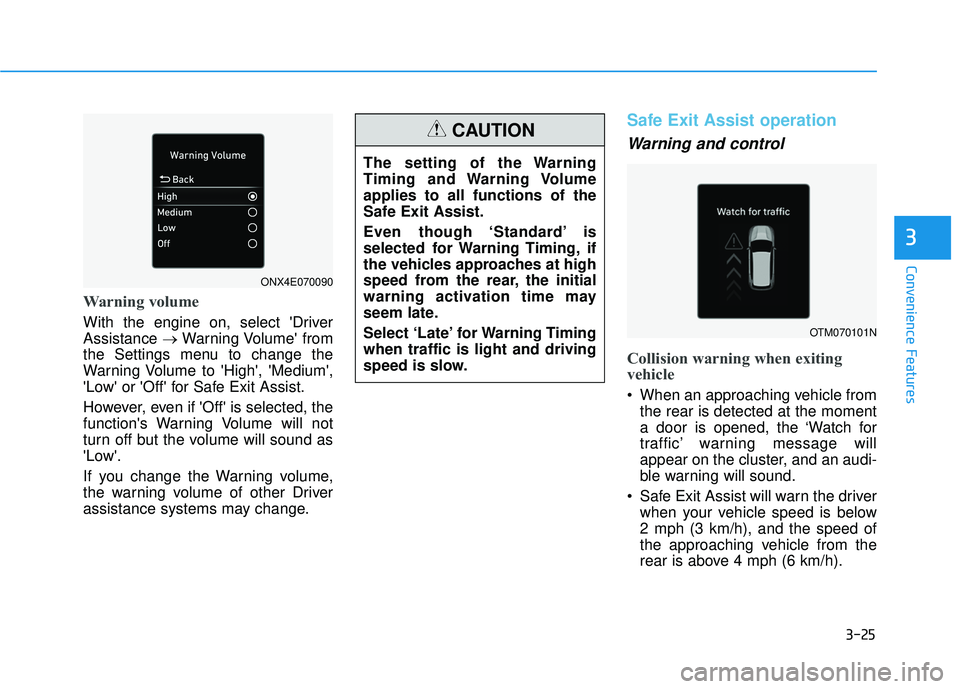
With the engine on, select 'Driver
Assistance →Warning Volume' from
the Settings menu to change the
Warning Volume to 'High', 'Medium',
'Low' or 'Off' for Safe Exit Assist.
However, even if 'Off' is selected, the
function's Warning Volume will not
turn off but the volume will sound as
'Low'.
If you change the Warning volume,
the warning volume of other Driver
assistance systems may change.
Safe Exit Assist operation
Warning and control
Collision warning when exiting
vehicle
When an approaching vehicle from the rear is detected at the moment
a door is opened, the ‘Watch for
traffic’ warning message will
appear on the cluster, and an audi-
ble warning will sound.
Safe Exit Assist will warn the driver when your vehicle speed is below
2 mph (3 km/h), and the speed of
the approaching vehicle from the
rear is above 4 mph (6 km/h).
3
The setting of the Warning
Timing and Warning Volume
applies to all functions of the
Safe Exit Assist.
Even though ‘Standard’ is
selected for Warning Timing, if
the vehicles approaches at high
speed from the rear, the initial
warning activation time may
seem late.
Select ‘Late’ for Warning Timing
when traffic is light and driving
speed is slow.
CAUTION
OTM070101N
ONX4E070090
Page 122 of 663
3-26
Safe Exit Assist linked with
Electronic child safety lock
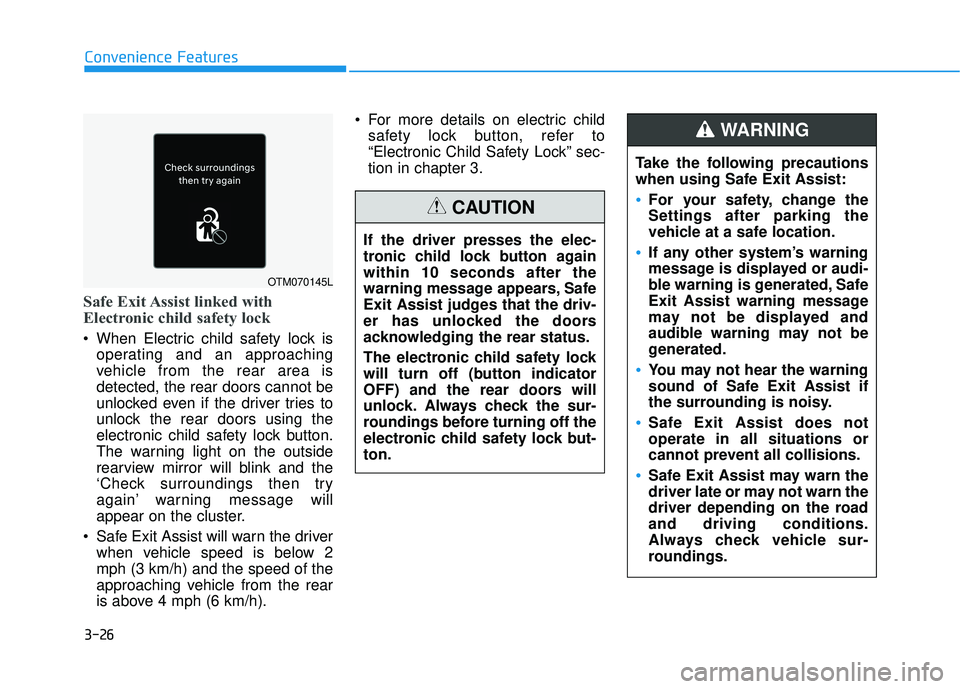
When Electric child safety lock isoperating and an approaching
vehicle from the rear area is
detected, the rear doors cannot be
unlocked even if the driver tries to
unlock the rear doors using the
electronic child safety lock button.
The warning light on the outside
rearview mirror will blink and the
‘Check surroundings then try
again’ warning message will
appear on the cluster.
Safe Exit Assist will warn the driver when vehicle speed is below 2
mph (3 km/h) and the speed of the
approaching vehicle from the rear
is above 4 mph (6 km/h). For more details on electric child
safety lock button, refer to
“Electronic Child Safety Lock” sec-
tion in chapter 3.
Convenience Features
OTM070145L
Take the following precautions
when using Safe Exit Assist:
For your safety, change the
Settings after parking the
vehicle at a safe location.
If any other system’s warning
message is displayed or audi-
ble warning is generated, Safe
Exit Assist warning message
may not be displayed and
audible warning may not be
generated.
You may not hear the warning
sound of Safe Exit Assist if
the surrounding is noisy.
Safe Exit Assist does not
operate in all situations or
cannot prevent all collisions.
Safe Exit Assist may warn the
driver late or may not warn the
driver depending on the road
and driving conditions.
Always check vehicle sur-
roundings.
WARNING
If the driver presses the elec-
tronic child lock button again
within 10 seconds after the
warning message appears, Safe
Exit Assist judges that the driv-
er has unlocked the doors
acknowledging the rear status.
The electronic child safety lock
will turn off (button indicator
OFF) and the rear doors will
unlock. Always check the sur-
roundings before turning off the
electronic child safety lock but-
ton.
CAUTION
Page 123 of 663
3-27
Convenience Features
Information
After the engine is turned off, Safe
Exit Assist operates approximately for
3 minutes, but turns off immediately if
the doors are locked.
Safe Exit Assist malfunction
and limitations
Safe Exit Assist malfunction
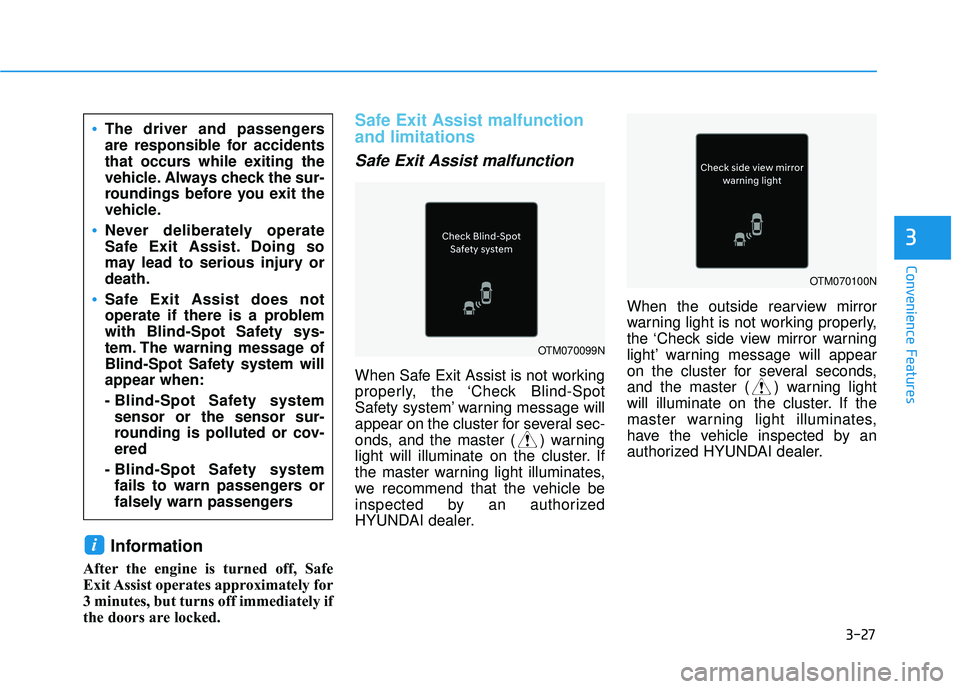
When Safe Exit Assist is not working
properly, the ‘Check Blind-Spot
Safety system’ warning message will
appear on the cluster for several sec-
onds, and the master ( ) warning
light will illuminate on the cluster. If
the master warning light illuminates,
we recommend that the vehicle be
inspected by an authorized
HYUNDAI dealer.When the outside rearview mirror
warning light is not working properly,
the ‘Check side view mirror warning
light’ warning message will appear
on the cluster for several seconds,
and the master ( ) warning light
will illuminate on the cluster. If the
master warning light illuminates,
have the vehicle inspected by an
authorized HYUNDAI dealer.
i
3
The driver and passengers
are responsible for accidents
that occurs while exiting the
vehicle. Always check the sur-
roundings before you exit the
vehicle.
Never deliberately operate
Safe Exit Assist. Doing so
may lead to serious injury or
death.
Safe Exit Assist does not
operate if there is a problem
with Blind-Spot Safety sys-
tem. The warning message of
Blind-Spot Safety system will
appear when:
- Blind-Spot Safety system
sensor or the sensor sur-
rounding is polluted or cov-
ered
- Blind-Spot Safety system fails to warn passengers or
falsely warn passengers
OTM070099N
OTM070100N
Page 124 of 663
3-28
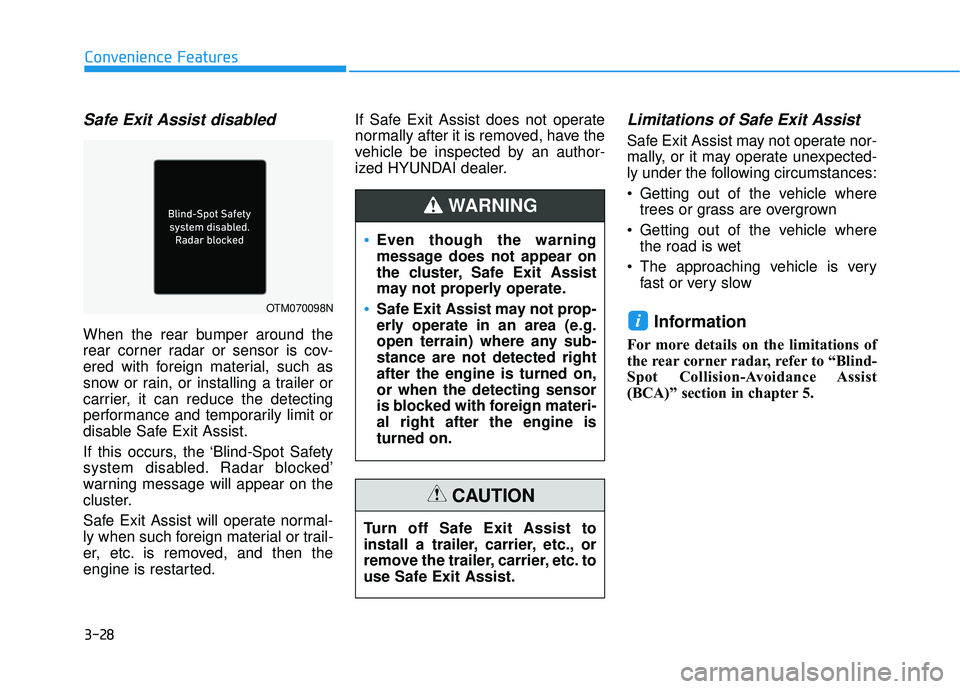
Safe Exit Assist disabled
When the rear bumper around the
rear corner radar or sensor is cov-
ered with foreign material, such as
snow or rain, or installing a trailer or
carrier, it can reduce the detecting
performance and temporarily limit or
disable Safe Exit Assist.
If this occurs, the ‘Blind-Spot Safety
system disabled. Radar blocked’
warning message will appear on the
cluster.
Safe Exit Assist will operate normal-
ly when such foreign material or trail-
er, etc. is removed, and then the
engine is restarted.If Safe Exit Assist does not operate
normally after it is removed, have the
vehicle be inspected by an author-
ized HYUNDAI dealer.
Limitations of Safe Exit Assist
Safe Exit Assist may not operate nor-
mally, or it may operate unexpected-
ly under the following circumstances:
Getting out of the vehicle where
trees or grass are overgrown
Getting out of the vehicle where the road is wet
The approaching vehicle is very fast or very slow
Information
For more details on the limitations of
the rear corner radar, refer to “Blind-
Spot Collision-Avoidance Assist
(BCA)” section in chapter 5.
i
Convenience Features
OTM070098N
Even though the warning
message does not appear on
the cluster, Safe Exit Assist
may not properly operate.
Safe Exit Assist may not prop-
erly operate in an area (e.g.
open terrain) where any sub-
stance are not detected right
after the engine is turned on,
or when the detecting sensor
is blocked with foreign materi-
al right after the engine is
turned on.
WARNING
Turn off Safe Exit Assist to
install a trailer, carrier, etc., or
remove the trailer, carrier, etc. to
use Safe Exit Assist.
CAUTION