tow Hyundai Santa Fe 2008 User Guide
[x] Cancel search | Manufacturer: HYUNDAI, Model Year: 2008, Model line: Santa Fe, Model: Hyundai Santa Fe 2008Pages: 355, PDF Size: 12.36 MB
Page 89 of 355
1
FEATURES OF YOUR HYUNDAI
77
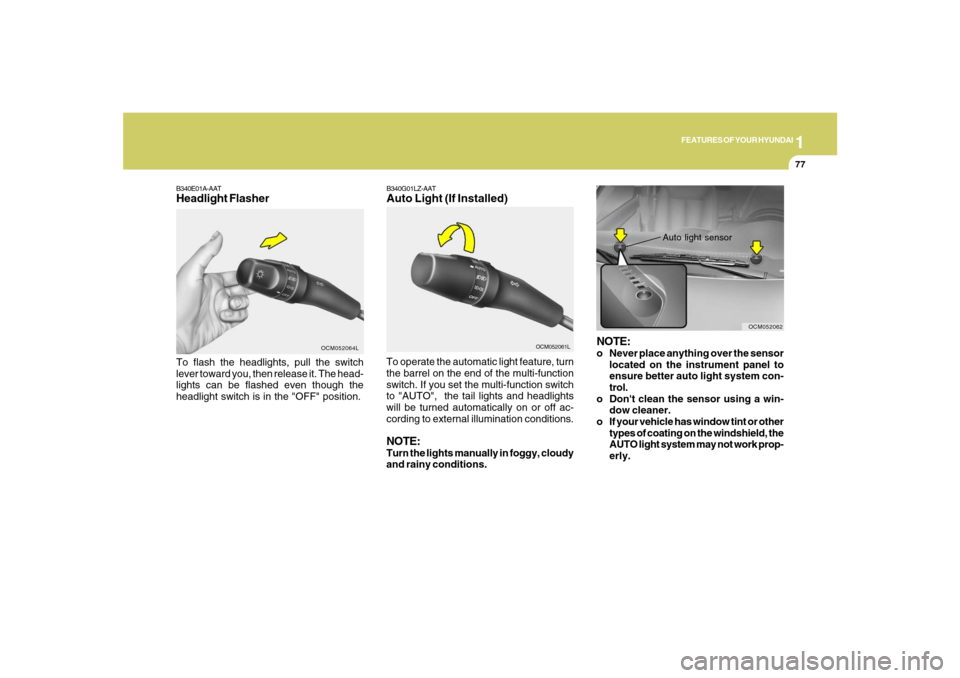
B340E01A-AATHeadlight FlasherTo flash the headlights, pull the switch
lever toward you, then release it. The head-
lights can be flashed even though the
headlight switch is in the "OFF" position.
OCM052064L
B340G01LZ-AATAuto Light (If Installed)
OCM052061L
To operate the automatic light feature, turn
the barrel on the end of the multi-function
switch. If you set the multi-function switch
to "AUTO", the tail lights and headlights
will be turned automatically on or off ac-
cording to external illumination conditions.NOTE:Turn the lights manually in foggy, cloudy
and rainy conditions.
NOTE:o Never place anything over the sensor
located on the instrument panel to
ensure better auto light system con-
trol.
o Don't clean the sensor using a win-
dow cleaner.
o If your vehicle has window tint or other
types of coating on the windshield, the
AUTO light system may not work prop-
erly.
Auto light sensor
OCM052062
Page 92 of 355
1FEATURES OF YOUR HYUNDAI80
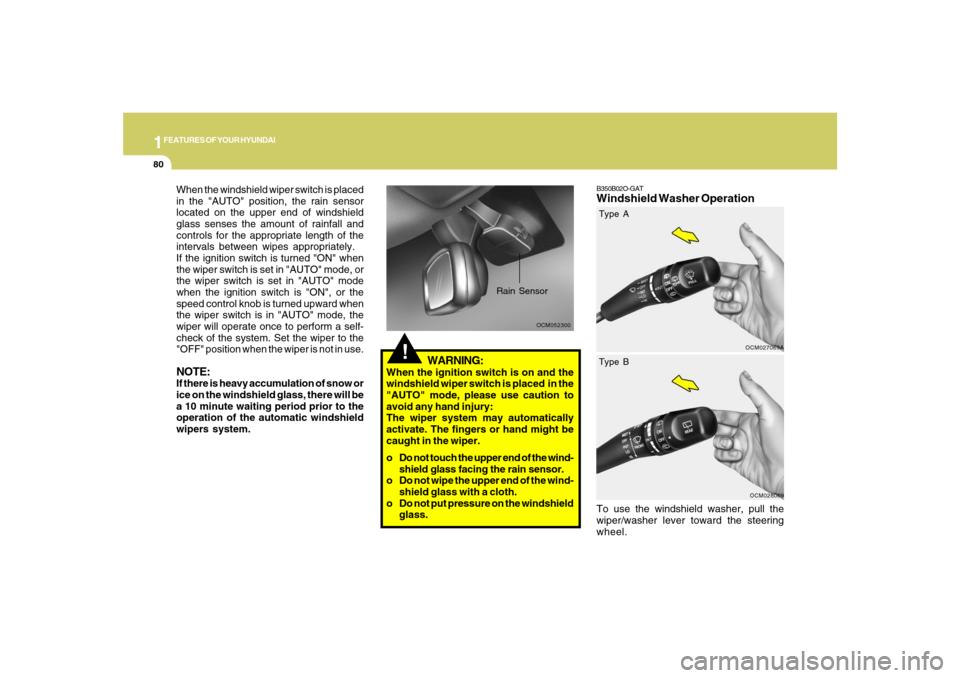
B350B02O-GATWindshield Washer OperationTo use the windshield washer, pull the
wiper/washer lever toward the steering
wheel.
OCM027069A
!
OCM052300
Rain Sensor
When the windshield wiper switch is placed
in the "AUTO" position, the rain sensor
located on the upper end of windshield
glass senses the amount of rainfall and
controls for the appropriate length of the
intervals between wipes appropriately.
If the ignition switch is turned "ON" when
the wiper switch is set in "AUTO" mode, or
the wiper switch is set in "AUTO" mode
when the ignition switch is "ON", or the
speed control knob is turned upward when
the wiper switch is in "AUTO" mode, the
wiper will operate once to perform a self-
check of the system. Set the wiper to the
"OFF" position when the wiper is not in use.NOTE:If there is heavy accumulation of snow or
ice on the windshield glass, there will be
a 10 minute waiting period prior to the
operation of the automatic windshield
wipers system.
WARNING:
When the ignition switch is on and the
windshield wiper switch is placed in the
"AUTO" mode, please use caution to
avoid any hand injury:
The wiper system may automatically
activate. The fingers or hand might be
caught in the wiper.
o Do not touch the upper end of the wind-
shield glass facing the rain sensor.
o Do not wipe the upper end of the wind-
shield glass with a cloth.
o Do not put pressure on the windshield
glass.
OCM028069
Type A
Type B
Page 110 of 355
1FEATURES OF YOUR HYUNDAI98
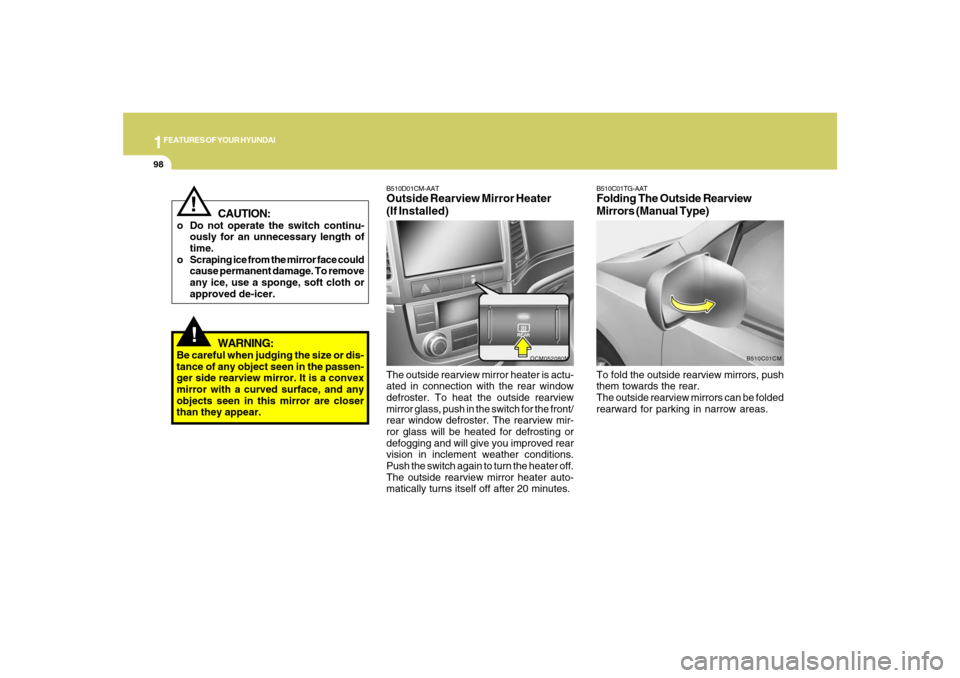
The outside rearview mirror heater is actu-
ated in connection with the rear window
defroster. To heat the outside rearview
mirror glass, push in the switch for the front/
rear window defroster. The rearview mir-
ror glass will be heated for defrosting or
defogging and will give you improved rear
vision in inclement weather conditions.
Push the switch again to turn the heater off.
The outside rearview mirror heater auto-
matically turns itself off after 20 minutes.B510D01CM-AATOutside Rearview Mirror Heater
(If Installed)
OCM052080N
B510C01TG-AATFolding The Outside Rearview
Mirrors (Manual Type)To fold the outside rearview mirrors, push
them towards the rear.
The outside rearview mirrors can be folded
rearward for parking in narrow areas.
B510C01CM
!
CAUTION:
o Do not operate the switch continu-
ously for an unnecessary length of
time.
o Scraping ice from the mirror face could
cause permanent damage. To remove
any ice, use a sponge, soft cloth or
approved de-icer.
!
WARNING:
Be careful when judging the size or dis-
tance of any object seen in the passen-
ger side rearview mirror. It is a convex
mirror with a curved surface, and any
objects seen in this mirror are closer
than they appear.
Page 111 of 355
1
FEATURES OF YOUR HYUNDAI
99
!
WARNING:
Do not adjust or fold the outside rearview
mirrors while the vehicle is moving. This
could result in loss of control, and an
accident causing death, serious injury
or property damage.
CAUTION:
If the mirror is jammed with ice, do not
adjust the mirror by force. Use an ap-
proved spray de-icer (not radiator anti-
freeze) to release the frozen mecha-
nism or move the vehicle to a warm
place and allow the ice to melt.
!
DAY/NIGHT INSIDE REAR-
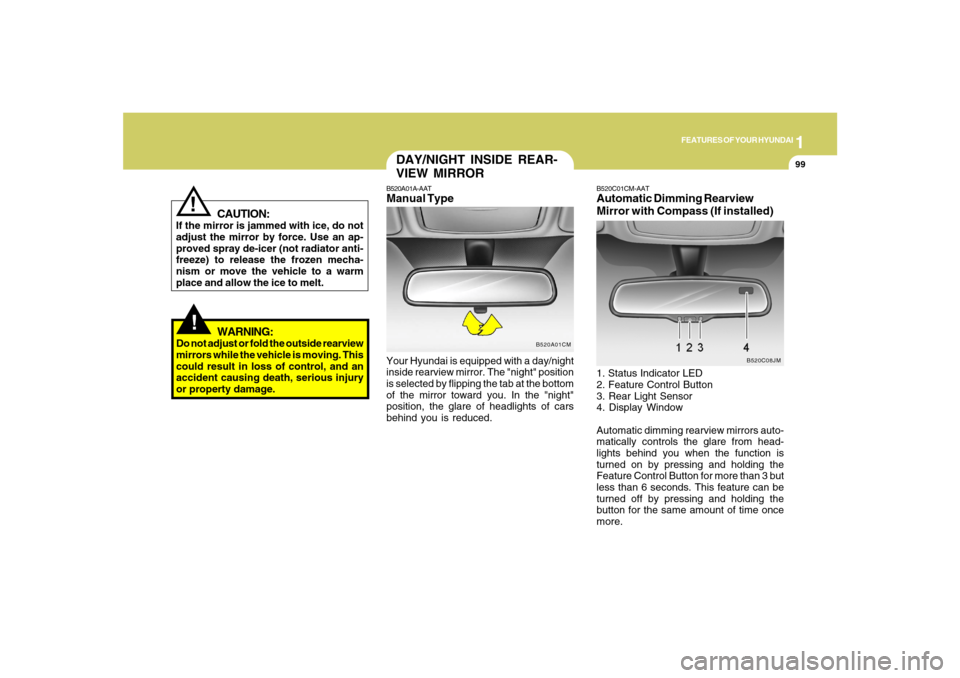
VIEW MIRRORB520A01A-AATManual TypeYour Hyundai is equipped with a day/night
inside rearview mirror. The "night" position
is selected by flipping the tab at the bottom
of the mirror toward you. In the "night"
position, the glare of headlights of cars
behind you is reduced.
B520A01CM
B520C01CM-AATAutomatic Dimming Rearview
Mirror with Compass (If installed)1. Status Indicator LED
2. Feature Control Button
3. Rear Light Sensor
4. Display Window
Automatic dimming rearview mirrors auto-
matically controls the glare from head-
lights behind you when the function is
turned on by pressing and holding the
Feature Control Button for more than 3 but
less than 6 seconds. This feature can be
turned off by pressing and holding the
button for the same amount of time once
more.
B520C08JM
Page 113 of 355
1
FEATURES OF YOUR HYUNDAI
101
CAUTION:
o Do not install a ski rack, antenna, etc.
which are attached to the vehicle by
means of a magnet. They affect the
operation of the compass.
o If the compass deviates from the cor-
rect indication soon after repeated
adjustment, have the compass
checked at an authorized dealer.
o The compass may not indicate the
correct indication in tunnels or while
driving up or down a steep hill.(The
compass returns to the correct com-
pass point when the vehicle moves to
an area where the geomagnetism is
stabilized.)
o When cleaning the mirror, use a paper
towel or similar material dampened
with glass cleaner. Do not spray glass
cleaner directly on the mirror as that
may cause the liquid cleaner to enter
the mirror housing.
!
4. Drive the vehicle in 2 complete circles
at less than 5mph(8km/h) or until the
compass heading appears.
Page 122 of 355
1FEATURES OF YOUR HYUNDAI
110
!
CAUTION:
To prevent damage to the goods or the
vehicle, care should be taken when car-
rying fragile or bulky objects in the lug-
gage compartment.
!
WARNING:
Avoid eye injury. DO NOT overstretch.
The luggage net ALWAYS keep your
face and body out of its recoil path. DO
NOT use when the strap has visible signs
of wear or damage.
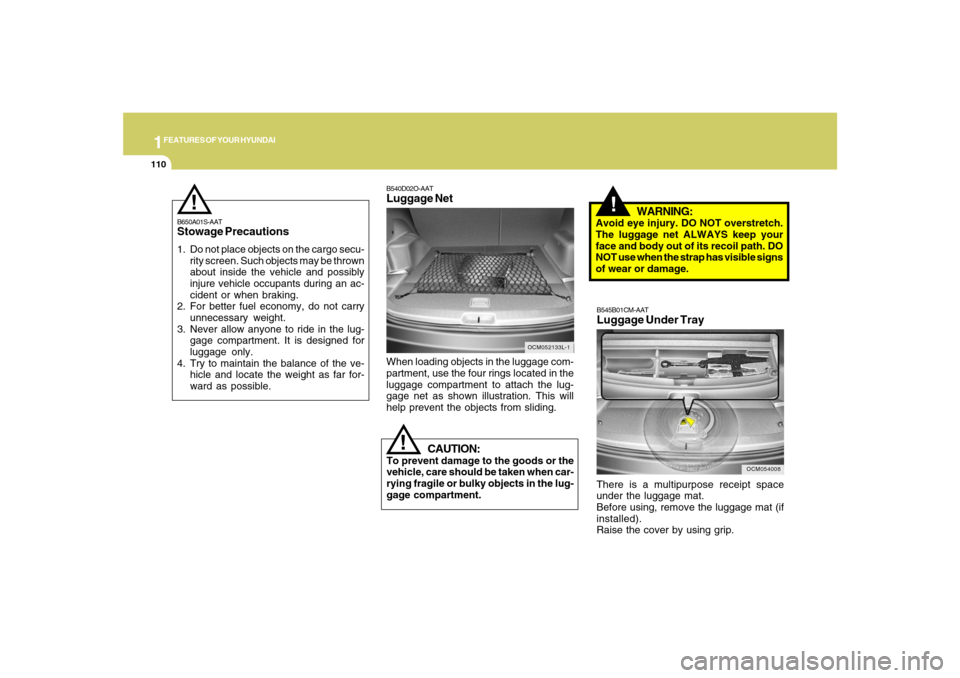
When loading objects in the luggage com-
partment, use the four rings located in the
luggage compartment to attach the lug-
gage net as shown illustration. This will
help prevent the objects from sliding.
OCM052133L-1
B540D02O-AATLuggage Net
B650A01S-AATStowage Precautions1. Do not place objects on the cargo secu-
rity screen. Such objects may be thrown
about inside the vehicle and possibly
injure vehicle occupants during an ac-
cident or when braking.
2. For better fuel economy, do not carry
unnecessary weight.
3. Never allow anyone to ride in the lug-
gage compartment. It is designed for
luggage only.
4. Try to maintain the balance of the ve-
hicle and locate the weight as far for-
ward as possible.
!
OCM054008
B545B01CM-AATLuggage Under TrayThere is a multipurpose receipt space
under the luggage mat.
Before using, remove the luggage mat (if
installed).
Raise the cover by using grip.
Page 130 of 355
1FEATURES OF YOUR HYUNDAI
118
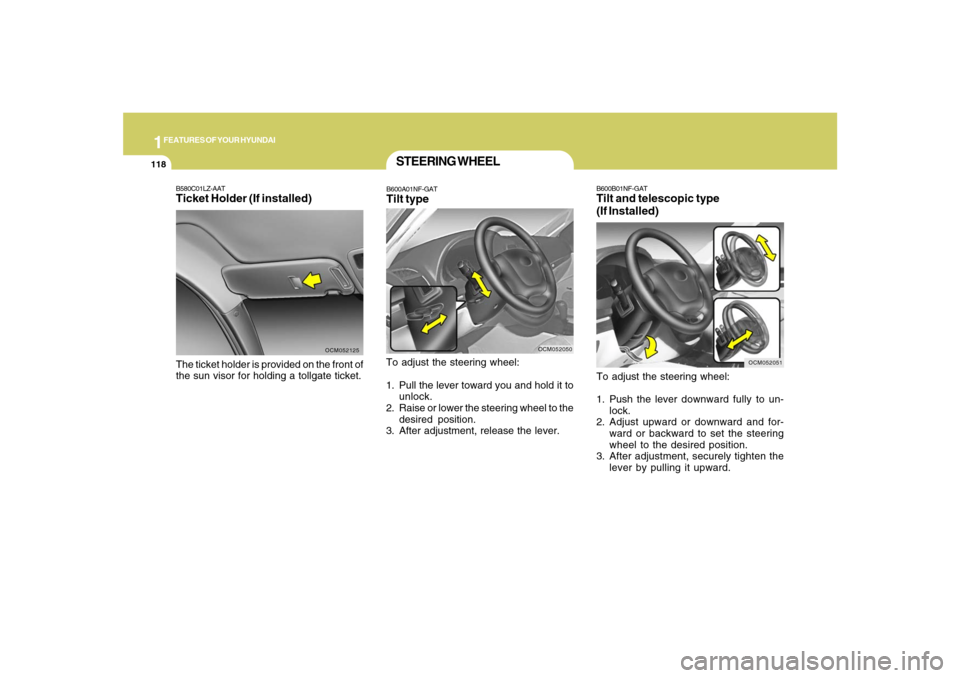
B600B01NF-GATTilt and telescopic type
(If Installed)To adjust the steering wheel:
1. Push the lever downward fully to un-
lock.
2. Adjust upward or downward and for-
ward or backward to set the steering
wheel to the desired position.
3. After adjustment, securely tighten the
lever by pulling it upward.
OCM052051
B580C01LZ-AATTicket Holder (If installed)The ticket holder is provided on the front of
the sun visor for holding a tollgate ticket.
OCM052125
STEERING WHEELB600A01NF-GATTilt typeTo adjust the steering wheel:
1. Pull the lever toward you and hold it to
unlock.
2. Raise or lower the steering wheel to the
desired position.
3. After adjustment, release the lever.
OCM052050
Page 144 of 355
1FEATURES OF YOUR HYUNDAI
132
B740C01S-AATDehumidified HeatingFor dehumidified heating:
o Turn on the fan control switch.
o Turn on the air conditioning switch. The
air conditioning indicator light should
come on at the same time.
o Set the air intake control to the "Fresh"
mode (
).
o Set the air flow control to the "Face" (
).
o Adjust the fan control to the desired
speed.
o For more rapid action, set the fan at one
of the higher speeds.
o Adjust the temperature control to pro-
vide the desired amount of warmth.
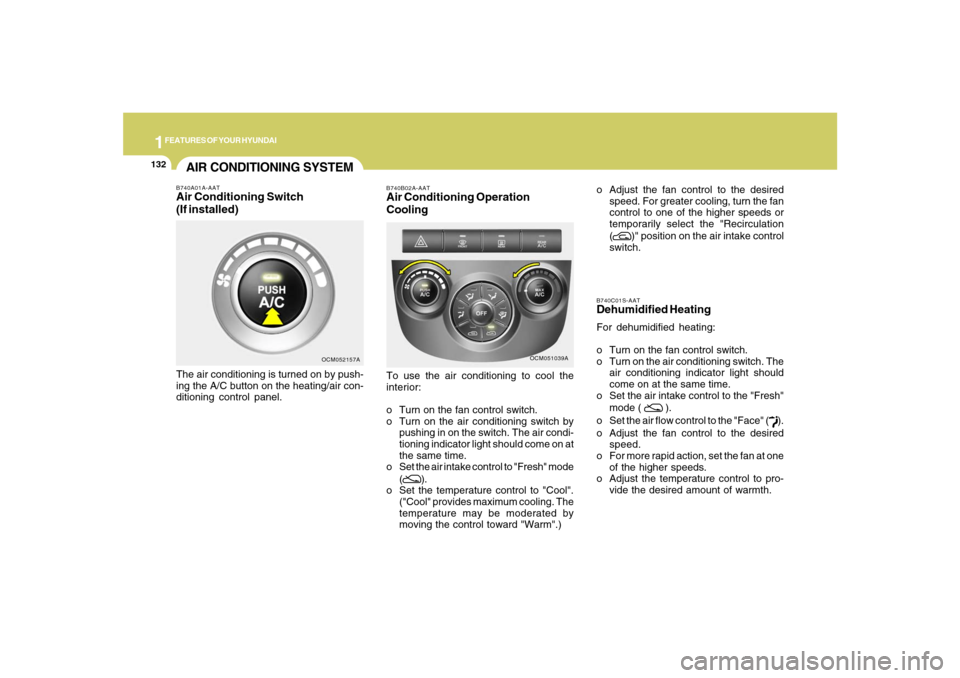
AIR CONDITIONING SYSTEMB740A01A-AATAir Conditioning Switch
(If installed)The air conditioning is turned on by push-
ing the A/C button on the heating/air con-
ditioning control panel.
OCM052157A
OCM051039A B740B02A-AAT
Air Conditioning Operation
CoolingTo use the air conditioning to cool the
interior:
o Turn on the fan control switch.
o Turn on the air conditioning switch by
pushing in on the switch. The air condi-
tioning indicator light should come on at
the same time.
o Set the air intake control to "Fresh" mode
(
).
o Set the temperature control to "Cool".
("Cool" provides maximum cooling. The
temperature may be moderated by
moving the control toward "Warm".)o Adjust the fan control to the desired
speed. For greater cooling, turn the fan
control to one of the higher speeds or
temporarily select the "Recirculation
(
)" position on the air intake control
switch.
Page 156 of 355
1FEATURES OF YOUR HYUNDAI
144
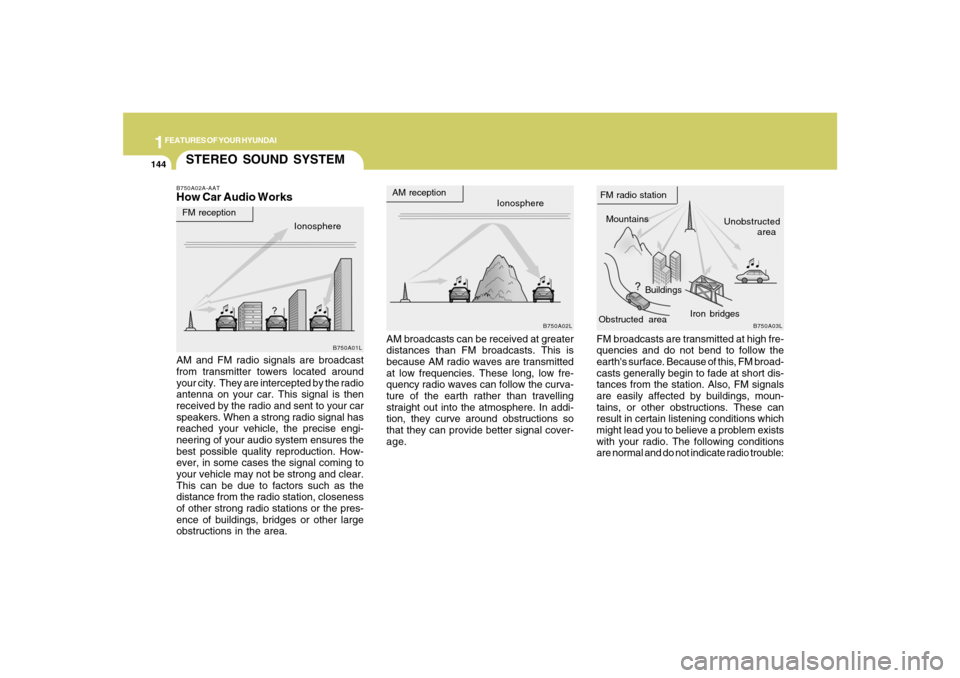
STEREO SOUND SYSTEMB750A02A-AATHow Car Audio Works
AM broadcasts can be received at greater
distances than FM broadcasts. This is
because AM radio waves are transmitted
at low frequencies. These long, low fre-
quency radio waves can follow the curva-
ture of the earth rather than travelling
straight out into the atmosphere. In addi-
tion, they curve around obstructions so
that they can provide better signal cover-
age. AM and FM radio signals are broadcast
from transmitter towers located around
your city. They are intercepted by the radio
antenna on your car. This signal is then
received by the radio and sent to your car
speakers. When a strong radio signal has
reached your vehicle, the precise engi-
neering of your audio system ensures the
best possible quality reproduction. How-
ever, in some cases the signal coming to
your vehicle may not be strong and clear.
This can be due to factors such as the
distance from the radio station, closeness
of other strong radio stations or the pres-
ence of buildings, bridges or other large
obstructions in the area.FM broadcasts are transmitted at high fre-
quencies and do not bend to follow the
earth's surface. Because of this, FM broad-
casts generally begin to fade at short dis-
tances from the station. Also, FM signals
are easily affected by buildings, moun-
tains, or other obstructions. These can
result in certain listening conditions which
might lead you to believe a problem exists
with your radio. The following conditions
are normal and do not indicate radio trouble:
Ionosphere
B750A02L
AM reception
Mountains
BuildingsUnobstructed
area FM radio station
B750A03L
Ionosphere FM reception
B750A01L
Obstructed areaIron bridges
Page 193 of 355
1
FEATURES OF YOUR HYUNDAI
181
FEATURES OF YOUR HYUNDAI
181181181181
Adjusting the LCD Display
Press the DISP button on the RSE control
panel to adjust the LCD display. To adjust
the brightness, select Brightness, then,
press the < REW (dimmer) or FWD >
(brighter) buttons. The next time the RSE
is turned on, the LCD display will return to
the brightness level it was adjusted to
when last used. Brightness can be ad-
justed regardless of whether the RSE is
playing an audio or video source.
While the RSE is playing a video signal,
press DISP and then press the
∧ ∧∧ ∧
∧ NEXT or
∨ ∨∨ ∨
∨ PREV buttons to cycle through other
LCD display adjustments including
SCREEN SIZE, CONTRAST, CHROMA
and HUE. With any of these settings dis-
played, press the < REW or FF > buttons to
adjust the settings.
To close the LCD display, pull the bottom
edge towards you and push it up until it
clicks and locks into the stow-away posi-
tion.
Cleaning the LCD Display
If the LCD display becomes dusty or dirty,
clean it by wiping gently with a soft, dry,
clean cloth. Do not use chemical cleanser
to clean the screen.Loading a Disc
To load a disc in the player, insert it part
way into the loading slot. The player will
automatically grip the disc and pull it the
rest of the way in.
Disc Protection
The player has an Auto-Reload Disc Pro-
tection feature to protect discs from acci-
dental damage. If a disc is not removed
within 12 seconds after being ejected, it
will be pulled back into the player. The disc
will not begin playing.
Audio via Vehicle Speakers
To hear the audio from the RSE through
the vehicle's speakers, the RSE must be
selected by the radio CD/AUX button in the
front of the vehicle. Regardless of whether
RSE audio is selected for the vehicle
speakers or not, when the RSE audio is
playing it can be heard in the headphones. Opening and Closing the LCD Display
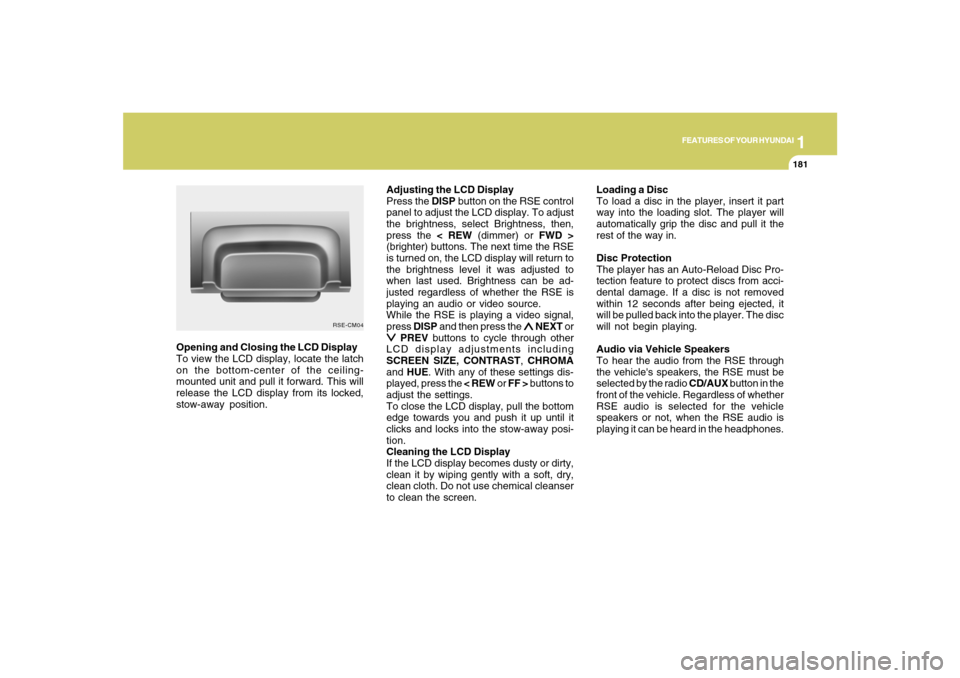
To view the LCD display, locate the latch
on the bottom-center of the ceiling-
mounted unit and pull it forward. This will
release the LCD display from its locked,
stow-away position.
RSE-CM04