ECO mode Hyundai Santa Fe 2009 Owner's Manual - RHD (UK, Australia)
[x] Cancel search | Manufacturer: HYUNDAI, Model Year: 2009, Model line: Santa Fe, Model: Hyundai Santa Fe 2009Pages: 269, PDF Size: 9.78 MB
Page 15 of 269
1FEATURES OF YOUR HYUNDAI
4IMMOBILISER SYSTEM
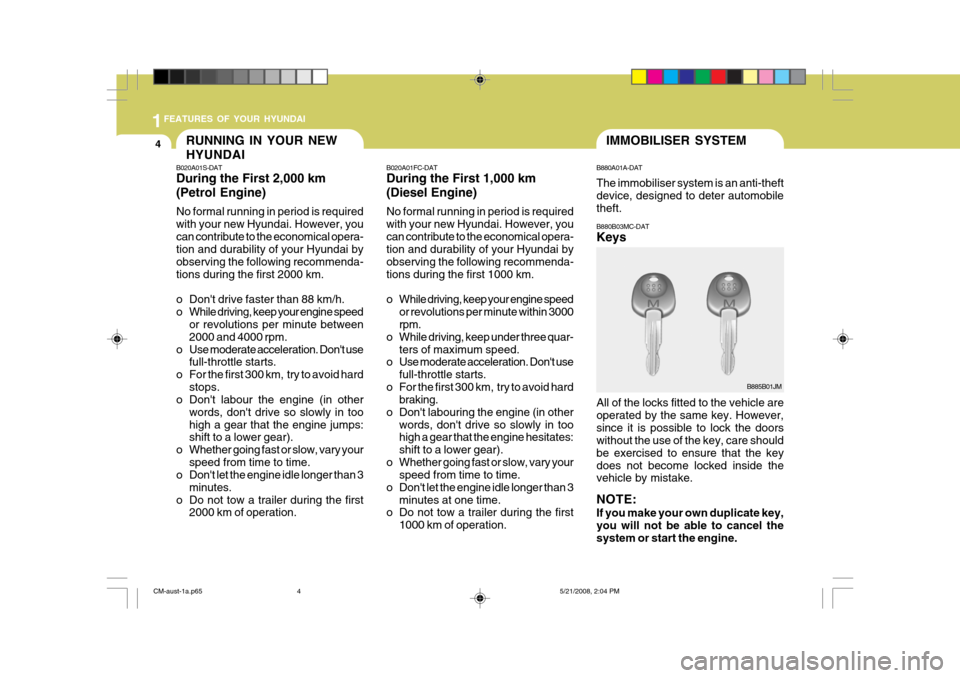
B880A01A-DAT The immobiliser system is an anti-theft device, designed to deter automobile theft. B880B03MC-DAT Keys All of the locks fitted to the vehicle are operated by the same key. However,since it is possible to lock the doors without the use of the key, care should be exercised to ensure that the keydoes not become locked inside the vehicle by mistake. NOTE: If you make your own duplicate key, you will not be able to cancel the system or start the engine.
B885B01JM
B020A01FC-DAT During the First 1,000 km (Diesel Engine) No formal running in period is required with your new Hyundai. However, youcan contribute to the economical opera- tion and durability of your Hyundai by observing the following recommenda-tions during the first 1000 km.
o While driving, keep your engine speed
or revolutions per minute within 3000 rpm.
o While driving, keep under three quar- ters of maximum speed.
o Use moderate acceleration. Don't use
full-throttle starts.
o For the first 300 km, try to avoid hard braking.
o Don't labouring the engine (in other words, don't drive so slowly in toohigh a gear that the engine hesitates: shift to a lower gear).
o Whether going fast or slow, vary your speed from time to time.
o Don't let the engine idle longer than 3
minutes at one time.
o Do not tow a trailer during the first
1000 km of operation.
RUNNING IN YOUR NEW HYUNDAI
B020A01S-DAT During the First 2,000 km (Petrol Engine) No formal running in period is required with your new Hyundai. However, youcan contribute to the economical opera- tion and durability of your Hyundai by observing the following recommenda-tions during the first 2000 km.
o Don't drive faster than 88 km/h.
o While driving, keep your engine speed
or revolutions per minute between2000 and 4000 rpm.
o Use moderate acceleration. Don't use full-throttle starts.
o For the first 300 km, try to avoid hard stops.
o Don't labour the engine (in other
words, don't drive so slowly in toohigh a gear that the engine jumps: shift to a lower gear).
o Whether going fast or slow, vary your speed from time to time.
o Don't let the engine idle longer than 3
minutes.
o Do not tow a trailer during the first 2000 km of operation.
CM-aust-1a.p65 5/21/2008, 2:04 PM
4
Page 69 of 269
1FEATURES OF YOUR HYUNDAI
58
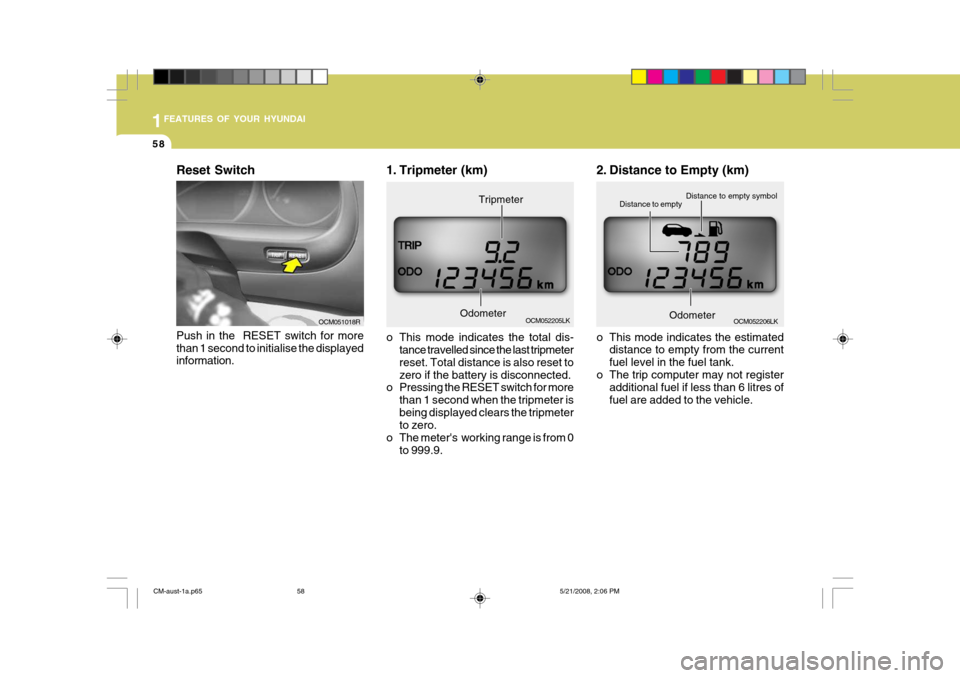
OCM052206LK
Distance to empty symbol
Distance to empty
OdometerOCM052205LK
Odometer Tripmeter
1. Tripmeter (km)
o This mode indicates the total dis-
tance travelled since the last tripmeter reset. Total distance is also reset tozero if the battery is disconnected.
o Pressing the RESET switch for more
than 1 second when the tripmeter isbeing displayed clears the tripmeter to zero.
o The meter's working range is from 0 to 999.9. 2. Distance to Empty (km)
o This mode indicates the estimated
distance to empty from the current fuel level in the fuel tank.
o The trip computer may not register additional fuel if less than 6 litres offuel are added to the vehicle.
Push in the RESET switch for more than 1 second to initialise the displayed information. OCM051018R
Reset Switch
CM-aust-1a.p65
5/21/2008, 2:06 PM
58
Page 70 of 269
1
FEATURES OF YOUR HYUNDAI
59
OCM052207LK
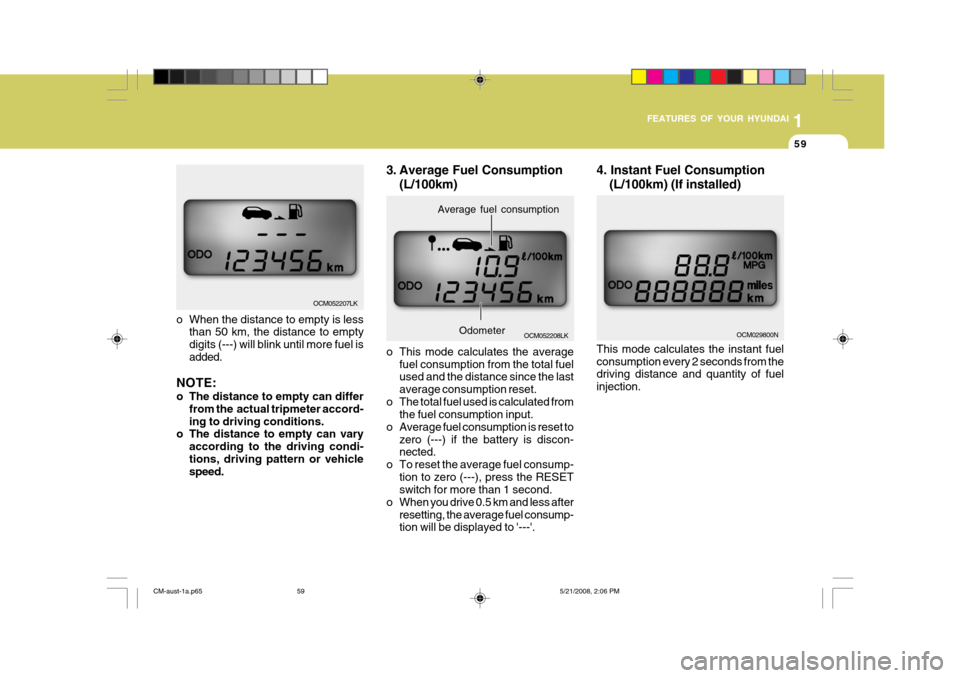
o When the distance to empty is less than 50 km, the distance to empty digits (---) will blink until more fuel isadded.
NOTE:
o The distance to empty can differ from the actual tripmeter accord- ing to driving conditions.
o The distance to empty can vary
according to the driving condi-tions, driving pattern or vehicle speed.
OCM052208LK
Average fuel consumption
Odometer
3. Average Fuel Consumption
(L/100km)
o This mode calculates the average fuel consumption from the total fuel used and the distance since the last average consumption reset.
o The total fuel used is calculated from the fuel consumption input.
o Average fuel consumption is reset to zero (---) if the battery is discon- nected.
o To reset the average fuel consump- tion to zero (---), press the RESETswitch for more than 1 second.
o When you drive 0.5 km and less after resetting, the average fuel consump-tion will be displayed to '---'. 4. Instant Fuel Consumption
(L/100km) (If installed)
This mode calculates the instant fuel consumption every 2 seconds from the driving distance and quantity of fuel injection.OCM029800N
CM-aust-1a.p65 5/21/2008, 2:06 PM
59
Page 75 of 269
1FEATURES OF YOUR HYUNDAI
64
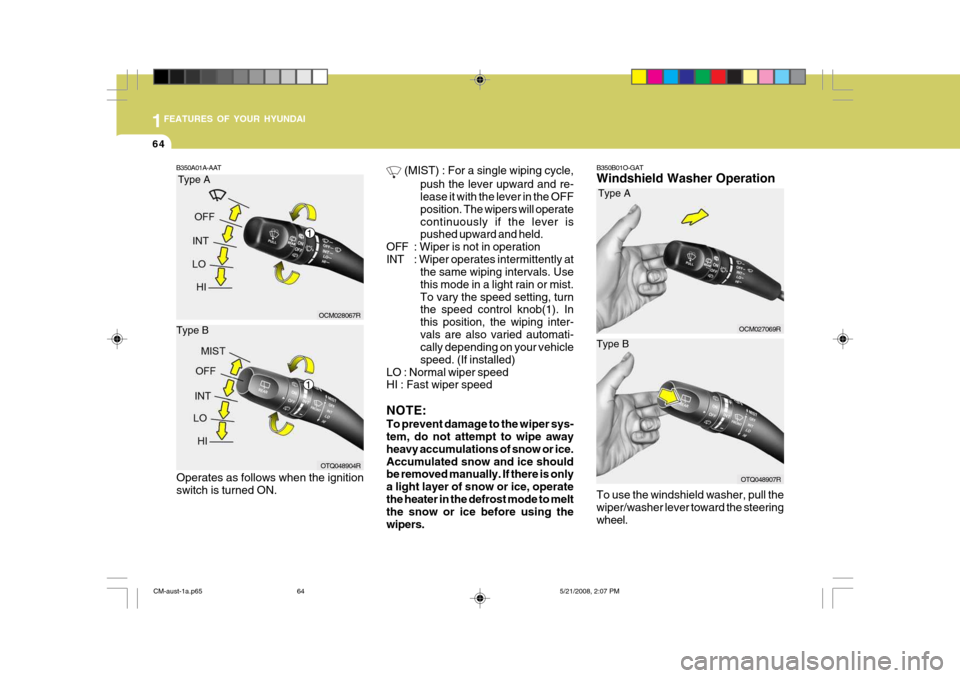
B350B01O-GAT Windshield Washer Operation To use the windshield washer, pull the wiper/washer lever toward the steeringwheel.
B350A01A-AAT
(MIST) : For a single wiping cycle,
push the lever upward and re- lease it with the lever in the OFF position. The wipers will operatecontinuously if the lever is pushed upward and held.
OFF : Wiper is not in operation
INT : Wiper operates intermittently at the same wiping intervals. Usethis mode in a light rain or mist.To vary the speed setting, turn the speed control knob(1). In this position, the wiping inter-vals are also varied automati- cally depending on your vehicle speed. (If installed)
LO : Normal wiper speed HI : Fast wiper speed NOTE: To prevent damage to the wiper sys- tem, do not attempt to wipe away heavy accumulations of snow or ice.Accumulated snow and ice should be removed manually. If there is only a light layer of snow or ice, operatethe heater in the defrost mode to melt the snow or ice before using the wipers.Type A
Type B
OCM028067R
OTQ048904R
Operates as follows when the ignition switch is turned ON.
Type A
Type B
OCM027069R
OTQ048907R
1
1
CM-aust-1a.p65 5/21/2008, 2:07 PM
64
Page 112 of 269
1
FEATURES OF YOUR HYUNDAI
101
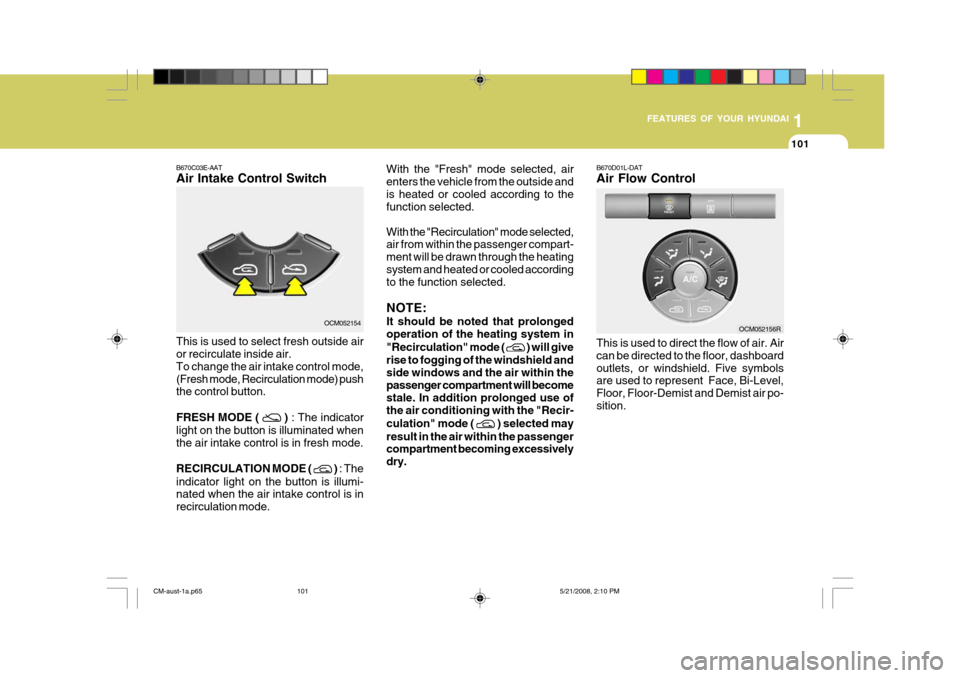
B670D01L-DAT Air Flow Control This is used to direct the flow of air. Air can be directed to the floor, dashboardoutlets, or windshield. Five symbols are used to represent Face, Bi-Level, Floor, Floor-Demist and Demist air po-sition.
With the "Fresh" mode selected, airenters the vehicle from the outside andis heated or cooled according to the function selected. With the "Recirculation" mode selected, air from within the passenger compart- ment will be drawn through the heatingsystem and heated or cooled according to the function selected. NOTE: It should be noted that prolonged operation of the heating system in "Recirculation" mode (
) will give
rise to fogging of the windshield and side windows and the air within thepassenger compartment will become stale. In addition prolonged use of the air conditioning with the "Recir- culation" mode (
) selected may
result in the air within the passenger compartment becoming excessively dry.
OCM052156R
B670C03E-AAT Air Intake Control SwitchOCM052154
This is used to select fresh outside air or recirculate inside air. To change the air intake control mode,(Fresh mode, Recirculation mode) push the control button. FRESH MODE (
) : The indicator
light on the button is illuminated when the air intake control is in fresh mode. RECIRCULATION MODE (
) : The
indicator light on the button is illumi- nated when the air intake control is in recirculation mode.
CM-aust-1a.p65 5/21/2008, 2:10 PM
101
Page 120 of 269
1
FEATURES OF YOUR HYUNDAI
109
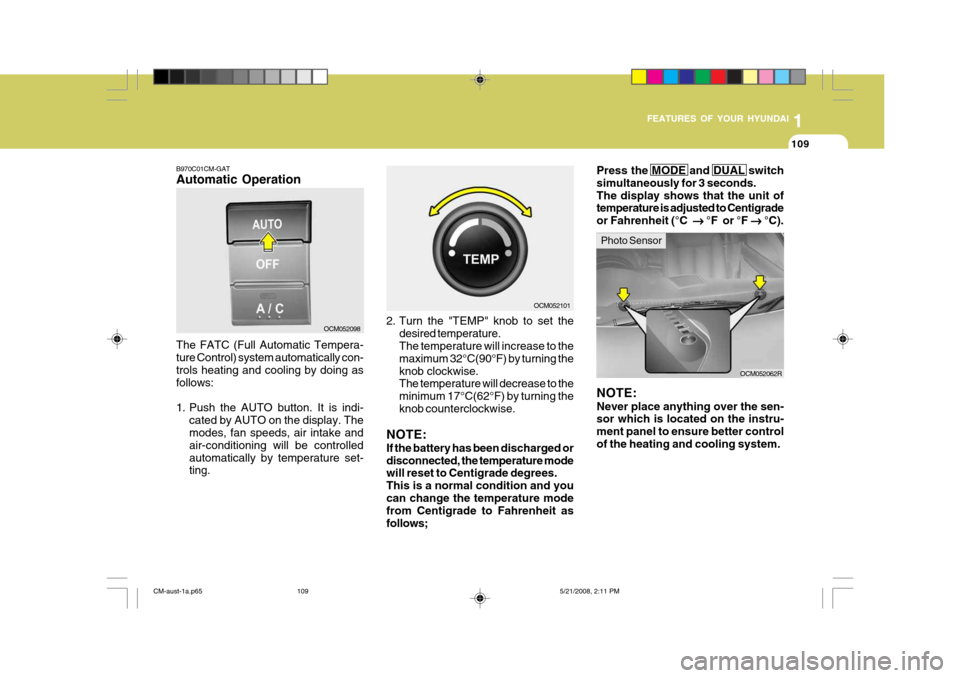
B970C01CM-GAT Automatic Operation The FATC (Full Automatic Tempera- ture Control) system automatically con- trols heating and cooling by doing asfollows:
1. Push the AUTO button. It is indi-
cated by AUTO on the display. The modes, fan speeds, air intake and air-conditioning will be controlledautomatically by temperature set- ting. 2. Turn the "TEMP" knob to set the
desired temperature.The temperature will increase to the maximum 32°C(90°F) by turning theknob clockwise. The temperature will decrease to the minimum 17°C(62°F) by turning theknob counterclockwise.
NOTE: If the battery has been discharged or disconnected, the temperature mode will reset to Centigrade degrees. This is a normal condition and youcan change the temperature mode from Centigrade to Fahrenheit as follows;
OCM052098
OCM052101
OCM052062R
NOTE: Never place anything over the sen- sor which is located on the instru- ment panel to ensure better controlof the heating and cooling system.Press the MODE and DUAL switch simultaneously for 3 seconds.The display shows that the unit of temperature is adjusted to Centigrade or Fahrenheit (°C
°F or °F
°C).
Photo Sensor
CM-aust-1a.p65 5/21/2008, 2:11 PM
109
Page 122 of 269
1
FEATURES OF YOUR HYUNDAI
111
OCM052109L
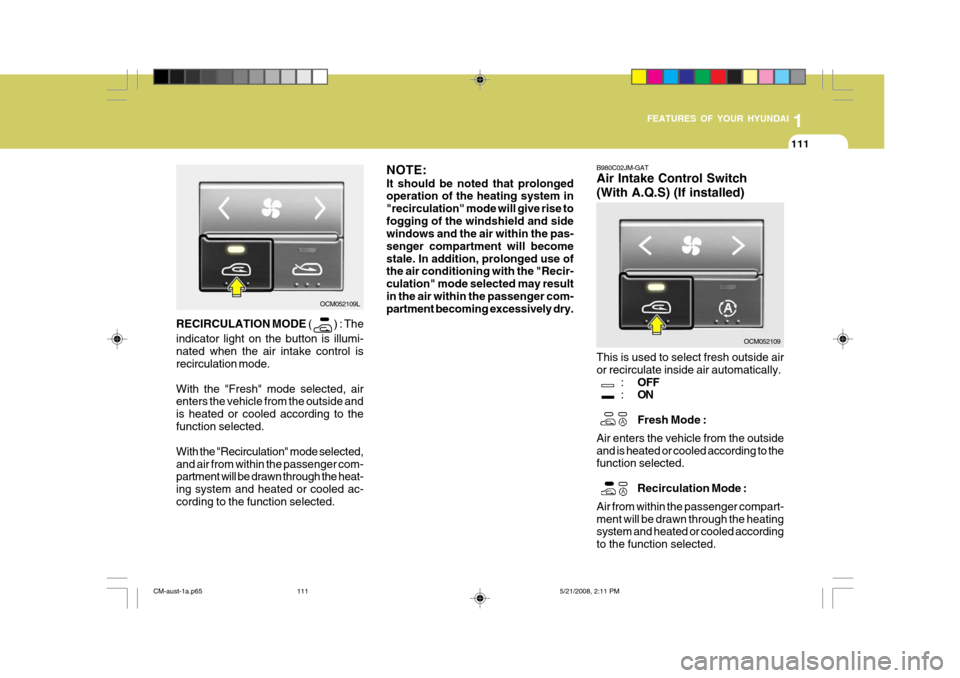
RECIRCULATION MODE (
) : The
indicator light on the button is illumi- nated when the air intake control is recirculation mode. With the "Fresh" mode selected, air enters the vehicle from the outside and is heated or cooled according to thefunction selected. With the "Recirculation" mode selected, and air from within the passenger com- partment will be drawn through the heat- ing system and heated or cooled ac-cording to the function selected. NOTE: It should be noted that prolonged operation of the heating system in "recirculation" mode will give rise tofogging of the windshield and side windows and the air within the pas- senger compartment will becomestale. In addition, prolonged use of the air conditioning with the "Recir- culation" mode selected may resultin the air within the passenger com- partment becoming excessively dry.
B980C02JM-GAT Air Intake Control Switch (With A.Q.S) (If installed) This is used to select fresh outside air or recirculate inside air automatically.
:OFF
: ON Fresh Mode :
Air enters the vehicle from the outside and is heated or cooled according to the function selected.
Recirculation Mode :
Air from within the passenger compart- ment will be drawn through the heating system and heated or cooled according to the function selected.
OCM052109
CM-aust-1a.p65 5/21/2008, 2:11 PM
111
Page 123 of 269
1FEATURES OF YOUR HYUNDAI
112
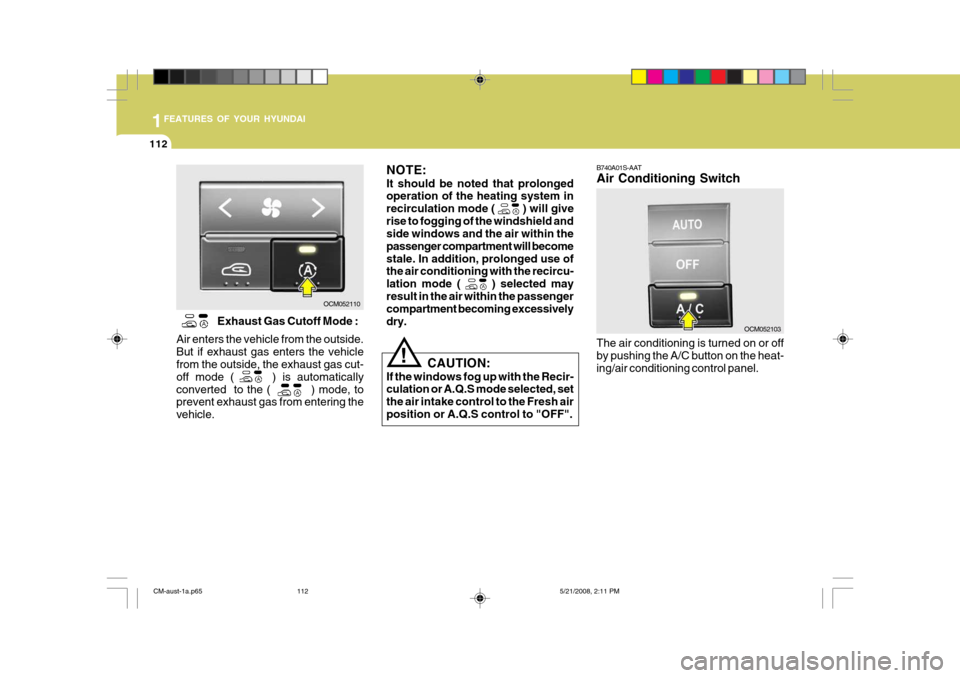
B740A01S-AAT Air Conditioning Switch The air conditioning is turned on or off by pushing the A/C button on the heat-ing/air conditioning control panel.
OCM052103
!
Exhaust Gas Cutoff Mode :
Air enters the vehicle from the outside. But if exhaust gas enters the vehicle from the outside, the exhaust gas cut- off mode ( ) is automaticallyconverted to the ( ) mode, to prevent exhaust gas from entering the vehicle.CAUTION:
If the windows fog up with the Recir- culation or A.Q.S mode selected, set the air intake control to the Fresh airposition or A.Q.S control to "OFF".
OCM052110 NOTE: It should be noted that prolonged operation of the heating system in recirculation mode (
) will give
rise to fogging of the windshield and side windows and the air within the passenger compartment will becomestale. In addition, prolonged use of the air conditioning with the recircu- lation mode (
) selected may
result in the air within the passenger compartment becoming excessively dry.
CM-aust-1a.p65 5/21/2008, 2:11 PM
112
Page 134 of 269
1
FEATURES OF YOUR HYUNDAI
123
1
FEATURES OF YOUR HYUNDAI
123
1
FEATURES OF YOUR HYUNDAI
123
1
FEATURES OF YOUR HYUNDAI
123
1
FEATURES OF YOUR HYUNDAI
123
1. Power ON/OFF&Volume Con- trol Button
Turns on/off the set when the IGNI- TION SWITH is on ACC or ON. If the button is turned to the right, it increasesthe volume and left,decreases the vol- ume. 2. FM Selection Button Turns to FM mode and toggles FM1and FM2 when the button is pressed each time. 3. AM Selection Button Pressing the [AM] button selects the AM band. AM Mode is displayed on the LCD.
4. Automatic Channel Selection
Button
o When the [SEEK
] button is
pressed, it increases the band fre- quency to automatically select chan-nel. Stops at the previous frequency if no channel is found.
o When the [TRACK
] button is
press- ed, it reduces the band fre- quency to automatically select chan- nel. Stops at the previous frequencyif no channel is found. 5. Preset Button Push [1]~[6] buttons less than 0.8 second to play the channel saved in each button. Push Preset button for 0.8second or longer to save current chan- nel to the respective button with a beep. 6. ST(AUTO STORE Button) When the button is pressed, it auto- matically selects and saves channelswith high reception rate to PRESET buttons [1]~[6] and plays the channel saved in PRESET1. If no channel issaved after AST, it will play the previ- ous channel.
7. SETUP Button Press this button to turn to the TEXT SCROLL adjustment mode. If no ac- tion is taken for 5 seconds after press- ing the button, it will return to the playmode. (After entering SETUPmode, PUSH functions of the TUNE button to adjust TEXT SCROLL.)
8. Manual Channel Selector &
Sound Quality Control
Turn this control while listening to a radio channel to manually adjust fre- quency. Turn clockwise to increase fre-quency and counterclockwise to reduce frequency. Pressing the button changes the BASS,MIDDLE, TREBLE, FADER and BAL- ANCE TUNE mode. The mode selected is shown on the display. After selectingeach mode, rotate the Audio control knob clockwise or counterclockwise. BASS Control To increase the BASS, rotate the knob clockwise, while to decrease the BASS,rotate the knob counterclockwise. MIDDLE Control To increase the MIDDLE, rotate the knob clockwise, while to decrease theMIDDLE, rotate the knob counterclock- wise.
CM-aust-1b.p65 5/19/2008, 6:33 PM
123
Page 137 of 269
1FEATURES OF YOUR HYUNDAI
126
1. CD Loading Slot Please face printed side upward and gently push in. When the ignition switch is on ACC or ON and power is off, poweris automatically turned on if the CD is loaded. This CDP supports only 12cm CD. If VCD, Data CD are loaded, "Read-ing Error" message will appear and CD will be ejected. 2. CD Eject Button Push
button for less than 0.8 sec-
onds to eject the CD during CD play- back. This button is enabled when igni-tion switch is off. ALL EJECT(CDC Only) Press this button for more than 0.8 seconds to eject all discs inside the deck in respective order. 3. INFO Button Displays the information of the current CD TRACK(FILE) as below when the button is pressed each time.
o CDDA : DISC TITLE ➟DISC
ARTIST ➟ TRACK TITLE ➟TRACK
ARTIST ➟ TOTAL TRACK... o MP3/WMA : FILE NAME
➟TITLE ➟
ARTIST ➟ALBUME ➟FOLDER
NAME ➟ TOTAL FILE... (not dis-
played if the information is not avail- able on the DISC.)
4. Automatic Track Selection Button
o Push [TRACK
] button for less
than 0.8 second to play from the
beginning of current song.
o Push [TRACK
] button for less
than 0.8 second and press again within 1 seconds to play the previous song.
o Push [TRACK
] button for 0.8 or
longer to initiate reverse direction high speed sound search of current song.
o Push [SEEK
] button for less than
0.8 second to play the next song.
o Push [SEEK
] button for 0.8 or
longer to initiate high speed sound search of current song. 5. RANDOM Play Button Press this button for less than 0.8 second to activate ‘RDM’ mode and more than 0.8 seconds to activate ‘ALLRDM’ mode.
o RDM : Only files/tracks in a folder/
disc are played back in a random sequence.
o ALL RDM(MP3/WMA Only) : All files
in a disc are played back in therandom sequence.
6. REPEAT Button Press this button for less than 0.8 second to activate ‘RPT’ mode and more than 0.8 seconds to activate ‘FLD RPT’ mode.
o RPT : Only a track(file) is repeatedly played back.
o FLD RPT(MP3/WMA Only) : Only
files in a folder are repeatedly played back.
CM-aust-1b.p65 5/19/2008, 6:33 PM
126