lock Hyundai Santa Fe 2016 - RHD (UK, Australia) Owner's Guide
[x] Cancel search | Manufacturer: HYUNDAI, Model Year: 2016, Model line: Santa Fe, Model: Hyundai Santa Fe 2016Pages: 699, PDF Size: 15.65 MB
Page 86 of 699
Safety features of your vehicle
66 3
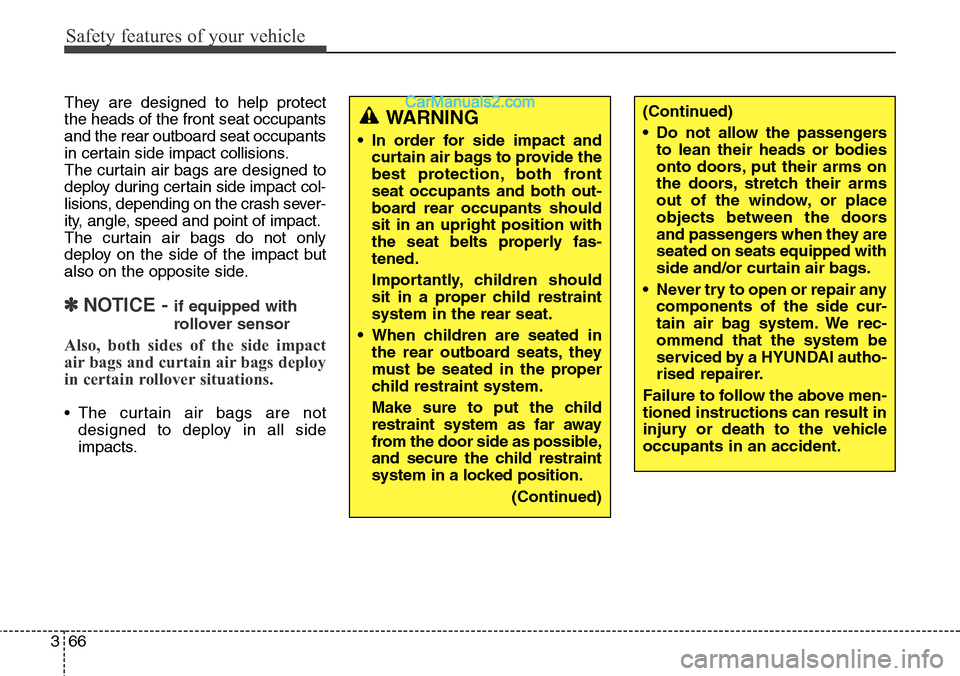
They are designed to help protect
the heads of the front seat occupants
and the rear outboard seat occupants
in certain side impact collisions.
The curtain air bags are designed to
deploy during certain side impact col-
lisions, depending on the crash sever-
ity, angle, speed and point of impact.
The curtain air bags do not only
deploy on the side of the impact but
also on the opposite side.
✽NOTICE - if equipped with
rollover sensor
Also, both sides of the side impact
air bags and curtain air bags deploy
in certain rollover situations.
• The curtain air bags are not
designed to deploy in all side
impacts.
(Continued)
• Do not allow the passengers
to lean their heads or bodies
onto doors, put their arms on
the doors, stretch their arms
out of the window, or place
objects between the doors
and passengers when they are
seated on seats equipped with
side and/or curtain air bags.
• Never try to open or repair any
components of the side cur-
tain air bag system. We rec-
ommend that the system be
serviced by a HYUNDAI autho-
rised repairer.
Failure to follow the above men-
tioned instructions can result in
injury or death to the vehicle
occupants in an accident.WARNING
• In order for side impact and
curtain air bags to provide the
best protection, both front
seat occupants and both out-
board rear occupants should
sit in an upright position with
the seat belts properly fas-
tened.
Importantly, children should
sit in a proper child restraint
system in the rear seat.
• When children are seated in
the rear outboard seats, they
must be seated in the proper
child restraint system.
Make sure to put the child
restraint system as far away
from the door side as possible,
and secure the child restraint
system in a locked position.
(Continued)
Page 99 of 699
Features of your vehicle
Keys . . . . . . . . . . . . . . . . . . . . . . . . . . . . . . . . . . . . . . 4-5
• Record your key number . . . . . . . . . . . . . . . . . . . . . . . 4-5
• Key operations . . . . . . . . . . . . . . . . . . . . . . . . . . . . . . . . 4-5
• Immobiliser system . . . . . . . . . . . . . . . . . . . . . . . . . . . . 4-6
Remote keyless entry . . . . . . . . . . . . . . . . . . . . . . . . 4-8
• System operation . . . . . . . . . . . . . . . . . . . . . . . . . . . . . . 4-8
• Transmitter precautions . . . . . . . . . . . . . . . . . . . . . . . 4-10
• Battery replacement . . . . . . . . . . . . . . . . . . . . . . . . . . 4-11
Smart key . . . . . . . . . . . . . . . . . . . . . . . . . . . . . . . . 4-13
• Smart key function . . . . . . . . . . . . . . . . . . . . . . . . . . . 4-13
• Smart key precautions . . . . . . . . . . . . . . . . . . . . . . . . 4-14
• Door lock/unlock in an emergency situation . . . . . . 4-15
Theft-alarm system . . . . . . . . . . . . . . . . . . . . . . . . 4-17
• Armed stage . . . . . . . . . . . . . . . . . . . . . . . . . . . . . . . . . 4-17
• Theft-alarm stage . . . . . . . . . . . . . . . . . . . . . . . . . . . . 4-19
• Disarmed stage. . . . . . . . . . . . . . . . . . . . . . . . . . . . . . . 4-19
Door locks . . . . . . . . . . . . . . . . . . . . . . . . . . . . . . . . 4-20
• From outside . . . . . . . . . . . . . . . . . . . . . . . . . . . . . . . . 4-20
• From inside . . . . . . . . . . . . . . . . . . . . . . . . . . . . . . . . . 4-21
• Deadlocks . . . . . . . . . . . . . . . . . . . . . . . . . . . . . . . . . . . 4-23
• Door lock/unlock features. . . . . . . . . . . . . . . . . . . . . . 4-23
• Child-protector rear door lock . . . . . . . . . . . . . . . . . 4-24
Tailgate . . . . . . . . . . . . . . . . . . . . . . . . . . . . . . . . . . 4-25
• Non-power tailgate . . . . . . . . . . . . . . . . . . . . . . . . . . . 4-25
• Power tailgate . . . . . . . . . . . . . . . . . . . . . . . . . . . . . . . 4-27• Smart tailgate. . . . . . . . . . . . . . . . . . . . . . . . . . . . . . . . 4-32
• Emergency tailgate safety release . . . . . . . . . . . . . . . 4-36
Windows . . . . . . . . . . . . . . . . . . . . . . . . . . . . . . . . . 4-37
• Power windows . . . . . . . . . . . . . . . . . . . . . . . . . . . . . . 4-38
Bonnet . . . . . . . . . . . . . . . . . . . . . . . . . . . . . . . . . . . 4-42
• Opening the bonnet . . . . . . . . . . . . . . . . . . . . . . . . . . . 4-42
• Closing the bonnet . . . . . . . . . . . . . . . . . . . . . . . . . . . . 4-43
Fuel filler lid . . . . . . . . . . . . . . . . . . . . . . . . . . . . . . 4-44
• Opening the fuel filler lid . . . . . . . . . . . . . . . . . . . . . . 4-44
• Closing the fuel filler lid . . . . . . . . . . . . . . . . . . . . . . . 4-44
• Emergency fuel filler lid release. . . . . . . . . . . . . . . . . 4-46
Panorama sunroof . . . . . . . . . . . . . . . . . . . . . . . . . 4-47
• Sunroof open warning. . . . . . . . . . . . . . . . . . . . . . . . . 4-47
• Sunshade . . . . . . . . . . . . . . . . . . . . . . . . . . . . . . . . . . . 4-48
• Sliding the sunroof . . . . . . . . . . . . . . . . . . . . . . . . . . . 4-49
• Tilting the sunroof . . . . . . . . . . . . . . . . . . . . . . . . . . . . 4-49
• Closing the sunroof . . . . . . . . . . . . . . . . . . . . . . . . . . . 4-50
• Resetting the sunroof . . . . . . . . . . . . . . . . . . . . . . . . . 4-51
Steering wheel . . . . . . . . . . . . . . . . . . . . . . . . . . . . . 4-52
• Electronic power steering . . . . . . . . . . . . . . . . . . . . . . 4-52
• Power steering . . . . . . . . . . . . . . . . . . . . . . . . . . . . . . . 4-53
• Tilt steering . . . . . . . . . . . . . . . . . . . . . . . . . . . . . . . . . 4-53
• Heated steering wheel . . . . . . . . . . . . . . . . . . . . . . . . . 4-54
• Horn . . . . . . . . . . . . . . . . . . . . . . . . . . . . . . . . . . . . . . . 4-55
• Flex steering wheel . . . . . . . . . . . . . . . . . . . . . . . . . . . 4-55
4
Page 103 of 699
45
Features of your vehicle
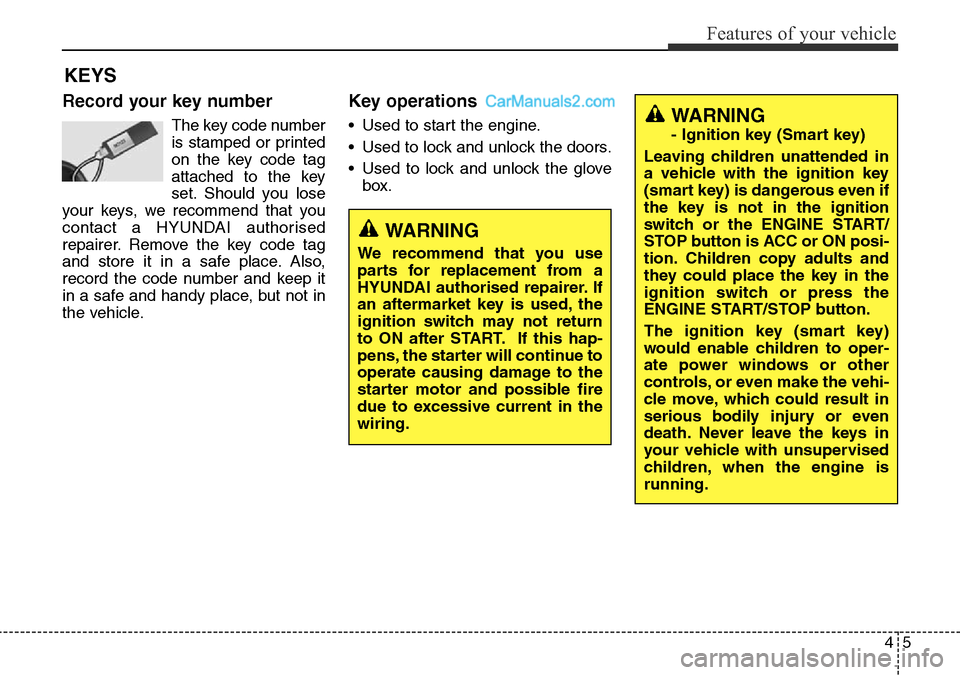
Record your key number
The key code number
is stamped or printed
on the key code tag
attached to the key
set. Should you lose
your keys, we recommend that you
contact a HYUNDAI authorised
repairer. Remove the key code tag
and store it in a safe place. Also,
record the code number and keep it
in a safe and handy place, but not in
the vehicle.
Key operations
• Used to start the engine.
• Used to lock and unlock the doors.
• Used to lock and unlock the glove
box.
KEYS
WARNING
We recommend that you use
parts for replacement from a
HYUNDAI authorised repairer. If
an aftermarket key is used, the
ignition switch may not return
to ON after START. If this hap-
pens, the starter will continue to
operate causing damage to the
starter motor and possible fire
due to excessive current in the
wiring.
WARNING
- Ignition key (Smart key)
Leaving children unattended in
a vehicle with the ignition key
(smart key) is dangerous even if
the key is not in the ignition
switch or the ENGINE START/
STOP button is ACC or ON posi-
tion. Children copy adults and
they could place the key in the
ignition switch or press the
ENGINE START/STOP button.
The ignition key (smart key)
would enable children to oper-
ate power windows or other
controls, or even make the vehi-
cle move, which could result in
serious bodily injury or even
death. Never leave the keys in
your vehicle with unsupervised
children, when the engine is
running.
Page 106 of 699
Features of your vehicle
8 4
Remote keyless entry system
operations
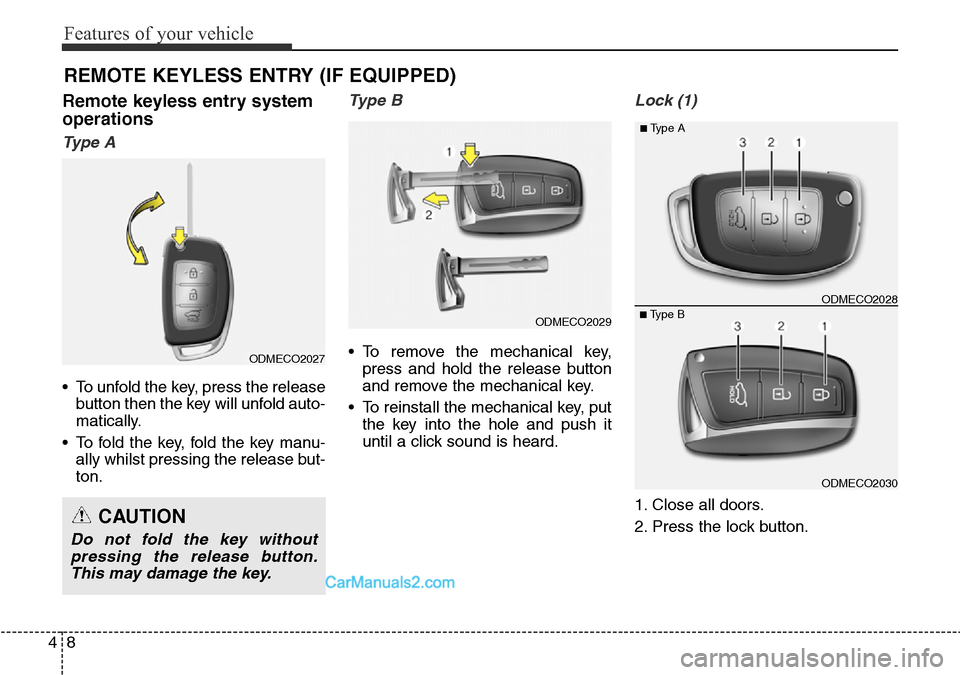
Ty p e A
• To unfold the key, press the release
button then the key will unfold auto-
matically.
• To fold the key, fold the key manu-
ally whilst pressing the release but-
ton.
Type B
• To remove the mechanical key,
press and hold the release button
and remove the mechanical key.
• To reinstall the mechanical key, put
the key into the hole and push it
until a click sound is heard.
Lock (1)
1. Close all doors.
2. Press the lock button.
REMOTE KEYLESS ENTRY (IF EQUIPPED)
CAUTION
Do not fold the key without
pressing the release button.
This may damage the key.
ODMECO2030
■Type BODMECO2028
■Type A
ODMECO2027
ODMECO2029
Page 107 of 699
49
Features of your vehicle
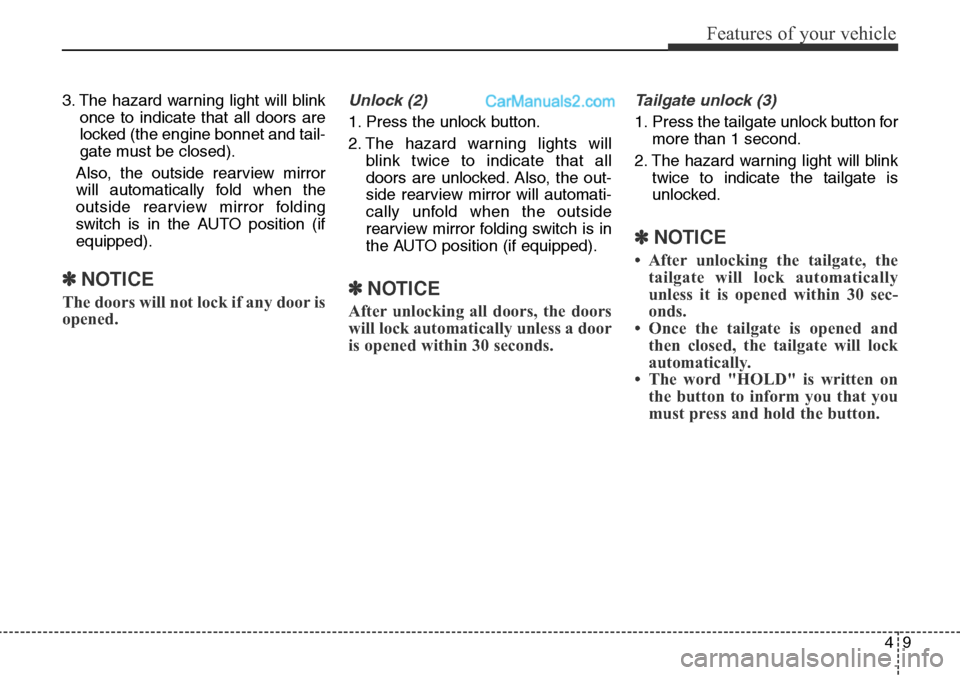
3. The hazard warning light will blink
once to indicate that all doors are
locked (the engine bonnet and tail-
gate must be closed).
Also, the outside rearview mirror
will automatically fold when the
outside rearview mirror folding
switch is in the AUTO position (if
equipped).
✽NOTICE
The doors will not lock if any door is
opened.
Unlock (2)
1. Press the unlock button.
2. The hazard warning lights will
blink twice to indicate that all
doors are unlocked. Also, the out-
side rearview mirror will automati-
cally unfold when the outside
rearview mirror folding switch is in
the AUTO position (if equipped).
✽NOTICE
After unlocking all doors, the doors
will lock automatically unless a door
is opened within 30 seconds.
Tailgate unlock (3)
1. Press the tailgate unlock button for
more than 1 second.
2. The hazard warning light will blink
twice to indicate the tailgate is
unlocked.
✽NOTICE
• After unlocking the tailgate, the
tailgate will lock automatically
unless it is opened within 30 sec-
onds.
• Once the tailgate is opened and
then closed, the tailgate will lock
automatically.
• The word "HOLD" is written on
the button to inform you that you
must press and hold the button.
Page 108 of 699
Features of your vehicle
10 4
Transmitter precautions
✽NOTICE
The transmitter will not work if any
of following occur:
• The ignition key is in ignition
switch.
- You exceed the operating dis-
tance limit (about 30 m [90 feet]).
- The battery in the transmitter is
weak.
- Other vehicles or objects may be
blocking the signal.
- The weather is extremely cold.
- The transmitter is close to a
radio transmitter such as a radio
station or an airport which can
interfere with normal operation
of the transmitter.
When the transmitter does not work
correctly, open and close the door
with the ignition key. If you have a
problem with the transmitter, we rec-
ommend that you contact a
HYUNDAI authorised repairer.
(Continued)(Continued)
• If the transmitter is in close prox-
imity to your cell phone or smart
phone, the signal from the trans-
mitter could be blocked by normal
operation of your cell phone or
smart phone. This is especially
important when the phone is
active such as making call, receiv-
ing calls, text messaging, and/or
sending/receiving emails. Avoid
placing the transmitter and your
cell phone or smart phone in the
same pants or jacket pocket and
maintain adequate distance
between the two devices.
CAUTION
Keep the transmitter away from
water or any liquid and fire. If
the inside of the transmitter
gets damp (due to drinks or
moisture), or is heated, internal
circuit may malfunction, exclud-
ing the car from the warranty.
CAUTION
Changes or modifications not
expressly approved by the party
responsible for compliance
could void the user’s authority
to operate the equipment. If the
keyless entry system is inopera-
tive due to changes or modifica-
tions not expressly approved by
the party responsible for com-
pliance, it will not be covered by
your manufacturer’s vehicle
warranty.
CAUTION
Keep the transmitter away from
electromagnetic materials that
blocks electromagnetic waves
to the key surface.
Page 111 of 699
413
Features of your vehicle
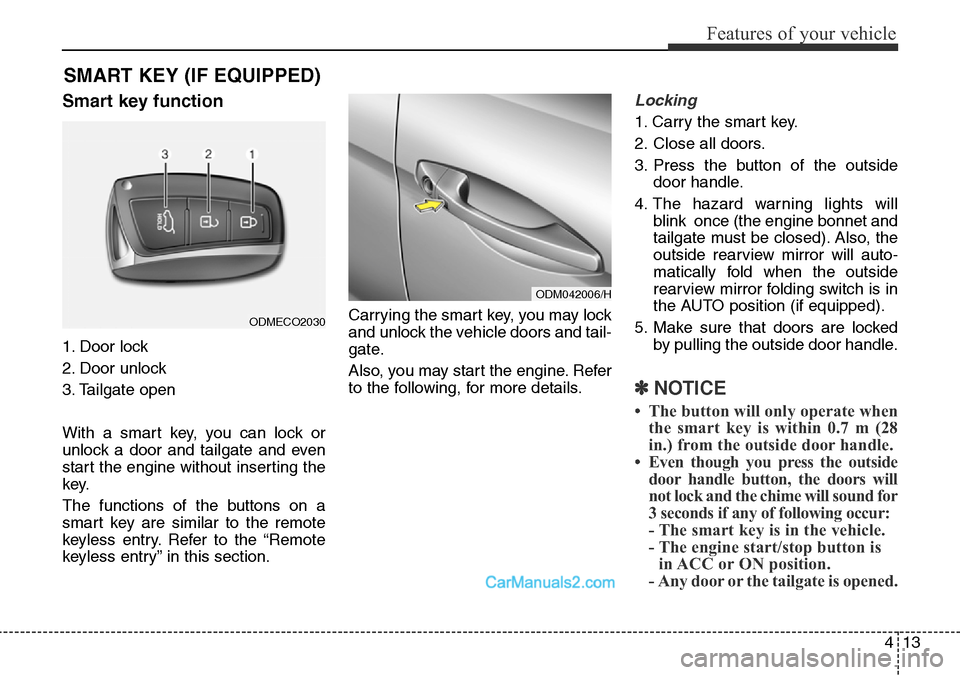
Smart key function
1. Door lock
2. Door unlock
3. Tailgate open
With a smart key, you can lock or
unlock a door and tailgate and even
start the engine without inserting the
key.
The functions of the buttons on a
smart key are similar to the remote
keyless entry. Refer to the “Remote
keyless entry” in this section.Carrying the smart key, you may lock
and unlock the vehicle doors and tail-
gate.
Also, you may start the engine. Refer
to the following, for more details.
Locking
1. Carry the smart key.
2. Close all doors.
3. Press the button of the outside
door handle.
4. The hazard warning lights will
blink once (the engine bonnet and
tailgate must be closed). Also, the
outside rearview mirror will auto-
matically fold when the outside
rearview mirror folding switch is in
the AUTO position (if equipped).
5. Make sure that doors are locked
by pulling the outside door handle.
✽NOTICE
• The button will only operate when
the smart key is within 0.7 m (28
in.) from the outside door handle.
• Even though you press the outside
door handle button, the doors will
not lock and the chime will sound for
3 seconds if any of following occur:
- The smart key is in the vehicle.
- The engine start/stop button is
in ACC or ON position.
- Any door or the tailgate is opened.
SMART KEY (IF EQUIPPED)
ODM042006/H
ODMECO2030
Page 112 of 699
Features of your vehicle
14 4
Unlocking
1. Carry the smart key.
2. Press the button of the front out-
side door handle.
3. All doors will unlock and the hazard
warning lights will blink twice. Also,
the outside rearview mirror will auto-
matically unfold when the outside
rearview mirror folding switch is in
the AUTO position (if equipped).
✽NOTICE
• The button will only operate when
the smart key is within 0.7 m (28
in.) from the outside door handle.
• When the smart key is recognized
in the area of 0.7 m (28 in.) from
the front outside door handle, other
people can also open the doors.
• After unlocking all doors, the
doors will lock automatically
unless a door is opened.
Tailgate unlocking
1.Carry the smart key.
2.Press the tailgate handle switch.
3.The tailgate will unlock.
✽NOTICE
• Once the tailgate is opened and
then closed, the tailgate will lock
automatically.
• The button will only operate when
the smart key is within 0.7 m (28
in.) from the tailgate handle.
Smart key precautions
✽NOTICE
• If, for some reason, you happen to
lose your smart key, you will not be
able to start the engine. Tow the
vehicle, if necessary, and we rec-
ommend that you contact a
HYUNDAI authorised repairer.
• A maximum of 2 smart keys can be
registered to a single vehicle. If you
lose a smart key, we recommend
that you take the vehicle and key to
your HYUNDAI authorised repair-
er to protect it from potential theft.
• The smart key will not work if any
of the following occurs:
- The smart key is close to a radio
transmitter such as a radio sta-
tion or an airport which can
interfere with normal operation
of the smart key.
- The smart key is near a mobile
two-way radio system or a
mobile phone.
- Another vehicle’s smart key is
being operated close to your
vehicle.
(Continued)
Page 113 of 699
415
Features of your vehicle
(Continued)
When the smart key does not work
properly, open and close the door
with the mechanical key. If you
have a problem with the smart
key, we recommend that you con-
tact a HYUNDAI authorised
repairer.
• If the smart key is in close proxim-
ity to your cell phone or smart
phone, the signal from the smart
key could be blocked by normal
operation of your cell phone or
smart phone. This is especially
important when the phone is
active such as making call, receiv-
ing calls, text messaging, and/or
sending/ receiving emails. Avoid
placing the smart key and your
cell phone or smart phone in the
same pants or jacket pocket and
maintain adequate distance
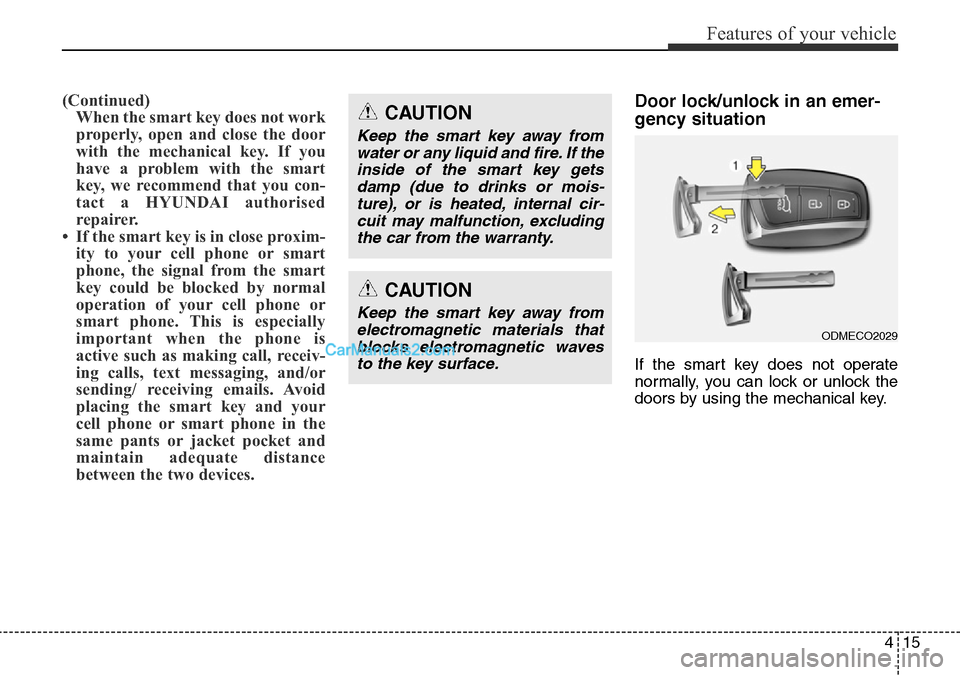
between the two devices.Door lock/unlock in an emer-
gency situation
If the smart key does not operate
normally, you can lock or unlock the
doors by using the mechanical key.
CAUTION
Keep the smart key away from
water or any liquid and fire. If the
inside of the smart key gets
damp (due to drinks or mois-
ture), or is heated, internal cir-
cuit may malfunction, excluding
the car from the warranty.
ODMECO2029
CAUTION
Keep the smart key away from
electromagnetic materials that
blocks electromagnetic waves
to the key surface.
Page 114 of 699
Features of your vehicle
16 4
1. Press and hold the release button
(1) and remove the mechanical
key (2).
2. Insert the key into the hole of the
outside door handle. Turn the key
toward the rear of the vehicle to
unlock and toward the front of the
vehicle to lock.
3. To reinstall the mechanical key, put
the key into the hole and push it
until a click sound is heard.