mirror Hyundai Santa Fe 2018 Owner's Guide
[x] Cancel search | Manufacturer: HYUNDAI, Model Year: 2018, Model line: Santa Fe, Model: Hyundai Santa Fe 2018Pages: 570, PDF Size: 16.8 MB
Page 296 of 570
Driving your vehicle
45
Before entering vehicle
• Be sure that all windows, outsidemirror(s), and outside lights are
clean.
Check the condition of the tires.
Check under the vehicle for any sign of leaks.
Be sure there are no obstacles behind you if you intend to back up.
Necessary inspections
Fluid levels, such as engine oil,
engine coolant, brake fluid, and
washer fluid should be checked on a
regular basis, with the exact interval
depending on the fluid. Further
details are provided in Section 7,
"Maintenance".
BEFORE DRIVING
CALIFORNIA PROPO-
SITION 65 WARNING
Engine exhaust and a wide vari-
ety of automobile components
and parts, including compo-
nents found in the interior fur-
nishings in a vehicle, contain or
emit chemicals known to the
State of California to cause can-
cer and birth defects and repro-
ductive harm. In addition, cer-
tain fluids contained in vehicles
and certain products of compo-
nent wear contain or emit chem-
icals known to the State of
California to cause cancer and
birth defects or other reproduc-
tive harm.
WARNING
Driving while distracted can
result in a loss of vehicle con-
trol, that may lead to an acci-
dent, severe personal injury,
and death. The driver’s primary
responsibility is in the safe and
legal operation of a vehicle, and
use of any handheld devices,
other equipment, or vehicle sys-
tems which take the driver’s
eyes, attention and focus away
from the safe operation of a
vehicle or which are not permis-
sible by law should never be
used during operation of the
vehicle.
Page 380 of 570
Driving your vehicle
88
5
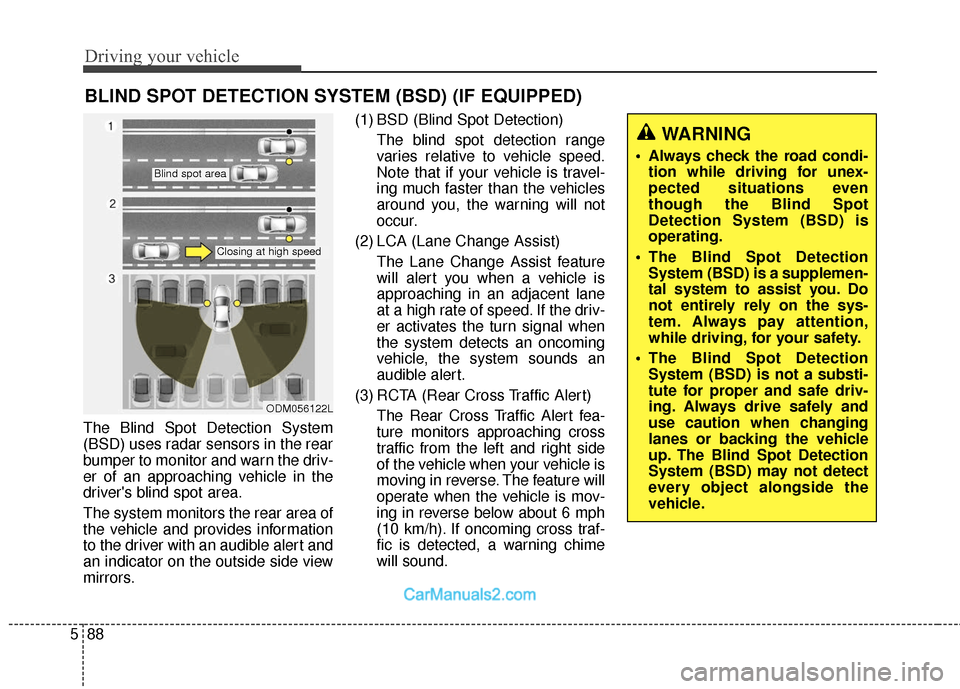
The Blind Spot Detection System
(BSD) uses radar sensors in the rear
bumper to monitor and warn the driv-
er of an approaching vehicle in the
driver's blind spot area.
The system monitors the rear area of
the vehicle and provides information
to the driver with an audible alert and
an indicator on the outside side view
mirrors. (1) BSD (Blind Spot Detection)
The blind spot detection range
varies relative to vehicle speed.
Note that if your vehicle is travel-
ing much faster than the vehicles
around you, the warning will not
occur.
(2) LCA (Lane Change Assist) The Lane Change Assist feature
will alert you when a vehicle is
approaching in an adjacent lane
at a high rate of speed. If the driv-
er activates the turn signal when
the system detects an oncoming
vehicle, the system sounds an
audible alert.
(3) RCTA (Rear Cross Traffic Alert) The Rear Cross Traffic Alert fea-
ture monitors approaching cross
traffic from the left and right side
of the vehicle when your vehicle is
moving in reverse. The feature will
operate when the vehicle is mov-
ing in reverse below about 6 mph
(10 km/h). If oncoming cross traf-
fic is detected, a warning chime
will sound.
BLIND SPOT DETECTION SYSTEM (BSD) (IF EQUIPPED)
WARNING
Always check the road condi-tion while driving for unex-
pected situations even
though the Blind Spot
Detection System (BSD) is
operating.
The Blind Spot Detection System (BSD) is a supplemen-
tal system to assist you. Do
not entirely rely on the sys-
tem. Always pay attention,
while driving, for your safety.
The Blind Spot Detection System (BSD) is not a substi-
tute for proper and safe driv-
ing. Always drive safely and
use caution when changing
lanes or backing the vehicle
up. The Blind Spot Detection
System (BSD) may not detect
every object alongside the
vehicle.
ODM056122L
Blind spot area
Closing at high speed
Page 381 of 570
589
Driving your vehicle
BSD (Blind Spot Detection) /
LCA (Lane Change Assist)
(if equipped)
Operating conditions
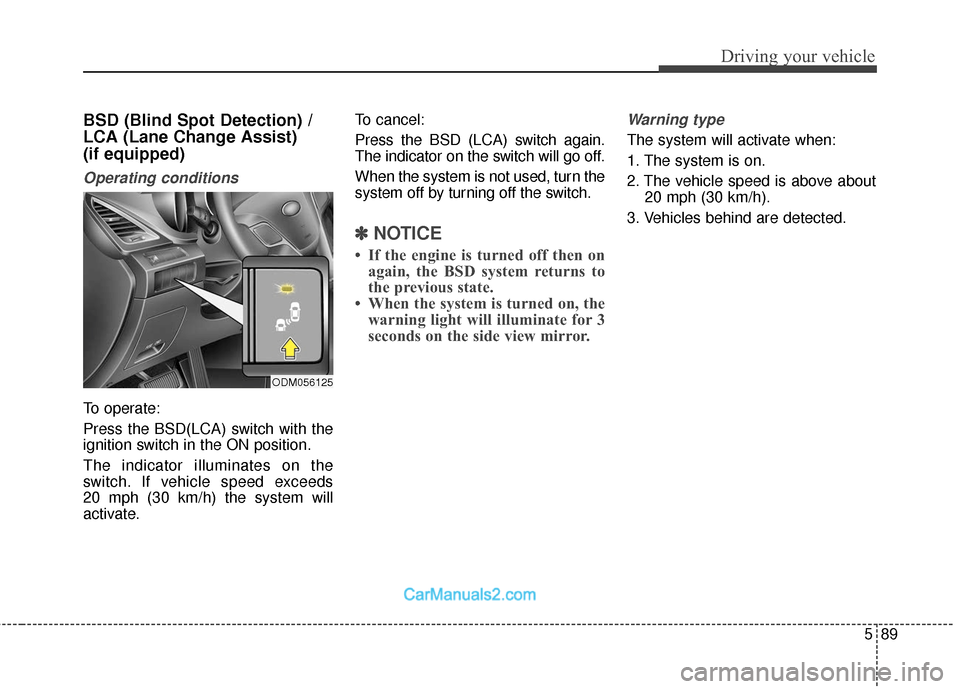
To operate:
Press the BSD(LCA) switch with the
ignition switch in the ON position.
The indicator illuminates on the
switch. If vehicle speed exceeds
20 mph (30 km/h) the system will
activate.To cancel:
Press the BSD (LCA) switch again.
The indicator on the switch will go off.
When the system is not used, turn the
system off by turning off the switch.
✽ ✽
NOTICE
• If the engine is turned off then on
again, the BSD system returns to
the previous state.
• When the system is turned on, the warning light will illuminate for 3
seconds on the side view mirror.
Warning type
The system will activate when:
1. The system is on.
2. The vehicle speed is above about
20 mph (30 km/h).
3. Vehicles behind are detected.
ODM056125
Page 382 of 570
Driving your vehicle
90
5
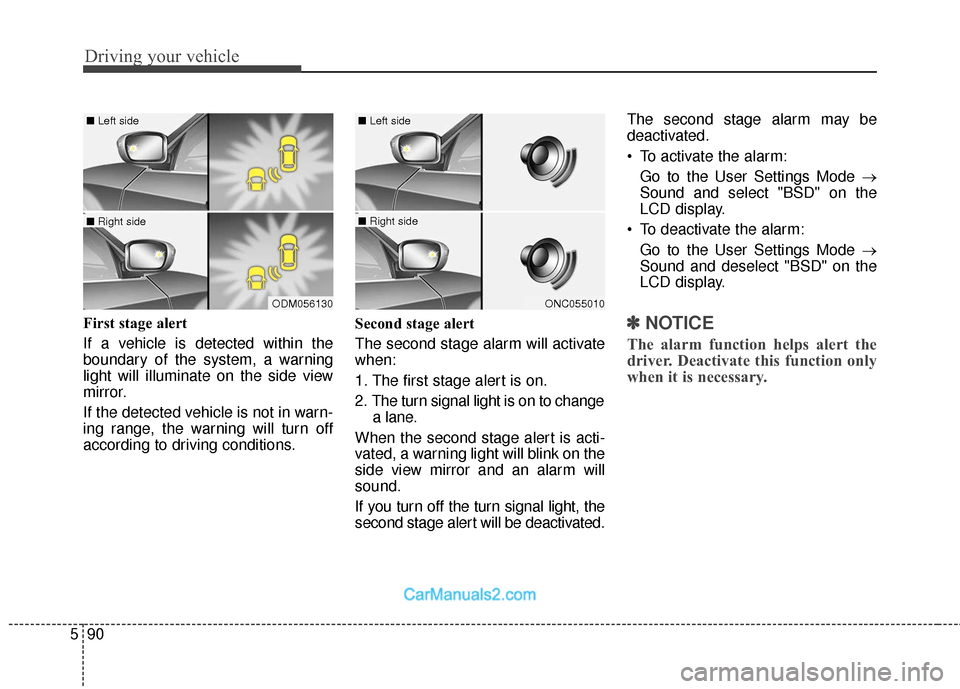
First stage alert
If a vehicle is detected within the
boundary of the system, a warning
light will illuminate on the side view
mirror.
If the detected vehicle is not in warn-
ing range, the warning will turn off
according to driving conditions. Second stage alert
The second stage alarm will activate
when:
1. The first stage alert is on.
2. The turn signal light is on to change
a lane.
When the second stage alert is acti-
vated, a warning light will blink on the
side view mirror and an alarm will
sound.
If you turn off the turn signal light, the
second stage alert will be deactivated. The second stage alarm may be
deactivated.
To activate the alarm:
Go to the User Settings Mode →
Sound and select "BSD" on the
LCD display.
To deactivate the alarm: Go to the User Settings Mode →
Sound and deselect "BSD" on the
LCD display.✽ ✽ NOTICE
The alarm function helps alert the
driver. Deactivate this function only
when it is necessary.
ODM056130
■ Left side
■ Right side
ONC055010
■ Left side
■ Right side
Page 385 of 570
593
Driving your vehicle
Warning type
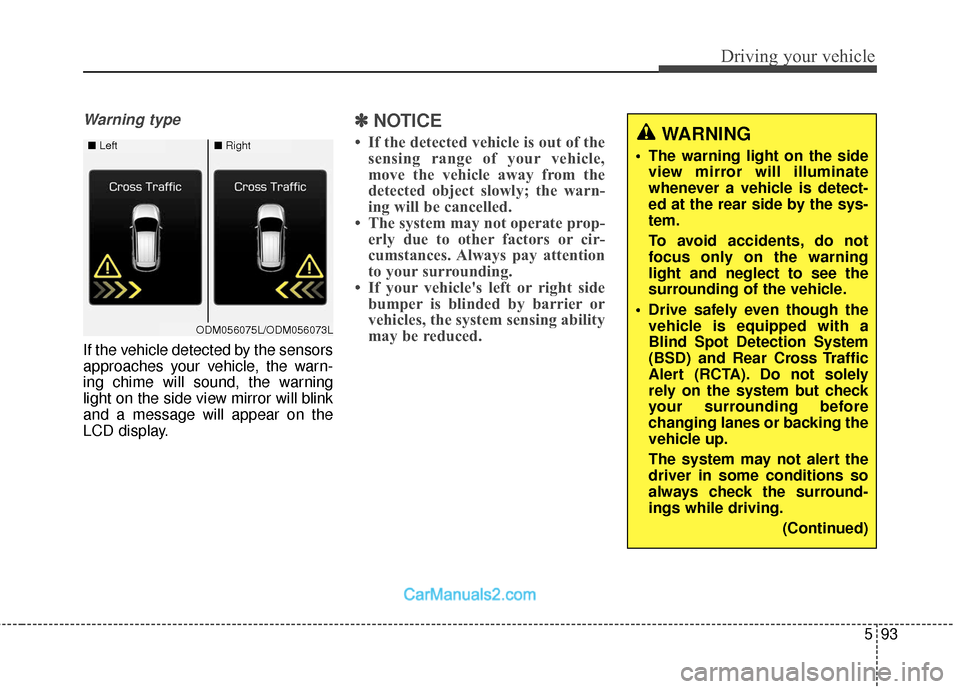
If the vehicle detected by the sensors
approaches your vehicle, the warn-
ing chime will sound, the warning
light on the side view mirror will blink
and a message will appear on the
LCD display.
✽ ✽NOTICE
• If the detected vehicle is out of the
sensing range of your vehicle,
move the vehicle away from the
detected object slowly; the warn-
ing will be cancelled.
• The system may not operate prop- erly due to other factors or cir-
cumstances. Always pay attention
to your surrounding.
• If your vehicle's left or right side bumper is blinded by barrier or
vehicles, the system sensing ability
may be reduced.WARNING
The warning light on the side
view mirror will illuminate
whenever a vehicle is detect-
ed at the rear side by the sys-
tem.
To avoid accidents, do not
focus only on the warning
light and neglect to see the
surrounding of the vehicle.
Drive safely even though the vehicle is equipped with a
Blind Spot Detection System
(BSD) and Rear Cross Traffic
Alert (RCTA). Do not solely
rely on the system but check
your surrounding before
changing lanes or backing the
vehicle up.
The system may not alert the
driver in some conditions so
always check the surround-
ings while driving.
(Continued)■Left■Right
ODM056075L/ODM056073L
Page 386 of 570
Driving your vehicle
94
5
✽
✽
NOTICE
• The system may not properly
operate, when the bumper is
replaced, or when a repair work is
done near the sensor.
• The sensing range differs accord- ing to the roads width. When the
road is narrow, the system may
detect other vehicles in the next
lane.
• The system may turn off due to strong electromagnetic waves.
Non-operating condition
Side view mirror may not alert the
driver when:
- The side view mirror housing is
damaged or covered with debris.
- The window is covered with debris.
- The windows are severely tinted.
DRIVER'S ATTENTION
The driver must be cautious in the
below situations, because the system
may not detect other vehicles or
objects in certain circumstances.
- The vehicle drives on a curved road or through a tollgate.
- The sensor is polluted with rain, snow, mud, etc.
- The rear bumper, in which the sensor is located, is covered or
blocked with a foreign matter such
as a sticker, a bumper guard, a
bicycle stand, etc.
- The rear bumper is damaged, or the sensor is out of the original
default position.
- The vehicle height gets lower or higher due to heavy loading in a
trunk, abnormal tire pressure, etc.
- The vehicle drives in a bad weath- er such as heavy rain or snow. (Continued)(Continued)
The Blind Spot Detection
System (BSD) and Rear Cross
Traffic Alert (RCTA) are not a
substitute for proper and safe
driving practices. Always
drive safely and use caution
when changing lanes or back-
ing the vehicles up. The Blind
Spot Detection System (BSD)
may not detect every object
alongside the vehicle.
Page 388 of 570
Driving your vehicle
96
5
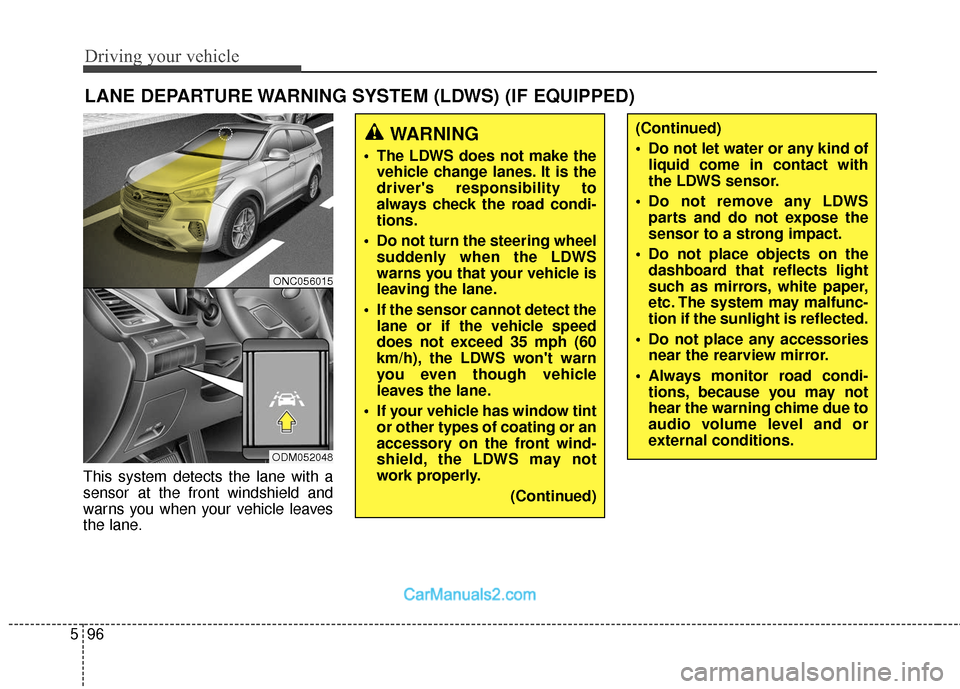
This system detects the lane with a
sensor at the front windshield and
warns you when your vehicle leaves
the lane.
LANE DEPARTURE WARNING SYSTEM (LDWS) (IF EQUIPPED)
WARNING
The LDWS does not make the
vehicle change lanes. It is the
driver's responsibility to
always check the road condi-
tions.
Do not turn the steering wheel suddenly when the LDWS
warns you that your vehicle is
leaving the lane.
If the sensor cannot detect the lane or if the vehicle speed
does not exceed 35 mph (60
km/h), the LDWS won't warn
you even though vehicle
leaves the lane.
If your vehicle has window tint or other types of coating or an
accessory on the front wind-
shield, the LDWS may not
work properly.
(Continued)
(Continued)
Do not let water or any kind ofliquid come in contact with
the LDWS sensor.
Do not remove any LDWS parts and do not expose the
sensor to a strong impact.
Do not place objects on the dashboard that reflects light
such as mirrors, white paper,
etc. The system may malfunc-
tion if the sunlight is reflected.
Do not place any accessories near the rearview mirror.
Always monitor road condi- tions, because you may not
hear the warning chime due to
audio volume level and or
external conditions.
ONC056015
ODM052048
Page 391 of 570
599
Driving your vehicle
The surrounding of the inside rearview mirror temperature is high
due to a direct ray of light.
The lane is very wide or narrow.
The lane line is damaged or indis- tinct.
The shadow is on the lane line by a median strip.
There is a mark similar to a lane line.
There is a boundary structure in the roadway such as a concrete
barrier, guardrail and reflector post
that is inadvertently being detected
by the camera.
The distance from vehicle ahead is very short or the vehicle ahead
drives hiding the lane line.
The vehicle shakes heavily.
The lane number increases or decreases or the lane lines are
crossing complicatedly.
Putting something on the dash- board.
Driving with the sun in front of you.
Driving in areas under construc- tion. The lane line is more than two in
either side (Left/Right).This device complies with Part
15 of the FCC rules.
Operation is subject to the following
two conditions:
1. This device may not cause harm- ful interference, and
2. This device must accept any inter- ference received, including inter-
ference that may cause undesired
operation.
Page 398 of 570
Driving your vehicle
106
5
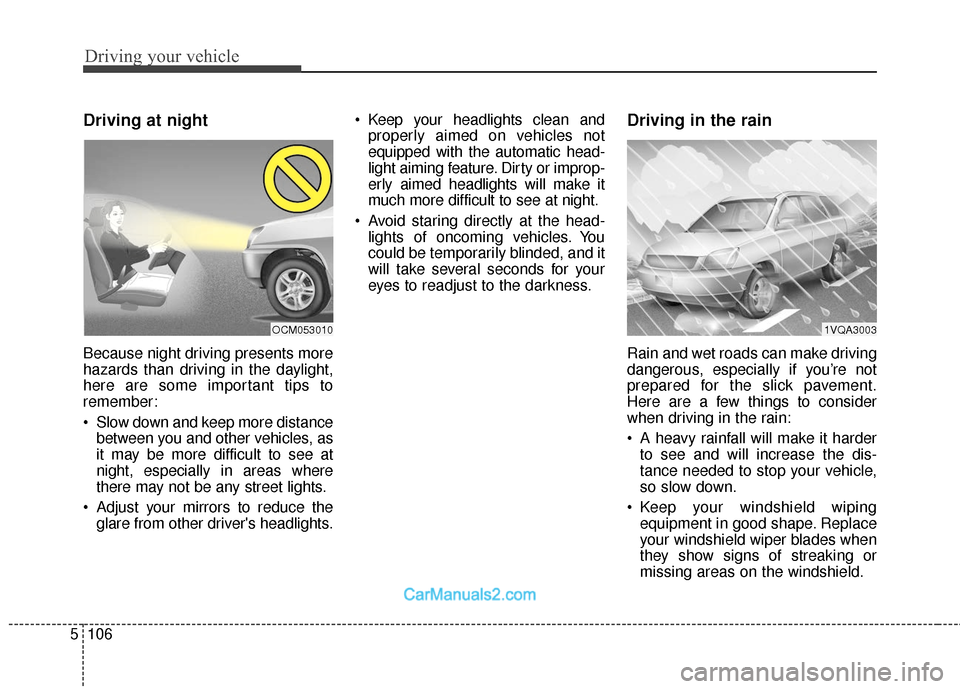
Driving at night
Because night driving presents more
hazards than driving in the daylight,
here are some important tips to
remember:
Slow down and keep more distance
between you and other vehicles, as
it may be more difficult to see at
night, especially in areas where
there may not be any street lights.
Adjust your mirrors to reduce the glare from other driver's headlights. Keep your headlights clean and
properly aimed on vehicles not
equipped with the automatic head-
light aiming feature. Dirty or improp-
erly aimed headlights will make it
much more difficult to see at night.
Avoid staring directly at the head- lights of oncoming vehicles. You
could be temporarily blinded, and it
will take several seconds for your
eyes to readjust to the darkness.
Driving in the rain
Rain and wet roads can make driving
dangerous, especially if you’re not
prepared for the slick pavement.
Here are a few things to consider
when driving in the rain:
A heavy rainfall will make it harderto see and will increase the dis-
tance needed to stop your vehicle,
so slow down.
Keep your windshield wiping equipment in good shape. Replace
your windshield wiper blades when
they show signs of streaking or
missing areas on the windshield.
1VQA3003OCM053010
Page 408 of 570
Driving your vehicle
116
5
Driving with a trailer
Towing a trailer requires a certain
amount of experience. Before setting
out for the open road, you must get to
know your trailer. Acquaint yourself
with the feel of handling and braking
with the added weight of the trailer.
And always keep in mind that the
vehicle you are driving is now a good
deal longer and not nearly so respon-
sive as your vehicle is by itself.
Before you start, check the trailer
hitch and platform, safety chains,
electrical connector(s), lights, tires
and mirror adjustment. If the trailer
has electric brakes, start your vehicle
and trailer moving and then apply the
trailer brake controller by hand to be
sure the brakes are working. This lets
you check your electrical connection
at the same time.
During your trip, check occasionally
to be sure that the load is secure,
and that the lights and any trailer
brakes are still working.
Following distance
Stay at least twice as far behind the
vehicle ahead as you would when
driving your vehicle without a trailer.
This can help you avoid situations
that require heavy braking and sud-
den turns.
Passing
You'll need more passing distance up
ahead when you're towing a trailer.
And, because of the increased vehi-
cle length, you'll need to go much far-
ther beyond the passed vehicle
before you can return to your lane.
Due to the added load to the engine
when going uphill the vehicle may
also take longer to pass than it would
on flat ground.
Backing up
Hold the bottom of the steering
wheel with one hand. Then, to move
the trailer to the left, just move your
hand to the left. To move the trailer to
the right, move your hand to the
right. Always back up slowly and, if
possible, have someone guide you.
Making turns
When you're turning with a trailer,
make wider turns than normal. Do
this so your trailer won't strike soft
shoulders, curbs, road signs, trees,
or other objects near the edge of the
road. Avoid jerky or sudden maneu-
vers. Signal well in advance before
turning or lane changes.