assist Hyundai Santa Fe 2018 Owner's Manual
[x] Cancel search | Manufacturer: HYUNDAI, Model Year: 2018, Model line: Santa Fe, Model: Hyundai Santa Fe 2018Pages: 570, PDF Size: 16.8 MB
Page 3 of 570
F3
Your HYUNDAI vehicle may be equipped with technologies and services that use information collected,
generated, recorded or stored by the vehicle. HYUNDAI has created a Vehicle Owner Privacy Policy to
explain how these technologies and services collect use and share this information.
You may read our Vehicle Owner Privacy Policy on the Hyundaiusa.com website at:
https://www.hyundaiusa.com/owner-privacy-policy.aspx
If you would like to receive a hard copy of our Vehicle Owner Privacy Policy, please contact our Customer
Connect Center at:
Hyundai Customer Care
P.O. Box 20850
Fountain Valley, CA 92728
800-633-5151
[email protected]
HYUNDAI's Customer Connect Center representatives are available Monday through Friday,
between the hours of 5:00 AM and 7:00 PM PST and Saturday and Sunday between 6:30 AM and 3:00 PM
PST (English).
For Customer Connect Center assistance in Spanish or Korean, representatives are available Monday
through Friday between 6:30 AM and 3:00 PM PST.
HYUNDAI VEHICLE OWNER PRIVACY POLICY
Page 9 of 570
Introduction
21
We want to help you get the greatest
possible driving experience from
your vehicle. Your Owner’s Manual
can assist you in many ways. We
strongly recommend that you read
the entire manual. In order to mini-
mize the chance of death or injury,
you must read the WARNING and
CAUTION sections in the manual.
Illustrations complement the text in
this manual to best explain how to
use your vehicle. By reading your
manual, you will learn about fea-
tures, important safety information,
and driving tips under various road
conditions.The general layout of the manual is
provided in the Table of Contents. A
good place to start is the index; it has
an alphabetical listing of all informa-
tion in your manual.
Sections: This manual has eight sec-
tions plus an index. Each section
begins with a brief list of contents so
you can tell at a glance if that section
has the information you want.
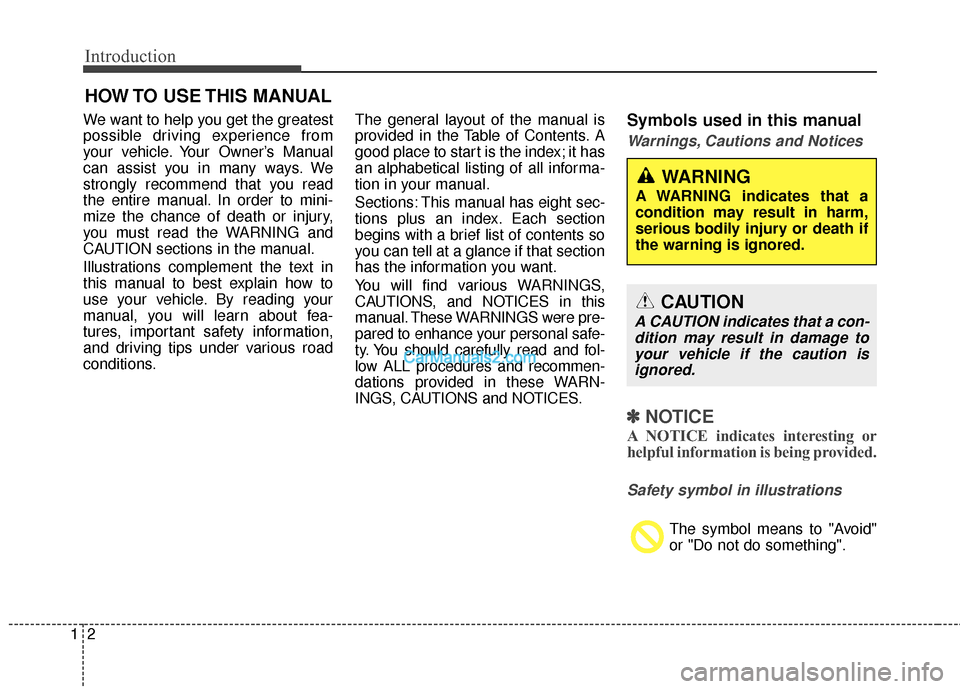
You will find various WARNINGS,
CAUTIONS, and NOTICES in this
manual. These WARNINGS were pre-
pared to enhance your personal safe-
ty. You should carefully read and fol-
low ALL procedures and recommen-
dations provided in these WARN-
INGS, CAUTIONS and NOTICES.Symbols used in this manual
Warnings, Cautions and Notices
✽ ✽
NOTICE
A NOTICE indicates interesting or
helpful information is being provided.
Safety symbol in illustrations
The symbol means to "Avoid"
or "Do not do something".
HOW TO USE THIS MANUAL
WARNING
A WARNING indicates that a
condition may result in harm,
serious bodily injury or death if
the warning is ignored.
CAUTION
A CAUTION indicates that a con-
dition may result in damage toyour vehicle if the caution isignored.
Page 14 of 570
17
Introduction
This vehicle is equipped with an
event data recorder (EDR). The
main purpose of an EDR is to
record, in certain crash or near
crash-like situations, such as an
air bag deployment or hitting a
road obstacle, data that will assist
in understanding how a vehicle's
systems performed. The EDR is
designed to record data related to
vehicle dynamics and safety sys-
tems for a short period of time,
typically 30 seconds or less. The
EDR in this vehicle is designed to
record such data as:
How various systems in yourvehicle were operating;
Whether or not the driver and passenger safety belts were
buckled/fastened;
How far (if at all) the driver was depressing the accelerator
and/or brake pedal; and,
How fast the vehicle was travel- ing. These data can help provide a bet-
ter understanding of the circum-
stances in which crashes and
injuries occur. NOTE: EDR data are
recorded by your vehicle only if a
non-trivial crash situation occurs;
no data are recorded by the EDR
under normal driving conditions
and no personal data (e.g., name,
gender, age, and crash location)
are recorded. However, other par-
ties, such as law enforcement,
could combine the EDR data with
the type of personally identifying
data routinely acquired during a
crash investigation.
To read data recorded by an EDR,
special equipment is required, and
access to the vehicle or the EDR is
needed. In addition to the vehicle
manufacturer, other parties, such
as law enforcement, that have the
special equipment, can read the
information if they have access to
the vehicle or the EDR.
VEHICLE DATA COLLECTION AND EVENT DATA RECORDERS
Page 17 of 570
23
Your vehicle at a glance
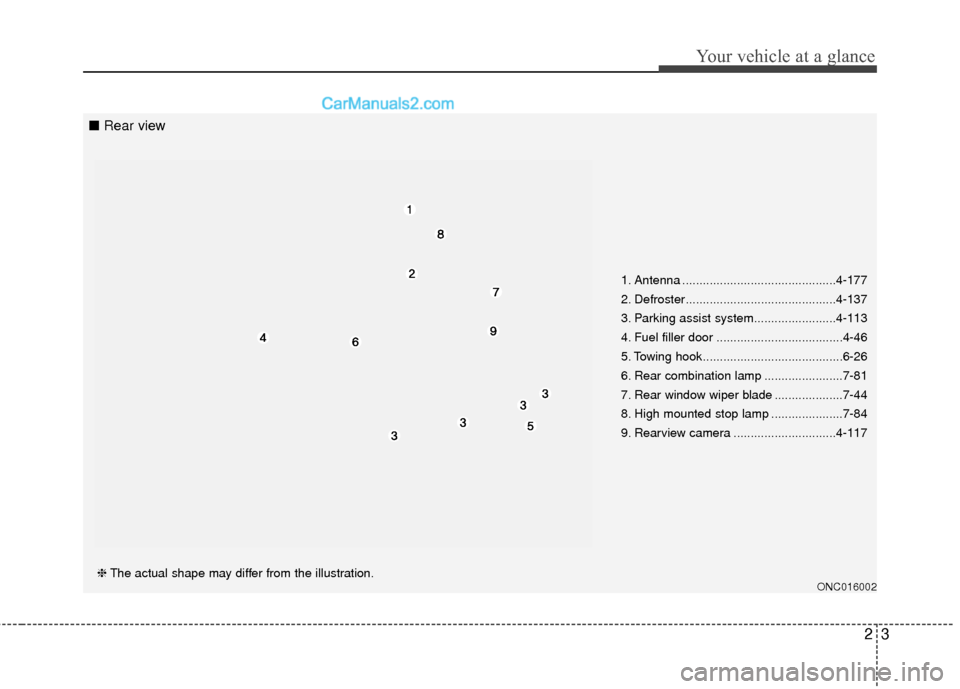
1. Antenna .............................................4-177
2. Defroster............................................4-137
3. Parking assist system........................4-113
4. Fuel filler door .....................................4-46
5. Towing hook.........................................6-26
6. Rear combination lamp .......................7-81
7. Rear window wiper blade ....................7-44
8. High mounted stop lamp .....................7-84
9. Rearview camera ..............................4-117
ONC016002❈The actual shape may differ from the illustration.
■ Rear view
Page 19 of 570
25
Your vehicle at a glance
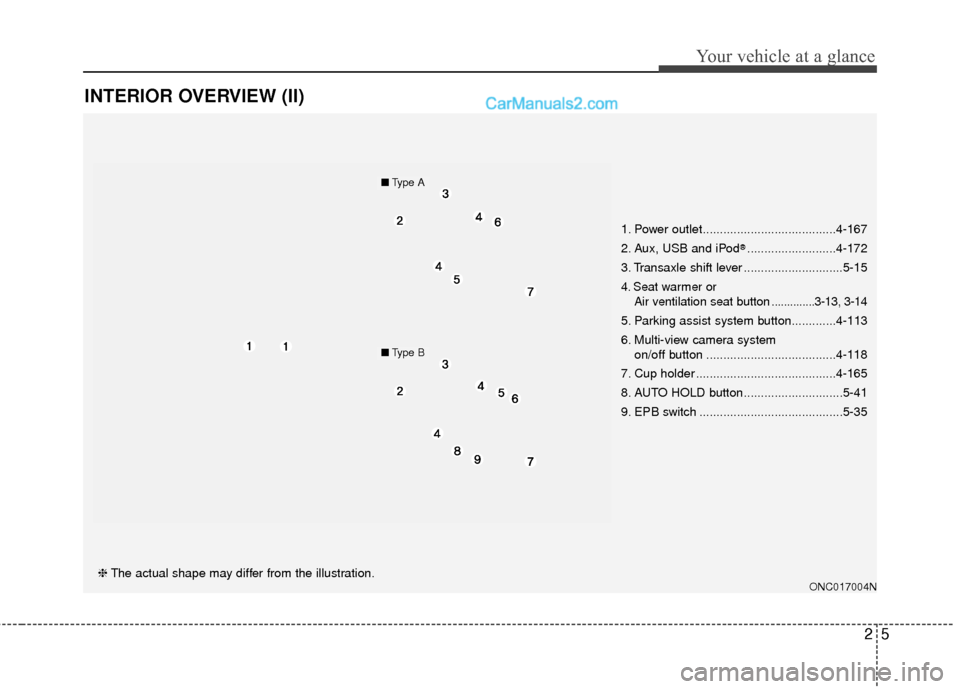
INTERIOR OVERVIEW (II)
ONC017004N❈The actual shape may differ from the illustration. 1. Power outlet.......................................4-167
2. Aux, USB and iPod
®..........................4-172
3. Transaxle shift lever .............................5-15
4. Seat warmer or Air ventilation seat button ..............3-13, 3-14
5. Parking assist system button.............4-113
6. Multi-view camera system
on/off button ......................................4-118
7. Cup holder .........................................4-165
8. AUTO HOLD button.............................5-41
9. EPB switch ..........................................5-35
■ Type A
■Type B
Page 89 of 570
Safety features of your vehicle
68
3
✽
✽
NOTICE
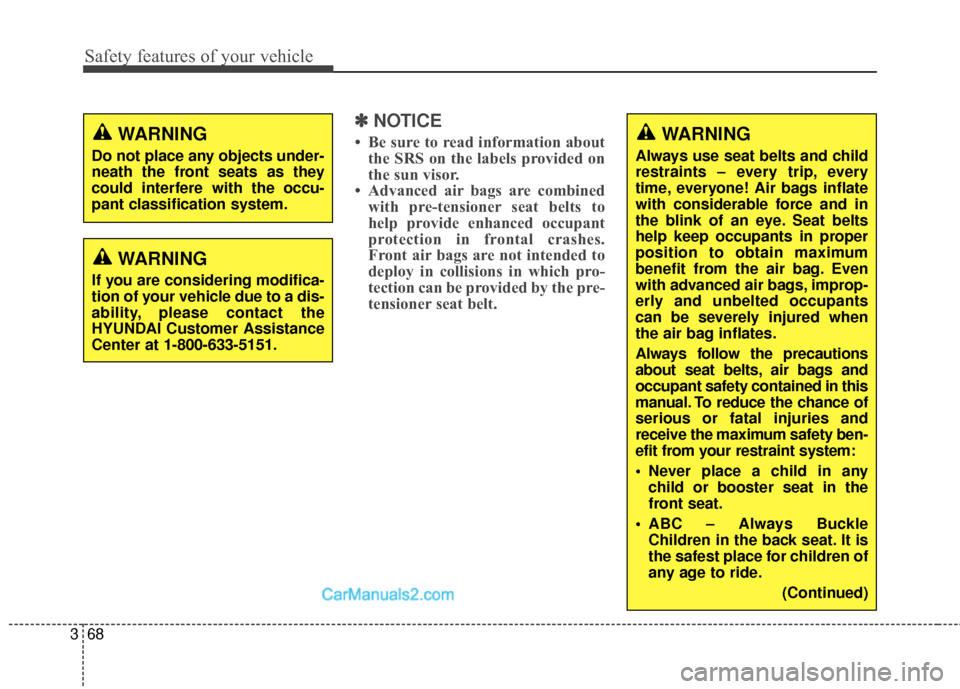
• Be sure to read information about
the SRS on the labels provided on
the sun visor.
• Advanced air bags are combined with pre-tensioner seat belts to
help provide enhanced occupant
protection in frontal crashes.
Front air bags are not intended to
deploy in collisions in which pro-
tection can be provided by the pre-
tensioner seat belt.
WARNING
If you are considering modifica-
tion of your vehicle due to a dis-
ability, please contact the
HYUNDAI Customer Assistance
Center at 1-800-633-5151.
WARNING
Do not place any objects under-
neath the front seats as they
could interfere with the occu-
pant classification system.
WARNING
Always use seat belts and child
restraints – every trip, every
time, everyone! Air bags inflate
with considerable force and in
the blink of an eye. Seat belts
help keep occupants in proper
position to obtain maximum
benefit from the air bag. Even
with advanced air bags, improp-
erly and unbelted occupants
can be severely injured when
the air bag inflates.
Always follow the precautions
about seat belts, air bags and
occupant safety contained in this
manual. To reduce the chance of
serious or fatal injuries and
receive the maximum safety ben-
efit from your restraint system:
Never place a child in any
child or booster seat in the
front seat.
ABC – Always Buckle Children in the back seat. It is
the safest place for children of
any age to ride.
(Continued)
Page 105 of 570

Mirrors . . . . . . . . . . . . . . . . . . . . . . . . . . . . . . . . . . 4-60\
. . . . . . . . . . . . . . . . . . . . . . . . 4-60
. . . . . . . . . . . . . . . . . . . . . . . . . . . . 4-68
Instrument cluster . . . . . . . . . . . . . . . . . . . . . . . . . 4-72
. . . . . . . . . . . . . . . . . . . . . 4-73
. . . . . . . . . . . . . . . . . . . . . . . . . . . . . . . . . . . . \
. 4-73
. . . . . . . . . . . . . . . . . . . . . . 4-76
LCD display . . . . . . . . . . . . . . . . . . . . . . . . . . . . . . 4-77
. . . . . . . . . . . . . . . . . . . . . . . . . 4-77
. . . . . . . . . . . . . . . . . . . . . . . . . . . . . . . . . 4-77
. . . . . . . . . . . . . . . . . . . . . . . . . 4-78
Warning System (SCC/LDWS) Mode . . . . . . . . . . 4-78
. . . . . . . . . . . . . . . . . . . . . . . . . . . . . . . . . . . 4-\
79
. . . . . . . . . . . . . . . . . . . . . . . . . . . . . . . . 4-79
. . . . . . . . . . . . . . . . . . . . . . . . . . . 4-80
. . . . . . . . . . . . . . . . . . . . . . . . . . . . 4-86
Trip computer . . . . . . . . . . . . . . . . . . . . . . . . . . . . . 4-95
. . . . . . . . . . . . . . . . . . . . . . . . . . . . . . . 4-96
. . . . . . . . . . . . . . . . . . . . . . . . . . . . . . . . . . . . \
4-97
. . . . . . . . . . . . . . . . . . . . . . . . . . 4-98
Warning and indicator lights . . . . . . . . . . . . . . . 4-100
. . . . . . . . . . . . . . . . . . . . . . . . . . . . . . 4-100
. . . . . . . . . . . . . . . . . . . . . . . . . . . . . 4-108
Driver assist system . . . . . . . . . . . . . . . . . . . . . . . 4-113
. . . . . . . . . . . . . . . . . . . . 4-113
. . . . . . . . . . . . . . . . . . . . . . . . . . 4-117
. . . . . . . . . . . . . . . . . . . 4-118
Hazard warning flasher . . . . . . . . . . . . . . . . . . . . 4-119
Lighting . . . . . . . . . . . . . . . . . . . . . . . . . . . . . . . . . 4-120
. . . . . . . . . . . . . . . . . . . . . . . . . . . . . 4-120
. . . . . . . . . . . . . . . . . . . . . . . . . . . . . 4-121
. . . . . . . . . . . . . . . . . . . . . . . . . . . 4-126
. . . . . . . . 4-129
Wipers and washers . . . . . . . . . . . . . . . . . . . . . . . 4-130
. . . . . . . . . . . . . . . . . . . . . . . . . . . 4-130
. . . . . . . . . 4-132
Interior light . . . . . . . . . . . . . . . . . . . . . . . . . . . . . 4-133
. . . . . . . . . . . . . . . . . . . 4-133
. . . . . . . . . . . . . . . . . . . . . . . . . . . . . . . . . . 4-13\
3
. . . . . . . . . . . . . . . . . . . . . . . . . . . . . . . . . 4-134
. . . . . . . . . . . . . . . . . . . . . . . . . 4-135
. . . . . . . . . . . . . . . . . . . . . . . . . . 4-135
. . . . . . . . . . . . . . . . . . . . . . . . . . . . . 4-135
4
Page 159 of 570
Features of your vehicle
56
4
Electric power steering (EPS)
The power steering uses a motor to
assist you in steering the vehicle. If
the engine is off or if the power steer-
ing system becomes inoperative, the
vehicle may still be steered, but it will
require increased steering effort.
The motor driven power steering is
controlled by a power steering con-
trol unit which senses the steering
wheel torque and vehicle speed to
command the motor.
The steering becomes heavier as
the vehicle’s speed increases and
becomes lighter as the vehicle’s
speed decreases for optimum steer-
ing control.
Should you notice any change in the
effort required to steer during normal
vehicle operation, have the power
steering checked by an authorized
HYUNDAI dealer.
✽ ✽
NOTICE
The following symptoms may occur
during normal vehicle operation:
• The EPS warning light does not
illuminate.
• The steering gets heavy immedi- ately after turning the ignition
switch on. This happens as the sys-
tem performs the EPS system
diagnostics. When the diagnostics
is completed, the steering wheel
will return to its normal condition.
• A click noise may be heard from the EPS relay after the ignition
switch is turned to the ON or
LOCK (OFF) position.
• A motor noise may be heard when the vehicle is at a stop or at a low
driving speed.
• If the Electric Power Steering System does not operate normally,
the warning light will illuminate on
the instrument cluster. The steer-
ing wheel may become difficult to
control or operate abnormally.
Take your vehicle to an authorized
HYUNDAI dealer and have the
vehicle checked as soon as possible. (Continued)
STEERING WHEEL
CAUTION
If the Electric Power Steering
System does not operate nor-mally, the warning light willilluminate on the instrumentcluster. The steering wheelmay become difficult to con-trol or operate abnormally.Take your vehicle to anauthorized HYUNDAI dealerand have the vehicle checkedas soon as possible.
When you operate the steer- ing wheel in low temperature,abnormal noise could occur. Iftemperature rises, the noisewill disappear. This is a normalcondition.
Page 184 of 570
481
Features of your vehicle
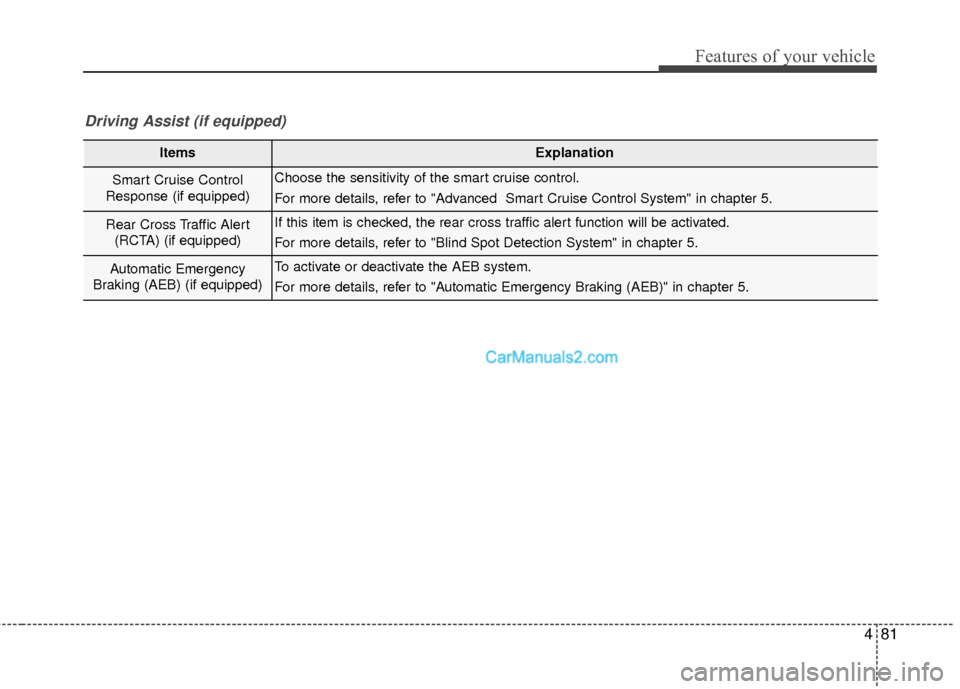
ItemsExplanation
Smart Cruise Control
Response (if equipped)Choose the sensitivity of the smart cruise control.
For more details, refer to "Advanced Smart Cruise Control System" in chapter 5.
Rear Cross Traffic Alert (RCTA) (if equipped)If this item is checked, the rear cross traffic alert function will be activated.
For more details, refer to "Blind Spot Detection System" in chapter 5.
Automatic Emergency
Braking (AEB) (if equipped)To activate or deactivate the AEB system.
For more details, refer to "Automatic Emergency Braking (AEB)" in chapter 5.
Driving Assist (if equipped)
Page 186 of 570
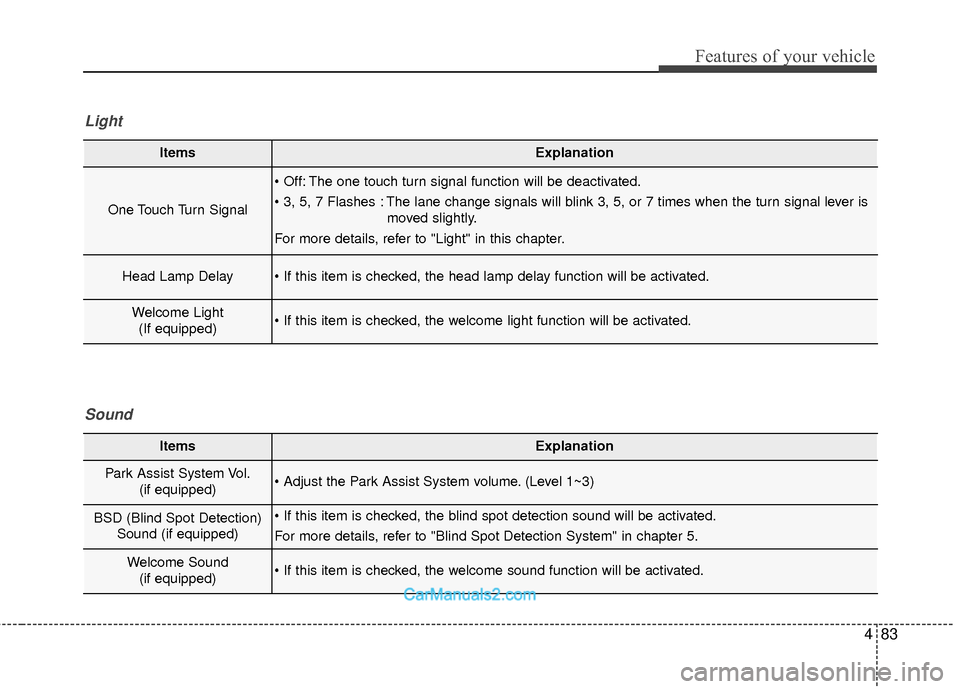
483
Features of your vehicle
ItemsExplanation
One Touch Turn Signal
The one touch turn signal function will be deactivated.
The lane change signals will blink 3, 5, or 7 times when the turn signal lever ismoved slightly.
For more details, refer to "Light" in this chapter.
Head Lamp Delay
Welcome Light (If equipped)
Light
ItemsExplanation
Park Assist System Vol. (if equipped) (Level 1~3)
BSD (Blind Spot Detection)Sound (if equipped)
For more details, refer to "Blind Spot Detection System" in chapter 5.
Welcome Sound(if equipped)
Sound