boot Hyundai Santa Fe 2019 Owner's Manual - RHD (UK, Australia)
[x] Cancel search | Manufacturer: HYUNDAI, Model Year: 2019, Model line: Santa Fe, Model: Hyundai Santa Fe 2019Pages: 682, PDF Size: 16.24 MB
Page 338 of 682

5-9
Driving your vehicle
5
Starting the engine Starting the petrol engine
Vehicle with manual transmission:
1. Make sure the parking brake is
applied.
2. Make sure the shift lever is in neu-
tral.
3. Depress the clutch and brake ped-
als.
4. Turn the ignition switch to the
START position. Hold the key
(maximum of 10 seconds) until the
engine starts and release it.
Vehicle with automatic transmission:
1. Make sure the parking brake is
applied.
2. Make sure the shift lever is in P
(Park).
3. Depress the brake pedal.
4. Turn the ignition switch to the
START position. Hold the key
(maximum of 10 seconds) until the
engine starts and release it.Information
• Do not wait for the engine to warm
up whilst the vehicle remains sta-
tionary.
Start driving at moderate engine
speeds. (Steep accelerating and
decelerating should be avoided.)
• Always start the vehicle with your
foot on the brake pedal. Do not
depress the accelerator whilst start-
ing the vehicle. Do not race the
engine whilst warming it up.
i
•Always wear appropriate
shoes when operating your
vehicle. Unsuitable shoes,
such as high heels, ski boots,
sandals, flip-flops, etc., may
interfere with your ability to
use the brake, accelerator and
clutch pedals.
•Do not start the vehicle with the
accelerator pedal depressed.
The vehicle can move which
can lead to an accident.
•Wait until the engine rpm is
normal. The vehicle may sud-
denly move if the brake pedal
is released when the rpm is
high.
WARNING
Page 346 of 682

5-17
Driving your vehicle
5
Starting the engine Information
• The engine will start by pressing the
Engine Start/Stop button, only when
the smart key is in the vehicle.
• Even if the smart key is in the vehi-
cle, if it is far away from the driver,
the engine may not start.
• When the Engine Start/Stop button
is in the ACC or ON position, if any
door is open, the system checks for
the smart key. If the smart key is not
in the vehicle, the " " indicator
will blink and the warning "Key not
in vehicle" will come on, and if all
doors are closed, the chime will also
sound for about 5 seconds. Keep the
smart key in the vehicle when using
the ACC position or if the vehicle
engine is ON.
Starting the petrol engine
Vehicle with manual transmission:
1. Always carry the smart key with
you.
2. Make sure the parking brake is
applied.
3. Make sure the shift lever is in neutral.
4. Depress the clutch and brake ped-
als.
5. Press the Engine Start/Stop button.
Vehicle with automatic transmission:
1. Always carry the smart key with
you.
2. Make sure the parking brake is
applied.
3. Make sure the shift lever is in P
(Park).
4. Depress the brake pedal.
5. Press the Engine Start/Stop button.i
•Always wear appropriate
shoes when operating your
vehicle. Unsuitable shoes,
such as high heels, ski boots,
sandals, flip-flops, etc., may
interfere with your ability to
use the brake, accelerator and
clutch pedals.
•Do not start the vehicle with the
accelerator pedal depressed.
The vehicle can move which
can lead to an accident.
•Wait until the engine rpm is
normal. The vehicle may sud-
denly move if the brake pedal
is released when the rpm is
high.
WARNING
Page 371 of 682
5-42
Driving your vehicle
Information
• The Auto Hold does not operate
when:
- The driver's seat belt is unfastened
and driver's door is opened
- The engine bonnet is opened
- The tailgate is opened
- The shift lever is in P (Park)
- The EPB is applied
• For your safety, the Auto Hold auto-
matically switches to EPB when:
- The driver's seat belt is unfastened
and driver's door is opened
- The engine bonnet is opened with
the shift lever is in D (Drive)
- The tailgate is opened with the
shift lever is in R (Reverse)
- The vehicle stops for more than 10
minutes
- The vehicle stands on a steep slope
- The vehicle moves several timesIn these cases, the brake warning
light comes on, the AUTO HOLD
indicator changes from green to
white, and a warning sound and a
message will appear to inform you
that EPB has been automatically
engaged. Before driving off again,
press foot brake pedal, check the
surrounding area near your vehicle
and release parking brake manually
with the EPB switch.
• If the AUTO HOLD indicator changes
to yellow, the Auto Hold is not working
properly. We recommend that you
contact a HYUNDAI authorised
repairer.
• Whilst operating Auto Hold, you
may hear mechanical noise.
However, it is normal operating
noise.If there is a malfunction with the
driver’s door, engine bonnet or
boot open detection system, the
Auto Hold may not work properly.
We recommend that you contact a
HYUNDAI authorised repairer.
NOTICE
i
•Press the accelerator pedal
slowly when you start the
vehicle.
•For your safety, cancel the
Auto Hold when you drive
downhill, back up the vehicle
or park the vehicle.
WARNING
Page 438 of 682
5-109
Driving your vehicle
Limitations of the system
The driver must be cautious in the
below situations, because the sys-
tem may not detect other vehicles or
objects in certain circumstances.
• When a trailer or carrier is
installed.
• The vehicle drives in inclement
weather such as heavy rain or
snow.
• The sensor is polluted with rain,
snow, mud, etc.
• The rear bumper where the sensor
is located is covered with a foreign
object such as a bumper sticker, a
bumper guard, a bike rack, etc.
• The rear bumper is damaged, or
the sensor is out of the original
default position.
• The vehicle height gets lower or
higher due to heavy loading in a
boot, abnormal tyre pressure, etc.
• When the temperature of the rear
bumper is high.
• When the sensors are blocked by
other vehicles, walls or parking-lot
pillars.• The vehicle drives on a curved
road.
• The vehicle drives through a toll-
gate.
• The road pavement (or the periph-
eral ground) abnormally contains
metallic components (i.e. possibly
due to subway construction).
• There is a fixed object near the
vehicle, such as a guardrail.
• Whilst going down or up a steep
road where the height of the lane is
different.
• Driving on a narrow road where
trees or grass or overgrown.
• Driving in rural areas where the
sensor does not detect another
vehicle or structure for an extended
period of time.
• Driving on a wet road.
• Driving on a road where the
guardrail or wall is in double struc-
ture.
• A big vehicle is near such as a bus
or truck.
• When the other vehicle approach-
es very close.• When the other vehicle passes at a
very fast speed.
• Whilst changing lanes.
• If the vehicle has started at the
same time as the vehicle next to
you and has accelerated.
• When the vehicle in the next lane
moves two lanes away from you
OR when the vehicle two lanes
away moves to the next lane from
you.
• A motorcycle or bicycle is near.
• A flat trailer is near.
• If there are small objects in the
detecting area such as a shopping
cart or a baby stroller.
• If there is a low height vehicle such
as a sports car.
• The brake pedal is depressed.
• ESC (Electronic Stability Control)
is activated.
• ESC (Electronic Stability Control)
malfunctions.
• The tyre pressure is low or a tyre is
damaged.
• The brake is reworked.
5
Page 447 of 682
5-118
If any of these conditions occur, the
light on the BCW switch and the sys-
tem will turn off automatically.
When the BCW cancelled warning
message is displayed in the cluster,
check to make sure that the rear
bumper is free from any dirt or snow
in the areas where the sensor is
located. Remove any dirt, snow, or
foreign material that could interfere
with the radar sensors.
After any dirt or debris is removed,
the RCCW system should operate
normally after about 10 minutes of
driving the vehicle.
If the system still does not operate
normally have your vehicle inspected
by a HYUNDAI authorised repairer.
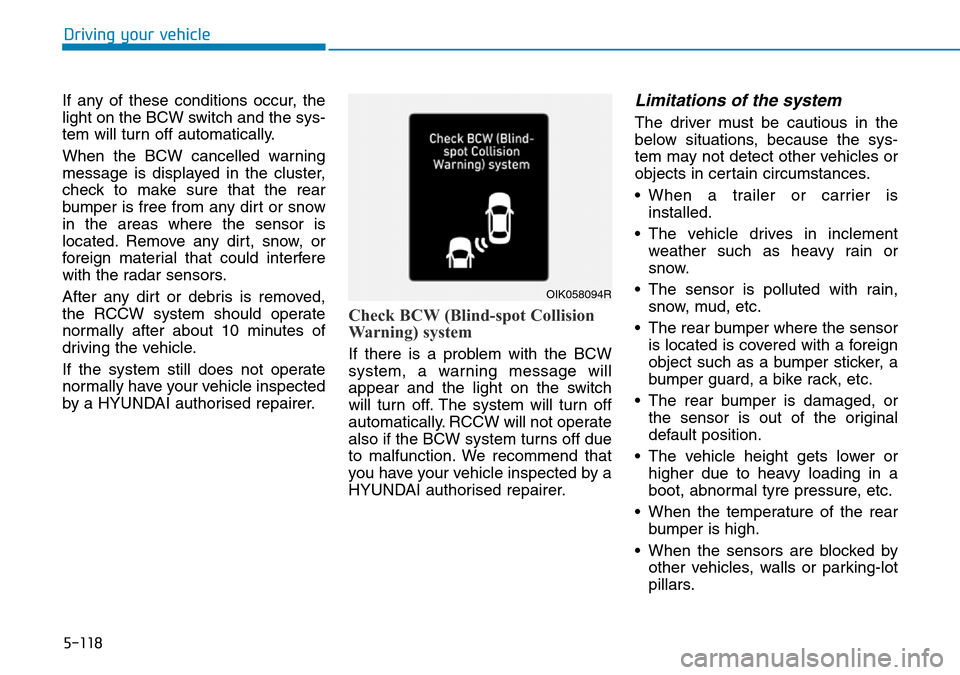
Check BCW (Blind-spot Collision
Warning) system
If there is a problem with the BCW
system, a warning message will
appear and the light on the switch
will turn off. The system will turn off
automatically. RCCW will not operate
also if the BCW system turns off due
to malfunction. We recommend that
you have your vehicle inspected by a
HYUNDAI authorised repairer.
Limitations of the system
The driver must be cautious in the
below situations, because the sys-
tem may not detect other vehicles or
objects in certain circumstances.
• When a trailer or carrier is
installed.
• The vehicle drives in inclement
weather such as heavy rain or
snow.
• The sensor is polluted with rain,
snow, mud, etc.
• The rear bumper where the sensor
is located is covered with a foreign
object such as a bumper sticker, a
bumper guard, a bike rack, etc.
• The rear bumper is damaged, or
the sensor is out of the original
default position.
• The vehicle height gets lower or
higher due to heavy loading in a
boot, abnormal tyre pressure, etc.
• When the temperature of the rear
bumper is high.
• When the sensors are blocked by
other vehicles, walls or parking-lot
pillars.
Driving your vehicle
OIK058094R
Page 460 of 682
5-131
Driving your vehicle
5
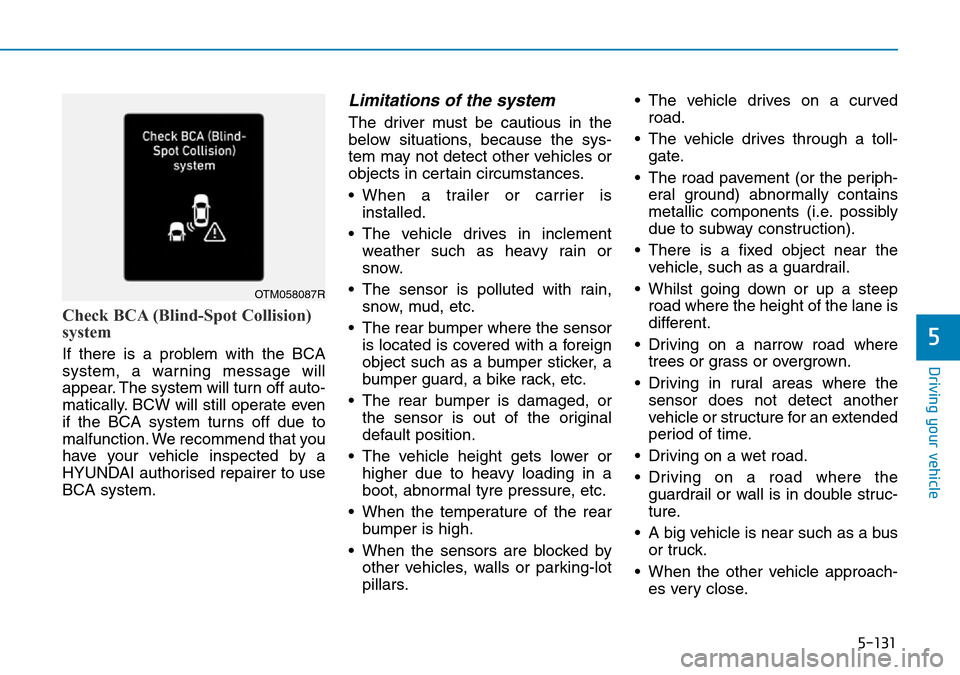
Check BCA (Blind-Spot Collision)
system
If there is a problem with the BCA
system, a warning message will
appear. The system will turn off auto-
matically. BCW will still operate even
if the BCA system turns off due to
malfunction. We recommend that you
have your vehicle inspected by a
HYUNDAI authorised repairer to use
BCA system.
Limitations of the system
The driver must be cautious in the
below situations, because the sys-
tem may not detect other vehicles or
objects in certain circumstances.
• When a trailer or carrier is
installed.
• The vehicle drives in inclement
weather such as heavy rain or
snow.
• The sensor is polluted with rain,
snow, mud, etc.
• The rear bumper where the sensor
is located is covered with a foreign
object such as a bumper sticker, a
bumper guard, a bike rack, etc.
• The rear bumper is damaged, or
the sensor is out of the original
default position.
• The vehicle height gets lower or
higher due to heavy loading in a
boot, abnormal tyre pressure, etc.
• When the temperature of the rear
bumper is high.
• When the sensors are blocked by
other vehicles, walls or parking-lot
pillars.• The vehicle drives on a curved
road.
• The vehicle drives through a toll-
gate.
• The road pavement (or the periph-
eral ground) abnormally contains
metallic components (i.e. possibly
due to subway construction).
• There is a fixed object near the
vehicle, such as a guardrail.
• Whilst going down or up a steep
road where the height of the lane is
different.
• Driving on a narrow road where
trees or grass or overgrown.
• Driving in rural areas where the
sensor does not detect another
vehicle or structure for an extended
period of time.
• Driving on a wet road.
• Driving on a road where the
guardrail or wall is in double struc-
ture.
• A big vehicle is near such as a bus
or truck.
• When the other vehicle approach-
es very close.
OTM058087R
Page 470 of 682
5-141
Driving your vehicle
5
If any of these conditions occur, the
light on the BCW switch and the sys-
tem will turn off automatically.
When the BCW cancelled warning
message is displayed in the cluster,
check to make sure that the rear
bumper is free from any dirt or snow
in the areas where the sensor is
located. Remove any dirt, snow, or
foreign material that could interfere
with the radar sensors.
After any dirt or debris is removed,
the RCCA system should operate
normally after about 10 minutes of
driving the vehicle.
If the system still does not operate
normally have your vehicle inspected
by a HYUNDAI authorised repairer.
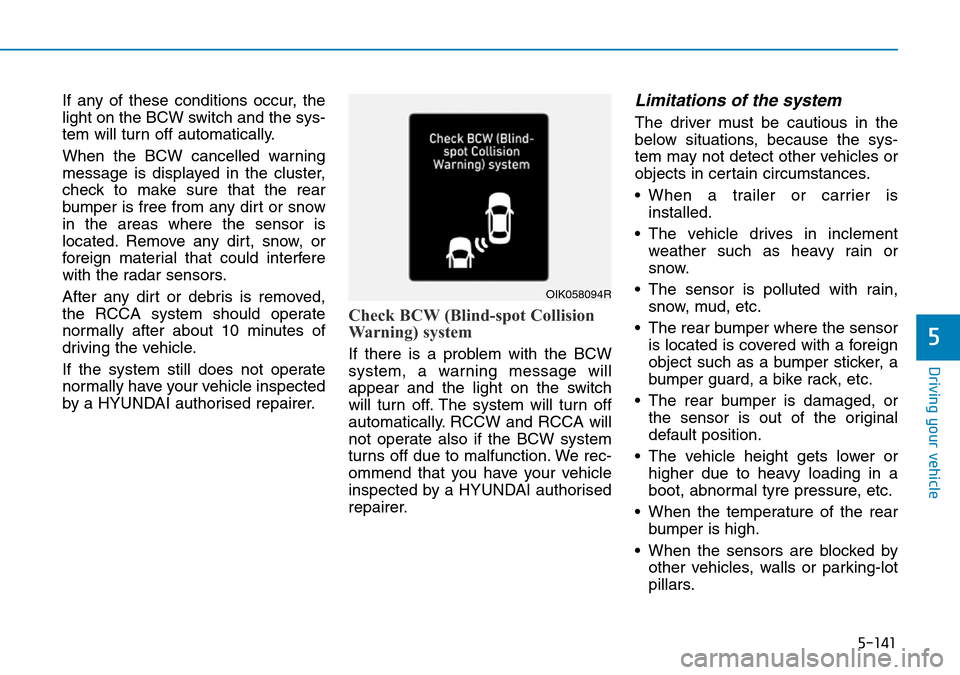
Check BCW (Blind-spot Collision
Warning) system
If there is a problem with the BCW
system, a warning message will
appear and the light on the switch
will turn off. The system will turn off
automatically. RCCW and RCCA will
not operate also if the BCW system
turns off due to malfunction. We rec-
ommend that you have your vehicle
inspected by a HYUNDAI authorised
repairer.
Limitations of the system
The driver must be cautious in the
below situations, because the sys-
tem may not detect other vehicles or
objects in certain circumstances.
• When a trailer or carrier is
installed.
• The vehicle drives in inclement
weather such as heavy rain or
snow.
• The sensor is polluted with rain,
snow, mud, etc.
• The rear bumper where the sensor
is located is covered with a foreign
object such as a bumper sticker, a
bumper guard, a bike rack, etc.
• The rear bumper is damaged, or
the sensor is out of the original
default position.
• The vehicle height gets lower or
higher due to heavy loading in a
boot, abnormal tyre pressure, etc.
• When the temperature of the rear
bumper is high.
• When the sensors are blocked by
other vehicles, walls or parking-lot
pillars.
OIK058094R
Page 587 of 682
7-12
Maintenance
Brake hoses and lines
Visually check for proper installation,
chafing, cracks, deterioration and
any leakage. Replace any deteriorat-
ed or damaged parts immediately.
Brake/Clutch fluid
(if equipped)
Check the brake/clutch fluid level in
the brake fluid reservoir. The level
should be between “MIN” and “MAX”
marks on the side of the reservoir.
Use only hydraulic brake fluid con-
forming to DOT 3 or DOT 4 specifi-
cation.
Parking brake
Inspect the parking brake system
including the parking brake lever and
cables.
Brake pads, calipers and
rotors
Check the pads for excessive wear,
discs for run out and wear, and
calipers for fluid leakage.
For more information on checking
the pads or lining wear limit, refer to
the HYUNDAI web site.
(http://ser
vice.hyundai-motor.com)
Suspension mounting bolts
Check the suspension connections
for looseness or damage. Retighten
to the specified torque.
Steering gear rack, linkage &
boots/lower arm ball joint
With the vehicle stopped and engine
off, check for excessive free-play in
the steering wheel.
Check the linkage for bends or dam-
age. Check the dust boots and ball
joints for deterioration, cracks, or
damage. Replace any damaged
parts.
Drive shafts and boots
Check the drive shafts, boots and
clamps for cracks, deterioration, or
damage. Replace any damaged
parts and, if necessary, repack the
grease.
Air conditioning refrigerant/
compressor
Check the air conditioning lines and
connections for leakage and dam-
age.
Page 649 of 682
7-74
Maintenance
APPEARANCE CARE
Exterior care
Exterior general caution
It is very important to follow the label
directions when using any chemical
cleaner or polish. Read all warning
and caution statements that appear
on the label.
Finish maintenance
Washing
To help protect your vehicle’s finish
from rust and deterioration, wash it
thoroughly and frequently at least
once a month with lukewarm or cold
water.
If you use your vehicle for off-road
driving, you should wash it after each
off-road trip. Pay special attention to
the removal of any accumulation of
salt, dirt, mud, and other foreign
materials. Make sure the drain holes
in the lower edges of the doors and
rocker panels are kept clear and
clean.Insects, tar, tree sap, bird droppings,
industrial pollution and similar deposits
can damage your vehicle’s finish if not
removed immediately.
Even prompt washing with plain water
may not completely remove all these
deposits.
A mild soap, safe for use on painted
surfaces, may be used.
After washing, rinse the vehicle thor-
oughly with lukewarm or cold water.
Do not allow soap to dry on the finish.
• Do not use strong soap, chemi-
cal detergents or hot water, and
do not wash the vehicle in direct
sunlight or when the body of the
vehicle is warm.
• Be careful when washing the
side windows of your vehicle.
Especially, with high-pressure
water, water may leak through
the windows and wet the interior.
• To prevent damage to the plastic
parts and lamps, do not clean
with chemical solvents or strong
detergents.
High-pressure washing
• When using high-pressure washers,
make sure to maintain sufficient dis-
tance from the vehicle.
Insufficient clearance or excessive
pressure can lead to component
damage or water penetration.
• Do not spray the camera, sensors or
its surrounding area directly with a
high pressure washer. Shock
applied from high pressure water
may cause the device to not operate
normally.
• Do not bring the nozzle tip close to
boots (rubber or plastic covers) or
connectors as they may be dam-
aged if they come into contact with
high pressure water.
NOTICE
Wet brakes
After washing the vehicle, test
the brakes whilst driving slowly
to see if they have been affected
by water. If braking performance
is impaired, dry the brakes by
applying them lightly whilst
maintaining a slow forward
speed.
WARNING