Assist Hyundai Santa Fe 2019 Owner's Guide
[x] Cancel search | Manufacturer: HYUNDAI, Model Year: 2019, Model line: Santa Fe, Model: Hyundai Santa Fe 2019Pages: 557, PDF Size: 14.8 MB
Page 220 of 557
3-131
Convenient features of your vehicle
3
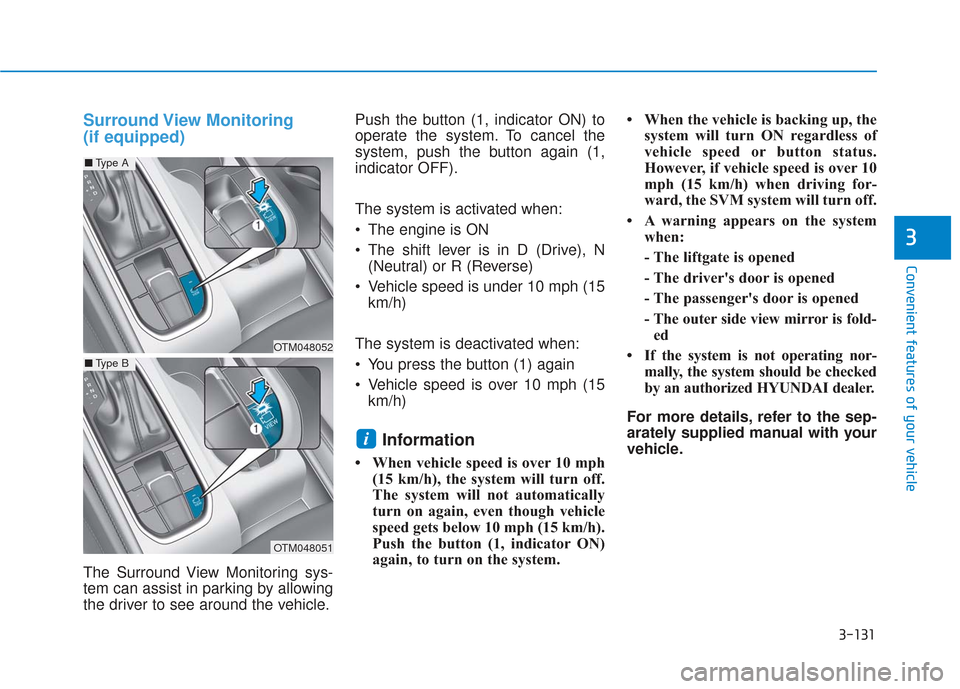
Surround View Monitoring
(if equipped)
The Surround View Monitoring sys-
tem can assist in parking by allowing
the driver to see around the vehicle.Push the button (1, indicator ON) to
operate the system. To cancel the
system, push the button again (1,
indicator OFF).
The system is activated when:
The engine is ON
The shift lever is in D (Drive), N
(Neutral) or R (Reverse)
Vehicle speed is under 10 mph (15 km/h)
The system is deactivated when:
You press the button (1) again
Vehicle speed is over 10 mph (15 km/h)
Information
• When vehicle speed is over 10 mph (15 km/h), the system will turn off.
The system will not automatically
turn on again, even though vehicle
speed gets below 10 mph (15 km/h).
Push the button (1, indicator ON)
again, to turn on the system. • When the vehicle is backing up, the
system will turn ON regardless of
vehicle speed or button status.
However, if vehicle speed is over 10
mph (15 km/h) when driving for-
ward, the SVM system will turn off.
• A warning appears on the system when:
- The liftgate is opened
- The driver's door is opened
- The passenger's door is opened
- The outer side view mirror is fold-ed
• If the system is not operating nor- mally, the system should be checked
by an authorized HYUNDAI dealer.
For more details, refer to the sep-
arately supplied manual with your
vehicle.
i
OTM048052
OTM048051
■ Type A
■Type B
Page 221 of 557
3-132
Convenient features of your vehicle
Always keep the camera lens
clean. The camera may not work
normally if the lens is covered
with foreign material.
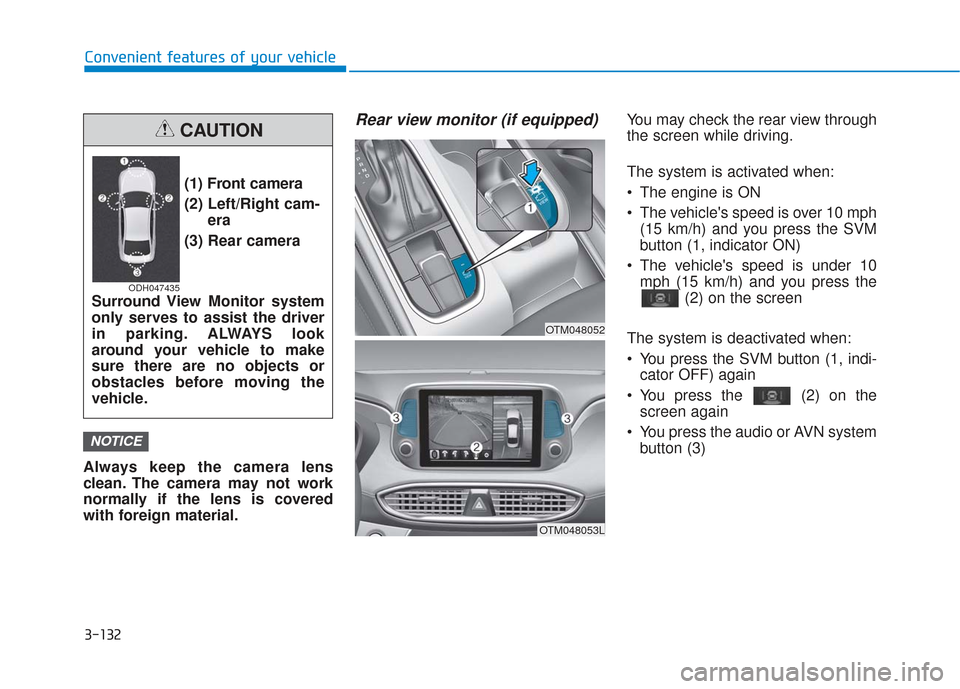
Rear view monitor (if equipped)You may check the rear view through
the screen while driving.
The system is activated when:
The engine is ON
The vehicle's speed is over 10 mph (15 km/h) and you press the SVM
button (1, indicator ON)
The vehicle's speed is under 10 mph (15 km/h) and you press the (2) on the screen
The system is deactivated when:
You press the SVM button (1, indi- cator OFF) again
You press the (2) on the screen again
You press the audio or AVN system button (3)
NOTICE
(1) Front camera
(2) Left/Right cam- era
(3) Rear camera
Surround View Monitor system
only serves to assist the driver
in parking. ALWAYS look
around your vehicle to make
sure there are no objects or
obstacles before moving the
vehicle.
CAUTION
ODH047435
OTM048053L
OTM048052
Page 222 of 557
3-133
Convenient features of your vehicle
3
Information
• If vehicle speed is over 10 mph (15km/h)
- the rear image stays ON when therear view was on the screen
- screen (top, front wide, front right and front left) of other modes of
SVM system turns OFF and
switches to the original AVN
screen when other modes were on
the screen
• If the SVM system is ON and the vehicle speed is under 10 mph (15
km/h)
- the rear image stays ON when therear view was on the screen
- a pop-up for selecting the SVM mode (top, front wide, front right
and front left) appears when
pressing (2) on the screen • When the vehicle is backing up, the
rear image will appear on the
screen automatically regardless of
vehicle speed or SVM button (1)
status.
- If the rear image was ON, thescreen switches to the parking
assist screen.
- If the screen (top, front wide, front right and front left) of other
modes of SVM system was ON, the
screen for setting the initial rear
view mode appears.
- When the shift lever is moved from R (Reverse) to D (Drive), the
screen of the previous mode is dis-
played.
• A warning appears on the system when:
- The liftgate is opened
- The driver's door is opened
- The passenger's door is opened
- The outer side view mirror is folded
• If the system is not operating nor- mally, the system should be checked
by an authorized HYUNDAI dealer.
For more details, refer to the sep-
arately supplied manual with your
vehicle.
Parking Distance Warning
(Reverse) System (if equipped)
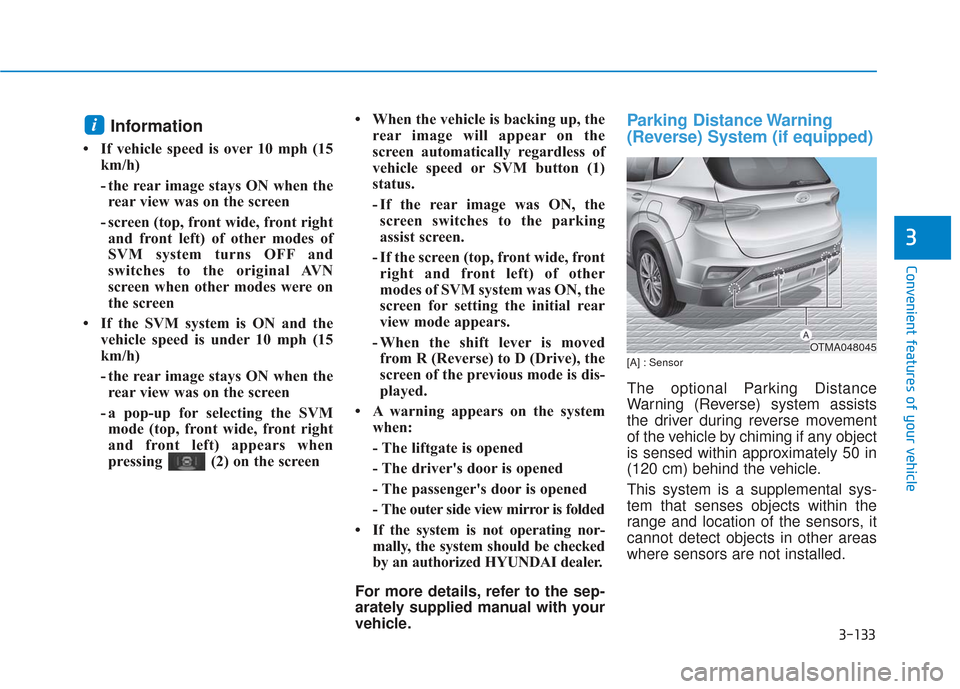
[A] : Sensor
The optional Parking Distance
Warning (Reverse) system assists
the driver during reverse movement
of the vehicle by chiming if any object
is sensed within approximately 50 in
(120 cm) behind the vehicle.
This system is a supplemental sys-
tem that senses objects within the
range and location of the sensors, it
cannot detect objects in other areas
where sensors are not installed.
i
OTMA048045
Page 225 of 557
3-136
Convenient features of your vehicle
The Rear Parking Distance
Warning (Reverse) system may
experience a malfunction when the
following occurs:
Driving on uneven road surfacessuch as unpaved roads, gravel,
bumps, or gradient.
Objects generating excessive noise such as vehicle horns, loud
motorcycle engines, or truck air
brakes can interfere with the sen-
sor.
Heavy rain or water spray is pres- ent.
Wireless transmitters or mobile phones are present near the sen-
sor.
The sensor is covered with snow.
Any non-factory equipment or accessories have been installed, or
if the vehicle bumper height or sen-
sor installation has been modified.
Detecting range may decrease when:
Outside air temperature isextremely hot or cold.
Undetectable objects smaller than 40 inches (1 m) and narrower than
6 inches (14 cm) in diameter.
The following objects may not be
recognized by the sensor:
Sharp or slim objects such asropes, chains or small poles.
Objects, which tend to absorb sensor frequency such as clothes,
spongy material or snow.
Parking Distance Warning(Reverse) system Precautions
The Parking Distance Warning
(Reverse) system may not operate
consistently in some circum-
stances depending on the speed
of the vehicle and the shapes of
the objects detected.
The Parking Distance Warning (Reverse) system may malfunction
if the vehicle bumper height or
sensor installation has been modi-
fied or damaged. Any non-factory
installed equipment or accessories
may also interfere with the sensor
performance.
The sensor may not recognize objects less than 12 in. (30 cm)
from the sensor, or it may sense
an incorrect distance. Use caution.
When the sensor is blocked with snow, dirt, debris, or ice, the rear
parking assist system may be
inoperative until the snow or ice
melts, or the debris is removed.
Use a soft cloth to wipe debris
away from the sensor.
Page 275 of 557
Driving your vehicle
5
Before Driving ........................................................5-4
Before Entering the Vehicle ...........................................5-4
Before Starting ..................................................................5-4
Ignition Switch ........................................................5-6
Key Ignition Switch ...........................................................5-6
Engine Start/Stop Button................................................5-9
Automatic Transmission ......................................5-14
Automatic Transmission Operation .............................5-14
Good Driving Practices ..................................................5-18
Braking System ....................................................5-20
Power Brakes ...................................................................5-20
Disc Brakes Wear Indicator ..........................................5-21
Electronic Parking Brake (EPB)...................................5-21
Auto Hold ........................................................................\
..5-27
Anti-lock Brake System (ABS) ....................................5-30
Electronic Stability Control (ESC)................................5-32
Vehicle Stability Management (VSM).........................5-35
Hill-Start Assist Control (HAC) ....................................5-36
Downhill Brake Control (DBC) ......................................5-36
Good Braking Practices .................................................5-39
All Wheel Drive (AWD) ........................................5-40
AWD operation.................................................................5-41
Emergency precautions .................................................5-44
ISG (Idle Stop and Go) System ..........................5-46
To Activate the ISG System ..........................................5-46
To Deactivate the ISG System......................................5-49
ISG System Malfunction ................................................5-49
Battery Sensor Deactivation ........................................5-50
Drive Mode Integrated Control System ............5-51
Drive Mode .......................................................................5\
-51
Smart shift on trip computer .......................................5-53
Forward Collision-Avoidance
Assist (FCA) System ............................................5-54
System Setting and Activation.....................................5-54
FCA Warning Message and System Control ............5-57
FCA Sensor .......................................................................5\
-59
System Malfunction .......................................................5-61
Limitations of the System .............................................5-62
Blind-Spot Collision Warning/Blind-Spot
Collision-Avoidance Assist .................................5-68
System Description .........................................................5-68
System Setting and Activation.....................................5-69
Warning and System Control .......................................5-72
Detecting Sensor (Camera and Radar) ......................5-74
Limitations of the System .............................................5-77
Page 276 of 557
5
Rear Cross-Traffic Collision Warning (RCCW) /
Rear Cross-Traffic Collision-Avoidance Assist
(RCCA) ...................................................................5-82
System Description .........................................................5-82
System Setting and Activation.....................................5-83
Warning and System Control .......................................5-85
Detecting Sensor .............................................................5-88
Limitations of the System .............................................5-89
Lane Keeping Assist (LKA) System ...................5-93
LKA System Operation...................................................5-94
Warning Light and Message.........................................5-97
Limitations of the System .............................................5-99
LKA System Function Change ...................................5-101
Driver Attention WARNING (DAW) System ....5-102
System Setting and Activation ..................................5-102
Resetting the System ...................................................5-103
System Standby.............................................................5-104
System Malfunction .....................................................5-104
Smart Cruise Control With Stop &
Go System............................................................5-106
Smart Cruise Control Switch ......................................5-106
Smart Cruise Control Speed .......................................5-107
Smart Cruise Control Vehicle-to-Vehicle Distance ... 5-111
Sensor to Detect Distance to the Vehicle Ahead ......5-115
To Adjust the Sensitivity of Smart Cruise Control .....5-116To Convert to Cruise Control Mode .........................5-117
Limitations of the System...........................................5-118
Leading Vehicle Departure Alert .....................5-123
System Setting and Activation ..................................5-123
Special Driving Conditions ................................5-125
Hazardous Driving Conditions....................................5-124
Rocking the Vehicle ......................................................5-125
Smooth Cornering .........................................................5-126
Driving at Night .............................................................5-126
Driving in the Rain ........................................................5-126
Driving in Flooded Areas.............................................5-127
Highway Driving ............................................................5-127
Reducing the Risk of a Rollover ...............................5-128
Winter Driving ....................................................5-129
Snow or Icy Conditions................................................5-129
Winter Precautions .......................................................5-131
Trailer Towing .....................................................5-133
If you decide to pull a trailer .....................................5-133
Trailer towing equipment ............................................5-135
Driving with a trailer ....................................................5-136
Maintenance when trailer towing.............................5-139
Vehicle Load Limit..............................................5-141
Tire Loading Information Label .................................5-142
Page 280 of 557
5-6
Key Ignition Switch
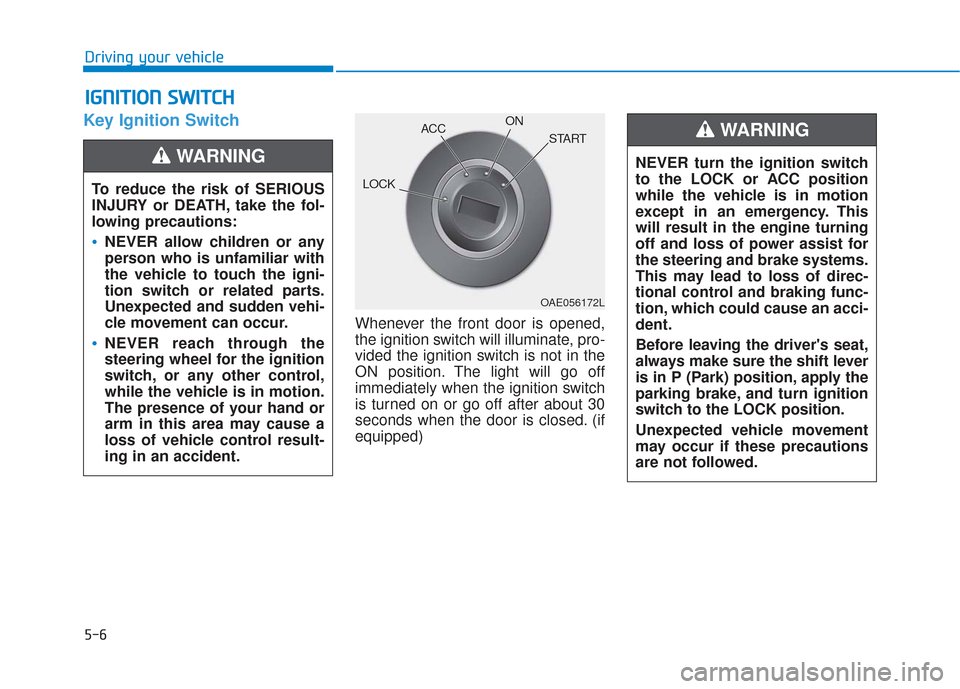
Whenever the front door is opened,
the ignition switch will illuminate, pro-
vided the ignition switch is not in the
ON position. The light will go off
immediately when the ignition switch
is turned on or go off after about 30
seconds when the door is closed. (if
equipped)
I IG
G N
N I
IT
T I
IO
O N
N
S
S W
W I
IT
T C
CH
H
Driving your vehicle
To reduce the risk of SERIOUS
INJURY or DEATH, take the fol-
lowing precautions:
NEVER allow children or any
person who is unfamiliar with
the vehicle to touch the igni-
tion switch or related parts.
Unexpected and sudden vehi-
cle movement can occur.
NEVER reach through the
steering wheel for the ignition
switch, or any other control,
while the vehicle is in motion.
The presence of your hand or
arm in this area may cause a
loss of vehicle control result-
ing in an accident.
WARNING NEVER turn the ignition switch
to the LOCK or ACC position
while the vehicle is in motion
except in an emergency. This
will result in the engine turning
off and loss of power assist for
the steering and brake systems.
This may lead to loss of direc-
tional control and braking func-
tion, which could cause an acci-
dent.
Before leaving the driver's seat,
always make sure the shift lever
is in P (Park) position, apply the
parking brake, and turn ignition
switch to the LOCK position.
Unexpected vehicle movement
may occur if these precautions
are not followed.
WARNING
OAE056172L
LOCK ACC
ON
START
Page 283 of 557
5-9
Driving your vehicle
5
Engine Start/Stop Button
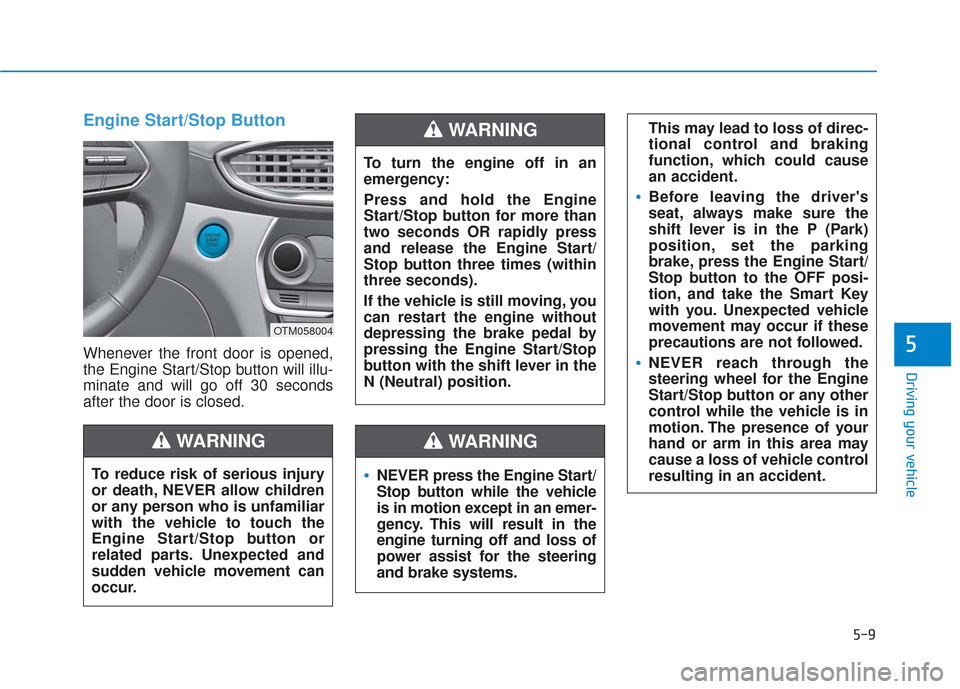
Whenever the front door is opened,
the Engine Start/Stop button will illu-
minate and will go off 30 seconds
after the door is closed.
NEVER press the Engine Start/
Stop button while the vehicle
is in motion except in an emer-
gency. This will result in the
engine turning off and loss of
power assist for the steering
and brake systems.
WARNING
To turn the engine off in an
emergency:
Press and hold the Engine
Start/Stop button for more than
two seconds OR rapidly press
and release the Engine Start/
Stop button three times (within
three seconds).
If the vehicle is still moving, you
can restart the engine without
depressing the brake pedal by
pressing the Engine Start/Stop
button with the shift lever in the
N (Neutral) position.
This may lead to loss of direc-
tional control and braking
function, which could cause
an accident.
Before leaving the driver's
seat, always make sure the
shift lever is in the P (Park)
position, set the parking
brake, press the Engine Start/
Stop button to the OFF posi-
tion, and take the Smart Key
with you. Unexpected vehicle
movement may occur if these
precautions are not followed.
NEVER reach through the
steering wheel for the Engine
Start/Stop button or any other
control while the vehicle is in
motion. The presence of your
hand or arm in this area may
cause a loss of vehicle control
resulting in an accident.
WARNING
To reduce risk of serious injury
or death, NEVER allow children
or any person who is unfamiliar
with the vehicle to touch the
Engine Start/Stop button or
related parts. Unexpected and
sudden vehicle movement can
occur.
WARNING
OTM058004
Page 294 of 557
5-20
Driving your vehicle
Power Brakes
Your vehicle has power-assisted
brakes that adjust automatically
through normal usage.
If the engine is not running or is
turned off while driving, the power
assist for the brakes will not work.
You can still stop your vehicle by
applying greater force to the brake
pedal than typical. The stopping dis-
tance, however, will be longer than
with power brakes.
When the engine is not running, the
reserve brake power is partially
depleted each time the brake pedal
is applied. Do not pump the brake
pedal when the power assist has
been interrupted.
B BR
RA
A K
KI
IN
N G
G
S
S Y
Y S
ST
T E
EM
M
Take the following precautions:
Do not drive with your foot
resting on the brake pedal.
This will create abnormal high
brake temperatures, exces-
sive brake lining and pad
wear, and increased stopping
distances.
When descending down a
long or steep hill, move the
gear shift lever to Manual
Shift Mode and manually
downshift to a lower gear in
order to control your speed
without using the brake pedal
excessively. Applying the
brakes continuously will
cause the brakes to overheat
and could result in a tempo-
rary loss of braking perform-
ance.
Wet brakes may impair the
vehicle's ability to safely slow
down; the vehicle may also
pull to one side when the
brakes are applied. Applying
the brakes lightly will indicate
whether they have been
affected in this way. Always
test your brakes in this fash-
ion after driving through deep
water. To dry the brakes, light-
ly tap the brake pedal to heat
up the brakes while maintain-
ing a safe forward speed until
brake performance returns to
normal. Avoid driving at high
speeds until the brakes func-
tion correctly.WARNING
Page 298 of 557
5-24
Do not apply the acceleratorpedal while the parking brake is
engaged. If you depress the
accelerator pedal with the EPB
engaged, a warning will sound
and a message will appear.
Damage to the parking brake
may occur.
Driving with the parking brake on can overheat the braking sys-
tem and cause premature wear
or damage to brake parts. Make
sure the EPB is released and the
Parking Brake Warning Light is
off before driving.
Information
• A clicking sound may be heard while operating or releasing the
EPB. These conditions are normal
and indicate that the EPB is func-
tioning properly.
• When leaving your keys with a parking attendant or assistant,
make sure to inform him/her how
to operate the EPB.
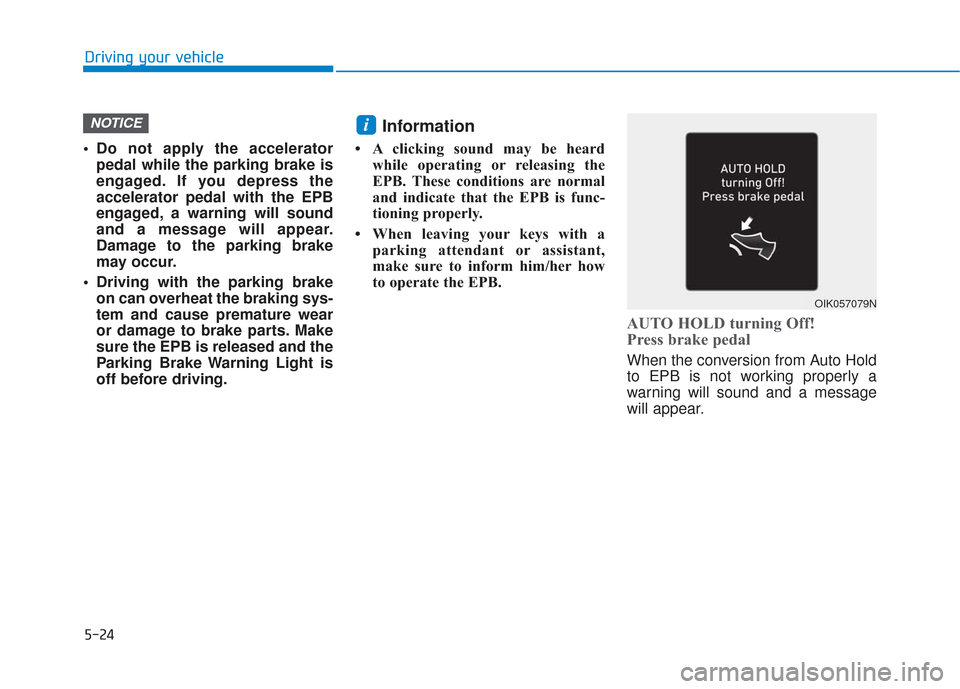
AUTO HOLD turning Off!
Press brake pedal
When the conversion from Auto Hold
to EPB is not working properly a
warning will sound and a message
will appear.
iNOTICE
Driving your vehicle
OIK057079N