3-14 Hyundai Santa Fe 2019 Owner's Manual
[x] Cancel search | Manufacturer: HYUNDAI, Model Year: 2019, Model line: Santa Fe, Model: Hyundai Santa Fe 2019Pages: 557, PDF Size: 14.8 MB
Page 14 of 557
1-3
Your vehicle at a glance
1
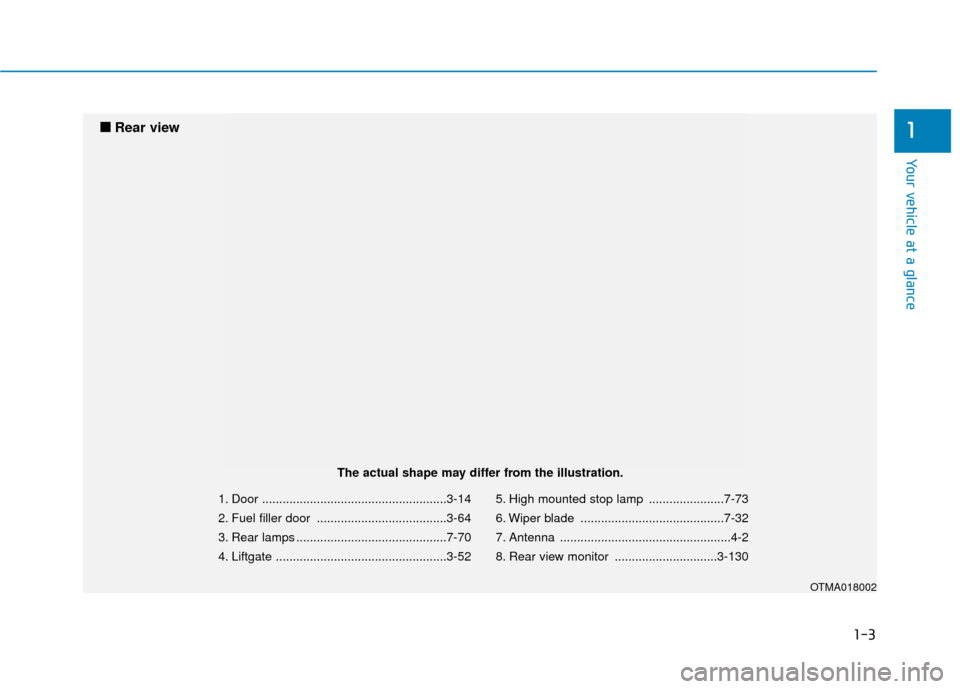
1. Door ......................................................3-14
2. Fuel filler door ......................................3-64
3. Rear lamps ............................................7-70
4. Liftgate ..................................................3-525. High mounted stop lamp ......................7-73
6. Wiper blade ..........................................7-32
7. Antenna ..................................................4-2
8. Rear view monitor ..............................3-130
OTMA018002
■
■
Rear view
The actual shape may differ from the illustration.
Page 16 of 557
I
IN
N S
ST
T R
R U
U M
M E
EN
N T
T
P
P A
A N
N E
EL
L
O
O V
VE
ER
R V
V I
IE
E W
W
(
( I
I)
)
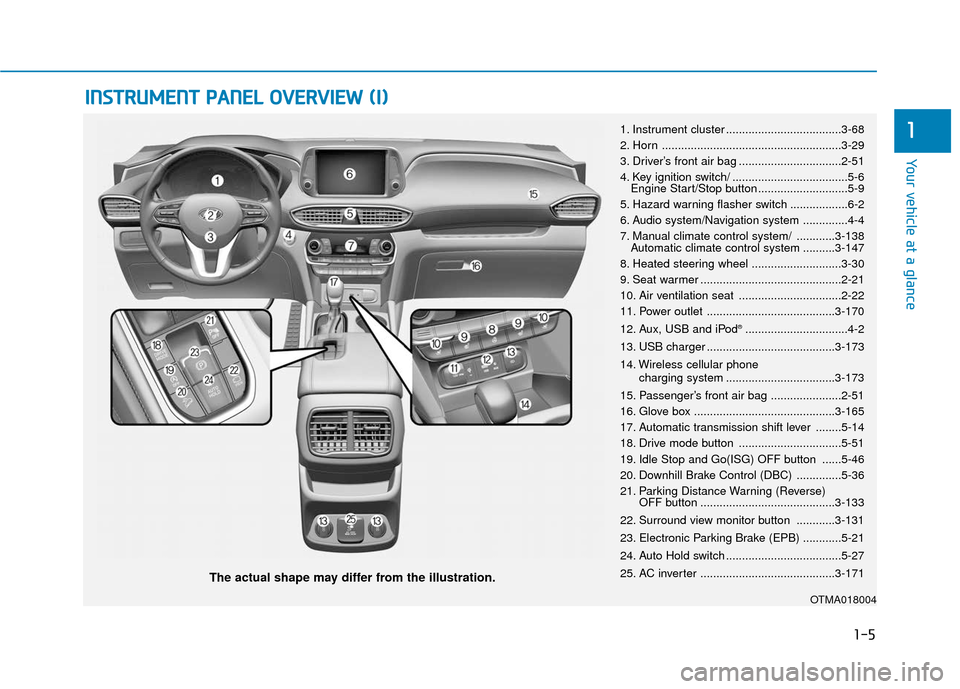
The actual shape may differ from the illustration.
1-5
Your vehicle at a glance
11. Instrument cluster ....................................3-68
2. Horn ........................................................3-29
3. Driver’s front air bag ................................2-51
4. Key ignition switch/ ....................................5-6
Engine Start/Stop button ............................5-9
5. Hazard warning flasher switch ..................6-2
6. Audio system/Navigation system ..............4-4
7. Manual climate control system/ ............3-138 Automatic climate control system ..........3-147
8. Heated steering wheel ............................3-30
9. Seat warmer ............................................2-21
10. Air ventilation seat ................................2-22
11. Power outlet ........................................3-170
12. Aux, USB and iPod
®................................4-2
13. USB charger ........................................3-173
14. Wireless cellular phone charging system ..................................3-173
15. Passenger’s front air bag ......................2-51
16. Glove box ............................................3-165
17. Automatic transmission shift lever ........5-14
18. Drive mode button ................................5-51
19. Idle Stop and Go(ISG) OFF button ......5-46
20. Downhill Brake Control (DBC) ..............5-36
21. Parking Distance Warning (Reverse) OFF button ..........................................3-133
22. Surround view monitor button ............3-131
23. Electronic Parking Brake (EPB) ............5-21
24. Auto Hold switch ....................................5-27
25. AC inverter ..........................................3-171
OTMA018004
Page 90 of 557

Convenient features of your vehicle
Accessing Your Vehicle .........................................3-4
Remote Key........................................................................\
.3-4
Smart Key ........................................................................\
....3-7
Immobilizer System .........................................................3-12
Door Locks ............................................................3-14
Operating Door Locks from Outside the Vehicle ....3-14
Operating Door Locks from Inside the Vehicle .......3-15
Automatic Door Lock and Unlock Features .............3-18
Child-Protector Rear Door Locks ...............................3-19
Electronic Child Safety Lock System .........................3-19
Safe Exit Assist (SEA) System .....................................3-20
Rear Occupant Alert (ROA) System ...........................3-22
Theft-Alarm System ............................................3-24
Driver Position Memory System ........................3-25
Storing Positions into Memory ..................................3-25
Recalling Positions from Memory...............................3-26
Resetting the Driver's Seat Memory System...........3-26
Easy Access Function ....................................................3-27
Steering Wheel .....................................................3-28
Electric Power Steering (EPS) .....................................3-28
Tilt Steering / Telescopic Steering .............................3-29
Horn ........................................................................\
............3-29
Heated Steering Wheel ..................................................3-30
Mirrors ...................................................................3-30
Inside Rearview Mirror ..................................................3-30
Side View Mirrors ...........................................................3-40
Reverse Parking Aid Function......................................3-41
Windows ................................................................3-43
Power Windows ...............................................................3-44
Panoramic Sunroof ..............................................3-47
Sunshade ........................................................................\
...3-48
Sliding the Sunroof .........................................................3-48
Tilting the Sunroof .........................................................3-49
Closing the Sunroof........................................................3-49
Resetting the Sunroof ...................................................3-50
Sunroof Open Warning ..................................................3-50
Exterior Features .................................................3-51
Hood ........................................................................\
...........3-51
Non-Powered Liftgate ...................................................3-52
Power Liftgate .................................................................3-54
Smart Liftgate ..................................................................3-61
Fuel Filler Door ................................................................3-64
Instrument Cluster ...............................................3-68
Instrument Cluster Control............................................3-69
Gauges and Meters ........................................................3-70
Transmission Shift Indicator .........................................3-73
Warning and Indicator Lights .......................................3-74
LCD Display Messages ...................................................3-87
3
Page 91 of 557
LCD Display ...........................................................3-93
LCD Display Control ........................................................3-93
LCD Display Modes .........................................................3-94
Trip Computer .....................................................3-108
Head Up Display (HUD).....................................3-112
Lighting................................................................3-114
Exterior Lights ...............................................................3-114
Interior Lights ................................................................3-122
Welcome System ...........................................................3-125
Wipers And Washers .........................................3-126
Front Windshield Wipers .............................................3-126
Front Windshield Washers ..........................................3-128
Rear Window Wiper and Washer..............................3-129
Driver Assist System .........................................3-130
Rear View Monitor .......................................................3-130
Surround View Monitoring .........................................3-131
Parking Distance Warning (Reverse) System ........3-133
Manual Climate Control System.......................3-138
Heating and Air Conditioning .....................................3-139
System Operation .........................................................3-143
System Maintenance....................................................3-145
Automatic Climate Control System ..................3-147
Automatic Temperature Control Mode ....................3-148
Manual Temperature Control Mode .........................3-149System Operation .........................................................3-156
System Maintenance....................................................3-157
Windshield Defrosting and Defogging ............3-159
Auto Defogging System ..............................................3-161
Rear Window Defroster ..............................................3-163
Climate Control Additional Features ...............3-164
Cluster ionizer ................................................................3-164
Automatic Ventilation ...................................................3-164
Sunroof Inside Air Recirculation ...............................3-164
Storage Compartment .......................................3-165
Center Console Storage ..............................................3-165
Glove Box ........................................................................\
3-165
Sunglass Holder.............................................................3-166
Tray......................................................................\
.............3-166
Luggage Tray .................................................................3-167
Interior Features ................................................3-168
Ashtray ........................................................................\
....3-168
Cup Holder ......................................................................3-\
168
Sunvisor ........................................................................\
...3-169
Power Outlet ..................................................................3-170
AC Inverter......................................................................3-\
171
USB Charger ...................................................................3-173\
Wireless Cellular Phone Charging System..............3-173
Clock ........................................................................\
.........3-175
Coat Hook .......................................................................3\
-176
3
Page 99 of 557
3-10
Convenient features of your vehicle
Power liftgate
To unlock and open the liftgate:
1. Make sure you have the smart keyin your possession.
2. Press either the liftgate handle release switch on the vehicle or
press and hold the Liftgate Unlock
button on the smart key for more
than one second. The hazard
warning lights will blink two times
and the liftgate latch will open.
3. Once the liftgate is opened and then closed, the liftgate will auto-
matically re-lock after 30 seconds.
Information
The liftgate handle switch will only
operate when the smart key is within
28 inches (0.7 m) from the liftgate
handle.
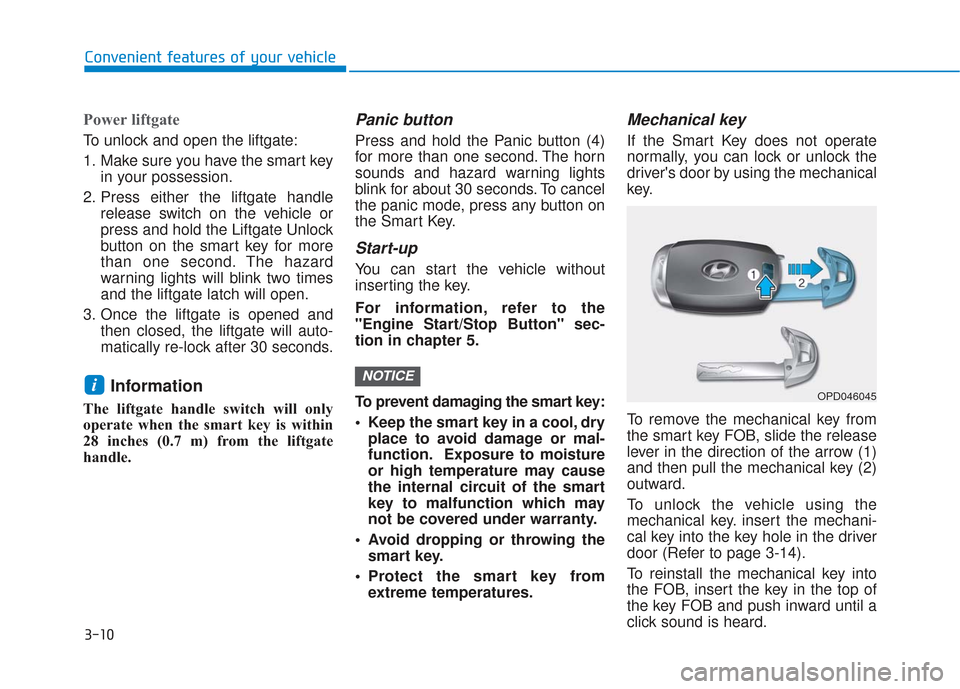
Panic button
Press and hold the Panic button (4)
for more than one second. The horn
sounds and hazard warning lights
blink for about 30 seconds. To cancel
the panic mode, press any button on
the Smart Key.
Start-up
You can start the vehicle without
inserting the key.
For information, refer to the
"Engine Start/Stop Button" sec-
tion in chapter 5.
To prevent damaging the smart key:
Keep the smart key in a cool, dryplace to avoid damage or mal-
function. Exposure to moisture
or high temperature may cause
the internal circuit of the smart
key to malfunction which may
not be covered under warranty.
Avoid dropping or throwing the smart key.
Protect the smart key from extreme temperatures.
Mechanical key
If the Smart Key does not operate
normally, you can lock or unlock the
driver's door by using the mechanical
key.
To remove the mechanical key from
the smart key FOB, slide the release
lever in the direction of the arrow (1)
and then pull the mechanical key (2)
outward.
To unlock the vehicle using the
mechanical key. insert the mechani-
cal key into the key hole in the driver
door (Refer to page 3-14).
To reinstall the mechanical key into
the FOB, insert the key in the top of
the key FOB and push inward until a
click sound is heard.
NOTICEiOPD046045
Page 103 of 557
![Hyundai Santa Fe 2019 Owners Manual 3-14
Convenient features of your vehicle
Operating Door Locks from
Outside the Vehicle
Mechanical key
[A] : Unlock, [B] : Lock
To remove the cover:
1. Pull out the door handle.
2. Press the lock loca](/img/35/16316/w960_16316-102.png "Hyundai Santa Fe 2019 Owners Manual 3-14
Convenient features of your vehicle
Operating Door Locks from
Outside the Vehicle
Mechanical key
[A] : Unlock, [B] : Lock
To remove the cover:
1. Pull out the door handle.
2. Press the lock loca")
3-14
Convenient features of your vehicle
Operating Door Locks from
Outside the Vehicle
Mechanical key
[A] : Unlock, [B] : Lock
To remove the cover:
1. Pull out the door handle.
2. Press the lock located at the sideof the cover with a key or flat-blade
screwdriver (1).
3. Push out the cover (2) while pressing the lock.
Be careful not to damage the
cover while removing it or mis-
place it after removing it.
After removing the cover, turn the
key toward the front of the vehicle to
unlock and toward the rear of the
vehicle to lock.
If you lock the driver's door with a
mechanical key, the driver’s door will
lock. If you unlock the driver's door
with a mechanical key, you can open
and close the driver’s door only.
Once the doors are unlocked, they
may be opened by pulling the door
handle. When closing the door, push
the door by hand. Make sure that
doors are closed securely.Remote key
To lock the doors, press the Door
Lock button (1) on the remote key.
Press the Door Unlock button (2) on
the remote key, the driver's door will
unlock. If you press the Door Unlock
button on the remote key again with-
in four seconds, then all the doors
will unlock.
Once the doors are unlocked, they
may be opened by pulling the door
handle. When closing the door, push
the door by hand. Make sure that
doors are closed securely.
NOTICE
D D O
O O
OR
R
L
L O
O C
CK
K S
S
OPD047001N
OTMA048001
■ Remote key
OTM048002
■Smart key
Page 229 of 557
3-140
Convenient features of your vehicle
Face-Level (B, D, F)
Air flow is directed toward the upper
body and face. Additionally, each
outlet can be controlled to direct the
air discharged from the outlet.
Bi-Level (B, C, D, E, F)
Air flow is directed towards the face
and the floor.
Floor-Level (A, C, D, E, F)
Most of the air flow is directed to the
floor, with a small amount of the air
being directed to the windshield and
side window defrosters.
Floor & Defrost
(A, C, D, E, F)
Most of the air flow is directed to the
floor and the windshield with a small
amount directed to the side window
defrosters.
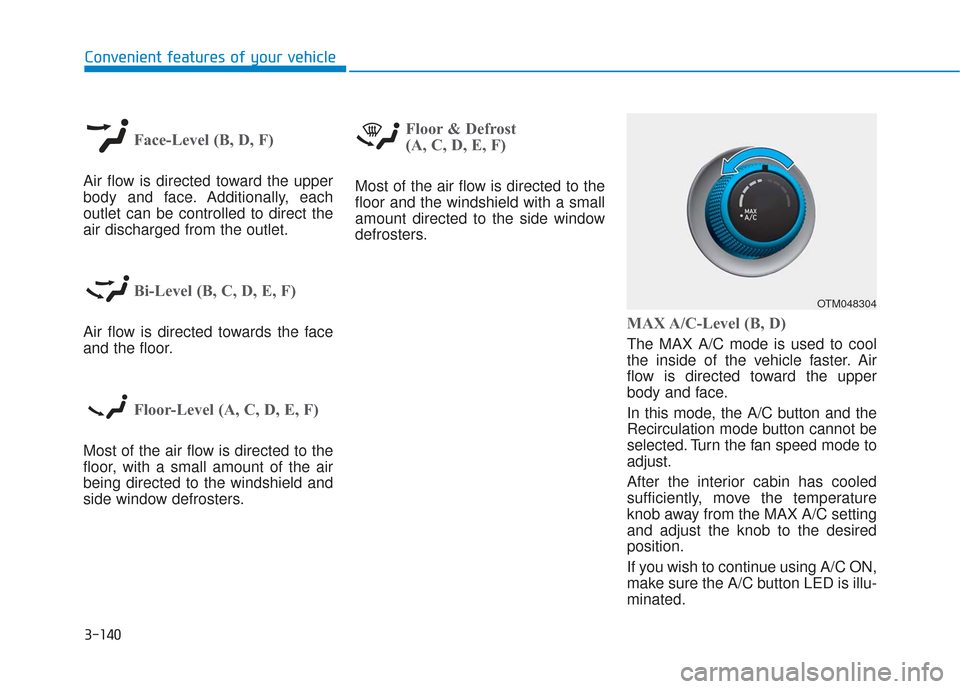
MAX A/C-Level (B, D)
The MAX A/C mode is used to cool
the inside of the vehicle faster. Air
flow is directed toward the upper
body and face.
In this mode, the A/C button and the
Recirculation mode button cannot be
selected. Turn the fan speed mode to
adjust.
After the interior cabin has cooled
sufficiently, move the temperature
knob away from the MAX A/C setting
and adjust the knob to the desired
position.
If you wish to continue using A/C ON,
make sure the A/C button LED is illu-
minated.
OTM048304
Page 230 of 557
3-141
Convenient features of your vehicle
3
Instrument panel vents
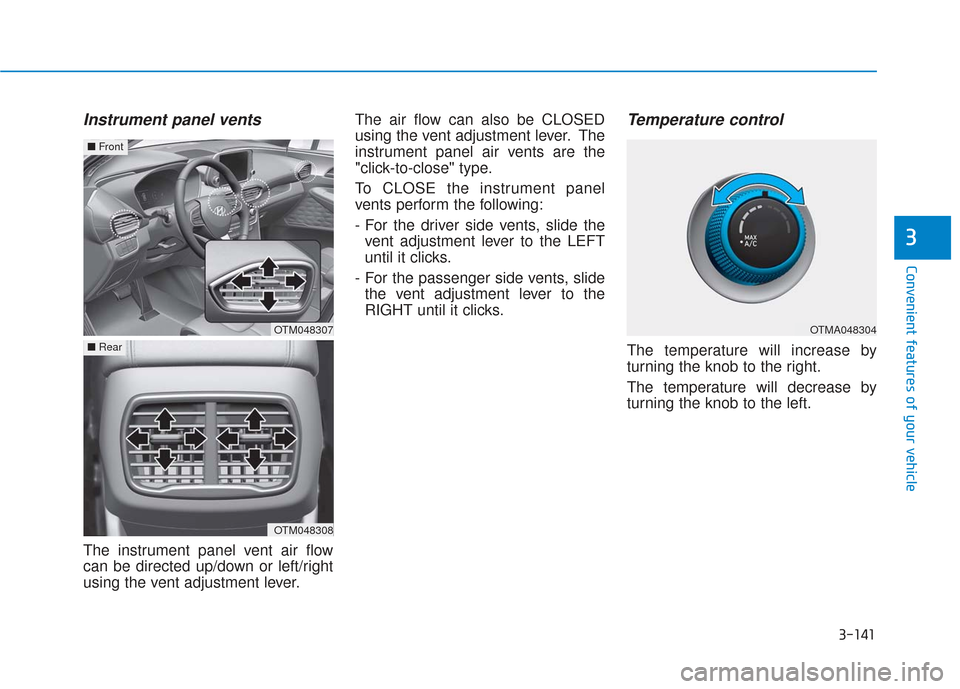
The instrument panel vent air flow
can be directed up/down or left/right
using the vent adjustment lever.The air flow can also be CLOSED
using the vent adjustment lever. The
instrument panel air vents are the
"click-to-close" type.
To CLOSE the instrument panel
vents perform the following:
- For the driver side vents, slide the
vent adjustment lever to the LEFT
until it clicks.
- For the passenger side vents, slide the vent adjustment lever to the
RIGHT until it clicks.
Temperature control
The temperature will increase by
turning the knob to the right.
The temperature will decrease by
turning the knob to the left.
OTM048307
■ Front
OTM048308
■Rear
OTMA048304
Page 231 of 557
3-142
Convenient features of your vehicle
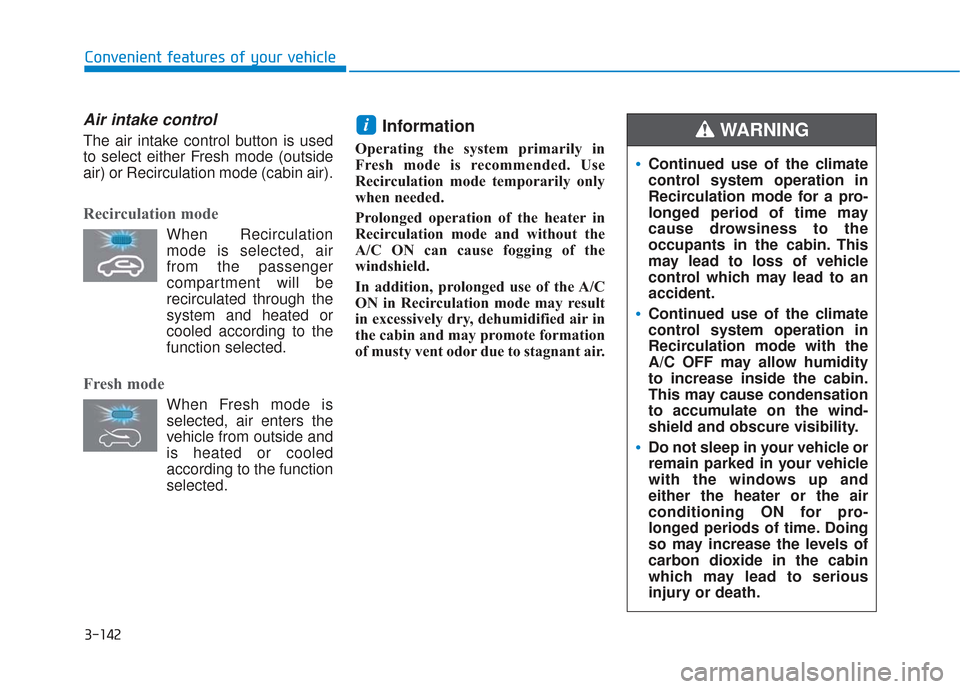
Air intake control
The air intake control button is used
to select either Fresh mode (outside
air) or Recirculation mode (cabin air).
Recirculation mode
When Recirculationmode is selected, air
from the passenger
compartment will be
recirculated through the
system and heated or
cooled according to the
function selected.
Fresh mode
When Fresh mode is selected, air enters the
vehicle from outside and
is heated or cooled
according to the function
selected.
Information
Operating the system primarily in
Fresh mode is recommended. Use
Recirculation mode temporarily only
when needed.
Prolonged operation of the heater in
Recirculation mode and without the
A/C ON can cause fogging of the
windshield.
In addition, prolonged use of the A/C
ON in Recirculation mode may result
in excessively dry, dehumidified air in
the cabin and may promote formation
of musty vent odor due to stagnant air.
i
Continued use of the climate
control system operation in
Recirculation mode for a pro-
longed period of time may
cause drowsiness to the
occupants in the cabin. This
may lead to loss of vehicle
control which may lead to an
accident.
Continued use of the climate
control system operation in
Recirculation mode with the
A/C OFF may allow humidity
to increase inside the cabin.
This may cause condensation
to accumulate on the wind-
shield and obscure visibility.
Do not sleep in your vehicle or
remain parked in your vehicle
with the windows up and
either the heater or the air
conditioning ON for pro-
longed periods of time. Doing
so may increase the levels of
carbon dioxide in the cabin
which may lead to serious
injury or death.
WARNING
Page 232 of 557
3-143
Convenient features of your vehicle
3
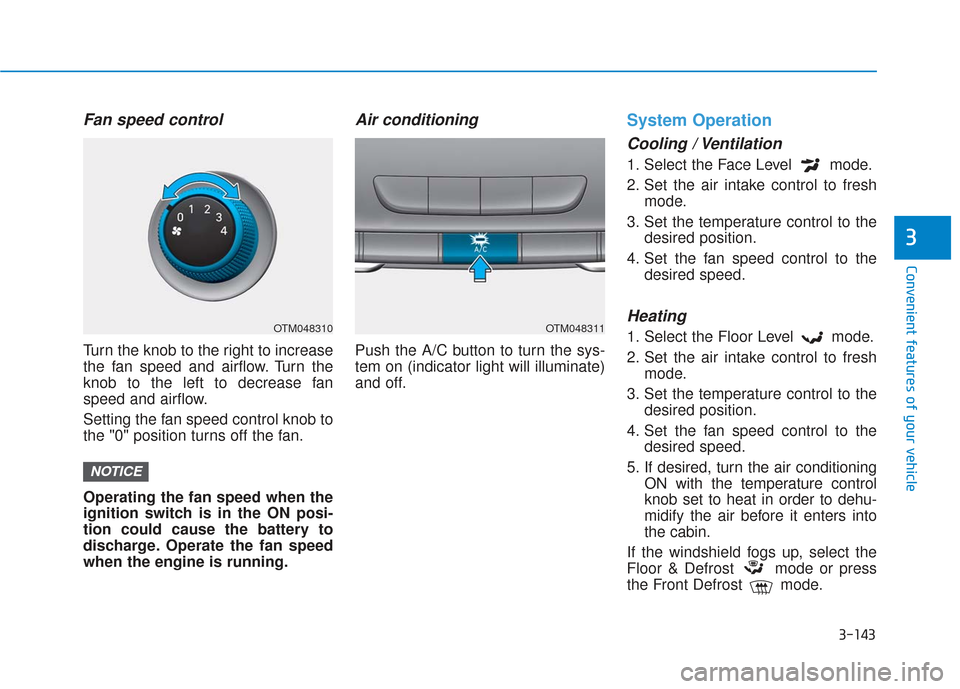
Fan speed control
Turn the knob to the right to increase
the fan speed and airflow. Turn the
knob to the left to decrease fan
speed and airflow.
Setting the fan speed control knob to
the "0" position turns off the fan.
Operating the fan speed when the
ignition switch is in the ON posi-
tion could cause the battery to
discharge. Operate the fan speed
when the engine is running.
Air conditioning
Push the A/C button to turn the sys-
tem on (indicator light will illuminate)
and off.
System Operation
Cooling / Ventilation
1. Select the Face Level mode.
2. Set the air intake control to freshmode.
3. Set the temperature control to the desired position.
4. Set the fan speed control to the desired speed.
Heating
1. Select the Floor Level mode.
2. Set the air intake control to freshmode.
3. Set the temperature control to the desired position.
4. Set the fan speed control to the desired speed.
5. If desired, turn the air conditioning ON with the temperature control
knob set to heat in order to dehu-
midify the air before it enters into
the cabin.
If the windshield fogs up, select the
Floor & Defrost mode or press
the Front Defrost mode.
NOTICE
OTM048310OTM048311