Power window Hyundai Santa Fe 2019 Owner's Manual
[x] Cancel search | Manufacturer: HYUNDAI, Model Year: 2019, Model line: Santa Fe, Model: Hyundai Santa Fe 2019Pages: 557, PDF Size: 14.8 MB
Page 15 of 557
1-4
Your vehicle at a glance
I
IN
N T
TE
ER
R I
IO
O R
R
O
O V
VE
ER
R V
V I
IE
E W
W
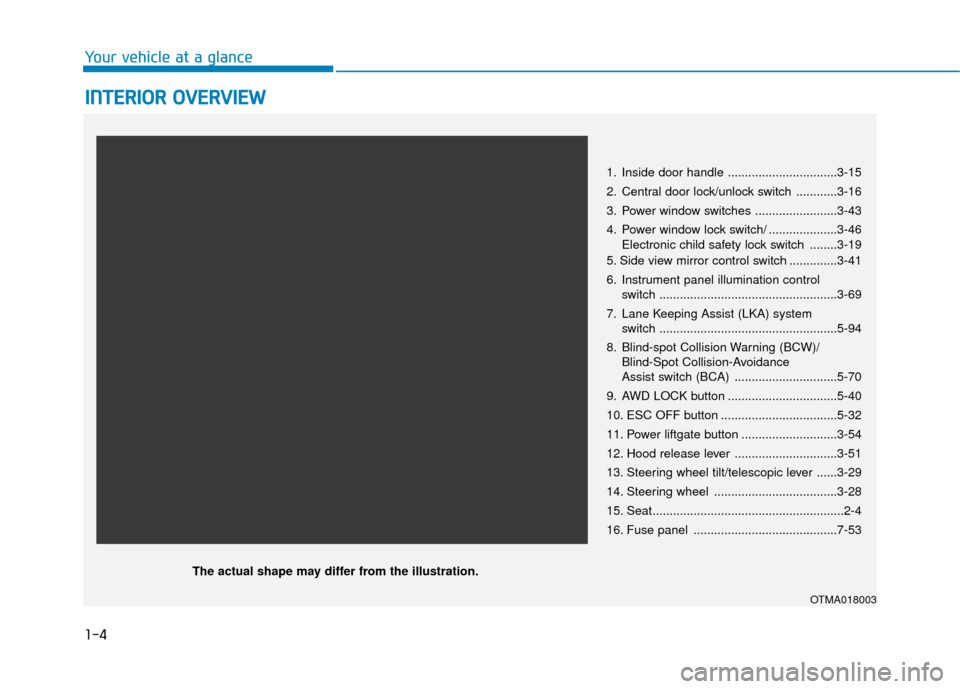
1. Inside door handle ................................3-15
2. Central door lock/unlock switch ............3-16
3. Power window switches ........................3-43
4. Power window lock switch/ ....................3-46
Electronic child safety lock switch ........3-19
5. Side view mirror control switch ..............3-41
6. Instrument panel illumination control switch ....................................................3-69
7. Lane Keeping Assist (LKA) system switch ....................................................5-94
8. Blind-spot Collision Warning (BCW)/ Blind-Spot Collision-Avoidance
Assist switch (BCA) ..............................5-70
9. AWD LOCK button ................................5-40
10. ESC OFF button ..................................5-32
11. Power liftgate button ............................3-54
12. Hood release lever ..............................3-51
13. Steering wheel tilt/telescopic lever ......3-29
14. Steering wheel ....................................3-28
15. Seat........................................................2-4
16. Fuse panel ..........................................7-53
OTMA018003
The actual shape may differ from the illustration.
Page 90 of 557

Convenient features of your vehicle
Accessing Your Vehicle .........................................3-4
Remote Key........................................................................\
.3-4
Smart Key ........................................................................\
....3-7
Immobilizer System .........................................................3-12
Door Locks ............................................................3-14
Operating Door Locks from Outside the Vehicle ....3-14
Operating Door Locks from Inside the Vehicle .......3-15
Automatic Door Lock and Unlock Features .............3-18
Child-Protector Rear Door Locks ...............................3-19
Electronic Child Safety Lock System .........................3-19
Safe Exit Assist (SEA) System .....................................3-20
Rear Occupant Alert (ROA) System ...........................3-22
Theft-Alarm System ............................................3-24
Driver Position Memory System ........................3-25
Storing Positions into Memory ..................................3-25
Recalling Positions from Memory...............................3-26
Resetting the Driver's Seat Memory System...........3-26
Easy Access Function ....................................................3-27
Steering Wheel .....................................................3-28
Electric Power Steering (EPS) .....................................3-28
Tilt Steering / Telescopic Steering .............................3-29
Horn ........................................................................\
............3-29
Heated Steering Wheel ..................................................3-30
Mirrors ...................................................................3-30
Inside Rearview Mirror ..................................................3-30
Side View Mirrors ...........................................................3-40
Reverse Parking Aid Function......................................3-41
Windows ................................................................3-43
Power Windows ...............................................................3-44
Panoramic Sunroof ..............................................3-47
Sunshade ........................................................................\
...3-48
Sliding the Sunroof .........................................................3-48
Tilting the Sunroof .........................................................3-49
Closing the Sunroof........................................................3-49
Resetting the Sunroof ...................................................3-50
Sunroof Open Warning ..................................................3-50
Exterior Features .................................................3-51
Hood ........................................................................\
...........3-51
Non-Powered Liftgate ...................................................3-52
Power Liftgate .................................................................3-54
Smart Liftgate ..................................................................3-61
Fuel Filler Door ................................................................3-64
Instrument Cluster ...............................................3-68
Instrument Cluster Control............................................3-69
Gauges and Meters ........................................................3-70
Transmission Shift Indicator .........................................3-73
Warning and Indicator Lights .......................................3-74
LCD Display Messages ...................................................3-87
3
Page 91 of 557
LCD Display ...........................................................3-93
LCD Display Control ........................................................3-93
LCD Display Modes .........................................................3-94
Trip Computer .....................................................3-108
Head Up Display (HUD).....................................3-112
Lighting................................................................3-114
Exterior Lights ...............................................................3-114
Interior Lights ................................................................3-122
Welcome System ...........................................................3-125
Wipers And Washers .........................................3-126
Front Windshield Wipers .............................................3-126
Front Windshield Washers ..........................................3-128
Rear Window Wiper and Washer..............................3-129
Driver Assist System .........................................3-130
Rear View Monitor .......................................................3-130
Surround View Monitoring .........................................3-131
Parking Distance Warning (Reverse) System ........3-133
Manual Climate Control System.......................3-138
Heating and Air Conditioning .....................................3-139
System Operation .........................................................3-143
System Maintenance....................................................3-145
Automatic Climate Control System ..................3-147
Automatic Temperature Control Mode ....................3-148
Manual Temperature Control Mode .........................3-149System Operation .........................................................3-156
System Maintenance....................................................3-157
Windshield Defrosting and Defogging ............3-159
Auto Defogging System ..............................................3-161
Rear Window Defroster ..............................................3-163
Climate Control Additional Features ...............3-164
Cluster ionizer ................................................................3-164
Automatic Ventilation ...................................................3-164
Sunroof Inside Air Recirculation ...............................3-164
Storage Compartment .......................................3-165
Center Console Storage ..............................................3-165
Glove Box ........................................................................\
3-165
Sunglass Holder.............................................................3-166
Tray......................................................................\
.............3-166
Luggage Tray .................................................................3-167
Interior Features ................................................3-168
Ashtray ........................................................................\
....3-168
Cup Holder ......................................................................3-\
168
Sunvisor ........................................................................\
...3-169
Power Outlet ..................................................................3-170
AC Inverter......................................................................3-\
171
USB Charger ...................................................................3-173\
Wireless Cellular Phone Charging System..............3-173
Clock ........................................................................\
.........3-175
Coat Hook .......................................................................3\
-176
3
Page 93 of 557
3-4
Convenient features of your vehicle
Remote Key (if equipped)
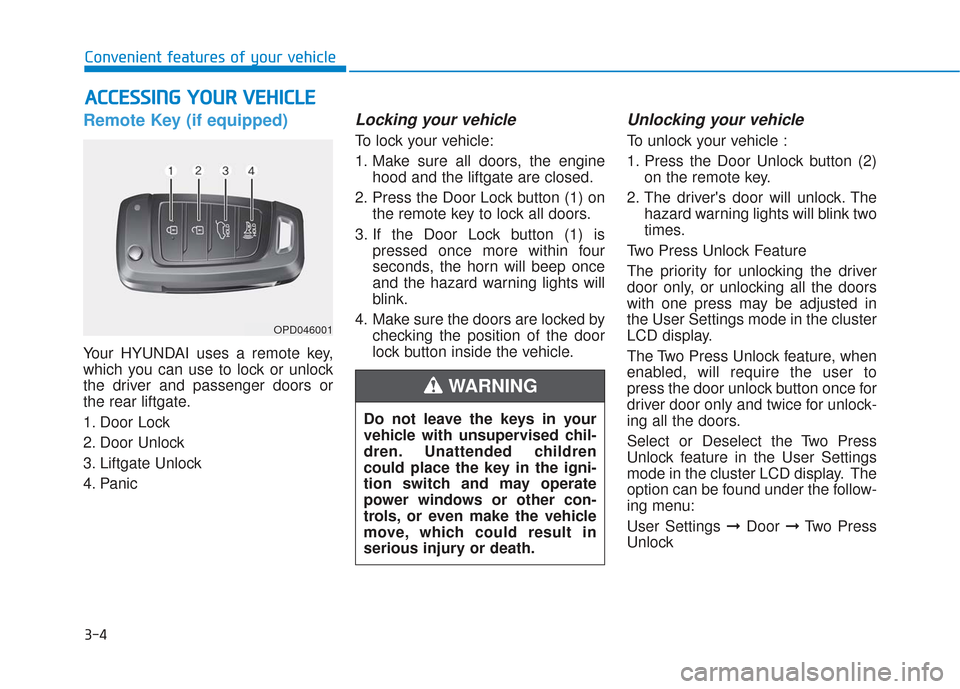
Your HYUNDAI uses a remote key,
which you can use to lock or unlock
the driver and passenger doors or
the rear liftgate.
1. Door Lock
2. Door Unlock
3. Liftgate Unlock
4. Panic
Locking your vehicle
To lock your vehicle:
1. Make sure all doors, the enginehood and the liftgate are closed.
2. Press the Door Lock button (1) on the remote key to lock all doors.
3. If the Door Lock button (1) is pressed once more within four
seconds, the horn will beep once
and the hazard warning lights will
blink.
4. Make sure the doors are locked by checking the position of the door
lock button inside the vehicle.
Unlocking your vehicle
To unlock your vehicle :
1. Press the Door Unlock button (2)on the remote key.
2. The driver's door will unlock. The hazard warning lights will blink two
times.
Two Press Unlock Feature
The priority for unlocking the driver
door only, or unlocking all the doors
with one press may be adjusted in
the User Settings mode in the cluster
LCD display.
The Two Press Unlock feature, when
enabled, will require the user to
press the door unlock button once for
driver door only and twice for unlock-
ing all the doors.
Select or Deselect the Two Press
Unlock feature in the User Settings
mode in the cluster LCD display. The
option can be found under the follow-
ing menu:
User Settings ➞ Door ➞Two Press
Unlock
A A C
CC
CE
E S
SS
SI
IN
N G
G
Y
Y O
O U
UR
R
V
V E
EH
H I
IC
C L
LE
E
OPD046001
Do not leave the keys in your
vehicle with unsupervised chil-
dren. Unattended children
could place the key in the igni-
tion switch and may operate
power windows or other con-
trols, or even make the vehicle
move, which could result in
serious injury or death.
WARNING
Page 97 of 557
3-8
Convenient features of your vehicle
Locking your vehicle
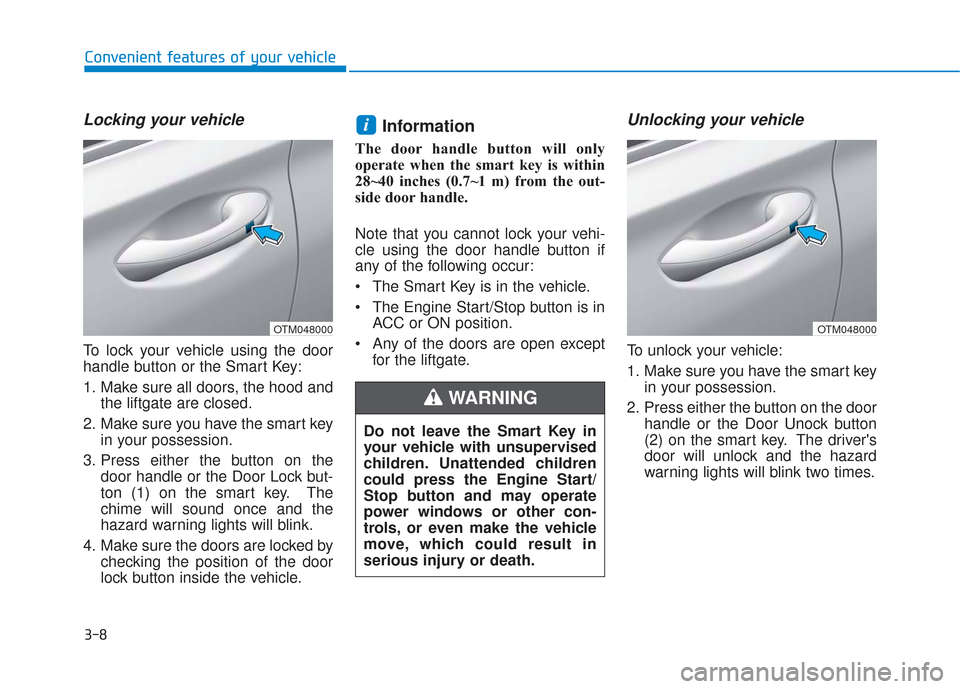
To lock your vehicle using the door
handle button or the Smart Key:
1. Make sure all doors, the hood andthe liftgate are closed.
2. Make sure you have the smart key in your possession.
3. Press either the button on the door handle or the Door Lock but-
ton (1) on the smart key. The
chime will sound once and the
hazard warning lights will blink.
4. Make sure the doors are locked by checking the position of the door
lock button inside the vehicle.
Information
The door handle button will only
operate when the smart key is within
28~40 inches (0.7~1 m) from the out-
side door handle.
Note that you cannot lock your vehi-
cle using the door handle button if
any of the following occur:
The Smart Key is in the vehicle.
The Engine Start/Stop button is inACC or ON position.
Any of the doors are open except for the liftgate.
Unlocking your vehicle
To unlock your vehicle:
1. Make sure you have the smart keyin your possession.
2. Press either the button on the door handle or the Door Unock button
(2) on the smart key. The driver's
door will unlock and the hazard
warning lights will blink two times.
i
Do not leave the Smart Key in
your vehicle with unsupervised
children. Unattended children
could press the Engine Start/
Stop button and may operate
power windows or other con-
trols, or even make the vehicle
move, which could result in
serious injury or death.
WARNING
OTM048000OTM048000
Page 105 of 557
3-16
Convenient features of your vehicle
If the inner door handle of either the driver door or passenger door
is pulled when the door lock button
is in the lock position, the button is
unlocked and the door will open.
For Key Start Vehicles (with Remote Key)
The front doors cannot be locked if
the remote key is in the ignition
switch and either of the front doors
are open.
For Push Button Start Vehicles (with Smart Key)
The doors cannot be locked if the
smart key is inside the vehicle and
any of the doors are open.
Information
If a power door lock ever fails to func-
tion while you are in the vehicle try
one or more of the following tech-
niques to exit:
• Operate the door unlock featurerepeatedly (both electronic and
manual) while simultaneously
pulling on the door handle.
• Operate the other door locks and handles, front and rear.
• Lower a front window and use the mechanical key to unlock the door
from outside.
Information
When the vehicle’s battery run out
and you leave the vehicle, make sure
all the doors are locked. You can lock
the driver’s door with a key and the
rest of the doors with the lock button
above the door inside handle.
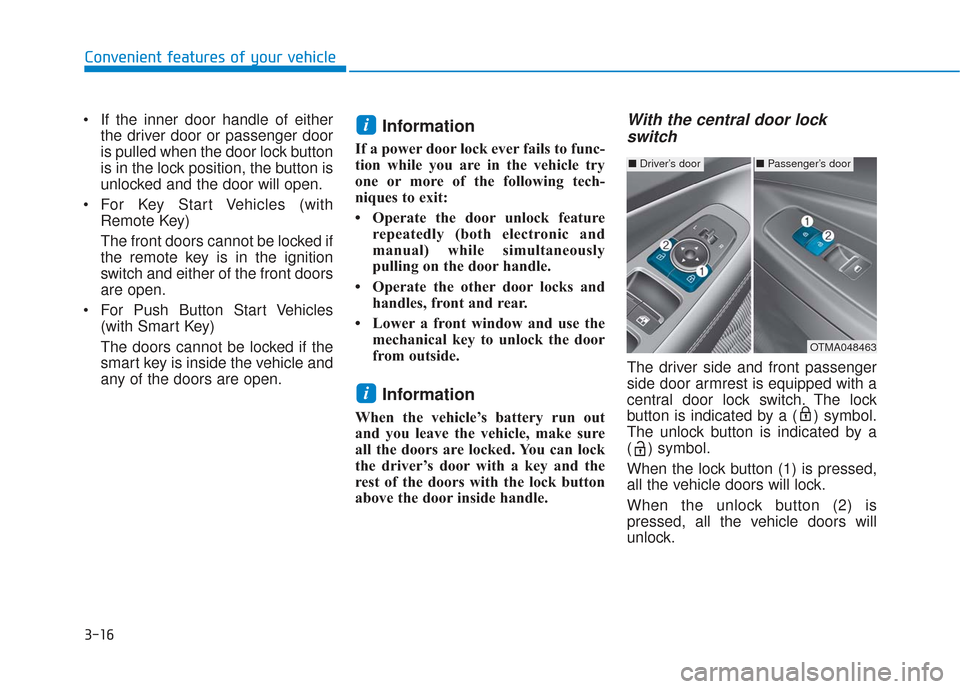
With the central door lockswitch
The driver side and front passenger
side door armrest is equipped with a
central door lock switch. The lock
button is indicated by a ( ) symbol.
The unlock button is indicated by a
( ) symbol.
When the lock button (1) is pressed,
all the vehicle doors will lock.
When the unlock button (2) is
pressed, all the vehicle doors will
unlock.
i
i
■ Driver’s door■Passenger’s door
OTMA048463
Page 132 of 557
3-43
Convenient features of your vehicle
3
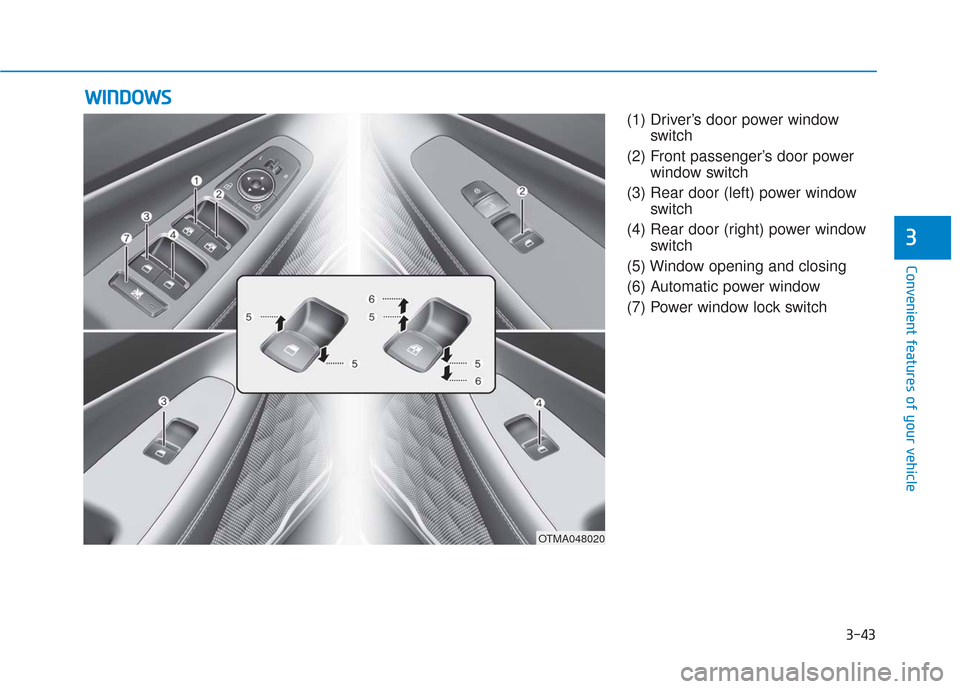
(1) Driver’s door power windowswitch
(2) Front passenger’s door power window switch
(3) Rear door (left) power window switch
(4) Rear door (right) power window switch
(5) Window opening and closing
(6) Automatic power window
(7) Power window lock switch
W W I
IN
N D
DO
O W
W S
S
OTMA048020
Page 133 of 557
3-44
Convenient features of your vehicle
Power Windows
The ignition switch must be in the ON
position to be able to raise or lower
the windows. Each door has a Power
Window switch to control that door’s
window. The driver has a Power
Window Lock switch which can block
the operation of passenger windows.
The power windows will operate for
approximately 10 minutes after the
ignition switch is placed in the ACC
or LOCK/OFF position. However, if
the front doors are opened, the
Power Windows will not operate even
within the 10 minutes period.
Information
• In cold and wet climates, powerwindows may not work properly
due to freezing conditions.
• While driving with the rear win- dows down or with the sunroof (if
equipped) opened (or partially
opened), your vehicle may demon-
strate a wind buffeting or pulsation
noise. This noise is normal and can
be reduced or eliminated by taking
the following actions. If the noise
occurs with one or both of the rear
windows down, partially lower
both front windows approximately
one inch. If you experience the
noise with the sunroof open, slight-
ly close the sunroof.
Window opening and closing
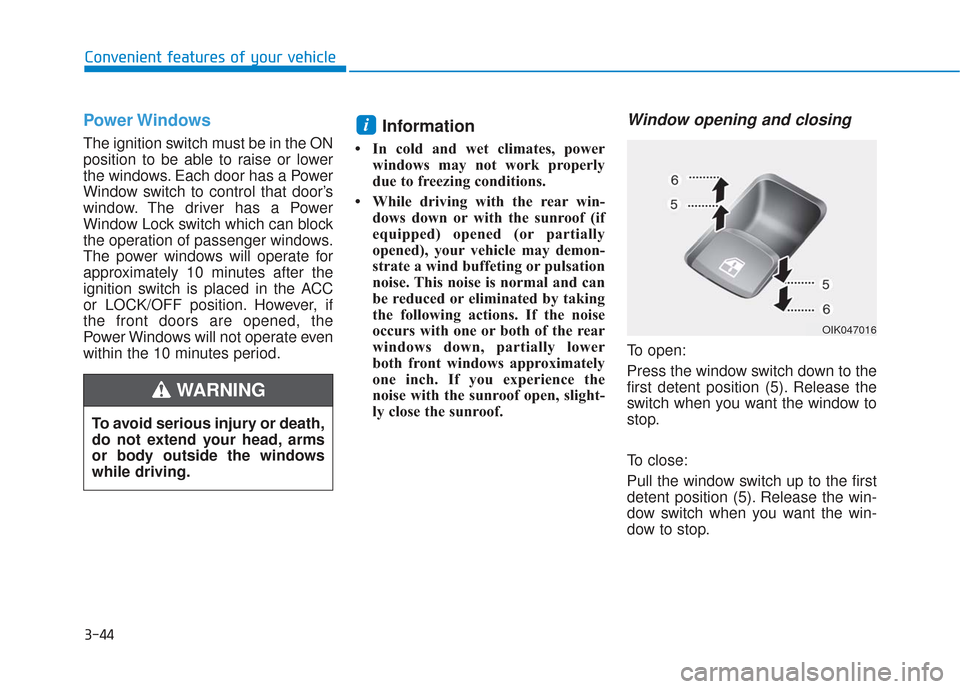
To open:
Press the window switch down to the
first detent position (5). Release the
switch when you want the window to
stop.
To close:
Pull the window switch up to the first
detent position (5). Release the win-
dow switch when you want the win-
dow to stop.
i
To avoid serious injury or death,
do not extend your head, arms
or body outside the windows
while driving.
WARNING
OIK047016
Page 134 of 557
3-45
Convenient features of your vehicle
3
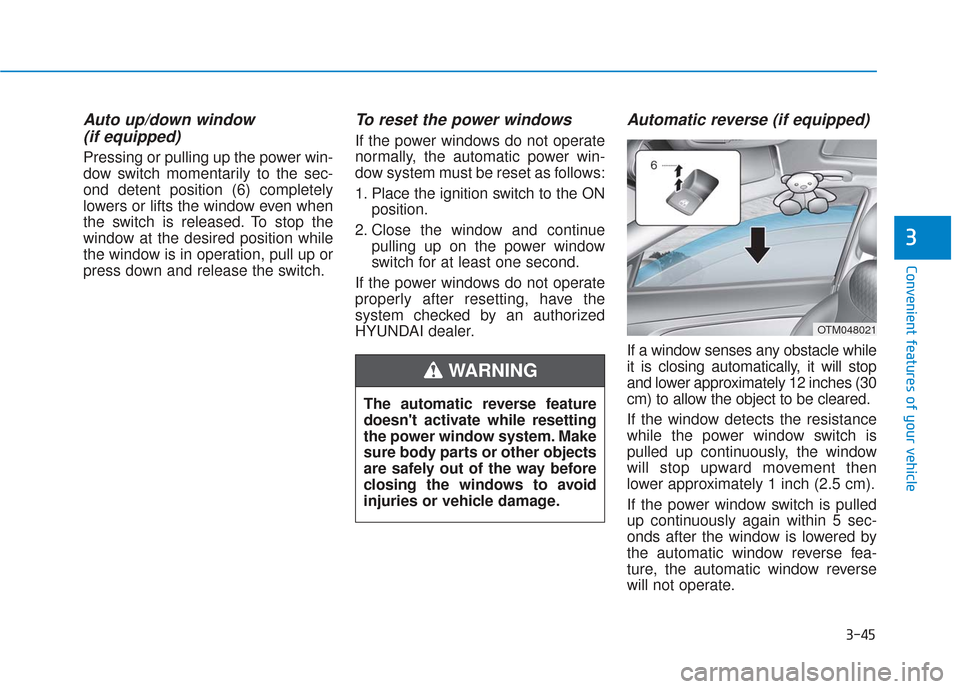
Auto up/down window (if equipped)
Pressing or pulling up the power win-
dow switch momentarily to the sec-
ond detent position (6) completely
lowers or lifts the window even when
the switch is released. To stop the
window at the desired position while
the window is in operation, pull up or
press down and release the switch.
To reset the power windows
If the power windows do not operate
normally, the automatic power win-
dow system must be reset as follows:
1. Place the ignition switch to the ON
position.
2. Close the window and continue pulling up on the power window
switch for at least one second.
If the power windows do not operate
properly after resetting, have the
system checked by an authorized
HYUNDAI dealer.
Automatic reverse (if equipped)
If a window senses any obstacle while
it is closing automatically, it will stop
and lower approximately 12 inches (30
cm) to allow the object to be cleared.
If the window detects the resistance
while the power window switch is
pulled up continuously, the window
will stop upward movement then
lower approximately 1 inch (2.5 cm).
If the power window switch is pulled
up continuously again within 5 sec-
onds after the window is lowered by
the automatic window reverse fea-
ture, the automatic window reverse
will not operate.
The automatic reverse feature
doesn't activate while resetting
the power window system. Make
sure body parts or other objects
are safely out of the way before
closing the windows to avoid
injuries or vehicle damage.
WARNING
OTM048021
Page 135 of 557
3-46
Convenient features of your vehicle
Information
The automatic reverse feature is only
active when the "Auto Up" feature is
used by fully pulling up the switch to
the second detent.
Do not install any accessories on
the windows. The automatic reverse
feature may not operate.
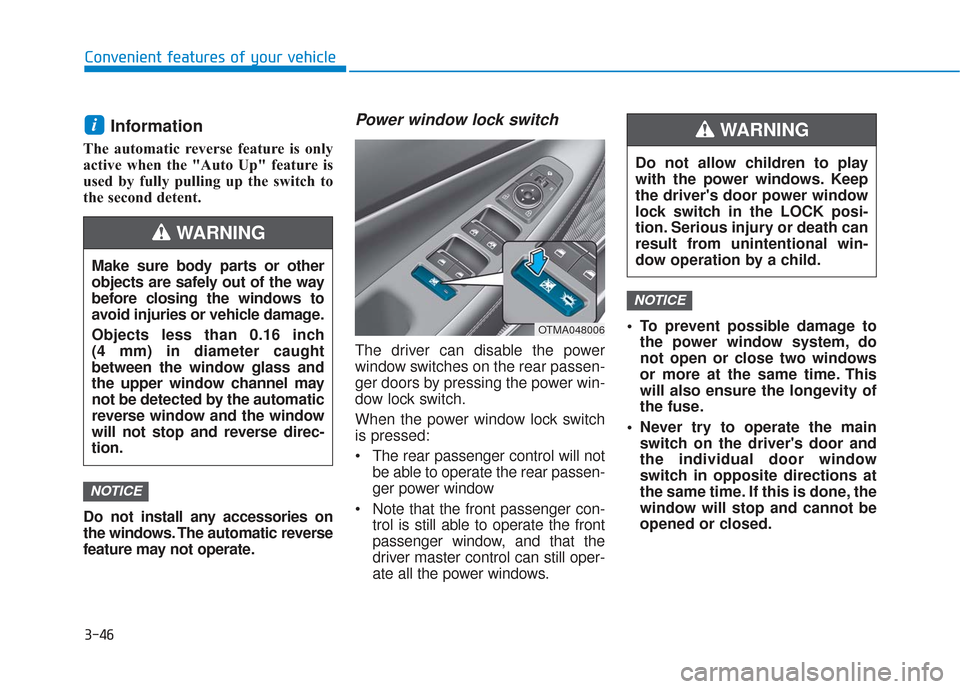
Power window lock switch
The driver can disable the power
window switches on the rear passen-
ger doors by pressing the power win-
dow lock switch.
When the power window lock switch
is pressed:
The rear passenger control will notbe able to operate the rear passen-
ger power window
Note that the front passenger con- trol is still able to operate the front
passenger window, and that the
driver master control can still oper-
ate all the power windows. To prevent possible damage to
the power window system, do
not open or close two windows
or more at the same time. This
will also ensure the longevity of
the fuse.
Never try to operate the main switch on the driver's door and
the individual door window
switch in opposite directions at
the same time. If this is done, the
window will stop and cannot be
opened or closed.
NOTICE
NOTICE
i
Do not allow children to play
with the power windows. Keep
the driver's door power window
lock switch in the LOCK posi-
tion. Serious injury or death can
result from unintentional win-
dow operation by a child.
WARNING
Make sure body parts or other
objects are safely out of the way
before closing the windows to
avoid injuries or vehicle damage.
Objects less than 0.16 inch
(4 mm) in diameter caught
between the window glass and
the upper window channel may
not be detected by the automatic
reverse window and the window
will not stop and reverse direc-
tion.
WARNING
OTMA048006