collision Hyundai Santa Fe 2020 Repair Manual
[x] Cancel search | Manufacturer: HYUNDAI, Model Year: 2020, Model line: Santa Fe, Model: Hyundai Santa Fe 2020Pages: 557, PDF Size: 19.29 MB
Page 360 of 557
5-86
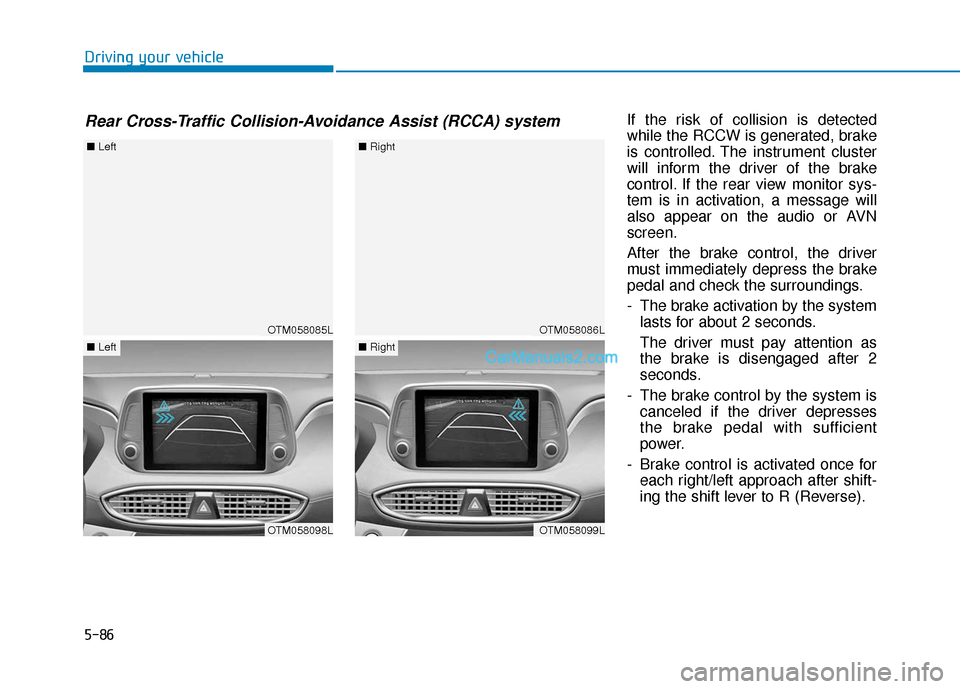
Driving your vehicleIf the risk of collision is detected
while the RCCW is generated, brake
is controlled. The instrument cluster
will inform the driver of the brake
control. If the rear view monitor sys-
tem is in activation, a message will
also appear on the audio or AVN
screen.
After the brake control, the driver
must immediately depress the brake
pedal and check the surroundings.
- The brake activation by the systemlasts for about 2 seconds.
The driver must pay attention as
the brake is disengaged after 2
seconds.
- The brake control by the system is canceled if the driver depresses
the brake pedal with sufficient
power.
- Brake control is activated once for each right/left approach after shift-
ing the shift lever to R (Reverse).
Rear Cross-Traffic Collision-Avoidance Assist (RCCA) system
OTM058085L
■ Left
OTM058098L
■Left
OTM058086L
■Right
OTM058099L
■Right
Page 361 of 557
5-87
Driving your vehicle
5
The brake control may not operate
properly according to the status of
the ESC (Electronic Stability
Control). The same warning mes-
sage is displayed on the instrument
cluster for this case also.
- When the ESC (Electronic StabilityControl) warning light is on.
- When the ESC (Electronic Stability Control) is engaged in a different
function.
The driver should always use
extreme caution while operat-
ing the vehicle, whether or not
the warning light on the outer
side view mirror illuminates or
there is a warning alarm.
Playing the vehicle audio sys-
tem at high volume may offset
the system's warning sounds.
If any other warning sound
such as seat belt warning
chime is already generated,
the Rear Cross-Traffic Collision
Warning system warning may
not sound.
Drive safely even though the
vehicle is equipped with a
Rear Cross-Traffic Collision
Warning system and Rear
Cross-Traffic Collision-Avoidance
Assist system. Do not solely
rely on the system but check
your surrounding when back-
ing the vehicle up.
The driver is responsible for
accurate brake control.
Always pay extreme caution
while driving. The Rear Cross-
Traffic Collision Warning sys-
tem and Rear Cross-Traffic
Collision-Avoidance Assist
system may not operate prop-
erly or unnecessarily operate
in accordance with your driv-
ing situations.
The Rear Cross-Traffic
Collision-Avoidance Assist
system is not a substitute for
safe driving practices, but a
convenience function only. It
is the responsibility of the
driver to always drive cau-
tiously to prevent unexpected
and sudden situations from
occurring. Pay attention to the
road conditions at all times.
WARNING
When the operation condition
of the Rear Cross-Traffic
Collision Warning system is
satisfied, the warning will
occur every time a vehicle
approaches the side or rear
of your stopped (0 mph vehi-
cle speed) vehicle.
The system's warning may
not operate properly if the left
or right of your vehicle's rear
bumper is blocked by a vehi-
cle or obstacle.
CAUTION
Page 362 of 557
5-88
Driving your vehicle
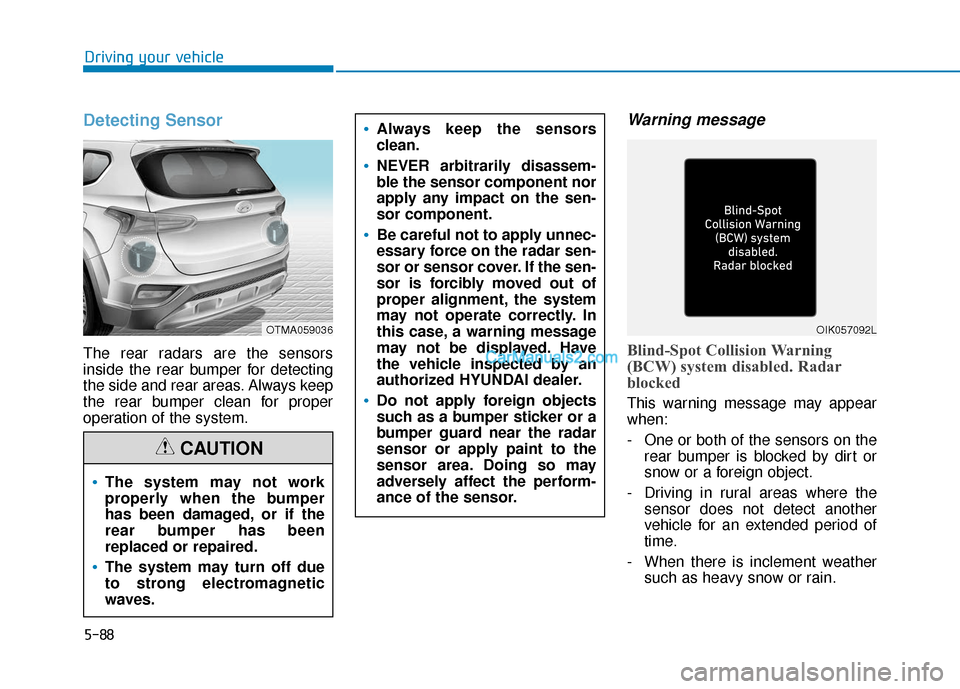
Detecting Sensor
The rear radars are the sensors
inside the rear bumper for detecting
the side and rear areas. Always keep
the rear bumper clean for proper
operation of the system.
Warning message
Blind-Spot Collision Warning
(BCW) system disabled. Radar
blocked
This warning message may appear
when:
- One or both of the sensors on therear bumper is blocked by dirt or
snow or a foreign object.
- Driving in rural areas where the sensor does not detect another
vehicle for an extended period of
time.
- When there is inclement weather such as heavy snow or rain.
OTMA059036
The system may not work
properly when the bumper
has been damaged, or if the
rear bumper has been
replaced or repaired.
The system may turn off due
to strong electromagnetic
waves.
Always keep the sensors
clean.
NEVER arbitrarily disassem-
ble the sensor component nor
apply any impact on the sen-
sor component.
Be careful not to apply unnec-
essary force on the radar sen-
sor or sensor cover. If the sen-
sor is forcibly moved out of
proper alignment, the system
may not operate correctly. In
this case, a warning message
may not be displayed. Have
the vehicle inspected by an
authorized HYUNDAI dealer.
Do not apply foreign objects
such as a bumper sticker or a
bumper guard near the radar
sensor or apply paint to the
sensor area. Doing so may
adversely affect the perform-
ance of the sensor.
CAUTION
OIK057092L
Page 363 of 557
5-89
Driving your vehicle
5
If any of these conditions occur, the
light on the BCW/BCA switch and the
system will turn off automatically.
When the BCW canceled warning
message is displayed in the cluster,
check to make sure that the rear
bumper is free from any dirt or snow
in the areas where the sensor is
located. Remove any dirt, snow, or
foreign material that could interfere
with the radar sensors.
After any dirt or debris is removed,
the system should operate normally
after about 10 minutes of driving the
vehicle.
If the system still does not operate
normally have your vehicle inspected
by an authorized HYUNDAI dealer.
Information
Turn off the BCW and RCCW system
when a trailer or carrier is installed.
- Press the BCW/BCA switch (theindicator on the switch will turn
off)
- Deactivate the RCCW system by deselecting ‘User Settings → →
Driver
Assistance →
→
Blind-Spot Safety →
→
Rear Cross-Traffic Collision Warning’
Check Blind-Spot Collision
Warning (BCW) system
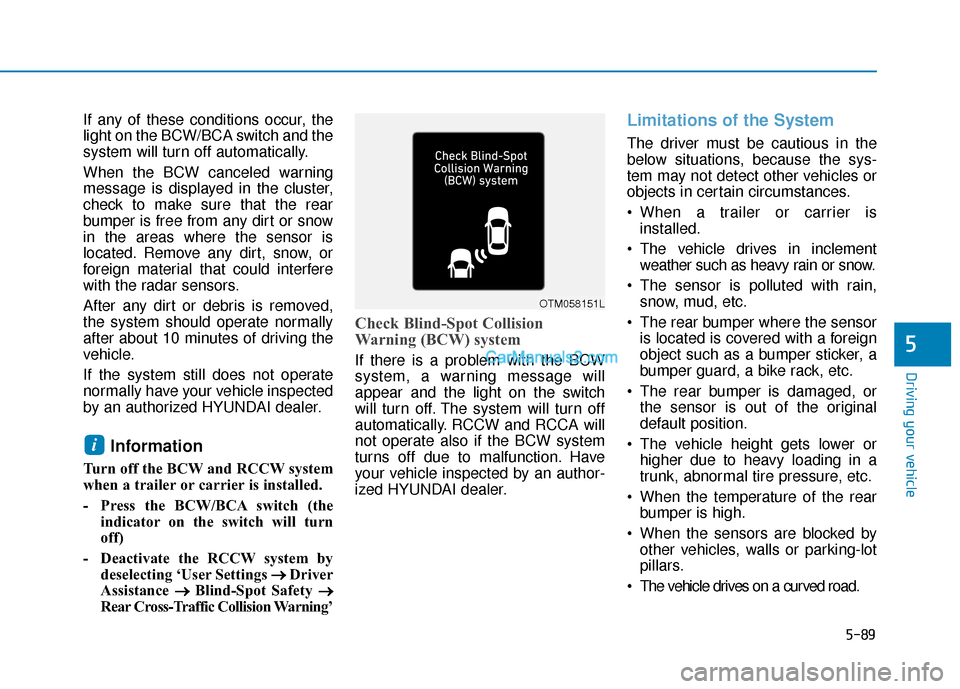
If there is a problem with the BCW
system, a warning message will
appear and the light on the switch
will turn off. The system will turn off
automatically. RCCW and RCCA will
not operate also if the BCW system
turns off due to malfunction. Have
your vehicle inspected by an author-
ized HYUNDAI dealer.
Limitations of the System
The driver must be cautious in the
below situations, because the sys-
tem may not detect other vehicles or
objects in certain circumstances.
When a trailer or carrier is installed.
The vehicle drives in inclement weather such as heavy rain or snow.
The sensor is polluted with rain, snow, mud, etc.
The rear bumper where the sensor is located is covered with a foreign
object such as a bumper sticker, a
bumper guard, a bike rack, etc.
The rear bumper is damaged, or the sensor is out of the original
default position.
The vehicle height gets lower or higher due to heavy loading in a
trunk, abnormal tire pressure, etc.
When the temperature of the rear bumper is high.
When the sensors are blocked by other vehicles, walls or parking-lot
pillars.
The vehicle drives on a curved road.
i
OTM058151L
Page 365 of 557

5-91
Driving your vehicle
5
When the vehicle is in a complexparking environment
The system may not operate prop-
erly when the vehicle is in a com-
plex parking environment.
In certain instances, the system
may not be able to exactly deter-
mine the risk of collision for the
vehicles which are parking or
pulling out near your vehicle (e.g. a
vehicle escaping beside your vehi-
cle, a vehicle parking or pulling out
in the rear area, a vehicle
approaching your vehicle making a
turn, etc.).
If this occurs, the warning or brake
may not operate properly.[A] : Vehicle
When the vehicle is parked diago-nally
The system may not operate proper-
ly when the vehicle is parked diago-
nally.
In certain instances, when the diago-
nally parked vehicle is pulled out of
the parking space, the system may
not detect the vehicle approaching
from the rear left/right of your vehi-
cle. In this case, the warning or brake
may not operate properly.
Always pay attention to your sur-
rounding while driving. When the vehicle is on/near a
slope
The system may not operate proper-
ly when the vehicle is on/near a
slope.
In certain instances, the system may
not detect the vehicle approaching
from the rear left/right and the warn-
ing or brake may not operate proper-
ly.
Always pay attention to your sur-
rounding while driving.
OTM058103OTM058104LOTM058105
Page 379 of 557
5-105
Driving your vehicle
5
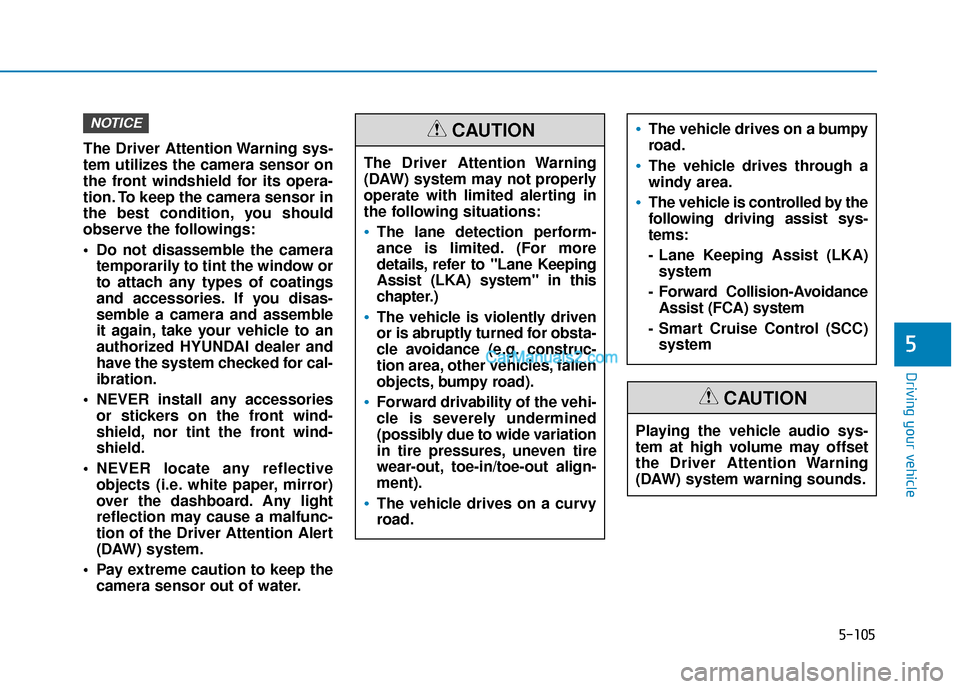
The Driver Attention Warning sys-
tem utilizes the camera sensor on
the front windshield for its opera-
tion. To keep the camera sensor in
the best condition, you should
observe the followings:
Do not disassemble the cameratemporarily to tint the window or
to attach any types of coatings
and accessories. If you disas-
semble a camera and assemble
it again, take your vehicle to an
authorized HYUNDAI dealer and
have the system checked for cal-
ibration.
NEVER install any accessories or stickers on the front wind-
shield, nor tint the front wind-
shield.
NEVER locate any reflective objects (i.e. white paper, mirror)
over the dashboard. Any light
reflection may cause a malfunc-
tion of the Driver Attention Alert
(DAW) system.
Pay extreme caution to keep the camera sensor out of water.
NOTICE
The Driver Attention Warning
(DAW) system may not properly
operate with limited alerting in
the following situations:
The lane detection perform-
ance is limited. (For more
details, refer to "Lane Keeping
Assist (LKA) system" in this
chapter.)
The vehicle is violently driven
or is abruptly turned for obsta-
cle avoidance (e.g. construc-
tion area, other vehicles, fallen
objects, bumpy road).
Forward drivability of the vehi-
cle is severely undermined
(possibly due to wide variation
in tire pressures, uneven tire
wear-out, toe-in/toe-out align-
ment).
The vehicle drives on a curvy
road.
The vehicle drives on a bumpy
road.
The vehicle drives through a
windy area.
The vehicle is controlled by the
following driving assist sys-
tems:
- Lane Keeping Assist (LKA)system
- Forward Collision-Avoidance Assist (FCA) system
- Smart Cruise Control (SCC) system
CAUTION
Playing the vehicle audio sys-
tem at high volume may offset
the Driver Attention Warning
(DAW) system warning sounds.
CAUTION
Page 384 of 557
5-110
Driving your vehicle
The driver starts driving by pushing the toggle switch up (RES+)/down
(SET-) or depressing the accelera-
tor pedal, after the vehicle is
stopped by the Smart Cruise
Control system with no other vehi-
cle ahead.
The driver starts driving by pushing the toggle switch up (RES+)/down
(SET-) or depressing the accelera-
tor pedal, after stopping the vehicle
with a vehicle stopped far away in
front.
The Forward Collision-Avoidance Assist (FCA) is activated.
Each of these actions will cancel the
Smart Cruise Control operation. The
Set Speed and Vehicle-to-Vehicle
Distance on the LCD display will go
off.
In a condition the Smart Cruise
Control is cancelled automatically,
the Smart Cruise Control will not
resume even though the RES+ or
SET- toggle switch is pushed.
Information
If the Smart Cruise Control is canceled
by other than the reasons mentioned,
have the system checked by an author-
ized HYUNDAI dealer.
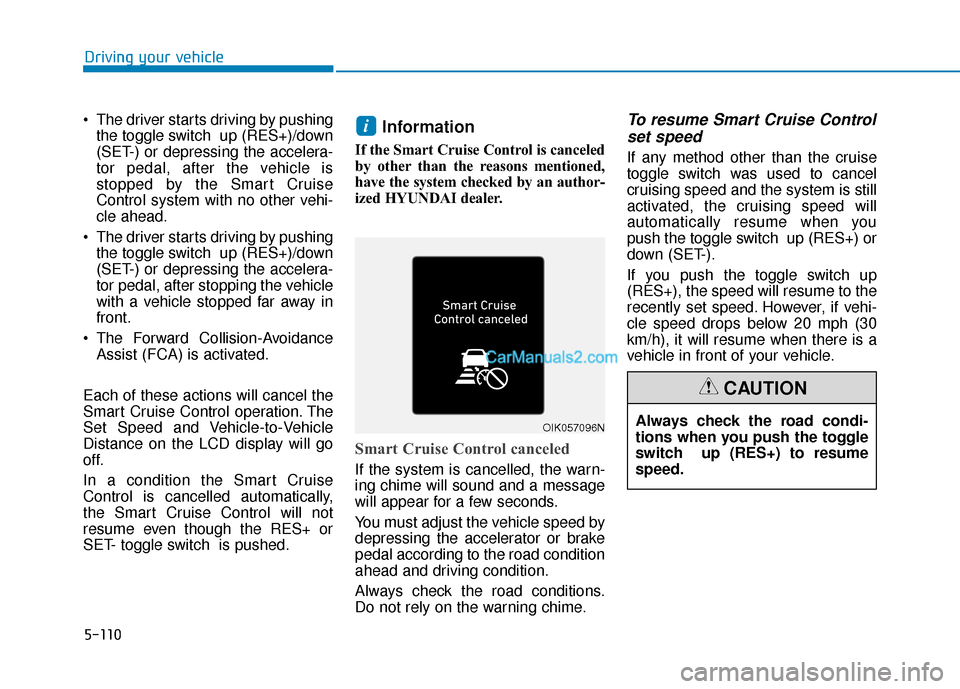
Smart Cruise Control canceled
If the system is cancelled, the warn-
ing chime will sound and a message
will appear for a few seconds.
You must adjust the vehicle speed by
depressing the accelerator or brake
pedal according to the road condition
ahead and driving condition.
Always check the road conditions.
Do not rely on the warning chime.
To resume Smart Cruise Control set speed
If any method other than the cruise
toggle switch was used to cancel
cruising speed and the system is still
activated, the cruising speed will
automatically resume when you
push the toggle switch up (RES+) or
down (SET-).
If you push the toggle switch up
(RES+), the speed will resume to the
recently set speed. However, if vehi-
cle speed drops below 20 mph (30
km/h), it will resume when there is a
vehicle in front of your vehicle.
i
OIK057096NAlways check the road condi-
tions when you push the toggle
switch up (RES+) to resume
speed.
CAUTION
Page 395 of 557
5-121
Driving your vehicle
5
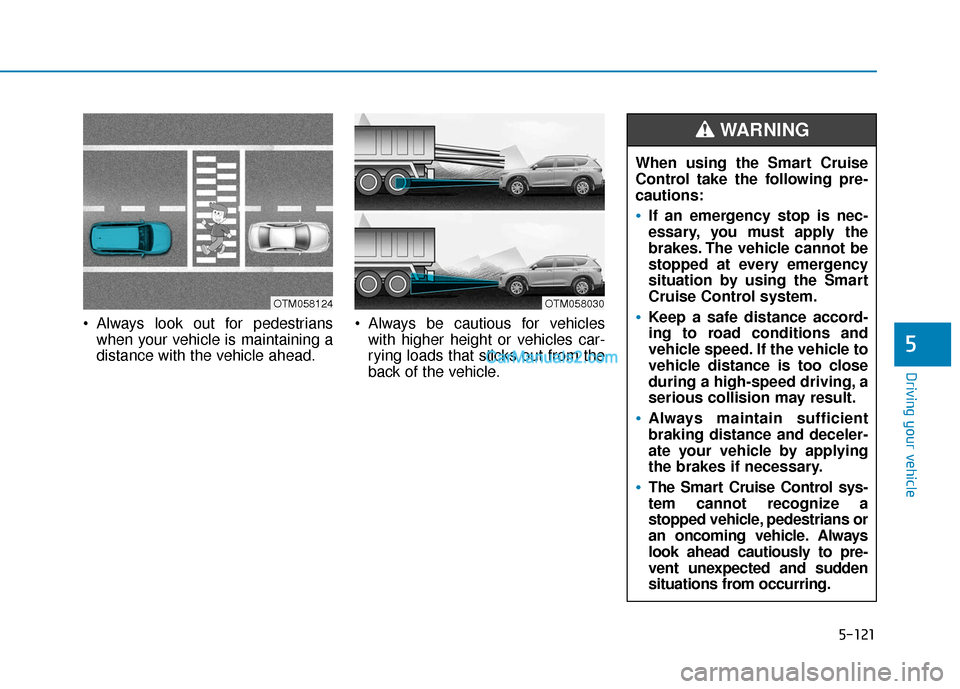
Always look out for pedestrianswhen your vehicle is maintaining a
distance with the vehicle ahead. Always be cautious for vehicles
with higher height or vehicles car-
rying loads that sticks out from the
back of the vehicle.
OTM058030OTM058124
When using the Smart Cruise
Control take the following pre-
cautions:
If an emergency stop is nec-
essary, you must apply the
brakes. The vehicle cannot be
stopped at every emergency
situation by using the Smart
Cruise Control system.
Keep a safe distance accord-
ing to road conditions and
vehicle speed. If the vehicle to
vehicle distance is too close
during a high-speed driving, a
serious collision may result.
Always maintain sufficient
braking distance and deceler-
ate your vehicle by applying
the brakes if necessary.
The Smart Cruise Control sys-
tem cannot recognize a
stopped vehicle, pedestrians or
an oncoming vehicle. Always
look ahead cautiously to pre-
vent unexpected and sudden
situations from occurring.
WARNING
Page 498 of 557
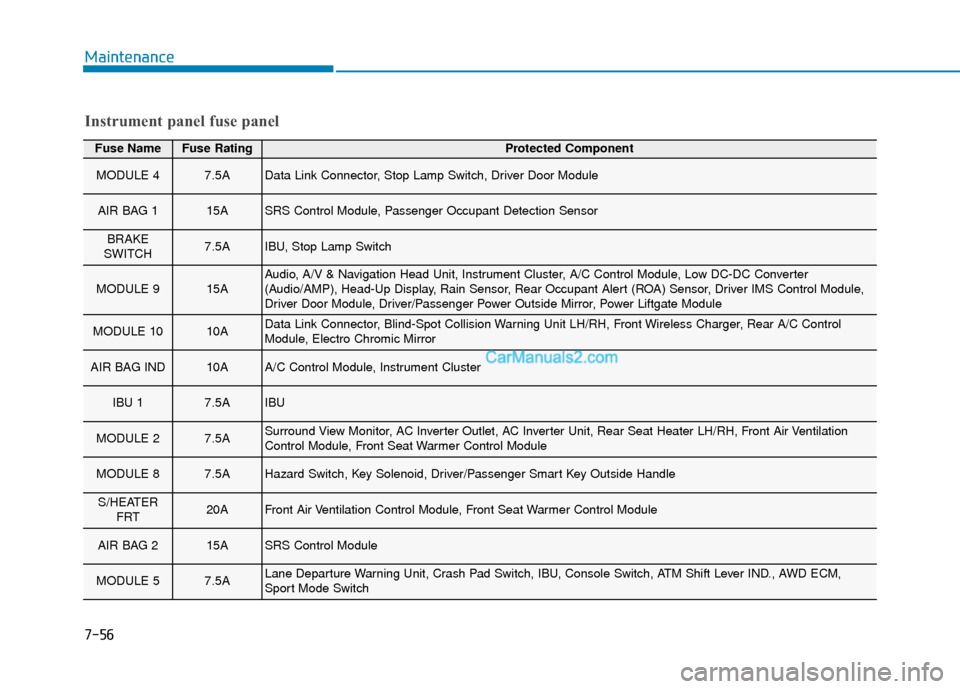
Fuse NameFuse RatingProtected Component
MODULE 47.5AData Link Connector, Stop Lamp Switch, Driver Door Module
AIR BAG 115ASRS Control Module, Passenger Occupant Detection Sensor
BRAKE
SWITCH7.5AIBU, Stop Lamp Switch
MODULE 915AAudio, A/V & Navigation Head Unit, Instrument Cluster, A/C Control Module, Low DC-DC Converter
(Audio/AMP), Head-Up Display, Rain Sensor, Rear Occupant Alert (ROA) Sensor, Driver IMS Control Module,
Driver Door Module, Driver/Passenger Power Outside Mirror, Power Liftgate Module
MODULE 1010AData Link Connector, Blind-Spot Collision Warning Unit LH/RH, Front Wireless Charger, Rear A/C Control
Module, Electro Chromic Mirror
AIR BAG IND10AA/C Control Module, Instrument Cluster
IBU 17.5AIBU
MODULE 27.5ASurround View Monitor, AC Inverter Outlet, AC Inverter Unit, Rear Seat Heater LH/RH, Front Air Ventilation
Control Module, Front Seat Warmer Control Module
MODULE 87.5AHazard Switch, Key Solenoid, Driver/Passenger Smart Key Outside Handle
S/HEATER FRT20AFront Air Ventilation Control Module, Front Seat Warmer Control Module
AIR BAG 215ASRS Control Module
MODULE 57.5ALane Departure Warning Unit, Crash Pad Switch, IBU, Console Switch, ATM Shift Lever IND., AWD ECM,
Sport Mode Switch
Instrument panel fuse panel
Maintenance
7-56
Page 545 of 557

I-2
AC inverter ...................................................................3-171\
Air bag warning labels ....................................................2-71
Air bags ........................................................................\
...2-49Additional safety precautions .....................................2-71
Air bag collision sensors ............................................2-65
Air bag inflation conditions .......................................2-67
Air bag non-inflation conditions ................................2-68
Air bag warning labels ...............................................2-71
Curtain air bags ..........................................................2-53
Driver's air bag ...........................................................2-51
How does the air bags system operate? .....................2-54
Occupant Classification System (OCS) .....................2-60
Passenger's front air bag.............................................2-51
Side air bags ...............................................................2-52
SRS Care ....................................................................2-70\
SRS components and functions..................................2-54
SRS warning light ......................................................2-55
What to expect after an air bag inflates .....................2-59
Why didn't my air bag go off in a collision ...............2-65
Air cleaner filter replacement .........................................7-27
Air conditioning system specification ..............................8-6
Air recirculation of passenger compartment while spraying the washer fluid ..........................................3-163
Air ventilation seats ........................................................2-22
Alarm system ..................................................................3-23
All Wheel Drive (AWD) .................................................5-40 Antenna ........................................................................\
.....4-2
Anti-lock Brake System (ABS) ......................................5-30
Appearance care..............................................................7-76
Exterior care ...............................................................7-76
Interior care ................................................................7-81
Armrest ........................................................................\
...2-16
Ashtray ........................................................................\
..3-168
Audio / Video / Navigation system ..................................4-4
Auto comfort control ....................................................3-164
Auto defogging system .................................................3-160
Auto hold ........................................................................\
5-27
Auto light position ........................................................3-112
Automatic climate control system ................................3-146
Automatic transmission ..................................................5-14 Good driving practices ...............................................5-18
Manual shift mode......................................................5-16
Shift lock system ........................................................5-17
Shift-lock release ........................................................5-17
Transmission ranges ...................................................5-15
Automatic ventilation ...................................................3-163
AUX, USB and USB port.................................................4-2
Index
A