mirror HYUNDAI SANTA FE 2021 Owner's Manual
[x] Cancel search | Manufacturer: HYUNDAI, Model Year: 2021, Model line: SANTA FE, Model: HYUNDAI SANTA FE 2021Pages: 636, PDF Size: 81.2 MB
Page 236 of 636
Convenient features
5-92
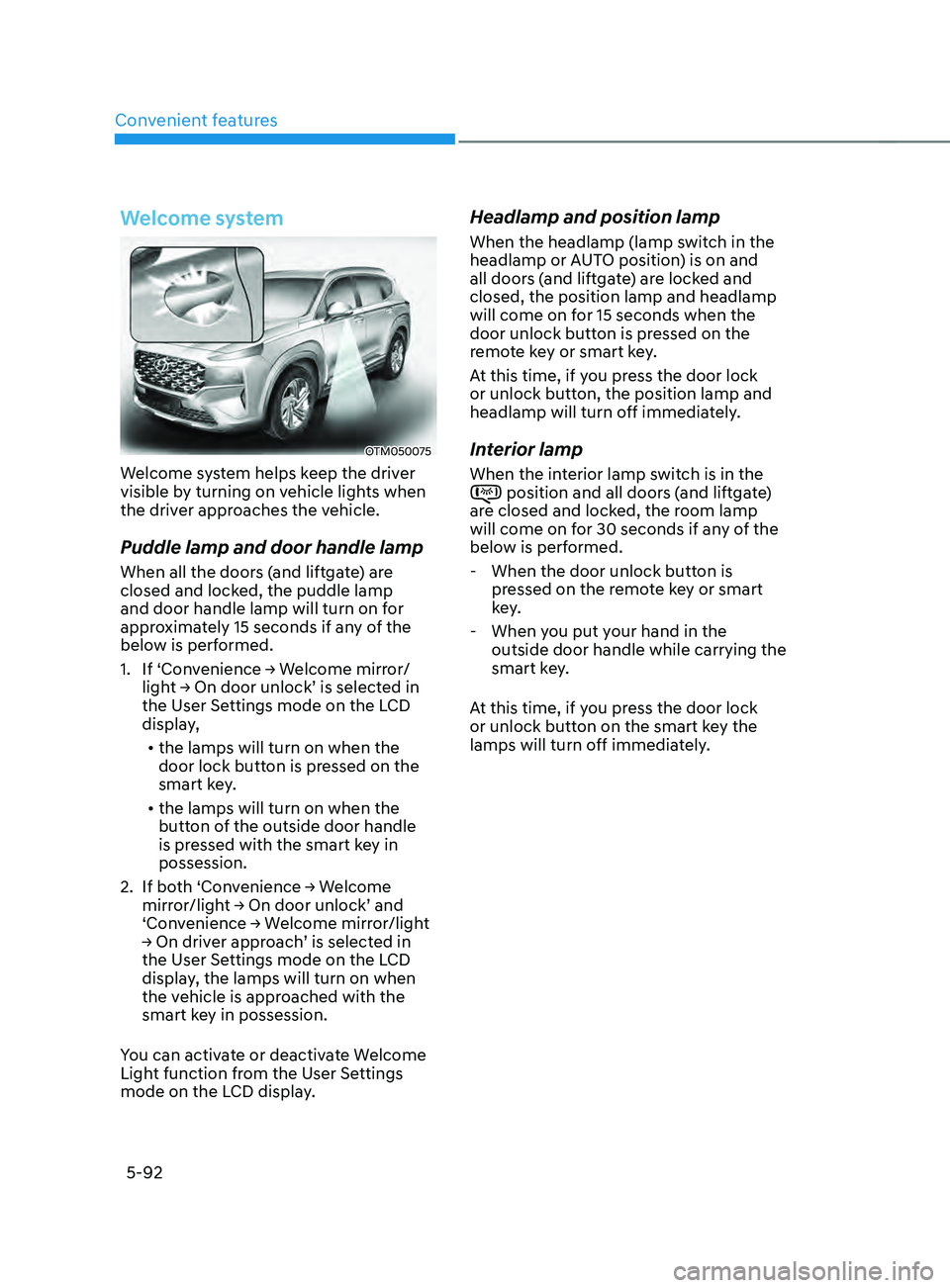
Welcome system
OTM050075
Welcome system helps keep the driver
visible by turning on vehicle lights when
the driver approaches the vehicle.
Puddle lamp and door handle lamp
When all the doors (and liftgate) are
closed and locked, the puddle lamp
and door handle lamp will turn on for
approximately 15 seconds if any of the
below is performed.
1.
If ‘Con
venience
→ W
elcome
mirr
or/
light
→ On door unlock’ is select
ed
in the User Se
ttings mode on the LCD
display,
• the lamps will turn on when the
door lock button is pressed on the
smart key.
• the lamps will turn on when the
button of the outside door handle
is pressed with the smart key in
possession.
2.
If bo
th
‘Con
venience
→ W
elcome
mirror/ligh
t
→ On door unlock’ and ‘Conv
enience
→ W
elcome
mirr
or/light
→ On driv
er
appr
oach’
is select
ed
in the User Se
ttings mode on the LCD
display, the lamps will turn on when
the vehicle is approached with the
smart key in possession.
You can activate or deactivate Welcome
Light function from the User Settings
mode on the LCD display.
Headlamp and position lamp
When the headlamp (lamp switch in the
headlamp or AUTO position) is on and
all doors (and liftgate) are locked and
closed, the position lamp and headlamp
will come on for 15 seconds when the
door unlock button is pressed on the
remote key or smart key.
At this time, if you press the door lock
or unlock button, the position lamp and
headlamp will turn off immediately.
Interior lamp
When the interior lamp switch is in the position and all doors (and liftgate)
are closed and locked, the room lamp
will come on for 30 seconds if any of the
below is performed.
- When the door unlock button is pr
essed on the remote key or smart
key.
- When you put y
our hand in the
outside door handle while carrying the
smart key.
At this time, if you press the door lock
or unlock button on the smart key the
lamps will turn off immediately.
Page 259 of 636
05
5-115
WINDSHIELD DEFROSTING AND DEFOGGING
WARNING
Windshield heating
Do not use the
position during
cooling operation in extremely humid
weather. The difference between the
temperature of the outside air and that
of the windshield could cause the outer
surface of the windshield to fog up,
causing loss of visibility could cause
an accident resulting in serious injury
or death. In this case, set the mode
selection button to the
position
and fan speed control knob to a lower
speed.
• For maximum defrost performance,
set the temperature control to the
highest temperature setting and
the fan speed control to the highest
setting.
• If warm air to the floor is desired while
defrosting or defogging, set the mode
to the floor-defrost position.
• Before driving, clear all snow and ice
from the windshield, rear window,
side view mirrors, and all side
windows.
• Clear all snow and ice from the
hood and air inlet in the cowl grill
to improve heater and defroster
efficiency and to reduce the
probability of fogging up the inside of
the windshield.
NOTICE
If the engine temperature is still cold
after starting, then a brief engine warm
up period may be required for the
vented air flow to become warm or hot.
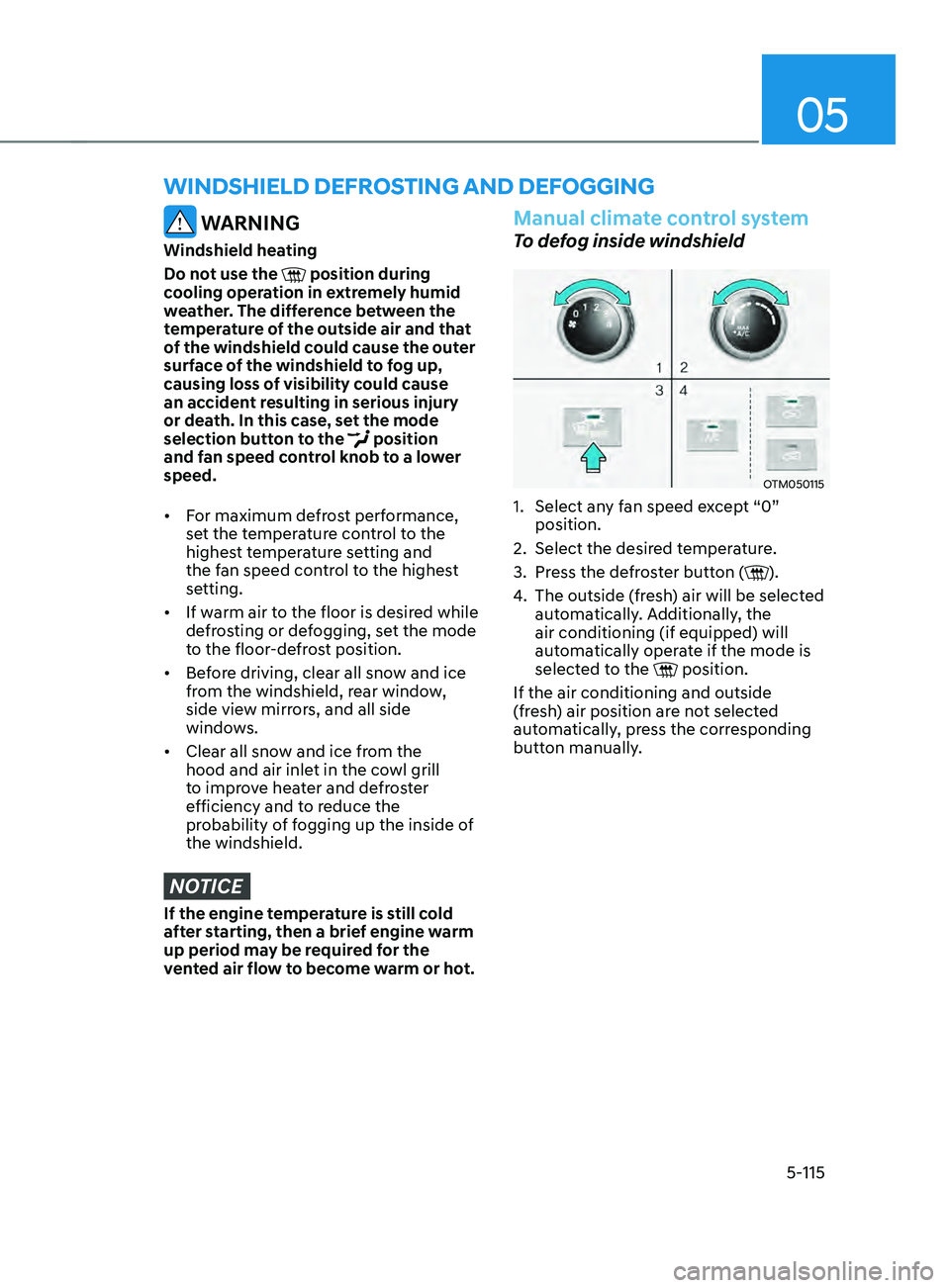
Manual climate control system
To defog inside windshield
OTM050115
1. Select any f an speed except “0”
position.
2.
Select the desired t
emperature.
3.
Press the de
froster button (
).
4.
The outside (fr
esh) air will be selected
automatically. Additionally, the
air conditioning (if equipped) will
automatically operate if the mode is
selected to the
position.
If the air conditioning and outside
(fresh) air position are not selected
automatically, press the corresponding
button manually.
Page 262 of 636
Convenient features5-118
Rear window defrosterNOTICE
To prevent damage to the rear window
defroster conducting elements bonded
to the inside surface of the rear window,
never use sharp instruments or window
cleaners containing abrasives to clean
the window.
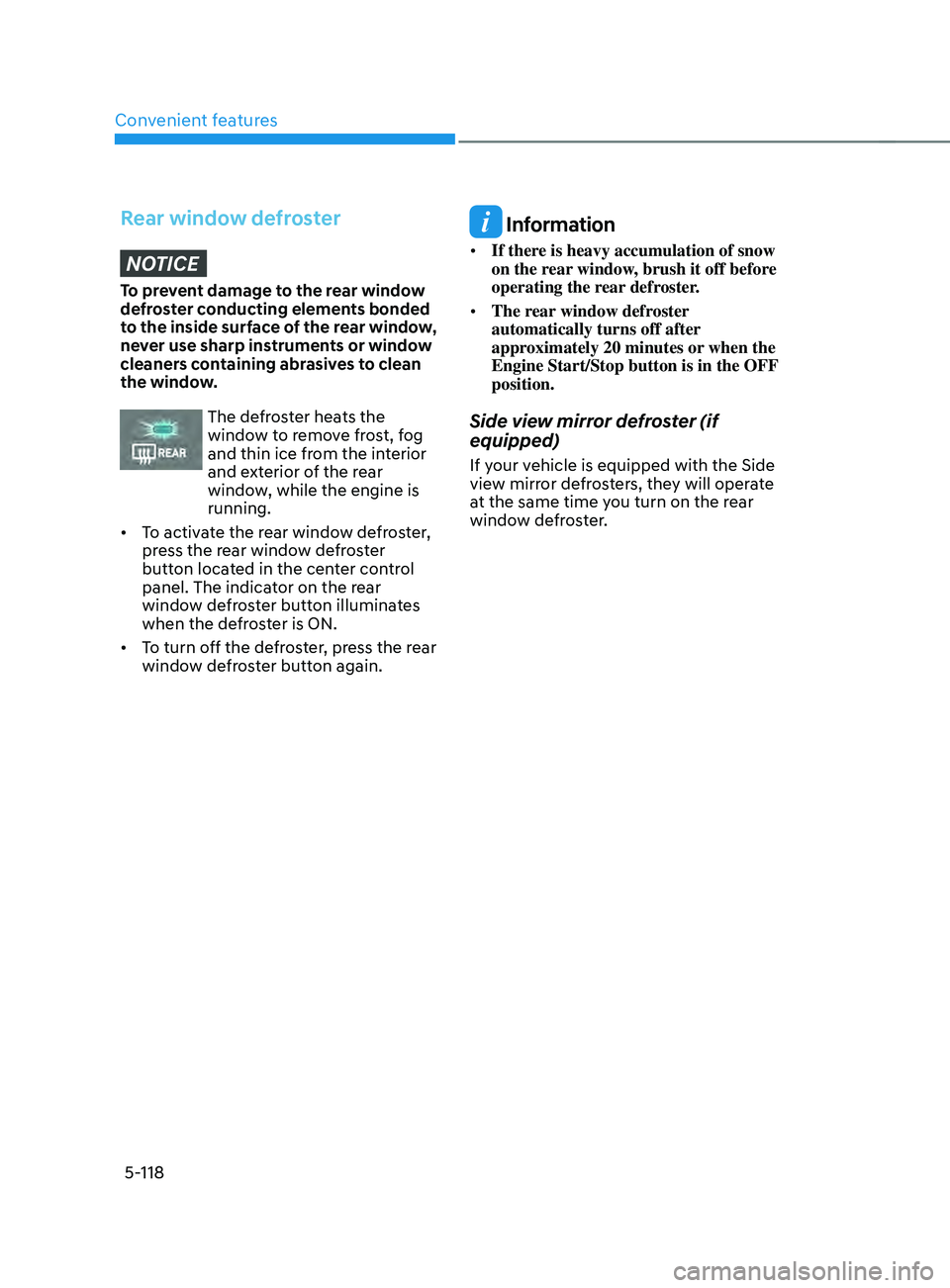
The defroster heats the
window to remove frost, fog
and thin ice from the interior
and exterior of the rear
window, while the engine is
running.
• To activate the rear window defroster,
press the rear window defroster
button located in the center control
panel. The indicator on the rear
window defroster button illuminates
when the defroster is ON.
• To turn off the defroster, press the rear
window defroster button again.
Information
• If there is heavy accumulation of snow
on the rear window, brush it off before
operating the rear defroster.
• The rear window defroster
automatically turns off after
approximately 20 minutes or when the
Engine Start/Stop button is in the OFF
position.
Side view mirror defroster (if
equipped)
If your vehicle is equipped with the Side
view mirror defrosters, they will operate
at the same time you turn on the rear
window defroster.
Page 269 of 636
05
5-125
Ashtray (if equipped)
OPDE046419
To use the ashtray, open the cover.
To clean the ashtray:
The plastic receptacle should be
removed by lifting the plastic ashtray
receptacle upward after turning the
cover counterclockwise and pulling it
out.
WARNING
Putting lit cigarettes or matches in
an ashtray with other combustible
materials may cause a fire.
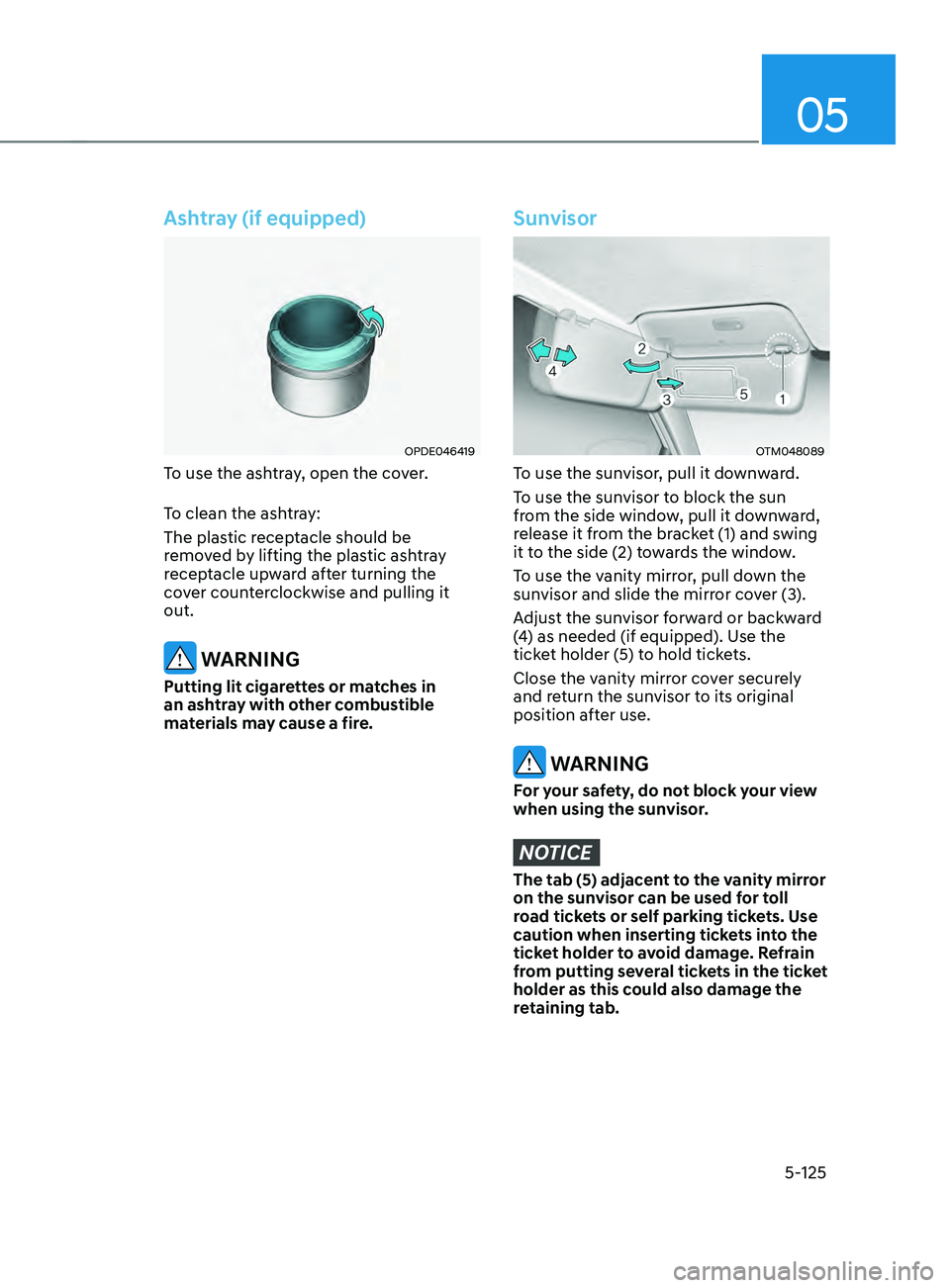
Sunvisor
OTM048089
To use the sunvisor, pull it downward.
To use the sunvisor to block the sun
from the side window, pull it downward,
release it from the bracket (1) and swing
it to the side (2) towards the window.
To use the vanity mirror, pull down the
sunvisor and slide the mirror cover (3).
Adjust the sunvisor forward or backward
(4) as needed (if equipped). Use the
ticket holder (5) to hold tickets.
Close the vanity mirror cover securely
and return the sunvisor to its original
position after use.
WARNING
For your safety, do not block your view
when using the sunvisor.
NOTICE
The tab (5) adjacent to the vanity mirror
on the sunvisor can be used for toll
road tickets or self parking tickets. Use
caution when inserting tickets into the
ticket holder to avoid damage. Refrain
from putting several tickets in the ticket
holder as this could also damage the
retaining tab.
Page 292 of 636
Driving your vehicle
6-4
Before entering the vehicle
• Be sure all windows, outside mirror(s),
and outside lights are clean and
unobstructed.
• Remove frost, snow, or ice.
• Visually check the tires for uneven
wear and damage.
• Check under the vehicle for any sign
of leaks.
• Be sure there are no obstacles behind
you if you intend to back up.
Before starting
• Make sure the hood, the liftgate, and
the doors are securely closed and
locked.
• Adjust the position of the seat and
steering wheel.
• Adjust the inside and side view
mirrors.
• Verify all the lights work.
• Fasten your seat belt. Check that all
passengers have fastened their seat
belts.
• Check the gauges and indicators
in the instrument panel and the
messages on the instrument display
when the ignition switch is in the ON
position.
• Check that any items you are carrying
are stored properly or fastened down
securely.
WARNING
To reduce the risk of SERIOUS INJURY or
DEATH, take the following precautions:
• ALWAYS wear your seat belt. All
passengers must be properly belted
whenever the vehicle is moving.
For more information, refer to “Seat
Belts” section in chapter 3.
• Always drive defensively. Assume
other drivers or pedestrians may be
careless and make mistakes.
• Stay focused on the task of driving.
Driver distraction can cause
accidents.
• Leave plenty of space between you
and the vehicle in front of you.
WARNING
NEVER drink or take drugs and drive.
Drinking or taking drugs and driving
is dangerous and may result in an
accident and SERIOUS INJURY or
DEATH.
Drunk driving is the number one
contributor to the highway death
toll each year. Even a small amount
of alcohol will affect your reflexes,
perceptions and judgment. Just
one drink can reduce your ability to
respond to changing conditions and
emergencies and your reaction time
gets worse with each additional drink.
Driving while under the influence
of drugs is as dangerous or more
dangerous than driving under the
influence of alcohol.
You are much more likely to have a
serious accident if you drink or take
drugs and drive. If you are drinking or
taking drugs, don’t drive. Do not ride
with a driver who has been drinking
or taking drugs. Choose a designated
driver or call a taxi.
BEFORE DRIVING
Page 361 of 636
06
6-73
NOTICE
If you are still stuck after rocking the
vehicle a few times, have the vehicle
pulled out by a tow vehicle to avoid
engine overheating, possible damage to
the transmission, and tire damage. See
“Towing” section in chapter 8.
Smooth cornering
Avoid braking or gear changing in
corners, especially when roads are wet.
Ideally, corners should always be taken
under gentle acceleration.
Driving at night
Night driving presents more hazards than
driving in the daylight. Here are some
important tips to remember:
• Slow down and keep more distance
between you and other vehicles, as it
may be more difficult to see at night,
especially in areas where there may
not be any street lights.
• Adjust your mirrors to reduce the glare
from other drivers’ headlamps.
• Keep your headlamps clean and
properly aimed. Dirty or improperly
aimed headlamps will make it much
more difficult to see at night.
• Avoid staring directly at the
headlamps of oncoming vehicles. You
could be temporarily blinded, and it
will take several seconds for your eyes
to readjust to the darkness.
Driving in the rain
Rain and wet roads can make driving
dangerous. Here are a few things to
consider when driving in the rain or on
slick pavement:
• Slow down and allow extra following
distance. A heavy rainfall makes
it harder to see and increases the
distance needed to stop your vehicle.
• Turn OFF your Cruise Control. (if
equipped)
• Replace your windshield wiper blades
when they show signs of streaking or
missing areas on the windshield.
• Be sure your tires have enough tread.
If your tires do not have enough tread,
making a quick stop on wet pavement
can cause a skid and possibly lead to
an accident. See “Tire Tread” section
in chapter 9.
• Turn on your headlamps to make it
easier for others to see you.
• Driving too fast through large puddles
can affect your brakes. If you must go
through puddles, try to drive through
them slowly.
• If you believe your brakes may be wet,
apply them lightly while driving until
normal braking operation returns.
Hydroplaning
If the road is wet enough and you are
going fast enough, your vehicle may
have little or no contact with the road
surface and actually ride on the water.
The best advice is SLOW DOWN when
the road is wet.
The risk of hydroplaning increases as
the depth of tire tread decreases, refer
to “Tire Tread” section in chapter 9.
Page 385 of 636
07
7-3
CAUTION
Take the following precautions to
maintain optimal performance of the
detecting sensor:
• Never disassemble the detecting
sensor or sensor assembly, or apply
any impact on it.
• If the detecting sensors have been
replaced or repaired, we recommend
that you have your vehicle inspected
by an authorized HYUNDAI dealer.
• Never install any accessories or
stickers on the front windshield, or
tint the front windshield.
• Pay extreme caution to keep the
front view camera dry.
• Never place any reflective objects
(i.e. white paper, mirror) over the
dashboard. Any light reflection may
prevent the system from functioning
properly.
• Do not apply license plate frame or
objects, such as a bumper sticker,
film or a bumper guard, near the
front radar cover.
• Always keep the front radar and
cover clean and free of dirt and
debris.
Use only a soft cloth to wash the
vehicle. Do not spray pressurized
water directly on the sensor or
sensor cover. •
If unnecessary force has been
applied to the radar or around the
radar, Forward Collision-Avoidance
Assist may not properly operate
even though a warning message
does not appear on the cluster. We
recommend that the vehicle be
inspected by an authorized HYUNDAI
dealer.
• Use only genuine parts to repair or
replace a damaged front radar cover.
Do not apply paint to the front radar
cover.
Page 410 of 636
Driver assistance system
7-28
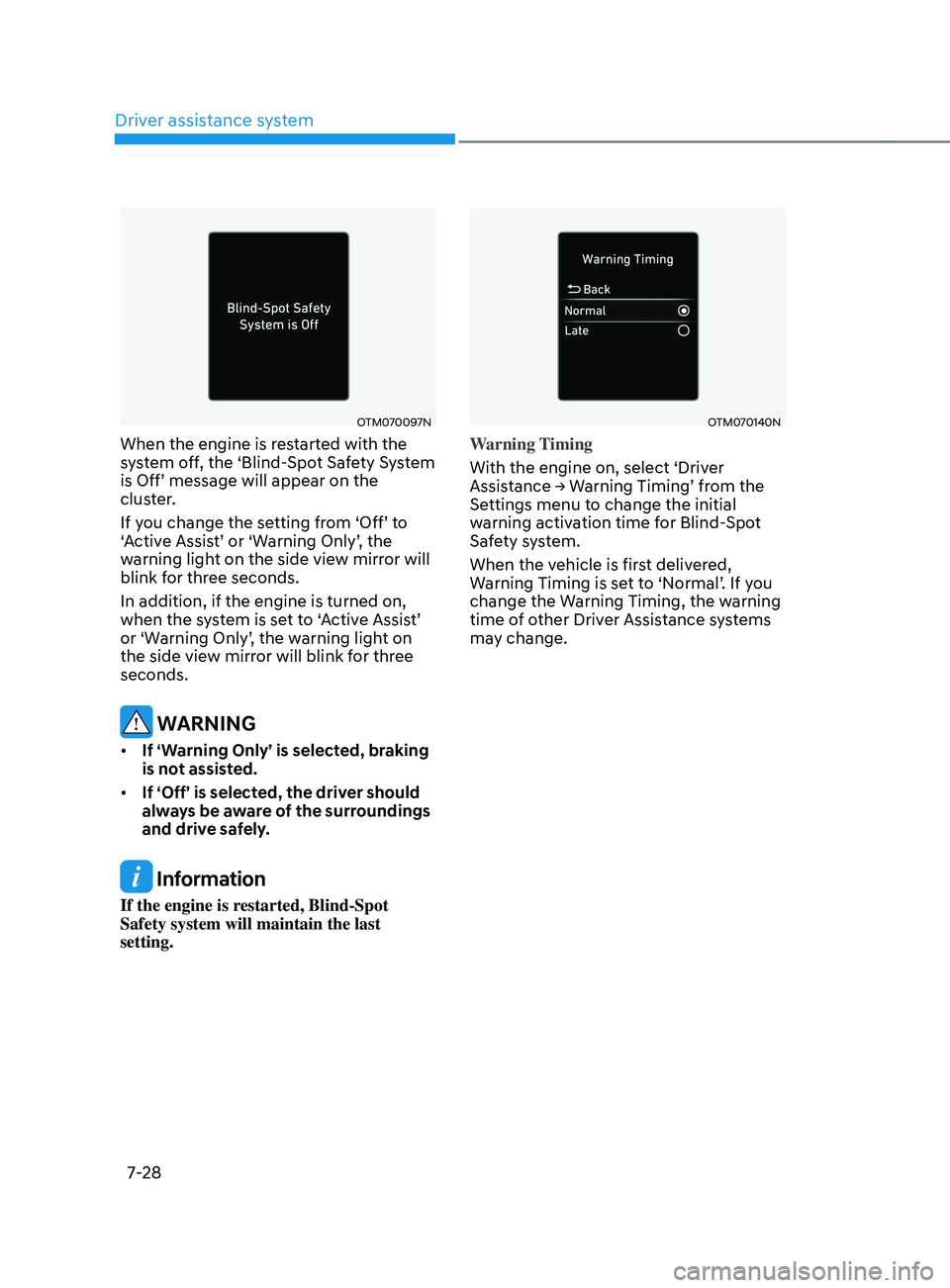
OTM070097N
When the engine is restarted with the
system off, the ‘Blind-Spot Safety System
is Off’ message will appear on the
cluster.
If you change the setting from ‘Off’ to
‘Active Assist’ or ‘Warning Only’, the
warning light on the side view mirror will
blink for three seconds.
In addition, if the engine is turned on,
when the system is set to ‘Active Assist’
or ‘Warning Only’, the warning light on
the side view mirror will blink for three
seconds.
WARNING
• If ‘Warning Only’ is selected, braking
is not assisted.
• If ‘Off’ is selected, the driver should
always be aware of the surroundings
and drive safely.
Information
If the engine is restarted, Blind-Spot
Safety system will maintain the last
setting.
OTM070140N
Warning Timing
With the engine on, select ‘Driver
Assistance
→ W
arning
Timing’ fr
om
the Settings menu t
o change the initial
warning activation time for Blind-Spot
Safety system.
When the vehicle is first delivered,
Warning Timing is set to ‘Normal’. If you
change the Warning Timing, the warning
time of other Driver Assistance systems
may change.
Page 411 of 636
07
7-29
OTM070141N
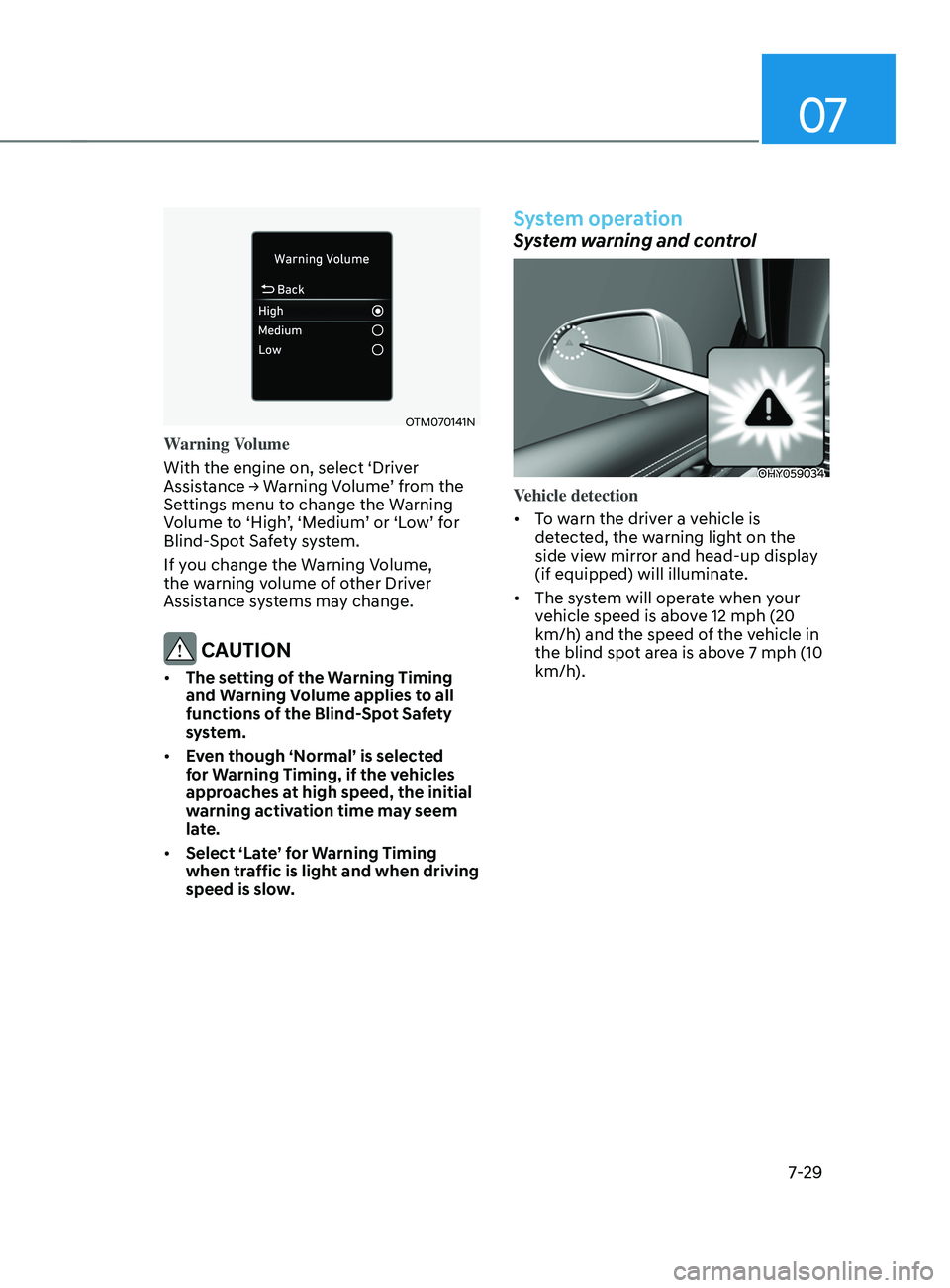
Warning Volume
With the engine on, select ‘Driver
Assistance
→ W
arning
V
olume’
fr
om
the Settings menu t
o change the Warning
Volume to ‘High’, ‘Medium’ or ‘Low’ for
Blind-Spot Safety system.
If you change the Warning Volume,
the warning volume of other Driver
Assistance systems may change.
CAUTION
• The setting of the Warning Timing
and Warning Volume applies to all
functions of the Blind-Spot Safety
system.
• Even though ‘Normal’ is selected
for Warning Timing, if the vehicles
approaches at high speed, the initial
warning activation time may seem
late.
• Select ‘Late’ for Warning Timing
when traffic is light and when driving
speed is slow.
System operation
System warning and control
OHY059034
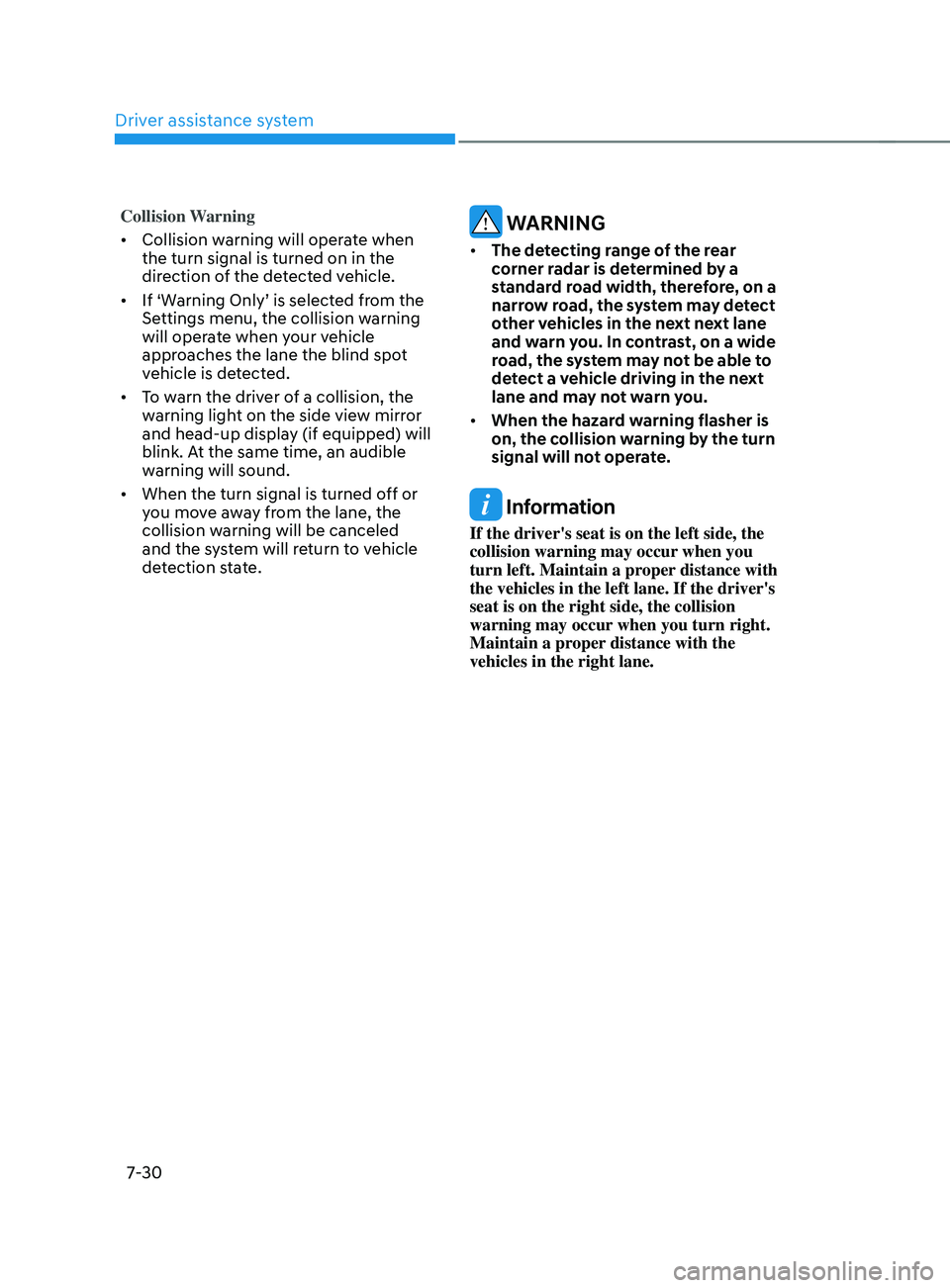
Vehicle detection
• To warn the driver a vehicle is
detected, the warning light on the
side view mirror and head-up display
(if equipped) will illuminate.
• The system will operate when your
vehicle speed is above 12 mph (20
km/h) and the speed of the vehicle in
the blind spot area is above 7 mph (10
km/h).
Page 412 of 636
Driver assistance system
7-30
Collision Warning
• Collision warning will operate when
the turn signal is turned on in the
direction of the detected vehicle.
• If ‘Warning Only’ is selected from the
Settings menu, the collision warning
will operate when your vehicle
approaches the lane the blind spot
vehicle is detected.
• To warn the driver of a collision, the
warning light on the side view mirror
and head-up display (if equipped) will
blink. At the same time, an audible
warning will sound.
• When the turn signal is turned off or
you move away from the lane, the
collision warning will be canceled
and the system will return to vehicle
detection state. WARNING
• The detecting range of the rear
corner radar is determined by a
standard road width, therefore, on a
narrow road, the system may detect
other vehicles in the next next lane
and warn you. In contrast, on a wide
road, the system may not be able to
detect a vehicle driving in the next
lane and may not warn you.
• When the hazard warning flasher is
on, the collision warning by the turn
signal will not operate.
Information
If the driver's seat is on the left side, the
collision warning may occur when you
turn left. Maintain a proper distance with
the vehicles in the left lane. If the driver's
seat is on the right side, the collision
warning may occur when you turn right.
Maintain a proper distance with the
vehicles in the right lane.