display HYUNDAI SANTA FE CALLIGRAPHY 2021 Owners Manual
[x] Cancel search | Manufacturer: HYUNDAI, Model Year: 2021, Model line: SANTA FE CALLIGRAPHY, Model: HYUNDAI SANTA FE CALLIGRAPHY 2021Pages: 636, PDF Size: 81.2 MB
Page 472 of 636
Driver assistance system
7-90
Rear view
Operating conditions
• Shift the gear to R (Reverse), the
image will appear on the screen.
• Press the Parking/View button (1)
while the gear is in P (Park), the image
will appear on the screen. However,
parking guidance is not displayed.
Off conditions
• The rear view cannot be turned off
when the gear is in R (Reverse).
• Press the Parking/View button (1)
again while the gear is in P (Park) with
the rear view on the screen, the rear
view will turn off.
• Shift the gear from R (Reverse) to P
(Park), the rear view will turn off.
Maintaining rear view
The rear view will maintain showing on
the screen to help you when parking.
However, parking guidance is not
displayed.
Operating conditions
Shift the gear from R (Reverse) to N
(Neutral) or D (Drive), the rear view will
appear on the screen.
Off conditions
• When vehicle speed is above 6 mph
(10 km/h), the rear view will turn off.
• Shift the gear to P (Park), the rear view
will turn off.
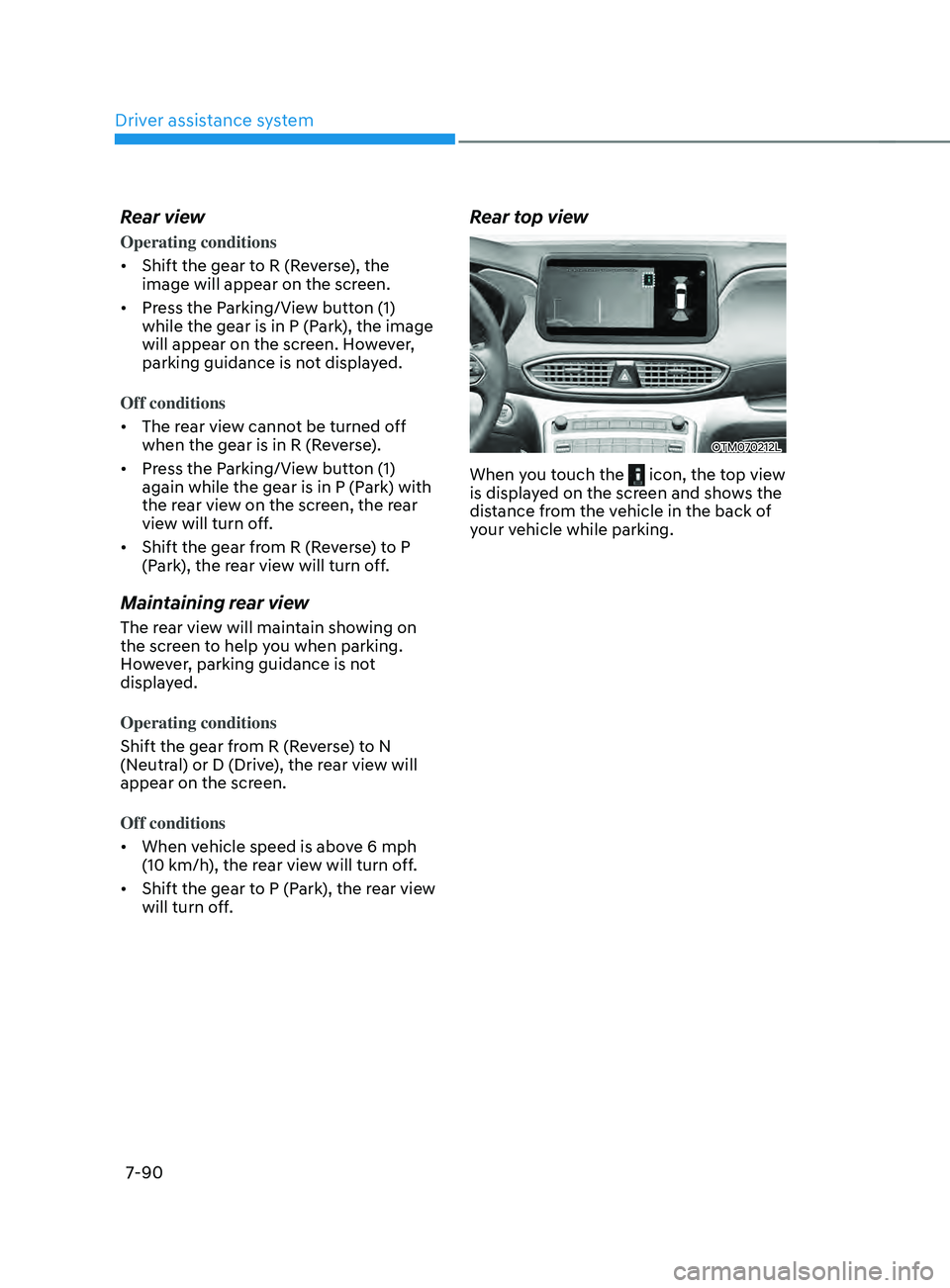
Rear top view
OTM070212L
When you touch the icon, the top view
is displayed on the screen and shows the
distance from the vehicle in the back of
your vehicle while parking.
Page 473 of 636
07
7-91
System malfunction and
limitations
System malfunction
When Rear View Monitor is not working
properly, or the screen flickers, or the
camera image does not display normally,
we recommend that the system be
inspected by an authorized HYUNDAI
dealer.
Limitations of the system
When the vehicle is stopped for a long
time in winter or when the vehicle is
parked in an indoor parking lot, the
exhaust fumes may temporarily blur the
image.
WARNING
• The rear view camera does not
cover the complete area behind the
vehicle. The driver should always
check the rear area directly through
the inside and side view mirror
before parking or backing up.
• The image shown on the screen may
differ from the actual distance of the
object. Make sure to directly check
the vehicle's surroundings for safety.
• Always keep the rear view camera
lens clean. If the lens is covered with
foreign material, it may adversely
affect camera performance and
Rear View Monitor may not operate
normally.
Page 474 of 636
Driver assistance system7-92
sURROUnD VIEW mOnITOR (sVm) (IF E QUIppED)
OTM070183
OTM070182
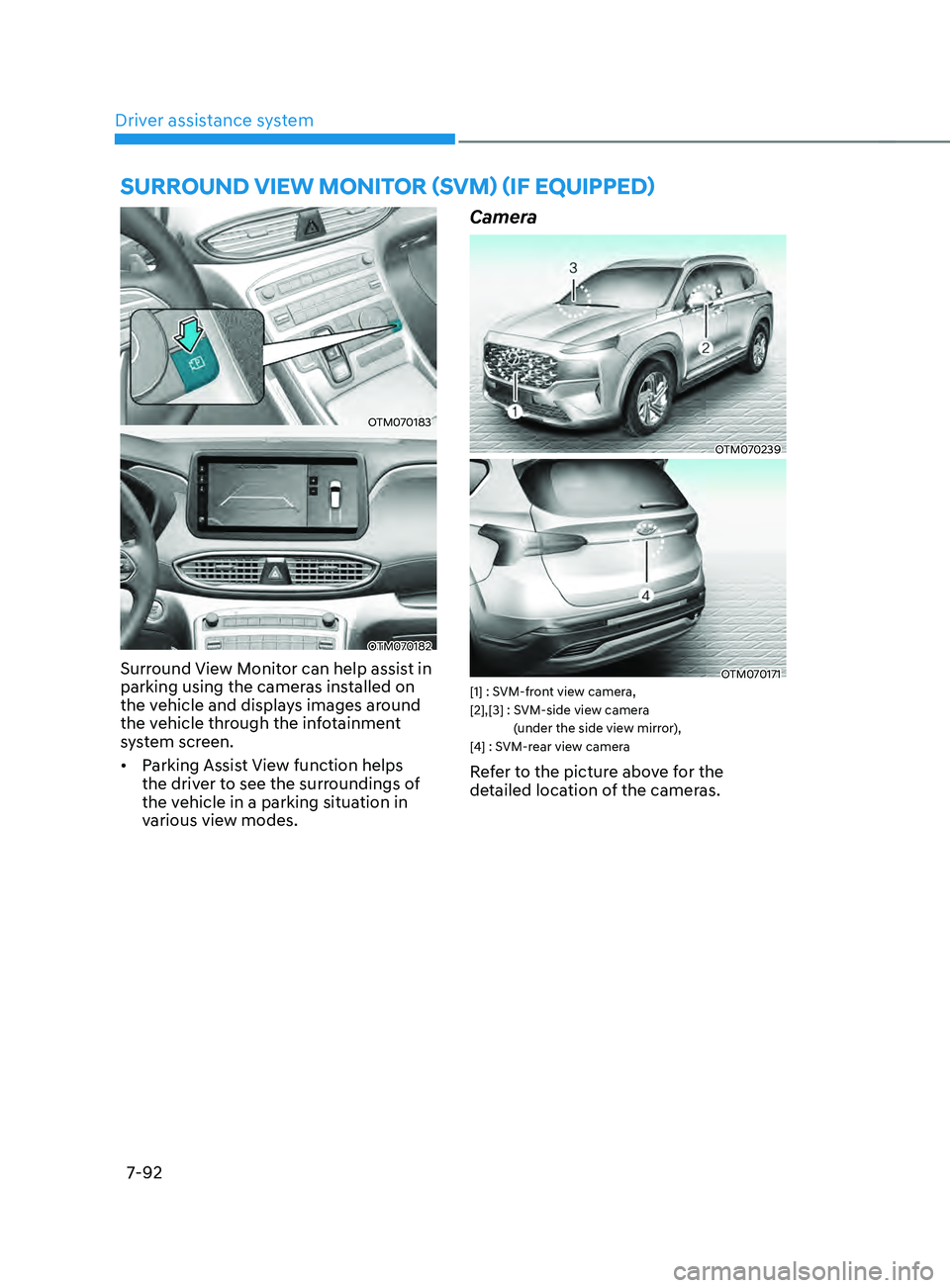
Surround View Monitor can help assist in
parking using the cameras installed on
the vehicle and displays images around
the vehicle through the infotainment
system screen.
• Parking Assist View function helps
the driver to see the surroundings of
the vehicle in a parking situation in
various view modes.
Camera
OTM070239
OTM070171[1] : SVM-front view camera,
[2],[3] : SVM-side vie
w camera
(under the side view mirror),
[4] : SVM-rear view camera
Refer to the picture above for the
detailed location of the cameras.
Page 475 of 636
07
7-93
System settings
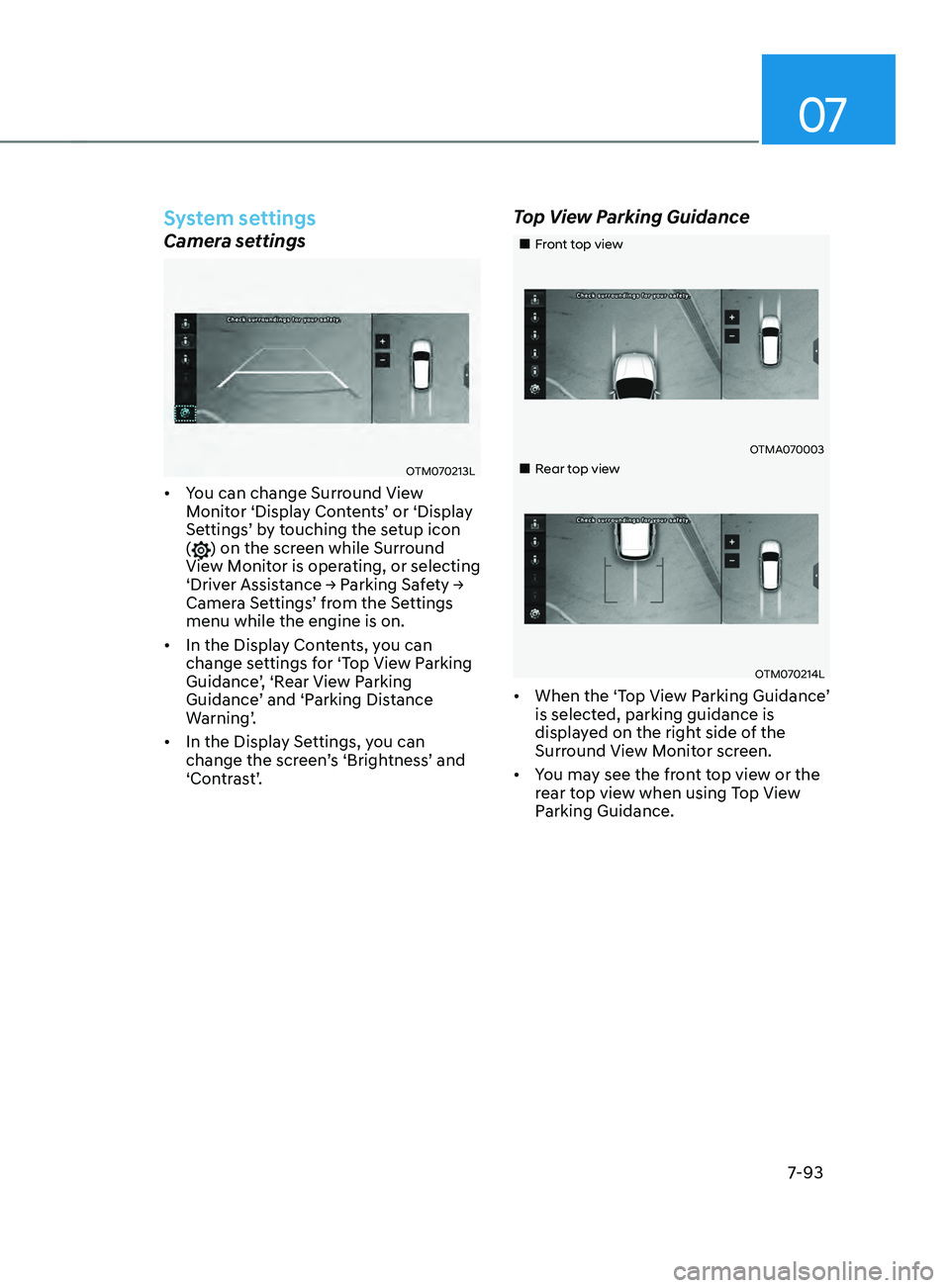
Camera settings
OTM070213L
• You can change Surround View
Monitor ‘Display Contents’ or ‘Display
Settings’ by touching the setup icon
(
) on the screen while Surround
View Monitor is operating, or selecting
‘Driver Assistance → Parking Safety →
Camera Settings’ from the Settings
menu while the engine is on.
• In the Display Contents, you can
change settings for ‘Top View Parking
Guidance’, ‘Rear View Parking
Guidance’ and ‘Parking Distance
Warning’.
• In the Display Settings, you can
change the screen’s ‘Brightness’ and
‘Contrast’.
Top View Parking Guidance
„„Front top view
OTMA070003
„„Rear top view
OTM070214L
• When the ‘Top View Parking Guidance’
is selected, parking guidance is
displayed on the right side of the
Surround View Monitor screen.
• You may see the front top view or the
rear top view when using Top View
Parking Guidance.
Page 476 of 636
Driver assistance system
7-94
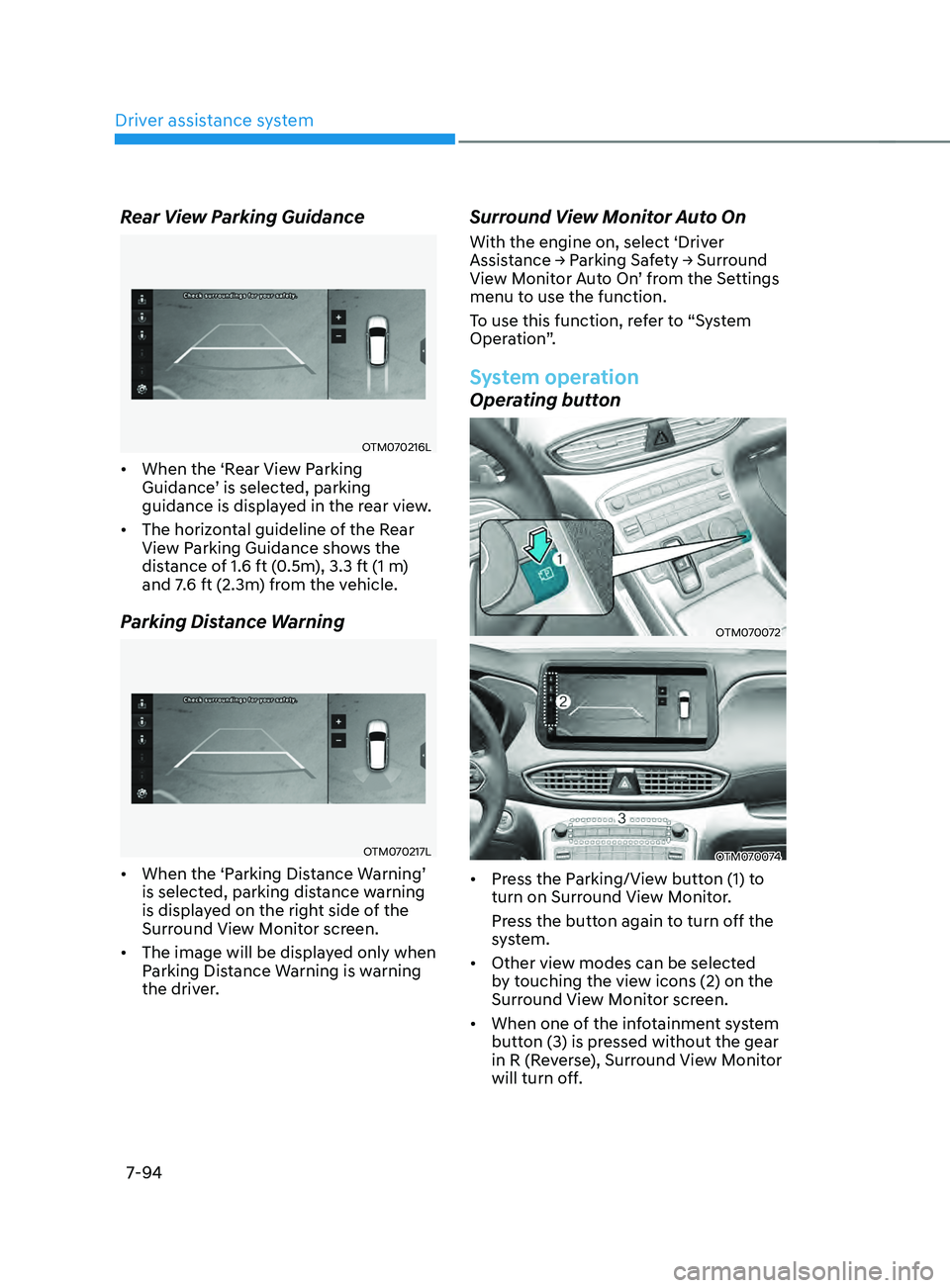
Rear View Parking Guidance
OTM070216L
• When the ‘Rear View Parking
Guidance’ is selected, parking
guidance is displayed in the rear view.
• The horizontal guideline of the Rear
View Parking Guidance shows the
distance of 1.6 ft (0.5m), 3.3 ft (1 m)
and 7.6 ft (2.3m) from the vehicle.
Parking Distance Warning
OTM070217L
• When the ‘Parking Distance Warning’
is selected, parking distance warning
is displayed on the right side of the
Surround View Monitor screen.
• The image will be displayed only when
Parking Distance Warning is warning
the driver.
Surround View Monitor Auto On
With the engine on, select ‘Driver
Assistance → P
arking Sa fety → Surr ound View M
onitor Auto On’ from the Settings
menu to use the function.
To use this function, refer to “System
Operation”.
System operation
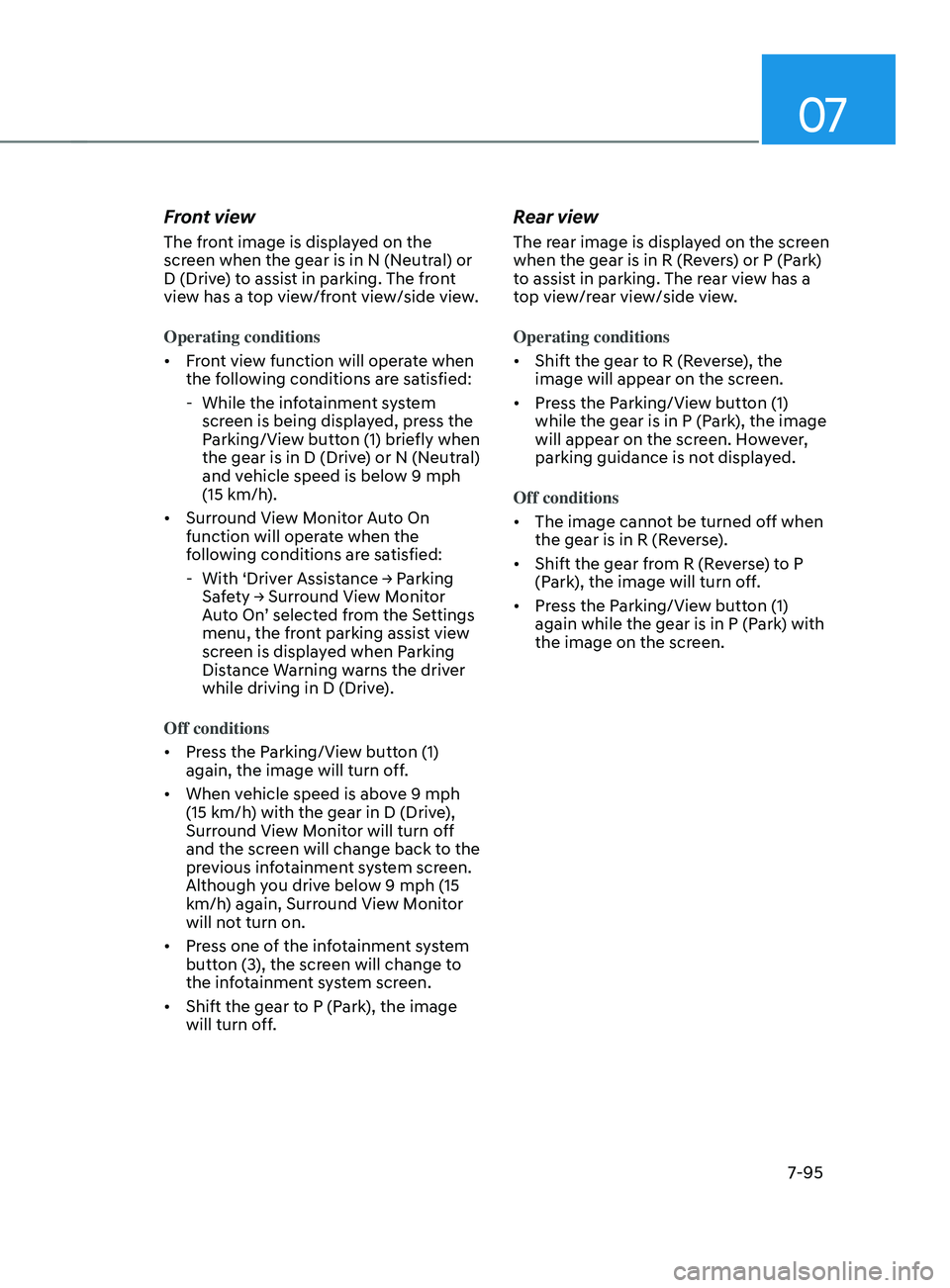
Operating button
OTM070072
OTM070074
• Press the Parking/View button (1) to
turn on Surround View Monitor.
Press the button again to turn off the
system.
• Other view modes can be selected
by touching the view icons (2) on the
Surround View Monitor screen.
• When one of the infotainment system
button (3) is pressed without the gear
in R (Reverse), Surround View Monitor
will turn off.
Page 477 of 636
07
7-95
Front view
The front image is displayed on the
screen when the gear is in N (Neutral) or
D (Drive) to assist in parking. The front
view has a top view/front view/side view.
Operating conditions
• Front view function will operate when
the following conditions are satisfied:
- While the inf
otainment system
screen is being displayed, press the
Parking/View button (1) briefly when
the gear is in D (Drive) or N (Neutral)
and vehicle speed is below 9 mph
(15 km/h).
• Surround View Monitor Auto On
function will operate when the
following conditions are satisfied:
-With ‘Driv
er
Assis
tance
→ P
arking
Saf
ety
→ Surr
ound
Vie
w
M
onitor
Aut
o On’ selected from the Settings
menu, the front parking assist view
screen is displayed when Parking
Distance Warning warns the driver
while driving in D (Drive).
Off conditions
• Press the Parking/View button (1)
again, the image will turn off.
• When vehicle speed is above 9 mph
(15 km/h) with the gear in D (Drive),
Surround View Monitor will turn off
and the screen will change back to the
previous infotainment system screen.
Although you drive below 9 mph (15
km/h) again, Surround View Monitor
will not turn on.
• Press one of the infotainment system
button (3), the screen will change to
the infotainment system screen.
• Shift the gear to P (Park), the image
will turn off.
Rear view
The rear image is displayed on the screen
when the gear is in R (Revers) or P (Park)
to assist in parking. The rear view has a
top view/rear view/side view.
Operating conditions
• Shift the gear to R (Reverse), the
image will appear on the screen.
• Press the Parking/View button (1)
while the gear is in P (Park), the image
will appear on the screen. However,
parking guidance is not displayed.
Off conditions
• The image cannot be turned off when
the gear is in R (Reverse).
• Shift the gear from R (Reverse) to P
(Park), the image will turn off.
• Press the Parking/View button (1)
again while the gear is in P (Park) with
the image on the screen.
Page 478 of 636
Driver assistance system
7-96
System malfunction and
limitations
System malfunction
When Surround View Monitor is not
working properly, or the screen flickers,
or the camera image does not display
normally, we recommend that the
system be inspected by an authorized
HYUNDAI dealer.
Limitations of the system
• When the vehicle is stopped for a long
time in winter or when the vehicle is
parked in an indoor parking lot, the
exhaust fumes may temporarily blur
the image.
• The screen may be displayed
abnormally, and an icon will appear at
the top left side of the screen under
the following circumstances:
- The liftga
te is opened
- The driver or fr
ont passenger door
is opened
- The side view mirr
or is folded
WARNING
• ALWAYS look around your vehicle
to make sure there are no objects
or obstacles before moving the
vehicle. What you see on the screen
may differ from the actual vehicle’s
location.
• The image shown on the screen may
differ from the actual distance of the
object. Make sure to directly check
the vehicle's surroundings for safety.
• When the rear view is displayed
while driving, an icon (
) appears at
the top right side of the infotainment
system screen to inform the driver
the rear view is being displayed. Do
not be confused with the front wide
view image.
• Surround View Monitor is designed
to be used on a flat surface.
Therefore, if used on roads with
different heights such as curbs
and speed bumps, the image in the
screen my not look correct.
• Always keep the camera lens clean.
If the lens is covered with foreign
material, it may adversely affect
camera performance and Surround
View Monitor may not operate
normally.
Page 484 of 636
Driver assistance system
7-102
WARNING
Take the following precautions when
using Rear Cross-Traffic Safety system:
• For your safety, change the Settings
after parking the vehicle at a safe
location.
• If any other system’s warning
message is displayed or audible
warning is generated, Rear Cross-
Traffic Safety system’s warning
message may not be displayed
and audible warning may not be
generated.
• You may not hear the warning sound
of Rear Cross-Traffic Safety system if
the surrounding is noisy.
• Rear Cross-Traffic Safety system may
not operate if the driver applies the
brake pedal to avoid collision.
• During Rear Cross-Traffic Safety
system operation, the vehicle may
stop suddenly injuring passengers
and shifting loose objects. Always
have the seat belt on and keep loose
objects secured.
• Even if there is a problem with Rear
Cross-Traffic Safety system, the
vehicle’s basic braking performance
will operate normally.
• Rear Cross-Traffic Safety system does
not operate in all situations or cannot
avoid all collisions.
• During emergency braking,
braking control by the system will
automatically cancel when the
driver excessively depresses the
accelerator pedal. •
The driver is solely responsible to
operate the vehicle in a safe manner.
Do not solely depend on Rear
Cross-Traffic Safety system. Rather,
maintain a safe braking distance, and
if necessary, depress the brake pedal
to reduce driving speed or to stop
the vehicle.
• Never deliberately operate Rear
Cross-Traffic Safety system on
people, animal, objects, etc. It may
cause serious injury or death.
CAUTION
The brake control may not operate
properly depending on the status of
ESC (Electronic Stability Control).
There will only be a warning when:
-The ESC (Electronic S
tability Control)
warning light is on
- ESC (Electronic S
tability Control) is
engaged in a different function
Information
• If the system assists you with braking,
the driver needs to pay attention as the
brake assist will end within 2 seconds.
The driver must immediately depress
the brake pedal and check vehicle
surroundings.
• Brake control will end when the
driver depresses the brake pedal with
sufficient power.
• After shifting the gear to R (Reverse),
braking control will operate once for
left and right vehicle approach.
Page 492 of 636
Driver assistance system
7-110
WARNING
• Reverse Parking Distance Warning
is a supplemental system. The
operation of the system can be
affected by several factors (including
environmental conditions). It is the
responsibility of the driver to always
check the rear view before and while
parking.
• Your new vehicle warranty does not
cover any accidents or damage to
the vehicle due to the malfunction of
Reverse Parking Distance Warning.
• Pay close attention when driving
near objects, pedestrians, and
especially children. Some objects
may not be detected by the
ultrasonic sensors, due to the objects
distance, size or material, all of
which can limit the effectiveness of
the sensor.
Limitations of the system
• Reverse Parking Distance Warning
may not operate normally when:
- Mois
ture is frozen to the sensor
- Sensor is cov
ered with foreign
material, such as snow or water
(The system will operate normally
when such foreign material are
removed.)
- The w
eather is extremely hot or cold
- The sensor or sensor assembly is disassembled
- The surface o
f the sensor has been
subjected to a hard impact
- The surface o
f the sensor has been
scratched with a sharp object
- The sensors or its surr
ounding
area is directly sprayed with high
pressure washer •
Reverse Parking Distance Warning
may malfunction when:
- Hea
vy rain or water spray is present
- Wa
ter flows on the surface of the
sensor
- Aff
ected by another vehicle’s
sensors
- The sensor is cov
ered with snow
- Driving on unev
en road, gravel
roads or bushes
- Objects that gener
ates ultrasonic
waves are near the sensor
- Installing the license pla
te
differently from the original location
- The vehicle bumper heigh
t or
ultrasonic sensor installation has
been modified
- Attaching equipmen
ts or
accessories around the ultrasonic
sensors
• The following objects may not be
detected: -Sharp or slim objects, such as ropes,
chains or small poles.
- Objects, which tend t
o absorb
sensor frequency, such as clothes,
spongy material or snow.
- Objects smaller than 40 in. (100 cm) in length and narr
ower than 6 in. (14
cm) in diameter.
- Pedes
trians, animals or objects
that are very close to the ultrasonic
sensors
• Parking Distance Warning Indicators
may be displayed differently from
the actual detected location when
the obstacle is located between the
sensors.
• Parking Distance Warning indicator
may not occur sequentially depending
on vehicle speed or obstacle shape.
• If Reverse Parking Distance Warning
needs repair, we recommend that the
system be inspected by an authorized
HYUNDAI dealer.
Page 496 of 636
Driver assistance system
7-114
WARNING
• Forward/Reverse Parking Distance
Warning is a supplemental system.
The operation of the system can be
affected by several factors (including
environmental conditions). It is the
responsibility of the driver to always
check the front and rear views before
and while parking.
• Your new vehicle warranty does not
cover any accidents or damage to
the vehicle due to the malfunction of
Forward/Reverse Parking Distance
Warning.
• Pay close attention when driving
near objects, pedestrians, and
especially children. Some objects
may not be detected by the
ultrasonic sensors, due to the objects
distance, size or material, all of
which can limit the effectiveness of
the sensor.
Limitations of the system
• Forward/Reverse Parking Distance
Warning may not operate normally
when:
- Mois
ture is frozen to the sensor
- Sensor is cov
ered with foreign
material, such as snow or water
(The system will operate normally
when such foreign material are
removed.)
- The w
eather is extremely hot or cold
- The sensor or sensor assembly is disassembled
- The surface o
f the sensor has been
subjected to a hard impact
- The surface o
f the sensor has been
scratched with a sharp object
- The sensors or its surr
ounding
area is directly sprayed with high
pressure washer •
Forward/Reverse Parking Distance
Warning may malfunction when:
- Hea
vy rain or water spray is present
- Wa
ter flows on the surface of the
sensor
- Aff
ected by another vehicle’s
sensors
- The sensor is cov
ered with snow
- Driving on unev
en road, gravel
roads or bushes
- Objects that gener
ates ultrasonic
waves are near the sensor
- Installing the license pla
te
differently from the original location
- The vehicle bumper heigh
t or
ultrasonic sensor installation has
been modified
- Attaching equipmen
ts or
accessories around the ultrasonic
sensors
• The following objects may not be
detected: -Sharp or slim objects, such as ropes,
chains or small poles.
- Objects, which tend t
o absorb
sensor frequency, such as clothes,
spongy material or snow.
- Objects smaller than 40 in. (100 cm) in length and narr
ower than 6 in. (14
cm) in diameter.
- Pedes
trians, animals or objects
that are very close to the ultrasonic
sensors
• Parking Distance Warning Indicators
may be displayed differently from
the actual detected location when
the obstacle is located between the
sensors.
• Parking Distance Warning indicator
may not occur sequentially depending
on vehicle speed or obstacle shape.
• If Forward/Reverse Parking Distance
Warning needs repair, we recommend
that the system be inspected by an
authorized HYUNDAI dealer.