mirror HYUNDAI SANTA FE HYBRID 2021 Owner's Guide
[x] Cancel search | Manufacturer: HYUNDAI, Model Year: 2021, Model line: SANTA FE HYBRID, Model: HYUNDAI SANTA FE HYBRID 2021Pages: 598, PDF Size: 66.6 MB
Page 382 of 598
07
7-29
OTM070141N
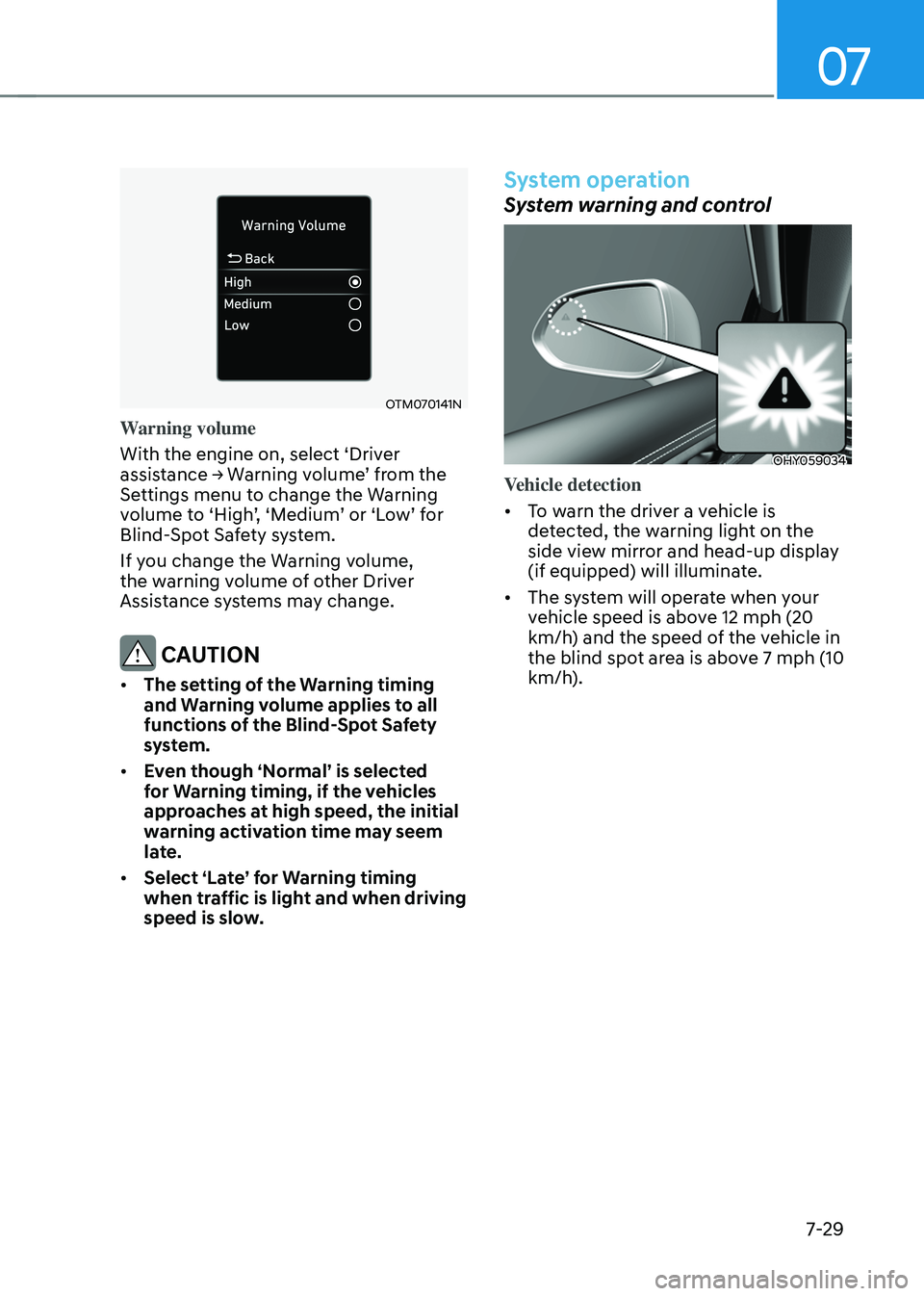
Warning volume
With the engine on, select ‘Driver
assistance → Warning volume’ from the Settings menu to change the Warning volume to ‘High’, ‘Medium’ or ‘Low’ for Blind-Spot Safety system.
If you change the Warning volume,
the warning volume of other Driver
Assistance systems may change.
CAUTION
• The setting of the Warning timing
and Warning volume applies to all
functions of the Blind-Spot Safety
system.
• Even though ‘Normal’ is selected
for Warning timing, if the vehicles
approaches at high speed, the initial
warning activation time may seem
late.
• Select ‘Late’ for Warning timing
when traffic is light and when driving
speed is slow.
System operation
System warning and control
OHY059034
Vehicle detection
• To warn the driver a vehicle is
detected, the warning light on the
side view mirror and head-up display
(if equipped) will illuminate.
• The system will operate when your
vehicle speed is above 12 mph (20
km/h) and the speed of the vehicle in
the blind spot area is above 7 mph (10
km/h).
Page 383 of 598
Driver assistance system
7-30
Collision Warning
• Collision warning will operate when
the turn signal is turned on in the
direction of the detected vehicle.
•
If ‘Warning only’ is selected from the Settings menu, the collision warning
will operate when your vehicle
approaches the lane the blind spot
vehicle is detected.
• To warn the driver of a collision, the
warning light on the side view mirror
and head-up display (if equipped) will
blink. At the same time, an audible
warning will sound.
• When the turn signal is turned off or
you move away from the lane, the
collision warning will be canceled
and the system will return to vehicle
detection state.
WARNING
• The detecting range of the rear
corner radar is determined by a
standard road width, therefore, on a
narrow road, the system may detect
other vehicles in the next next lane
and warn you. In contrast, on a wide
road, the system may not be able to
detect a vehicle driving in the next
lane and may not warn you.
• When the hazard warning flasher is
on, the collision warning by the turn
signal will not operate.
Information
If the driver's seat is on the left side, the
collision warning may occur when you
turn left. Maintain a proper distance with
the vehicles in the left lane. If the driver's
seat is on the right side, the collision
warning may occur when you turn right.
Maintain a proper distance with the
vehicles in the right lane.
Page 384 of 598
07
7-31
OTM070017L
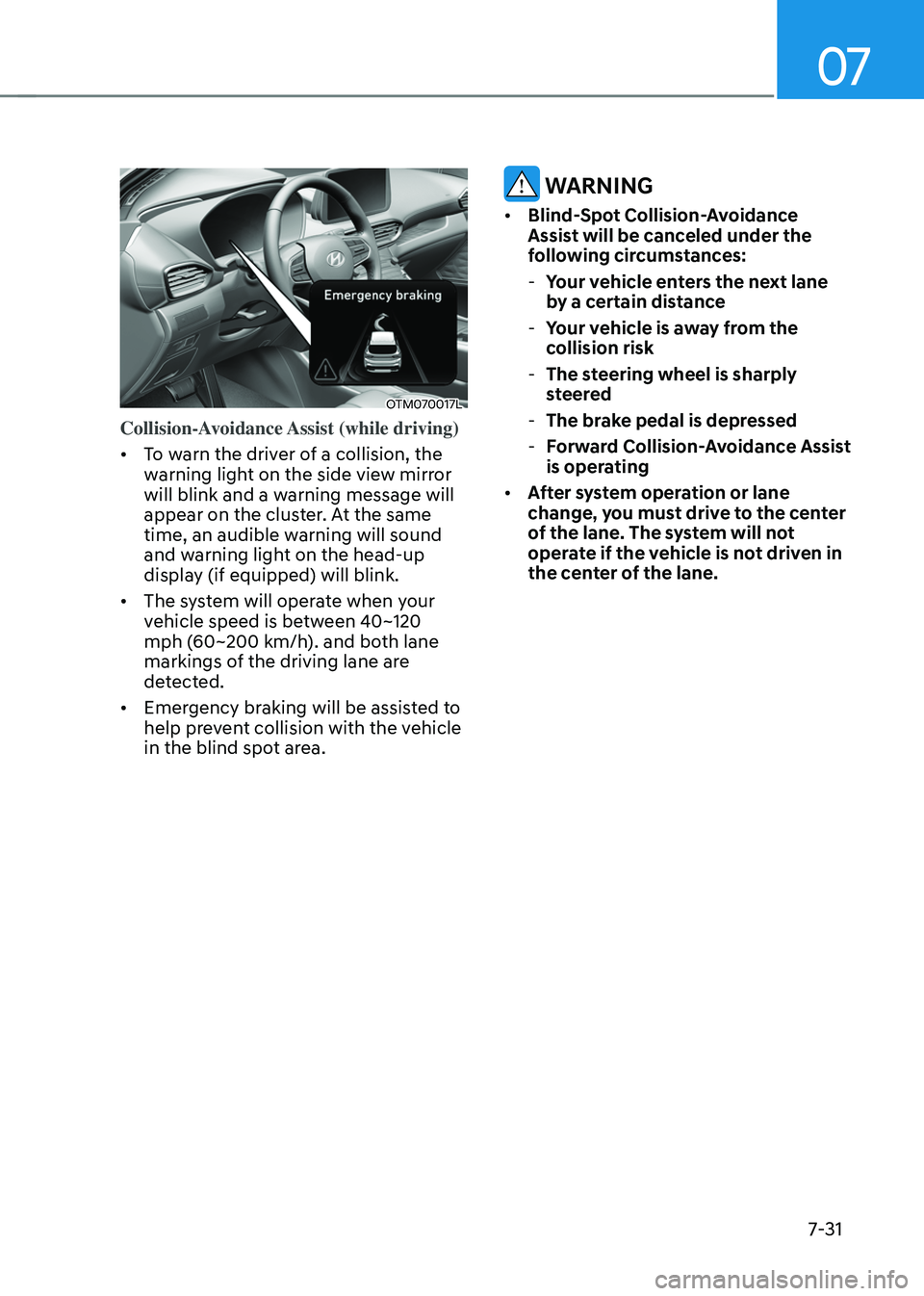
Collision-Avoidance Assist (while driving)
• To warn the driver of a collision, the
warning light on the side view mirror
will blink and a warning message will
appear on the cluster. At the same
time, an audible warning will sound
and warning light on the head-up
display (if equipped) will blink.
• The system will operate when your
vehicle speed is between 40~120
mph (60~200 km/h). and both lane
markings of the driving lane are
detected.
• Emergency braking will be assisted to
help prevent collision with the vehicle
in the blind spot area.
WARNING
• Blind-Spot Collision-Avoidance
Assist will be canceled under the
following circumstances:
-Your vehicle enters the next lane
by a certain distance
-Your vehicle is away from the
collision risk
-The steering wheel is sharply
steered
-The brake pedal is depressed
-Forward Collision-Avoidance Assist
is operating
• After system operation or lane
change, you must drive to the center
of the lane. The system will not
operate if the vehicle is not driven in
the center of the lane.
Page 385 of 598
Driver assistance system
7-32
OTM070240L
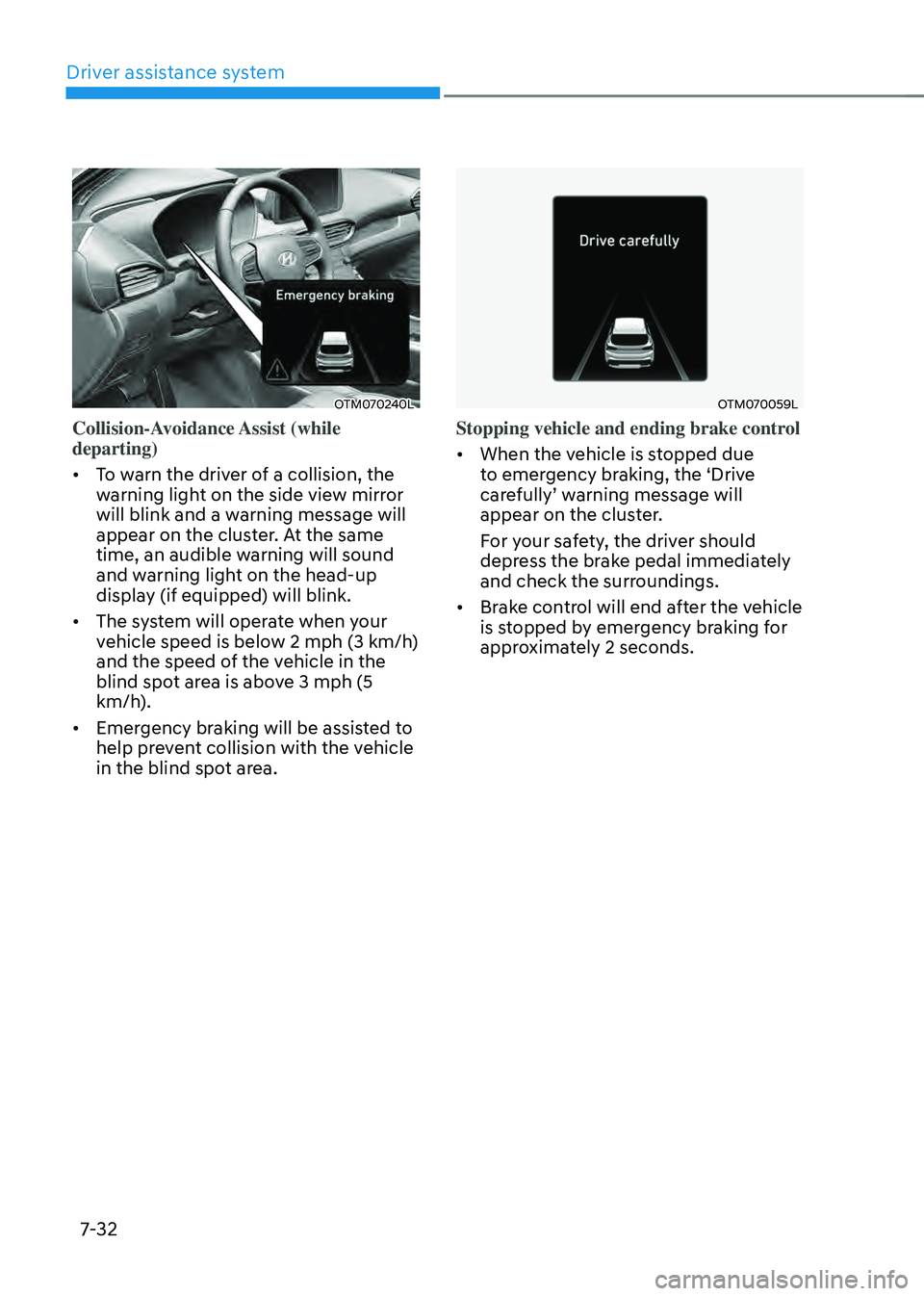
Collision-Avoidance Assist (while
departing)
• To warn the driver of a collision, the
warning light on the side view mirror
will blink and a warning message will
appear on the cluster. At the same
time, an audible warning will sound
and warning light on the head-up
display (if equipped) will blink.
• The system will operate when your
vehicle speed is below 2 mph (3 km/h)
and the speed of the vehicle in the
blind spot area is above 3 mph (5
km/h).
• Emergency braking will be assisted to
help prevent collision with the vehicle
in the blind spot area.
OTM070059L
Stopping vehicle and ending brake control
• When the vehicle is stopped due
to emergency braking, the ‘Drive
carefully’ warning message will appear on the cluster.
For your safety, the driver should
depress the brake pedal immediately
and check the surroundings.
• Brake control will end after the vehicle
is stopped by emergency braking for
approximately 2 seconds.
Page 387 of 598
Driver assistance system
7-34
System malfunction and
limitations
System malfunction
OTM070099N
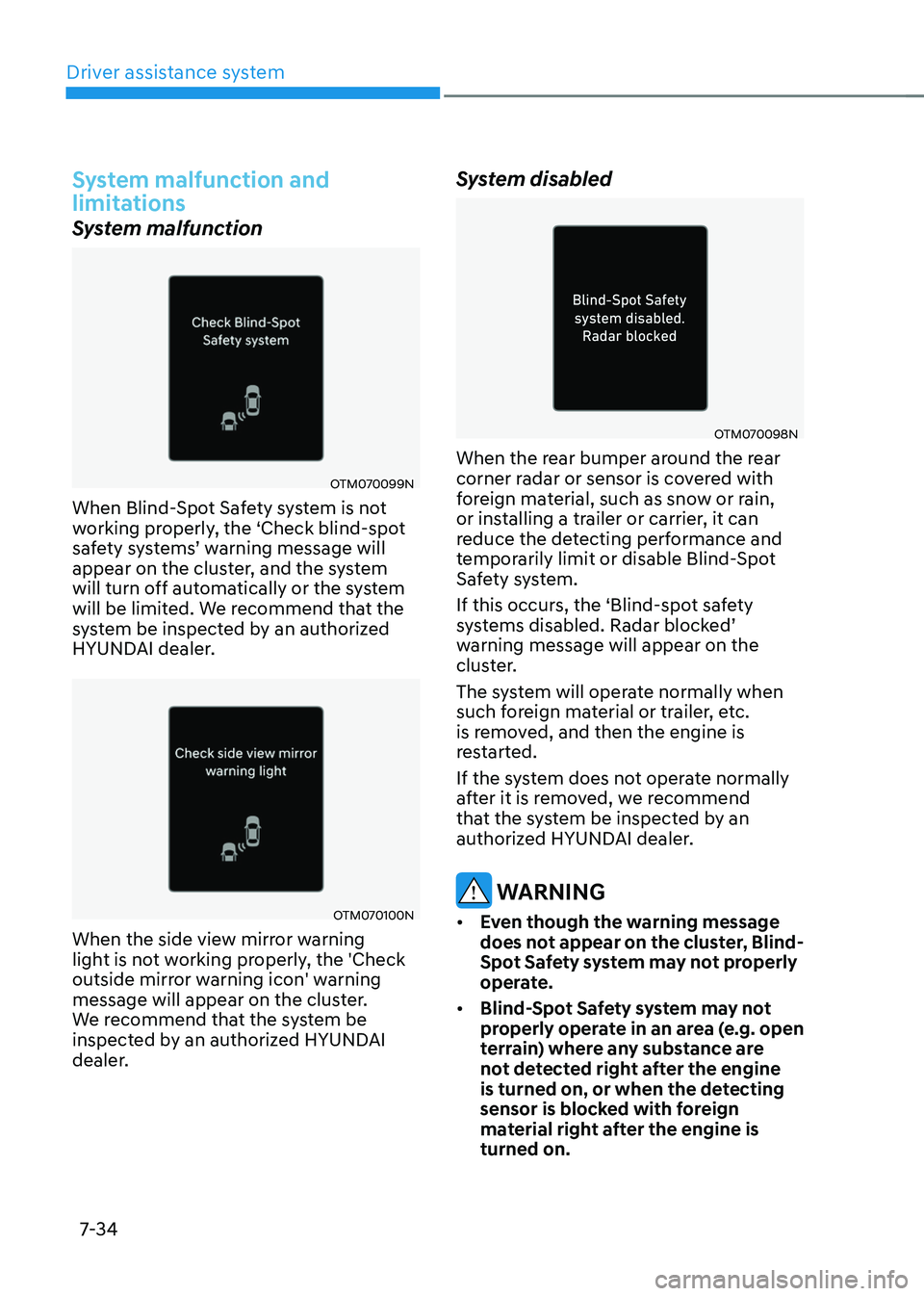
When Blind-Spot Safety system is not
working properly, the ‘Check blind-spot
safety systems’ warning message will appear on the cluster, and the system
will turn off automatically or the system
will be limited. We recommend that the
system be inspected by an authorized
HYUNDAI dealer.
OTM070100N
When the side view mirror warning
light is not working properly, the 'Check
outside mirror warning icon' warning
message will appear on the cluster.
We recommend that the system be
inspected by an authorized HYUNDAI
dealer.
System disabled
OTM070098N
When the rear bumper around the rear
corner radar or sensor is covered with
foreign material, such as snow or rain,
or installing a trailer or carrier, it can
reduce the detecting performance and
temporarily limit or disable Blind-Spot
Safety system.
If this occurs, the ‘Blind-spot safety
systems disabled. Radar blocked’ warning message will appear on the
cluster.
The system will operate normally when
such foreign material or trailer, etc.
is removed, and then the engine is
restarted.
If the system does not operate normally
after it is removed, we recommend
that the system be inspected by an
authorized HYUNDAI dealer.
WARNING
• Even though the warning message
does not appear on the cluster, Blind-
Spot Safety system may not properly
operate.
• Blind-Spot Safety system may not
properly operate in an area (e.g. open
terrain) where any substance are
not detected right after the engine
is turned on, or when the detecting
sensor is blocked with foreign
material right after the engine is
turned on.
Page 404 of 598
07
7-51
„„Left side„„Right side
OTMH070020NOTMH070021N
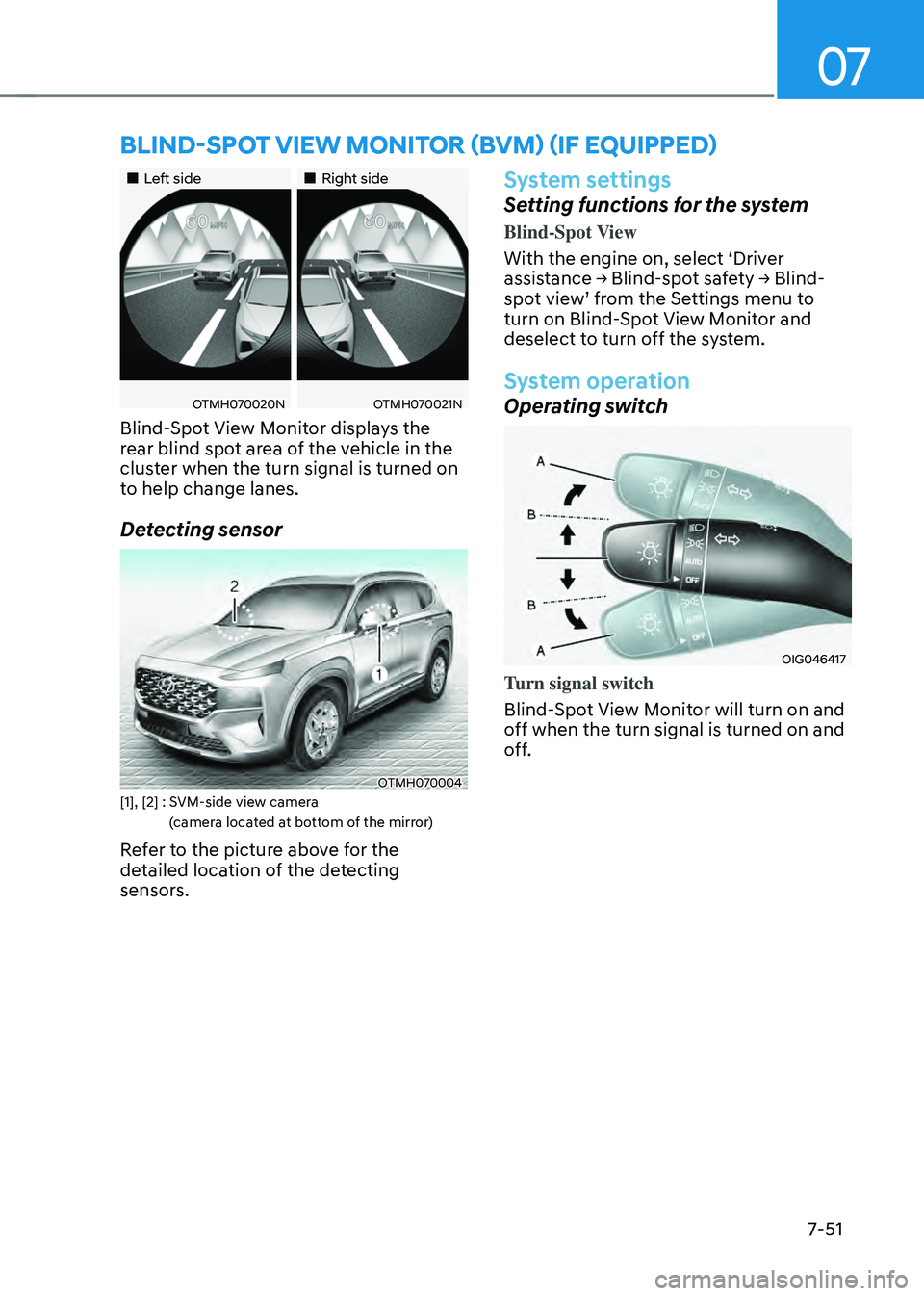
Blind-Spot View Monitor displays the
rear blind spot area of the vehicle in the
cluster when the turn signal is turned on
to help change lanes.
Detecting sensor
OTMH070004[1], [2] : SVM-side view camera
(camera located at bottom of the mirror)
Refer to the picture above for the
detailed location of the detecting
sensors.
System settings
Setting functions for the system
Blind-Spot View
With the engine on, select ‘Driver
assistance → Blind-spot safety → Blind-spot view’ from the Settings menu to turn on Blind-Spot View Monitor and
deselect to turn off the system.
System operation
Operating switch
OIG046417
Turn signal switch
Blind-Spot View Monitor will turn on and
off when the turn signal is turned on and
off.
BLIND-SPOT VIEW MONITOR (BVM) (IF EQUIPPED)
Page 444 of 598
07
7-91
System malfunction and
limitations
System malfunction
When Rear View Monitor is not working
properly, or the screen flickers, or the
camera image does not display normally,
we recommend that the system be
inspected by an authorized HYUNDAI
dealer.
Limitations of the system
When the vehicle is stopped for a long
time in winter or when the vehicle is
parked in an indoor parking lot, the
exhaust fumes may temporarily blur the
image.
WARNING
• The rear view camera does not
cover the complete area behind the
vehicle. The driver should always
check the rear area directly through
the inside and side view mirror
before parking or backing up.
• The image shown on the screen may
differ from the actual distance of the
object. Make sure to directly check
the vehicle's surroundings for safety.
• Always keep the rear view camera
lens clean. If the lens is covered with
foreign material, it may adversely
affect camera performance and
Rear View Monitor may not operate
normally.
Page 445 of 598
Driver assistance system
7-92
SURROUND VIEW MONITOR (SVM) (IF EQUIPPED)
OTM070183
OTM070182
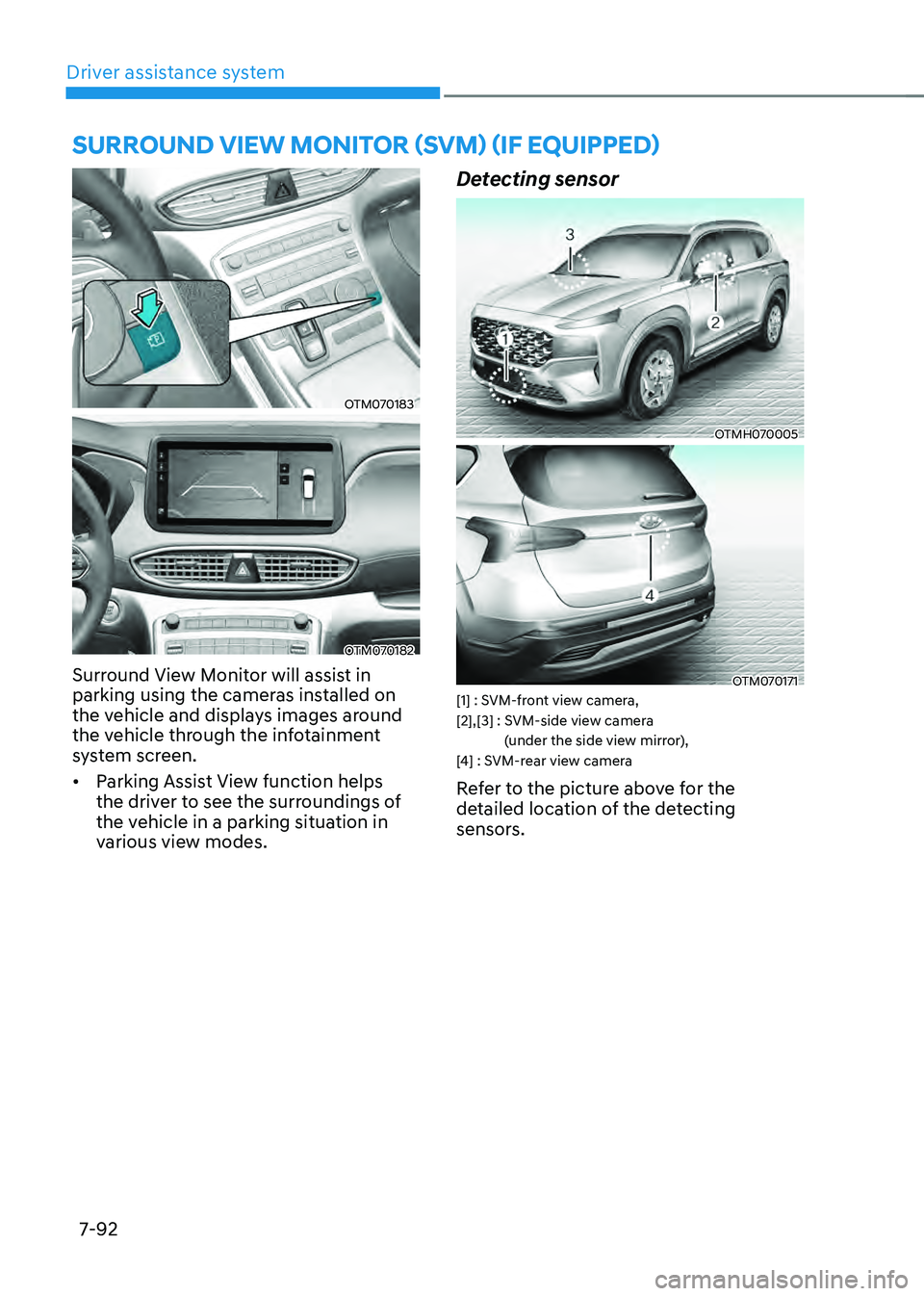
Surround View Monitor will assist in
parking using the cameras installed on
the vehicle and displays images around
the vehicle through the infotainment
system screen.
• Parking Assist View function helps
the driver to see the surroundings of
the vehicle in a parking situation in
various view modes.
Detecting sensor
OTMH070005
OTM070171[1] : SVM-front view camera, [2],[3] : SVM-side view camera
(under the side view mirror),
[4] : SVM-rear view camera
Refer to the picture above for the
detailed location of the detecting
sensors.
Page 449 of 598
Driver assistance system
7-96
System malfunction and
limitations
System malfunction
When Surround View Monitor is not
working properly, or the screen flickers,
or the camera image does not display
normally, we recommend that the
system be inspected by an authorized
HYUNDAI dealer.
Limitations of the system
• When the vehicle is stopped for a long
time in winter or when the vehicle is
parked in an indoor parking lot, the
exhaust fumes may temporarily blur
the image.
• The screen may be displayed
abnormally, and an icon will appear at
the top left side of the screen under
the following circumstances:
-The liftgate is opened
-The driver or front passenger door
is opened
-The side view mirror is folded
WARNING
• ALWAYS look around your vehicle
to make sure there are no objects
or obstacles before moving the
vehicle. What you see on the screen
may differ from the actual vehicle’s
location.
• The image shown on the screen may
differ from the actual distance of the
object. Make sure to directly check
the vehicle's surroundings for safety.
• When the rear view is displayed
while driving, an icon (
) appears at
the top right side of the infotainment
system screen to inform the driver
the rear view is being displayed. Do
not be confused with the front wide
view image.
• Surround View Monitor is designed
to be used on a flat surface.
Therefore, if used on roads with
different heights such as curbs
and speed bumps, the image in the
screen my not look correct.
• Always keep the camera lens clean.
If the lens is covered with foreign
material, it may adversely affect
camera performance and Surround
View Monitor may not operate
normally.
Page 452 of 598
07
7-99
OTM070141N
Warning volume
With the engine on, select ‘Driver
assistance → Warning volume’ from the Settings menu to change the Warning volume to ‘High’, ‘Medium’ or ‘Low’ for Rear Cross-Traffic Safety system.
If you change the Warning volume,
the Warning volume of other Driver
Assistance systems may change.
CAUTION
• The setting of the Warning timing
and Warning volume applies to
all functions of the Rear Collision-
Avoidance Assist.
• Even though ‘Normal’ is selected for
Warning timing, if the vehicles from
the left and right side approaches
at high speed, the initial warning
activation time may seem late.
• Select ‘Late’ for Warning timing
when traffic is light and when driving
speed is slow.
Information
If the engine is restarted, Warning timing
and Warning volume will maintain the last
setting.
System operation
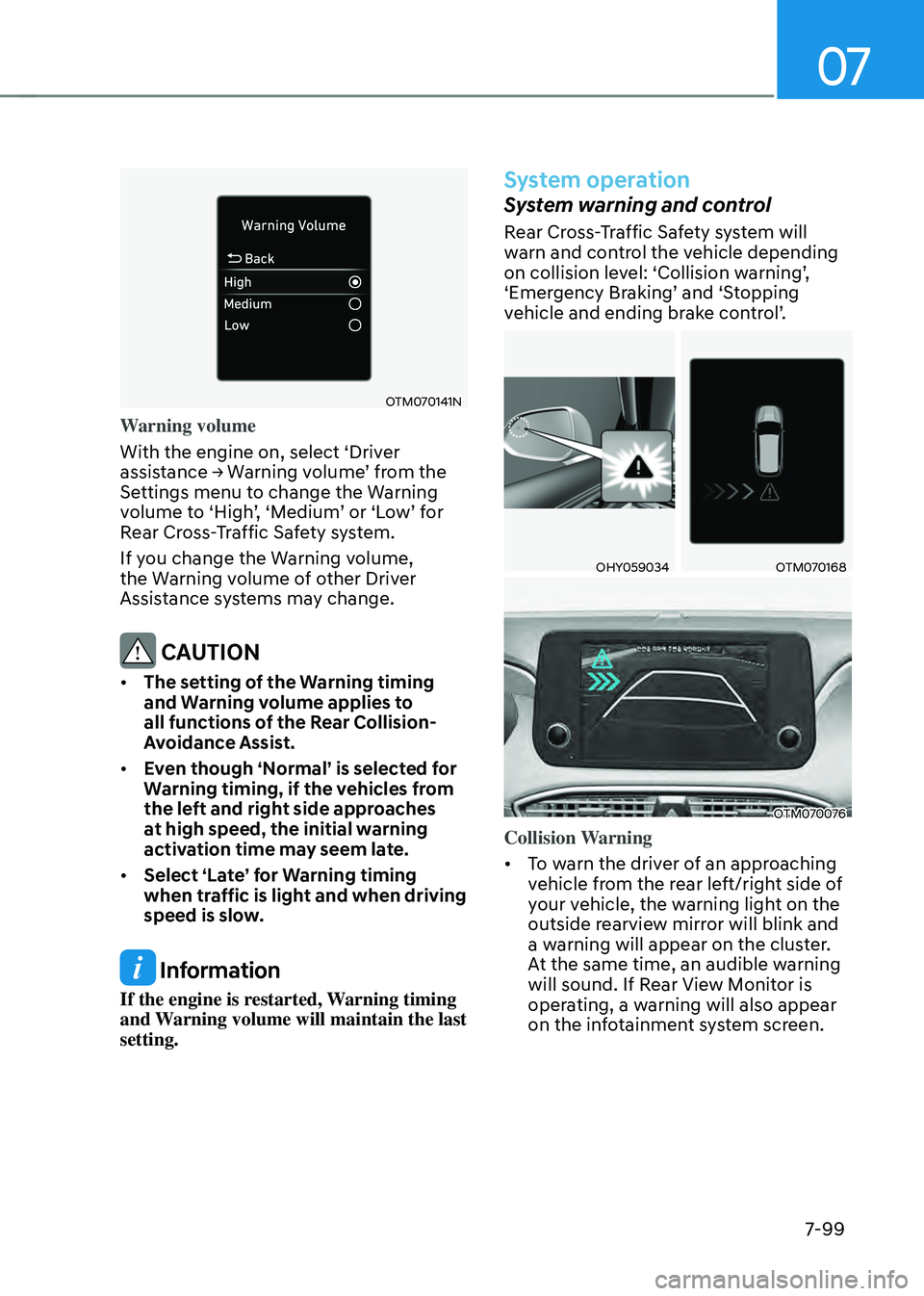
System warning and control
Rear Cross-Traffic Safety system will
warn and control the vehicle depending
on collision level: ‘Collision warning’, ‘Emergency Braking’ and ‘Stopping vehicle and ending brake control’.
OHY059034OTM070168
OTM070076
Collision Warning
• To warn the driver of an approaching
vehicle from the rear left/right side of
your vehicle, the warning light on the
outside rearview mirror will blink and
a warning will appear on the cluster.
At the same time, an audible warning
will sound. If Rear View Monitor is
operating, a warning will also appear
on the infotainment system screen.