brake HYUNDAI SANTA FE HYBRID 2021 Manual Online
[x] Cancel search | Manufacturer: HYUNDAI, Model Year: 2021, Model line: SANTA FE HYBRID, Model: HYUNDAI SANTA FE HYBRID 2021Pages: 598, PDF Size: 66.6 MB
Page 351 of 598
06
6-67
Vehicle capacity weight
5 persons : 1,058 lbs. (480 kg)
Vehicle capacity weight is the maximum
combined weight of occupants and
cargo. If your vehicle is equipped with a
trailer, the combined weight includes the
tongue load.
Seating capacity
Total : 5 persons (Front seat : 2 persons,
Rear seat : 3 persons)
Seating capacity is the maximum
number of occupants including a driver,
your vehicle may carry. However, the
seating capacity may be reduced based
upon the weight of all of the occupants,
and the weight of the cargo being carried
or towed. Do not overload the vehicle as
there is a limit to the total weight, or load
limit including occupants and cargo, the
vehicle can carry.
Towing capacity
With brake system: 2,000 lbs. (907 kg)
Without brake system: 1,653 lbs. (750 kg)
Towing capacity is the maximum trailer
weight including its cargo weight, your
vehicle can tow.
Cargo capacity
The cargo capacity of your vehicle will
increase or decrease depending on the
weight and the number of occupants
and the tongue load, if your vehicle is
equipped with a trailer.
Steps for determining correct load
limit
1. Locate the statement "The combined
weight of occupants and cargo should
never exceed XXX kg or XXX lbs." on
your vehicle's placard.
2. Determine the combined weight of
the driver and passengers that will be
riding in your vehicle.
3. Subtract the combined weight of the
driver and passengers from XXX kg or
XXX lbs.
4. The resulting figure equals the
available amount of cargo and
luggage load capacity. For example,
if the "XXX" amount equals 1400
lbs. and there will be five 150 lb
passengers in your vehicle, the
amount of available cargo and
luggage load capacity is 650 lbs.
(1400 - 750 (5 x 150) = 650 lbs.)
5. Determine the combined weight of
luggage and cargo being loaded on
the vehicle. That weight may not
safely exceed the available cargo and
luggage load capacity calculated in
Step 4.
6. If your vehicle will be towing a
trailer, load from your trailer will be
transferred to your vehicle. Consult
this manual to determine how this
reduces the available cargo and
luggage load capacity of your vehicle.
WARNING
Do not overload the vehicle as there
is a limit to the total weight, or load
limit, including occupants and cargo,
the vehicle can carry. Overloading can
shorten the life of the vehicle. If the
GVWR or the GAWR is exceeded, parts
on the vehicle can break, and it can
change the handling of your vehicle.
These could cause you to lose control
and result in an accident.
Page 359 of 598
Driver assistance system
7-6
System operation
Basic function
System warning and control
The basic function for Forward Collision-
Avoidance Assist is to help warn and
control the vehicle depending on the
collision level: ‘Collision warning’, ‘Emergency braking’ and ‘Stopping vehicle and ending brake control’.
OTMH070014N
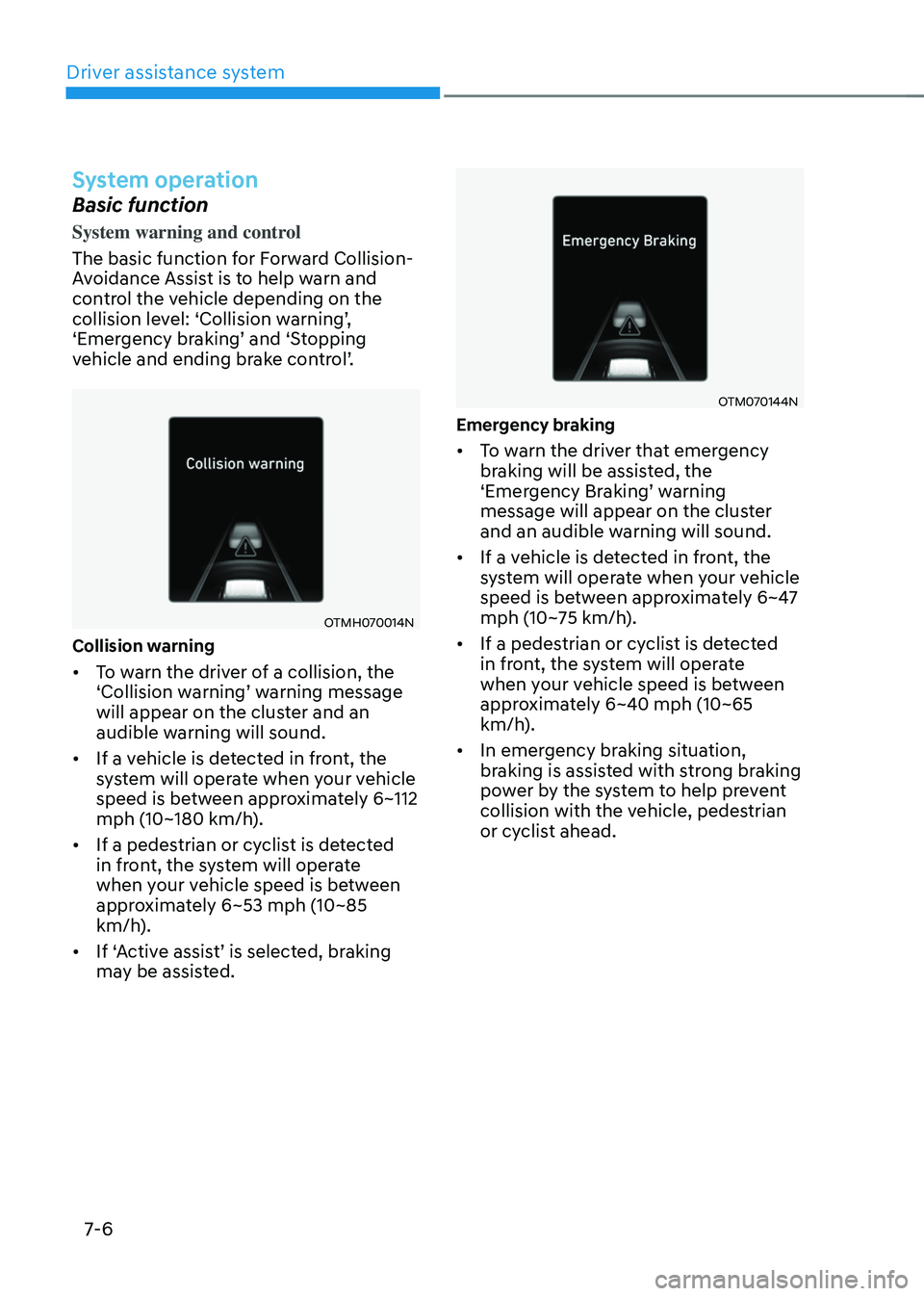
Collision warning
• To warn the driver of a collision, the ‘Collision warning’ warning message will appear on the cluster and an
audible warning will sound.
• If a vehicle is detected in front, the
system will operate when your vehicle
speed is between approximately 6~112
mph (10~180 km/h).
• If a pedestrian or cyclist is detected
in front, the system will operate
when your vehicle speed is between
approximately 6~53 mph (10~85
km/h).
•
If ‘Active assist’ is selected, braking may be assisted.
OTM070144N
Emergency braking
• To warn the driver that emergency
braking will be assisted, the
‘Emergency Braking’ warning message will appear on the cluster
and an audible warning will sound.
• If a vehicle is detected in front, the
system will operate when your vehicle
speed is between approximately 6~47
mph (10~75 km/h).
• If a pedestrian or cyclist is detected
in front, the system will operate
when your vehicle speed is between
approximately 6~40 mph (10~65
km/h).
• In emergency braking situation,
braking is assisted with strong braking
power by the system to help prevent
collision with the vehicle, pedestrian
or cyclist ahead.
Page 360 of 598
07
7-7
OTM070059L
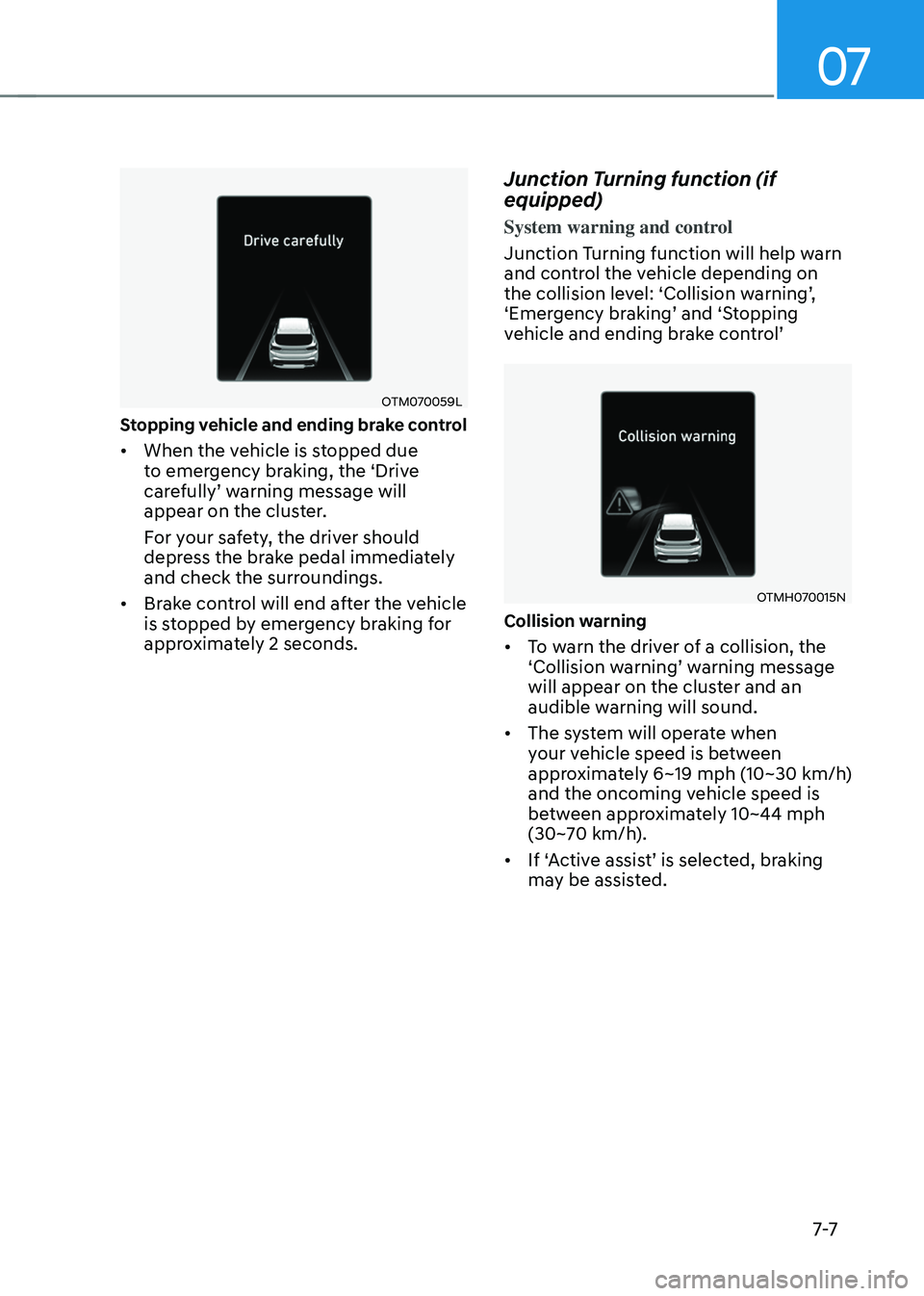
Stopping vehicle and ending brake control
• When the vehicle is stopped due
to emergency braking, the ‘Drive
carefully’ warning message will appear on the cluster.
For your safety, the driver should
depress the brake pedal immediately
and check the surroundings.
• Brake control will end after the vehicle
is stopped by emergency braking for
approximately 2 seconds.
Junction Turning function (if
equipped)
System warning and control
Junction Turning function will help warn
and control the vehicle depending on
the collision level: ‘Collision warning’, ‘Emergency braking’ and ‘Stopping vehicle and ending brake control’
OTMH070015N
Collision warning
• To warn the driver of a collision, the ‘Collision warning’ warning message will appear on the cluster and an
audible warning will sound.
• The system will operate when
your vehicle speed is between
approximately 6~19 mph (10~30 km/h)
and the oncoming vehicle speed is
between approximately 10~44 mph
(30~70 km/h).
•
If ‘Active assist’ is selected, braking may be assisted.
Page 361 of 598
Driver assistance system
7-8
OTM070009N
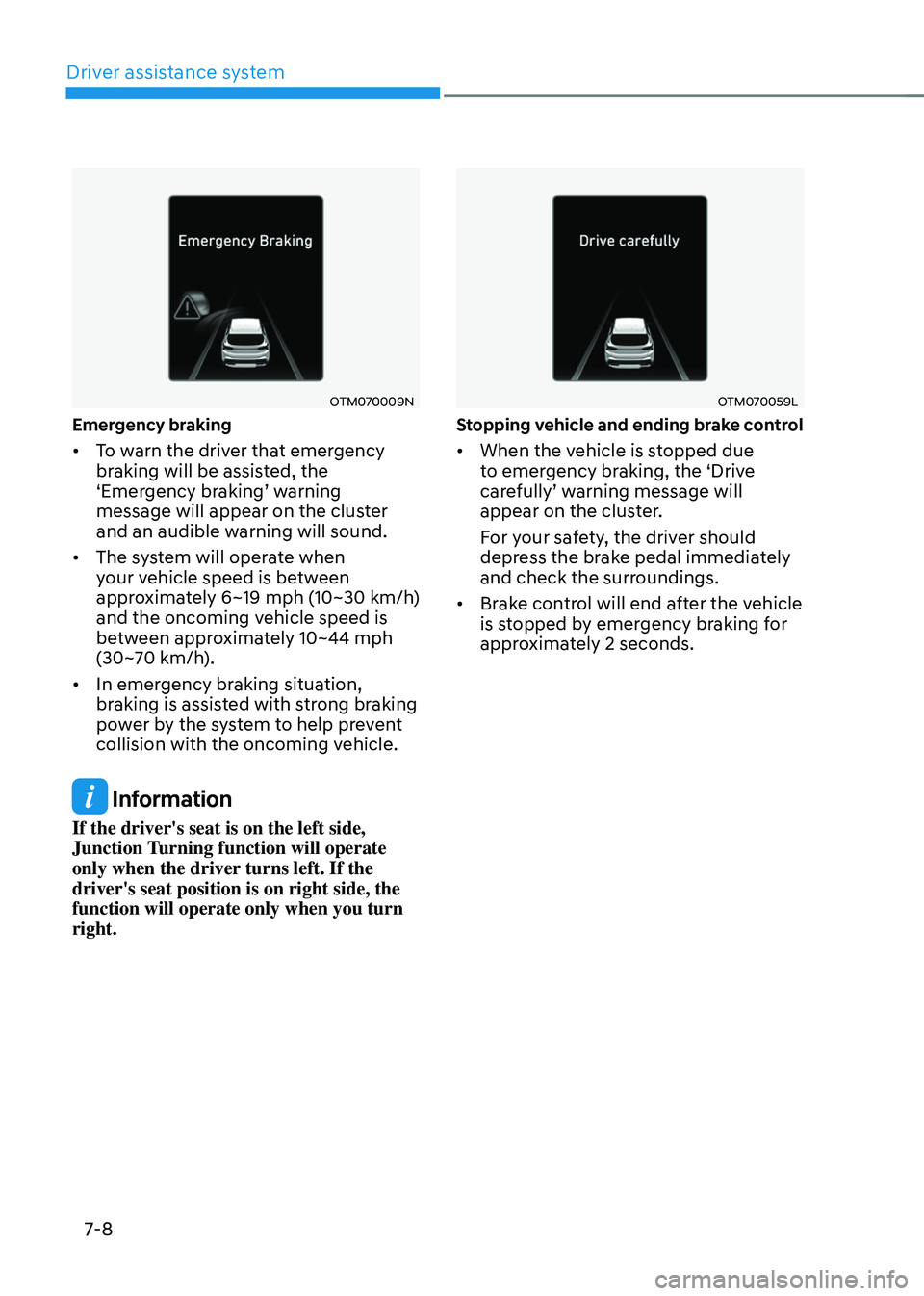
Emergency braking
• To warn the driver that emergency
braking will be assisted, the
‘Emergency braking’ warning message will appear on the cluster
and an audible warning will sound.
• The system will operate when
your vehicle speed is between
approximately 6~19 mph (10~30 km/h)
and the oncoming vehicle speed is
between approximately 10~44 mph
(30~70 km/h).
• In emergency braking situation,
braking is assisted with strong braking
power by the system to help prevent
collision with the oncoming vehicle.
Information
If the driver's seat is on the left side,
Junction Turning function will operate
only when the driver turns left. If the
driver's seat position is on right side, the
function will operate only when you turn
right.
OTM070059L
Stopping vehicle and ending brake control
• When the vehicle is stopped due
to emergency braking, the ‘Drive
carefully’ warning message will appear on the cluster.
For your safety, the driver should
depress the brake pedal immediately
and check the surroundings.
• Brake control will end after the vehicle
is stopped by emergency braking for
approximately 2 seconds.
Page 362 of 598
07
7-9
WARNING
Take the following precautions when
using Forward Collision-Avoidance
Assist:
• For your safety, change the Settings
after parking the vehicle at a safe
location.
• With ‘Active assist’ or ‘Warning only’
selected, when ESC is turned off by
pressing and holding the ESC OFF
button for more than 3 seconds,
Forward Collision-Avoidance Assist
will turn off automatically. In this
case, the system cannot be set
from the Settings menu and the
warning light will illuminate on the
cluster which is normal. If ESC is
turned on by pressing the ESC OFF
button, Forward Collision-Avoidance
Assist will maintain the last setting.
• Forward Collision-Avoidance Assist
does not operate in all situations or
cannot avoid all collisions.
• The driver should hold the
responsibility to control the vehicle.
Do not solely depend on Forward
Collision-Avoidance Assist. Rather,
maintain a safe braking distance, and
if necessary, depress the brake pedal
to reduce driving speed or to stop
the vehicle.
• Never deliberately operate Forward
Collision-Avoidance Assist on people,
animal, objects, etc. It may cause
serious injury or death.
• Forward Collision-Avoidance
Assist may not operate if the driver
depresses the brake pedal to avoid
collision. •
Depending on the road and driving
conditions, Forward Collision-
Avoidance Assist may warn the driver
late or may not warn the driver.
• During Forward Collision-Avoidance
Assist operation, the vehicle may
stop suddenly injuring passengers
and shifting loose objects. Always
have the seat belt on and keep loose
objects secured.
• If any other system’s warning
message is displayed or audible
warning is generated, Forward
Collision-Avoidance Assist warning
message may not be displayed
and audible warning may not be
generated.
• You may not hear the warning sound
of Forward Collision-Avoidance
Assist if the surrounding is noisy.
• Forward Collision-Avoidance
Assist may turn off or may not
operate properly or may operate
unnecessarily depending on the road
conditions and the surroundings.
WARNING
• Even if there is a problem with
Forward Collision-Avoidance
Assist, the vehicle’s basic braking
performance will operate normally.
• During emergency braking,
braking control by the system will
automatically cancel when the
driver excessively depresses the
accelerator pedal or sharply steers
the vehicle.
Page 367 of 598
Driver assistance system
7-14
WARNING
• Driving on a curve
OADAS014
OADAS016OADAS018
Forward Collision-Avoidance
Assist may not detect the vehicle,
pedestrian or cyclist in front of you
on curved roads adversely affecting
the performance of the sensors. This
may result in no warning or braking
assist when necessary.
When driving on a curve, you must
maintain a safe braking distance,
and if necessary, steer the vehicle
and depress the brake pedal to
reduce your driving speed in order to
maintain a safe distance.
OADAS015
OADAS017OADAS019
Forward Collision-Avoidance Assist
may detect a vehicle, pedestrian or
cyclist in the next lane or outside the
lane when driving on a curved road.
If this occurs, the system may
unnecessarily warn the driver and
control the brake. Always check the
traffic conditions around the vehicle.
Page 368 of 598
07
7-15
• Driving on a slope
OADAS012
OADAS010OADAS011
Forward Collision-Avoidance
Assist may not detect the vehicle,
pedestrian or cyclist in front of you
while driving uphill or downhill
adversely affecting the performance
of the sensors.
This may result in unnecessary
warning or braking assist, or no
warning or braking assist when
necessary.
Also, vehicle speed may rapidly
decrease when a vehicle, pedestrian
or cyclist ahead is suddenly
detected.
Always have your eyes on the road
while driving uphill or downhill and
if necessary, steer your vehicle and
depress the brake pedal to reduce
your driving speed in order to
maintain a safe distance. •
Changing lanes
OADAS030[A] : Your vehicle,
[B] : Lane changing vehicle
When a vehicle moves into your lane
from an adjacent lane, it cannot
be detected by the sensor until it
is in the sensor's detection range.
Forward Collision-Avoidance Assist
may not immediately detect the
vehicle when the vehicle changes
lanes abruptly. In this case, you must
maintain a safe braking distance,
and if necessary, steer your vehicle
and depress the brake pedal to
reduce your driving speed in order to
maintain a safe distance.
Page 369 of 598
![HYUNDAI SANTA FE HYBRID 2021 Manual Online Driver assistance system
7-16
OADAS031[A] : Your vehicle, [B] : Lane changing vehicle,
[C] : Same lane vehicle
When a vehicle in front of you
merges out of the lane, Forward
Collision-Avoidance Ass](/img/35/56184/w960_56184-368.png "HYUNDAI SANTA FE HYBRID 2021 Manual Online Driver assistance system
7-16
OADAS031[A] : Your vehicle, [B] : Lane changing vehicle,
[C] : Same lane vehicle
When a vehicle in front of you
merges out of the lane, Forward
Collision-Avoidance Ass")
Driver assistance system
7-16
OADAS031[A] : Your vehicle, [B] : Lane changing vehicle,
[C] : Same lane vehicle
When a vehicle in front of you
merges out of the lane, Forward
Collision-Avoidance Assist may not
immediately detect the vehicle that
is now in front of you. In this case,
you must maintain a safe braking
distance, and if necessary, steer your
vehicle and depress the brake pedal
to reduce your driving speed in order
to maintain a safe distance.•
Detecting vehicle
OTMH070002
If the vehicle in front of you has
cargo that extends rearward from
the cab, or when the vehicle in front
of you has higher ground clearance,
additional special attention is
required. Forward Collision-
Avoidance Assist may not be able
to detect the cargo extending from
the vehicle. In these instances,
you must maintain a safe braking
distance from the rearmost object,
and if necessary, steer your vehicle
and depress the brake pedal to
reduce your driving speed in order to
maintain distance.
Page 377 of 598
Driver assistance system
7-24
• If any other system’s warning
message is displayed or audible
warning is generated, Lane Keeping
Assist warning message may not be
displayed and audible warning may
not be generated.
• You may not hear the warning
sound of Lane Keeping Assist if the
surrounding is noisy.
• If you attach objects to the steering
wheel, steering may not be assisted
properly.
• Lane Keeping Assist may not operate
for 15 seconds after the vehicle is
started, or the front view camera is
initialized.
• Lane Keeping Assist will not operate
when:
-The turn signal or hazard warning
flasher is turned on
-The vehicle is not driven in the
center of the lane when the system
is turned on or right after changing
a lane
-ESC (Electronic Stability Control)
or VSM (Vehicle Stability
Management) is activated
-The vehicle is driven on a sharp
curve
-Vehicle speed is below 35 mph (55
km/h) or above 130 mph (210 km/h)
-The vehicle makes sharp lane
changes
-The vehicle brakes suddenly
Page 378 of 598
07
7-25
BLIND-SPOT COLLISION-AVOIDANCE ASSIST (BCA)
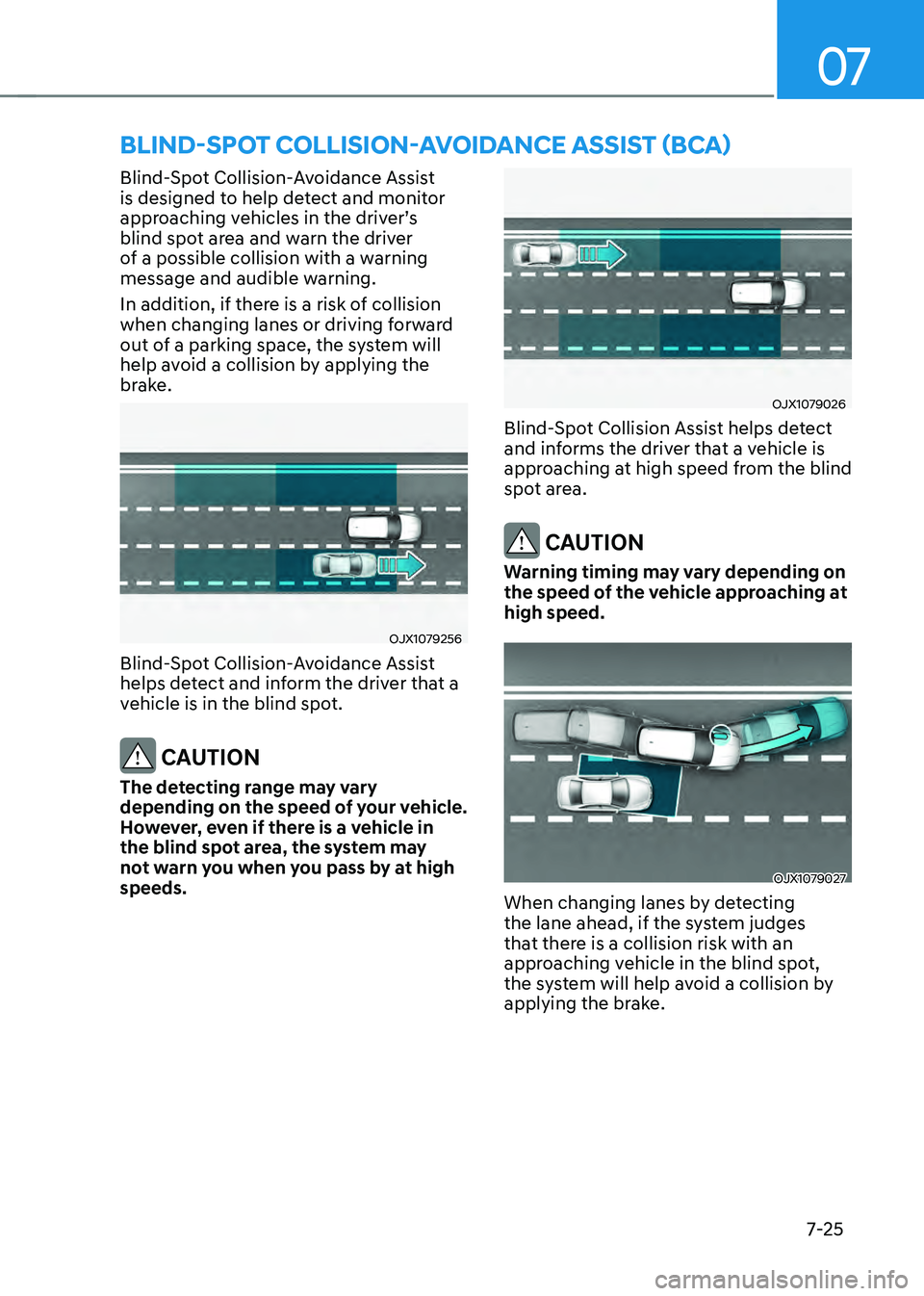
Blind-Spot Collision-Avoidance Assist
is designed to help detect and monitor
approaching vehicles in the driver’s blind spot area and warn the driver
of a possible collision with a warning
message and audible warning.
In addition, if there is a risk of collision
when changing lanes or driving forward
out of a parking space, the system will
help avoid a collision by applying the
brake.
OJX1079256
Blind-Spot Collision-Avoidance Assist
helps detect and inform the driver that a
vehicle is in the blind spot.
CAUTION
The detecting range may vary
depending on the speed of your vehicle.
However, even if there is a vehicle in
the blind spot area, the system may
not warn you when you pass by at high
speeds.
OJX1079026
Blind-Spot Collision Assist helps detect
and informs the driver that a vehicle is
approaching at high speed from the blind
spot area.
CAUTION
Warning timing may vary depending on
the speed of the vehicle approaching at
high speed.
OJX1079027
When changing lanes by detecting
the lane ahead, if the system judges
that there is a collision risk with an
approaching vehicle in the blind spot,
the system will help avoid a collision by
applying the brake.