door lock Hyundai Sonata
[x] Cancel search | Manufacturer: HYUNDAI, Model Year: , Model line: , Model:Pages: 285, PDF Size: 9.38 MB
Page 24 of 285
1
FEATURES OF YOUR HYUNDAI
11
WINDOWS
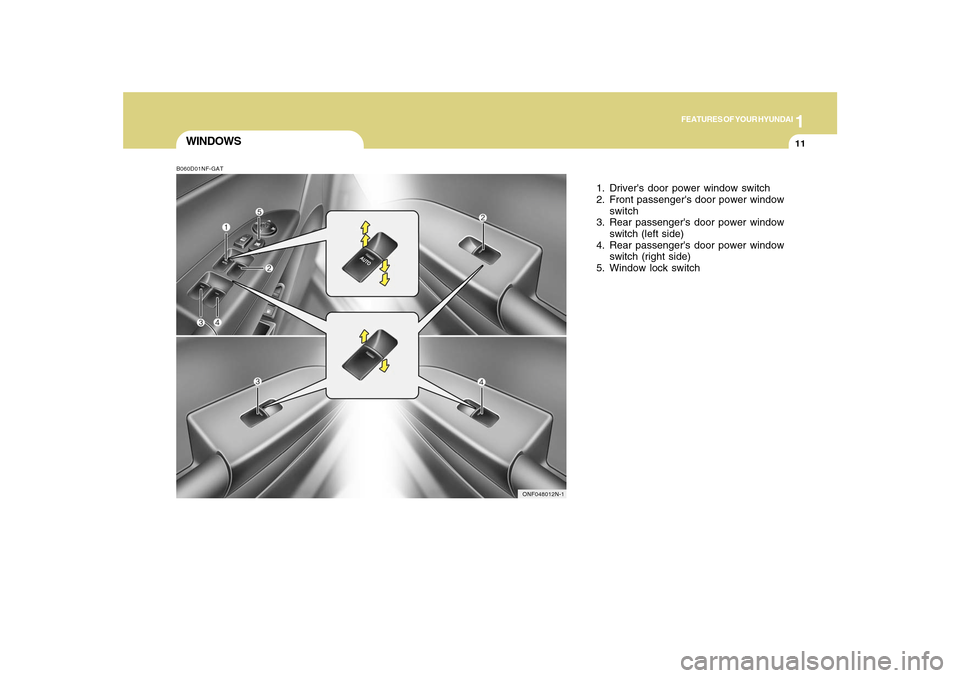
1. Driver's door power window switch
2. Front passenger's door power window
switch
3. Rear passenger's door power window
switch (left side)
4. Rear passenger's door power window
switch (right side)
5. Window lock switch
B060D01NF-GAT
ONF048012N-1
Page 26 of 285
1
FEATURES OF YOUR HYUNDAI
13
!
!
WARNING:
o Passengers can be injured if their
head, hands or other body parts are
trapped by a closing window. Always
check for obstructions before raising
any window.
o NEVER leave the ignition key in the
vehicle.
o NEVER leave any child unattended in
the vehicle. Even very young children
may inadvertently cause the vehicle
to move, entangle themselves in the
windows, or otherwise injure
themselves or others.
o Do not attempt to operate the main
switch on the driver's door and a
switch on another door in opposing
directions at the same time. If this is
done, the window will stop and cannot
be opened or closed.
WARNING:
o The automatic reverse feature for the
driver’s window is only active when
the “auto up” feature is used by fully
pulling up the switch. The automatic
reverse feature will not operate if the
window is raised using the halfway
position on the power window switch.
o Always check for obstructions before
raising any window to avoid injuries or
vehicle damage. If an object less than
0.16 in. (4 mm) in diameter is caught
between the window glass and the
upper window channel, the automatic
reverse window may not detect the
resistance and will not stop and
reverse direction.B060C02NF-AATAutomatic Reverse Window
(Driver's side)If the upward movement of the window is
blocked by an object or part of the body, the
window will detect the resistance and will
stop upward movement. The window will
then lower approximately 11.8 in.(30cm)
to allow the object to be cleared.
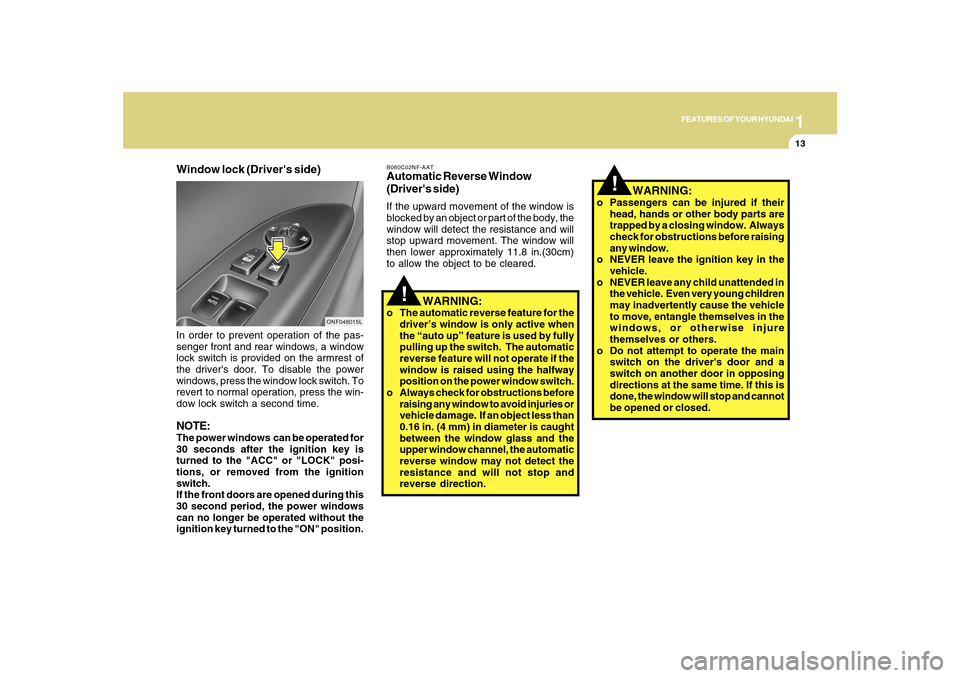
Window lock (Driver's side)
ONF048015L
In order to prevent operation of the pas-
senger front and rear windows, a window
lock switch is provided on the armrest of
the driver's door. To disable the power
windows, press the window lock switch. To
revert to normal operation, press the win-
dow lock switch a second time.NOTE:The power windows can be operated for
30 seconds after the ignition key is
turned to the "ACC" or "LOCK" posi-
tions, or removed from the ignition
switch.
If the front doors are opened during this
30 second period, the power windows
can no longer be operated without the
ignition key turned to the "ON" position.
Page 40 of 285
1
FEATURES OF YOUR HYUNDAI
27
CHILD RESTRAINT SYSTEMB230A01NF-AATChildren riding in the car should sit in the
rear seat and must always be properly
restrained to minimize the risk of injury in
an accident, sudden stop or sudden
maneuver. According to accident statistics
provided by the National Highway Traffic
Safety Administration (NHTSA), children
are safer when properly restrained in the
rear seats than in the front seat. Larger
children not in a child restraint should use
one of the seat belts provided.
All 50 states have child restraint laws. You
should be aware of the specific
requirements in your state. Child and/or
infant safety seats must be properly placed
and installed in the rear seat. You must use
a commercially available child restraint
system that meets the requirements of the
Federal Motor Vehicle Safety Standards
(FMVSS). Child restraint systems are
designed to be secured in vehicle seats by
lap belts or the lap belt portion of a lap/
shoulder belt, or by a tether anchor and/or
LATCH anchors (if installed).
Children could be injured or killed in a
crash if their restraints are not properly
secured. For small children and babies, a
child seat or infant seat must be used.
Before buying a particular child restraint
system, make sure it fits your car seat and
seat belts, and fits your child. Follow all the
instructions provided by the manufacturer
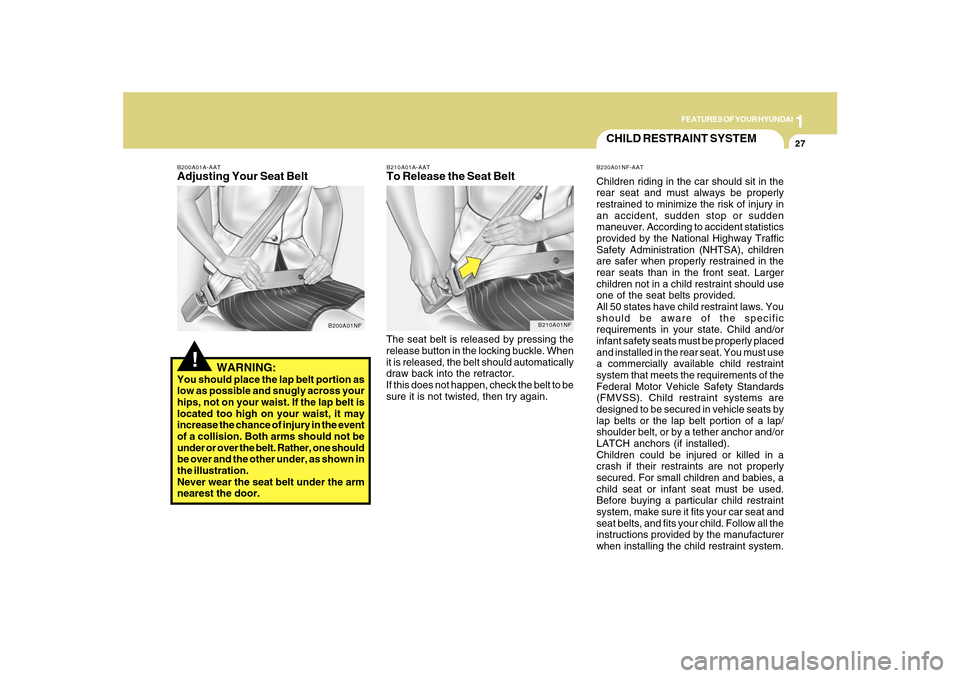
when installing the child restraint system. The seat belt is released by pressing the
release button in the locking buckle. When
it is released, the belt should automatically
draw back into the retractor.
If this does not happen, check the belt to be
sure it is not twisted, then try again.
B210A01A-AATTo Release the Seat Belt
B210A01NF
WARNING:
You should place the lap belt portion as
low as possible and snugly across your
hips, not on your waist. If the lap belt is
located too high on your waist, it may
increase the chance of injury in the event
of a collision. Both arms should not be
under or over the belt. Rather, one should
be over and the other under, as shown in
the illustration.
Never wear the seat belt under the arm
nearest the door.
!
B200A01A-AATAdjusting Your Seat Belt
B200A01NF
Page 57 of 285
1FEATURES OF YOUR HYUNDAI44
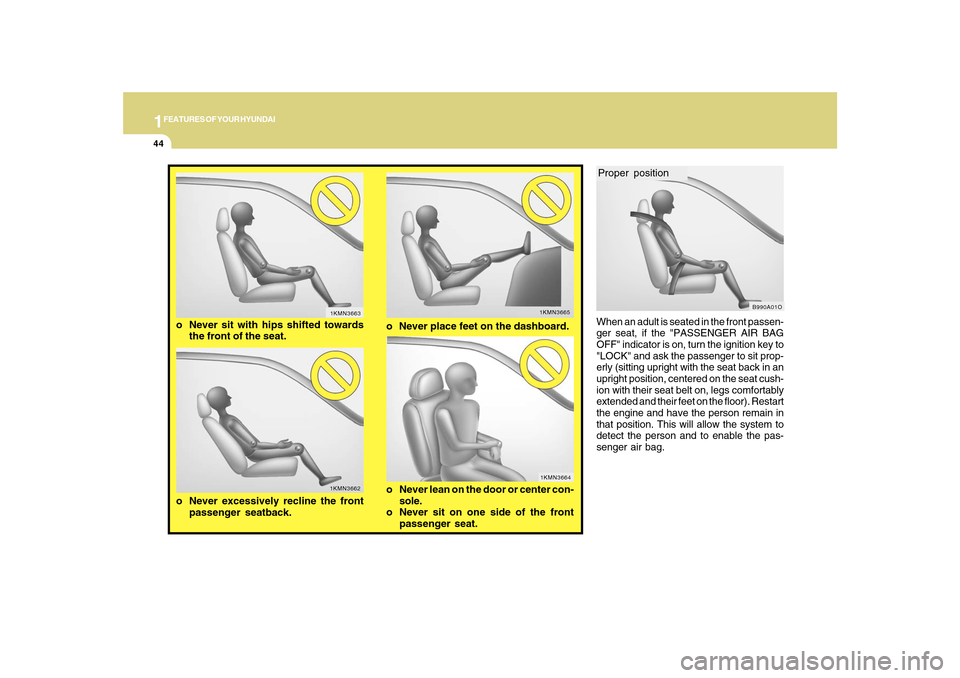
When an adult is seated in the front passen-
ger seat, if the "PASSENGER AIR BAG
OFF" indicator is on, turn the ignition key to
"LOCK" and ask the passenger to sit prop-
erly (sitting upright with the seat back in an
upright position, centered on the seat cush-
ion with their seat belt on, legs comfortably
extended and their feet on the floor). Restart
the engine and have the person remain in
that position. This will allow the system to
detect the person and to enable the pas-
senger air bag.
o Never excessively recline the front
passenger seatback.
1KMN3665
1KMN3662
o Never place feet on the dashboard.
o Never sit with hips shifted towards
the front of the seat.
1KMN3663
1KMN3664
o Never lean on the door or center con-
sole.
o Never sit on one side of the front
passenger seat.
Proper position
B990A01O
Page 68 of 285
1
FEATURES OF YOUR HYUNDAI
55
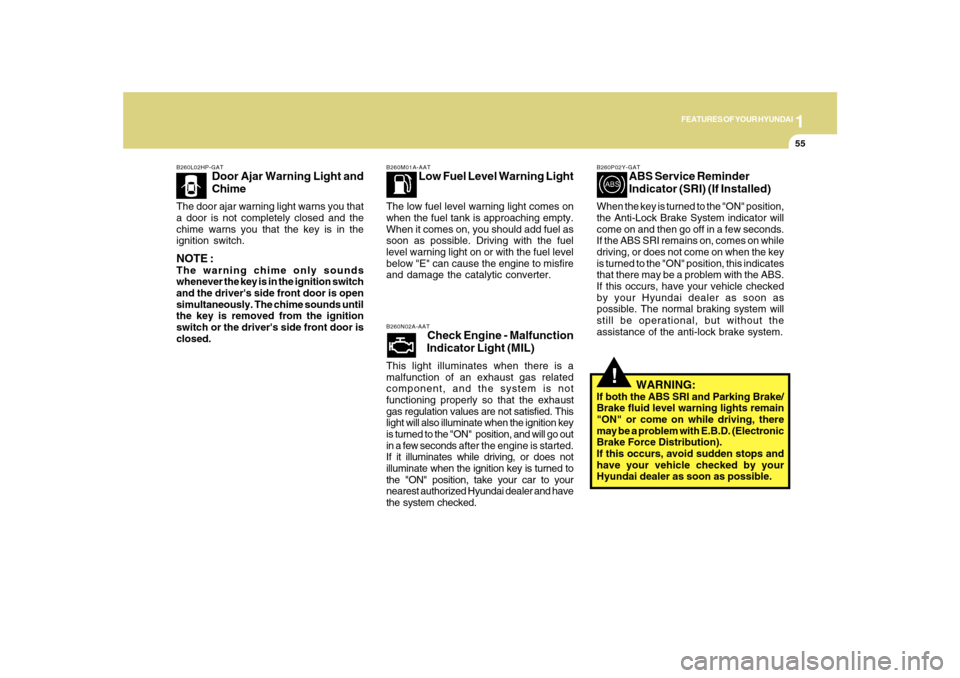
B260L02HP-GAT
Door Ajar Warning Light and
Chime
The door ajar warning light warns you that
a door is not completely closed and the
chime warns you that the key is in the
ignition switch.NOTE :The warning chime only sounds
whenever the key is in the ignition switch
and the driver's side front door is open
simultaneously. The chime sounds until
the key is removed from the ignition
switch or the driver's side front door is
closed.
B260M01A-AAT
Low Fuel Level Warning Light
The low fuel level warning light comes on
when the fuel tank is approaching empty.
When it comes on, you should add fuel as
soon as possible. Driving with the fuel
level warning light on or with the fuel level
below "E" can cause the engine to misfire
and damage the catalytic converter.B260N02A-AAT
Check Engine - Malfunction
Indicator Light (MIL)
This light illuminates when there is a
malfunction of an exhaust gas related
component, and the system is not
functioning properly so that the exhaust
gas regulation values are not satisfied. This
light will also illuminate when the ignition key
is turned to the "ON" position, and will go out
in a few seconds after the engine is started.
If it illuminates while driving, or does not
illuminate when the ignition key is turned to
the "ON" position, take your car to your
nearest authorized Hyundai dealer and have
the system checked.
!
B260P02Y-GAT
ABS Service Reminder
Indicator (SRI) (If Installed)
When the key is turned to the "ON" position,
the Anti-Lock Brake System indicator will
come on and then go off in a few seconds.
If the ABS SRI remains on, comes on while
driving, or does not come on when the key
is turned to the "ON" position, this indicates
that there may be a problem with the ABS.
If this occurs, have your vehicle checked
by your Hyundai dealer as soon as
possible. The normal braking system will
still be operational, but without the
assistance of the anti-lock brake system.
WARNING:
If both the ABS SRI and Parking Brake/
Brake fluid level warning lights remain
"ON" or come on while driving, there
may be a problem with E.B.D. (Electronic
Brake Force Distribution).
If this occurs, avoid sudden stops and
have your vehicle checked by your
Hyundai dealer as soon as possible.
Page 88 of 285
1
FEATURES OF YOUR HYUNDAI
75
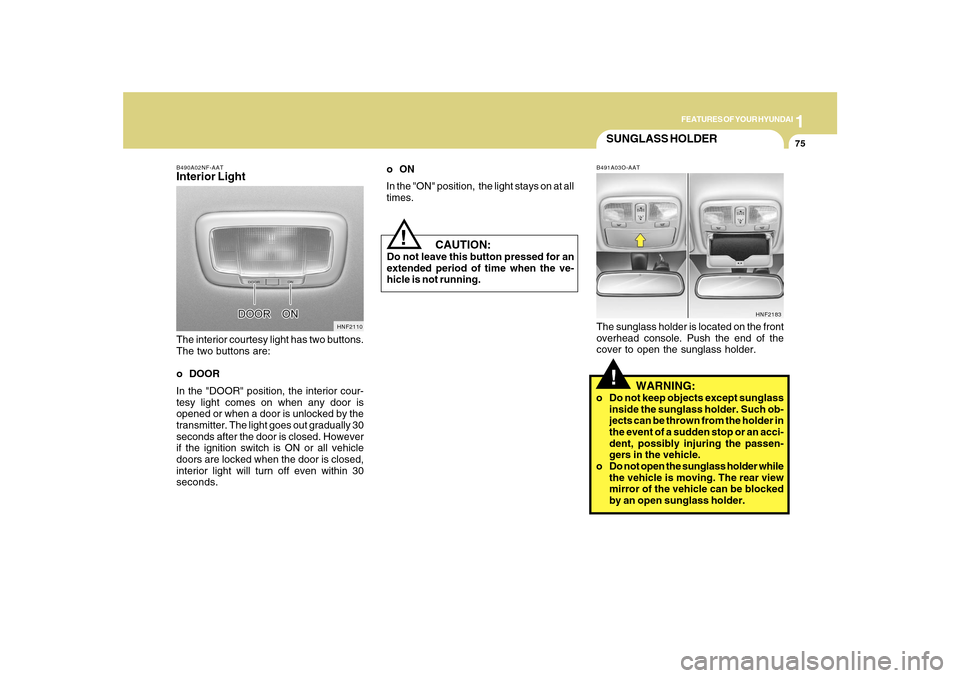
B490A02NF-AATInterior LightThe interior courtesy light has two buttons.
The two buttons are:
o DOOR
In the "DOOR" position, the interior cour-
tesy light comes on when any door is
opened or when a door is unlocked by the
transmitter. The light goes out gradually 30
seconds after the door is closed. However
if the ignition switch is ON or all vehicle
doors are locked when the door is closed,
interior light will turn off even within 30
seconds.
HNF2110
CAUTION:
Do not leave this button pressed for an
extended period of time when the ve-
hicle is not running.
!
SUNGLASS HOLDER!
B491A03O-AATThe sunglass holder is located on the front
overhead console. Push the end of the
cover to open the sunglass holder.
WARNING:
o Do not keep objects except sunglass
inside the sunglass holder. Such ob-
jects can be thrown from the holder in
the event of a sudden stop or an acci-
dent, possibly injuring the passen-
gers in the vehicle.
o Do not open the sunglass holder while
the vehicle is moving. The rear view
mirror of the vehicle can be blocked
by an open sunglass holder.
HNF2183
oON
In the "ON" position, the light stays on at all
times.
Page 89 of 285
1FEATURES OF YOUR HYUNDAI76
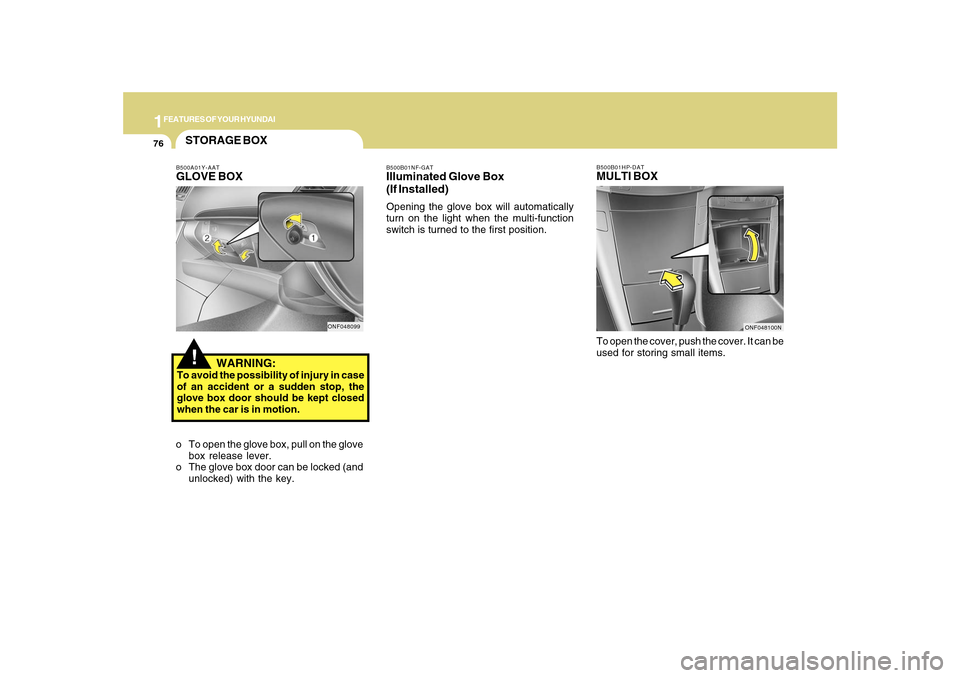
B500B01HP-DATMULTI BOXTo open the cover, push the cover. It can be
used for storing small items.
B500B01NF-GATIlluminated Glove Box
(If Installed)Opening the glove box will automatically
turn on the light when the multi-function
switch is turned to the first position.
ONF048100N
!STORAGE BOXB500A01Y-AATGLOVE BOX
WARNING:To avoid the possibility of injury in case
of an accident or a sudden stop, the
glove box door should be kept closed
when the car is in motion.
o To open the glove box, pull on the glove
box release lever.
o The glove box door can be locked (and
unlocked) with the key.
ONF048099
Page 95 of 285
1FEATURES OF YOUR HYUNDAI82
!
Integrated HomeLink
® Wireless
Control System
The HomeLink
® Wireless Control System
provides a convenient way to replace up to
three hand-held radio-frequency (RF)
transmitters with a single built-in device.
This innovative feature will learn the radio
frequency codes of most current
transmitters to operate devices such as
gate operators, garage door openers, entry
door locks, security systems, even home
lighting. Both standard and rolling code-
equipped transmitters can be programmed
by following the outlined procedures.
Additional HomeLink
® information can be
found at: www.homelink.com or by calling
1-800-355-3515.
CAUTION:
Before programming HomeLink
® to a
garage door opener or gate operator,
make sure that people and objects are
out of the way of the device to prevent
potential harm or damage. Do not use
HomeLink
® with any garage door opener
that lacks the safety stop and reverse
features as required by U.S. federal
safety standards (this includes any
garage door opener model manufactured
before April 1, 1982). A garage door that
cannot detect an object - signaling the
door to stop and reverse - does not meet
current U.S. federal safety standards.
Using a garage door opener without these
features increases the risk of serious
injury or death.Programming HomeLink
®
NOTE:o When programming a garage door
opener, it is advised to park the vehicle
outside of the garage.
o It is recommended that a new battery
be placed in the hand-held transmitter
of the device being programmed to
HomeLink
® for quicker training and
accurate transmission of the radio-
frequency signal.
o Some vehicles may require the ignition
switch to be turned to the second (or
"accessories") position for program-
ming and/or operation of HomeLink.
o In the event that there are still pro-
gramming difficulties or questions
after following the programming steps
listed below, contact HomeLink
® at:
www.homelink.com or 1-800-355-
3515.
Retain the original transmitter of the RF
device you are programming for use in
other vehicles as well as for future
HomeLink
® programming. It is also
suggested that upon the sale of the vehicle,
the programmed HomeLink
® buttons be
erased for security purposes.
Page 97 of 285
1FEATURES OF YOUR HYUNDAI84
!
handheld transmitter every two seconds
until the frequency signal has been learned.
The indicator light will flash slowly and
then rapidly after several seconds upon
successful training.
Operating HomeLink
®
To operate, simply press and release the
programmed HomeLink
® button. Activation
will now occur for the trained device (i.e.
garage door opener, gate operator, security
system, entry door lock, home/office
lighting, etc.). For convenience, the hand-
held transmitter of the device may also be
used at any time.
Reprogramming a Single HomeLink
® But-
ton
To program a new device to a previously
trained HomeLink
® button, follow these
steps:
1. Press and hold the desired HomeLink
®
button. Do NOT release until step 4 has
been completed.
2. When the indicator light begins to flash
slowly (after 20 seconds), position the
handheld transmitter 1 to 3 inches away
from the HomeLink
® surface.
3. Press and hold the handheld transmitter
button. The HomeLink
® indicator light
will flash, first slowly and then rapidly.4. When the indicator light begins to flash
rapidly, release both buttons.
5. Press and hold the just-trained
HomeLink
® button and observe the red
Status Indicator LED. If the indicator
light stays on constantly, programming
is complete and your new device should
activate.
Erasing HomeLink
® Buttons
Individual buttons cannot be erased.
However, to erase all three programmed
buttons:
1. Press and hold the two outer HomeLink
®
buttons until the indicator light begins to
flash-after 20 seconds.
2. Release both buttons. Do not hold for
longer than 30 seconds.
The Integrated HomeLink
® Wireless
Control System is now in the training (learn)
mode and can be programmed at any time
following the appropriate steps in the
Programming sections above.
FCC ID: NZLZTVHL3
IC: 4112A-ZTVHL3This device complies with Part 15 of the
FCC Rules. Operation is subject to the
following two conditions: (1) this device
may not cause harmful interference, and
(2) this device must accept any interfer-
ence received, including interference that
may cause undesired operation.
WARNING:
The transceiver has been tested and
complies with FCC and Industry Canada
rules. Changes or modifications not
expressly approved by the party
responsible for compliance could void
the user's authority to operate the
device.
NVS
® is a registered trademark and Z-
Nav™ is a trademark of the Gentex
Corporation, Zeeland, Michigan.
HomeLink
® is a registered trademark
owned by Johnson Controls, Incorporated,
Milwaukee, Wisconsin.
Page 103 of 285
1FEATURES OF YOUR HYUNDAI90
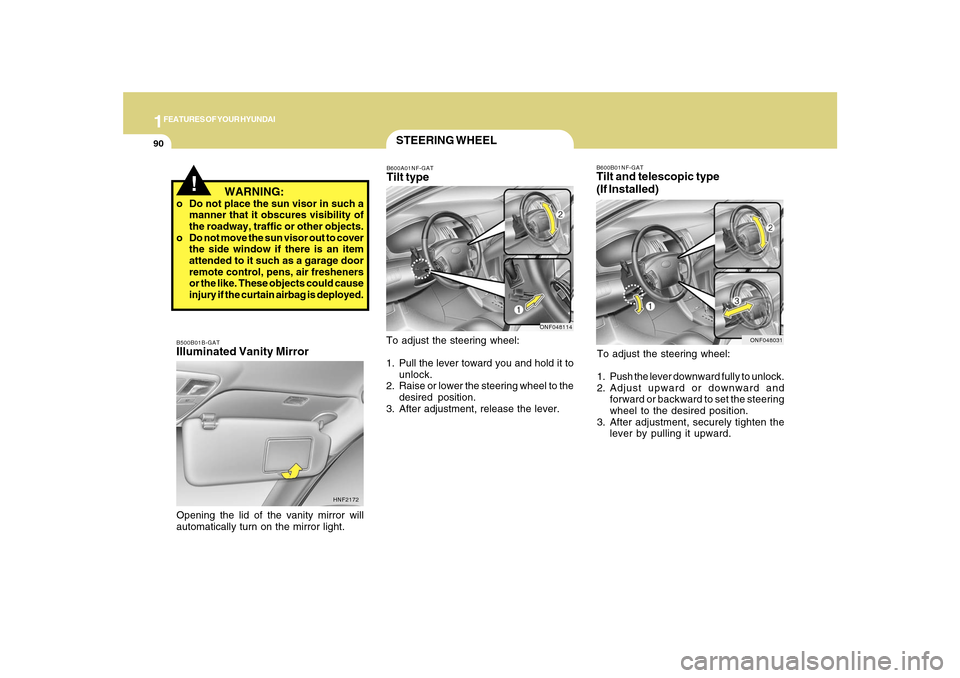
B600B01NF-GATTilt and telescopic type
(If Installed)To adjust the steering wheel:
1. Push the lever downward fully to unlock.
2. Adjust upward or downward and
forward or backward to set the steering
wheel to the desired position.
3. After adjustment, securely tighten the
lever by pulling it upward.
ONF048031
STEERING WHEELB600A01NF-GATTilt typeTo adjust the steering wheel:
1. Pull the lever toward you and hold it to
unlock.
2. Raise or lower the steering wheel to the
desired position.
3. After adjustment, release the lever.
ONF048114
B500B01B-GATIlluminated Vanity MirrorOpening the lid of the vanity mirror will
automatically turn on the mirror light.
HNF2172
!
WARNING:
o Do not place the sun visor in such a
manner that it obscures visibility of
the roadway, traffic or other objects.
o Do not move the sun visor out to cover
the side window if there is an item
attended to it such as a garage door
remote control, pens, air fresheners
or the like. These objects could cause
injury if the curtain airbag is deployed.