instrument panel Hyundai Sonata
[x] Cancel search | Manufacturer: HYUNDAI, Model Year: , Model line: , Model:Pages: 285, PDF Size: 9.38 MB
Page 65 of 285
1FEATURES OF YOUR HYUNDAI52
WARNING AND INDICATOR
LIGHTSB260B01JM-AAT
SRS (Airbag) Warning Light
The SRS warning light comes on for about
6 seconds after the key is turned to the "ON"
position or after the engine is started, after
which it will go out.
This light also comes on when the SRS is
not working properly. If the airbag warning
light does not come on, or continuously
remains on after operating for about 6
seconds when you turned the ignition key
to the "ON" position or started the engine,
or if it comes on while driving, have the
SRS inspected by an authorized Hyundai
dealer.
B260D01A-AAT
Turn Signal Indicator Lights
The blinking green arrows on the
instrument panel show the direction
indicated by the turn signals. If the arrow
comes on but does not blink, blinks more
rapidly than normal, or does not illuminate
at all, a malfunction in the turn signal system
is indicated. Your dealer should be
consulted for repairs.
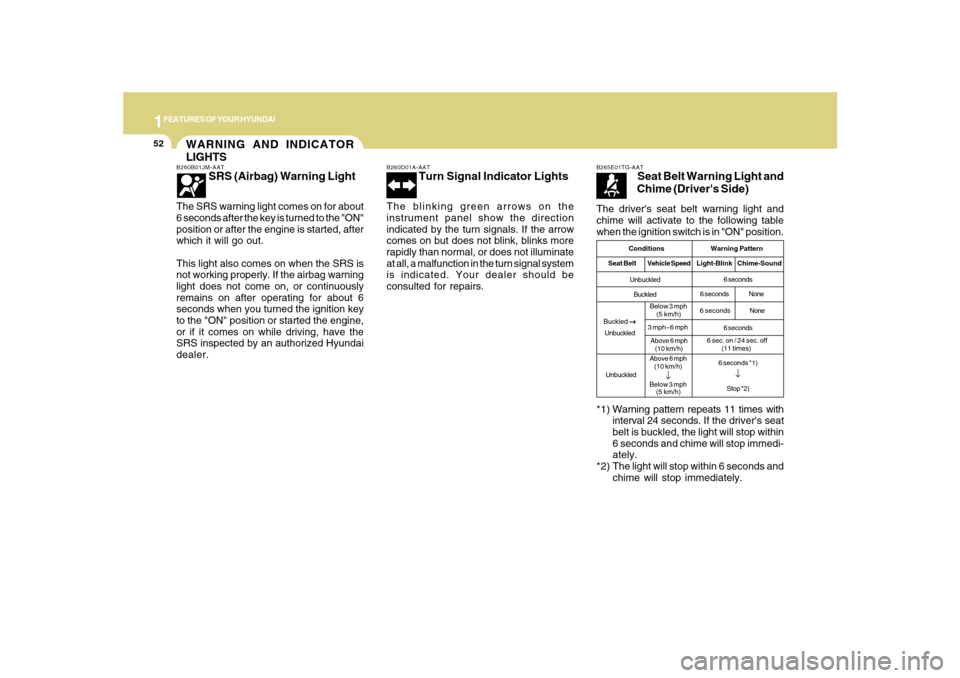
The driver's seat belt warning light and
chime will activate to the following table
when the ignition switch is in "ON" position.B265E01TG-AAT
Seat Belt Warning Light and
Chime (Driver's Side)
*1) Warning pattern repeats 11 times with
interval 24 seconds. If the driver's seat
belt is buckled, the light will stop within
6 seconds and chime will stop immedi-
ately.
*2) The light will stop within 6 seconds and
chime will stop immediately.
Conditions Warning Pattern
Seat BeltVehicle SpeedLight-BlinkChime-SoundUnbuckled
Buckled
UnbuckledAbove 6 mph
(10 km/h)
↓
Below 3 mph
(5 km/h)6 seconds
6 secondsNone
6 seconds
6 seconds *1)
↓Stop *2)
6 secondsNone
Buckled
→ →→ →
→
UnbuckledBelow 3 mph
(5 km/h)
3 mph~6 mph
Above 6 mph
(10 km/h)
6 sec. on / 24 sec. off
(11 times)
Page 77 of 285
1FEATURES OF YOUR HYUNDAI64
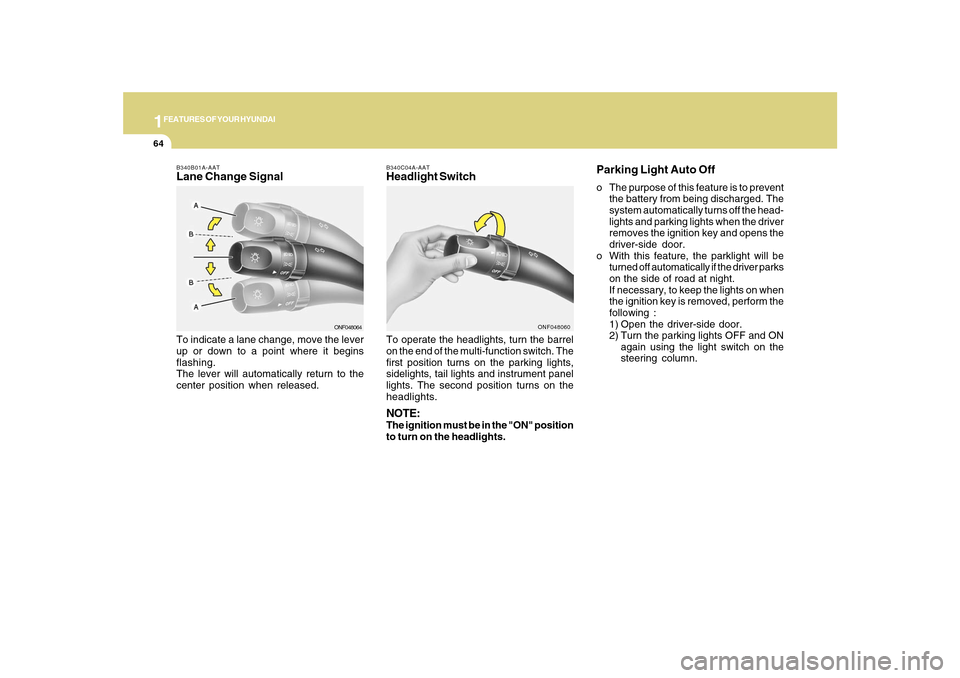
B340C04A-AATHeadlight SwitchTo operate the headlights, turn the barrel
on the end of the multi-function switch. The
first position turns on the parking lights,
sidelights, tail lights and instrument panel
lights. The second position turns on the
headlights.NOTE:The ignition must be in the "ON" position
to turn on the headlights.
ONF048060
Parking Light Auto Offo The purpose of this feature is to prevent
the battery from being discharged. The
system automatically turns off the head-
lights and parking lights when the driver
removes the ignition key and opens the
driver-side door.
o With this feature, the parklight will be
turned off automatically if the driver parks
on the side of road at night.
If necessary, to keep the lights on when
the ignition key is removed, perform the
following :
1) Open the driver-side door.
2) Turn the parking lights OFF and ON
again using the light switch on the
steering column.
B340B01A-AATLane Change SignalTo indicate a lane change, move the lever
up or down to a point where it begins
flashing.
The lever will automatically return to the
center position when released.
ONF048064
Page 79 of 285
1FEATURES OF YOUR HYUNDAI66
WINDSHIELD WIPER AND
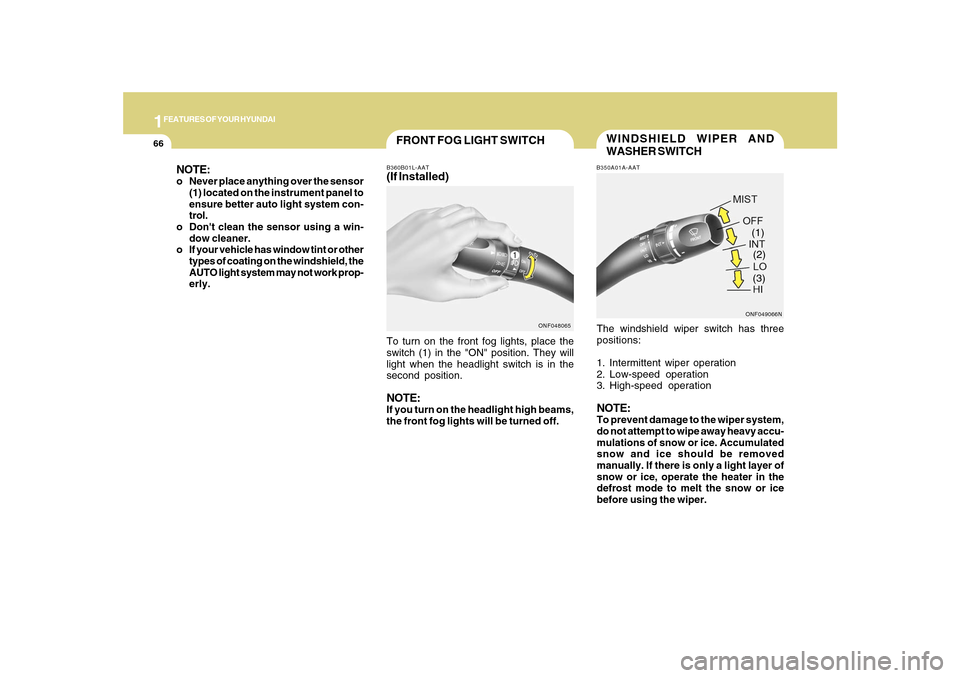
WASHER SWITCHB350A01A-AATThe windshield wiper switch has three
positions:
1. Intermittent wiper operation
2. Low-speed operation
3. High-speed operationNOTE:To prevent damage to the wiper system,
do not attempt to wipe away heavy accu-
mulations of snow or ice. Accumulated
snow and ice should be removed
manually. If there is only a light layer of
snow or ice, operate the heater in the
defrost mode to melt the snow or ice
before using the wiper.
ONF049066N(1)
(2)
(3)
FRONT FOG LIGHT SWITCHB360B01L-AAT(If Installed)To turn on the front fog lights, place the
switch (1) in the "ON" position. They will
light when the headlight switch is in the
second position.NOTE:If you turn on the headlight high beams,
the front fog lights will be turned off.
ONF048065
NOTE:o Never place anything over the sensor
(1) located on the instrument panel to
ensure better auto light system con-
trol.
o Don't clean the sensor using a win-
dow cleaner.
o If your vehicle has window tint or other
types of coating on the windshield, the
AUTO light system may not work prop-
erly.
Page 82 of 285
1
FEATURES OF YOUR HYUNDAI
69
INSTRUMENT PANEL LIGHT
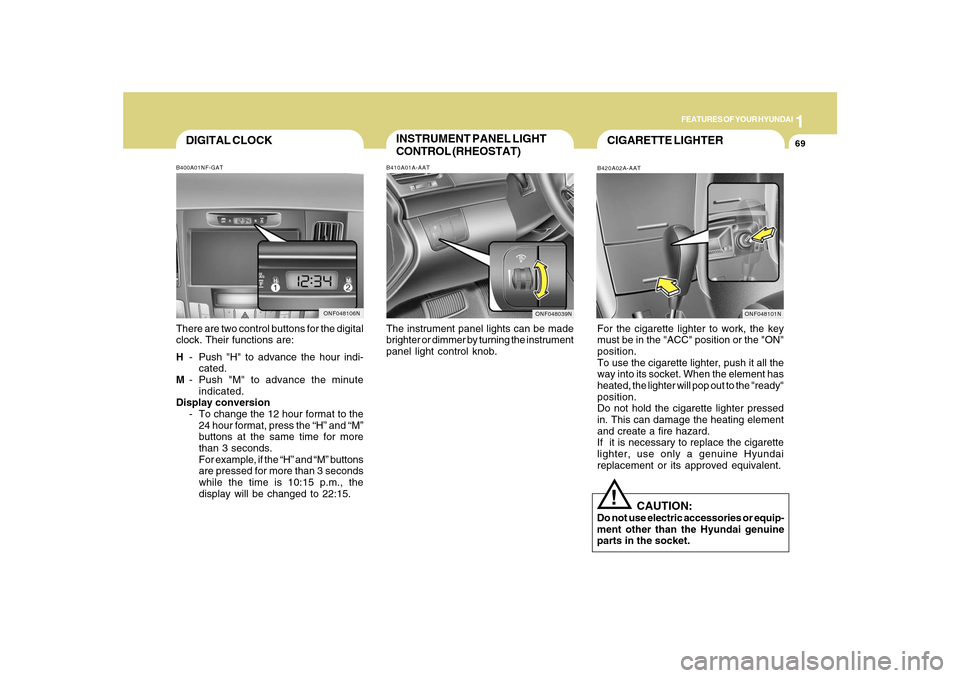
CONTROL (RHEOSTAT)B410A01A-AATThe instrument panel lights can be made
brighter or dimmer by turning the instrument
panel light control knob.
CIGARETTE LIGHTERB420A02A-AATFor the cigarette lighter to work, the key
must be in the "ACC" position or the "ON"
position.
To use the cigarette lighter, push it all the
way into its socket. When the element has
heated, the lighter will pop out to the "ready"
position.
Do not hold the cigarette lighter pressed
in. This can damage the heating element
and create a fire hazard.
If it is necessary to replace the cigarette
lighter, use only a genuine Hyundai
replacement or its approved equivalent.
!
CAUTION:
Do not use electric accessories or equip-
ment other than the Hyundai genuine
parts in the socket.
ONF048039N
DIGITAL CLOCKB400A01NF-GATThere are two control buttons for the digital
clock. Their functions are:
H- Push "H" to advance the hour indi-
cated.
M- Push "M" to advance the minute
indicated.
Display conversion
- To change the 12 hour format to the
24 hour format, press the “H” and “M”
buttons at the same time for more
than 3 seconds.
For example, if the “H” and “M” buttons
are pressed for more than 3 seconds
while the time is 10:15 p.m., the
display will be changed to 22:15.
ONF048106N
ONF048101N
Page 119 of 285
1FEATURES OF YOUR HYUNDAI
106
B980A01Y-AATMANUAL OPERATIONThe heating and cooling system can be
controlled manually as well by pushing
buttons other than the "AUTO" button. In
this state, the system sequentially works
according to the order of buttons selected.
The function of the buttons which are not
selected will be controlled automatically.
Press the "AUTO" button in order to convert
to automatic control of the system.
ONF048115
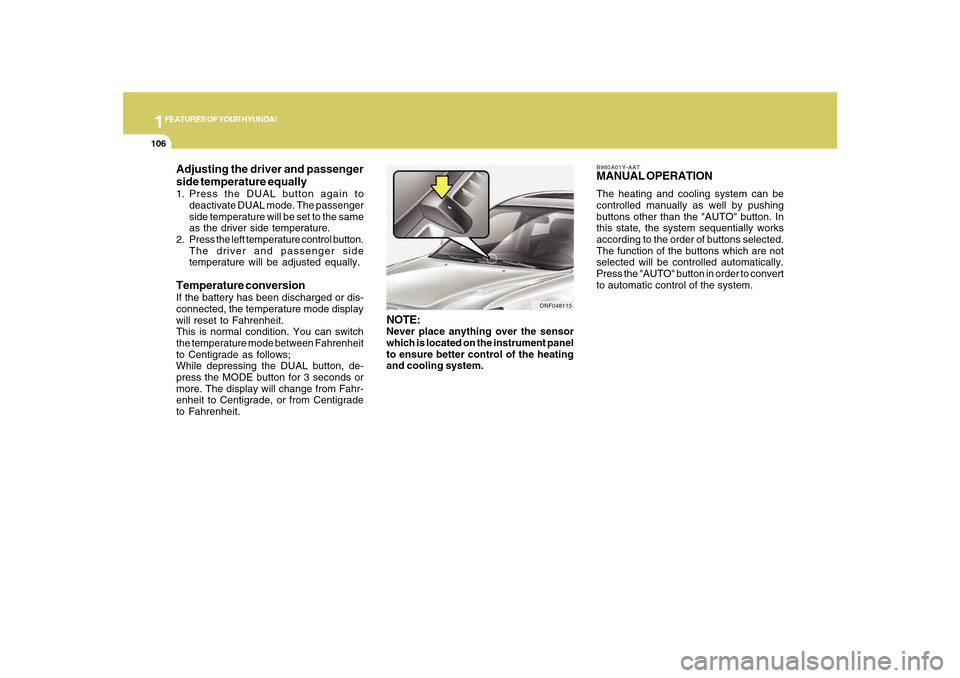
NOTE:Never place anything over the sensor
which is located on the instrument panel
to ensure better control of the heating
and cooling system.
Adjusting the driver and passenger
side temperature equally1. Press the DUAL button again to
deactivate DUAL mode. The passenger
side temperature will be set to the same
as the driver side temperature.
2. Press the left temperature control button.
The driver and passenger side
temperature will be adjusted equally.Temperature conversionIf the battery has been discharged or dis-
connected, the temperature mode display
will reset to Fahrenheit.
This is normal condition. You can switch
the temperature mode between Fahrenheit
to Centigrade as follows;
While depressing the DUAL button, de-
press the MODE button for 3 seconds or
more. The display will change from Fahr-
enheit to Centigrade, or from Centigrade
to Fahrenheit.
Page 122 of 285
1
FEATURES OF YOUR HYUNDAI
109109
Floor-Defrost Level (A, C, E, D) *
1
When selecting the "Floor-Defrost" mode,
the indicator light will come on and the air
will be discharged through the windshield
defroster nozzle, the floor vents, side
defroster nozzle and side ventilator.
If any of the temperature control switch, the
blower fan control switch, or the defrost
switch is selected in "Floor-Defrost" mode,
the A/C will turn on automatically and
"Fresh" mode will be activated.
*1 : See page 1-97
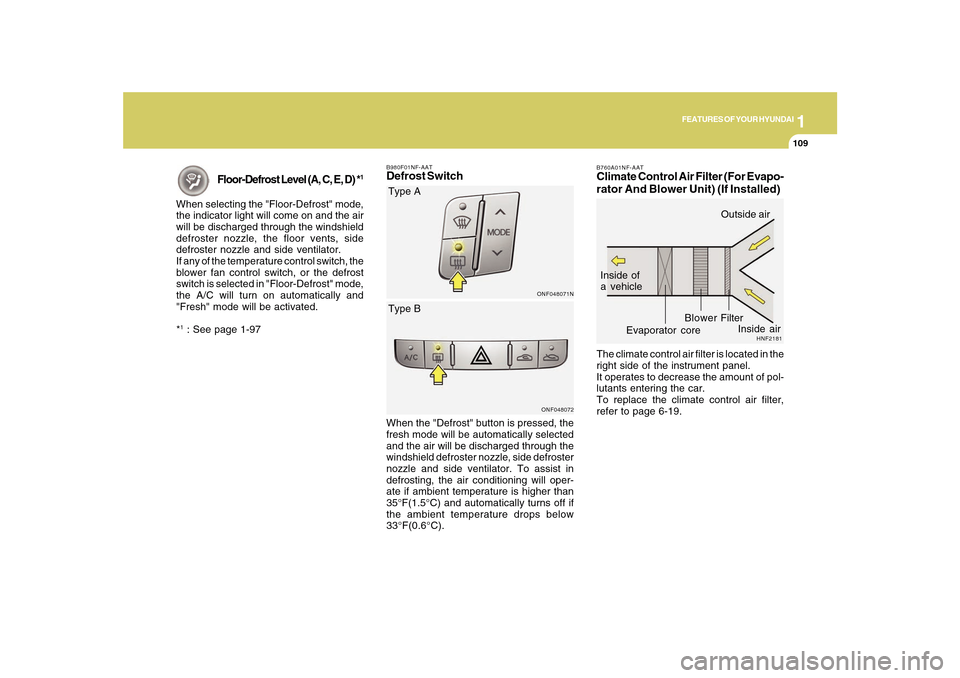
B980F01NF-AATDefrost Switch
ONF048071NONF048072
Type A
When the "Defrost" button is pressed, the
fresh mode will be automatically selected
and the air will be discharged through the
windshield defroster nozzle, side defroster
nozzle and side ventilator. To assist in
defrosting, the air conditioning will oper-
ate if ambient temperature is higher than
35°F(1.5°C) and automatically turns off if
the ambient temperature drops below
33°F(0.6°C).Type B
B760A01NF-AATClimate Control Air Filter (For Evapo-
rator And Blower Unit) (If Installed)The climate control air filter is located in the
right side of the instrument panel.
It operates to decrease the amount of pol-
lutants entering the car.
To replace the climate control air filter,
refer to page 6-19.
HNF2181
Inside of
a vehicle
Evaporator coreFilter BlowerOutside air
Inside air
Page 237 of 285
6
DO-IT-YOURSELF MAINTENANCE
23
!
CAUTION:
When replacing a fusible link, never use
anything but a new fusible link with the
same or lower amperage rating. Never
use a piece of wire or a higher-rated
fusible link. This could result in serious
damage and create a fire hazard.
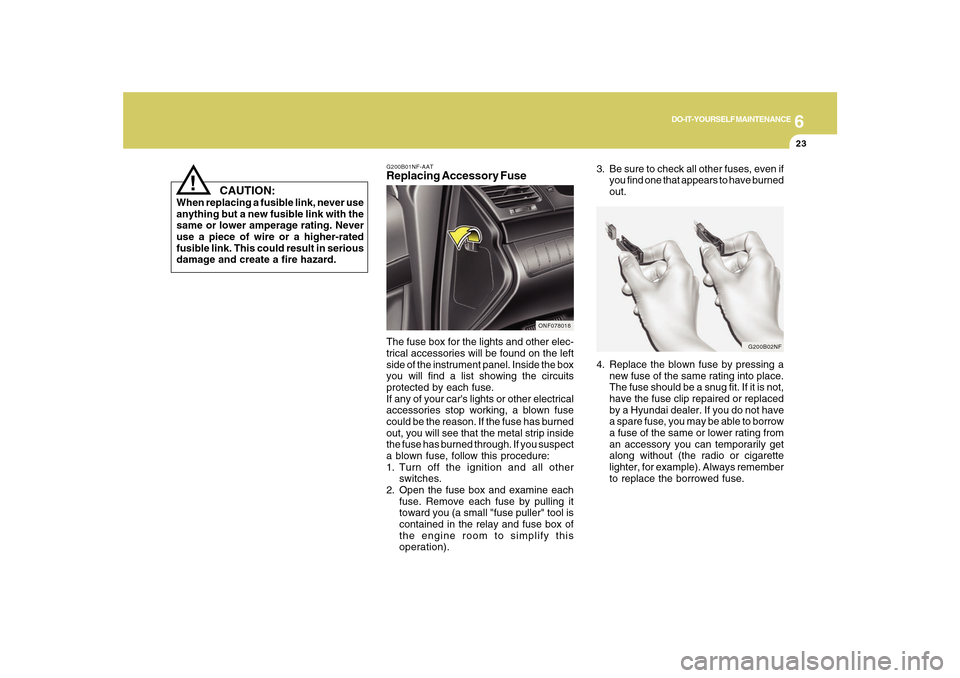
G200B02NF
4. Replace the blown fuse by pressing a
new fuse of the same rating into place.
The fuse should be a snug fit. If it is not,
have the fuse clip repaired or replaced
by a Hyundai dealer. If you do not have
a spare fuse, you may be able to borrow
a fuse of the same or lower rating from
an accessory you can temporarily get
along without (the radio or cigarette
lighter, for example). Always remember
to replace the borrowed fuse.
G200B01NF-AATReplacing Accessory FuseThe fuse box for the lights and other elec-
trical accessories will be found on the left
side of the instrument panel. Inside the box
you will find a list showing the circuits
protected by each fuse.
If any of your car's lights or other electrical
accessories stop working, a blown fuse
could be the reason. If the fuse has burned
out, you will see that the metal strip inside
the fuse has burned through. If you suspect
a blown fuse, follow this procedure:
1. Turn off the ignition and all other
switches.
2. Open the fuse box and examine each
fuse. Remove each fuse by pulling it
toward you (a small "fuse puller" tool is
contained in the relay and fuse box of
the engine room to simplify this
operation).
ONF078018
3. Be sure to check all other fuses, even if
you find one that appears to have burned
out.
Page 283 of 285
10
INDEX
4
Fuel
Capacity............................................................................ 9-2
Gauge..............................................................................1-58
Recommendations............................................................ 1-2
Fuel Filler Lid
Remote release ..............................................................1-87
Fuse Panel Description .....................................................6-37
Fuses..................................................................................6-22
G
General Checks ................................................................... 6-4
Glove Box ...........................................................................1-76
H
Hazard Warning System ....................................................1-68
Headlight
Aiming adjustment ..........................................................6-27
Replacement...................................................................6-28
Switch..............................................................................1-64
Heating and Ventilation
Air flow control ................................................... 1-97, 1-108
Air intake control switch ..................................... 1-99, 1-107
Bi-level heating .............................................................1-100
Defrosting/Defogging....................................................1-103
Fan speed control (Blower Control) .................. 1-97, 1-107
Temperature control .......................................................1-96
High-Mounted Rear Stop Light .........................................1-87
Hood Release ....................................................................1-89
Horn....................................................................................1-91I
Ignition Switch ...................................................................... 2-3
Instrument Cluster and Indicator Lights ............................1-50
Instrument Panel Light Control (Rheostat) .......................1-69
Interior Light .......................................................................1-74
Intermittent Wiper ...............................................................1-67
J
Jump Starting ....................................................................... 3-3
K
Key ........................................................................................ 1-3
If you lose your keys ......................................................3-17
Positions............................................................................ 2-3
L
Light Bulb Watages ............................................................6-36
Light Bulbs Replacement ..................................................6-28
Lubrication Chart .................................................................. 9-4
M
Maintenance Intervals
Explanation of scheduled maintenance items ................ 5-7
Maintenance under severe usage conditions ................. 5-6
Scheduled maintenance.................................................. 5-4
Service requirements ........................................................ 5-2
Manual Heating and Cooling Control System ..................1-96