key Hyundai Sonata
[x] Cancel search | Manufacturer: HYUNDAI, Model Year: , Model line: , Model:Pages: 363, PDF Size: 30.3 MB
Page 141 of 363
469
Features of your vehicle
Battery saver function
The purpose of this feature is to pre-vent the battery from being dis-
charged. The system automatically
turns off the parking lights when the
driver removes the ignition key (smart
key: turns off the engine) and opens
the driver-side door.
With this feature, the parking lights will be turned off automatically if the driver
parks on the side of road at night.
If necessary, to keep the lights on
when the ignition key is removed,
(smart key: turns off the engine) per-
form the following:
1) Open the driver-side door.
2) Turn the parking lights OFF and ON again using the light switch on the
steering column. Headlight escort function (if equipped)
If you turn the ignition switch to the ACC or OFF position with the headlights ON,the headlights (and/or tail lights) remain
on for about 20 minutes. However, if the
driver’s door is opened and closed, the
headlights are turned off after 30 sec-
onds.
The headlights can be turned off by
pressing the lock button on the transmit-
ter (or smart key) twice or turning the
light switch to the OFF or Auto position.
However, the Headlight escort function
can be deactivated when the headlight
switch is in the Auto position.
Headlight welcome function (if equipped)
When the headlight is ON or AUTO posi-
tion and all doors (and trunk) is closed
and locked, if you press the door unlock
button on the transmitter (or the smart
key), the headlight will come on for about
15 seconds. At this time, if you press the
door lock or unlock button, the headlight
will turn off immediately.
LIGHTING
CAUTION
If the driver gets out of the vehicle
through other doors (except dri- ver’s door), the battery saver func-tion does not operate and the head-
light escort function does not turn off automatically. Therefore, it caus-es the battery to be discharged. Inthis case, make sure to turn off the
lamp before getting out of the vehi- cle.
Page 149 of 363
477
Features of your vehicle
INTERIOR LIGHT
Automatic turn off function (if equipped)
The interior lights automatically turn off
approximately 20 minutes after the igni-
tion switch is turned off.
If your vehicle is equipped with the theft
alarm system, the interior lights automat-
ically turns off approximately 5 seconds
after the system is armed stage. M
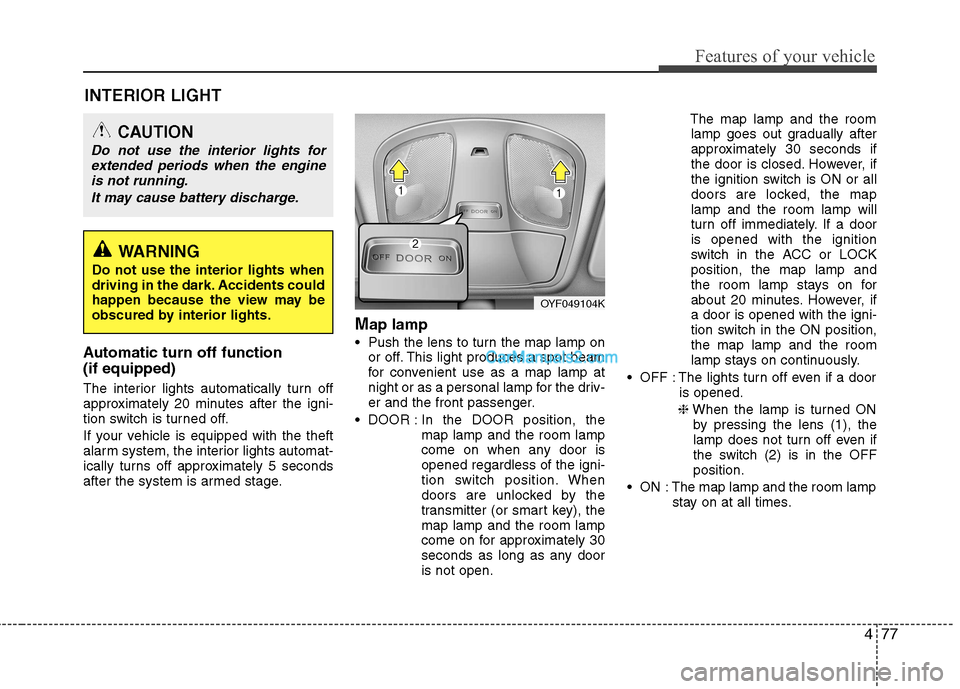
ap lamp
Push the lens to turn the map lamp on or off. This light produces a spot beam
for convenient use as a map lamp at
night or as a personal lamp for the driv-
er and the front passenger.
DOOR : In the DOOR position, the
map lamp and the room lamp
come on when any door isopened regardless of the igni-
tion switch position. When
doors are unlocked by the
transmitter (or smart key), themap lamp and the room lamp
come on for approximately 30
seconds as long as any dooris not open. The map lamp and the room
lamp goes out gradually after
approximately 30 seconds if
the door is closed. However, if
the ignition switch is ON or all
doors are locked, the maplamp and the room lamp will
turn off immediately. If a dooris opened with the ignition
switch in the ACC or LOCKposition, the map lamp and
the room lamp stays on for
about 20 minutes. However, ifa door is opened with the igni-
tion switch in the ON position,the map lamp and the room
lamp stays on continuously.
OFF : The lights turn off even if a door is opened.
❈ When the lamp is turned ON
by pressing the lens (1), the
lamp does not turn off even if
the switch (2) is in the OFFposition.
ON : The map lamp and the room lamp stay on at all times.
CAUTION
Do not use the interior lights for
extended periods when the engine
is not running.
It may cause battery discharge.
OYF049104K
WARNING
Do not use the interior lights when
driving in the dark. Accidents could
happen because the view may be
obscured by interior lights.
Page 172 of 363
Features of your vehicle
100
4
These compartments can be used to
store small items required by the driver
or passengers.
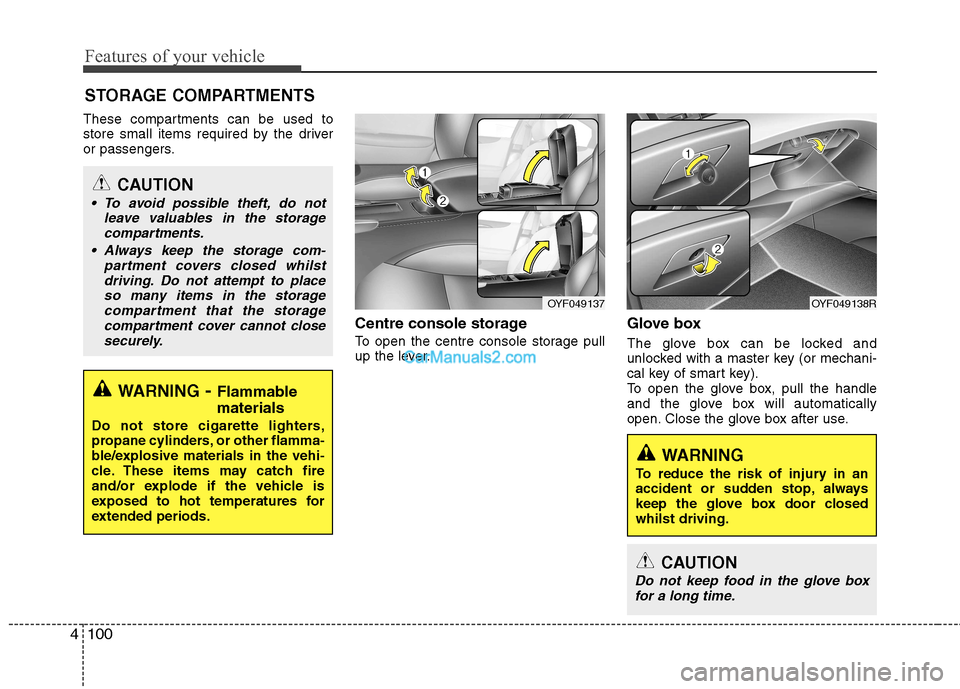
Centre console storage
To open the centre console storage pull
up the lever.Glove box
The glove box can be locked and
unlocked with a master key (or mechani-
cal key of smart key).
To open the glove box, pull the handle
and the glove box will automatically
open. Close the glove box after use.
STORAGE COMPARTMENTS
WARNING
- Flammable
materials
Do not store cigarette lighters,
propane cylinders, or other flamma-
ble/explosive materials in the vehi-
cle. These items may catch fire
and/or explode if the vehicle is
exposed to hot temperatures for
extended periods.
CAUTION
To avoid possible theft, do not leave valuables in the storagecompartments.
Always keep the storage com- partment covers closed whilstdriving. Do not attempt to placeso many items in the storagecompartment that the storage
compartment cover cannot close securely.
OYF049138ROYF049137
WARNING
To reduce the risk of injury in an
accident or sudden stop, always
keep the glove box door closedwhilst driving.
CAUTION
Do not keep food in the glove box for a long time.
Page 192 of 363
Features of your vehicle
120
4
(Continued)
If you use devices such as a USB hub purchased separately, thevehicle’s audio system may notrecognize the USB device. In that
case, connect the USB devicedirectly to the multimedia termi-nal of the vehicle.
If USB device is divided by logical drives, only the music files on thehighest-priority drive are recog-nized by car audio.
Devices such as MP3 Player/ Mobile phone/Digital camera are
not recognizable by standardUSB I/F can be unrecognizable.
Charging through the USB may not be supported in some mobile
devices.
❋
❋ A car exclusive cable (sold sep-
arately) is required to use theiPod.
Some non-standard USB devices (METAL COVER TYPE USB) canbe unrecognizable.
Some USB flash memory readers (such as CF, SD, microSD, etc.) orexternal-HDD type devices can beunrecognizable.
(Continued)
(Continued) Music files protected by DRM (DIGITAL RIGHTS MANAGE-MENT) are not recognizable.
The data in the USB memory may be lost whilst using this audio.Always back up important data ona personal storage device.
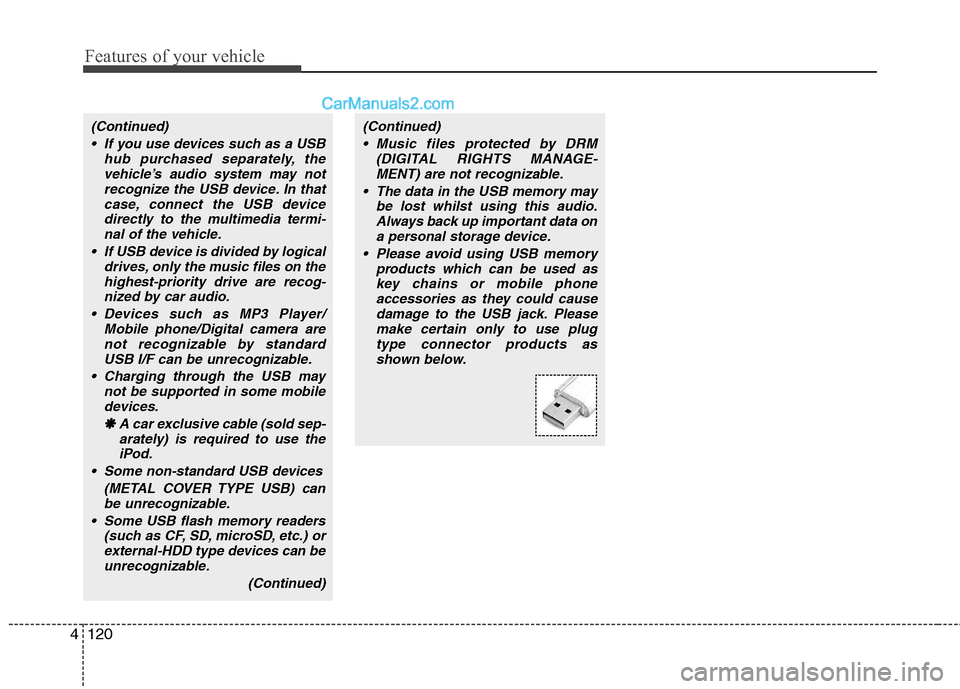
Please avoid using USB memory products which can be used as
key chains or mobile phone accessories as they could causedamage to the USB jack. Pleasemake certain only to use plug
type connector products asshown below.
Page 199 of 363
5
Before driving / 5-3
Key / 5-5
Engine Start/Stop button / 5-8
Manual transaxle / 5-12
Automatic transaxle / 5-15
Brake system / 5-22
Cruise control system / 5-36
Economical operation / 5-40
Special driving conditions / 5-42
Winter driving / 5-46
Trailer towing / 5-50
Vehicle weight / 5-58
Driving your vehicle
Page 203 of 363
55
Driving your vehicle
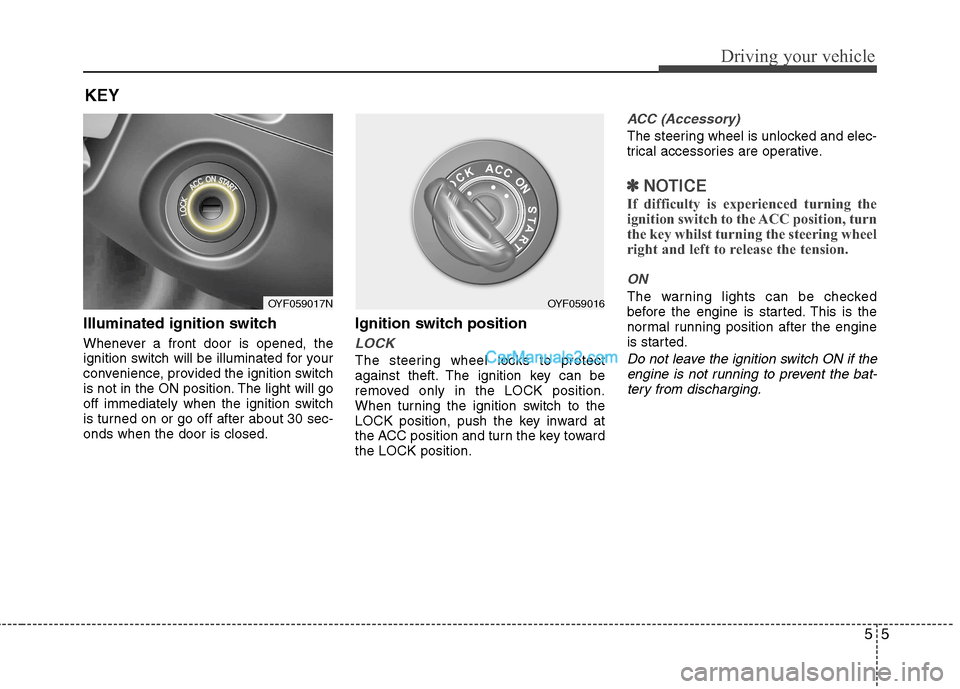
Illuminated ignition switch
Whenever a front door is opened, the
ignition switch will be illuminated for your
convenience, provided the ignition switch
is not in the ON position. The light will go
off immediately when the ignition switch
is turned on or go off after about 30 sec-onds when the door is closed.Ignition switch position
LOCK
The steering wheel locks to protect
against theft. The ignition key can be
removed only in the LOCK position.
When turning the ignition switch to the
LOCK position, push the key inward at
the ACC position and turn the key towardthe LOCK position.
ACC (Accessory)
The steering wheel is unlocked and elec-
trical accessories are operative.
✽✽
NOTICE
If difficulty is experienced turning the
ignition switch to the ACC position, turn
the key whilst turning the steering wheel
right and left to release the tension.
ON
The warning lights can be checked
before the engine is started. This is the
normal running position after the engine
is started.
Do not leave the ignition switch ON if the engine is not running to prevent the bat-tery from discharging.
KEY
OYF059017NOYF059016
Page 204 of 363
Driving your vehicle
6
5
START
Turn the ignition switch to the START
position to start the engine. The engine
will crank until you release the key; then
it returns to the ON position. The brake
warning lamp can be checked in thisposition. Starting the engine
WARNING -
Ignition
switch
Never turn the ignition switch to LOCK or ACC whilst the vehicle is
moving. This would result in loss
of directional control and braking
function, which could cause anaccident.
The anti-theft steering column lock is not a substitute for the parking
brake. Before leaving the driver’s
seat, always make sure the shift
lever is engaged in P (Park), set the
parking brake fully and shut the
engine off. Unexpected and sud-
den vehicle movement may occurif these precautions are not taken.
(Continued)
(Continued)
Never reach for the ignition switch,or any other controls through the
steering wheel whilst the vehicle is
in motion. The presence of yourhand or arm in this area could
cause a loss of vehicle control, an
accident and serious bodily injuryor death.
Do not place any movable objects around the driver’s seat as they
may move whilst driving, interferewith the driver and lead to an acci-dent.
WARNING
Always wear appropriate shoes
when operating your vehicle.
Unsuitable shoes (high heels, ski
boots,etc.) may interfere with yourability to use the brake and acceler-
ator pedal, and the clutch (ifequipped).
Page 205 of 363
57
Driving your vehicle
1. Make sure the parking brake isapplied.
2. Manual Transaxle - Depress the
clutch pedal fully and shift the
transaxle into Neutral. Keep the clutch
pedal and brake pedal depressed
whilst turning the ignition switch to the
start position.
Automatic Transaxle - Place the
transaxle shift lever in P (Park).
Depress the brake pedal fully.
You can also start the engine when
the shift lever is in the N (Neutral)
position.
3. Turn the ignition switch to START and hold it there until the engine starts (a
maximum of 10 seconds), then
release the key.
4. In extremely cold weather (below -18°C / 0°F) or after the vehicle has
not been operated for several days, let
the engine warm up without depress-
ing the accelerator.
Whether the engine is cold or warm, it
should be started without depressing
the accelerator.
CAUTION
If the engine stalls whilst you are in motion, do not attempt to move the
shift lever to the P (Park) position. Iftraffic and road conditions permit,you may put the shift lever in the N (Neutral) position whilst the vehicle
is still moving and turn the ignitionswitch to the START position in anattempt to restart the engine.
CAUTION
Do not engage the starter for morethan 10 seconds. If the engine stallsor fails to start, wait 5 to 10 seconds
before re-engaging the starter.Improper use of the starter maydamage it.
Page 206 of 363
Driving your vehicle
8
5
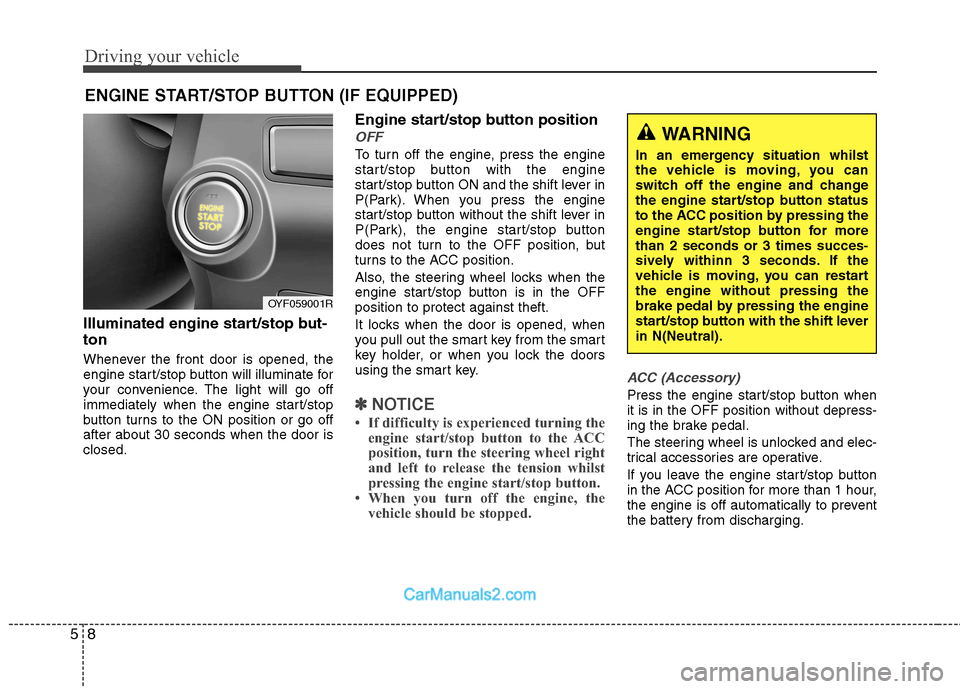
Illuminated engine start/stop but- ton
Whenever the front door is opened, the
engine start/stop button will illuminate for
your convenience. The light will go off
immediately when the engine start/stop
button turns to the ON position or go offafter about 30 seconds when the door isclosed. Engine start/stop button position
OFF
To turn off the engine, press the engine
start/stop button with the engine
start/stop button ON and the shift lever in
P(Park). When you press the engine
start/stop button without the shift lever in
P(Park), the engine start/stop button
does not turn to the OFF position, but
turns to the ACC position.
Also, the steering wheel locks when the
engine start/stop button is in the OFFposition to protect against theft.
It locks when the door is opened, when
you pull out the smart key from the smart
key holder, or when you lock the doors
using the smart key.
✽✽
NOTICE
If difficulty is experienced turning the engine start/stop button to the ACC
position, turn the steering wheel right
and left to release the tension whilst
pressing the engine start/stop button.
When you turn off the engine, the vehicle should be stopped.
ACC (Accessory)
Press the engine start/stop button when it is in the OFF position without depress-
ing the brake pedal.
The steering wheel is unlocked and elec-
trical accessories are operative.
If you leave the engine start/stop button
in the ACC position for more than 1 hour,
the engine is off automatically to prevent
the battery from discharging.
ENGINE START/STOP BUTTON (IF EQUIPPED)
WARNING
In an emergency situation whilst
the vehicle is moving, you can
switch off the engine and change
the engine start/stop button status
to the ACC position by pressing the
engine start/stop button for morethan 2 seconds or 3 times succes-
sively withinn 3 seconds. If the
vehicle is moving, you can restartthe engine without pressing the
brake pedal by pressing the engine
start/stop button with the shift leverin N(Neutral).
OYF059001R
Page 208 of 363
Driving your vehicle
10
5
Starting the engine 1. Carry the smart key or leave it inside
the vehicle.
2. Make sure the parking brake is firmly applied.
3. Place the shift lever in the P(Park) position.
4. Depress the brake pedal.
5. Press the engine start/stop button.
6. In extremely cold weather (below - 18°C / 0°F) or after the vehicle has not
been operated for several days, let the
engine warm up without depressing
the accelerator.
Whether the engine is cold or warm, itshould be started without depressing
the accelerator.
Even if the smart key is in the vehicle,
if it is far away from you, the engine
may not start.
When the engine start/stop button is in
the ACC or ON position, if any door is
open, the system checks for the smart
key. If the smart key is not in the vehi-
cle, the warning, "Key is not in vehicle"
will appear in the dashboard display,and if all doors are closed, the chime
will also sound for about 5 seconds.
The indicator will turn off whilst the
vehicle is moving. Keep the smart key
in the vehicle, when using the ACC
position or if the vehicle engine is on.
WARNING
Always wear appropriate shoes
when operating your vehicle.
Unsuitable shoes (high heels, ski
boots, etc.) may interfere with yourability to use the brake and acceler-ator pedal.
WARNING
The engine will start by pressing
the engine start/stop button, only
when the smart key is in the vehi-
cle. Never allow children or any per-son who is unfamiliar with the vehi-
cle to touch the engine start/stop
button or related parts.
CAUTION
If the engine stalls whilst you are in motion, do not attempt to move theshift lever to the P (Park) position. Iftraffic and road conditions permit,
you may put the shift lever in the N(Neutral) position whilst the vehi-cle is still moving and press theengine start/stop button in an
attempt to restart the engine.
WARNING
People with medical devices such
as implanted pacemakers or car-
diac defibrillators should not carry
the smart key near the heart. The
smart key system may affect the
operation of such implanted med-
ical devices. Failure to do so may
result in interference with the med-
ical device, which could result in
serious injury.