fuse Hyundai Sonata 2005 Owner's Manual
[x] Cancel search | Manufacturer: HYUNDAI, Model Year: 2005, Model line: Sonata, Model: Hyundai Sonata 2005Pages: 271, PDF Size: 12.44 MB
Page 11 of 271
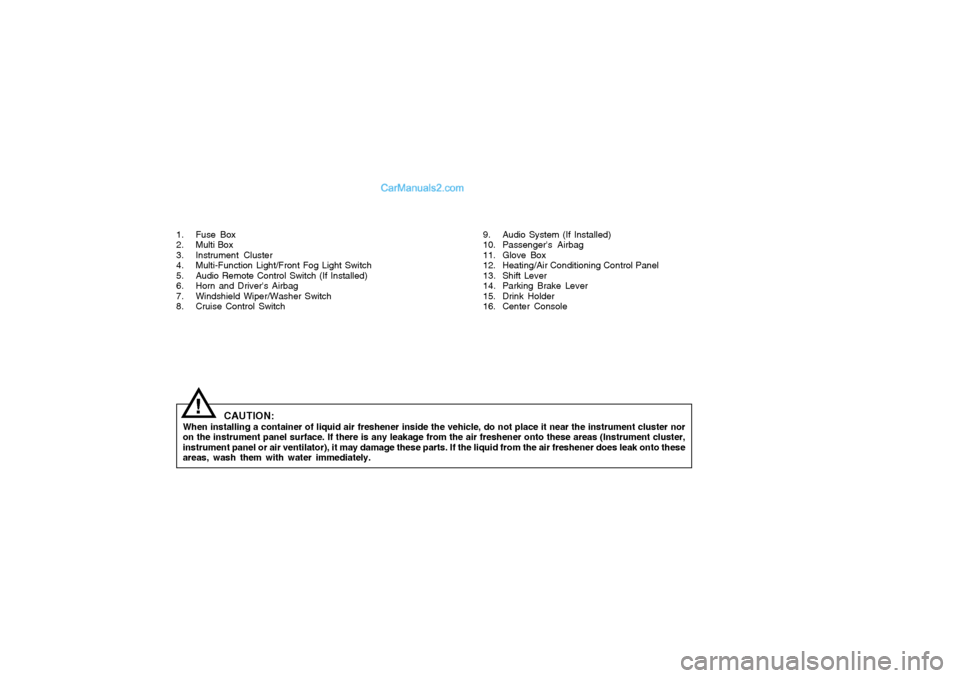
1. Fuse Box
2. Multi Box
3. Instrument Cluster
4. Multi-Function Light/Front Fog Light Switch
5. Audio Remote Control Switch (If Installed)
6. Horn and Driver's Airbag
7. Windshield Wiper/Washer Switch
8. Cruise Control Switch
CAUTION:
When installing a container of liquid air freshener inside the vehicle, do not place it near the instrument cluster nor
on the instrument panel surface. If there is any leakage from the air freshener onto these areas (Instrument cluster,
instrument panel or air ventilator), it may damage these parts. If the liquid from the air freshener does leak onto these
areas, wash them with water immediately.
!
9. Audio System (If Installed)
10. Passenger's Airbag
11. Glove Box
12. Heating/Air Conditioning Control Panel
13. Shift Lever
14. Parking Brake Lever
15. Drink Holder
16. Center Console
Page 54 of 271
1
FEATURES OF YOUR HYUNDAI
41
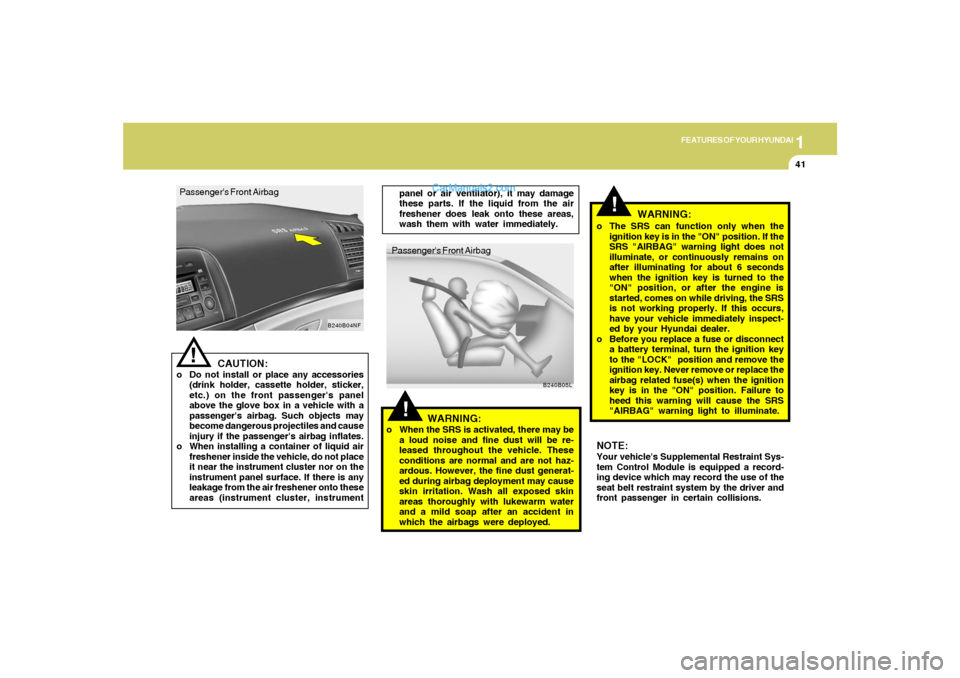
!Passenger's Front Airbag
B240B05L
!
o The SRS can function only when the
ignition key is in the "ON" position. If the
SRS "AIRBAG" warning light does not
illuminate, or continuously remains on
after illuminating for about 6 seconds
when the ignition key is turned to the
"ON" position, or after the engine is
started, comes on while driving, the SRS
is not working properly. If this occurs,
have your vehicle immediately inspect-
ed by your Hyundai dealer.
o Before you replace a fuse or disconnect
a battery terminal, turn the ignition key
to the "LOCK" position and remove the
ignition key. Never remove or replace the
airbag related fuse(s) when the ignition
key is in the "ON" position. Failure to
heed this warning will cause the SRS
"AIRBAG" warning light to illuminate. Passenger's Front Airbag
CAUTION:
o Do not install or place any accessories
(drink holder, cassette holder, sticker,
etc.) on the front passenger's panel
above the glove box in a vehicle with a
passenger's airbag. Such objects may
become dangerous projectiles and cause
injury if the passenger's airbag inflates.
o When installing a container of liquid air
freshener inside the vehicle, do not place
it near the instrument cluster nor on the
instrument panel surface. If there is any
leakage from the air freshener onto these
areas (instrument cluster, instrument
!
B240B04NF
panel or air ventilator), it may damage
these parts. If the liquid from the air
freshener does leak onto these areas,
wash them with water immediately.
WARNING:
o When the SRS is activated, there may be
a loud noise and fine dust will be re-
leased throughout the vehicle. These
conditions are normal and are not haz-
ardous. However, the fine dust generat-
ed during airbag deployment may cause
skin irritation. Wash all exposed skin
areas thoroughly with lukewarm water
and a mild soap after an accident in
which the airbags were deployed.
WARNING:
NOTE:
Your vehicle's Supplemental Restraint Sys-
tem Control Module is equipped a record-
ing device which may record the use of the
seat belt restraint system by the driver and
front passenger in certain collisions.
Page 74 of 271
1
FEATURES OF YOUR HYUNDAI
61
MULTI-FUNCTION LIGHT SWITCHB340A01A-AATCOMBINATION TURN SIGNAL,
HEADLIGHT AND HIGH-BEAM
SWITCH
Turn Signal OperationPulling down on the lever causes the turn
signals on the left side of the car to blink. Pushing
upwards on the lever causes the turn signals on
the right side of the car to blink. As the turn is
completed, the lever will automatically return to
the center position and turn off the turn signals
at the same time. If either turn signal indicator
light blinks more rapidly than usual, goes on but
does not blink, or does not go on at all, there is
a malfunction in the system. Check for a burned-
out fuse or bulb or see your Hyundai dealer.
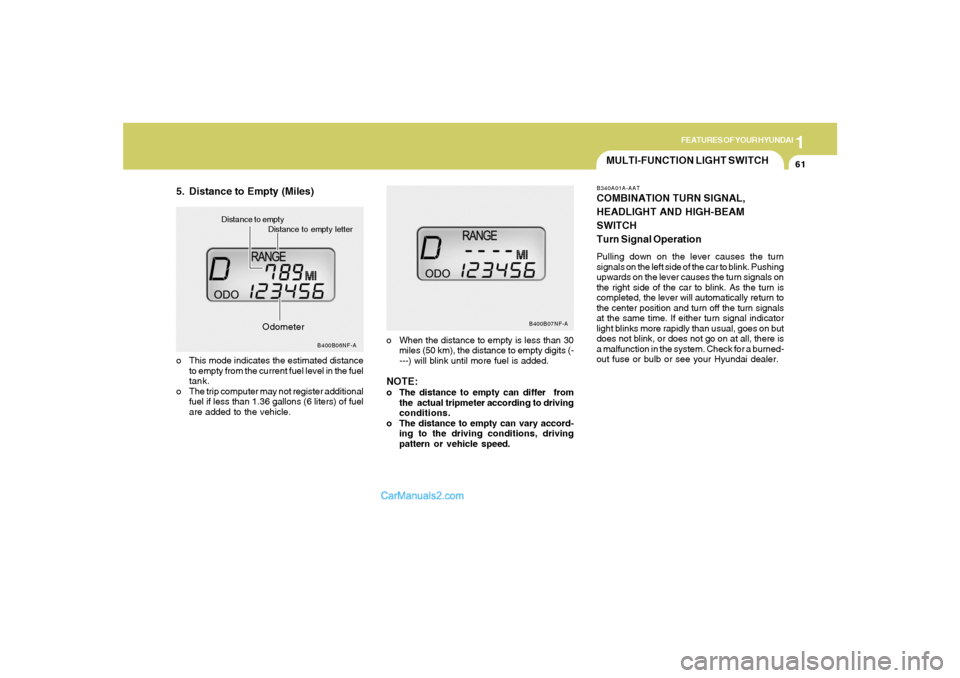
5. Distance to Empty (Miles)
o When the distance to empty is less than 30
miles (50 km), the distance to empty digits (-
---) will blink until more fuel is added.NOTE:o The distance to empty can differ from
the actual tripmeter according to driving
conditions.
o The distance to empty can vary accord-
ing to the driving conditions, driving
pattern or vehicle speed. o This mode indicates the estimated distance
to empty from the current fuel level in the fuel
tank.
o The trip computer may not register additional
fuel if less than 1.36 gallons (6 liters) of fuel
are added to the vehicle.
B400B06NF-A
Distance to empty letter Distance to empty
B400B07NF-A
Odometer
Page 133 of 271
1FEATURES OF YOUR HYUNDAI
120
o Press the RND button until the desired shuffle
mode is displayed. The audio system will
then engage the desired random mode.
6. CHANGE DIRECTORY(DIR)Press DIR control to change MP3 directories.7. MP3 TEXT modeEach press of the TEXT button will advance
through the following MP3 track information:
1) Filename
2) Song Title
3) Artist Name
4) Album Name
5) Directory Name
6) Number of tracks on the current disc
Rotate the AUDIO-SEL knob to view additional
characters.EQ Button - Equalization FeatureThe Compact disc player has five EQ modes:
OFF, CLASSICAL (CLAS), POP, ROCK, and
JAZZ.
Each press of the EQ button will advance to the
next EQ setting. Radio and CD have indepen-
dent EQ settings.
8. Adjustment Mode Select KnobPressing the AUDIO SEL knob will initiate Audio
Mode. Each subsequent press will select the
next adjustment in the following order:
1) Bass adjust
The bass adjust control allows you to in-
crease or decrease the audio system's
bass output. Rotate the AUDIO SEL knob to
change the bass setting.
2) Midrange adjust
The midrange adjust control allows you to
increase or decrease the audio system's
midrange output. Rotate the AUDIO SEL
knob to change the midrange setting.
3) Treble adjust
The treble adjust control allows you to in-
crease or decrease the audio system's
treble output. Rotate the AUDIO SEL knob to
change the treble setting.
4) Speaker balance adjust
Speaker sound distribution can be adjusted
between the right and left speakers by rotat-
ing the AUDIO SEL knob.
5) Speaker fade adjust
Speaker sound can be adjusted between the
front and rear speakers by rotating the
AUDIO SEL knob.
9. CD EJECTo Press the EJ button to stop and eject a CD.
If a CD is ejected and not removed, the player
will automatically reload the CD. This feature
may be used when the ignition is ON or OFF.NOTE:o To assure proper operation of the unit,
keep the vehicle interior temperature
within a normal range by using the
vehicle's air conditioning or heating
system.
o When replacing the fuse, replace it with
a fuse having the correct capacity.
o This equipment is designed to be used
only in a 12 volt DC battery system with
negative ground.
o This unit is made of precision parts. Do
not attempt to disassemble or adjust
any parts.
o When driving your vehicle, be sure to
keep the volume of the unit set low
enough to allow you to hear sounds
coming from the outside.
o Do not expose this equipment (includ-
ing the speakers) to water or excessive
moisture.
Page 141 of 271
1FEATURES OF YOUR HYUNDAI
128
RANDOM(RND)When engaged, the random feature has three
different modes: Random Disc, Random Di-
rectory (MP3 only), and Random Off.
RANDOM DISC randomly plays tracks from
the disc presently in the audio system. RAN-
DOM DIRECTORY plays all the tracks on the
current MP3 directory in random order.
o Press the RND control until the desired
shuffle mode is displayed. The audio sys-
tem will then engage the desired random
mode.9. CHANGE DIRECTORY(DIR)Press DIR control to change MP3 directories.10. MP3 TEXT modeEach press of the TEXT button will advance
through the following MP3 track information:
1) Song Title
2) Artist Name
3) Album Name
4) Filename
5) Directory Name
6) Number of tracks on the current disc
Rotate the AUDIO-SEL knob to view additional
characters.
11. Adjustment Mode Select KnobPressing the AUDIO SEL knob will initiate Audio
Mode. Each subsequent press will select the
next adjustment in the following order.
1) Bass adjust
The bass adjust control allows you to in-
crease or decrease the audio system's
bass output. Rotate the AUDIO SEL knob to
change the bass setting.
2) Midrange adjust
The midrange adjust control allows you to
increase or decrease the audio system's
midrange output. Rotate the AUDIO SEL
knob to change the midrange setting.
3) Treble adjust
The treble adjust control allows you to in-
crease or decrease the audio system's
treble output. Rotate the AUDIO SEL knob to
change the treble setting.
4) Speaker balance adjust
Speaker sound distribution can be adjusted
between the right and left speakers by rotat-
ing the AUDIO SEL knob.
5) Speaker fade adjust
Speaker sound can be adjusted between the
front and rear speakers by rotating the
AUDIO SEL knob.
NOTE:o To assure proper operation of the unit,
keep the vehicle interior temperature
within a normal range by using the
vehicle's air conditioning or heating
system.
o When replacing the fuse, replace it with
a fuse having the correct capacity.
o This equipment is designed to be used
only in a 12 volt DC battery system with
negative ground.
o This unit is made of precision parts. Do
not attempt to disassemble or adjust
any parts.
o When driving your vehicle, be sure to
keep the volume of the unit set low
enough to allow you to hear sounds
coming from the outside.
o Do not expose this equipment (includ-
ing the speakers) to water or excessive
moisture.
Page 199 of 271
6
Engine Compartment .................................................... 6-2
General Checks ............................................................ 6-4
Checking the Engine Oil ............................................... 6-5
Changing the Engine Oil and Filter ................................ 6-6
Checking and Changing the Engine Coolant ................ 6-8
Spark Plugs................................................................6-11
Changing the Air Cleaner Filter ...................................6-14
Checking the Transaxle Oil (Manual) .........................6-17
Checking the Transaxle Fluid (Automatic)..................6-18
Checking the Brakes ..................................................6-20
Air Conditioning Care..................................................6-21
Changing the Air Conditioner Filter .............................6-22
Checking Drive Belts ..................................................6-24
Checking and Replacing Fuses..................................6-25
Checking the Battery..................................................6-27
Power Steering Fluid Level .........................................6-29
Headlight Aiming Adjustment......................................6-30
Replacement of Light Bulbs ........................................6-31
Bulb Wattages.............................................................6-38
Fuse Panel Description...............................................6-39
DO-IT-YOURSELF MAINTENANCE
6
Page 200 of 271
6
DO-IT-YOURSELF MAINTENANCE
2
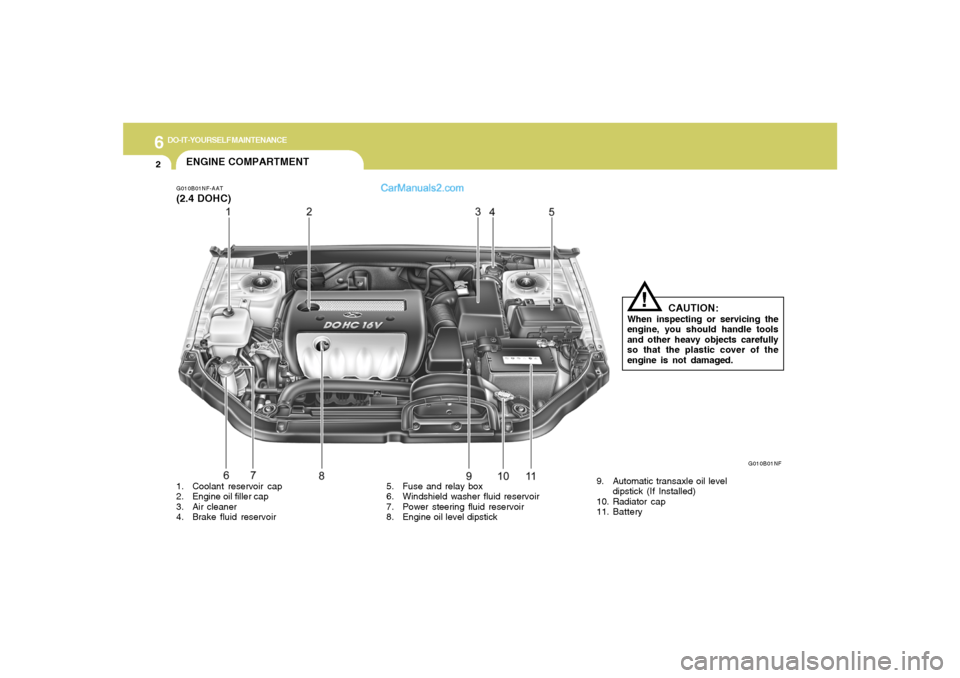
G010B01NF-AAT(2.4 DOHC)ENGINE COMPARTMENT
G010B01NF
CAUTION:
When inspecting or servicing the
engine, you should handle tools
and other heavy objects carefully
so that the plastic cover of the
engine is not damaged.
!
1. Coolant reservoir cap
2. Engine oil filler cap
3. Air cleaner
4. Brake fluid reservoir5. Fuse and relay box
6. Windshield washer fluid reservoir
7. Power steering fluid reservoir
8. Engine oil level dipstick9. Automatic transaxle oil level
dipstick (If Installed)
10. Radiator cap
11. Battery
Page 201 of 271

6
DO-IT-YOURSELF MAINTENANCE
3
G010A01NF-AAT(3.3 V6)
G010A01NF
CAUTION:
When inspecting or servicing the
engine, you should handle tools
and other heavy objects carefully
so that the plastic cover of the
engine is not damaged.
!
1. Coolant reservoir cap
2. Engine oil filler cap
3. Air cleaner
4. Brake fluid reservoir5. Fuse and relay box
6. Windshield washer fluid reservoir
7. Power steering fluid reservoir
8. Engine oil level dipstick9. Automatic transaxle oil level dipstick
10. Radiator cap
11. Battery
Page 223 of 271
6
DO-IT-YOURSELF MAINTENANCE
25
Drive belts should be checked periodically for
proper tension. At the same time, belts should
be examined for cracks, wear, fraying or other
evidence of deterioration and replaced if neces-
sary.
When a new belt is replaced, the belt should be
located within the pulley of flat idler.
Belt routing should also be checked to be sure
there is no interference between the belts and
other parts of the engine.
NOTE:Drive belt tension is adjusted automatically
by the auto tensioner.
CHECKING AND REPLACING
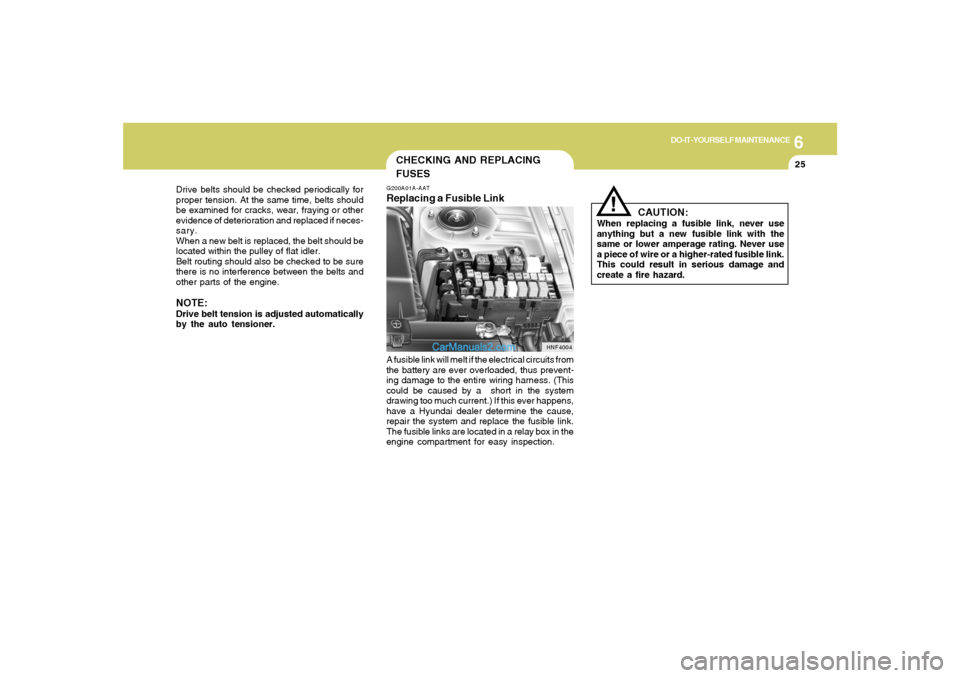
FUSESG200A01A-AATReplacing a Fusible LinkA fusible link will melt if the electrical circuits from
the battery are ever overloaded, thus prevent-
ing damage to the entire wiring harness. (This
could be caused by a short in the system
drawing too much current.) If this ever happens,
have a Hyundai dealer determine the cause,
repair the system and replace the fusible link.
The fusible links are located in a relay box in the
engine compartment for easy inspection.
HNF4004
!
CAUTION:
When replacing a fusible link, never use
anything but a new fusible link with the
same or lower amperage rating. Never use
a piece of wire or a higher-rated fusible link.
This could result in serious damage and
create a fire hazard.
Page 224 of 271
6
DO-IT-YOURSELF MAINTENANCE
26
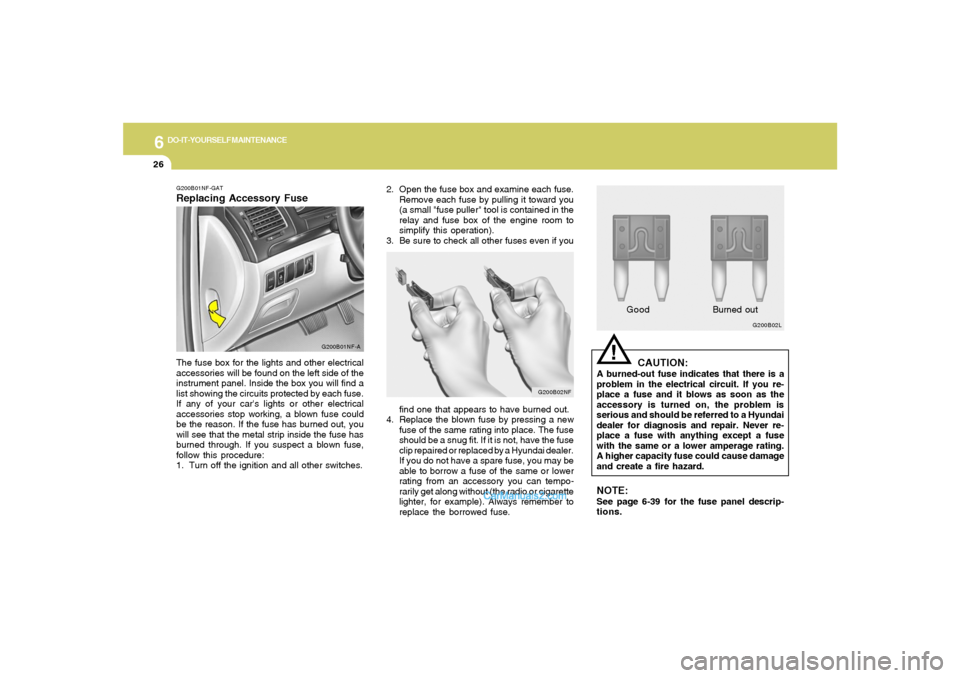
2. Open the fuse box and examine each fuse.
Remove each fuse by pulling it toward you
(a small "fuse puller" tool is contained in the
relay and fuse box of the engine room to
simplify this operation).
3. Be sure to check all other fuses even if you
G200B02NF
find one that appears to have burned out.
4. Replace the blown fuse by pressing a new
fuse of the same rating into place. The fuse
should be a snug fit. If it is not, have the fuse
clip repaired or replaced by a Hyundai dealer.
If you do not have a spare fuse, you may be
able to borrow a fuse of the same or lower
rating from an accessory you can tempo-
rarily get along without (the radio or cigarette
lighter, for example). Always remember to
replace the borrowed fuse.
!
G200B02L
GoodBurned outCAUTION:
A burned-out fuse indicates that there is a
problem in the electrical circuit. If you re-
place a fuse and it blows as soon as the
accessory is turned on, the problem is
serious and should be referred to a Hyundai
dealer for diagnosis and repair. Never re-
place a fuse with anything except a fuse
with the same or a lower amperage rating.
A higher capacity fuse could cause damage
and create a fire hazard.NOTE:See page 6-39 for the fuse panel descrip-
tions.
G200B01NF-GATReplacing Accessory Fuse
G200B01NF-A
The fuse box for the lights and other electrical
accessories will be found on the left side of the
instrument panel. Inside the box you will find a
list showing the circuits protected by each fuse.
If any of your car's lights or other electrical
accessories stop working, a blown fuse could
be the reason. If the fuse has burned out, you
will see that the metal strip inside the fuse has
burned through. If you suspect a blown fuse,
follow this procedure:
1. Turn off the ignition and all other switches.