engine Hyundai Sonata 2014 Owner's Manual
[x] Cancel search | Manufacturer: HYUNDAI, Model Year: 2014, Model line: Sonata, Model: Hyundai Sonata 2014Pages: 665, PDF Size: 17.43 MB
Page 493 of 665
5-44
Driving your vehicle
When you drive on a road having
poor traction, such as an icy road,
and apply your brakes continu-
ously, the ABS will be active con-
tinuously and the ABS warning
light ( ) may illuminate. Pull
your car over to a safe place and
turn the engine off.
Restart the engine. If the ABS
warning light is off, then your ABS
system is normal.
Otherwise, you may have a prob-
lem with your ABS system. We
recommend that you contact an
authorized HYUNDAI dealer as
soon as possible.
Information
When you jump start your vehicle
because of a drained battery, the ABS
warning light ( ) may turn on at the
same time. This happens because of
the low battery voltage. It does not
mean your ABS is malfunctioning.
Have the battery recharged before
driving the vehicle.
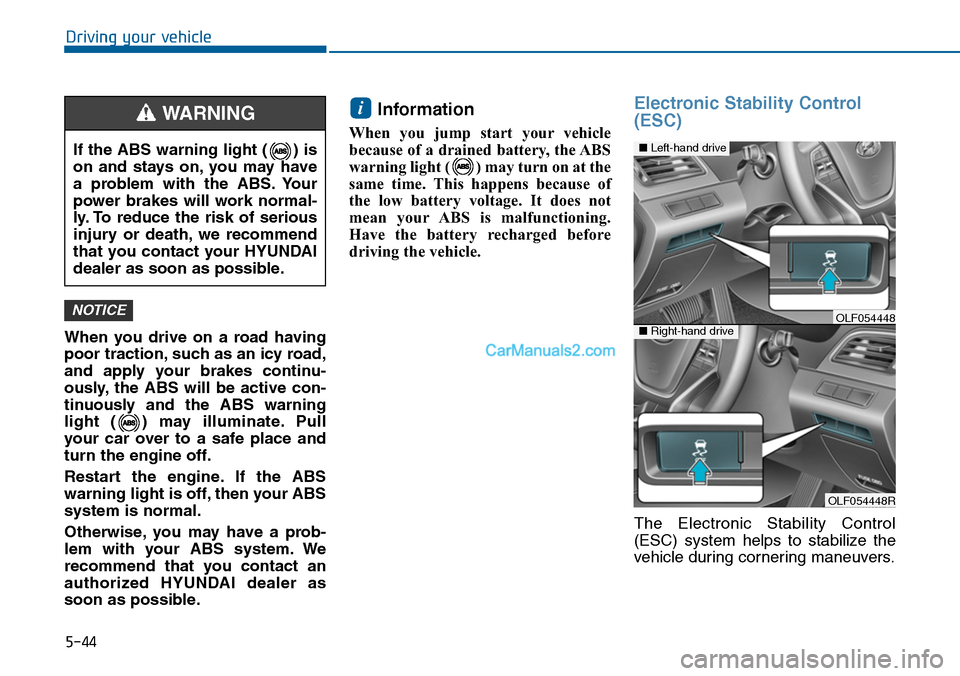
Electronic Stability Control
(ESC)
The Electronic Stability Control
(ESC) system helps to stabilize the
vehicle during cornering maneuvers.
i
NOTICE
If the ABS warning light ( ) is
on and stays on, you may have
a problem with the ABS. Your
power brakes will work normal-
ly. To reduce the risk of serious
injury or death, we recommend
that you contact your HYUNDAI
dealer as soon as possible.
WARNING
OLF054448R
■Left-hand drive
■Right-hand driveOLF054448
Page 494 of 665
5-45
Driving your vehicle
5
ESC checks where you are steering
and where the vehicle is actually
going. ESC applies braking pressure
to any one of the vehicle’s brakes
and intervenes in the engine man-
agement system to assist the driver
with keeping the vehicle on the
intended path. It is not a substitute
for safe driving practices. Always
adjust your speed and driving to the
road conditions.
ESC operation
ESC ON condition
When the ignition switch is in the ON
position, the ESC and the ESC OFF
indicator lights illuminate for approxi-
mately three seconds and goes off,
then the ESC is turned on.
When operating
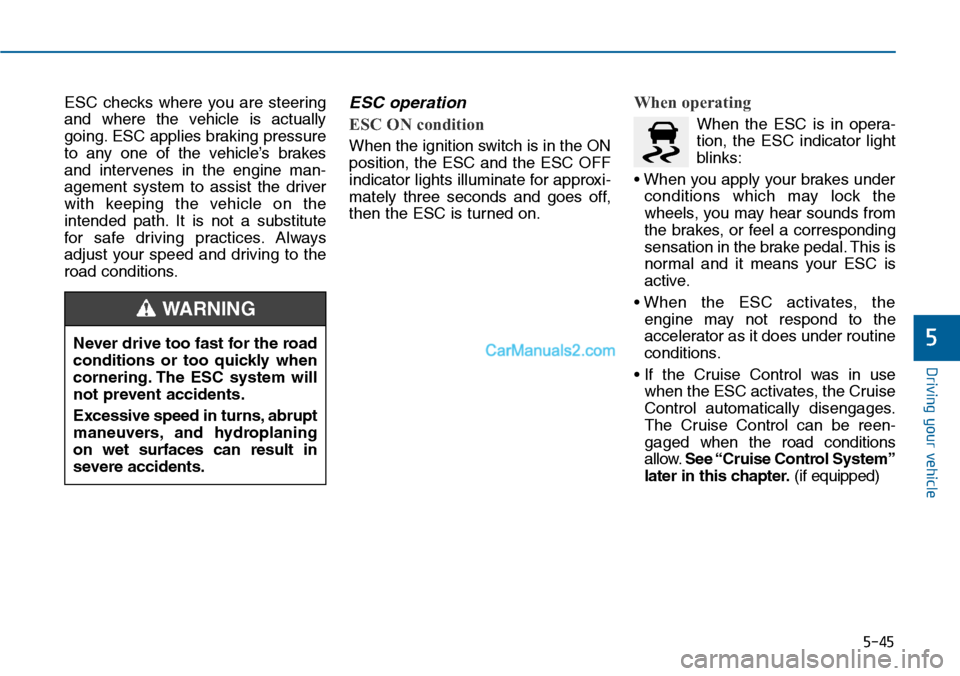
When the ESC is in opera-
tion, the ESC indicator light
blinks:
• When you apply your brakes under
conditions which may lock the
wheels, you may hear sounds from
the brakes, or feel a corresponding
sensation in the brake pedal. This is
normal and it means your ESC is
active.
• When the ESC activates, the
engine may not respond to the
accelerator as it does under routine
conditions.
• If the Cruise Control was in use
when the ESC activates, the Cruise
Control automatically disengages.
The Cruise Control can be reen-
gaged when the road conditions
allow.See “Cruise Control System”
later in this chapter.(if equipped)
Never drive too fast for the road
conditions or too quickly when
cornering. The ESC system will
not prevent accidents.
Excessive speed in turns, abrupt
maneuvers, and hydroplaning
on wet surfaces can result in
severe accidents.
WARNING
Page 495 of 665
5-46
Driving your vehicle
• When moving out of the mud or
driving on a slippery road, the
engine rpm (revolutions per minute)
may not increase even if you press
the accelerator pedal deeply. This is
to maintain the stability and traction
of the vehicle and does not indicate
a problem.
ESC OFF condition
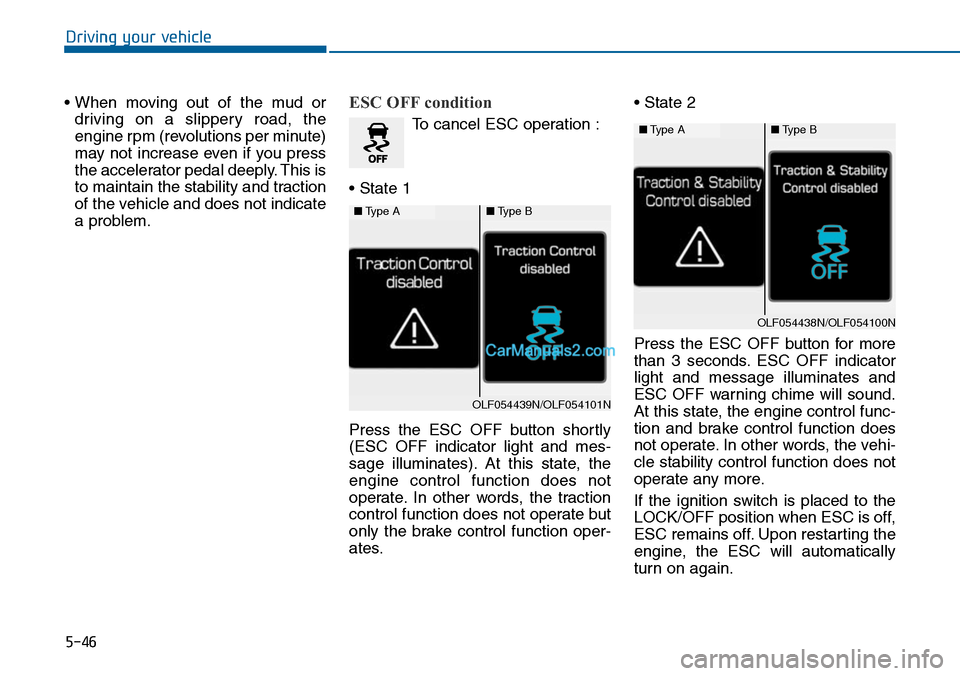
To cancel ESC operation :
• State 1
Press the ESC OFF button shortly
(ESC OFF indicator light and mes-
sage illuminates). At this state, the
engine control function does not
operate. In other words, the traction
control function does not operate but
only the brake control function oper-
ates.
• State 2
Press the ESC OFF button for more
than 3 seconds. ESC OFF indicator
light and message illuminates and
ESC OFF warning chime will sound.
At this state, the engine control func-
tion and brake control function does
not operate. In other words, the vehi-
cle stability control function does not
operate any more.
If the ignition switch is placed to the
LOCK/OFF position when ESC is off,
ESC remains off. Upon restarting the
engine, the ESC will automatically
turn on again.
■Type A■Type B
OLF054439N/OLF054101N
■Type A■Type B
OLF054438N/OLF054100N
Page 497 of 665
5-48
Driving your vehicle
To p r e v e n t d a m a g e t o t h e
transaxle:
•Do not allow wheel(s) of one
axle to spin excessively while
the ESC, ABS, and brake warn-
ing lights are displayed. The
repairs would not be covered by
the vehicle warranty. Reduce
engine power and do not spin
the wheel(s) excessively while
these lights are displayed.
•When operating the vehicle on a
dynamometer, ensure the ESC is
turned off (ESC OFF light illumi-
nated).
Information
Turning the ESC off does not affect
ABS or standard brake system opera-
tion.
Vehicle Stability Manag ement
(if equipped)
Ve h i c l e S t a b i l i t y M a n a g e m e n t ( V S M )
helps ensure the vehicle stays stable
when accelerating or braking sud-
denly on wet, slippery and rough
roads where traction over the four
tires can suddenly become uneven.
VSM operation
VSM ON condition
The VSM operates when:
•The Electronic Stability Control
(ESC) is on.
•Vehicle speed is approximately
above 15 km/h (9mph) on curve
roads.
•Vehicle speed is approximately
above 20 km/h (12mph) when the
vehicle is braking on rough roads.
When operating
When you apply your brakes under
conditions which may activate the
ESC, you may hear sounds from the
brakes, or feel a corresponding sen-
sation in the brake pedal. This is nor-
mal and it means your VSM is active.
i
NOTICE
Take the following precautions
when using the Vehicle Stability
Management (VSM):
•ALWAYS check the speed and
the distance to the vehicle
ahead. The VSM is not a sub-
stitute for safe driving prac-
tices.
•Never drive too fast for the
road conditions. The VSM sys-
tem will not prevent acci-
dents. Excessive speed in bad
weather, slippery and uneven
roads can result in severe
accidents.
WARNING
Page 500 of 665
5-51
Driving your vehicle
5
Good braking practices Wet brakes can be dangerous! The
brakes may get wet if the vehicle is
driven through standing water or if it
is washed. Your vehicle will not stop
as quickly if the brakes are wet. Wet
brakes may cause the vehicle to pull
to one side.
To dry the brakes, apply the brakes
lightly until the braking action returns
to normal, taking care to keep the
vehicle under control at all times. If
the braking action does not return to
normal, stop as soon as it is safe to
do so and we recommend that you
call an authorized HYUNDAI dealer
for assistance.
DO NOT drive with your foot resting
on the brake pedal. Even light, but
constant pedal pressure can result in
the brakes overheating, brake wear,
and possibly even brake failure.
If a tire goes flat while you are driv-
ing, apply the brakes gently and
keep the vehicle pointed straight
ahead while you slow down. When
you are moving slowly enough for it
to be safe to do so, pull off the road
and stop in a safe location.
Keep your foot fir mly on the brake
pedal when the vehicle is stopped to
prevent the vehicle from rolling for-
ward.
Whenever leaving the vehicle or
parking, always come to a com-
plete stop and continue to
depress the brake pedal. Move
the shift lever into the P (Park)
position, then apply the parking
brake, and place the Engine
Start/Stop button in the OFF
position.
Vehicles with the parking brake
not fully engaged are at risk for
moving inadvertently and caus-
ing injury to yourself or others.
WARNING
Page 501 of 665
5-52
Driving your vehicle
DRIVE MODE INTEGRATED CONTROL SYSTEM (IF EQUIPPED)
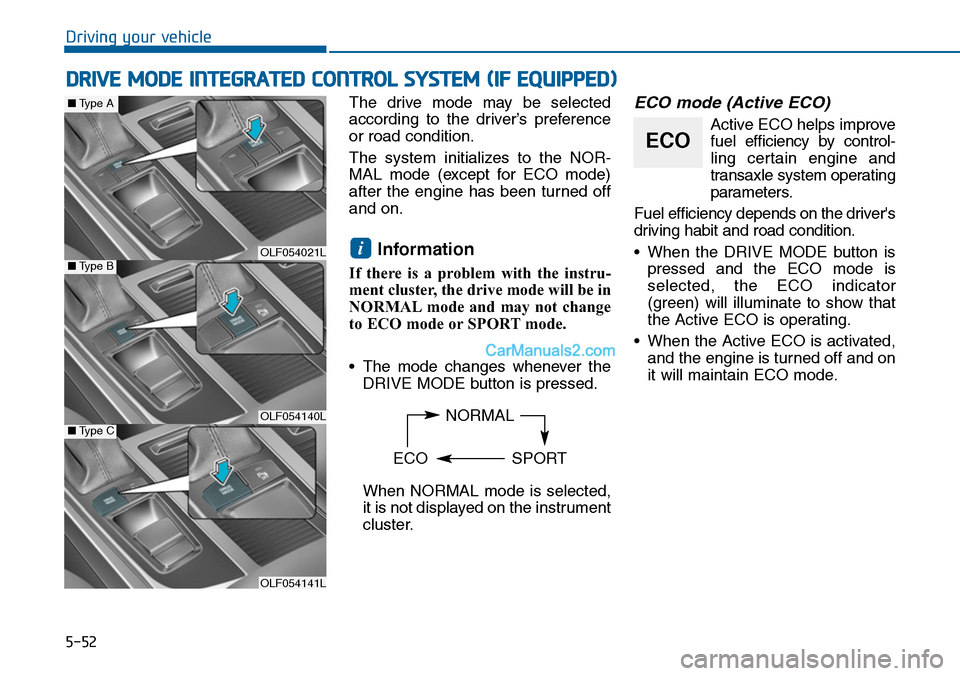
The drive mode may be selected
according to the driver’s preference
or road condition.
The system initializes to the NOR-
MAL mode (except for ECO mode)
after the engine has been turned off
and on.
Information
If there is a problem with the instru-
ment cluster, the drive mode will be in
NORMAL mode and may not change
to ECO mode or SPORT mode.
•The mode changes whenever the
DRIVE MODE button is pressed.
When NORMAL mode is selected,
it is not displayed on the instrument
cluster.
ECO mode (Active ECO)
Active ECO helps improve
fuel efficiency by control-
ling certain engine and
transaxle system operating
parameters.
Fuel efficiency depends on the driver's
driving habit and road condition.
•When the DRIVE MODE button is
pressed and the ECO mode is
selected, the ECO indicator
(green) will illuminate to show that
the Active ECO is operating.
•When the Active ECO is activated,
and the engine is turned off and on
it will maintain ECO mode.
i
NORMAL
ECO SPORT
ECO
OLF054021L
OLF054140L
OLF054141L
■Type B
■Type A
■Type C
Page 502 of 665
5-53
Driving your vehicle
5
When Active ECO is activated:
•The acceleration response may be
slightly reduced as the accelerator
pedal is depressed moderately.
•The air conditioner performance
may be limited.
•The shift pattern of the automatic
transaxle may change.
•The engine noise may get louder.
The above situations are normal
conditions when the Active ECO sys-
tem is activated to improve fuel effi-
ciency.
Limitation of Active ECO opera-
tion:
If the following conditions occur while
Active ECO is operating, the system
operation is limited even though
there is no change in the ECO indi-
cator.
•When the coolant temperature is
low:
The system will be limited until
engine performance becomes nor-
mal.
•When driving up a hill:
The system will be limited to gain
power when driving uphill because
engine torque is restricted.
•When using the automatic
transaxle Sports mode:
The system will be limited accord-
ing to the shift location.
•When the accelerator pedal is
deeply depressed for a few sec-
onds: The system will be limited,
judging that the driver wants to
speed up.
SPORT mode
SPORT mode focuses on
dynamic driving by auto-
matically controlling the
steering wheel, engine
and transaxle system.
•When the DRIVE MODE button is
pressed and the SPORT mode is
selected, the SPORT indicator
(yellow) will illuminate.
•When the SPORT mode is activat-
ed, and the engine is turned off
and on it will change to NORMAL
mode. To turn on the SPORT
mode, press the DRIVE MODE
button again.
•If the system is activated:
- After accelerating and releasing
the accelerator pedal, the gear
and engine speed RPM may not
drop as soon as in NORMAL
mode.
- Up-shifting is delayed.
Information
In SPORT mode, the fuel efficiency
may decrease.
i
SPORT
Page 503 of 665
5-54
Driving your vehicle
Cruise Control operation
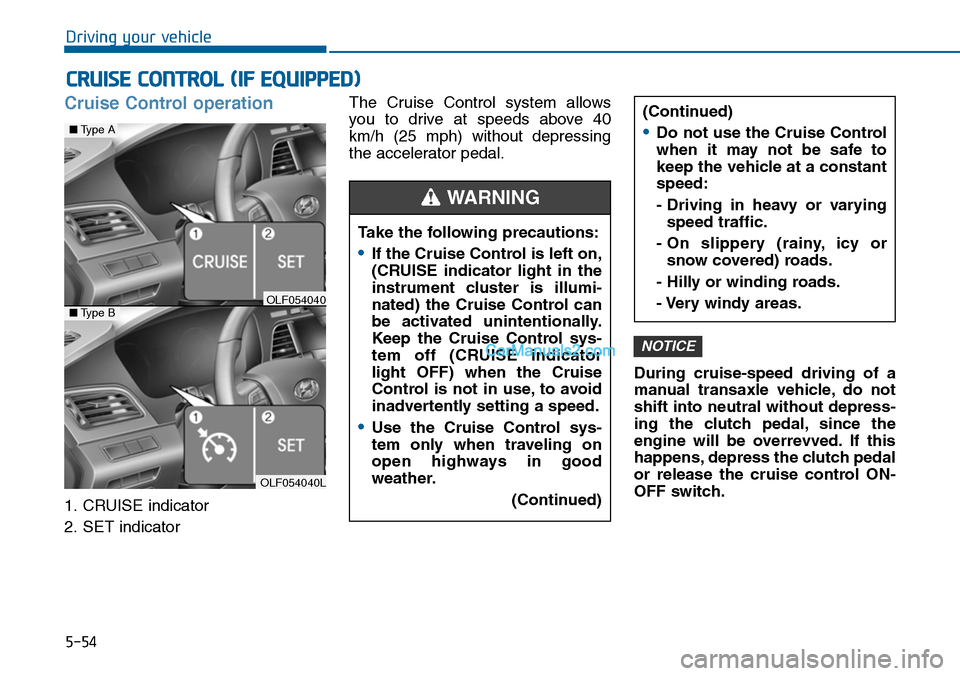
1. CRUISE indicator
2. SET indicator
The Cruise Control system allows
you to drive at speeds above 40
km/h (25 mph) without depressing
the accelerator pedal.
During cruise-speed driving of a
manual transaxle vehicle, do not
shift into neutral without depress-
ing the clutch pedal, since the
engine will be overrevved. If this
happens, depress the clutch pedal
or release the cruise control ON-
OFF switch.
NOTICE
CRUISE CONTROL (IF EQUIPPED)
Take the following precautions:
•If the Cruise Control is left on,
(CRUISE indicator light in the
instrument cluster is illumi-
nated) the Cruise Control can
be activated unintentionally.
Keep the Cruise Control sys-
tem off (CRUISE indicator
light OFF) when the Cruise
Control is not in use, to avoid
inadvertently setting a speed.
•Use the Cruise Control sys-
tem only when traveling on
open highways in good
weather.
(Continued)
(Continued)
•Do not use the Cruise Control
when it may not be safe to
keep the vehicle at a constant
speed:
- Driving in heavy or varying
speed traffic.
- On slippery (rainy, icy or
snow covered) roads.
- Hilly or winding roads.
- Very windy areas.
WARNING
OLF054040L
■Type A
■Type BOLF054040
Page 504 of 665
5-55
Driving your vehicle
5
Information
• During normal cruise control opera-
tion, when the SET switch is activat-
ed or reactivated after applying the
brakes, the cruise control will ener-
gize after approximately 3 seconds.
This delay is normal.
• To activate cruise control, depress
the brake pedal at least once after
turning the ignition switch to the
ON position or starting the engine.
This is to check if the brake switch
which is important part to cancel
cruise control is in normal condi-
tion.
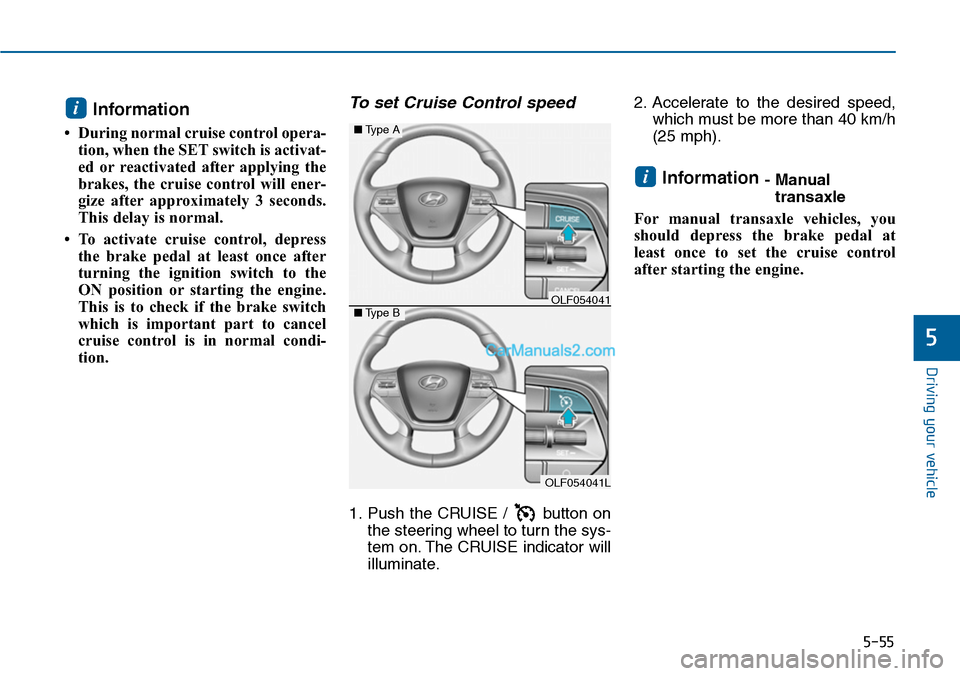
To set Cruise Control speed
1. Push the CRUISE / button on
the steering wheel to turn the sys-
tem on. The CRUISE indicator will
illuminate.
2. Accelerate to the desired speed,
which must be more than 40 km/h
(25 mph).
Information - Manual
transaxle
For manual transaxle vehicles, you
should depress the brake pedal at
least once to set the cruise control
after starting the engine.
i
i
OLF054041L
■Type A
■Type BOLF054041
Page 508 of 665
5-59
Driving your vehicle
5
Information
Each of the above actions will cancel
Cruise Control operation (the SET
indicator light in the instrument clus-
ter will go off), but only pressing the
CRUISE button will turn the system
off. If you wish to resume Cruise
Control operation, push the lever up
(RES+) located on your steering
wheel. You will return to your previ-
ously preset speed, unless the system
was turned off using the CRUISE but-
ton.
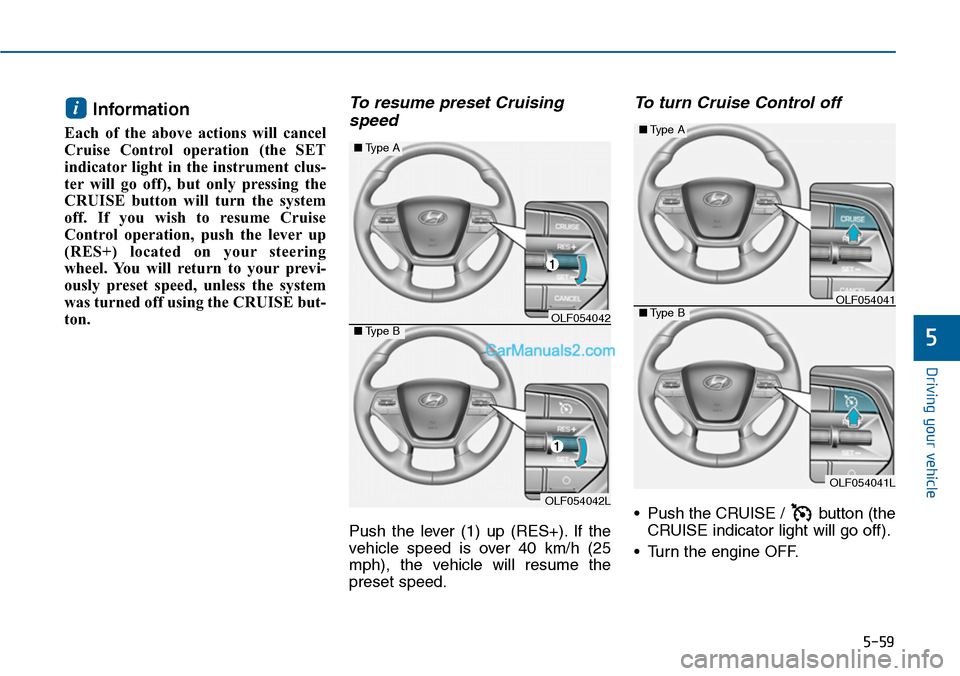
To resume preset Cruising
speed
Push the lever (1) up (RES+). If the
vehicle speed is over 40 km/h (25
mph), the vehicle will resume the
preset speed.
To turn Cruise Control off
•Push the CRUISE / button (the
CRUISE indicator light will go off).
•Turn the engine OFF.
i
OLF054042L
■Type A
■Type BOLF054042
OLF054041L
■Type A
■Type BOLF054041