engine Hyundai Sonata 2014 Workshop Manual
[x] Cancel search | Manufacturer: HYUNDAI, Model Year: 2014, Model line: Sonata, Model: Hyundai Sonata 2014Pages: 665, PDF Size: 17.43 MB
Page 169 of 665
3-73
Convenient features of your vehicle
3
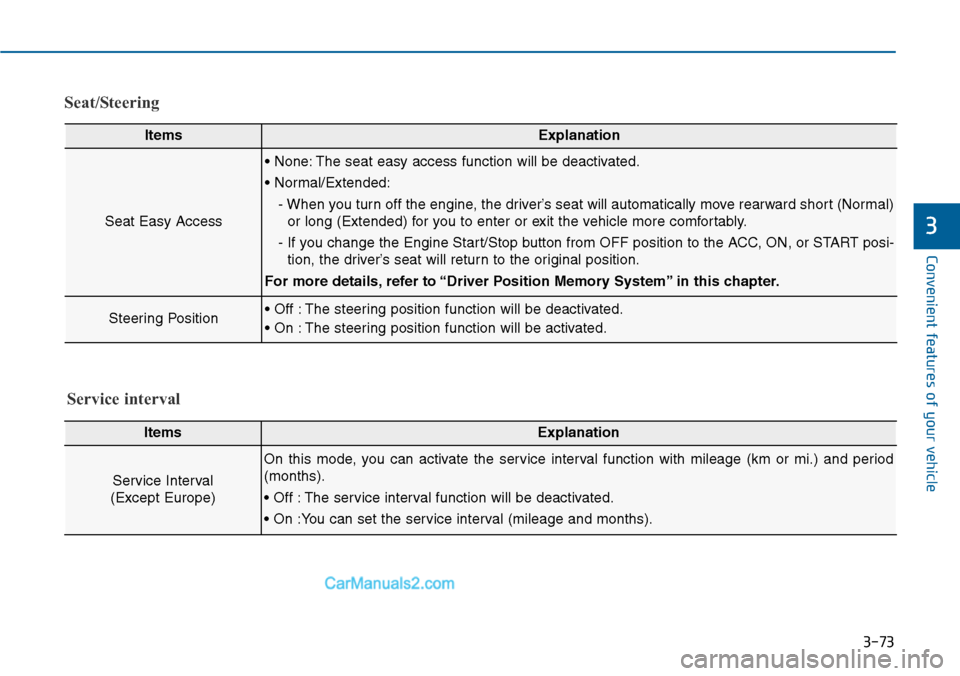
Seat/Steering
ItemsExplanation
Seat Easy Access
• None: The seat easy access function will be deactivated.
• Normal/Extended:
- When you turn off the engine, the driver’s seat will automatically move rearward short (Normal)
or long (Extended) for you to enter or exit the vehicle more comfortably.
- If you change the Engine Start/Stop button from OFF position to the ACC, ON, or START posi-
tion, the driver’s seat will return to the original position.
For more details, refer to “Driver Position Memory System” in this chapter.
Steering Position• Off : The steering position function will be deactivated.
• On : The steering position function will be activated.
ItemsExplanation
Service Interval
(Except Europe)
On this mode, you can activate the service interval function with mileage (km or mi.) and period
(months).
• Off : The service interval function will be deactivated.
• On :You can set the service interval (mileage and months).
Service interval
Page 171 of 665
3-75
Convenient features of your vehicle
3
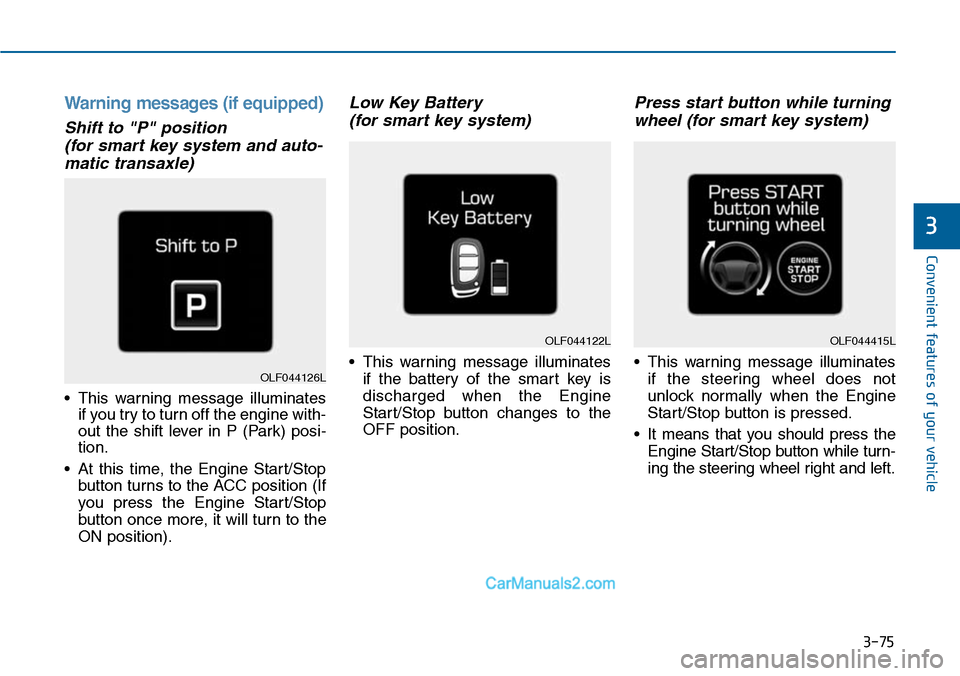
Warning messages (if equipped)
Shift to "P" position
(for smart key system and auto-
matic transaxle)
•This warning message illuminates
if you try to turn off the engine with-
out the shift lever in P (Park) posi-
tion.
•At this time, the Engine Start/Stop
button turns to the ACC position (If
you press the Engine Star t/Stop
button once more, it will turn to the
ON position).
Low Key Battery
(for smart key system)
•This warning message illuminates
if the battery of the smart key is
discharged when the Engine
Start/Stop button changes to the
OFF position.
Press start button while turning
wheel (for smart key system)
•This warning message illuminates
if the steering wheel does not
unlock normally when the Engine
Start/Stop button is pressed.
•It means that you should press the
Engine Start/Stop button while turn-
ing the steering wheel right and left.
OLF044122L
OLF044126L
OLF044415L
Page 172 of 665
3-76
Convenient features of your vehicle
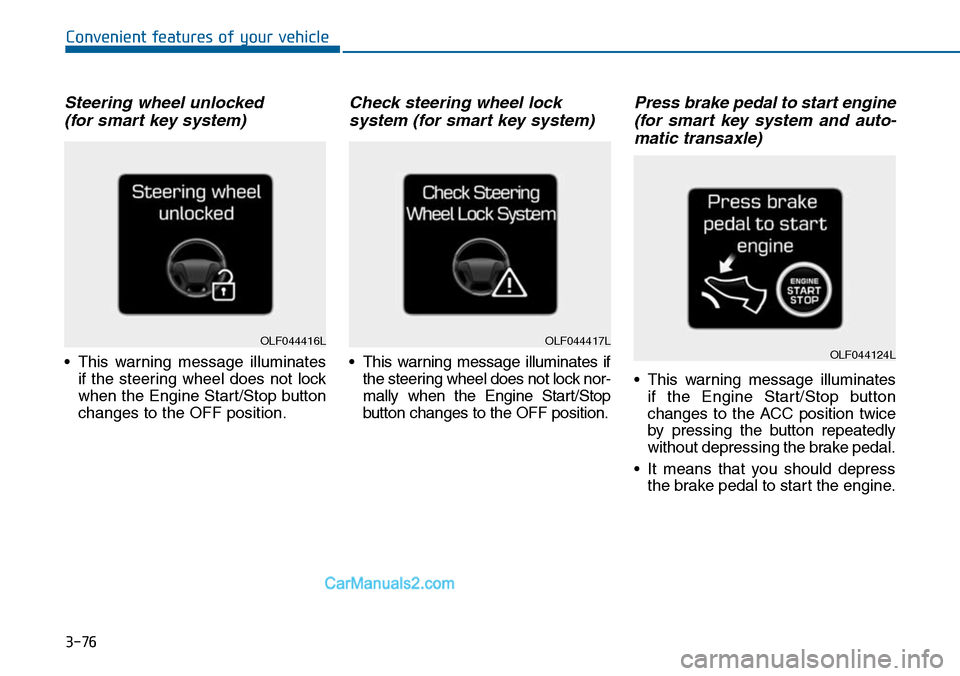
Steering wheel unlocked
(for smart key system)
•This warning message illuminates
if the steering wheel does not lock
when the Engine Start/Stop button
changes to the OFF position.
Check steering wheel lock
system (for smart key system)
•This warning message illuminates if
the steering wheel does not lock nor-
mally when the Engine Start/Stop
button changes to the OFF position.
Press brake pedal to start engine
(for smart key system and auto-
matic transaxle)
•This warning message illuminates
if the Engine Start/Stop button
changes to the ACC position twice
by pressing the button repeatedly
without depressing the brake pedal.
•It means that you should depress
the brake pedal to start the engine.
OLF044416LOLF044417LOLF044124L
Page 173 of 665
3-77
Convenient features of your vehicle
3
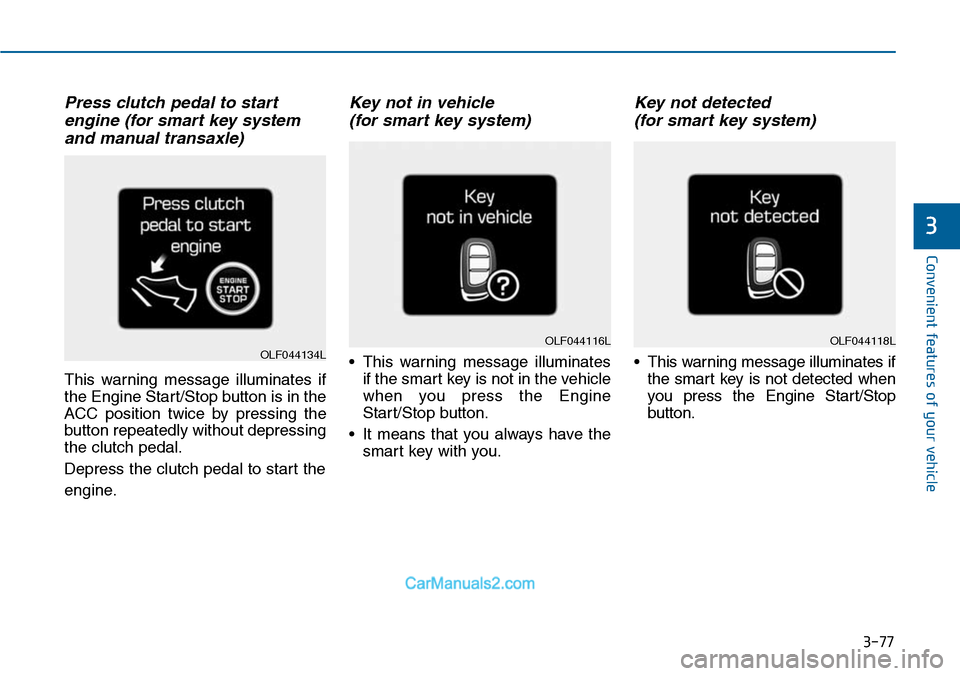
Press clutch pedal to start
engine (for smart key system
and manual transaxle)
This warning message illuminates if
the Engine Start/Stop button is in the
ACC position twice by pressing the
button repeatedly without depressing
the clutch pedal.
Depress the clutch pedal to start the
engine.
Key not in vehicle
(for smart key system)
•This warning message illuminates
if the smart key is not in the vehicle
when you press the Engine
Start/Stop button.
•It means that you always have the
smart key with you.
Key not detected
(for smart key system)
•This warning message illuminates if
the smart key is not detected when
you press the Engine Star t/Stop
button.
OLF044118LOLF044116LOLF044134L
Page 174 of 665
3-78
Convenient features of your vehicle
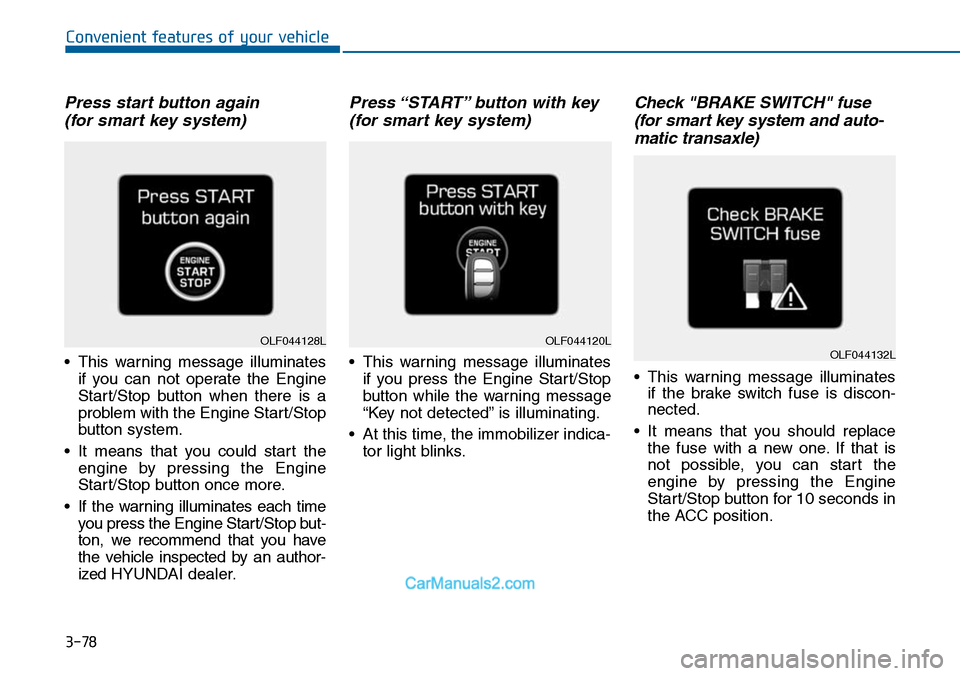
Press start button again
(for smart key system)
•This warning message illuminates
if you can not operate the Engine
Start/Stop button when there is a
problem with the Engine Start/Stop
button system.
•It means that you could start the
engine by pressing the Engine
Start/Stop button once more.
•If the warning illuminates each time
you press the Engine Star t/Stop but-
ton, we recommend that you have
the vehicle inspected by an author-
ized HYUNDAI dealer.
Press “START” button with key
(for smart key system)
•This warning message illuminates
if you press the Engine Start/Stop
button while the warning message
“Key not detected” is illuminating.
•At this time, the immobilizer indica-
tor light blinks.
Check "BRAKE SWITCH" fuse
(for smart key system and auto-
matic transaxle)
•This warning message illuminates
if the brake switch fuse is discon-
nected.
•It means that you should replace
the fuse with a new one. If that is
not possible, you can start the
engine by pressing the Engine
Start/Stop button for 10 seconds in
the ACC position.
OLF044120LOLF044132LOLF044128L
Page 175 of 665
3-79
Convenient features of your vehicle
3
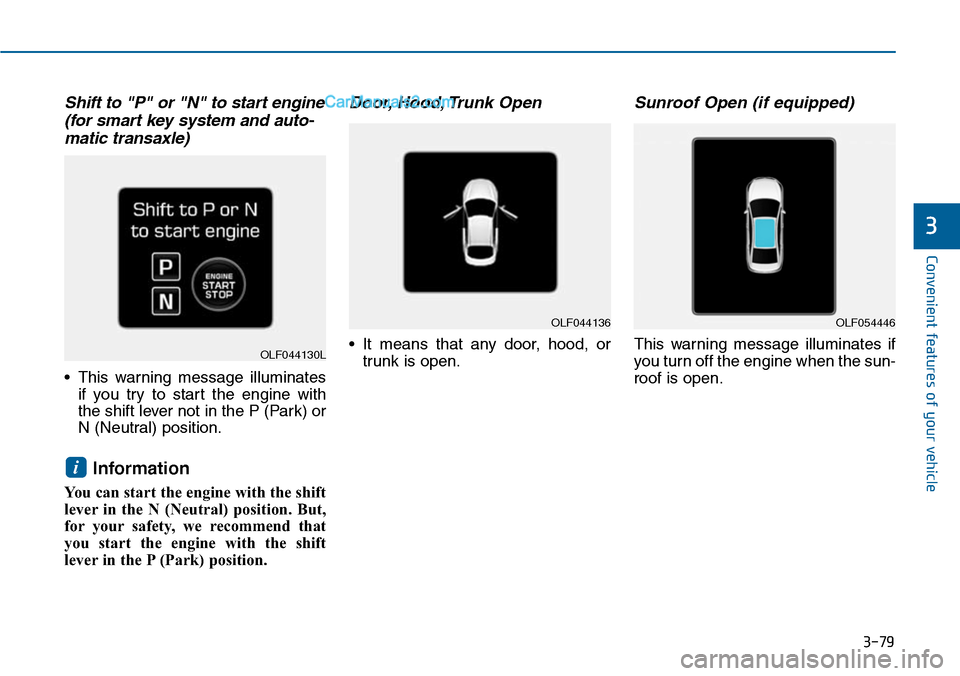
Shift to "P" or "N" to start engine
(for smart key system and auto-
matic transaxle)
•This warning message illuminates
if you try to start the engine with
the shift lever not in the P (Park) or
N (Neutral) position.
Information
You can start the engine with the shift
lever in the N (Neutral) position. But,
for your safety, we recommend that
you start the engine with the shift
lever in the P (Park) position.
Door, Hood, Trunk Open
•It means that any door, hood, or
trunk is open.
Sunroof Open (if equipped)
This warning message illuminates if
you turn off the engine when the sun-
roof is open.
i
OLF044136OLF054446
OLF044130L
Page 176 of 665
3-80
Convenient features of your vehicle
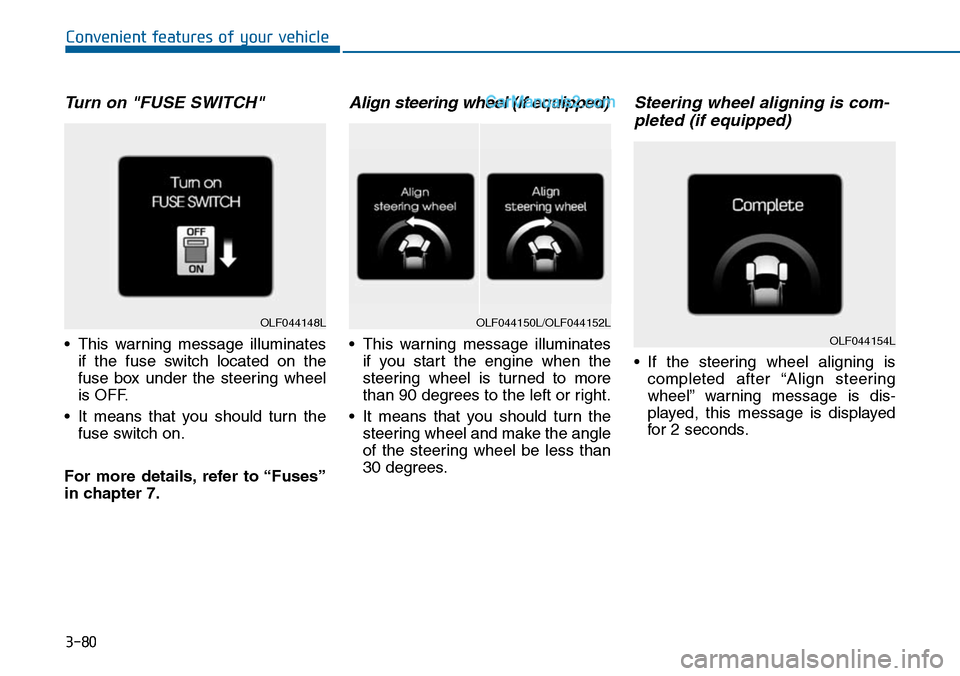
Turn on "FUSE SWITCH"
•This warning message illuminates
if the fuse switch located on the
fuse box under the steering wheel
is OFF.
•It means that you should turn the
fuse switch on.
For more details, refer to “Fuses”
in chapter 7.
Align steering wheel (if equipped)
•This warning message illuminates
if you start the engine when the
steering wheel is turned to more
than 90 degrees to the left or right.
•It means that you should turn the
steering wheel and make the angle
of the steering wheel be less than
30 degrees.
Steering wheel aligning is com-
pleted (if equipped)
•If the steering wheel aligning is
completed after “Align steering
wheel” warning message is dis-
played, this message is displayed
for 2 seconds.
OLF044148LOLF044150L/OLF044152L
OLF044154L
Page 177 of 665
3-81
Convenient features of your vehicle
3
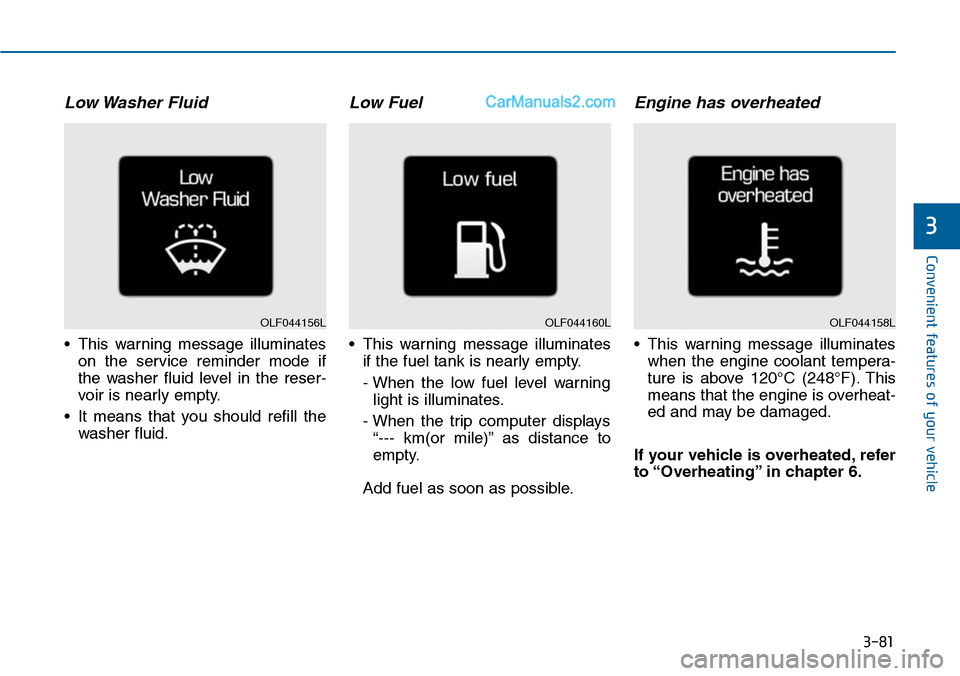
Low Washer Fluid
•This warning message illuminates
on the service reminder mode if
the washer fluid level in the reser-
voir is nearly empty.
•It means that you should refill the
washer fluid.
Low Fuel
•This warning message illuminates
if the fuel tank is nearly empty.
- When the low fuel level warning
light is illuminates.
- When the trip computer displays
“--- km(or mile)” as distance to
empty.
Add fuel as soon as possible.
Engine has overheated
•This warning message illuminates
when the engine coolant tempera-
ture is above 120°C (248°F). This
means that the engine is overheat-
ed and may be damaged.
If your vehicle is overheated, refer
to “Overheating” in chapter 6.
OLF044160LOLF044158LOLF044156L
Page 180 of 665
3-84
Convenient features of your vehicle
Average Vehicle Speed (2)
•The average vehicle speed is cal-
culated by the total driving dis-
tance and driving time since the
last average vehicle speed reset.
- Speed range: 0 ~ 999 km/h or MPH
•To reset the average vehicle speed,
press the [OK] button on the steer-
ing wheel for more than 1 second
when the average vehicle speed is
displayed.
Information
•The average vehicle speed is not dis-
played if the driving distance is less
than 300 meters (0.19 miles) or the
driving time is less than 10 seconds
since the ignition switch or the Engine
Start/Stop button is turned to ON.
• Even if the vehicle is not in motion,
the average vehicle speed keeps cal-
culating while the engine is running.
Elapsed Time (3)
•The elapsed time is the total driv-
ing time since the last elapsed time
reset.
- Time range (hh:mm): 00:00 ~ 99:59
•To reset the elapsed time, press
the [OK] button on the steering
wheel for more than 1 second
when the elapsed time is dis-
played.
Information
Even if the vehicle is not in motion, the
elapsed time keeps calculating while
the engine is running.
Fuel economy
(km or mile, L/100km,
km/L or MPG)
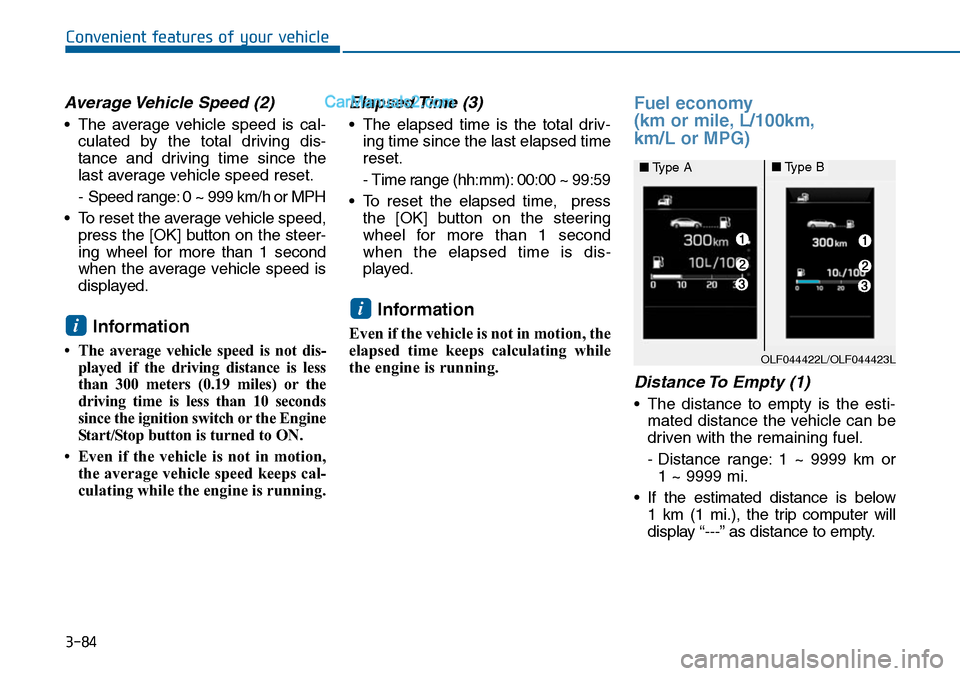
Distance To Empty (1)
•The distance to empty is the esti-
mated distance the vehicle can be
driven with the remaining fuel.
- Distance range: 1 ~ 9999 km or
1 ~ 9999 mi.
•If the estimated distance is below
1 km (1 mi.), the trip computer will
display “---” as distance to empty.
i
i
OLF044422L/OLF044423L
■Type A■Type B
Page 181 of 665
3-85
Convenient features of your vehicle
3
Information
• If the vehicle is not on level ground
or the battery power has been inter-
rupted, the distance to empty func-
tion may not operate correctly.
• The distance to empty may differ
from the actual driving distance as
it is an estimate of the available
driving distance.
• The trip computer may not register
additional fuel if less than 6 liters
(1.6 gallons) of fuel are added to the
vehicle.
• The fuel economy and distance to
empty may vary significantly based
on driving conditions, driving
habits, and condition of the vehicle.
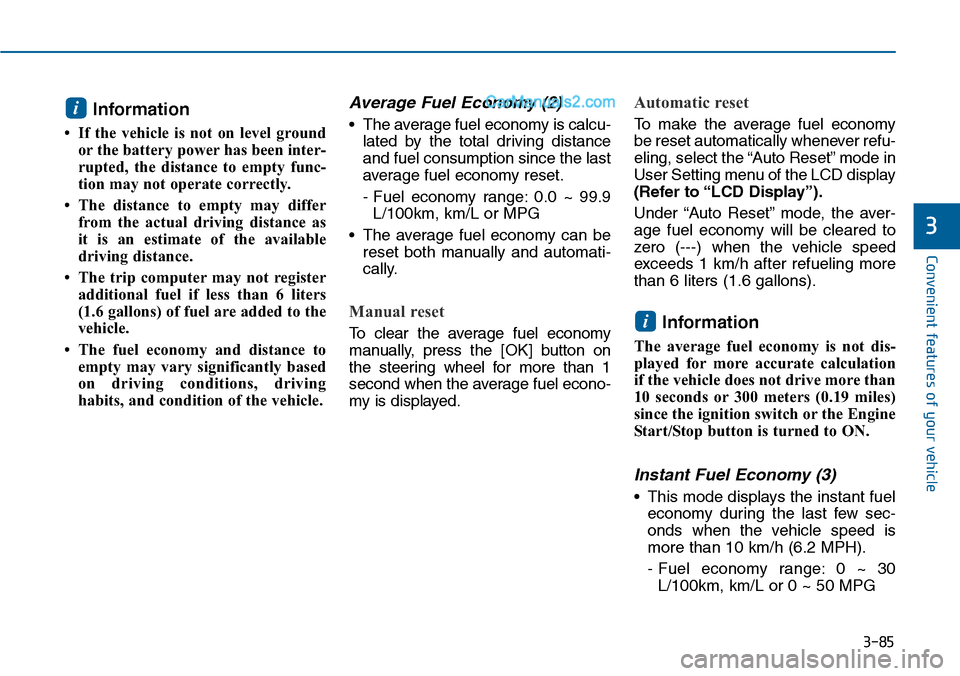
Average Fuel Economy (2)
•The average fuel economy is calcu-
lated by the total driving distance
and fuel consumption since the last
average fuel economy reset.
- Fuel economy range: 0.0 ~ 99.9
L/100km, km/L or MPG
•The average fuel economy can be
reset both manually and automati-
cally.
Manual reset
To c l e a r t h e a v e r a g e f u e l e c o n o m y
manually, press the [OK] button on
the steering wheel for more than 1
second when the average fuel econo-
my is displayed.
Automatic reset
To m a k e t h e a v e r a g e f u e l e c o n o m y
be reset automatically whenever refu-
eling, select the “Auto Reset” mode in
User Setting menu of the LCD display
(Refer to “LCD Display”).
Under “Auto Reset” mode, the aver-
age fuel economy will be cleared to
zero (---) when the vehicle speed
exceeds 1 km/h after refueling more
than 6 liters (1.6 gallons).
Information
The average fuel economy is not dis-
played for more accurate calculation
if the vehicle does not drive more than
10 seconds or 300 meters (0.19 miles)
since the ignition switch or the Engine
Start/Stop button is turned to ON.
Instant Fuel Economy (3)
•This mode displays the instant fuel
economy during the last few sec-
onds when the vehicle speed is
more than 10 km/h (6.2 MPH).
- Fuel economy range: 0 ~ 30
L/100km, km/L or 0 ~ 50 MPG
i
i