cruise control Hyundai Sonata 2016 Owner's Manual - RHD (UK, Australia)
[x] Cancel search | Manufacturer: HYUNDAI, Model Year: 2016, Model line: Sonata, Model: Hyundai Sonata 2016Pages: 504, PDF Size: 12.45 MB
Page 16 of 504
1-5
Your vehicle at a glance
1
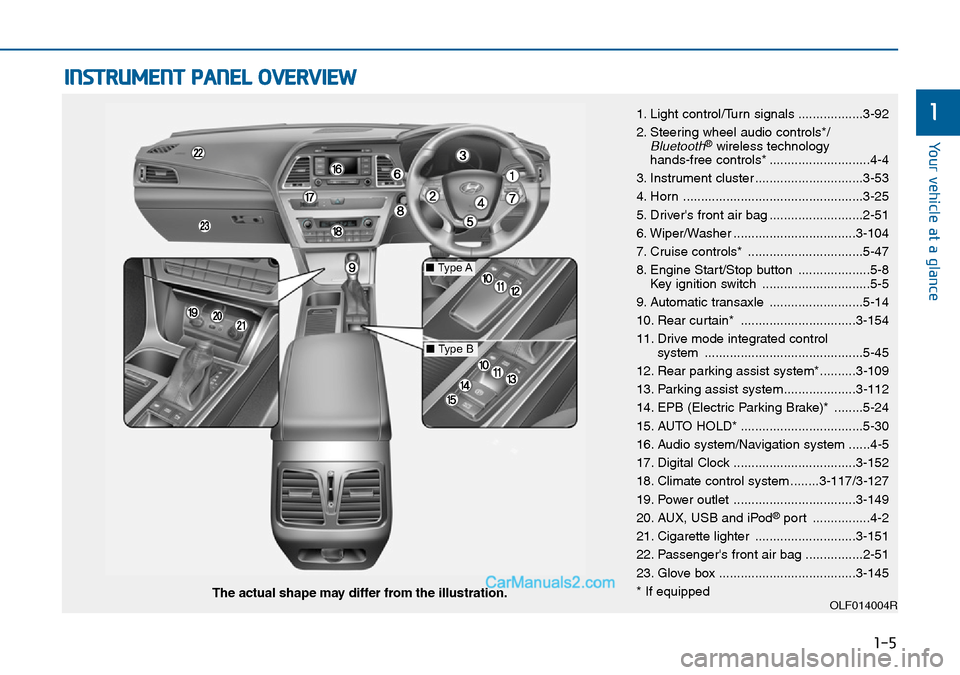
INSTRUMENT PANEL OVERVIEW
1. Light control/Turn signals ..................3-92
2. Steering wheel audio controls*/
Bluetooth®wireless technology
hands-free controls* ............................4-4
3. Instrument cluster ..............................3-53
4. Horn ..................................................3-25
5. Driver's front air bag ..........................2-51
6. Wiper/Washer ..................................3-104
7. Cruise controls* ................................5-47
8. Engine Start/Stop button ....................5-8
Key ignition switch ..............................5-5
9. Automatic transaxle ..........................5-14
10. Rear curtain* ................................3-154
11. Drive mode integrated control
system ............................................5-45
12. Rear parking assist system*..........3-109
13. Parking assist system....................3-112
14. EPB (Electric Parking Brake)* ........5-24
15. AUTO HOLD* ..................................5-30
16. Audio system/Navigation system ......4-5
17. Digital Clock ..................................3-152
18. Climate control system ........3-117/3-127
19. Power outlet ..................................3-149
20. AUX, USB and iPod
®port ................4-2
21. Cigarette lighter ............................3-151
22. Passenger's front air bag ................2-51
23. Glove box ......................................3-145
* If equipped
OLF014004RThe actual shape may differ from the illustration.
■Type A
■Type B
Page 174 of 504
3-90
Convenient features of your vehicle
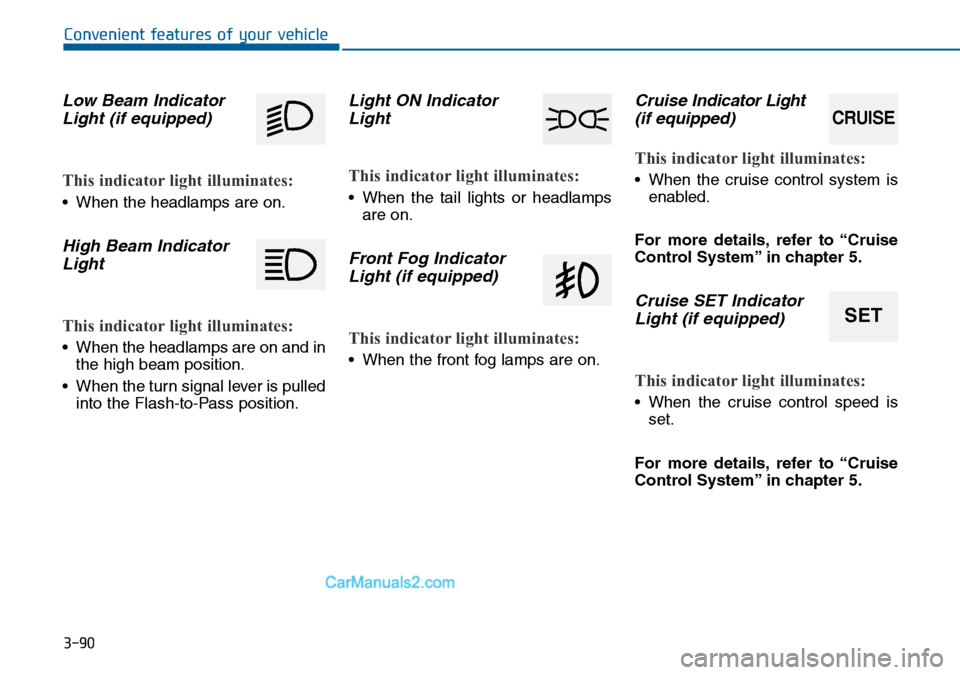
Low Beam Indicator
Light (if equipped)
This indicator light illuminates:
• When the headlamps are on.
High Beam Indicator
Light
This indicator light illuminates:
• When the headlamps are on and in
the high beam position.
• When the turn signal lever is pulled
into the Flash-to-Pass position.
Light ON Indicator
Light
This indicator light illuminates:
• When the tail lights or headlamps
are on.
Front Fog Indicator
Light (if equipped)
This indicator light illuminates:
• When the front fog lamps are on.
Cruise Indicator Light
(if equipped)
This indicator light illuminates:
• When the cruise control system is
enabled.
For more details, refer to “Cruise
Control System” in chapter 5.
Cruise SET Indicator
Light (if equipped)
This indicator light illuminates:
• When the cruise control speed is
set.
For more details, refer to “Cruise
Control System” in chapter 5.
SET
CRUISE
Page 314 of 504
Driving your vehicle
Before driving.........................................................5-3
Before entering the vehicle ...........................................5-3
Before starting...................................................................5-3
Ignition switch ........................................................5-4
Key ignition switch ............................................................5-5
Engine Start/Stop button ................................................5-8
Automatic transaxle ............................................5-14
Automatic transaxle operation ....................................5-14
Parking ...............................................................................5-19
Good driving practices ...................................................5-19
Braking system.....................................................5-21
Power brakes ...................................................................5-21
Disc brakes wear indicator ...........................................5-22
Parking brake ...................................................................5-22
Electric Parking Brake (EPB) .......................................5-24
AUTO HOLD ......................................................................5-30
Anti-lock Brake System (ABS) ....................................5-35
Electronic Stability Control (ESC)................................5-37
Vehicle Stability Management......................................5-40
Hill-Start Assist Control (HAC) ...................................5-42
Emergency Stop Signal (ESS) ......................................5-42
Good braking practices..................................................5-43
Drive mode integrated control system .............5-45
Cruise control .......................................................5-47
Cruise Control operation ...............................................5-47
Blind spot detection system (BSD) ...................5-52
BSD (Blind Spot Detection) /
LCA (Lane Change Assist) .............................................5-53
RCTA (Rear Cross Traffic Alert) ..................................5-56
Special driving conditions ...................................5-60
Hazardous driving conditions.......................................5-60
Rocking the vehicle ........................................................5-60
Smooth cornering ...........................................................5-61
Driving at night ................................................................5-61
Driving in the rain ...........................................................5-62
Driving in flooded areas ................................................5-62
Winter driving .......................................................5-63
Snow or icy conditions ..................................................5-63
Winter Precautions .........................................................5-65
Trailer towing .......................................................5-68
If you decide to pull a trailer? .....................................5-68
Trailer towing equipment ..............................................5-72
Driving with a trailer ......................................................5-73
Maintenance when towing a trailer ...........................5-77
Vehicle weight ......................................................5-78
Overloading.......................................................................5-78
5
Page 351 of 504
5-38
Driving your vehicle
When operating
When the ESC is in opera-
tion, the ESC indicator light
blinks:
• When you apply your brakes under
conditions which may lock the
wheels, you may hear sounds from
the brakes, or feel a corresponding
sensation in the brake pedal. This is
normal and it means your ESC is
active.
• When the ESC activates, the
engine may not respond to the
accelerator in the usual way.
• If the Cruise Control was in use
when the ESC activates, the Cruise
Control automatically disengages.
The Cruise Control can be reen-
gaged when the road conditions
allow.See “Cruise Control System”
later in this chapter.(if equipped)• When moving out of the mud or
driving on a slippery road, the
engine rpm (revolutions per minute)
may not increase even if you press
the accelerator pedal heavily. This
is to maintain the stability and trac-
tion of the vehicle and does not
indicate a problem.
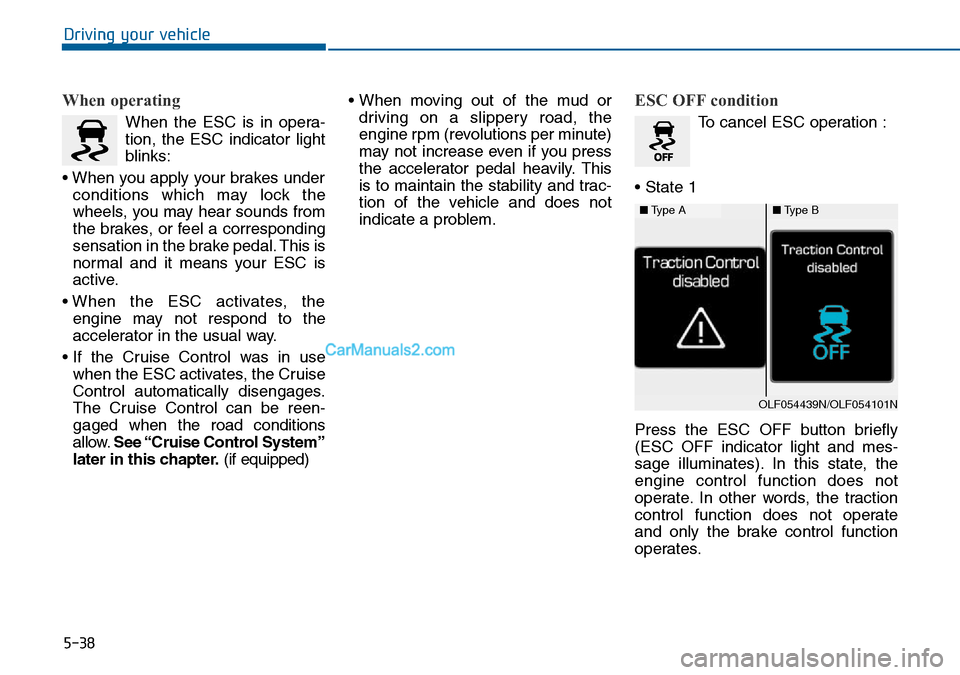
ESC OFF condition
To cancel ESC operation :
• State 1
Press the ESC OFF button briefly
(ESC OFF indicator light and mes-
sage illuminates). In this state, the
engine control function does not
operate. In other words, the traction
control function does not operate
and only the brake control function
operates.
■Type A■Type B
OLF054439N/OLF054101N
Page 360 of 504
5-47
Driving your vehicle
5
Cruise Control operation
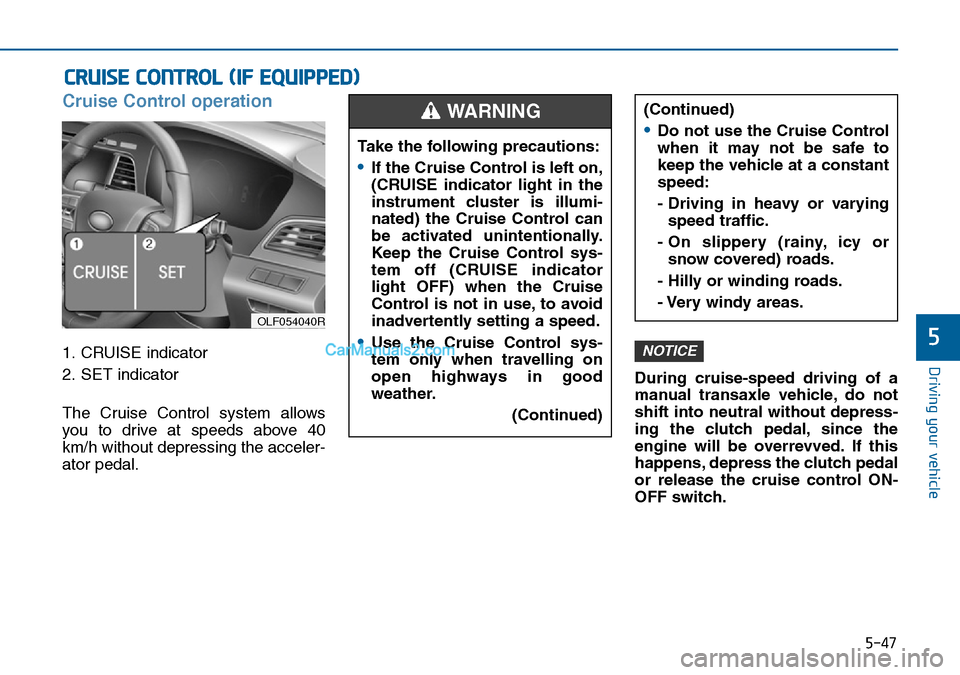
1. CRUISE indicator
2. SET indicator
The Cruise Control system allows
you to drive at speeds above 40
km/h without depressing the acceler-
ator pedal.During cruise-speed driving of a
manual transaxle vehicle, do not
shift into neutral without depress-
ing the clutch pedal, since the
engine will be overrevved. If this
happens, depress the clutch pedal
or release the cruise control ON-
OFF switch.NOTICE
CRUISE CONTROL (IF EQUIPPED)
Take the following precautions:
Page 361 of 504
5-48
Driving your vehicle
Information
• During normal cruise control opera-
tion, when the SET switch is activat-
ed or reactivated after applying the
brakes, the cruise control will ener-
gize after approximately 3 seconds.
This delay is normal.
• To activate cruise control, depress
the brake pedal at least once after
turning the ignition switch to the
ON position or starting the engine.
This is to check if the brake switch
which is important to cancel cruise
control is in normal condition.
To set Cruise Control speed
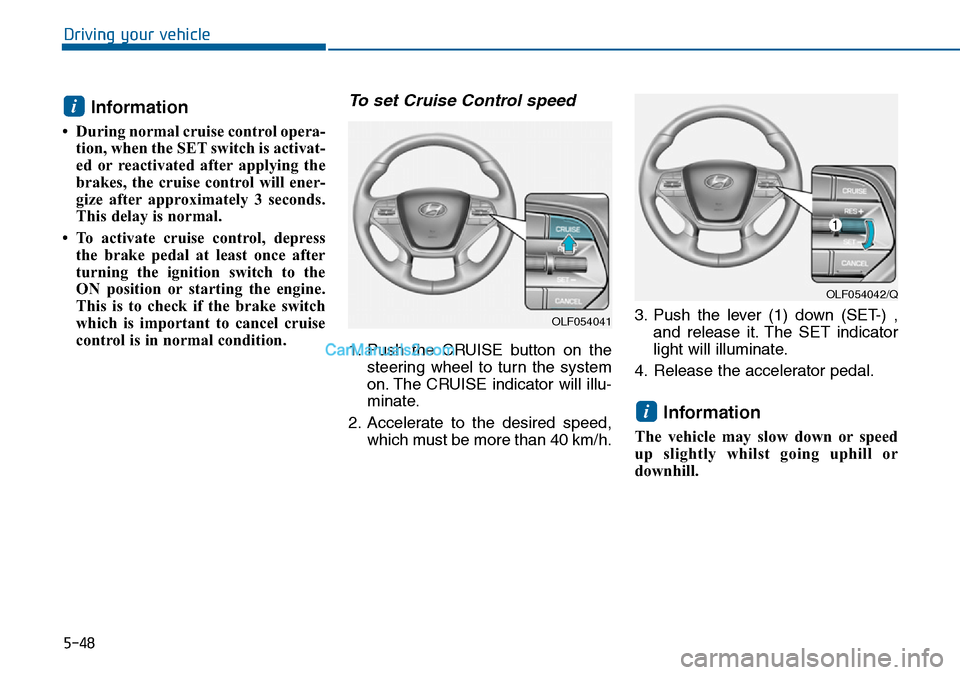
1. Push the CRUISE button on the
steering wheel to turn the system
on. The CRUISE indicator will illu-
minate.
2. Accelerate to the desired speed,
which must be more than 40 km/h.3. Push the lever (1) down (SET-) ,
and release it. The SET indicator
light will illuminate.
4. Release the accelerator pedal.
Information
The vehicle may slow down or speed
up slightly whilst going uphill or
downhill.
i
i
OLF054041
OLF054042/Q
Page 362 of 504
5-49
Driving your vehicle
5
To increase Cruise Control
speed
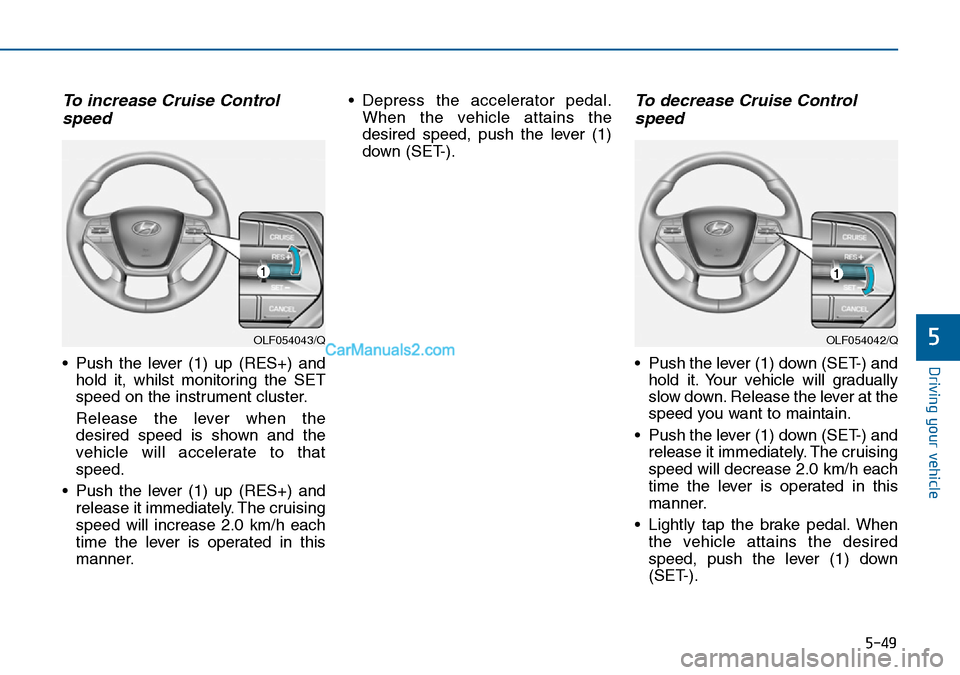
• Push the lever (1) up (RES+) and
hold it, whilst monitoring the SET
speed on the instrument cluster.
Release the lever when the
desired speed is shown and the
vehicle will accelerate to that
speed.
• Push the lever (1) up (RES+) and
release it immediately. The cruising
speed will increase 2.0 km/h each
time the lever is operated in this
manner.• Depress the accelerator pedal.
When the vehicle attains the
desired speed, push the lever (1)
down (SET-).
To decrease Cruise Control
speed
• Push the lever (1) down (SET-) and
hold it. Your vehicle will gradually
slow down. Release the lever at the
speed you want to maintain.
• Push the lever (1) down (SET-) and
release it immediately. The cruising
speed will decrease 2.0 km/h each
time the lever is operated in this
manner.
• Lightly tap the brake pedal. When
the vehicle attains the desired
speed, push the lever (1) down
(SET-).
OLF054043/QOLF054042/Q
Page 363 of 504
5-50
Driving your vehicle
To temporarily accelerate with
the Cruise Control ON
Depress the accelerator pedal. When
you take your foot off the accelerator,
the vehicle will return to the previ-
ously set speed.
If you push the lever down (SET-) at
the increased speed, the Cruise
Control will maintain the increased
speed.
Cruise Control will be cancelled
when:
• Depressing the brake pedal.
• Depressing the clutch pedal.
(for manual transaxle vehicle)
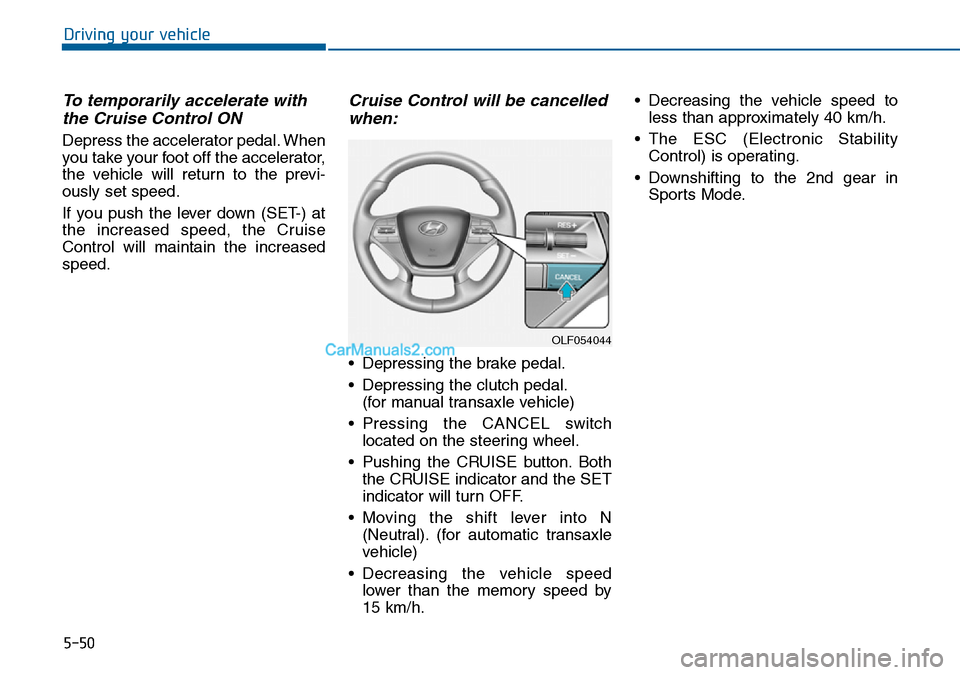
• Pressing the CANCEL switch
located on the steering wheel.
• Pushing the CRUISE button. Both
the CRUISE indicator and the SET
indicator will turn OFF.
• Moving the shift lever into N
(Neutral). (for automatic transaxle
vehicle)
• Decreasing the vehicle speed
lower than the memory speed by
15 km/h.• Decreasing the vehicle speed to
less than approximately 40 km/h.
• The ESC (Electronic Stability
Control) is operating.
• Downshifting to the 2nd gear in
Sports Mode.
OLF054044
Page 364 of 504
5-51
Driving your vehicle
5
Information
Each of the above actions will cancel
Cruise Control operation (the SET
indicator light in the instrument clus-
ter will go off), but only pressing the
CRUISE button will turn the system
off. If you wish to resume Cruise
Control operation, push the lever up
(RES+) located on your steering
wheel. You will return to your previ-
ously preset speed, unless the system
was turned off using the CRUISE but-
ton.
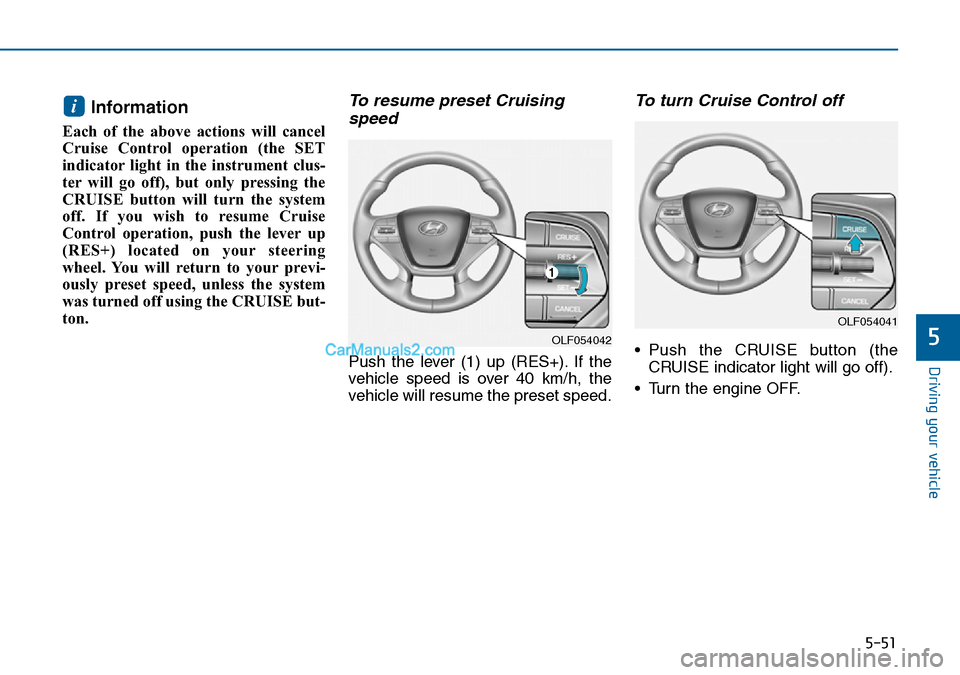
To resume preset Cruising
speed
Push the lever (1) up (RES+). If the
vehicle speed is over 40 km/h, the
vehicle will resume the preset speed.
To turn Cruise Control off
• Push the CRUISE button (the
CRUISE indicator light will go off).
• Turn the engine OFF.
i
OLF054042
OLF054041
Page 375 of 504
5-62
Driving your vehicle
Driving in the rain
Rain and wet roads can make driving
dangerous. Here are a few things to
consider when driving in the rain or
on slick pavement:
• Slow down and allow extra follow-
ing distance. A heavy rainfall
makes it harder to see and increas-
es the distance needed to stop
your vehicle.
• Turn OFF your Cruise Control. (if
equipped)
• Replace your windscreen wiper
blades when they show signs of
streaking or missing areas on the
windscreen.
• Ensure your tyres have enough
tread. If your tyres do not have
enough tread, making a quick stop
on wet pavement can cause a skid
and possibly lead to an accident.
See “Tyre Tread” in chapter 7.
• Turn on your headlamps to make it
easier for others to see you.
• Driving too fast through large pud-
dles can affect your brakes. If you
must go through puddles, try to
drive through them slowly.• If you believe your brakes may be
wet, apply them lightly whilst driv-
ing until normal braking operation
returns.
Hydroplaning
If the road is wet enough and you are
going fast enough, your vehicle may
have little or no contact with the road
surface and actually ride on the
water. The best advice is SLOW
DOWN when the road is wet.
The risk of hydroplaning increas-
es as the depth of tyre tread
decreases, refer to “Tyre Tread” in
chapter 7.
Driving in flooded areas
Avoid driving through flooded areas
unless you are sure the water is no
higher than the bottom of the wheel
hub. Drive through any water slowly.
Allow adequate stopping distance
because brake performance may be
reduced.
After driving through water, dry the
brakes by gently applying them sev-
eral times whilst the vehicle is mov-
ing slowly.