change time Hyundai Sonata 2018 Owner's Guide
[x] Cancel search | Manufacturer: HYUNDAI, Model Year: 2018, Model line: Sonata, Model: Hyundai Sonata 2018Pages: 522, PDF Size: 14.52 MB
Page 291 of 522
5-41
Driving your vehicle
5
ABS is an electronic braking system
that helps prevent a braking skid.
ABS allows the driver to steer and
brake at the same time.
Using ABS
To obtain the maximum benefit from
your ABS in an emergency situation,
do not attempt to modulate your
brake pressure and do not try to
pump your brakes. Depress your
brake pedal as hard as possible.
When you apply your brakes under
conditions which may lock the
wheels, you may hear sounds from
the brakes, or feel a corresponding
sensation in the brake pedal. This is
normal and it means your ABS is
active.
ABS does not reduce the time or dis-
tance it takes to stop the vehicle.
Always maintain a safe distance from
the vehicle in front of you.
ABS will not prevent a skid that
results from sudden changes in
direction, such as trying to take a
corner too fast or making a sudden
lane change. Always drive at a safe
speed for the road and weather con-
ditions.ABS cannot prevent a loss of stabili-
ty. Always steer moderately when
braking hard. Severe or sharp steer-
ing wheel movement can still cause
your vehicle to veer into oncoming
traffic or off the road.
On loose or uneven road surfaces,
operation of the anti-lock brake sys-
tem may result in a longer stopping
distance than for vehicles equipped
with a conventional brake system.
The ABS warning light ( ) will stay
on for several seconds after the igni-
tion switch is in the ON position.
During that time, the ABS will go
through self-diagnosis and the light
will go off if everything is normal. If
the light stays on, you may have a
problem with your ABS. Contact an
authorized HYUNDAI dealer as soon
as possible(Continued)
Drive your vehicle at reduced
speeds during the following
conditions:
Rough, gravel or snow-cov-
ered roads.
On roads where the road sur-
face is pitted or has different
surface height.
Tire chains are installed on
your vehicle.
The safety features of an ABS
or ESC equipped vehicle should
not be tested by high speed
driving or cornering. This could
endanger the safety of yourself
or others.
Page 300 of 522
5-50
SPORT mode
SPORT mode managesthe driving dynamics by
automatically adjusting the
steering effort, the engine
and transmission control
logic for enhanced driver
performance.
When SPORT mode is selected by pressing the DRIVE MODE button,
the SPORT indicator will illuminate.
Whenever the engine is restarted, the Drive Mode will revert back to
COMFORT mode. If SPORT mode
is desired, re-select SPORT mode
from the DRIVE MODE button.
When SPORT mode is activated: - The engine rpm will tend to remainraised over a certain length of time
even after releasing the accelerator
- Upshifts are delayed when accel- erating
Information
In SPORT mode, the fuel efficiency
may decrease.
SMART mode
SMART mode selects the
proper driving mode
among ECO, NORMAL,
and SPORT by judging the
driver's driving habits (i.e. mild or
dynamic) from the brake pedal
depression or the steering wheel
operation.
Press the DRIVE MODE button to activate SMART mode. When
SMART mode is activated, the
indicator illuminates on the instru-
ment cluster.
The indicator illuminates in green, when the driver's driving is catego-
rized to be mild. It illuminates in
white, when the driver's driving is
categorized to be normal. It illumi-
nates in yellow, when the driver's
driving is categorized to be dynam-
ic during abrupt braking or sharp
curving.
The vehicle starts in SMART mode again, when the engine was turned
OFF in SMART mode. SMART mode automatically con-
trols the vehicle driving, such as
gear shifting patterns, engine
torque, and riding quality in accor-
dance with the driver's driving
habits.
Information
• When you mildly drive the vehiclein SMART mode, the driving mode
changes to ECO mode to improve
fuel efficiency. However, the actual
fuel efficiency may differ in accor-
dance with your driving situations
(i.e. upward/downward slope, vehi-
cle deceleration/acceleration).
• When you dynamically drive the vehicle in SMART mode by abrupt-
ly decelerating or sharply turning
the driving mode changes to SPORT
mode. However, it may adversely
affect fuel economy.
i
i
Driving your vehicle
Page 301 of 522
5-51
Driving your vehicle
Drive mode indicator screen
The drive mode indicator screen can
be displayed by using the trip com-
puter button on the steering wheel.
drive mode indicator screen displays
the status of current drive mode.
DRIVE MODE button is located onthe lower part of the transmission
lever for selecting drive mode. If
drive mode is selected manually by
the user, the drive mode indicator
screen will show user-selected
drive mode. (COMFORT, ECO, or
SPORT)
If SMART mode is selected by
DRIVE MODE button, the drive
mode indicator screen will show
current drive mode automatically
selected by SMART mode system.
(SMART COMFORT, SMART
ECO, or SMART SPORT)
When the trip computer mode is selected to show drive mode and
the SMART mode is in operation,
an automatically selected driving
mode SMART ECO, SMART
COMFORT, or SMART SPORT will
be selected on the LCD display. And right below is the horizontal
driving style gauge which reflects
the driving style in real time.
If you drive carefully and slowly in SMART mode, the left side of the
driving style gauge will illuminate,
and automatically shift to the
SMART ECO mode.
When the driver accelerates more
frequently, the right side of the driv-
ing style gauge will fill up, and shift
to SMART COMFORT mode.
In addition, if the rate of accelera-
tion and speed is high, drive mode
will change to SMART SPORT
mode.
If the auto cruise control function is operated or the transmission is
shifted to manual shift mode while
SMART mode is on, the SMART
mode will stop temporarily, and the
drive mode will be displayed as
OFF. The driving style gauge light
will be turned off accordingly. If the trip computer is not set to
show drive mode indicator screen,
and you want to know the on/off
status of the SMART mode, simply
check whether the letters 'SMART'
is lighten up on the screen or not
(green - ECO MODE, white -
COMFORT MODE, red - SPORT
MODE).
5
Page 302 of 522
5-52
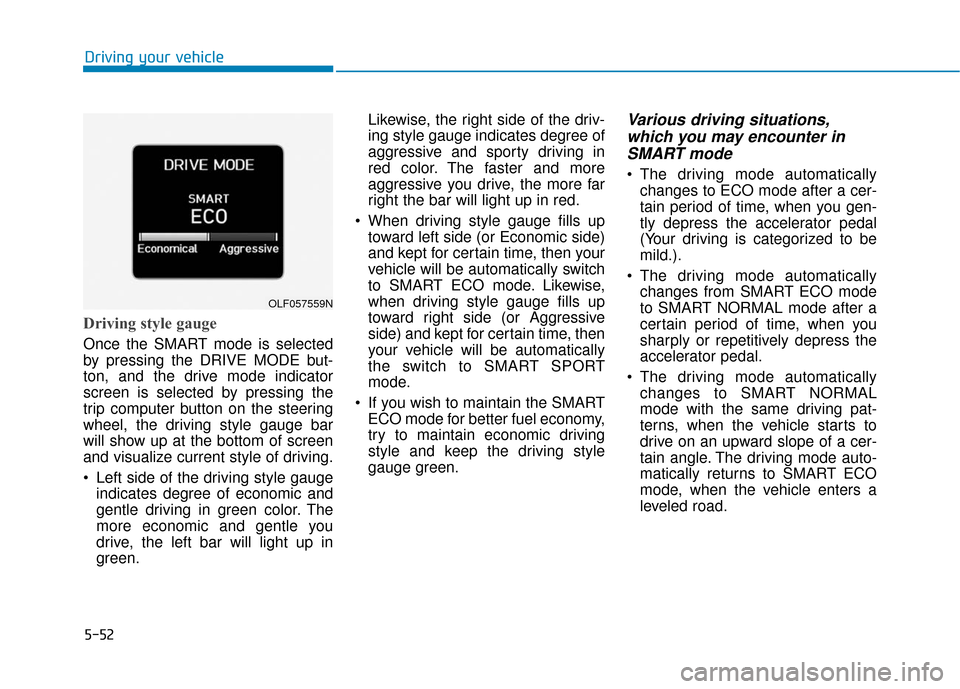
Driving style gauge
Once the SMART mode is selected
by pressing the DRIVE MODE but-
ton, and the drive mode indicator
screen is selected by pressing the
trip computer button on the steering
wheel, the driving style gauge bar
will show up at the bottom of screen
and visualize current style of driving.
Left side of the driving style gaugeindicates degree of economic and
gentle driving in green color. The
more economic and gentle you
drive, the left bar will light up in
green. Likewise, the right side of the driv-
ing style gauge indicates degree of
aggressive and sporty driving in
red color. The faster and more
aggressive you drive, the more far
right the bar will light up in red.
When driving style gauge fills up toward left side (or Economic side)
and kept for certain time, then your
vehicle will be automatically switch
to SMART ECO mode. Likewise,
when driving style gauge fills up
toward right side (or Aggressive
side) and kept for certain time, then
your vehicle will be automatically
the switch to SMART SPORT
mode.
If you wish to maintain the SMART ECO mode for better fuel economy,
try to maintain economic driving
style and keep the driving style
gauge green.
Various driving situations,which you may encounter inSMART mode
The driving mode automatically
changes to ECO mode after a cer-
tain period of time, when you gen-
tly depress the accelerator pedal
(Your driving is categorized to be
mild.).
The driving mode automatically changes from SMART ECO mode
to SMART NORMAL mode after a
certain period of time, when you
sharply or repetitively depress the
accelerator pedal.
The driving mode automatically changes to SMART NORMAL
mode with the same driving pat-
terns, when the vehicle starts to
drive on an upward slope of a cer-
tain angle. The driving mode auto-
matically returns to SMART ECO
mode, when the vehicle enters a
leveled road.
Driving your vehicle
OLF057559N
Page 303 of 522
5-53
Driving your vehicle
The driving mode automaticallychanges to SMART SPORT, when
you abruptly accelerate the vehicle
or repetitively operate the steering
wheel (Your driving is categorized
to be sporty.). In this mode, your
vehicle drives in a lower gear for
abrupt accelerating/decelerating
and increases the engine brake
performance.
You may still sense the engine braking performance, even when
you release the accelerator pedal
in SMART SPORT mode. It is
because your vehicle remains in
lower gear over a certain period of
time for next acceleration. Thus, it
is a normal driving situation, not
indicating any malfunction.
The driving mode automatically changes to SMART SPORT mode
only in harsh driving situations. In
most of the normal driving situa-
tions, the driving mode sets to be
either in SMART ECO mode or in
SMART NORMAL mode.Limitation of SMART mode
The SMART mode may be limited in
following situations. (The OFF indica-
tor illuminates in those situations.)
The driver manually moves theshift lever :
It deactivates SMART mode. The
vehicle drives, as the driver manu-
ally moves the shift lever.
The cruise control is activated : The cruise control system may
deactivate the SMART mode when
the vehicle is controlled by the set
speed of the smart cruise control
system. (SMART mode is not deac-
tivated just by activating the cruise
control system.)
The transmission oil temperature is either extremely low or extremely
high :
The SMART mode can be active in
most of the normal driving situa-
tions. However, an extremely high/
low transmission oil temperature
may temporarily deactivate the
SMART mode, because the trans-
mission condition is out of normal
operation condition.
5
Page 312 of 522
5-62
Driving your vehicle
To temporarily accelerate withthe Smart Cruise Control on
If you want to speed up temporarily
when the Smart Cruise Control is on,
depress the accelerator pedal.
Increased speed will not interfere
with Smart Cruise Control operation
or change the set speed.
To return to the set speed, take your
foot off the accelerator.
If you push the toggle switch down
(SET-) at increased speed, the cruis-
ing speed will be set again.
Smart Cruise Control will betemporarily canceled when:
Canceled manually
Depressing the brake pedal.
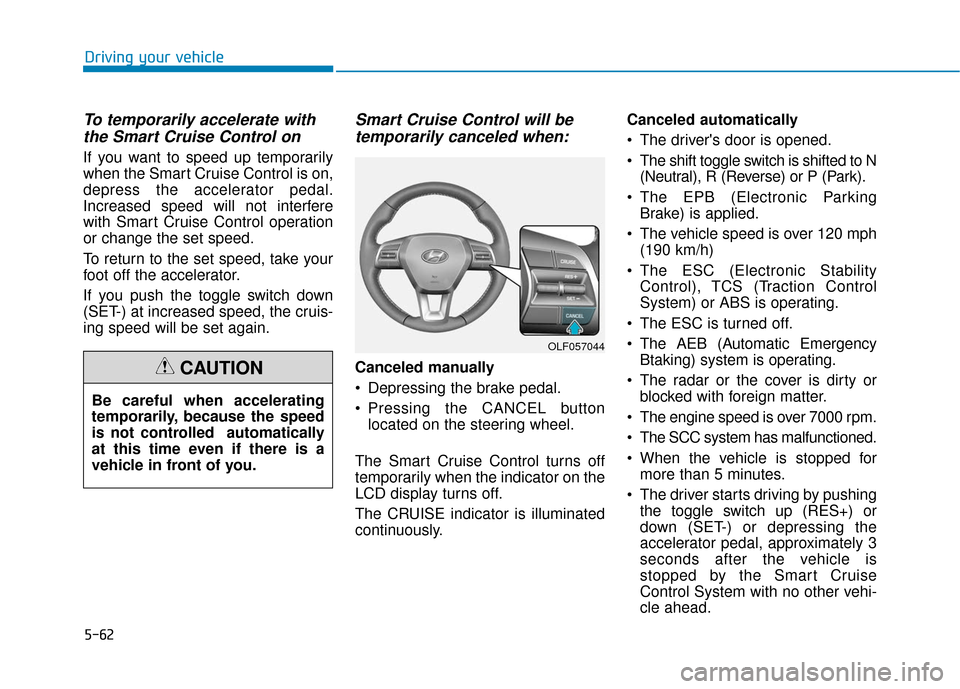
Pressing the CANCEL button
located on the steering wheel.
The Smart Cruise Control turns off
temporarily when the indicator on the
LCD display turns off.
The CRUISE indicator is illuminated
continuously. Canceled automatically
The driver's door is opened.
The shift toggle switch is shifted to N
(Neutral), R (Reverse) or P (Park).
The EPB (Electronic Parking Brake) is applied.
The vehicle speed is over 120 mph (190 km/h)
The ESC (Electronic Stability Control), TCS (Traction Control
System) or ABS is operating.
The ESC is turned off.
The AEB (Automatic Emergency Btaking) system is operating.
The radar or the cover is dirty or blocked with foreign matter.
The engine speed is over 7000 rpm.
The SCC system has malfunctioned.
When the vehicle is stopped for more than 5 minutes.
The driver starts driving by pushing the toggle switch up (RES+) or
down (SET-) or depressing the
accelerator pedal, approximately 3
seconds after the vehicle is
stopped by the Smart Cruise
Control System with no other vehi-
cle ahead.
OLF057044
Be careful when accelerating
temporarily, because the speed
is not controlled automatically
at this time even if there is a
vehicle in front of you.
CAUTION
Page 315 of 522
5-65
Driving your vehicle
5
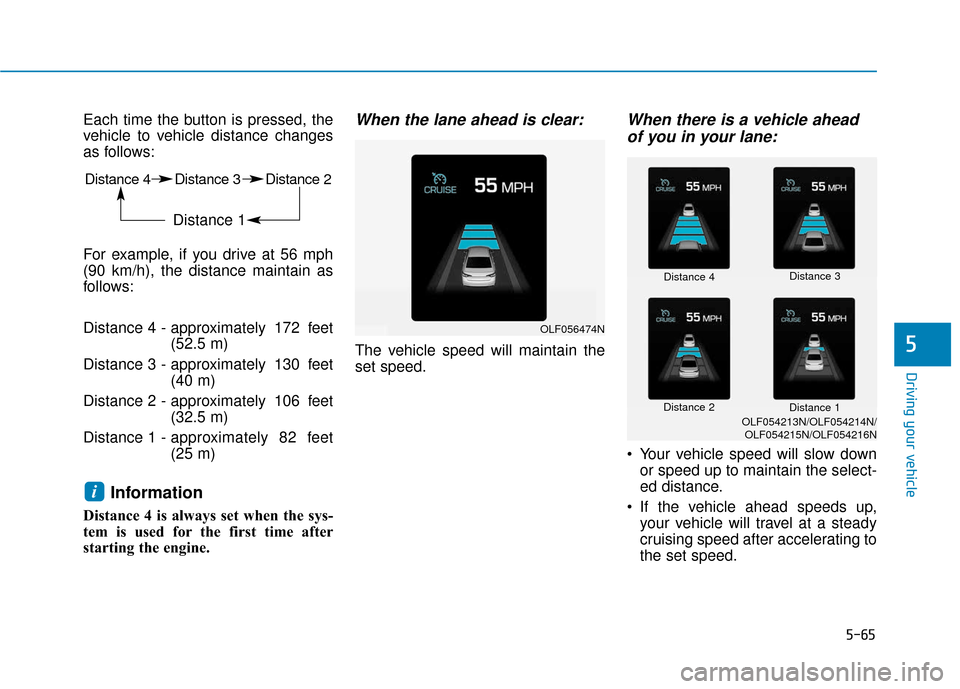
Each time the button is pressed, the
vehicle to vehicle distance changes
as follows:
For example, if you drive at 56 mph
(90 km/h), the distance maintain as
follows:
Distance 4 - approximately 172 feet(52.5 m)
Distance 3 - approximately 130 feet (40 m)
Distance 2 - approximately 106 feet (32.5 m)
Distance 1 - approximately 82 feet
(25 m)
Information
Distance 4 is always set when the sys-
tem is used for the first time after
starting the engine.
When the lane ahead is clear:
The vehicle speed will maintain the
set speed.
When there is a vehicle ahead
of you in your lane:
Your vehicle speed will slow down
or speed up to maintain the select-
ed distance.
If the vehicle ahead speeds up, your vehicle will travel at a steady
cruising speed after accelerating to
the set speed.
i
Distance 4 Distance 3 Distance 2
Distance 1
OLF056474N
Distance 4 Distance 3
Distance 2 Distance 1
OLF054213N/OLF054214N/
OLF054215N/OLF054216N
Page 435 of 522
7-25
7
Maintenance
Checking the Engine Oil and
Filter
Have engine oil and filter changed by
an authorized HYUNDAI dealer
according to the Maintenance
Schedule at the beginning of this
chapter.CALIFORNIA PROPOSITION 65
WARNING
Engine oil contains chemicals
known to the State of California
to cause cancer, birth defects
and reproductive harm. Used
engine oil may cause irritation
or cancer of the skin if left in
contact with the skin for pro-
longed periods of time. Always
protect your skin by washing
your hands thoroughly with
soap and warm water as soon
as possible after handling used
oil.
WARNING
Page 478 of 522
7-68
Maintenance
L
LI
IG
G H
H T
T
B
B U
U L
LB
B S
S
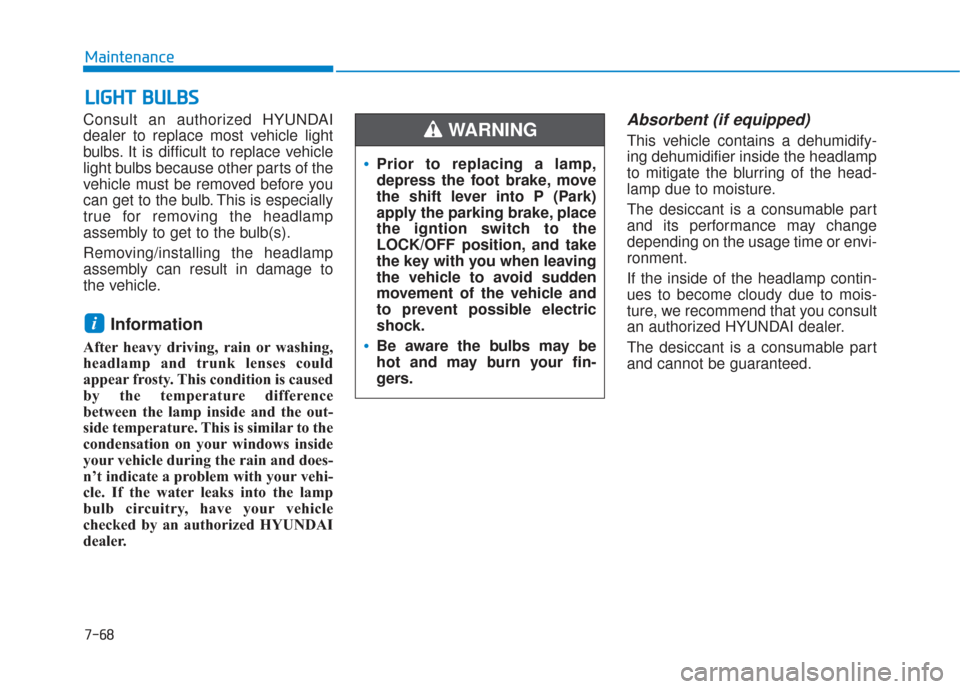
Consult an authorized HYUNDAI
dealer to replace most vehicle light
bulbs. It is difficult to replace vehicle
light bulbs because other parts of the
vehicle must be removed before you
can get to the bulb. This is especially
true for removing the headlamp
assembly to get to the bulb(s).
Removing/installing the headlamp
assembly can result in damage to
the vehicle.
Information
After heavy driving, rain or washing,
headlamp and trunk lenses could
appear frosty. This condition is caused
by the temperature difference
between the lamp inside and the out-
side temperature. This is similar to the
condensation on your windows inside
your vehicle during the rain and does-
n’t indicate a problem with your vehi-
cle. If the water leaks into the lamp
bulb circuitry, have your vehicle
checked by an authorized HYUNDAI
dealer.
Absorbent (if equipped)
This vehicle contains a dehumidify-
ing dehumidifier inside the headlamp
to mitigate the blurring of the head-
lamp due to moisture.
The desiccant is a consumable part
and its performance may change
depending on the usage time or envi-
ronment.
If the inside of the headlamp contin-
ues to become cloudy due to mois-
ture, we recommend that you consult
an authorized HYUNDAI dealer.
The desiccant is a consumable part
and cannot be guaranteed.
i
Prior to replacing a lamp,
depress the foot brake, move
the shift lever into P (Park)
apply the parking brake, place
the igntion switch to the
LOCK/OFF position, and take
the key with you when leaving
the vehicle to avoid sudden
movement of the vehicle and
to prevent possible electric
shock.
Be aware the bulbs may be
hot and may burn your fin-
gers.
WARNING
Page 518 of 522
I-6
Lane keeping Assist System (LKAS) .............................5-74Limitations of the System ..........................................5-82
LKAS function change ...............................................5-81
LKAS malfunction .....................................................5-79
LKAS Operation ........................................................5-75
LCD Display ...................................................................3-72 LCD Modes ................................................................3-72
Warning Messages......................................................3-80
Light ........................................................................\
......3-102 Exterior Lights..........................................................3-102
Interior Lights ...........................................................3-111
Smart High Beam .....................................................3-104
Welcome System ......................................................3-110
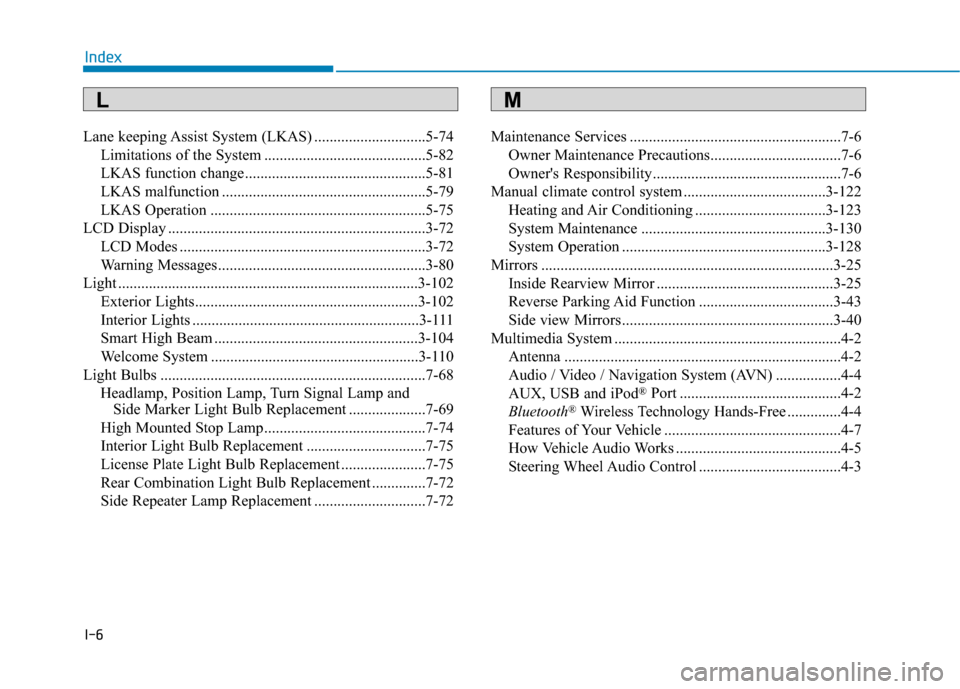
Light Bulbs .....................................................................7-6\
8 Headlamp, Position Lamp, Turn Signal Lamp and Side Marker Light Bulb Replacement ....................7-69
High Mounted Stop Lamp..........................................7-74
Interior Light Bulb Replacement ...............................7-75
License Plate Light Bulb Replacement ......................7-75
Rear Combination Light Bulb Replacement ..............7-72
Side Repeater Lamp Replacement .............................7-72 Maintenance Services .......................................................7-6
Owner Maintenance Precautions..................................7-6
Owner's Responsibility.................................................7-6
Manual climate control system .....................................3-122 Heating and Air Conditioning ..................................3-123
System Maintenance ................................................3-130
System Operation .....................................................3-128
Mirrors ........................................................................\
....3-25 Inside Rearview Mirror ..............................................3-25
Reverse Parking Aid Function ...................................3-43
Side view Mirrors .......................................................3-40
Multimedia System ...........................................................4-2 Antenna ........................................................................\
4-2
Audio / Video / Navigation System (AVN) .................4-4
AUX, USB and iPod
®Port ..........................................4-2
Bluetooth®Wireless Technology Hands-Free ..............4-4
Features of Your Vehicle ..............................................4-7
How Vehicle Audio Works ...........................................4-5
Steering Wheel Audio Control .....................................4-3
Index
ML