Driving on uphill Hyundai Sonata 2018 Owner's Manual
[x] Cancel search | Manufacturer: HYUNDAI, Model Year: 2018, Model line: Sonata, Model: Hyundai Sonata 2018Pages: 522, PDF Size: 14.52 MB
Page 191 of 522
3-106
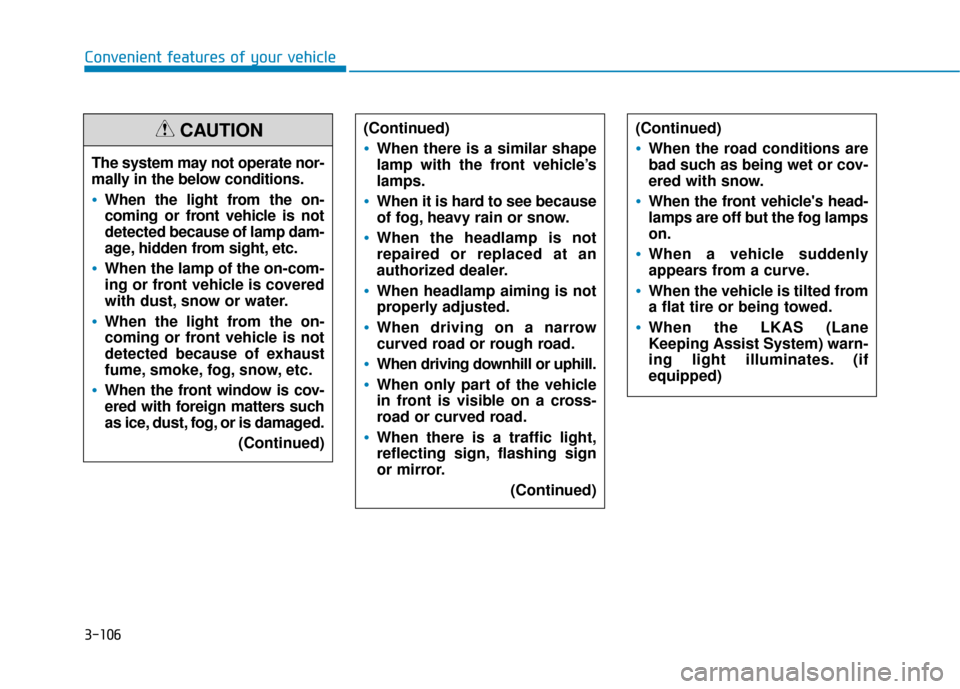
Convenient features of your vehicleThe system may not operate nor-
mally in the below conditions.
When the light from the on-
coming or front vehicle is not
detected because of lamp dam-
age, hidden from sight, etc.
When the lamp of the on-com-
ing or front vehicle is covered
with dust, snow or water.
When the light from the on-
coming or front vehicle is not
detected because of exhaust
fume, smoke, fog, snow, etc.
When the front window is cov-
ered with foreign matters such
as ice, dust, fog, or is damaged. (Continued)
CAUTION(Continued)
When there is a similar shape
lamp with the front vehicle’s
lamps.
When it is hard to see because
of fog, heavy rain or snow.
When the headlamp is not
repaired or replaced at an
authorized dealer.
When headlamp aiming is not
properly adjusted.
When driving on a narrow
curved road or rough road.
When driving downhill or uphill.
When only part of the vehicle
in front is visible on a cross-
road or curved road.
When there is a traffic light,
reflecting sign, flashing sign
or mirror.(Continued)
(Continued)
When the road conditions are
bad such as being wet or cov-
ered with snow.
When the front vehicle's head-
lamps are off but the fog lamps
on.
When a vehicle suddenly
appears from a curve.
When the vehicle is tilted from
a flat tire or being towed.
When the LKAS (Lane
Keeping Assist System) warn-
ing light illuminates. (if
equipped)
Page 266 of 522
5-16
Driving your vehicle
R (Reverse)
Use this position to drive the vehicle
backward.
N (Neutral)
The wheels and transmission are not
engaged.
Use N (Neutral) if you need to restart
a stalled engine, or if it is necessary
to stop with the engine ON. Shift into
P (Park) if you need to leave your
vehicle for any reason.
Always depress the brake pedal
when you are shifting from N
(Neutral) to another gear.
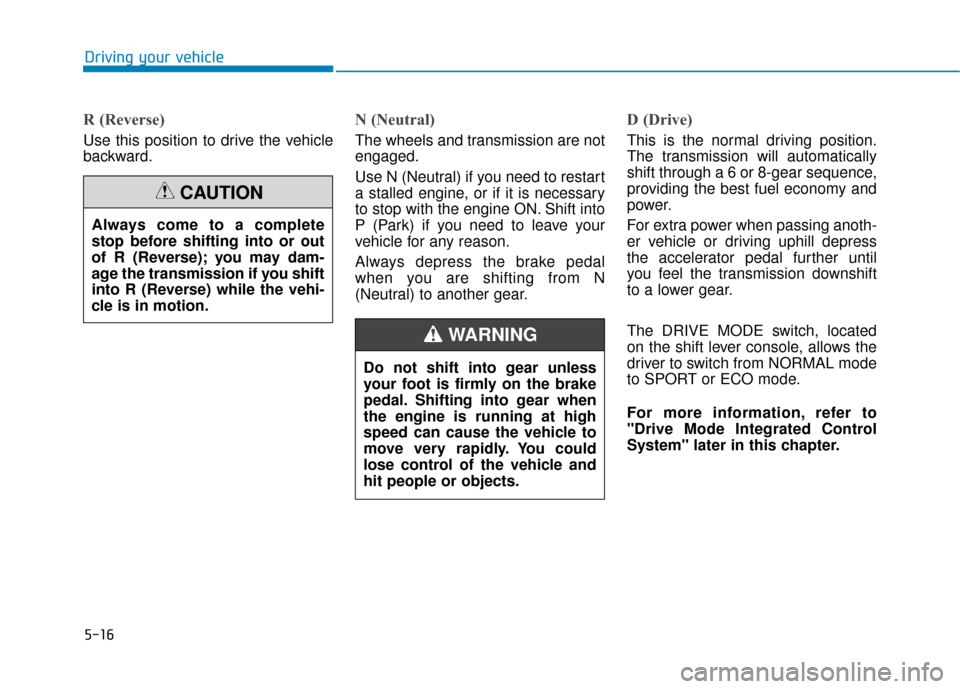
D (Drive)
This is the normal driving position.
The transmission will automatically
shift through a 6 or 8-gear sequence,
providing the best fuel economy and
power.
For extra power when passing anoth-
er vehicle or driving uphill depress
the accelerator pedal further until
you feel the transmission downshift
to a lower gear.
The DRIVE MODE switch, located
on the shift lever console, allows the
driver to switch from NORMAL mode
to SPORT or ECO mode.
For more information, refer to
"Drive Mode Integrated Control
System" later in this chapter.
Always come to a complete
stop before shifting into or out
of R (Reverse); you may dam-
age the transmission if you shift
into R (Reverse) while the vehi-
cle is in motion.
CAUTION
Do not shift into gear unless
your foot is firmly on the brake
pedal. Shifting into gear when
the engine is running at high
speed can cause the vehicle to
move very rapidly. You could
lose control of the vehicle and
hit people or objects.
WARNING
Page 269 of 522
5-19
Driving your vehicle The Ecoshift dual clutch transmis-sion gives the driving feel of a man-
ual transmission, yet provides the
ease of a fully automatic transmis-
sion. Unlike a traditional automatic
transmission, the gear shifting can
be felt (and heard) on the Ecoshift
dual clutch transmission.
- Think of it as an automaticallyshifting manual transmission.
- Shift into Drive range and get fully automatic shifting, similar to a
conventional automatic transmis-
sion. Ecoshift dual clutch transmission
adopts dry-type dual clutch, which
is different from torque converter of
automatic transmission, and shows
better acceleration performance
during driving. But, initial launch
might be little bit slower than
Automatic Transmission.
The dry-type clutch transfers torque and provides a direct drive
feeling which may feel different
from a conventional automatic
transmission with a torque convert-
er. This may be more noticeable
when starting from a stop or low
vehicle speed.
When rapidly accelerating at lower vehicle speeds, the engine could
rev up to higher engine RPM
depending on the driving condition.
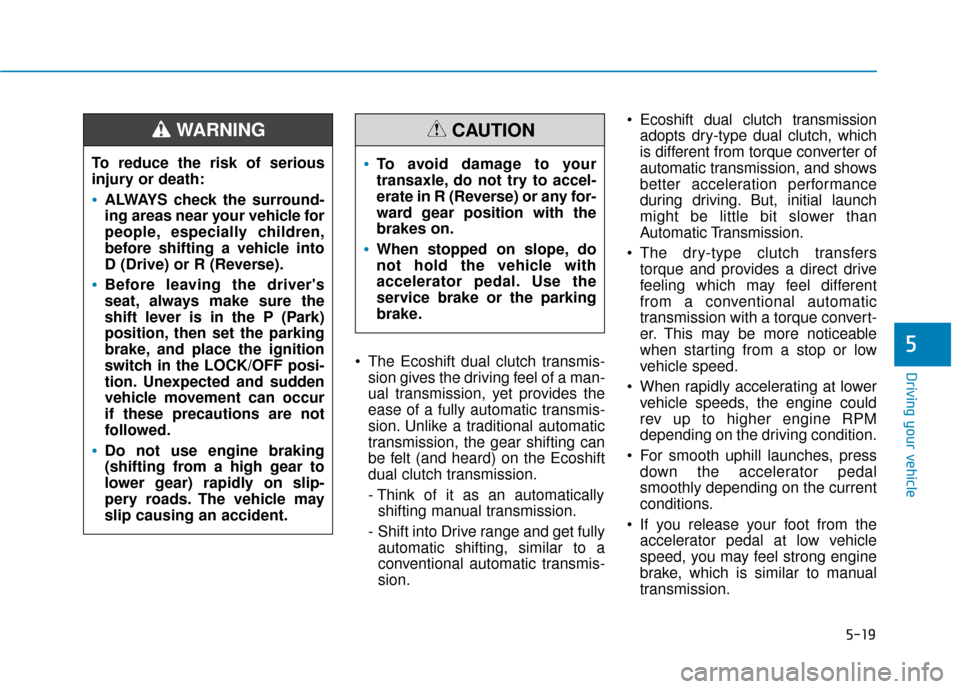
For smooth uphill launches, press down the accelerator pedal
smoothly depending on the current
conditions.
If you release your foot from the accelerator pedal at low vehicle
speed, you may feel strong engine
brake, which is similar to manual
transmission.5
To reduce the risk of serious
injury or death:
ALWAYS check the surround-
ing areas near your vehicle for
people, especially children,
before shifting a vehicle into
D (Drive) or R (Reverse).
Before leaving the driver's
seat, always make sure the
shift lever is in the P (Park)
position, then set the parking
brake, and place the ignition
switch in the LOCK/OFF posi-
tion. Unexpected and sudden
vehicle movement can occur
if these precautions are not
followed.
Do not use engine braking
(shifting from a high gear to
lower gear) rapidly on slip-
pery roads. The vehicle may
slip causing an accident.
WARNING
To avoid damage to your
transaxle, do not try to accel-
erate in R (Reverse) or any for-
ward gear position with the
brakes on.
When stopped on slope, do
not hold the vehicle with
accelerator pedal. Use the
service brake or the parking
brake.
CAUTION
Page 273 of 522
5-23
Driving your vehicle
D (Drive)
This is the normal driving position.
The transmission will automatically
shift through a seven-gear
sequence, providing the best fuel
economy and power.
For extra power when passing anoth-
er vehicle or driving uphill depress
the accelerator pedal further until
you feel the transmission downshift
to a lower gear.
The DRIVE MODE switch, located
on the shift lever console, allows the
driver to switch from NORMAL mode
to SPORT or ECO mode.
For more information, refer to
"Drive Mode Integrated Control
System" later in this chapter.
Always ensure vehicle is station-
ary, at a complete stop, before
selecting D (Drive).
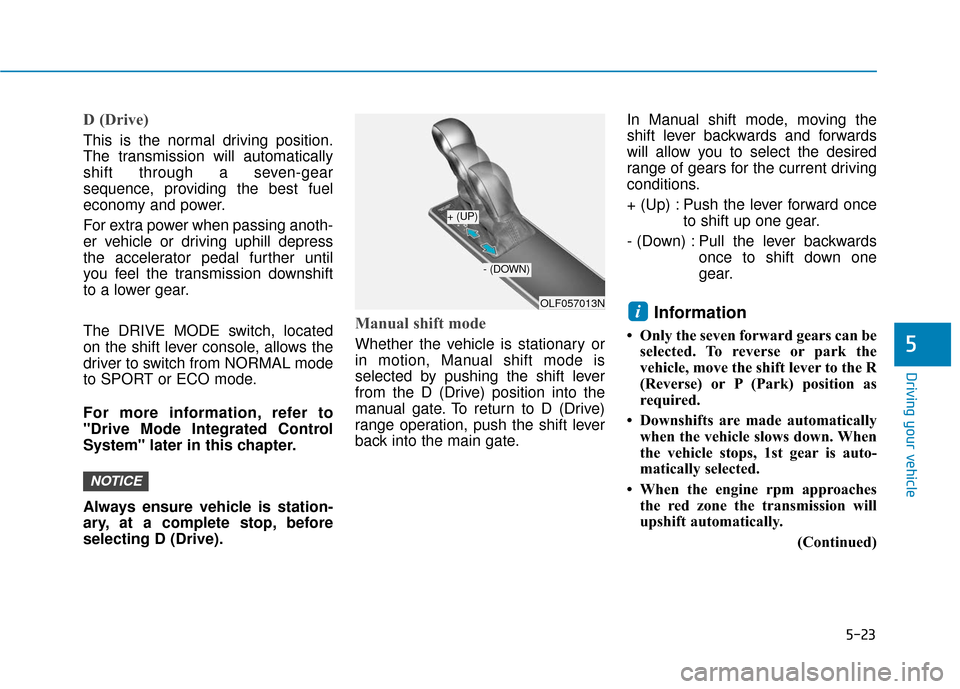
Manual shift mode
Whether the vehicle is stationary or
in motion, Manual shift mode is
selected by pushing the shift lever
from the D (Drive) position into the
manual gate. To return to D (Drive)
range operation, push the shift lever
back into the main gate.In Manual shift mode, moving the
shift lever backwards and forwards
will allow you to select the desired
range of gears for the current driving
conditions.
+ (Up) : Push the lever forward once
to shift up one gear.
- (Down) : Pull the lever backwards once to shift down one
gear.
Information
• Only the seven forward gears can beselected. To reverse or park the
vehicle, move the shift lever to the R
(Reverse) or P (Park) position as
required.
• Downshifts are made automatically when the vehicle slows down. When
the vehicle stops, 1st gear is auto-
matically selected.
• When the engine rpm approaches the red zone the transmission will
upshift automatically.
(Continued)
i
NOTICE
5
OLF057013N
+ (UP)
- (DOWN)
Page 299 of 522
5-49
Driving your vehicle
5
ECO mode
When the Drive Mode isset to ECO mode, the
engine and transmission
control logic are changed
to maximize fuel efficiency.
When the ECO mode is selected by pressing the DRIVE MODE but-
ton, the ECO indicator will illumi-
nate.
If the vehicle is set to ECO mode, when the engine is turned OFF
and restarted the Drive Mode set-
ting will remain in ECO mode.
Information
Fuel efficiency depends on the driver's
driving habit and road condition. When ECO mode is activated:
The acceleration response may be
slightly reduced as the accelerator
pedal is depressed moderately.
The air conditioner performance may be limited.
The shift pattern of the automatic transmission may change.
The engine noise may get louder.
The above situations are normal
conditions when ECO mode is acti-
vated to improve fuel efficiency. Limitation of ECO mode opera-
tion:
If the following conditions occur while
ECO mode is operating, the system
operation is limited even though
there is no change in ECO indicator.
When the coolant temperature is
low:
The system will be limited until
engine performance becomes nor-
mal.
When driving up a hill: The system will be limited to gain
power when driving uphill because
engine torque is restricted.
When driving the vehicle with the automatic transmission gear shift
lever in manual shift mode:
The system will be limited accord-
ing to the shift location.
When the accelerator pedal is deeply depressed for a few seconds:
The system will be limited, judging
that the driver wants to speed up.
i
Page 305 of 522
5-55
Driving your vehicle
5
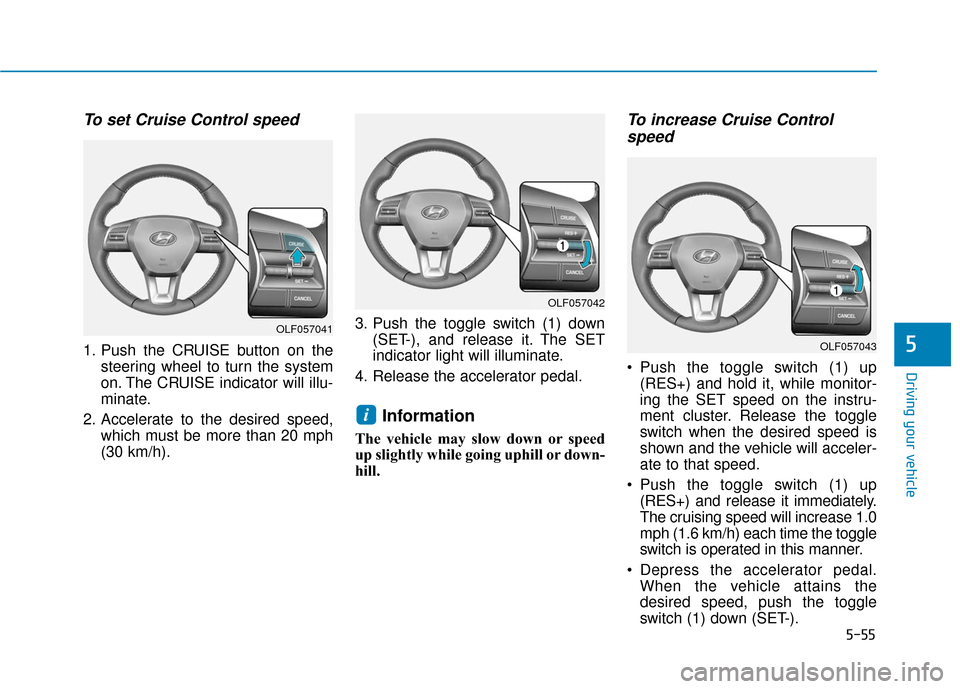
To set Cruise Control speed
1. Push the CRUISE button on thesteering wheel to turn the system
on. The CRUISE indicator will illu-
minate.
2. Accelerate to the desired speed, which must be more than 20 mph
(30 km/h). 3. Push the toggle switch (1) down
(SET-), and release it. The SET
indicator light will illuminate.
4. Release the accelerator pedal.
Information
The vehicle may slow down or speed
up slightly while going uphill or down-
hill.
To increase Cruise Control speed
Push the toggle switch (1) up
(RES+) and hold it, while monitor-
ing the SET speed on the instru-
ment cluster. Release the toggle
switch when the desired speed is
shown and the vehicle will acceler-
ate to that speed.
Push the toggle switch (1) up (RES+) and release it immediately.
The cruising speed will increase 1.0
mph (1.6 km/h) each time the toggle
switch is operated in this manner.
Depress the accelerator pedal. When the vehicle attains the
desired speed, push the toggle
switch (1) down (SET-).
i
OLF057042
OLF057043
OLF057041
Page 311 of 522
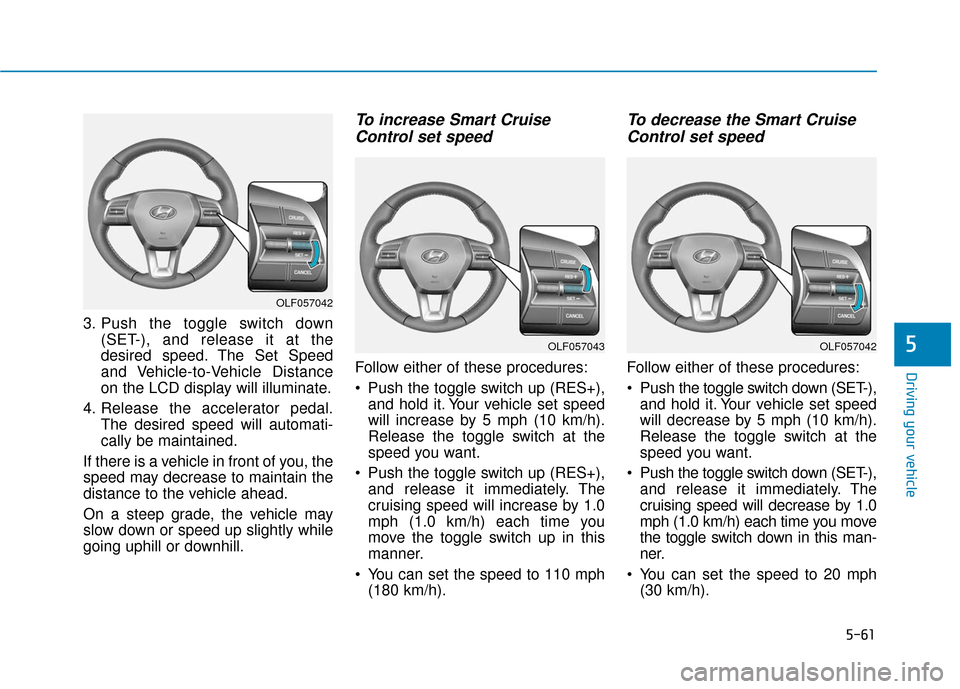
5-61
Driving your vehicle
3. Push the toggle switch down(SET-), and release it at the
desired speed. The Set Speed
and Vehicle-to-Vehicle Distance
on the LCD display will illuminate.
4. Release the accelerator pedal. The desired speed will automati-
cally be maintained.
If there is a vehicle in front of you, the
speed may decrease to maintain the
distance to the vehicle ahead.
On a steep grade, the vehicle may
slow down or speed up slightly while
going uphill or downhill.
To increase Smart Cruise Control set speed
Follow either of these procedures:
Push the toggle switch up (RES+),
and hold it. Your vehicle set speed
will increase by 5 mph (10 km/h).
Release the toggle switch at the
speed you want.
Push the toggle switch up (RES+), and release it immediately. The
cruising speed will increase by 1.0
mph (1.0 km/h) each time you
move the toggle switch up in this
manner.
You can set the speed to 110 mph (180 km/h).
To decrease the Smart CruiseControl set speed
Follow either of these procedures:
Push the toggle switch down (SET-),
and hold it. Your vehicle set speed
will decrease by 5 mph (10 km/h).
Release the toggle switch at the
speed you want.
Push the toggle switch down (SET-), and release it immediately. The
cruising speed will decrease by 1.0
mph (1.0 km/h) each time you move
the toggle switch down in this man-
ner.
You can set the speed to 20 mph (30 km/h).
5
OLF057042
OLF057042OLF057043
Page 319 of 522
5-69
Driving your vehicle
5
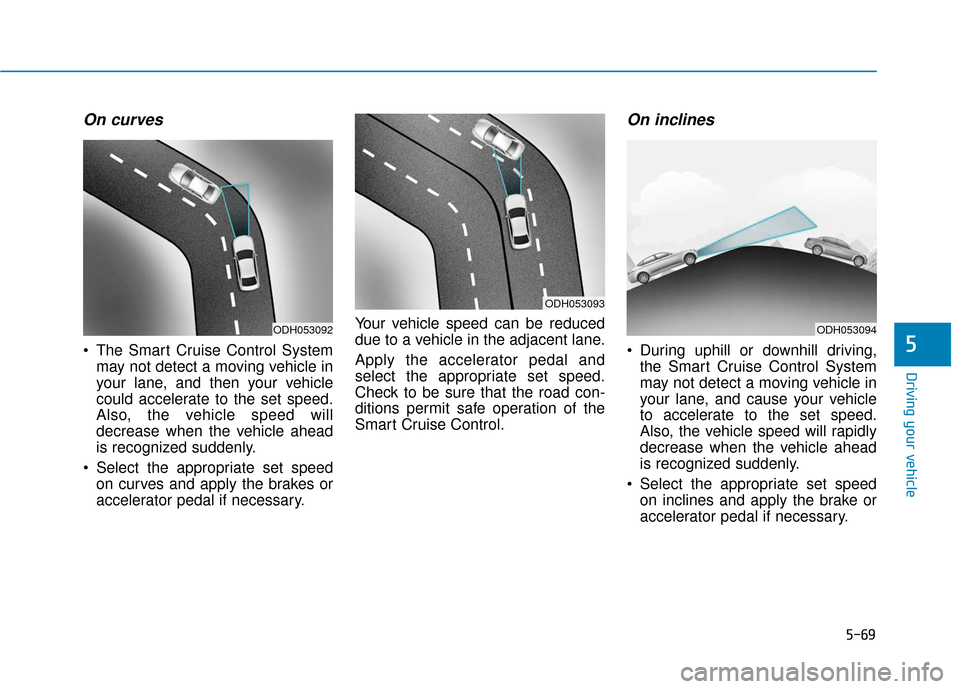
On curves
The Smart Cruise Control Systemmay not detect a moving vehicle in
your lane, and then your vehicle
could accelerate to the set speed.
Also, the vehicle speed will
decrease when the vehicle ahead
is recognized suddenly.
Select the appropriate set speed on curves and apply the brakes or
accelerator pedal if necessary. Your vehicle speed can be reduced
due to a vehicle in the adjacent lane.
Apply the accelerator pedal and
select the appropriate set speed.
Check to be sure that the road con-
ditions permit safe operation of the
Smart Cruise Control.
On inclines
During uphill or downhill driving,
the Smart Cruise Control System
may not detect a moving vehicle in
your lane, and cause your vehicle
to accelerate to the set speed.
Also, the vehicle speed will rapidly
decrease when the vehicle ahead
is recognized suddenly.
Select the appropriate set speed on inclines and apply the brake or
accelerator pedal if necessary.
ODH053092
ODH053093
ODH053094
Page 424 of 522
Maintenance
7-14
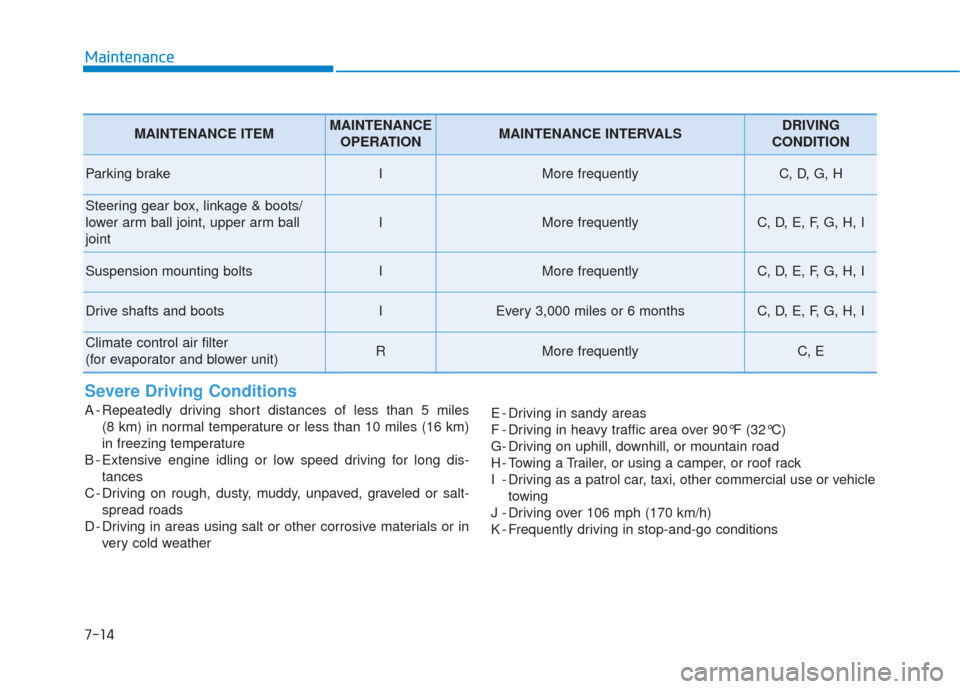
Severe Driving Conditions
A - Repeatedly driving short distances of less than 5 miles (8 km) in normal temperature or less than 10 miles (16 km)
in freezing temperature
B - Extensive engine idling or low speed driving for long dis- tances
C - Driving on rough, dusty, muddy, unpaved, graveled or salt- spread roads
D - Driving in areas using salt or other corrosive materials or in very cold weather E - Driving in sandy areas
F - Driving in heavy traffic area over 90°F (32°C)
G- Driving on uphill, downhill, or mountain road
H - Towing a Trailer, or using a camper, or roof rack
I - Driving as a patrol car, taxi, other commercial use or vehicle
towing
J - Driving over 106 mph (170 km/h)
K - Frequently driving in stop-and-go conditions
MAINTENANCE ITEMMAINTENANCE OPERATIONMAINTENANCE INTERVALSDRIVING
CONDITION
Parking brakeIMore frequentlyC, D, G, H
Steering gear box, linkage & boots/
lower arm ball joint, upper arm ball
joint
IMore frequentlyC, D, E, F, G, H, I
Suspension mounting boltsIMore frequentlyC, D, E, F, G, H, I
Drive shafts and bootsIEvery 3,000 miles or 6 monthsC, D, E, F, G, H, I
Climate control air filter
(for evaporator and blower unit)RMore frequentlyC, E
Page 429 of 522
7
Maintenance
7-19
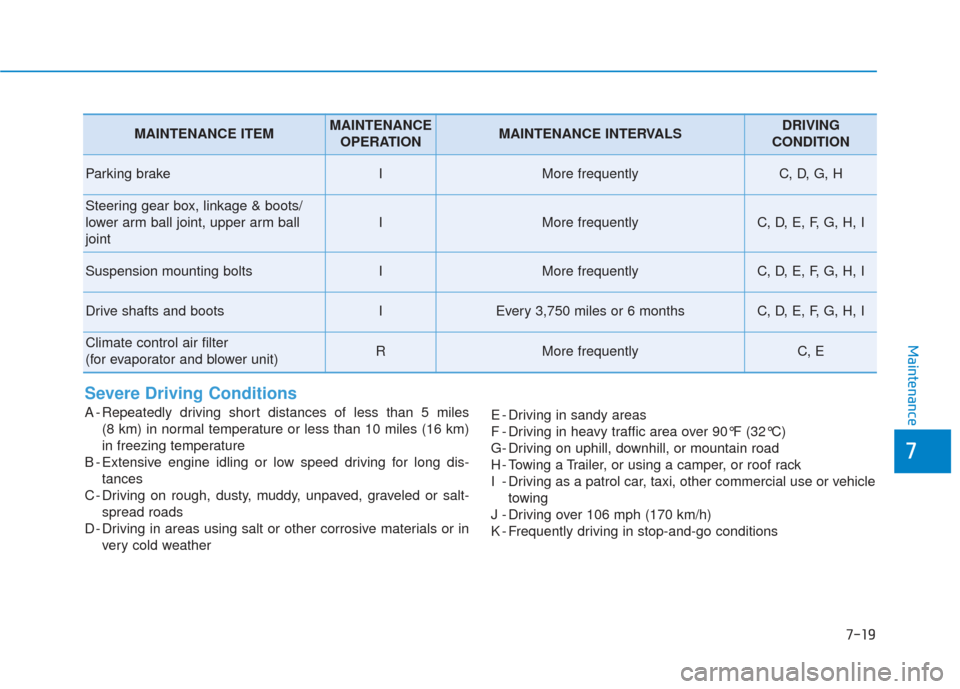
Severe Driving Conditions
A - Repeatedly driving short distances of less than 5 miles (8 km) in normal temperature or less than 10 miles (16 km)
in freezing temperature
B - Extensive engine idling or low speed driving for long dis- tances
C - Driving on rough, dusty, muddy, unpaved, graveled or salt- spread roads
D - Driving in areas using salt or other corrosive materials or in very cold weather E - Driving in sandy areas
F - Driving in heavy traffic area over 90°F (32°C)
G- Driving on uphill, downhill, or mountain road
H - Towing a Trailer, or using a camper, or roof rack
I - Driving as a patrol car, taxi, other commercial use or vehicle
towing
J - Driving over 106 mph (170 km/h)
K - Frequently driving in stop-and-go conditions
MAINTENANCE ITEMMAINTENANCE OPERATIONMAINTENANCE INTERVALSDRIVING
CONDITION
Parking brakeIMore frequentlyC, D, G, H
Steering gear box, linkage & boots/
lower arm ball joint, upper arm ball
joint
IMore frequentlyC, D, E, F, G, H, I
Suspension mounting boltsIMore frequentlyC, D, E, F, G, H, I
Drive shafts and bootsIEvery 3,750 miles or 6 monthsC, D, E, F, G, H, I
Climate control air filter
(for evaporator and blower unit)RMore frequentlyC, E