Speed sensor Hyundai Sonata 2018 Owner's Manual
[x] Cancel search | Manufacturer: HYUNDAI, Model Year: 2018, Model line: Sonata, Model: Hyundai Sonata 2018Pages: 522, PDF Size: 14.52 MB
Page 69 of 522
2-52
Safety system of your vehicleDuring a frontal collision, sensors will
detect the vehicle's deceleration. If
the rate of deceleration is high
enough, the control unit will inflate
the front air bags.
The front air bags help protect the
driver and front passenger by
responding to frontal impacts in
which seat belts alone cannot pro-
vide adequate restraint. When need-
ed, the side air bags help provide
protection in the event of a side
impact or rollover.
Air bags are activated (able toinflate if necessary) only when the
ignition switch is in the ON position.
Air bags inflate in the event of cer- tain frontal or side collisions to help
protect the occupants from serious
physical injury.
There is no single speed at which the air bags will inflate. Generally,
air bags are designed to inflate
based upon the severity of a colli-
sion and its direction. These two
factors determine whether the sen-
sors produce an electronic deploy-
ment/inflation signal. Air bag deployment depends on a
number of factors including vehicle
speed, angles of impact and the
density and stiffness of the vehicles
or objects which your vehicle
impacts during a collision. The
determining factors are not limited
to those mentioned above.
The front air bags will completely inflate and deflate in an instant. It is
virtually impossible for you to see
the air bags inflate during an acci-
dent. It is much more likely that you
will simply see the deflated air bags
hanging out of their storage com-
partments after the collision.
In addition to inflating in certain side collisions, vehicles equipped
with a rollover sensor, side and
curtain air bags will inflate if the
sensing system detects a rollover.
When a rollover is detected, side
and curtain air bags will remain
inflated longer to help provide pro-
tection from ejection, especially
when used in conjunction with the
seat belts.
If your SRS malfunctions, the air
bag may not inflate properly dur-
ing an accident increasing the
risk of serious injury or death.
If any of the following condi-
tions occur, your SRS is mal-
functioning:
The light does not turn on for
approximately six seconds
when the ignition switch is in
the ON position.
The light stays on after illumi-
nating for approximately six
seconds.
The light comes on while the
vehicle is in motion.
The light blinks when the
engine is running.
Have an authorized HYUNDAI
dealer inspect the SRS as soon
as possible if any of these con-
ditions occur.
WARNING
Page 78 of 522
2-61
Safety system of your vehicle
Why Didn't My Air Bag Go Off
in a Collision?
Air bags are not designed to inflate in
every collision. There are certain
types of accidents in which the air
bag would not be expected to pro-
vide additional protection. These
include rear impacts, second or third
collisions in multiple impact acci-
dents, as well as low speed impacts.
Damage to the vehicle indicates a
collision energy absorption, and is
not an indicator of whether or not an
air bag should have inflated.
Air bag collision sensors
2To reduce the risk of an air bag
deploying unexpectedly and
causing serious injury or death:
Do not hit or allow any objects
to impact the locations where air
bags or sensors are installed.
Do not perform maintenance
on or around the air bag sen-
sors. If the location or angle of
the sensors is altered, the air
bags may deploy when they
should not or may not deploy
when they should.
Do not install bumper guards
or replace the bumper with a
non-genuine HYUNDAI parts.
This may adversely affect the
collision and air bag deploy-
ment performance.(Continued)
(Continued)
Place the ignition switch in
the LOCK/OFF or ACC posi-
tion when the vehicle is being
towed to prevent inadvertent
air bag deployment.
Have all air bag repairs conduct-
ed by an authorized HYUNDAI
dealer.
WARNING
Page 80 of 522
2-63
Safety system of your vehicle
2
Air bag inflation conditions
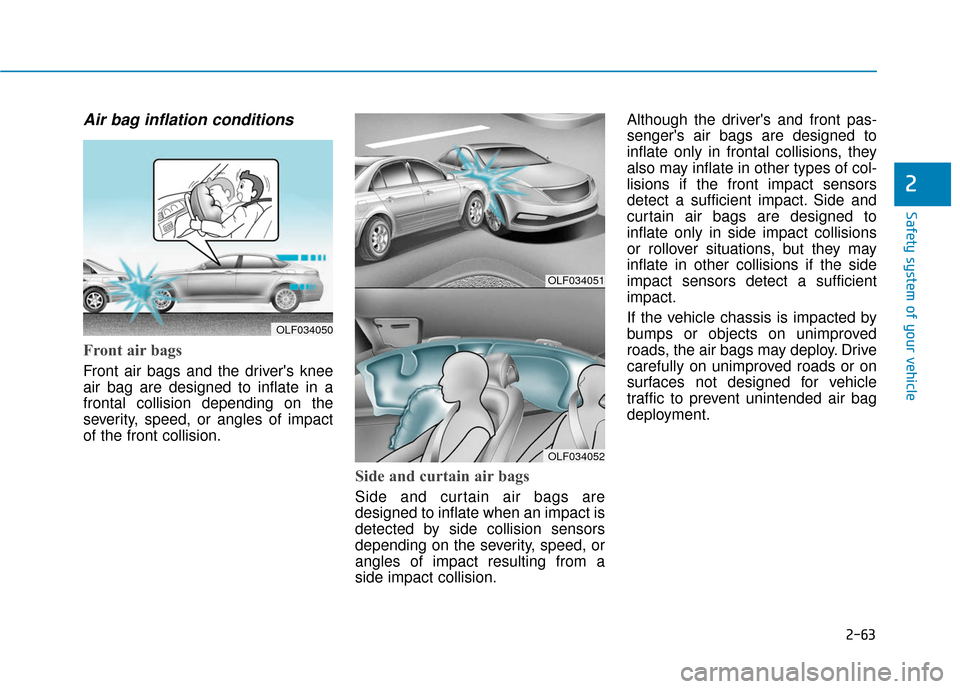
Front air bags
Front air bags and the driver's knee
air bag are designed to inflate in a
frontal collision depending on the
severity, speed, or angles of impact
of the front collision.
Side and curtain air bags
Side and curtain air bags are
designed to inflate when an impact is
detected by side collision sensors
depending on the severity, speed, or
angles of impact resulting from a
side impact collision.Although the driver's and front pas-
senger's air bags are designed to
inflate only in frontal collisions, they
also may inflate in other types of col-
lisions if the front impact sensors
detect a sufficient impact. Side and
curtain air bags are designed to
inflate only in side impact collisions
or rollover situations, but they may
inflate in other collisions if the side
impact sensors detect a sufficient
impact.
If the vehicle chassis is impacted by
bumps or objects on unimproved
roads, the air bags may deploy. Drive
carefully on unimproved roads or on
surfaces not designed for vehicle
traffic to prevent unintended air bag
deployment.
OLF034051
OLF034052
OLF034050
Page 203 of 522
3-118
Convenient features of your vehicle
Rear Parking Assist System
(if equipped)
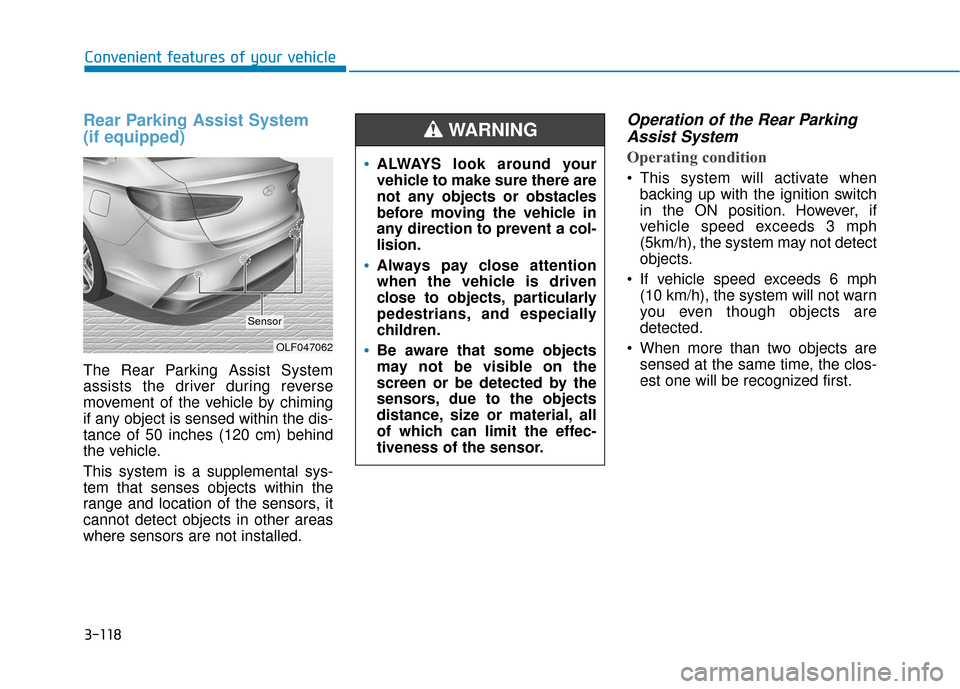
The Rear Parking Assist System
assists the driver during reverse
movement of the vehicle by chiming
if any object is sensed within the dis-
tance of 50 inches (120 cm) behind
the vehicle.
This system is a supplemental sys-
tem that senses objects within the
range and location of the sensors, it
cannot detect objects in other areas
where sensors are not installed.
Operation of the Rear ParkingAssist System
Operating condition
This system will activate when
backing up with the ignition switch
in the ON position. However, if
vehicle speed exceeds 3 mph
(5km/h), the system may not detect
objects.
If vehicle speed exceeds 6 mph (10 km/h), the system will not warn
you even though objects are
detected.
When more than two objects are sensed at the same time, the clos-
est one will be recognized first.
OLF047062
Sensor
ALWAYS look around your
vehicle to make sure there are
not any objects or obstacles
before moving the vehicle in
any direction to prevent a col-
lision.
Always pay close attention
when the vehicle is driven
close to objects, particularly
pedestrians, and especially
children.
Be aware that some objects
may not be visible on the
screen or be detected by the
sensors, due to the objects
distance, size or material, all
of which can limit the effec-
tiveness of the sensor.
WARNING
Page 219 of 522
3-134
Convenient features of your vehicle
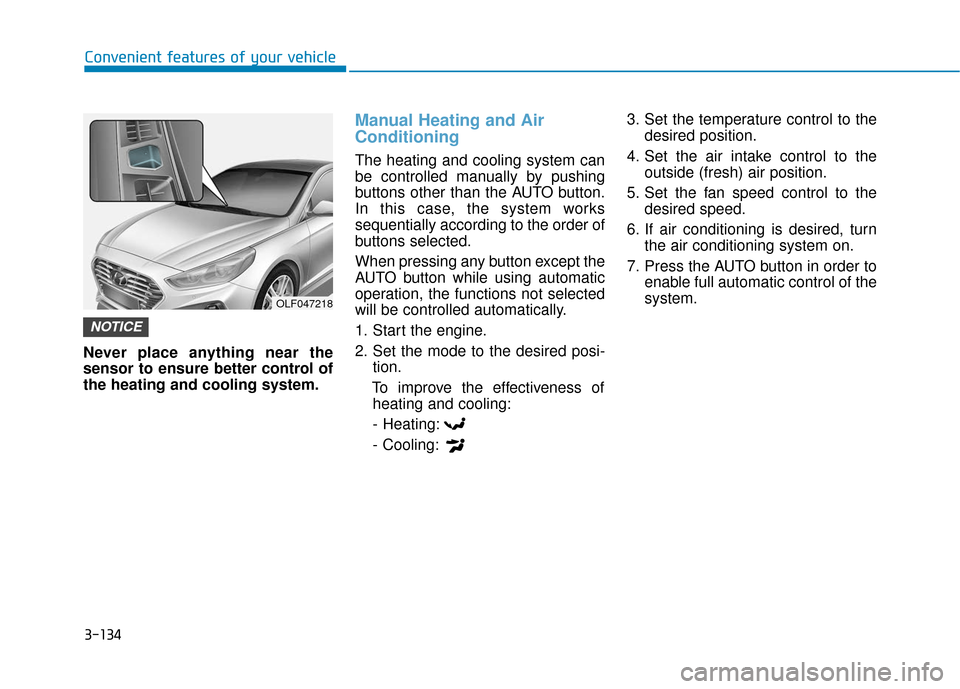
Never place anything near the
sensor to ensure better control of
the heating and cooling system.
Manual Heating and Air
Conditioning
The heating and cooling system can
be controlled manually by pushing
buttons other than the AUTO button.
In this case, the system works
sequentially according to the order of
buttons selected.
When pressing any button except the
AUTO button while using automatic
operation, the functions not selected
will be controlled automatically.
1. Start the engine.
2. Set the mode to the desired posi- tion.
To improve the effectiveness of heating and cooling:
- Heating:
- Cooling: 3. Set the temperature control to the
desired position.
4. Set the air intake control to the outside (fresh) air position.
5. Set the fan speed control to the desired speed.
6. If air conditioning is desired, turn the air conditioning system on.
7. Press the AUTO button in order to enable full automatic control of the
system.
NOTICE
OLF047218
Page 326 of 522
5-76
Driving your vehicle
If you press the LKAS button again,
the indicator on the cluster display
will go off.
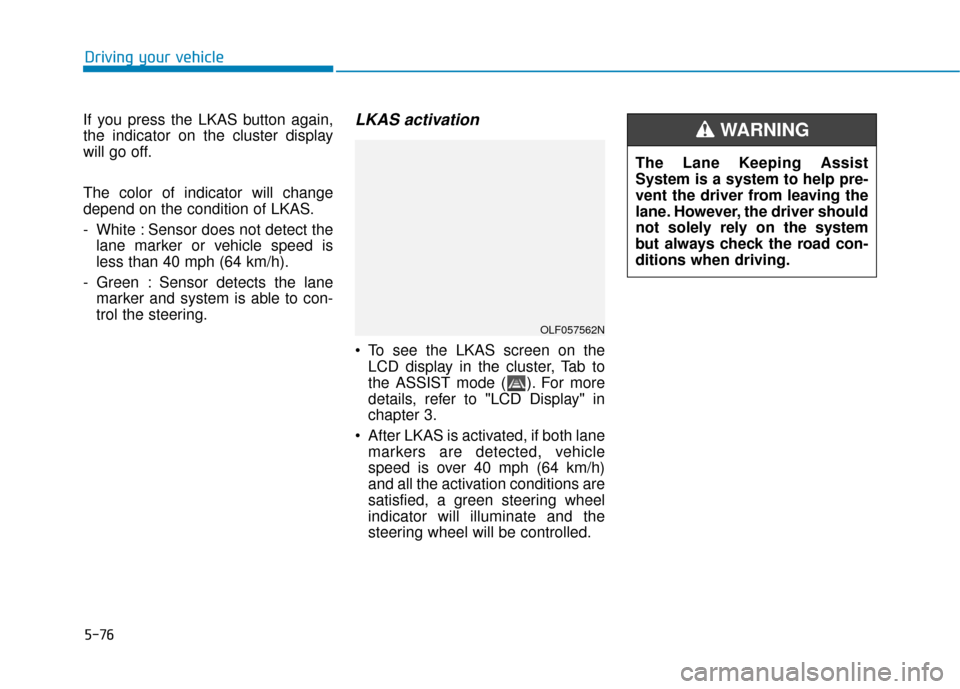
The color of indicator will change
depend on the condition of LKAS.
- White : Sensor does not detect the lane marker or vehicle speed is
less than 40 mph (64 km/h).
- Green : Sensor detects the lane marker and system is able to con-
trol the steering.
LKAS activation
To see the LKAS screen on theLCD display in the cluster, Tab to
the ASSIST mode ( ). For more
details, refer to "LCD Display" in
chapter 3.
After LKAS is activated, if both lane markers are detected, vehicle
speed is over 40 mph (64 km/h)
and all the activation conditions are
satisfied, a green steering wheel
indicator will illuminate and the
steering wheel will be controlled.
OLF057562N
The Lane Keeping Assist
System is a system to help pre-
vent the driver from leaving the
lane. However, the driver should
not solely rely on the system
but always check the road con-
ditions when driving.
WARNING
Page 336 of 522
5-86
Resetting the system
The last break time is set to 00:00and the driver's attention level is
set to 5 (very attentive) when the
driver resets the Driver Attention
Alert system.
The Driver Attention Alert system resets in the following situations.
- The engine is turned OFF.
- The driver unfastens the seat beltand then opens the driver’s door.
- Stop lasting more than 10 min- utes.
The Driver attention Alert system
operates again, when the driver
restarts driving.
System standby
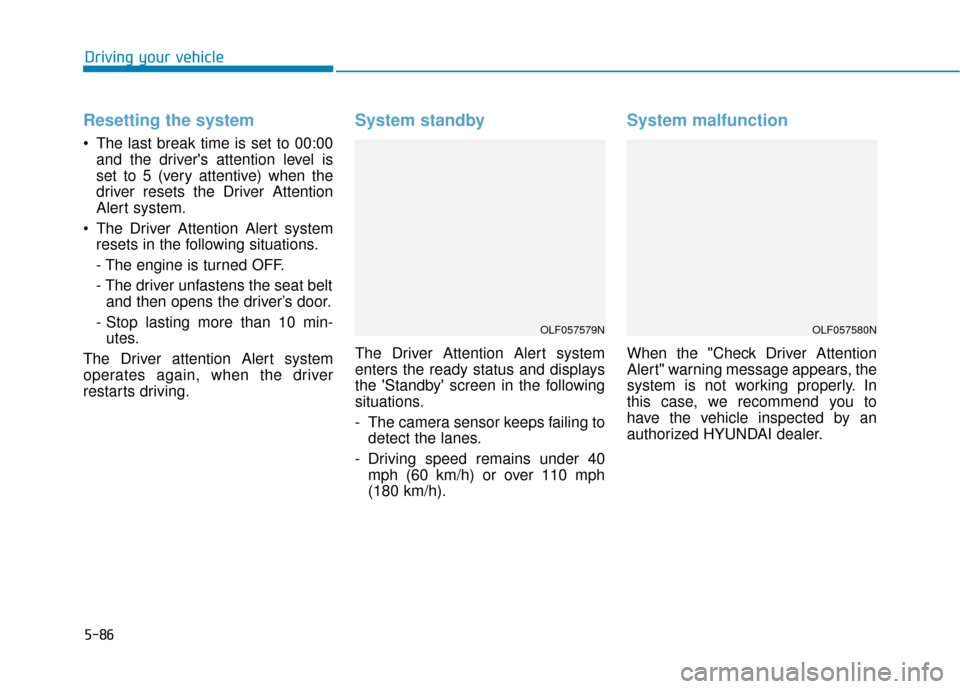
The Driver Attention Alert system
enters the ready status and displays
the 'Standby' screen in the following
situations.
- The camera sensor keeps failing to detect the lanes.
- Driving speed remains under 40 mph (60 km/h) or over 110 mph
(180 km/h).
System malfunction
When the "Check Driver Attention
Alert" warning message appears, the
system is not working properly. In
this case, we recommend you to
have the vehicle inspected by an
authorized HYUNDAI dealer.
Driving your vehicle
OLF057579NOLF057580N
Page 339 of 522
5-89
Driving your vehicle
5
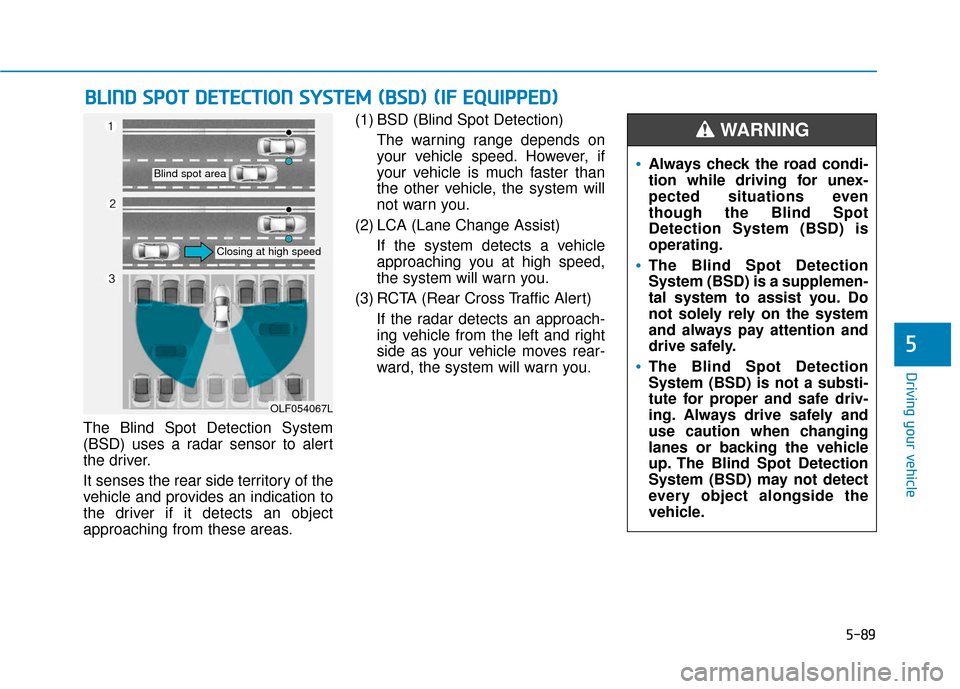
The Blind Spot Detection System
(BSD) uses a radar sensor to alert
the driver.
It senses the rear side territory of the
vehicle and provides an indication to
the driver if it detects an object
approaching from these areas.(1) BSD (Blind Spot Detection)
The warning range depends on
your vehicle speed. However, if
your vehicle is much faster than
the other vehicle, the system will
not warn you.
(2) LCA (Lane Change Assist) If the system detects a vehicle
approaching you at high speed,
the system will warn you.
(3) RCTA (Rear Cross Traffic Alert) If the radar detects an approach-
ing vehicle from the left and right
side as your vehicle moves rear-
ward, the system will warn you.
B BL
LI
IN
N D
D
S
S P
P O
O T
T
D
D E
ET
T E
EC
CT
T I
IO
O N
N
S
S Y
Y S
ST
T E
EM
M
(
( B
B S
SD
D )
)
(
( I
IF
F
E
E Q
Q U
UI
IP
P P
PE
ED
D )
)
OLF054067L
Blind spot area
Closing at high speed
Always check the road condi-
tion while driving for unex-
pected situations even
though the Blind Spot
Detection System (BSD) is
operating.
The Blind Spot Detection
System (BSD) is a supplemen-
tal system to assist you. Do
not solely rely on the system
and always pay attention and
drive safely.
The Blind Spot Detection
System (BSD) is not a substi-
tute for proper and safe driv-
ing. Always drive safely and
use caution when changing
lanes or backing the vehicle
up. The Blind Spot Detection
System (BSD) may not detect
every object alongside the
vehicle.
WARNING
Page 352 of 522
5-102
Driving your vehicle
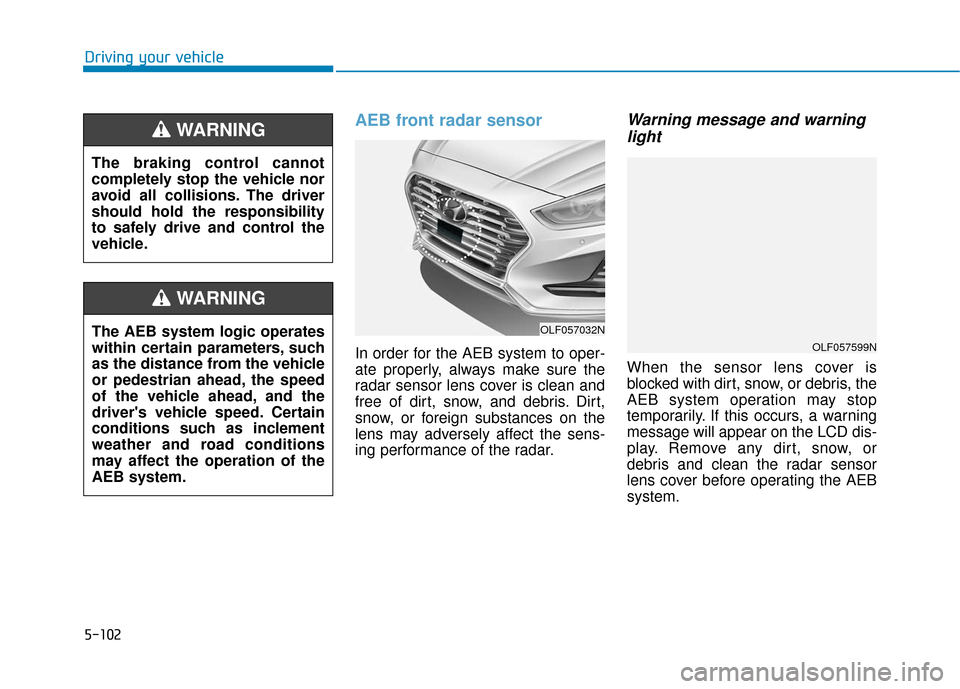
AEB front radar sensor
In order for the AEB system to oper-
ate properly, always make sure the
radar sensor lens cover is clean and
free of dirt, snow, and debris. Dirt,
snow, or foreign substances on the
lens may adversely affect the sens-
ing performance of the radar.
Warning message and warninglight
When the sensor lens cover is
blocked with dirt, snow, or debris, the
AEB system operation may stop
temporarily. If this occurs, a warning
message will appear on the LCD dis-
play. Remove any dirt, snow, or
debris and clean the radar sensor
lens cover before operating the AEB
system.
OLF057032N
OLF057599NThe AEB system logic operates
within certain parameters, such
as the distance from the vehicle
or pedestrian ahead, the speed
of the vehicle ahead, and the
driver's vehicle speed. Certain
conditions such as inclement
weather and road conditions
may affect the operation of the
AEB system.
WARNING
The braking control cannot
completely stop the vehicle nor
avoid all collisions. The driver
should hold the responsibility
to safely drive and control the
vehicle.
WARNING
Page 354 of 522
5-104
Driving your vehicle
The AEB is only a supplemen-
tal system for the driver’s con-
venience. The driver should
hold the responsibility to con-
trol the vehicle operation. Do
not solely depend on the AEB
system. Rather, maintain a
safe braking distance, and, if
necessary, depress the brake
pedal to reduce the driving
speed.
In certain instances and
under certain driving condi-
tions, the AEB system may
activate prematurely. This ini-
tial warning message appears
on the LCD display with a
warning chime.
Also, in certain instances the
front radar sensor or camera
recognition system may not
detect the vehicle or pedestri-
an ahead. The AEB system
may not activate and the
warning message will not be
displayed.(Continued)
(Continued)
If there is a malfunction with
the AEB system, the automat-
ic emergency braking is not
applied even though the brak-
ing system is operating nor-
mally.
The AEB system operates
only to help detect vehicles or
pedestrians in front of the
vehicle.
The AEB system does not
operate when the vehicle is in
reverse.
The AEB system is not
designed to detect other
objects on the road such as
animals.
The AEB system does not
detect cross traffic vehicles
that are approaching.
The AEB system cannot
detect the driver approaching
the side view of a parked vehi-
cle (for example on a dead
end street.)
(Continued)
(Continued)In these cases, you must
maintain a safe braking dis-
tance, and if necessary,
depress the brake pedal to
reduce the driving speed in
order to maintain a safe dis-
tance.WARNING