wheel Hyundai Sonata 2019 Workshop Manual
[x] Cancel search | Manufacturer: HYUNDAI, Model Year: 2019, Model line: Sonata, Model: Hyundai Sonata 2019Pages: 522, PDF Size: 15.66 MB
Page 325 of 522
5-75
Driving your vehicle
5
LKAS operation
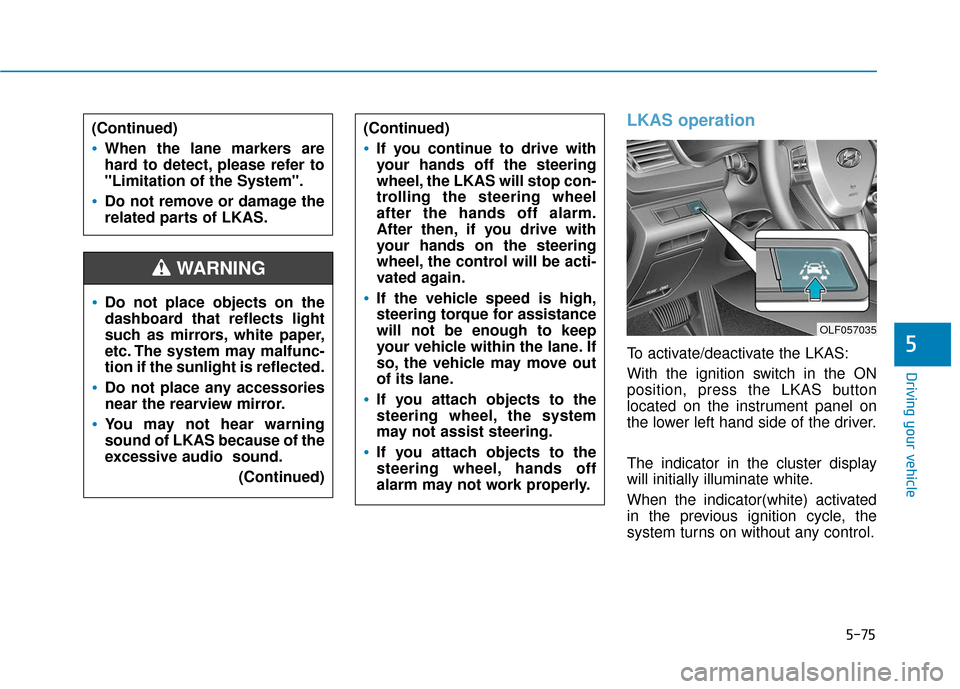
To activate/deactivate the LKAS:
With the ignition switch in the ON
position, press the LKAS button
located on the instrument panel on
the lower left hand side of the driver.
The indicator in the cluster display
will initially illuminate white.
When the indicator(white) activated
in the previous ignition cycle, the
system turns on without any control.
Do not place objects on the
dashboard that reflects light
such as mirrors, white paper,
etc. The system may malfunc-
tion if the sunlight is reflected.
Do not place any accessories
near the rearview mirror.
You may not hear warning
sound of LKAS because of the
excessive audio sound.(Continued)
(Continued)
If you continue to drive with
your hands off the steering
wheel, the LKAS will stop con-
trolling the steering wheel
after the hands off alarm.
After then, if you drive with
your hands on the steering
wheel, the control will be acti-
vated again.
If the vehicle speed is high,
steering torque for assistance
will not be enough to keep
your vehicle within the lane. If
so, the vehicle may move out
of its lane.
If you attach objects to the
steering wheel, the system
may not assist steering.
If you attach objects to the
steering wheel, hands off
alarm may not work properly.
WARNING
(Continued)
When the lane markers are
hard to detect, please refer to
"Limitation of the System".
Do not remove or damage the
related parts of LKAS.
OLF057035
Page 326 of 522
5-76
Driving your vehicle
If you press the LKAS button again,
the indicator on the cluster display
will go off.
The color of indicator will change
depend on the condition of LKAS.
- White : Sensor does not detect the lane marker or vehicle speed is
less than 40 mph (64 km/h).
- Green : Sensor detects the lane marker and system is able to con-
trol the steering.
LKAS activation
To see the LKAS screen on theLCD display in the cluster, Tab to
the ASSIST mode ( ). For more
details, refer to "LCD Display" in
chapter 3.
After LKAS is activated, if both lane markers are detected, vehicle
speed is over 40 mph (64 km/h)
and all the activation conditions are
satisfied, a green steering wheel
indicator will illuminate and the
steering wheel will be controlled.
OLF057562N
The Lane Keeping Assist
System is a system to help pre-
vent the driver from leaving the
lane. However, the driver should
not solely rely on the system
but always check the road con-
ditions when driving.
WARNING
Page 327 of 522
5-77
Driving your vehicle
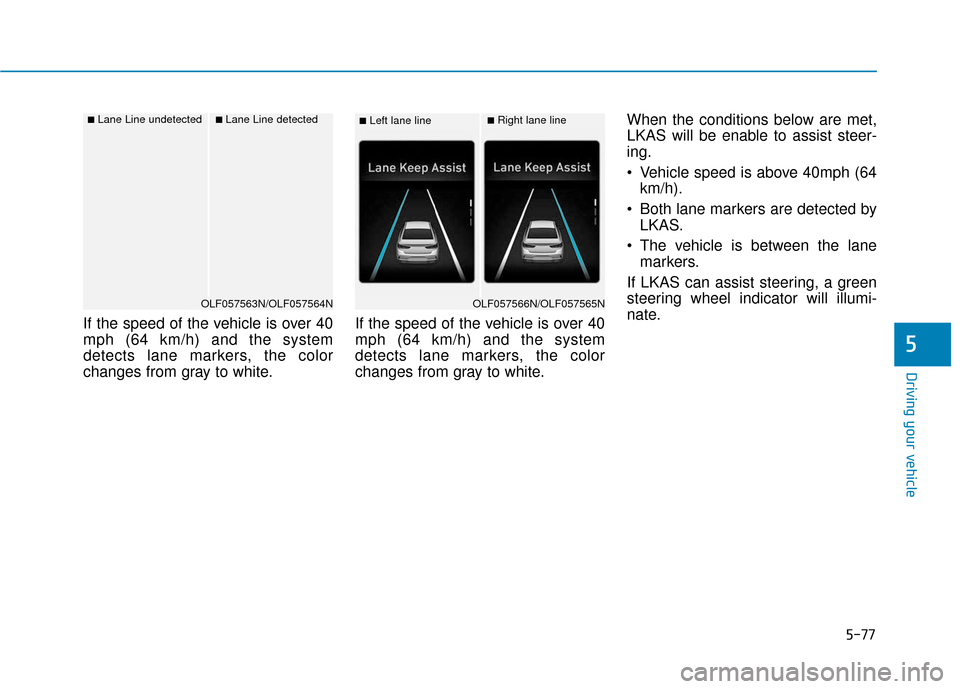
If the speed of the vehicle is over 40
mph (64 km/h) and the system
detects lane markers, the color
changes from gray to white.If the speed of the vehicle is over 40
mph (64 km/h) and the system
detects lane markers, the color
changes from gray to white.When the conditions below are met,
LKAS will be enable to assist steer-
ing.
Vehicle speed is above 40mph (64
km/h).
Both lane markers are detected by LKAS.
The vehicle is between the lane markers.
If LKAS can assist steering, a green
steering wheel indicator will illumi-
nate.
5
■Left lane line■Right lane line
OLF057566N/OLF057565N
■Lane Line undetected■Lane Line detected
OLF057563N/OLF057564N
Page 328 of 522
5-78
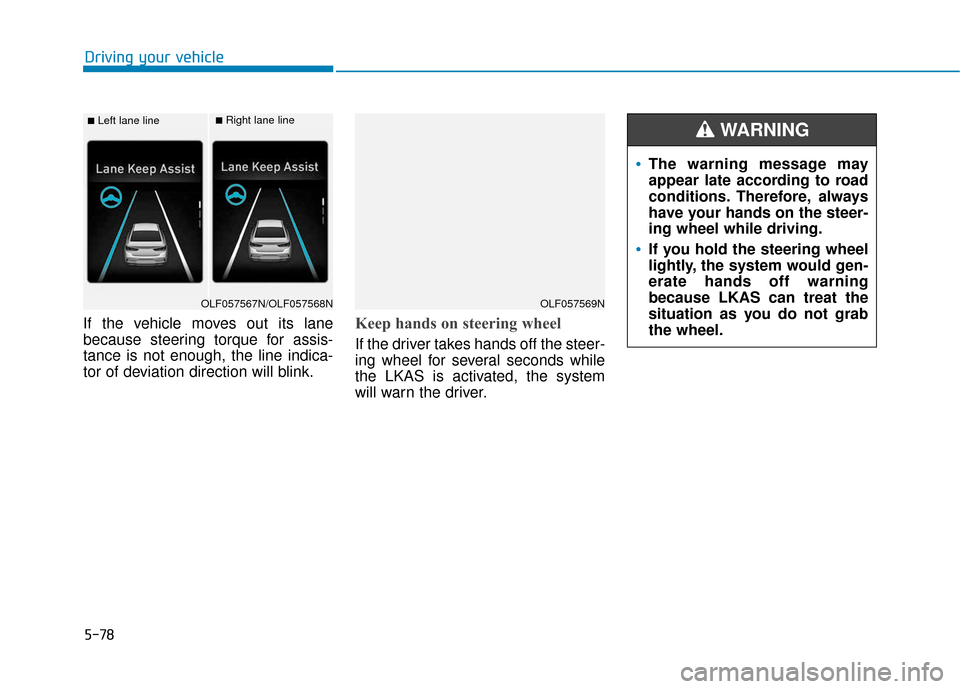
If the vehicle moves out its lane
because steering torque for assis-
tance is not enough, the line indica-
tor of deviation direction will blink.Keep hands on steering wheel
If the driver takes hands off the steer-
ing wheel for several seconds while
the LKAS is activated, the system
will warn the driver.
Driving your vehicle
■Left lane line■Right lane line
OLF057567N/OLF057568NOLF057569N
The warning message may
appear late according to road
conditions. Therefore, always
have your hands on the steer-
ing wheel while driving.
If you hold the steering wheel
lightly, the system would gen-
erate hands off warning
because LKAS can treat the
situation as you do not grab
the wheel.
WARNING
Page 329 of 522
5-79
Driving your vehicle
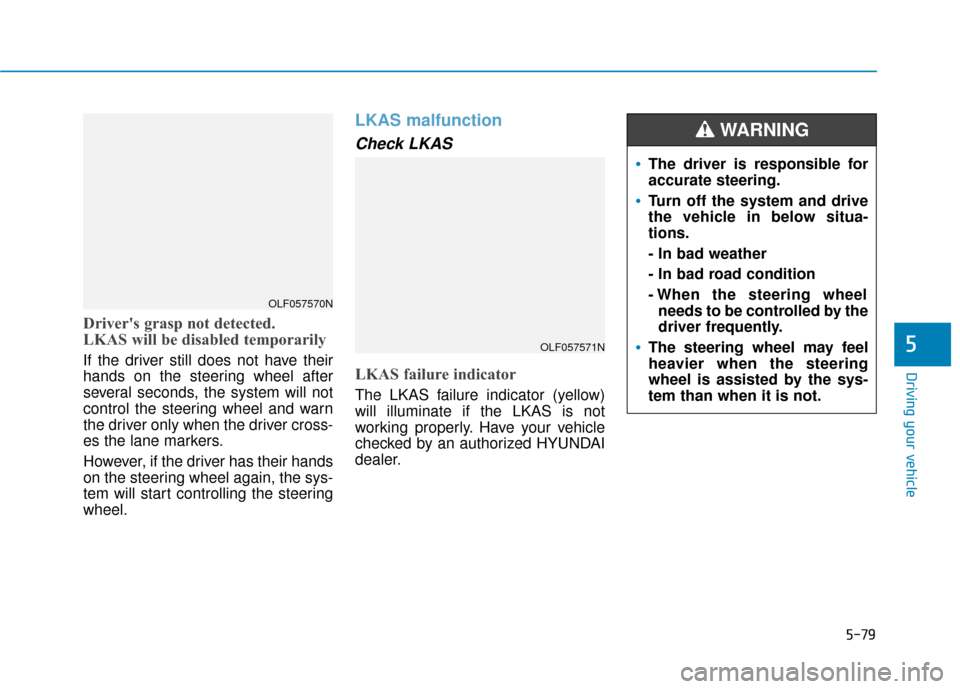
Driver's grasp not detected.
LKAS will be disabled temporarily
If the driver still does not have their
hands on the steering wheel after
several seconds, the system will not
control the steering wheel and warn
the driver only when the driver cross-
es the lane markers.
However, if the driver has their hands
on the steering wheel again, the sys-
tem will start controlling the steering
wheel.
LKAS malfunction
Check LKAS
LKAS failure indicator
The LKAS failure indicator (yellow)
will illuminate if the LKAS is not
working properly. Have your vehicle
checked by an authorized HYUNDAI
dealer.
5OLF057571N
OLF057570N
The driver is responsible for
accurate steering.
Turn off the system and drive
the vehicle in below situa-
tions.
- In bad weather
- In bad road condition
- When the steering wheelneeds to be controlled by the
driver frequently.
The steering wheel may feel
heavier when the steering
wheel is assisted by the sys-
tem than when it is not.
WARNING
Page 330 of 522
5-80
The system will be cancelled when:
You change lanes with the turn sig-nal.
- Using the turn signal to changelanes.
- If you change lanes without the turn signal on, the steering wheel
might be controlled.
LKAS can transit to steering assist mode when the car is near to mid-
dle of the lane after system on or
the lane was changed. LKAS can
not assist steering if the vehicle fol-
lows lane marker too close contin-
uously before transition to steering
assist mode.
The control of ESC (Electronic Stability Control) or VSM (Vehicle
Stability Management) is activated.
The steering will not be assisted when your drive fast on a sharp
curve.
The steering will not be assisted when vehicle speed is below 40
mph (64 km/h) and over 110 mph
(177 km/h).
The steering will not be assisted when you change lanes fast. The steering will not be assisted
when you brake suddenly.
The steering will not be assisted when the lane is very wide or nar-
row.
The steering will not be assisted when only one side lane marker is
detected.
There are more than two lane markers such as a construction
area.
Radius of a curve is too small.
When you turn steering wheel sud- denly, the LKAS will be disabled
temporarily.
Driving on a steep slope or hill.
Driving your vehicle
Page 331 of 522
5-81
Driving your vehicle
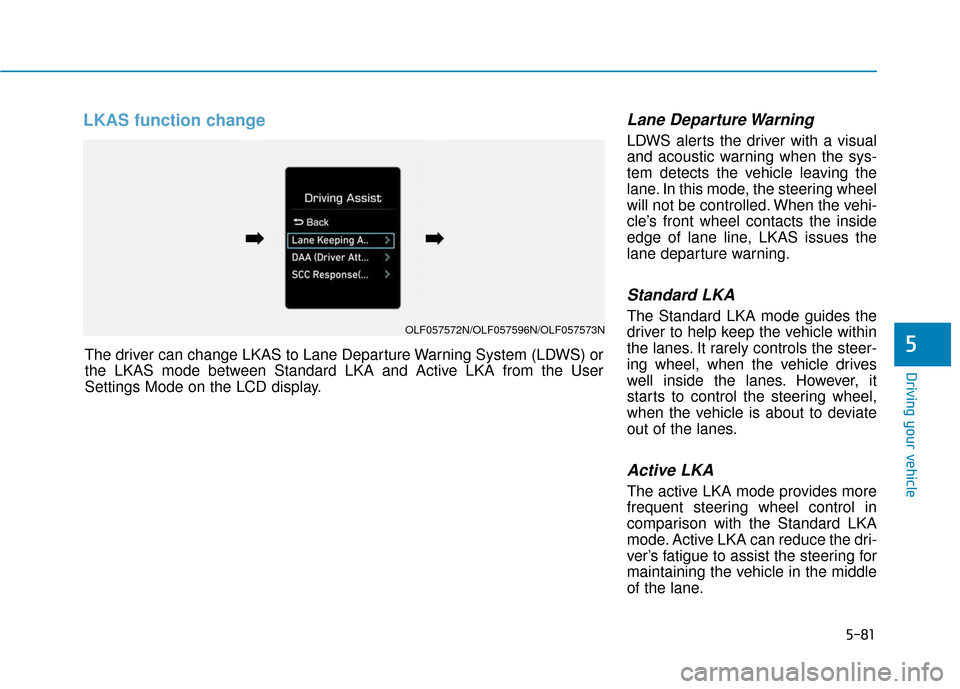
LKAS function change Lane Departure Warning
LDWS alerts the driver with a visual
and acoustic warning when the sys-
tem detects the vehicle leaving the
lane. In this mode, the steering wheel
will not be controlled. When the vehi-
cle’s front wheel contacts the inside
edge of lane line, LKAS issues the
lane departure warning.
Standard LKA
The Standard LKA mode guides the
driver to help keep the vehicle within
the lanes. It rarely controls the steer-
ing wheel, when the vehicle drives
well inside the lanes. However, it
starts to control the steering wheel,
when the vehicle is about to deviate
out of the lanes.
Active LKA
The active LKA mode provides more
frequent steering wheel control in
comparison with the Standard LKA
mode. Active LKA can reduce the dri-
ver’s fatigue to assist the steering for
maintaining the vehicle in the middle
of the lane.
5The driver can change LKAS to Lane Departure Warning System (LDWS) or
the LKAS mode between Standard LKA and Active LKA from the User
Settings Mode on the LCD display.
OLF057572N/OLF057596N/OLF057573N
➡
➡➡
➡
Page 338 of 522
5-88
Driving your vehicle
The Driver Attention Alert sys-
tem may not properly operate
with limited alerting in the fol-
lowing situations:
Not properly recognize lane
(See the LKAS)
Rough or intentionally eva-
sive driving
Large tire pressure deviation,
uneven wear, poor wheel
alignment, etc.
Severe winding road
Uneven road surface condi-
tion
Windy road
The vehicle drives through a
windy area.(Continued)
(Continued)
The vehicle is controlled by
the following driving assist
systems:
- Lane Keeping Assist System(LKAS)
- Autonomous Emergency Braking (AEB) System
- Smart Cruise Control (SCC) System
CAUTION
Page 351 of 522
5-101
Driving your vehicle
5
Emergency braking (3rdwarning)
• This warning message appears on
the LCD display with a warning
alarm.
Additionally, automatic emergency braking of the vehicle is applied in
order to avoid a collision.
- If your vehicle is traveling lessthan 40 mph (65 km/h) and a
pedestrian is detected within the
Emergency Braking stage, auto-
matic emergency braking of the
vehicle is applied. In this condi-
tion, your vehicle speed will
decelerate sharply to avoid a col-
lision. - When your vehicle drives slower
than 40 mph (65 km/h) with a
passer-by in front, the driving
speed may abruptly decrease.
When your vehicle drives faster
than 40 mph (65 km/h) with a
pedestrian in front, the AEB does
not operate.
Brake operation
In an urgent situation, the braking system enters into the ready status
for prompt reaction against the dri-
ver's depressing the brake pedal.
The AEB provides additional brak- ing power for optimum braking per-
formance, when the driver depress-
es the brake pedal.
The braking control is automatically deactivated, when the driver sharply
depresses the accelerator pedal, or
when the driver abruptly operates
the steering wheel.
The braking control is automatical- ly canceled, when risk factors dis-
appear.
OLF057584N
The driver should always use
extreme caution while operating
the vehicle, whether or not there
is a warning message or alarm
from the AEB system.
CAUTION
Page 358 of 522
5-108
Driving your vehicle
Detecting pedestrians
The sensor may be limited when:
- The pedestrian is not fully detectedby the camera recognition system,
for example, if the pedestrian is
leaning over or is not fully walking
upright
- The pedestrian is moving very quickly or appears abruptly in the
camera detection area
The pedestrian is wearing clothing
that easily blends into the back-
ground, making it difficult to be
detected by the camera recogni-
tion system
- The outside lighting is too bright (e.g. when driving in bright sunlight
or in sun glare) or too dark (e.g.
when driving on a dark rural road
at night)
- It is difficult to detect and distin- guish the pedestrian from other
objects in the surroundings, for
example, when there is a group of
pedestrians or a large crowdInformation
In some instances, the AEB system
may be cancelled when subjected to
electromagnetic interference.
Information
This device complies with Part 15 of
the FCC rules.
Operation is subject to the following
two conditions:
1. This device may not cause harmful interference, and
2. This device must accept any inter- ference received, including interfer-
ence that may cause undesired
operation.
i
i
Do not use the Automatic
Emergency Braking system
when towing a vehicle.
Application of the AEB system
while towing may adversely
affect the safety of your vehi-
cle or the towing vehicle
Use extreme caution when the
vehicle in front of you has
cargo that extends rearward
from the cab, or when the
vehicle in front of you has
higher ground clearance.
The AEB system is designed
to help detect and monitor the
vehicle ahead or detect a
pedestrian in the roadway
through radar signals and
camera recognition. It is not
designed to detect bicycles,
motorcycles, or smaller
wheeled objects such as lug-
gage bags, shopping carts, or
strollers.
Never try to test the operation
of the AEB system. Doing so
may cause severe injury or
death.
WARNING