display Hyundai Sonata 2019 Repair Manual
[x] Cancel search | Manufacturer: HYUNDAI, Model Year: 2019, Model line: Sonata, Model: Hyundai Sonata 2019Pages: 522, PDF Size: 15.66 MB
Page 326 of 522
5-76
Driving your vehicle
If you press the LKAS button again,
the indicator on the cluster display
will go off.
The color of indicator will change
depend on the condition of LKAS.
- White : Sensor does not detect the lane marker or vehicle speed is
less than 40 mph (64 km/h).
- Green : Sensor detects the lane marker and system is able to con-
trol the steering.
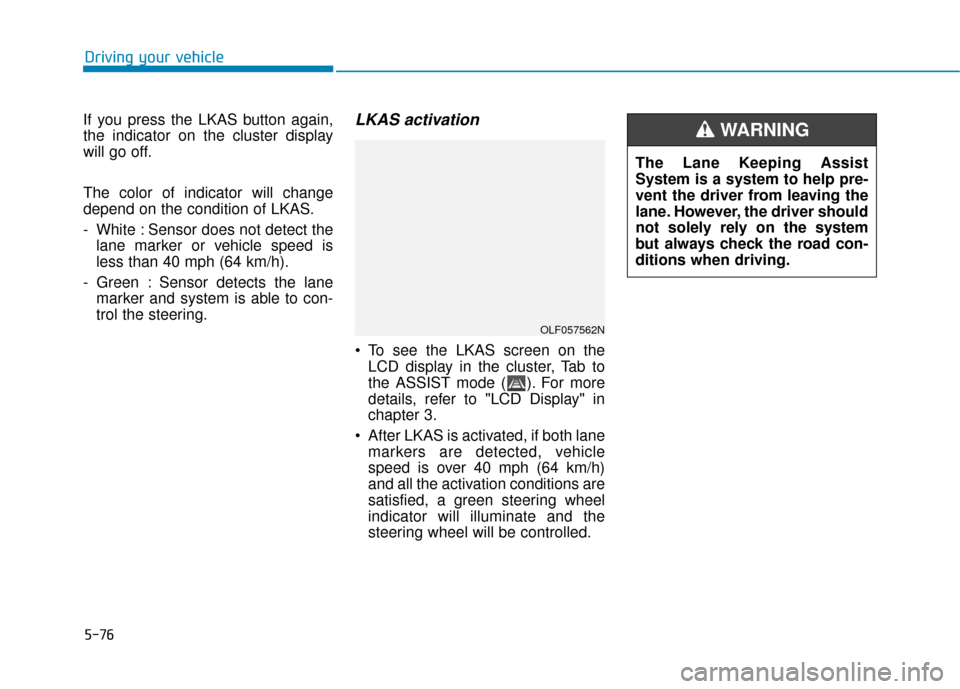
LKAS activation
To see the LKAS screen on theLCD display in the cluster, Tab to
the ASSIST mode ( ). For more
details, refer to "LCD Display" in
chapter 3.
After LKAS is activated, if both lane markers are detected, vehicle
speed is over 40 mph (64 km/h)
and all the activation conditions are
satisfied, a green steering wheel
indicator will illuminate and the
steering wheel will be controlled.
OLF057562N
The Lane Keeping Assist
System is a system to help pre-
vent the driver from leaving the
lane. However, the driver should
not solely rely on the system
but always check the road con-
ditions when driving.
WARNING
Page 331 of 522
5-81
Driving your vehicle
LKAS function change Lane Departure Warning
LDWS alerts the driver with a visual
and acoustic warning when the sys-
tem detects the vehicle leaving the
lane. In this mode, the steering wheel
will not be controlled. When the vehi-
cle’s front wheel contacts the inside
edge of lane line, LKAS issues the
lane departure warning.
Standard LKA
The Standard LKA mode guides the
driver to help keep the vehicle within
the lanes. It rarely controls the steer-
ing wheel, when the vehicle drives
well inside the lanes. However, it
starts to control the steering wheel,
when the vehicle is about to deviate
out of the lanes.
Active LKA
The active LKA mode provides more
frequent steering wheel control in
comparison with the Standard LKA
mode. Active LKA can reduce the dri-
ver’s fatigue to assist the steering for
maintaining the vehicle in the middle
of the lane.
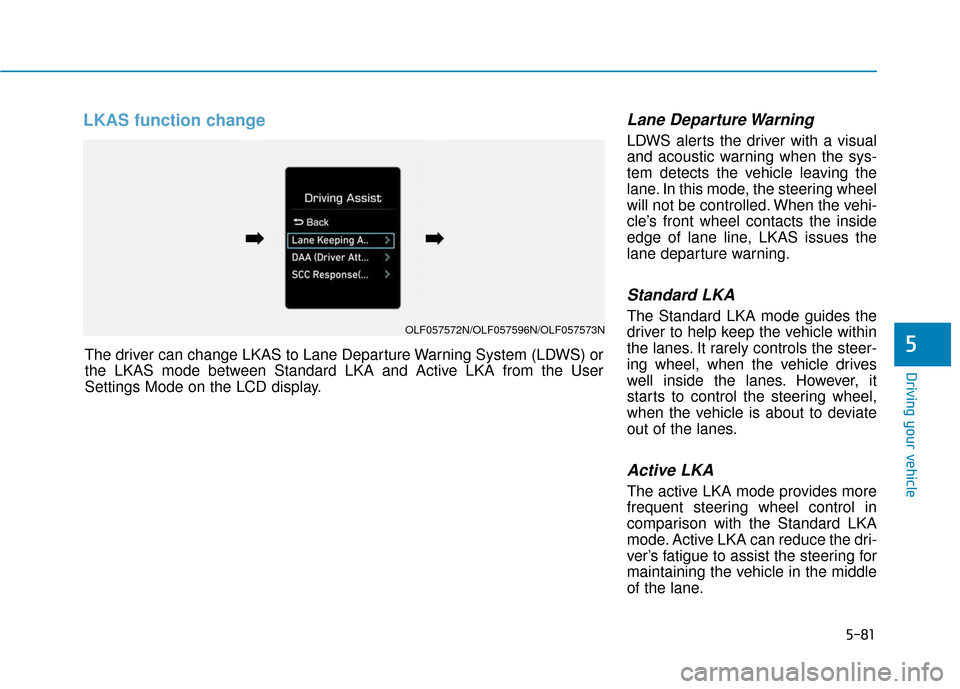
5The driver can change LKAS to Lane Departure Warning System (LDWS) or
the LKAS mode between Standard LKA and Active LKA from the User
Settings Mode on the LCD display.
OLF057572N/OLF057596N/OLF057573N
➡
➡➡
➡
Page 334 of 522
5-84
The Driver Attention Alert (DAA) sys-
tem displays the condition of the dri-
ver’s fatigue and inattention.System setting and activation
System setting
The Driver Attention Alert systemis set to be in the OFF position,
when your vehicle is first delivered
to you from the factory.
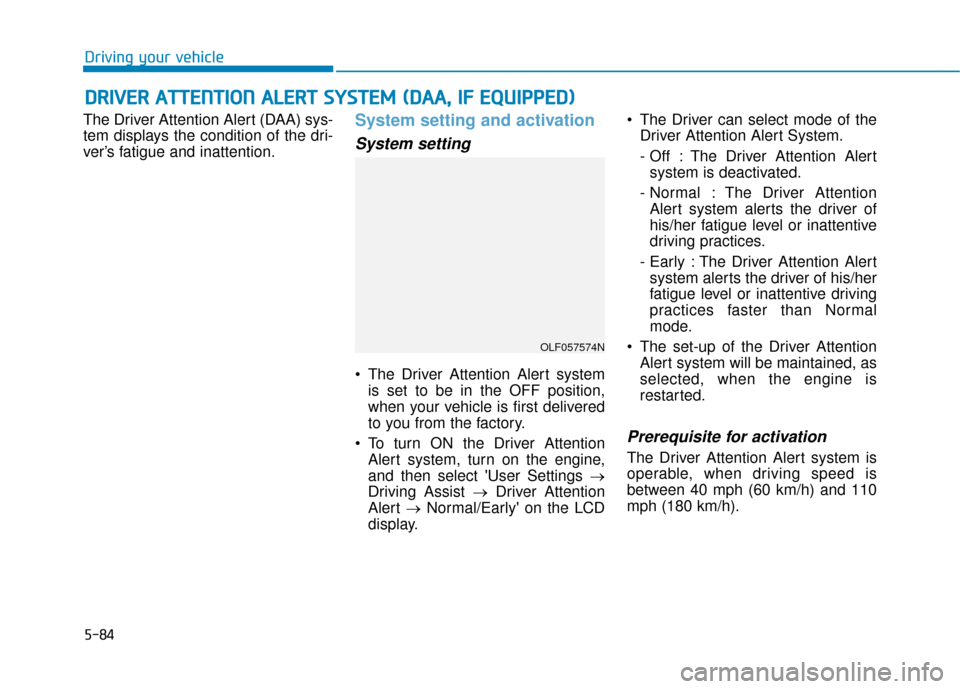
To turn ON the Driver Attention Alert system, turn on the engine,
and then select 'User Settings →
Driving Assist → Driver Attention
Alert →Normal/Early' on the LCD
display. The Driver can select mode of the
Driver Attention Alert System.
- Off : The Driver Attention Alertsystem is deactivated.
- Normal : The Driver Attention Alert system alerts the driver of
his/her fatigue level or inattentive
driving practices.
- Early : The Driver Attention Alert system alerts the driver of his/her
fatigue level or inattentive driving
practices faster than Normal
mode.
The set-up of the Driver Attention Alert system will be maintained, as
selected, when the engine is
restarted.
Prerequisite for activation
The Driver Attention Alert system is
operable, when driving speed is
between 40 mph (60 km/h) and 110
mph (180 km/h).
D DR
RI
IV
V E
ER
R
A
A T
TT
TE
EN
N T
TI
IO
O N
N
A
A L
LE
E R
R T
T
S
S Y
Y S
ST
T E
EM
M
(
( D
D A
A A
A,
,
I
IF
F
E
E Q
Q U
UI
IP
P P
PE
ED
D )
)
Driving your vehicle
OLF057574N
Page 335 of 522
5-85
Driving your vehicle
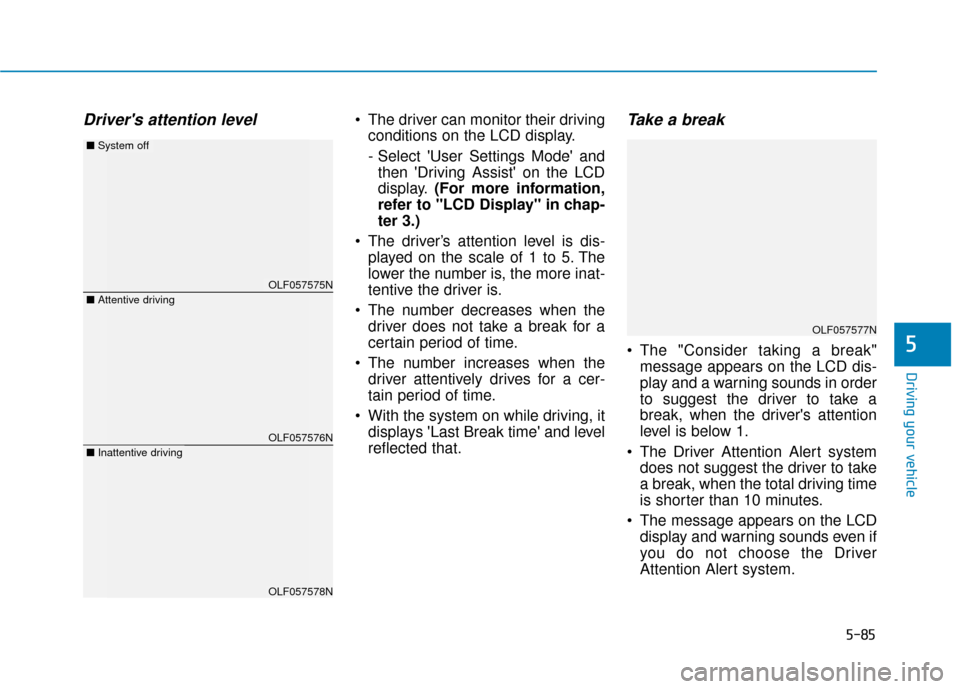
Driver's attention level The driver can monitor their drivingconditions on the LCD display.
- Select 'User Settings Mode' andthen 'Driving Assist' on the LCD
display. (For more information,
refer to "LCD Display" in chap-
ter 3.)
The driver’s attention level is dis- played on the scale of 1 to 5. The
lower the number is, the more inat-
tentive the driver is.
The number decreases when the driver does not take a break for a
certain period of time.
The number increases when the driver attentively drives for a cer-
tain period of time.
With the system on while driving, it displays 'Last Break time' and level
reflected that.Take a break
The "Consider taking a break"message appears on the LCD dis-
play and a warning sounds in order
to suggest the driver to take a
break, when the driver's attention
level is below 1.
The Driver Attention Alert system does not suggest the driver to take
a break, when the total driving time
is shorter than 10 minutes.
The message appears on the LCD display and warning sounds even if
you do not choose the Driver
Attention Alert system.5
OLF057575N
OLF057576N
OLF057578N
■ Attentive driving
■System off
■Inattentive driving
OLF057577N
Page 336 of 522
5-86
Resetting the system
The last break time is set to 00:00and the driver's attention level is
set to 5 (very attentive) when the
driver resets the Driver Attention
Alert system.
The Driver Attention Alert system resets in the following situations.
- The engine is turned OFF.
- The driver unfastens the seat beltand then opens the driver’s door.
- Stop lasting more than 10 min- utes.
The Driver attention Alert system
operates again, when the driver
restarts driving.
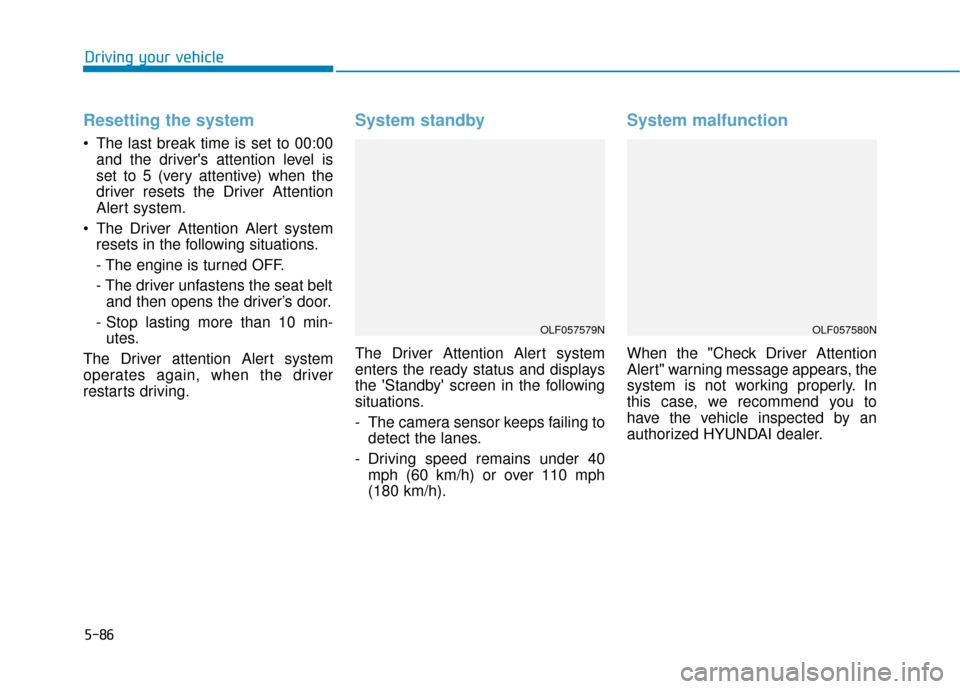
System standby
The Driver Attention Alert system
enters the ready status and displays
the 'Standby' screen in the following
situations.
- The camera sensor keeps failing to detect the lanes.
- Driving speed remains under 40 mph (60 km/h) or over 110 mph
(180 km/h).
System malfunction
When the "Check Driver Attention
Alert" warning message appears, the
system is not working properly. In
this case, we recommend you to
have the vehicle inspected by an
authorized HYUNDAI dealer.
Driving your vehicle
OLF057579NOLF057580N
Page 340 of 522
5-90
Driving your vehicle
BSD (Blind Spot Detection) /
LCA (Lane Change Assist)
Operating conditions
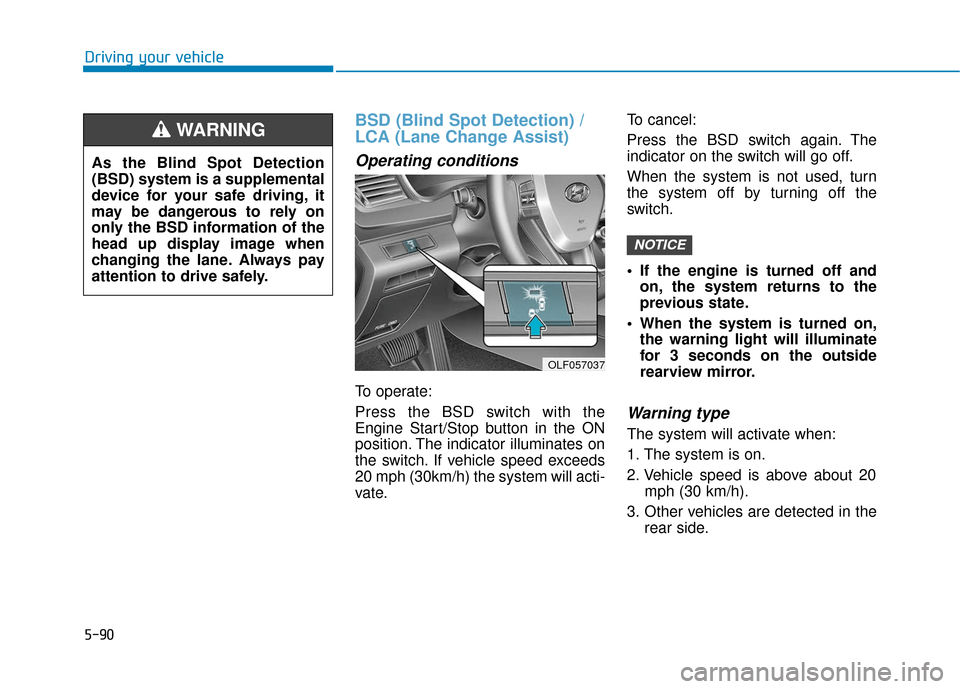
To operate:
Press the BSD switch with the
Engine Start/Stop button in the ON
position. The indicator illuminates on
the switch. If vehicle speed exceeds
20 mph (30km/h) the system will acti-
vate.To cancel:
Press the BSD switch again. The
indicator on the switch will go off.
When the system is not used, turn
the system off by turning off the
switch.
If the engine is turned off and
on, the system returns to the
previous state.
When the system is turned on, the warning light will illuminate
for 3 seconds on the outside
rearview mirror.
Warning type
The system will activate when:
1. The system is on.
2. Vehicle speed is above about 20 mph (30 km/h).
3. Other vehicles are detected in the rear side.
NOTICE
OLF057037
As the Blind Spot Detection
(BSD) system is a supplemental
device for your safe driving, it
may be dangerous to rely on
only the BSD information of the
head up display image when
changing the lane. Always pay
attention to drive safely.
WARNING
Page 342 of 522
5-92
Driving your vehicle
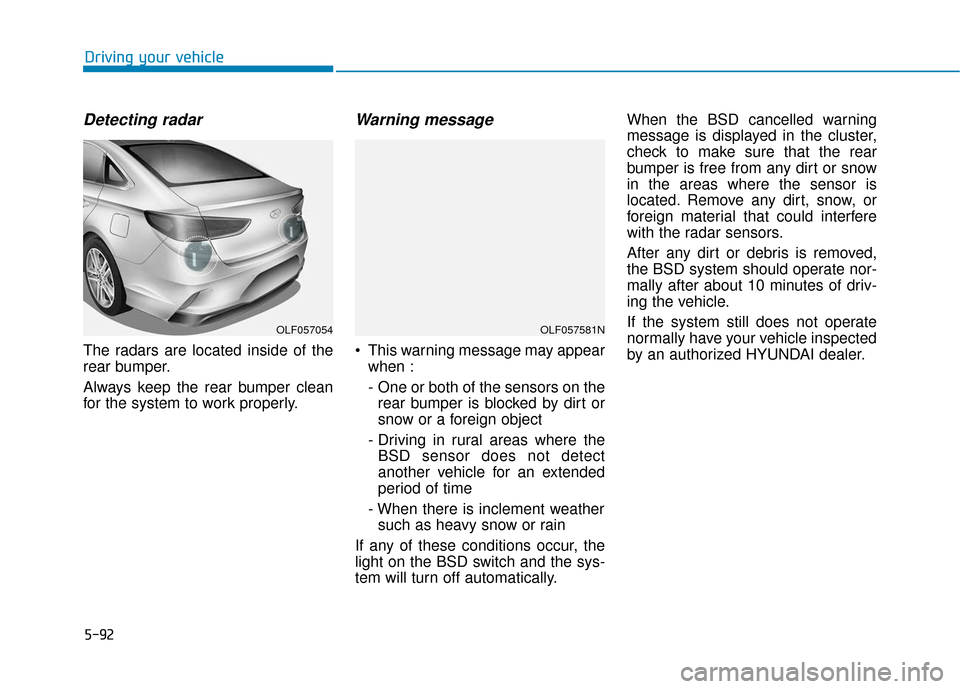
Detecting radar
The radars are located inside of the
rear bumper.
Always keep the rear bumper clean
for the system to work properly.
Warning message
This warning message may appearwhen :
- One or both of the sensors on therear bumper is blocked by dirt or
snow or a foreign object
- Driving in rural areas where the BSD sensor does not detect
another vehicle for an extended
period of time
- When there is inclement weather such as heavy snow or rain
If any of these conditions occur, the
light on the BSD switch and the sys-
tem will turn off automatically. When the BSD cancelled warning
message is displayed in the cluster,
check to make sure that the rear
bumper is free from any dirt or snow
in the areas where the sensor is
located. Remove any dirt, snow, or
foreign material that could interfere
with the radar sensors.
After any dirt or debris is removed,
the BSD system should operate nor-
mally after about 10 minutes of driv-
ing the vehicle.
If the system still does not operate
normally have your vehicle inspected
by an authorized HYUNDAI dealer.
OLF057054OLF057581N
Page 343 of 522
5-93
Driving your vehicle
5
If the system does not work properly,
a warning message will appear and
the light on the switch will turn off.
The system will turn off automatical-
ly. Have your vehicle checked by an
authorized HYUNDAI dealer.
RCTA (Rear Cross Traffic Alert)
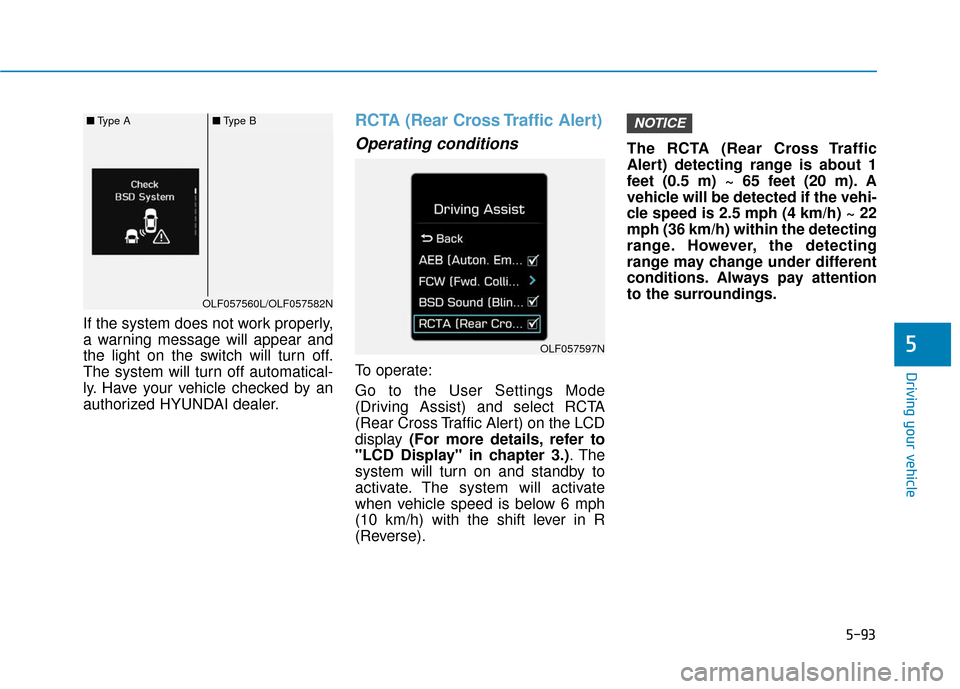
Operating conditions
To operate:
Go to the User Settings Mode
(Driving Assist) and select RCTA
(Rear Cross Traffic Alert) on the LCD
display (For more details, refer to
"LCD Display" in chapter 3.) . The
system will turn on and standby to
activate. The system will activate
when vehicle speed is below 6 mph
(10 km/h) with the shift lever in R
(Reverse). The RCTA (Rear Cross Traffic
Alert) detecting range is about 1
feet (0.5 m) ~ 65 feet (20 m). A
vehicle will be detected if the vehi-
cle speed is 2.5 mph (4 km/h) ~ 22
mph (36 km/h) within the detecting
range. However, the detecting
range may change under different
conditions. Always pay attention
to the surroundings.
NOTICE
OLF057597N
OLF057560L/OLF057582N
■
Type A■Type B
Page 344 of 522
5-94
Driving your vehicle
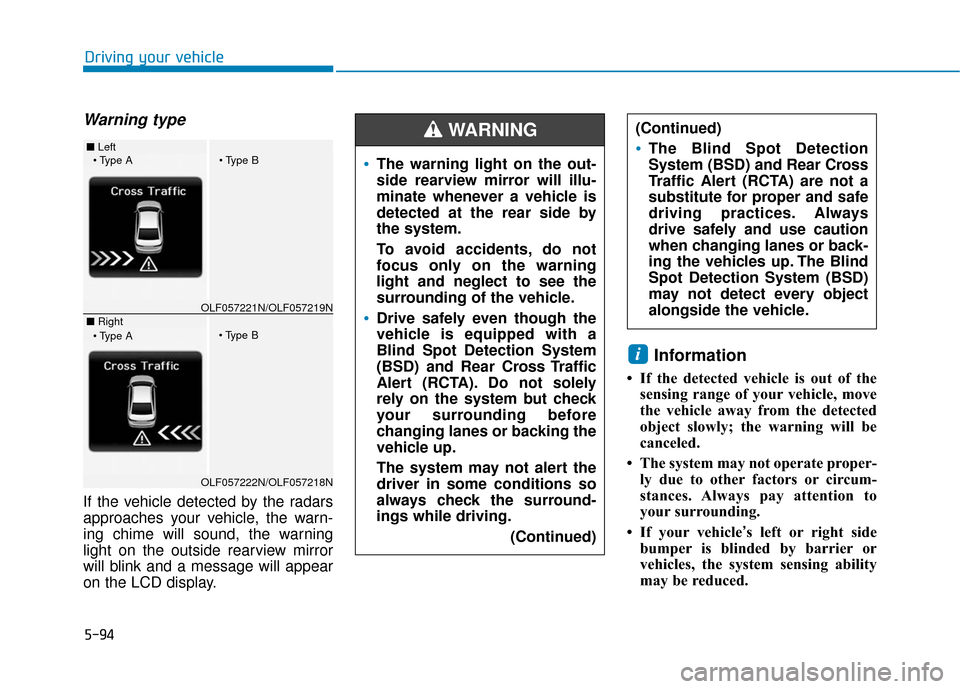
Warning type
If the vehicle detected by the radars
approaches your vehicle, the warn-
ing chime will sound, the warning
light on the outside rearview mirror
will blink and a message will appear
on the LCD display.
Information
• If the detected vehicle is out of thesensing range of your vehicle, move
the vehicle away from the detected
object slowly; the warning will be
canceled.
• The system may not operate proper- ly due to other factors or circum-
stances. Always pay attention to
your surrounding.
• If your vehicle’s left or right side bumper is blinded by barrier or
vehicles, the system sensing ability
may be reduced.
i
The warning light on the out-
side rearview mirror will illu-
minate whenever a vehicle is
detected at the rear side by
the system.
To avoid accidents, do not
focus only on the warning
light and neglect to see the
surrounding of the vehicle.
Drive safely even though the
vehicle is equipped with a
Blind Spot Detection System
(BSD) and Rear Cross Traffic
Alert (RCTA). Do not solely
rely on the system but check
your surrounding before
changing lanes or backing the
vehicle up.
The system may not alert the
driver in some conditions so
always check the surround-
ings while driving.
(Continued)
(Continued)
The Blind Spot Detection
System (BSD) and Rear Cross
Traffic Alert (RCTA) are not a
substitute for proper and safe
driving practices. Always
drive safely and use caution
when changing lanes or back-
ing the vehicles up. The Blind
Spot Detection System (BSD)
may not detect every object
alongside the vehicle.
WARNING ■ Left
■ RightOLF057221N/OLF057219N
OLF057222N/OLF057218N
Page 348 of 522
5-98
Driving your vehicleThe warning light illumi-
nates on the LCD display,
when you cancel the AEB
system. The driver can
monitor the AEB ON/OFF status on
the LCD display. If the warning light
remains ON when the AEB is acti-
vated, have the system checked by
an authorized HYUNDAI dealer.
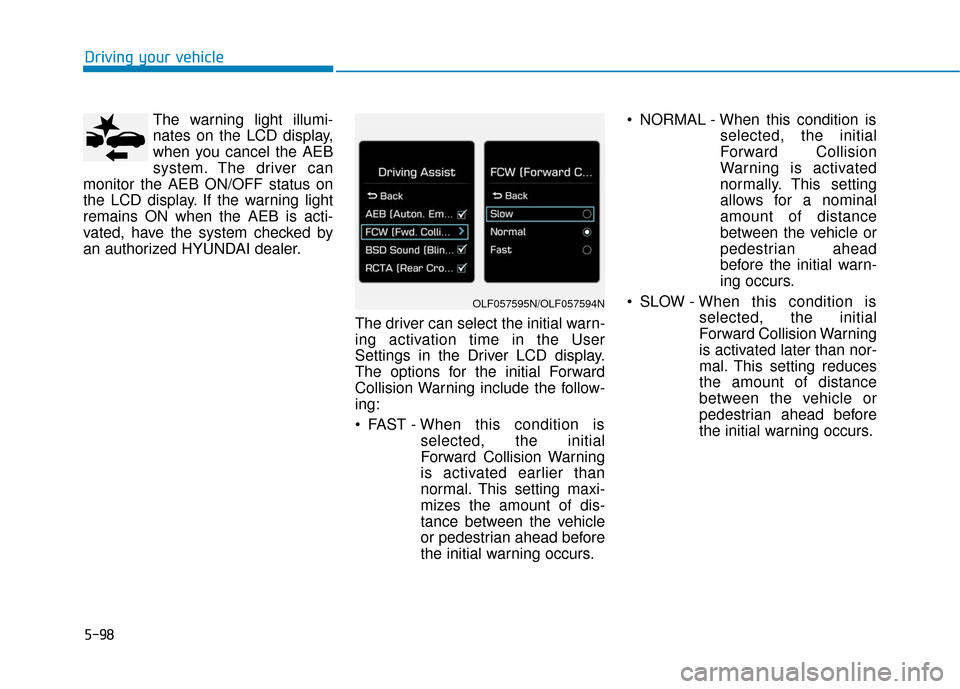
The driver can select the initial warn-
ing activation time in the User
Settings in the Driver LCD display.
The options for the initial Forward
Collision Warning include the follow-
ing:
FAST - When this condition is
selected, the initial
Forward Collision Warning
is activated earlier than
normal. This setting maxi-
mizes the amount of dis-
tance between the vehicle
or pedestrian ahead before
the initial warning occurs. NORMAL - When this condition is
selected, the initial
Forward Collision
Warning is activated
normally. This setting
allows for a nominal
amount of distance
between the vehicle or
pedestrian ahead
before the initial warn-
ing occurs.
SLOW - When this condition is selected, the initial
Forward Collision Warning
is activated later than nor-
mal. This setting reduces
the amount of distance
between the vehicle or
pedestrian ahead before
the initial warning occurs.
OLF057595N/OLF057594N