buttons Hyundai Sonata 2020 User Guide
[x] Cancel search | Manufacturer: HYUNDAI, Model Year: 2020, Model line: Sonata, Model: Hyundai Sonata 2020Pages: 537, PDF Size: 14.54 MB
Page 182 of 537
Convenient Features5-52
ODN8A059137ODN8A059137
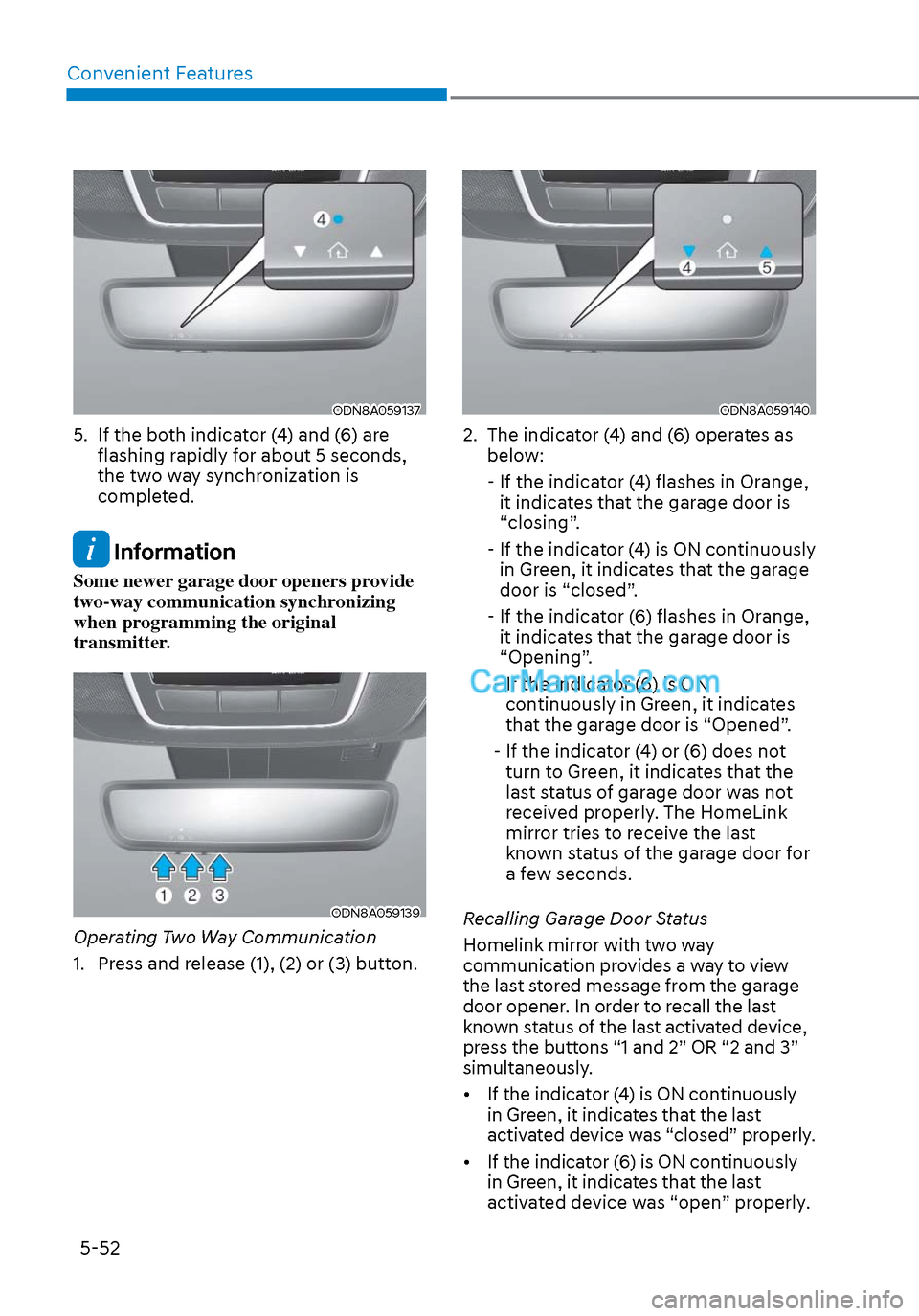
5. If the both indicator (4) and (6) are flashing rapidly for about 5 seconds,
the two way synchronization is
completed.
Information
Some newer garage door openers provide
two-way communication synchronizing
when programming the original
transmitter.
ODN8A059139ODN8A059139
Operating Two Way Communication
1. Press and release (1), (2) or (3) button.
ODN8A059140ODN8A059140
2. The indicator (4) and (6) operates as below:
- If the indicator (4) flashes in Orange, it indicates that the garage door is
“closing”.
- If the indicator (4) is ON continuously in Green, it indicates that the garage
door is “closed”.
- If the indicator (6) flashes in Orange, it indicates that the garage door is
“Opening”.
- If the indicator (6) is ON continuously in Green, it indicates
that the garage door is “Opened”.
- If the indicator (4) or (6) does not turn to Green, it indicates that the
last status of garage door was not
received properly. The HomeLink
mirror tries to receive the last
known status of the garage door for
a few seconds.
Recalling Garage Door Status
Homelink mirror with two way
communication provides a way to view
the last stored message from the garage
door opener. In order to recall the last
known status of the last activated device,
press the buttons “1 and 2” OR “2 and 3”
simultaneously.
• If the indicator (4) is ON continuously in Green, it indicates that the last
activated device was “closed” properly.
• If the indicator (6) is ON continuously in Green, it indicates that the last
activated device was “open” properly.
Page 242 of 537
Convenient Features5-112
The Remote Moving Forward/
Backward assist will stop
temporarily when:
7. An obstacle is detected at the direction the vehicle is heading.
8. The door or trunk is opened.
9. The moving forward/backward button on the smart key is released.
10. Multiple buttons on the smart key are pressed at the same time.
11. The distance between the smart key and vehicle is over 13 ft. (4 m).
12. A button on the other smart key is pressed during operation.
13. Rear Cross-Traffic Collision-Avoidance Assist system is activated while
reserving.
14. The vehicle moves 23 ft. (7 m) with the Remote Moving Forward/Backward
while the smart key is pressed.
(Maximum travel distance per move)
The vehicle stops when the Remote
Smart Parking Assist system will stop
temporarily and the function will
resume when the above condition is
cleared.
The Remote Moving Forward/
Backward assist is cancelled while
in operation when:
1. The driver holds the steering wheel
while the steering wheel is controlled.
2. The gear is shifted or the Electronic Parking Brake (EPB) is activated.
3. The hood opens.
4. The vehicle speed exceeds 3 mph (5km/h).
5. The vehicle accelerates suddenly.
6. The vehicle slips back while controlling the vehicle speed.
7. The wheel is stuck and the vehicle is unable to move.
8. About 3 minutes and 50 seconds have passed after the Remote Moving
Forward/Backward assist starts. 9. The gradient of the road exceeds
the range supported by the Remote
Moving Forward/Backward assist.
10. The steering, shifting gear and drive assist are difficult.
11. The suspended status lasts for over 1 minute.
12. The driver continuously presses and releases the smart key’s moving
forward/backward button over 10
times.
13. The Traction Control System (TCS) is activated while controlling the vehicle
speed.
14. The smart key is damaged.
15. The accelerator/brake pedal is depressed while all the doors are
closed.
16. The brake pedal is depressed while the driver’s door is open and the smart
key is outside the vehicle.
17. The vehicle travels more than 46 ft. (14 m) after the Remote Moving Forward/
Backward assist is activated.
18. The theft alarm system is activated.
When the Remote Moving Forward/
Backward is completed, the gear in
P(Park) and Electronic Parking Brake
(EPB) are engaged automatically and
the vehicle turns off.
The frequent beep sounds are
generated to show the deactivation
status.
Page 248 of 537
5-118
Convenient Features
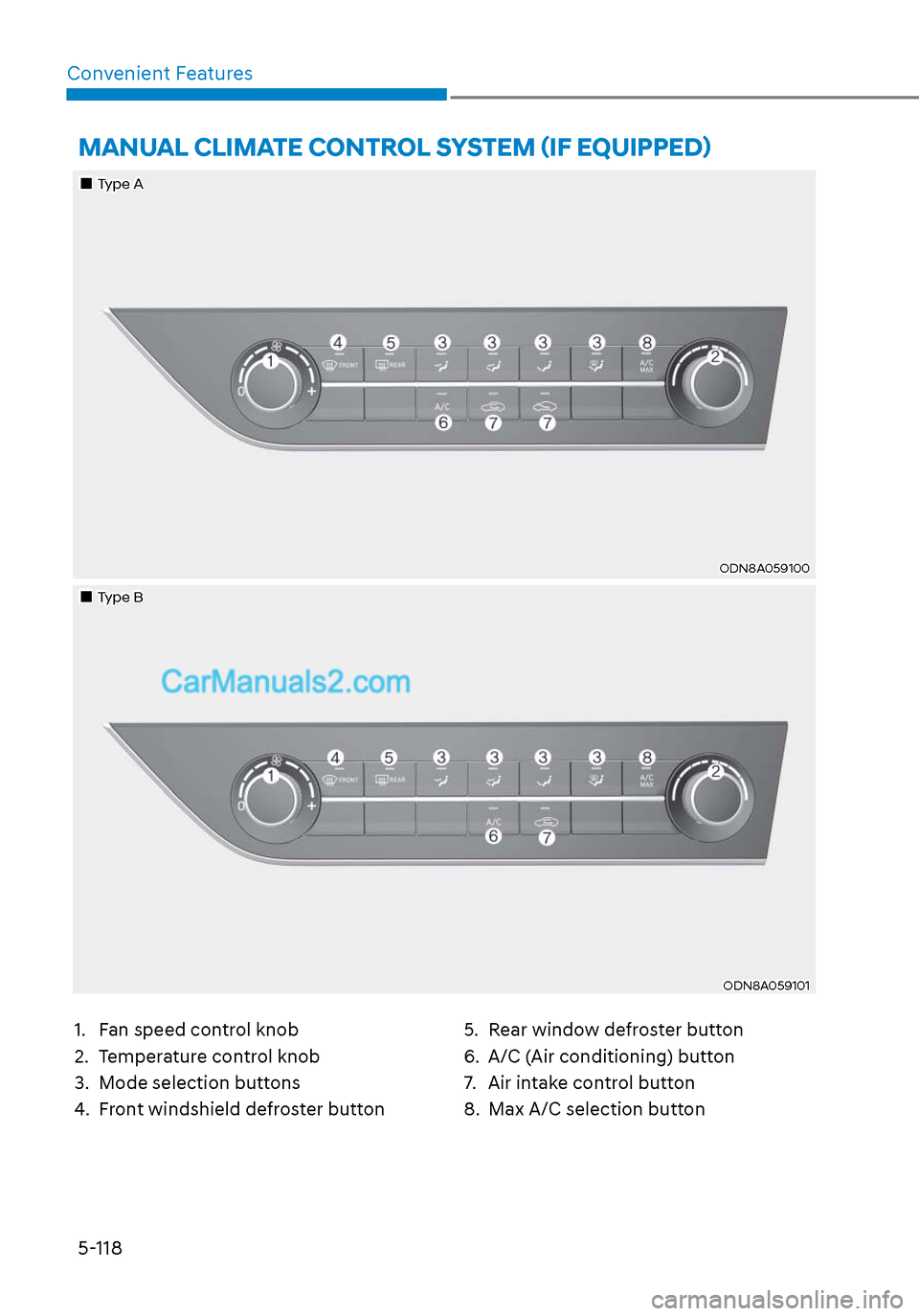
1. Fan speed control knob
2. Temperature control knob
3. Mode selection buttons
4. Front windshield defroster button
5. Rear window defroster button
6. A/C (Air conditioning) button
7. Air intake control button
8. Max A/C selection button
MANUAL CLIMATE CONTROL SYSTEM (IF EQUIPPED)
Type AType A
ODN8A059100ODN8A059100
Type BType B
ODN8A059101ODN8A059101
Page 259 of 537
05
5-129
ODN8059214ODN8059214
NOTICE
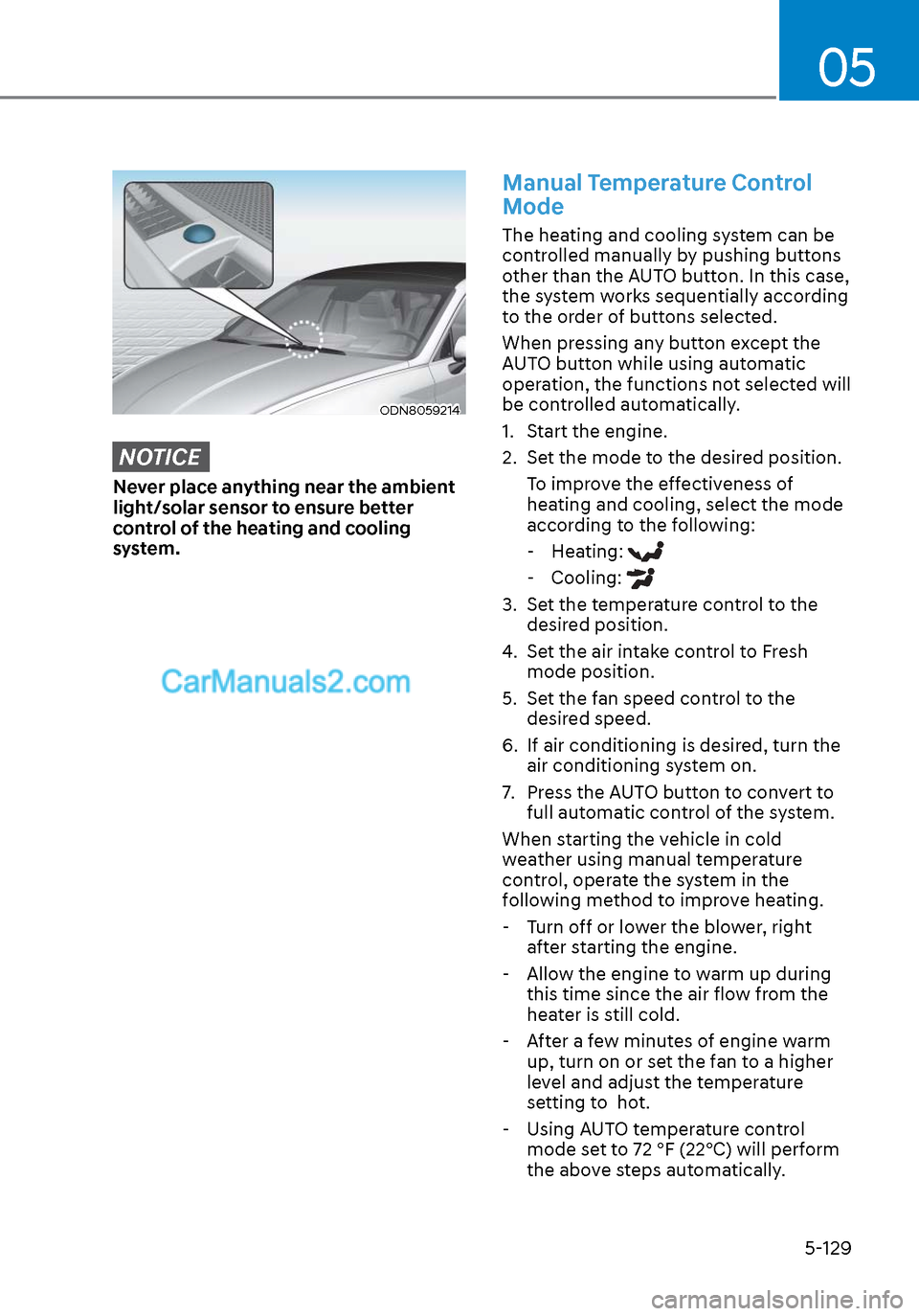
Never place anything near the ambient
light/solar sensor to ensure better
control of the heating and cooling
system.
Manual Temperature Control
Mode
The heating and cooling system can be
controlled manually by pushing buttons
other than the AUTO button. In this case,
the system works sequentially according
to the order of buttons selected.
When pressing any button except the
AUTO button while using automatic
operation, the functions not selected will
be controlled automatically.
1. Start the engine.
2. Set the mode to the desired position.To improve the effectiveness of
heating and cooling, select the mode
according to the following: - Heating:
- Cooling:
3. Set the temperature control to the desired position.
4. Set the air intake control to Fresh mode position.
5. Set the fan speed control to the desired speed.
6. If air conditioning is desired, turn the air conditioning system on.
7. Press the AUTO button to convert to full automatic control of the system.
When starting the vehicle in cold
weather using manual temperature
control, operate the system in the
following method to improve heating.
- Turn off or lower the blower, right
after starting the engine.
- Allow the engine to warm up during this time since the air flow from the
heater is still cold.
- After a few minutes of engine warm up, turn on or set the fan to a higher
level and adjust the temperature
setting to hot.
- Using AUTO temperature control
mode set to 72 °F (22°C) will perform
the above steps automatically.
Page 264 of 537
Convenient Features5-134
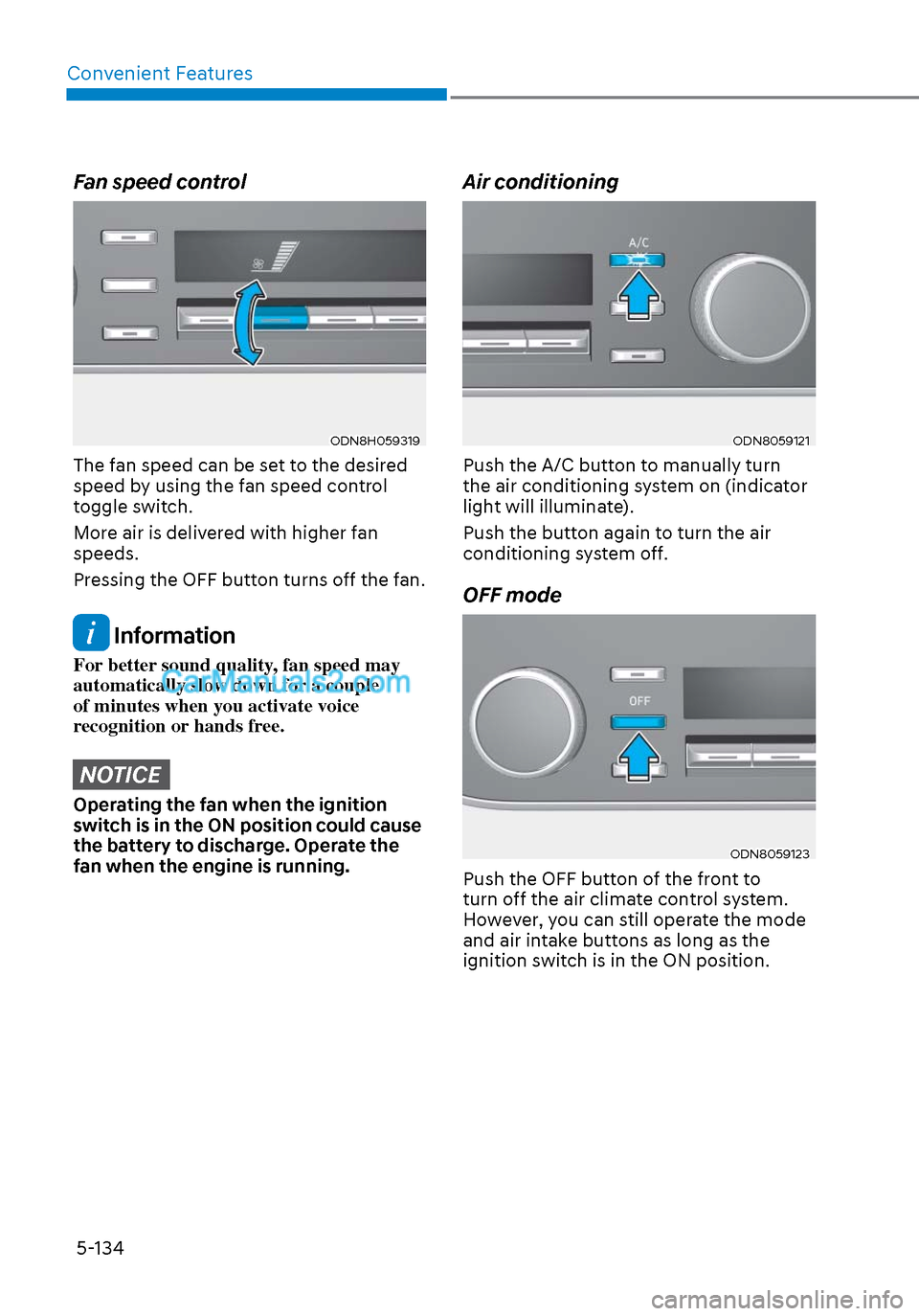
Fan speed control
ODN8H059319ODN8H059319
The fan speed can be set to the desired
speed by using the fan speed control
toggle switch.
More air is delivered with higher fan
speeds.
Pressing the OFF button turns off the fan.
Information
For better sound quality, fan speed may
automatically slow down for a couple
of minutes when you activate voice
recognition or hands free.
NOTICE
Operating the fan when the ignition
switch is in the ON position could cause
the battery to discharge. Operate the
fan when the engine is running.
Air conditioning
ODN8059121ODN8059121
Push the A/C button to manually turn
the air conditioning system on (indicator
light will illuminate).
Push the button again to turn the air
conditioning system off.
OFF mode
ODN8059123ODN8059123
Push the OFF button of the front to
turn off the air climate control system.
However, you can still operate the mode
and air intake buttons as long as the
ignition switch is in the ON position.
Page 283 of 537
05
5-153
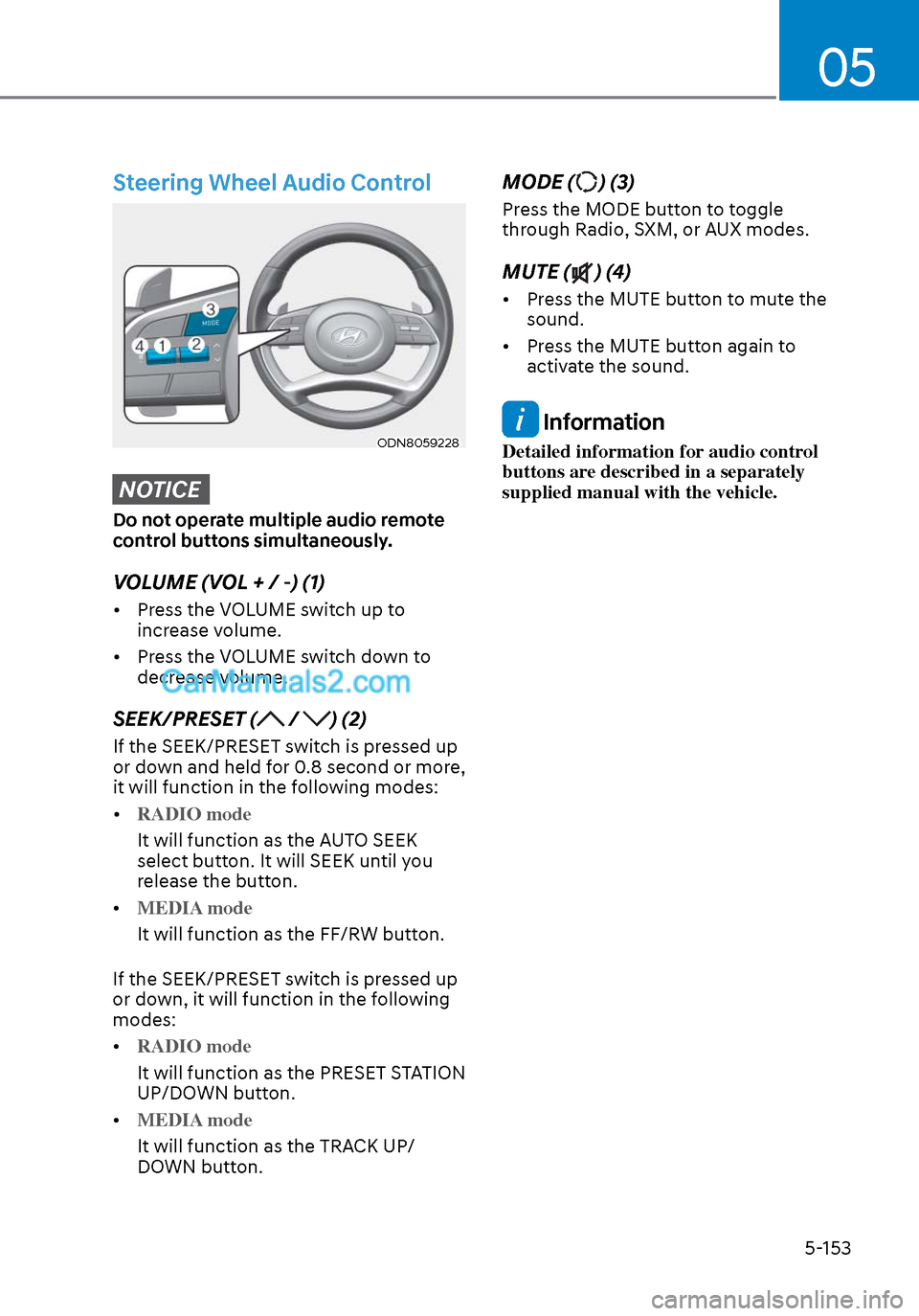
Steering Wheel Audio Control
ODN8059228ODN8059228
NOTICE
Do not operate multiple audio remote
control buttons simultaneously.
VOLUME (VOL + / -) (1)
• Press the VOLUME switch up to increase volume.
• Press the VOLUME switch down to decrease volume.
SEEK/PRESET ( / ) (2)
If the SEEK/PRESET switch is pressed up
or down and held for 0.8 second or more,
it will function in the following modes:
• RADIO mode
It will function as the AUTO SEEK
select butt
on. It will SEEK until you
release the button.
• MEDIA mode
It will function as the FF/RW button.
If the SEEK/PRESET s
witch is pressed up
or down, it will function in the following
modes:
• RADIO mode
It will function as the PRESET STATION
UP/DOWN butt
on.
• MEDIA mode
It will function as the TRACK UP/
DOWN butt
on.
MODE () (3)
Press the MODE button to toggle
through Radio, SXM, or AUX modes.
MUTE () (4)
• Press the MUTE button to mute the sound.
• Press the MUTE button again to activate the sound.
Information
Detailed information for audio control
buttons are described in a separately
supplied manual with the vehicle.