mirror Hyundai Sonata 2020 User Guide
[x] Cancel search | Manufacturer: HYUNDAI, Model Year: 2020, Model line: Sonata, Model: Hyundai Sonata 2020Pages: 537, PDF Size: 14.54 MB
Page 179 of 537
05
5-49
Programming
To program most devices, follow these
ins
tructions:
ODN8A059136ODN8A059136
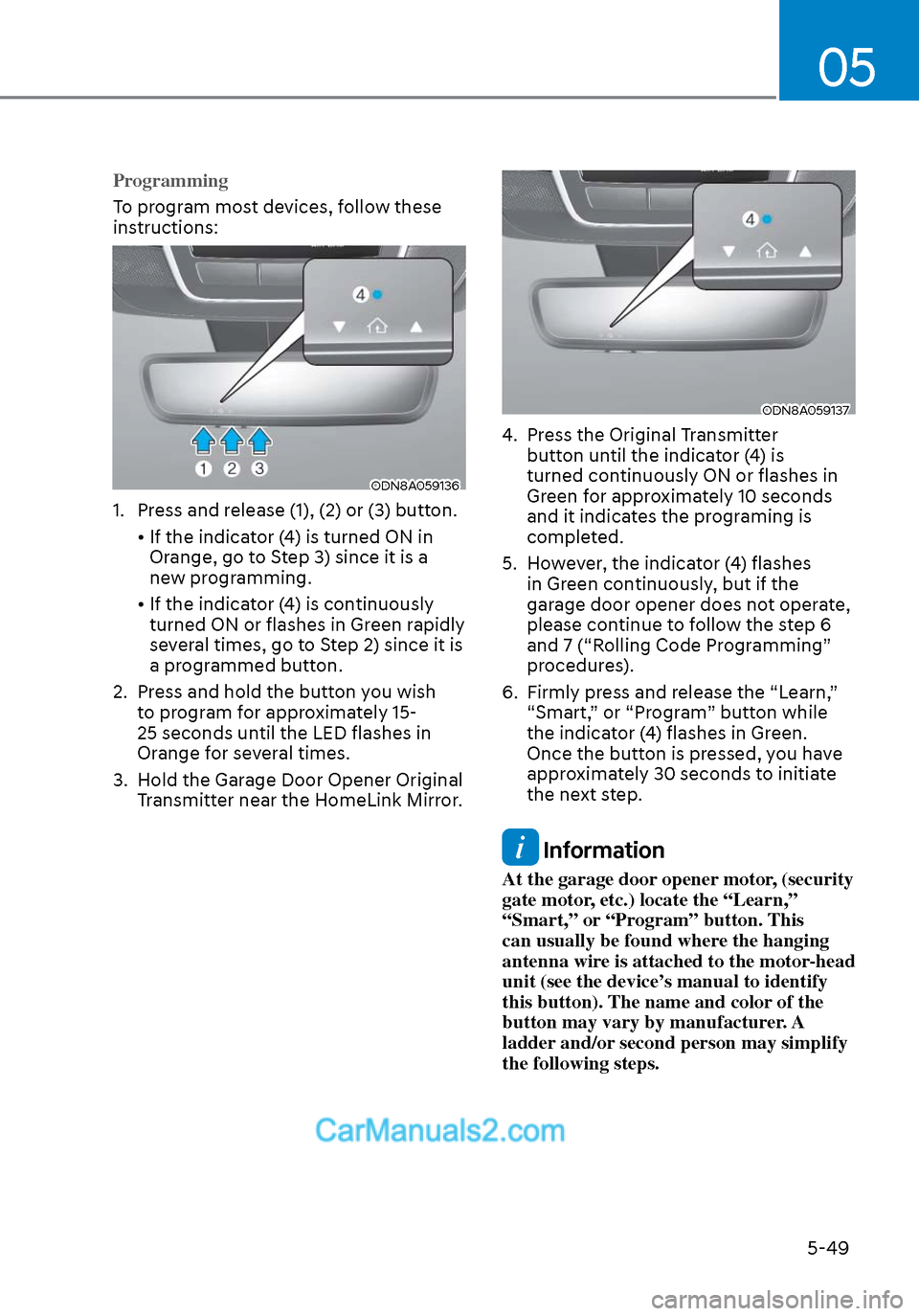
1. Press and release (1), (2) or (3) button.
• If the indicator (4) is turned ON in Orange, go to Step 3) since it is a
new programming.
• If the indicator (4) is continuously turned ON or flashes in Green rapidly
several times, go to Step 2) since it is
a programmed button.
2. Press and hold the button you wish to program for approximately 15-
25 seconds until the LED flashes in
Orange for several times.
3. Hold the Garage Door Opener Original Transmitter near the HomeLink Mirror.
ODN8A059137ODN8A059137
4. Press the Original Transmitter button until the indicator (4) is
turned continuously ON or flashes in
Green for approximately 10 seconds
and it indicates the programing is
completed.
5. However, the indicator (4) flashes in Green continuously, but if the
garage door opener does not operate,
please continue to follow the step 6
and 7 (“Rolling Code Programming”
procedures).
6. Firmly press and release the “Learn,” “Smart,” or “Program” button while
the indicator (4) flashes in Green.
Once the button is pressed, you have
approximately 30 seconds to initiate
the next step.
Information
At the garage door opener motor, (security
gate motor, etc.) locate the “Learn,”
“Smart,” or “Program” button. This
can usually be found where the hanging
antenna wire is attached to the motor-head
unit (see the device’s manual to identify
this button). The name and color of the
button may vary by manufacturer. A
ladder and/or second person may simplify
the following steps.
Page 180 of 537
Convenient Features5-50
7. Return to the vehicle and firmly press, hold for two seconds and release the
HomeLink button up to three times.
Do not press the HomeLink button
rapidly. At this point programming
is complete and your device should
operate when the HomeLink button is
pressed and released.
Information
• Some garage door openers require to
press the programmed button on the
mirror up to three times right after
the programming is just completed to
operate the garage door.
• The indicator (4) is turned ON in
Orange and flashes for about 60
seconds, during the programing mode
and if a programing is not succeeded
within the 60 seconds, the programing
mode will be abort.
HomeLink® should now activate your
rolling code equipped device. Gate operator & Canadian programming
During programming, your handheld
transmitter may automatically stop
transmitting. Continue to press the
Integrated HomeLink® Wireless Control
System button while you press and re-
press (“cycle”) your handheld transmitter
every two seconds until the frequency
signal has been learned. The indicator
light will flash slowly and then rapidly
after several seconds upon successful
training.
ODN8A059136ODN8A059136
Operating HomeLink®
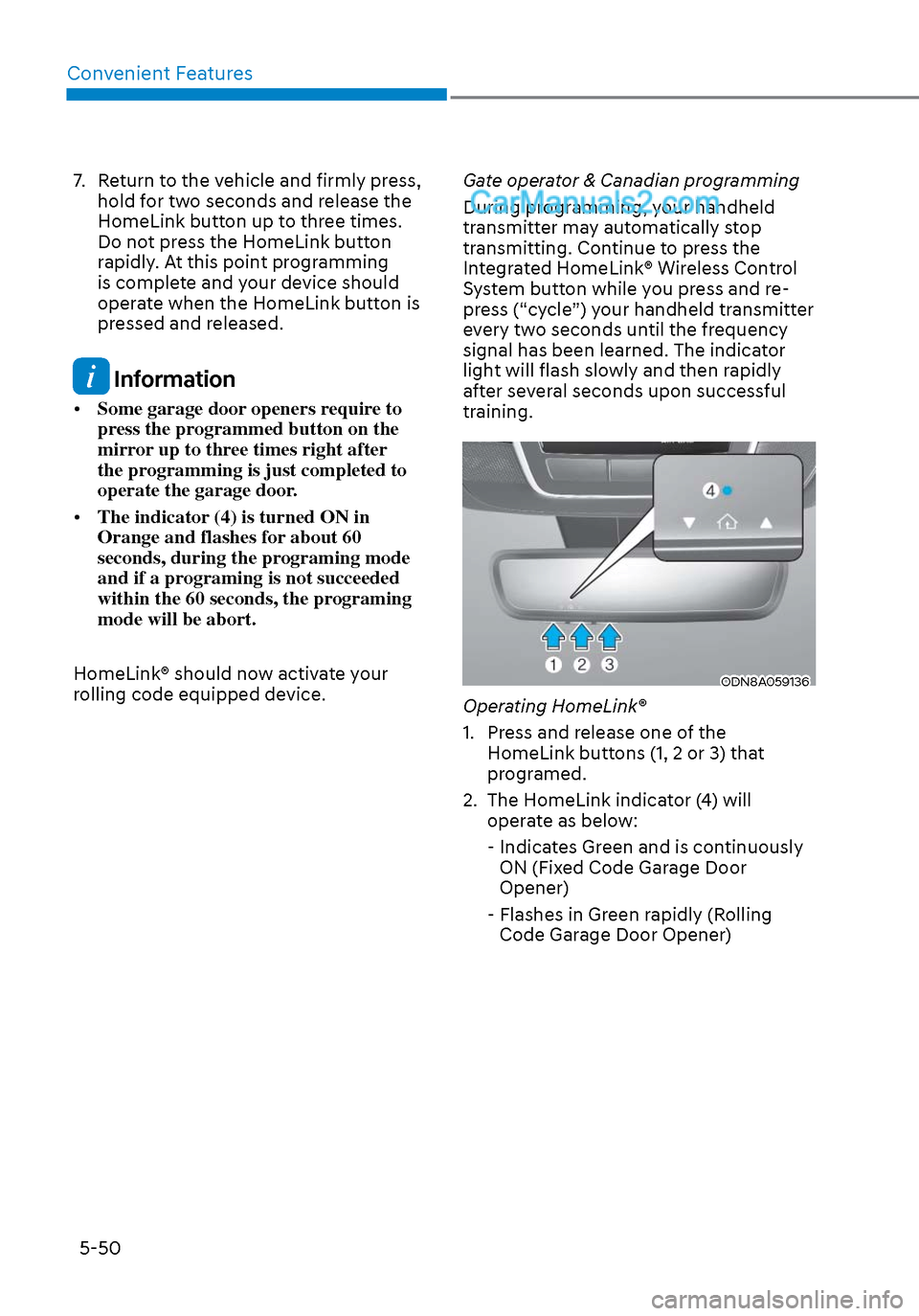
1. Press and release one of the
HomeLink buttons (1, 2 or 3) that
programed.
2. The HomeLink indicator (4) will operate as below:
- Indicates Green and is continuously ON (Fixed Code Garage Door
Opener)
- Flashes in Green rapidly (Rolling Code Garage Door Opener)
Page 181 of 537
05
5-51
ODN8A059138ODN8A059138
Erasing HomeLink® buttons
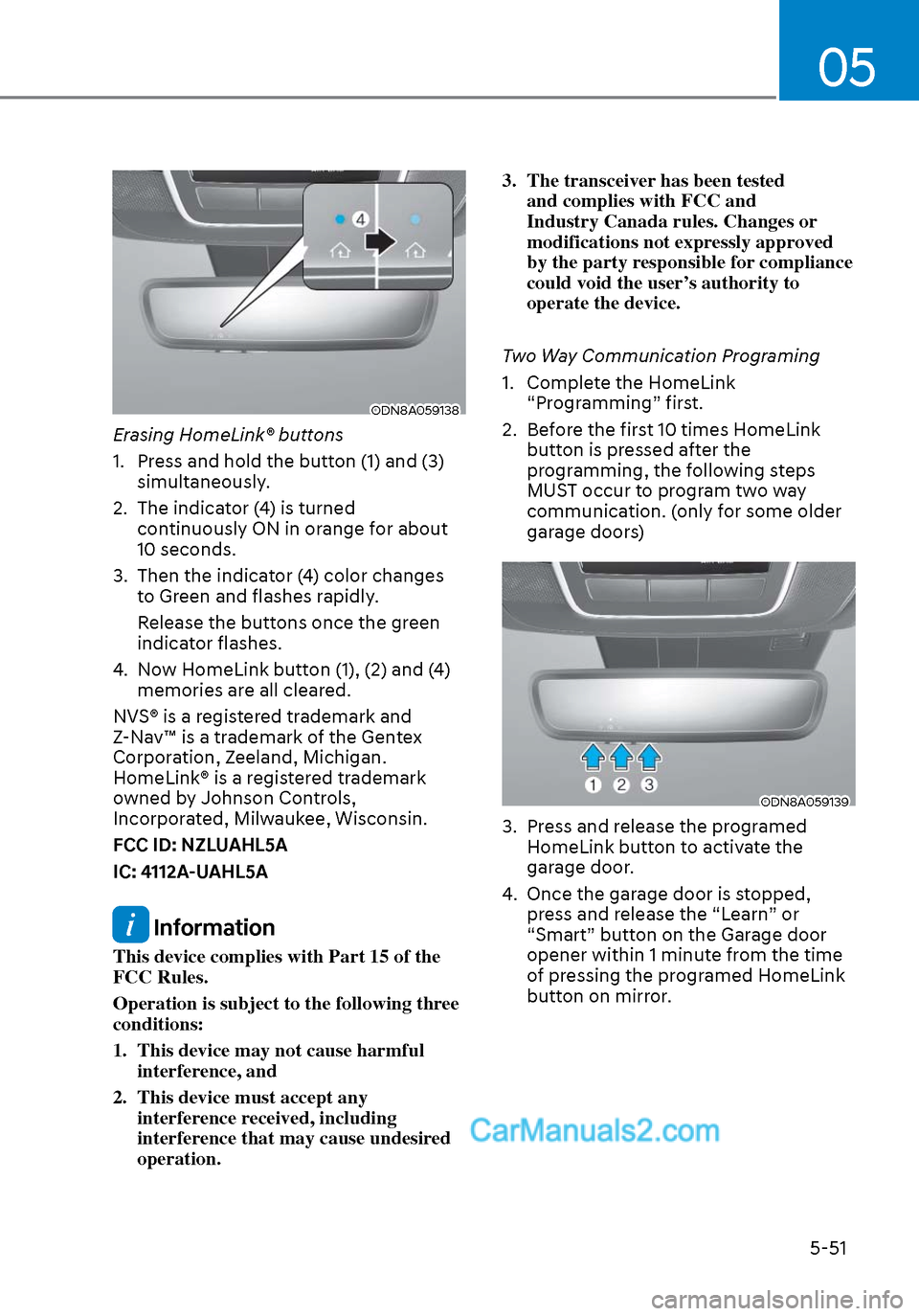
1. Press and hold the button (1) and (3) simultaneously.
2. The indicator (4) is turned continuously ON in orange for about
10 seconds.
3. Then the indicator (4) color changes to Green and flashes rapidly.
Release the buttons once the green indicator flashes.
4. Now HomeLink button (1), (2) and (4) memories are all cleared.
NVS® is a registered trademark and
Z-Nav™ is a trademark of the Gentex
Corporation, Zeeland, Michigan.
HomeLink® is a registered trademark
owned by Johnson Controls,
Incorporated, Milwaukee, Wisconsin.
FCC ID: NZLUAHL5A
IC: 4112A-UAHL5A
Information
This device complies with Part 15 of the
FCC Rules.
Operation is subject to the following three
conditions:
1. This device may not cause harmful interference, and
2. This device must accept any interference received, including
interference that may cause undesired
operation. 3. The transceiver has been tested
and complies with FCC and
Industry Canada rules. Changes or
modifications not expressly approved
by the party responsible for compliance
could void the user’s authority to
operate the device.
Two Way Communication Programing
1. Complete the HomeLink “Programming” first.
2. Before the first 10 times HomeLink button is pressed after the
programming, the following steps
MUST occur to program two way
communication. (only for some older
garage doors)
ODN8A059139ODN8A059139
3. Press and release the programed HomeLink button to activate the
garage door.
4. Once the garage door is stopped, press and release the “Learn” or
“Smart” button on the Garage door
opener within 1 minute from the time
of pressing the programed HomeLink
button on mirror.
Page 182 of 537
Convenient Features5-52
ODN8A059137ODN8A059137
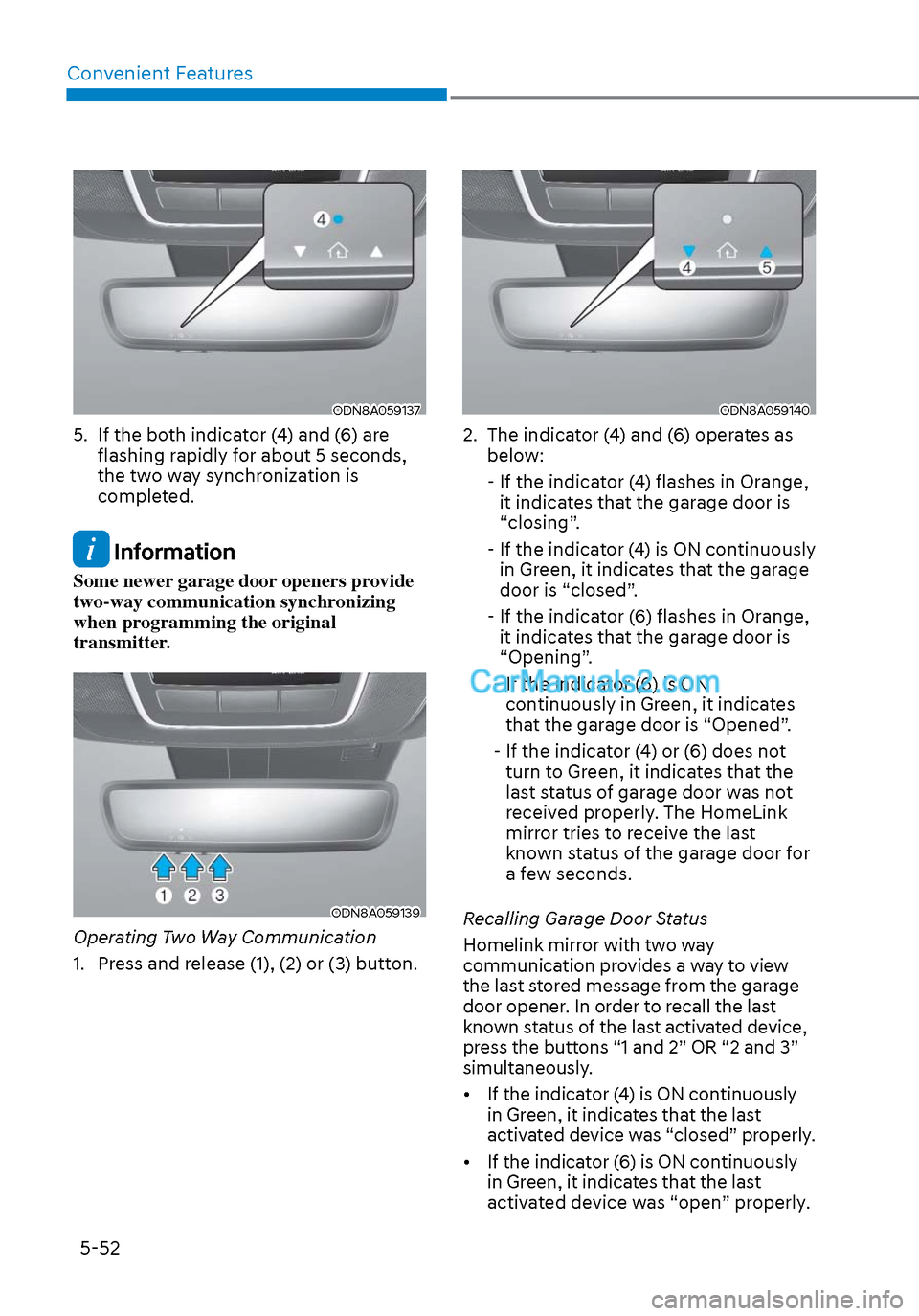
5. If the both indicator (4) and (6) are flashing rapidly for about 5 seconds,
the two way synchronization is
completed.
Information
Some newer garage door openers provide
two-way communication synchronizing
when programming the original
transmitter.
ODN8A059139ODN8A059139
Operating Two Way Communication
1. Press and release (1), (2) or (3) button.
ODN8A059140ODN8A059140
2. The indicator (4) and (6) operates as below:
- If the indicator (4) flashes in Orange, it indicates that the garage door is
“closing”.
- If the indicator (4) is ON continuously in Green, it indicates that the garage
door is “closed”.
- If the indicator (6) flashes in Orange, it indicates that the garage door is
“Opening”.
- If the indicator (6) is ON continuously in Green, it indicates
that the garage door is “Opened”.
- If the indicator (4) or (6) does not turn to Green, it indicates that the
last status of garage door was not
received properly. The HomeLink
mirror tries to receive the last
known status of the garage door for
a few seconds.
Recalling Garage Door Status
Homelink mirror with two way
communication provides a way to view
the last stored message from the garage
door opener. In order to recall the last
known status of the last activated device,
press the buttons “1 and 2” OR “2 and 3”
simultaneously.
• If the indicator (4) is ON continuously in Green, it indicates that the last
activated device was “closed” properly.
• If the indicator (6) is ON continuously in Green, it indicates that the last
activated device was “open” properly.
Page 183 of 537
05
5-53
Information
Two way communication range distance
between “vehicle” and “garage door
opener” is 100m.
The range may be reduced or increased
a little due to obstacle conditions around
the garage door opener, such as houses or
trees.
Side View Mirrors
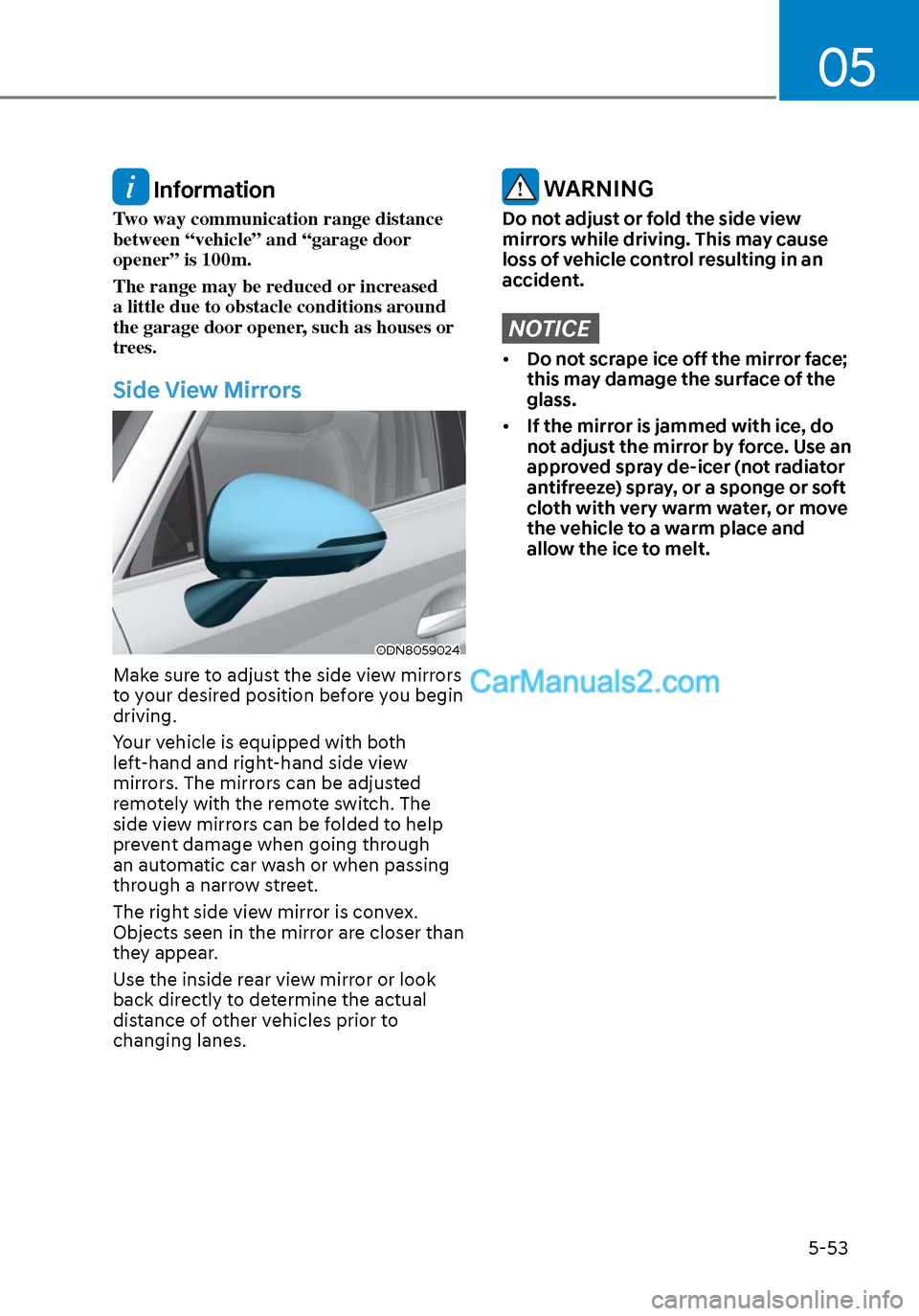
ODN8059024ODN8059024
Make sure to adjust the side view mirrors
to your desired position before you begin
driving.
Your vehicle is equipped with both
left-hand and right-hand side view
mirrors. The mirrors can be adjusted
remotely with the remote switch. The
side view mirrors can be folded to help
prevent damage when going through
an automatic car wash or when passing
through a narrow street.
The right side view mirror is convex.
Objects seen in the mirror are closer than
they appear.
Use the inside rear view mirror or look
back directly to determine the actual
distance of other vehicles prior to
changing lanes.
WARNING
Do not adjust or fold the side view
mirrors while driving. This may cause
loss of vehicle control resulting in an
accident.
NOTICE
• Do not scrape ice off the mirror face;
this may damage the surface of the
glass.
• If the mirror is jammed with ice, do
not adjust the mirror by force. Use an
approved spray de-icer (not radiator
antifreeze) spray, or a sponge or soft
cloth with very warm water, or move
the vehicle to a warm place and
allow the ice to melt.
Page 184 of 537
Convenient Features5-54
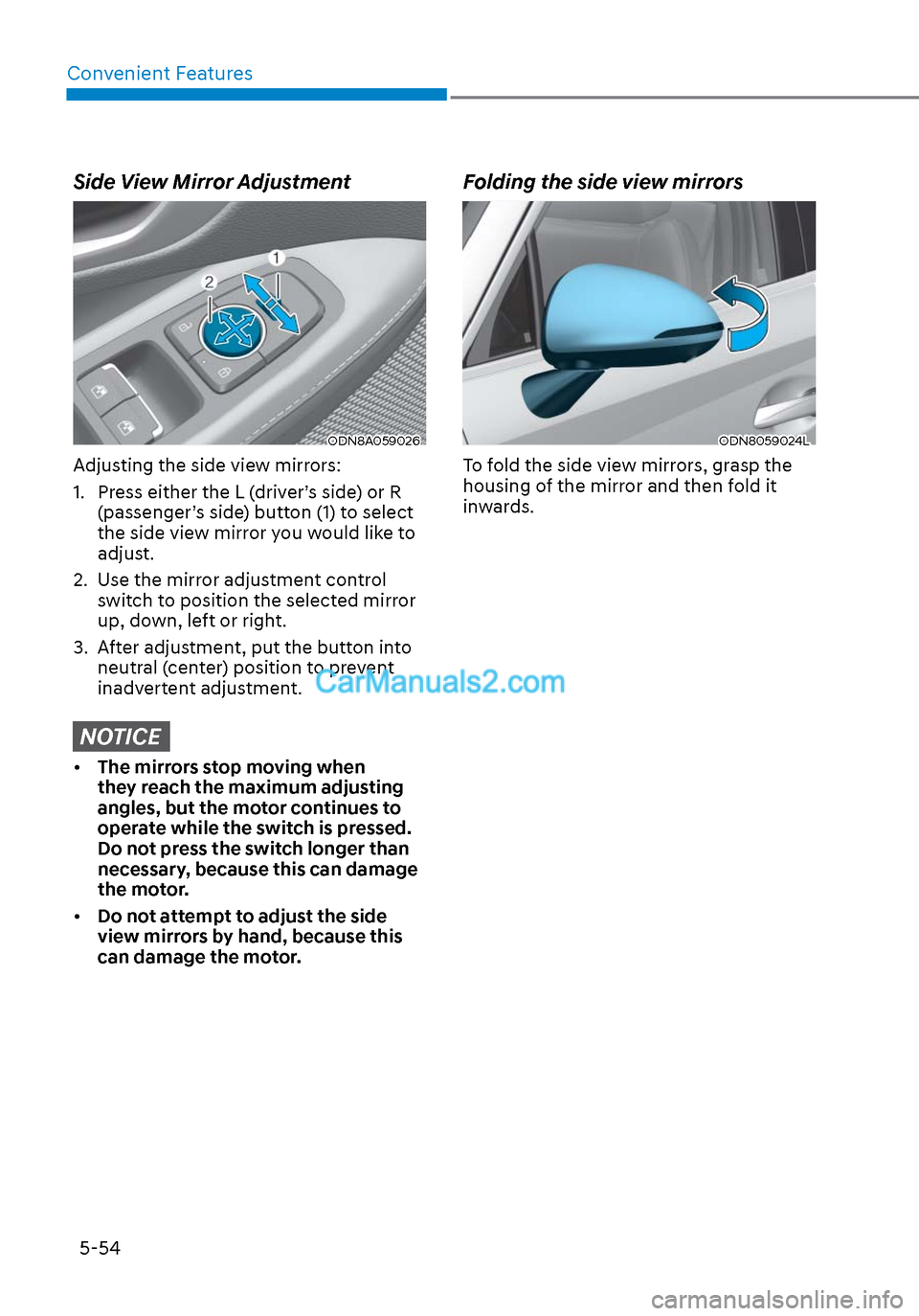
Side View Mirror Adjustment
ODN8A059026ODN8A059026
Adjusting the side view mirrors:
1. Press either the L (driver’s side) or R (passenger’s side) button (1) to select
the side view mirror you would like to
adjust.
2. Use the mirror adjustment control switch to position the selected mirror
up, down, left or right.
3. After adjustment, put the button into neutral (center) position to prevent
inadvertent adjustment.
NOTICE
• The mirrors stop moving when
they reach the maximum adjusting
angles, but the motor continues to
operate while the switch is pressed.
Do not press the switch longer than
necessary, because this can damage
the motor.
• Do not attempt to adjust the side
view mirrors by hand, because this
can damage the motor.
Folding the side view mirrors
ODN8059024LODN8059024L
To fold the side view mirrors, grasp the
housing of the mirror and then fold it
inwards.
Page 185 of 537
05
5-55
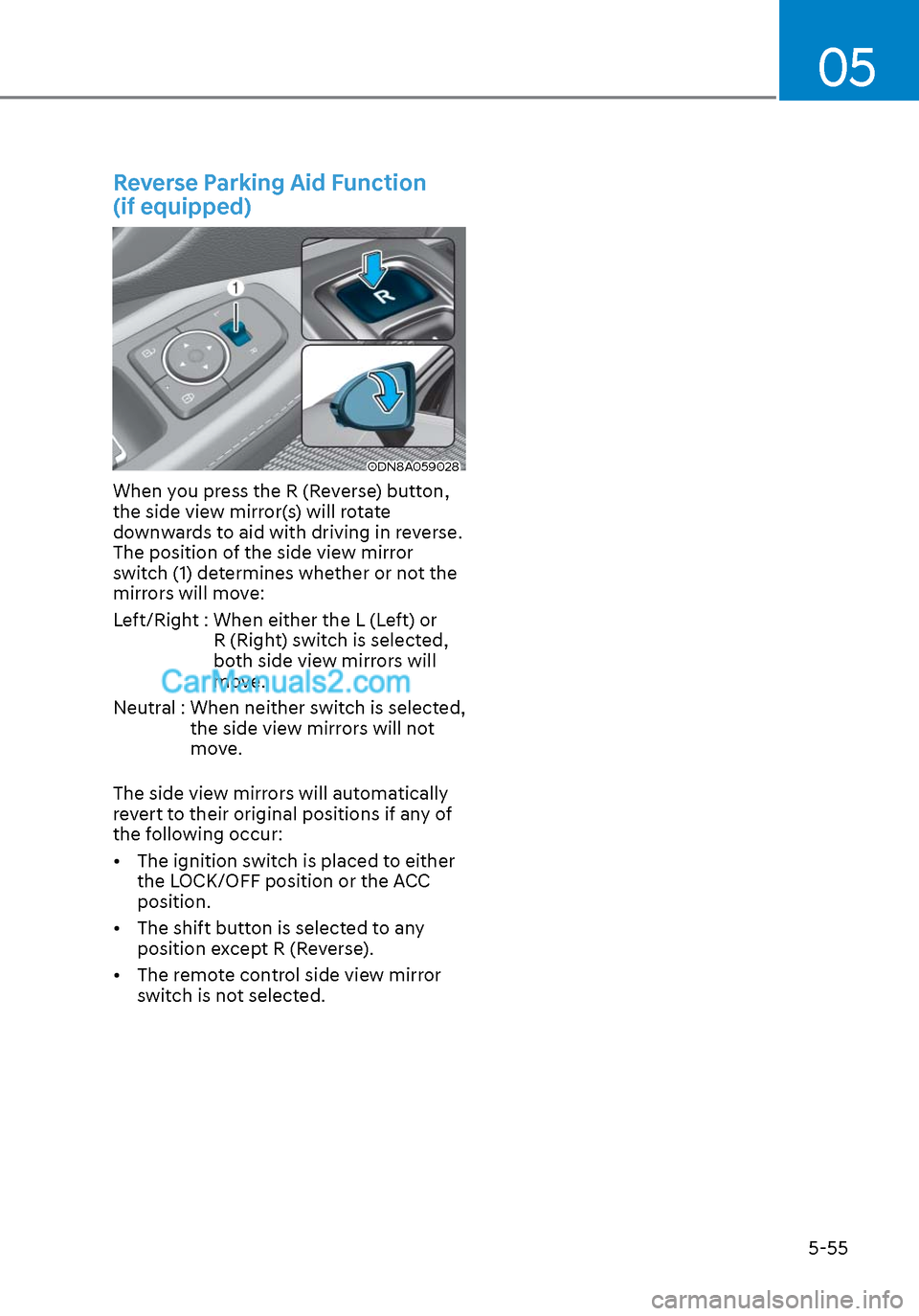
Reverse Parking Aid Function
(if equipped)
ODN8A059028ODN8A059028
When you press the R (Reverse) button,
the side view mirror(s) will rotate
downwards to aid with driving in reverse.
The position of the side view mirror
switch (1) determines whether or not the
mirrors will move:
Left/Right : When either the L (Left) or R (Right) switch is selected,
both side view mirrors will
move.
Neutral : When neither switch is selected, the side view mirrors will not
move.
The side view mirrors will automatically
revert to their original positions if any of
the following occur:
• The ignition switch is placed to either the LOCK/OFF position or the ACC
position.
• The shift button is selected to any position except R (Reverse).
• The remote control side view mirror switch is not selected.
Page 208 of 537
Convenient Features5-78
2. When the High Beam Assist camera is adversely affected by an external
condition. Such examples may
include:
• When the vehicle’s headlamps
have been damaged or not
repaired properly.
• When the vehicle headlamps are
not aimed properly.
• When the vehicle is driven on a
narrow curved road or rough road
• When the vehicle is driven on an
uphill road or downhill road
• When only part of the vehicle in
front is visible on a crossroad or
curved road.
• When there is a traffic light,
reflecting sign, flashing sign or
mirror.
• When the road conditions are bad
such as being wet or covered with
snow.
• When a vehicle suddenly appears
from a curve.
• When the vehicle is tilted from a
flat tire or being towed.
• When Lane Keeping Assist system
warning light illuminates.
• When the light from the on-coming
or front vehicle is not detected
because of exhaust fume, smoke,
fog, snow, etc.
• When the front window is covered
with foreign matters such as ice,
dust, fog, or is damaged.
3. When the forward visibility is poor. Such examples may include:
• When the headlamps of an on-
coming vehicle or a vehicle in front
is not detected due to poor outside
visibility (smog, smoke, dust, fog,
heavy rain, snow, etc.).
• When the windshield visibility is
poor. WARNING
• Do not attempt to disassemble
the front view camera without the
assistance of an authorized HYUNDAI
dealer technician. If the front camera
is removed for any reason, the
system may need to be re-calibrated.
Have the system inspected by an
authorized HYUNDAI dealer.
• If the windshield of your vehicle is
replaced, most likely the front view
camera will need to be re-calibrated.
If this occurs, have your vehicle
inspected and have the system re-
calibrated by an authorized HYUNDAI
dealer.
• Be careful that water doesn’t get into
High Beam Assist unit and do not
remove or damage related parts of
High Beam Assist system.
• Do not place objects on the crash
pad that reflect light such as mirrors,
white paper, etc. The system may
malfunction if sunlight is reflected.
• At times, High Beam Assist system
may not work properly. The system
is for your convenience only. It is the
responsibility of the driver for safe
driving practices and always check
the road conditions for your safety.
• When the system does not operate
normally, change the headlamp
position manually between the high
beam and low beam.
Page 212 of 537
Convenient Features5-82
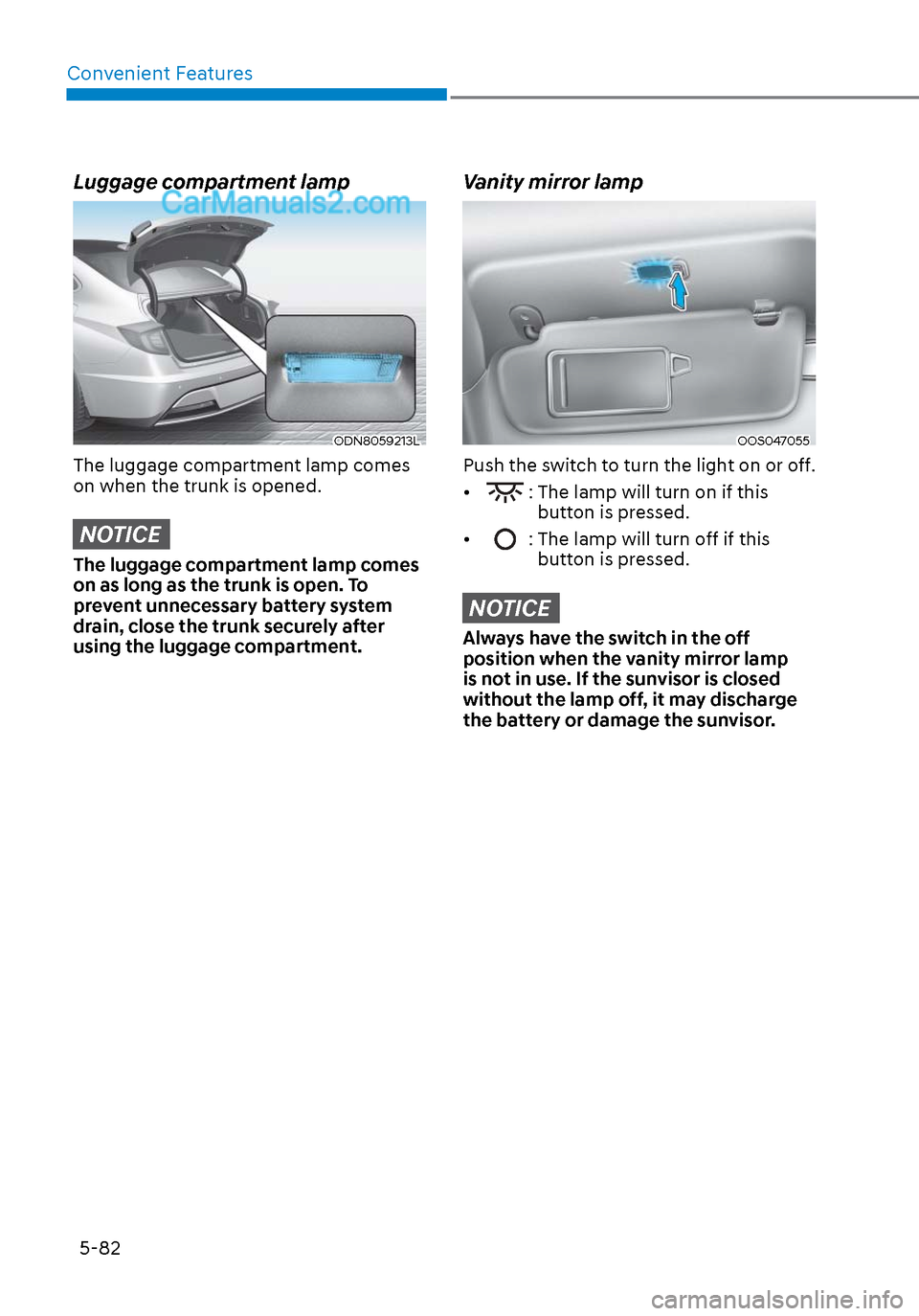
Luggage compartment lamp
ODN8059213LODN8059213L
The luggage compartment lamp comes
on when the trunk is opened.
NOTICE
The luggage compartment lamp comes
on as long as the trunk is open. To
prevent unnecessary battery system
drain, close the trunk securely after
using the luggage compartment.
Vanity mirror lamp
OOS047055OOS047055
Push the switch to turn the light on or off.
•
: The lamp will turn on if this button is pressed.
•
: The lamp will turn off if this button is pressed.
NOTICE
Always have the switch in the off
position when the vanity mirror lamp
is not in use. If the sunvisor is closed
without the lamp off, it may discharge
the battery or damage the sunvisor.
Page 218 of 537
Convenient Features5-88
SURROUND VIEW MONITOR (SVM) (IF EQUIPPED)
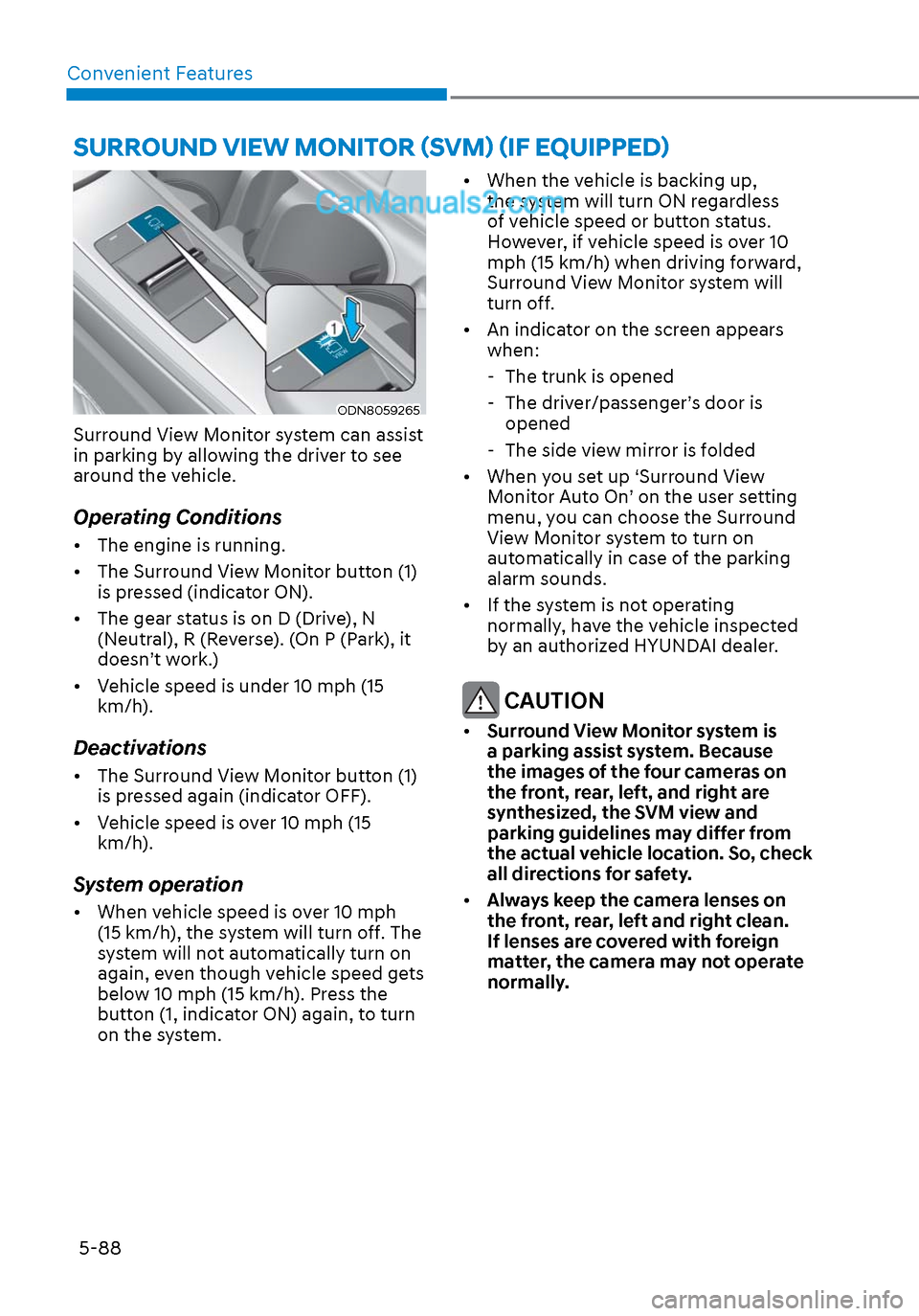
ODN8059265ODN8059265
Surround View Monitor system can assist
in parking by allowing the driver to see
around the vehicle.
Operating Conditions
• The engine is running.
• The Surround View Monitor button (1) is pressed (indicator ON).
• The gear status is on D (Drive), N (Neutral), R (Reverse). (On P (Park), it
doesn’t work.)
• Vehicle speed is under 10 mph (15 km/h).
Deactivations
• The Surround View Monitor button (1) is pressed again (indicator OFF).
• Vehicle speed is over 10 mph (15 km/h).
System operation
• When vehicle speed is over 10 mph (15 km/h), the system will turn off. The
system will not automatically turn on
again, even though vehicle speed gets
below 10 mph (15 km/h). Press the
button (1, indicator ON) again, to turn
on the system. • When the vehicle is backing up,
the system will turn ON regardless
of vehicle speed or button status.
However, if vehicle speed is over 10
mph (15 km/h) when driving forward,
Surround View Monitor system will
turn off.
• An indicator on the screen appears when:
- The trunk is opened
- The driver/passenger’s door is opened
- The side view mirror is folded
• When you set up ‘Surround View Monitor Auto On’ on the user setting
menu, you can choose the Surround
View Monitor system to turn on
automatically in case of the parking
alarm sounds.
• If the system is not operating normally, have the vehicle inspected
by an authorized HYUNDAI dealer.
CAUTION
• Surround View Monitor system is
a parking assist system. Because
the images of the four cameras on
the front, rear, left, and right are
synthesized, the SVM view and
parking guidelines may differ from
the actual vehicle location. So, check
all directions for safety.
• Always keep the camera lenses on
the front, rear, left and right clean.
If lenses are covered with foreign
matter, the camera may not operate
normally.