infotainment Hyundai Sonata 2020 Owner's Guide
[x] Cancel search | Manufacturer: HYUNDAI, Model Year: 2020, Model line: Sonata, Model: Hyundai Sonata 2020Pages: 537, PDF Size: 14.54 MB
Page 219 of 537
05
5-89
Reverse Parking Collision-Avoidance
Assist (PCA) is a supplemental system
that can warn the driver or apply braking
force to reduce the possibility of collision
with pedestrians when the vehicle is
reversing.
WARNING
• Always look around your vehicle to
make sure there are no objects or
pedestrian before moving the vehicle
in any direction to prevent a collision.
• Do not solely rely on Reverse Parking
Collision-Avoidance Assist system.
The system might not assist the
driver leading to pedestrian injury or
vehicle damage.
• Be aware that some objects may
not be visible on the screen or be
detected by the rear ultrasonic
sensors, due to the objects’ distance,
size or material, all of which can limit
the effectiveness of the sensors.
System Setting and Operation
System setting
Parking Collision-Avoidance Assist-
Reverse (PCA-R) can be activated from
the Settings menu in the LCD display or
infotainment system display by following
the procedure below.
1. Set the Engine Start/Stop button to
the ON or START position.
2. Select ‘User Settings → Driver Assistance → Parking Safety → Active
Assist / Warning Only / Off’ in the
LCD display or infotainment system
display.
- The system is ready for operation when ‘Active Assist’ is selected. In
the event of an imminent collision
with a pedestrian or an object, the
system warns the driver or applies
braking force to help avoid the
collision.
- The system is ready for operation when ‘Warning Only’ is selected. In
the event of an imminent collision
with a pedestrian, the system warns
the driver but does not assist in
braking.
- The system deactivates when ‘Off’ is selected.
REVERSE PARKING COLLISION-AVOIDANCE ASSIST
Page 220 of 537
Convenient Features5-90
Operating conditions
Reverse Parking Collision-Avoidance
Assist system enters the ready status,
when ‘Active Assist’ or ‘Warning Only’ is
selected in the AVN system screen and
the following conditions are satisfied:
• The trunk is closed
• The shift lever is in R (Reverse)
• Vehicle speed is below 6 mph (10 km/h)
• System components such as the rear view camera and the rear ultrasonic
sensors are in normal conditions
The driver needs to select ‘Active Assist’
on the LCD display or infotainment
system display for collision-avoidance
assist.
The solid lines behind the vehicle in the
cluster LCD display indicates that the
system is ready to assist the driver.
Note that the system assists the driver
only once. The driver has to shift the gear
to R (Reverse) from another gear position
to reactivate the system.
The performance of Reverse Parking
Collision-Avoidance Assist system may
vary under certain conditions. If the
vehicle speed exceeds 2 mph (3 km/h),
the system can assist only pedestrian
collision avoidance.
As always, be careful when backing
up your vehicle and be aware of your
surroundings.
Warning and System Control
Active assist
Cluster LCD displayCluster LCD display
ODN8A049043ODN8A049043
Infotainment system display Infotainment system display
OHI059255NOHI059255N
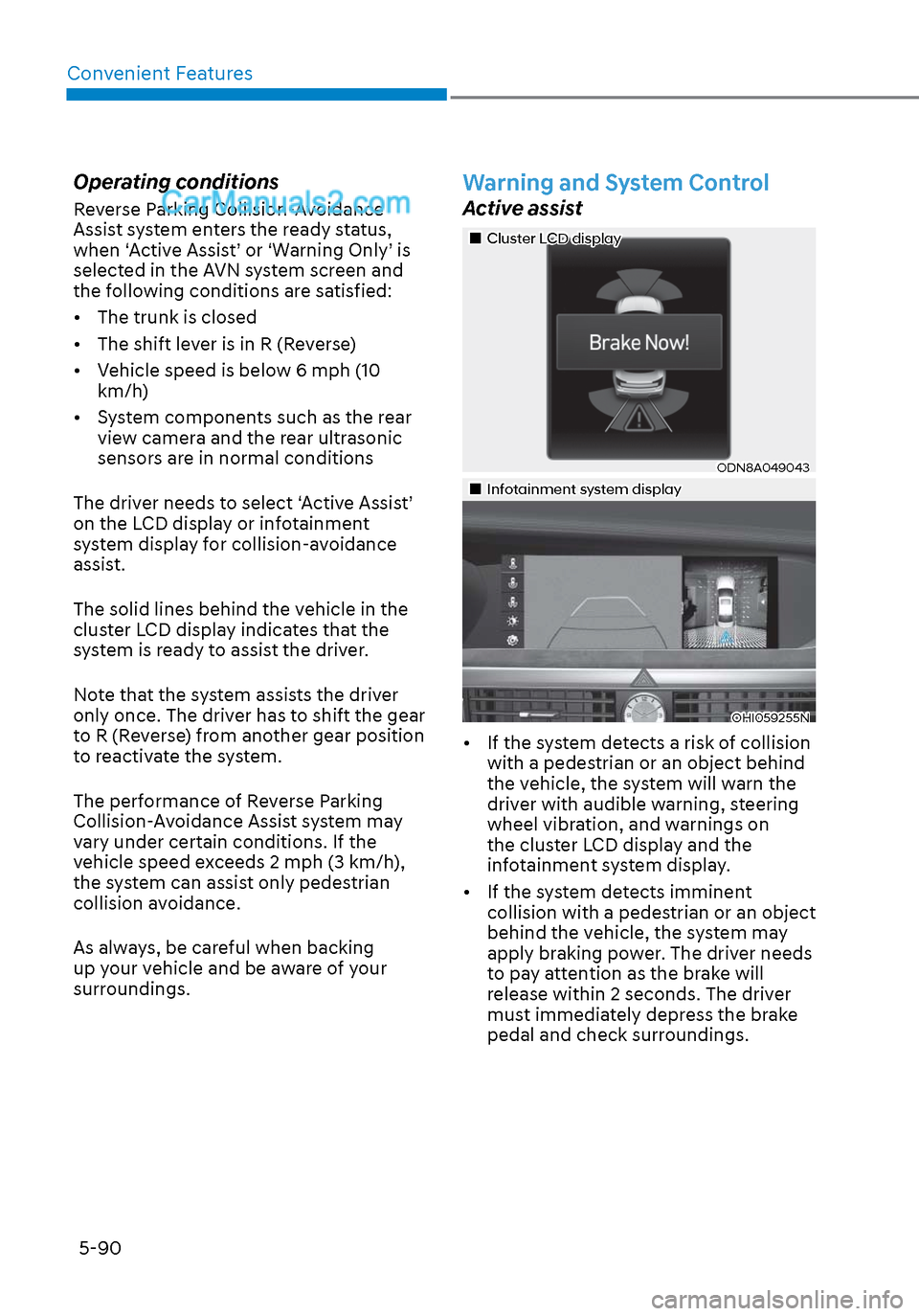
• If the system detects a risk of collision with a pedestrian or an object behind
the vehicle, the system will warn the
driver with audible warning, steering
wheel vibration, and warnings on
the cluster LCD display and the
infotainment system display.
• If the system detects imminent collision with a pedestrian or an object
behind the vehicle, the system may
apply braking power. The driver needs
to pay attention as the brake will
release within 2 seconds. The driver
must immediately depress the brake
pedal and check surroundings.
Page 221 of 537
05
5-91
The brake assist will turn off when: - The driver shifts the gear to P (Park) or D (Drive)
- The driver depresses the brake pedal with sufficient power
- The braking has been assisted for approximately 2 seconds
The warning will turn off when: - The driver shifts the gear to P (Park), N (Neutral), or D (Drive)
The brake control may not operate
properly depending on the status of the
ESC (Electronic Stability Control). There
will only be a warning when: - The ESC (Electronic Stability Control) warning light is on
- The ESC (Electronic Stability Control) is engaged in a different function
Warning only
• If the system detects a risk of collision with a pedestrian or an object, the
system will warn the driver with
audible warning and warnings on the
cluster LCD display or infotainment
system display.
• If ‘Warning Only’ is selected, braking will not be assisted.
The warning will turn off when: - The driver shifts the gear to P (Park), N (Neutral), or D (Drive)
WARNING
• Reverse Parking Collision-
Avoidance Assist system may
not operate properly or may
operate unnecessarily in some
circumstances.
• Always pay extreme caution while
driving. The driver is responsible for
controlling the brake appropriately.
CAUTION
• Always pay attention to road and
traffic conditions while driving,
whether or not there is a warning.
• Playing the vehicle audio system at
high volume may prevent occupants
from hearing Reverse Parking
Collision-Avoidance Assist system
warning sounds.
• If any other warning sound, such as
seat belt warning chime, is already
generated, Reverse Parking Collision-
Avoidance Assist system warning
may not sound.
Information
The system can detect a pedestrian or an
object when:
• A pedestrian is standing behind the
vehicle.
• A large obstacle, such as a vehicle, is
parked in the rear center of the vehicle.
Page 230 of 537
Convenient Features5-100
Operation of Forward/Reverse
Parking Distance Warning
System
Operating condition
ODN8059057ODN8059057
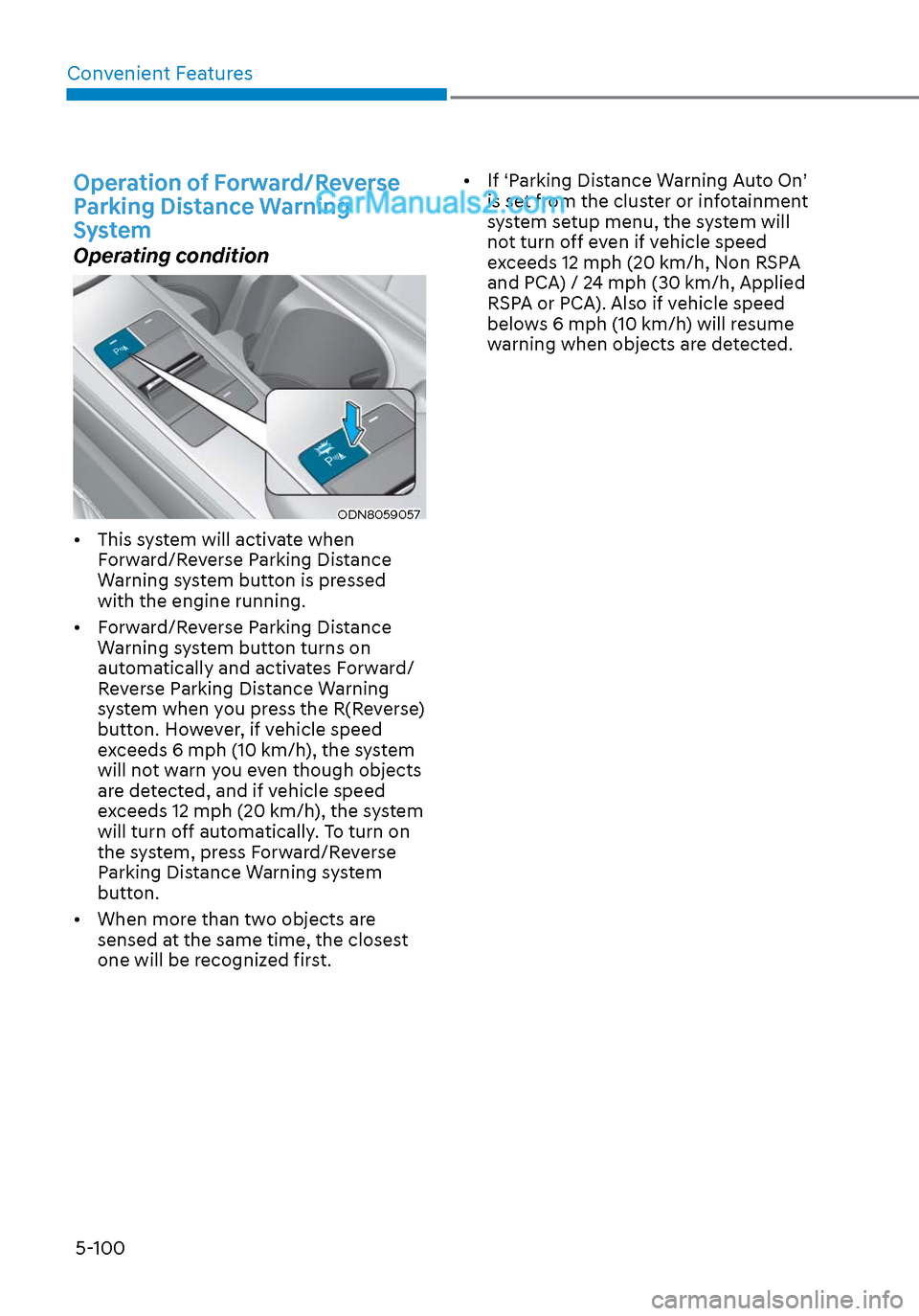
• This system will activate when Forward/Reverse Parking Distance
Warning system button is pressed
with the engine running.
• Forward/Reverse Parking Distance Warning system button turns on
automatically and activates Forward/
Reverse Parking Distance Warning
system when you press the R(Reverse)
button. However, if vehicle speed
exceeds 6 mph (10 km/h), the system
will not warn you even though objects
are detected, and if vehicle speed
exceeds 12 mph (20 km/h), the system
will turn off automatically. To turn on
the system, press Forward/Reverse
Parking Distance Warning system
button.
• When more than two objects are sensed at the same time, the closest
one will be recognized first. • If ‘Parking Distance Warning Auto On’
is set from the cluster or infotainment
system setup menu, the system will
not turn off even if vehicle speed
exceeds 12 mph (20 km/h, Non RSPA
and PCA) / 24 mph (30 km/h, Applied
RSPA or PCA). Also if vehicle speed
belows 6 mph (10 km/h) will resume
warning when objects are detected.
Page 282 of 537
Convenient Features5-152
INFOTAINMENT SYSTEM
NOTICE
• If you install an aftermarket HID
head lamp, your vehicle’s audio and
electronic devices may not function
properly.
• Prevent chemicals such as perfume,
cosmetic oil, sunscreen, hand
cleaner, and air freshener from
contacting the interior parts
because they may cause damage or
discoloration.
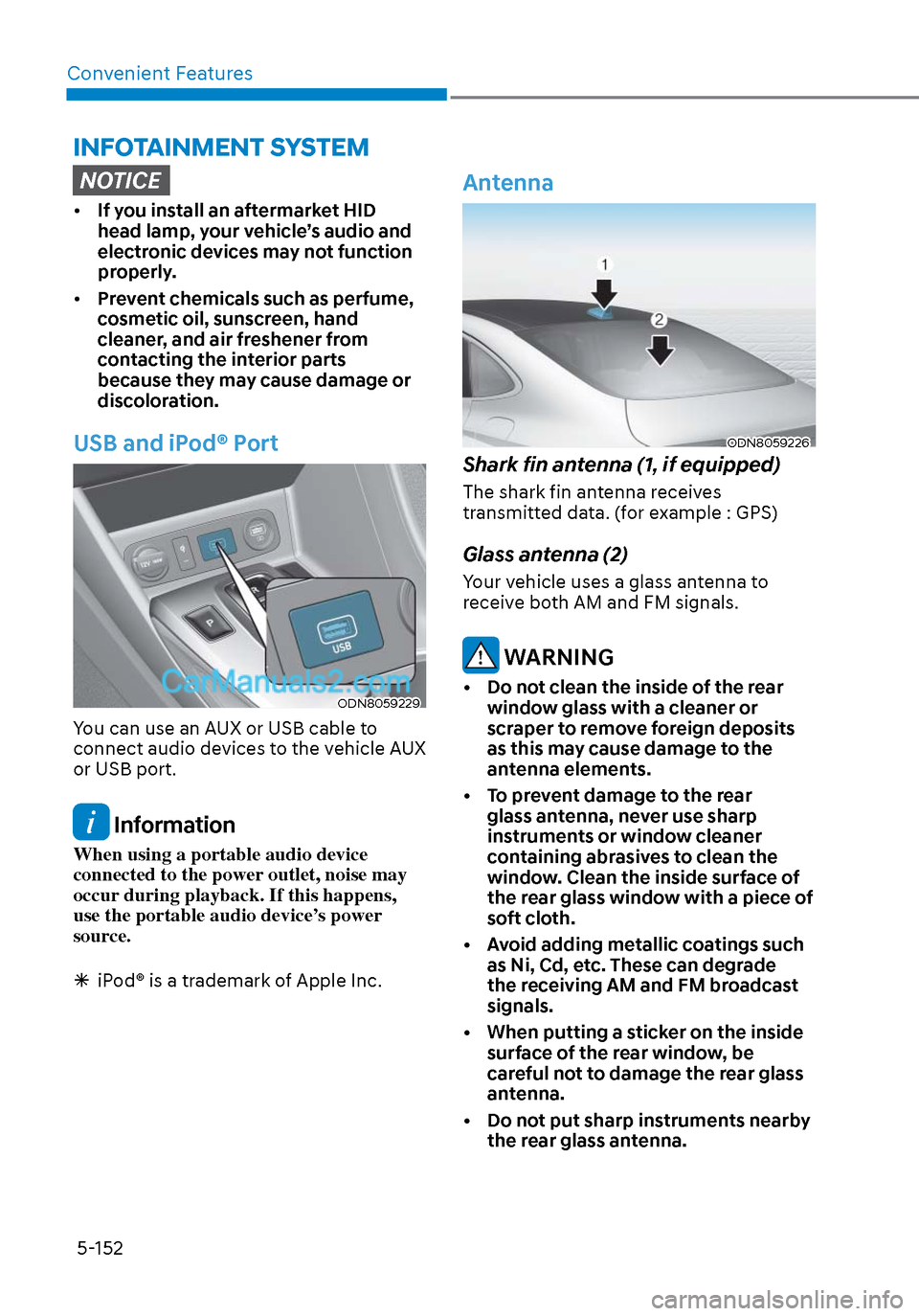
USB and iPod® Port
ODN8059229ODN8059229
You can use an AUX or USB cable to
connect audio devices to the vehicle AUX
or USB port.
Information
When using a portable audio device
connected to the power outlet, noise may
occur during playback. If this happens,
use the portable audio device’s power
source.
iPod® is a trademark of Apple Inc.
Antenna
ODN8059226ODN8059226
Shark fin antenna (1, if equipped)
The shark fin antenna receives
transmitted data. (for example : GPS)
Glass antenna (2)
Your vehicle uses a glass antenna to
receive both AM and FM signals.
WARNING
• Do not clean the inside of the rear
window glass with a cleaner or
scraper to remove foreign deposits
as this may cause damage to the
antenna elements.
• To prevent damage to the rear glass antenna, never use sharp
instruments or window cleaner
containing abrasives to clean the
window. Clean the inside surface of
the rear glass window with a piece of
soft cloth.
• Avoid adding metallic coatings such as Ni, Cd, etc. These can degrade
the receiving AM and FM broadcast
signals.
• When putting a sticker on the inside surface of the rear window, be
careful not to damage the rear glass
antenna.
• Do not put sharp instruments nearby the rear glass antenna.
Page 284 of 537
Convenient Features5-154
Bluetooth® Wireless Technology
Hands-Free
ODN8059230ODN8059230
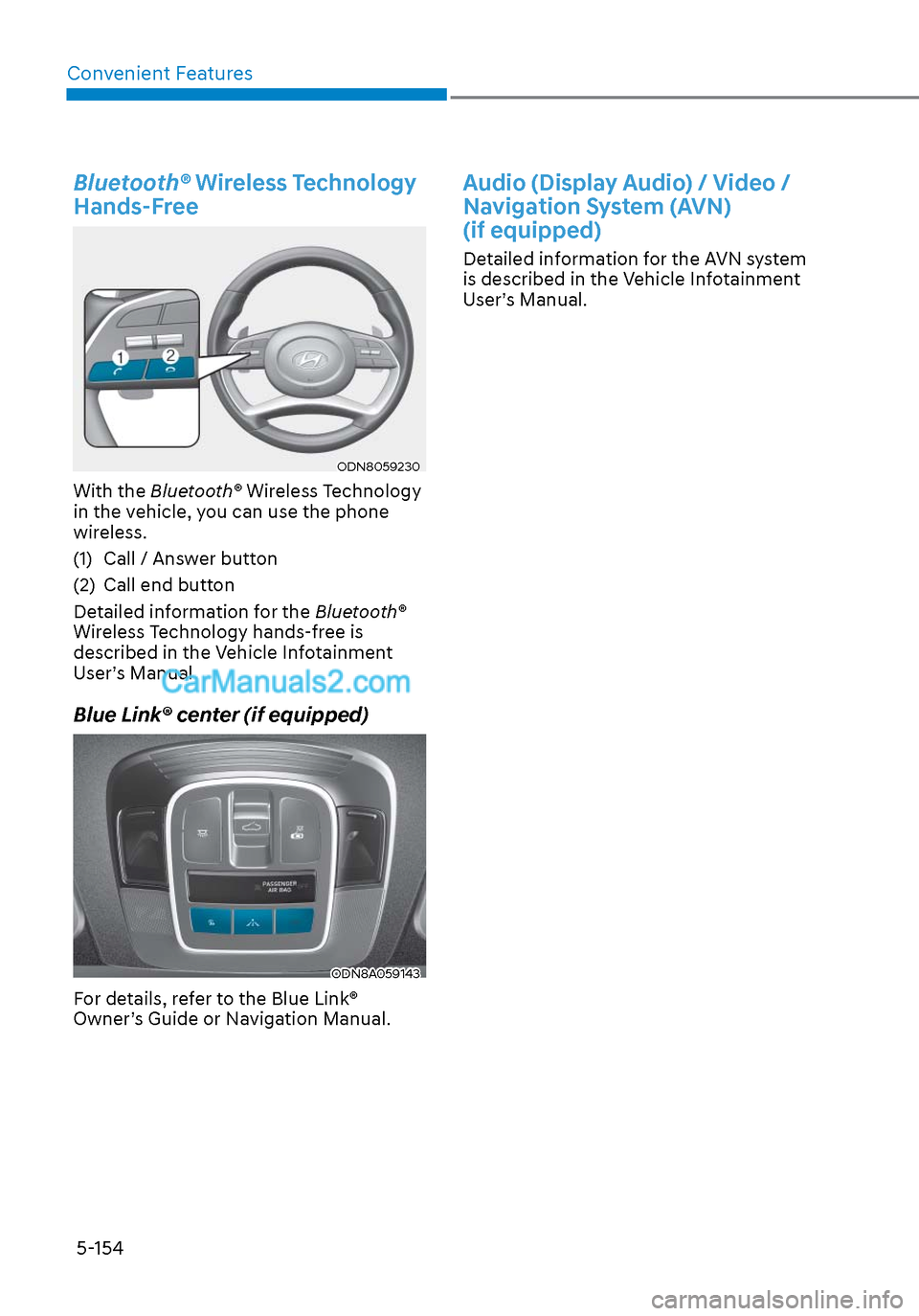
With the Bluetooth® Wireless Technology
in the vehicle, you can use the phone
wireless.
(1) Call / Answer button
(2) Call end button
Detailed information for the Bluetooth®
Wireless Technology hands-free is
described in the Vehicle Infotainment
User’s Manual.
Blue Link® center (if equipped)
ODN8A059143ODN8A059143
For details, refer to the Blue Link®
Owner’s Guide or Navigation Manual.
Audio (Display Audio) / Video /
Navigation System (AVN)
(if equipped)
Detailed information for the AVN system
is described in the Vehicle Infotainment
User’s Manual.
Page 322 of 537
While Driving6-38
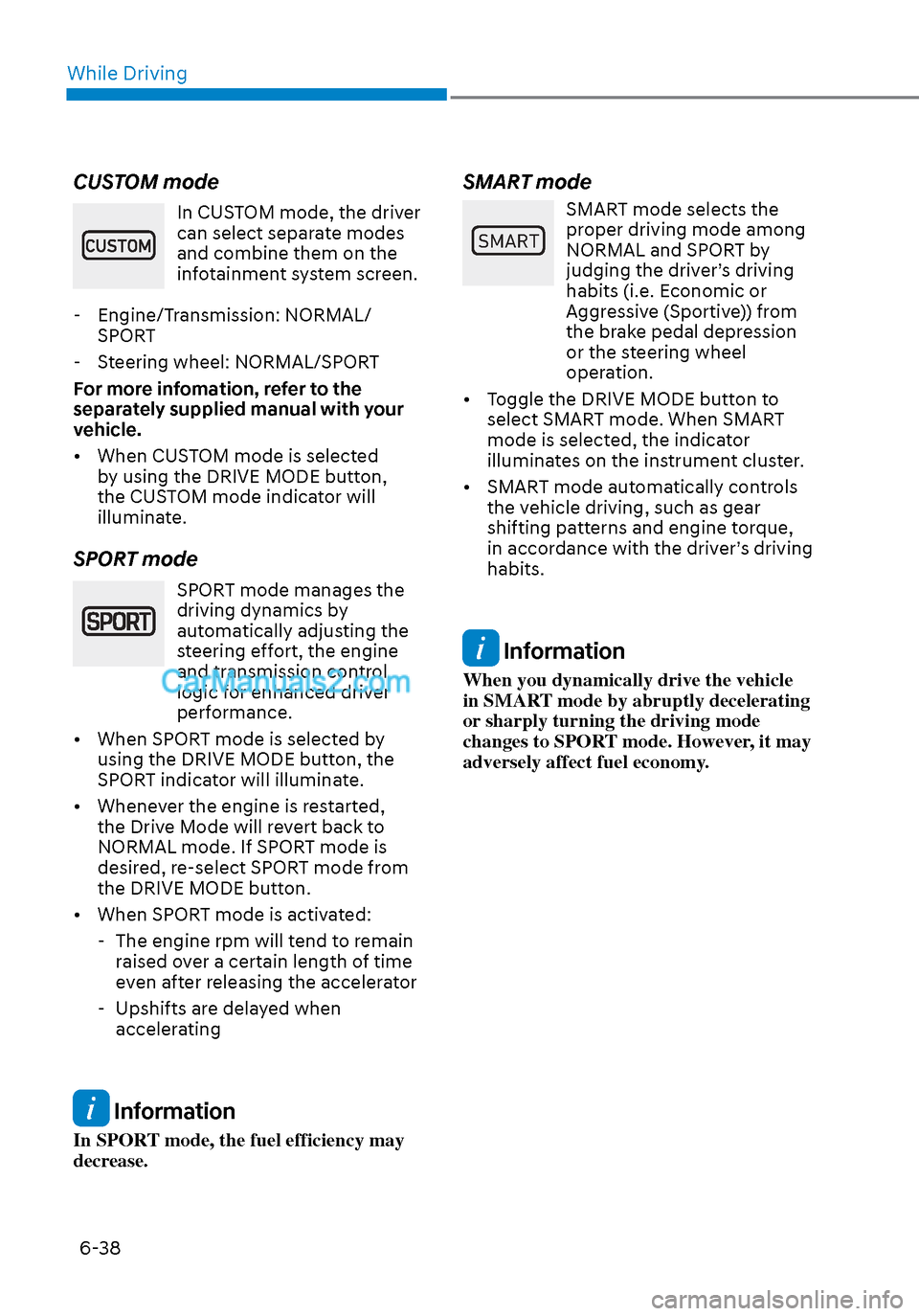
CUSTOM mode
In CUSTOM mode, the driver
can select separate modes
and combine them on the
infotainment system screen.
- Engine/Transmission: NORMAL/ SPORT
- Steering wheel: NORMAL/SPORT
For more infomation, refer to the
separately supplied manual with your
vehicle.
• When CUSTOM mode is selected by using the DRIVE MODE button,
the CUSTOM mode indicator will
illuminate.
SPORT mode
SPORT mode manages the
driving dynamics by
automatically adjusting the
steering effort, the engine
and transmission control
logic for enhanced driver
performance.
• When SPORT mode is selected by using the DRIVE MODE button, the
SPORT indicator will illuminate.
• Whenever the engine is restarted, the Drive Mode will revert back to
NORMAL mode. If SPORT mode is
desired, re-select SPORT mode from
the DRIVE MODE button.
• When SPORT mode is activated: - The engine rpm will tend to remain raised over a certain length of time
even after releasing the accelerator
- Upshifts are delayed when accelerating
Information
In SPORT mode, the fuel efficiency may
decrease.
SMART mode
60$57
SMART mode selects the
proper driving mode among
NORMAL and SPORT by
judging the driver’s driving
habits (i.e. Economic or
Aggressive (Sportive)) from
the brake pedal depression
or the steering wheel
operation.
• Toggle the DRIVE MODE button to select SMART mode. When SMART
mode is selected, the indicator
illuminates on the instrument cluster.
• SMART mode automatically controls the vehicle driving, such as gear
shifting patterns and engine torque,
in accordance with the driver’s driving
habits.
Information
When you dynamically drive the vehicle
in SMART mode by abruptly decelerating
or sharply turning the driving mode
changes to SPORT mode. However, it may
adversely affect fuel economy.
Page 325 of 537
06
6-41
• The warning light illuminates
on the instrument cluster,
when you cancel FCA
system.
The driver can monitor the FCA ON/OFF
status on the LCD display or infotainment
system display (if equipped). Also, the
warning light illuminates when ESC
(Electronic Stability Control) is turned
off. If the warning light remains ON
when FCA is activated, have the vehicle
inspected by an authorized HYUNDAI
dealer.
OTMA058089OTMA058089
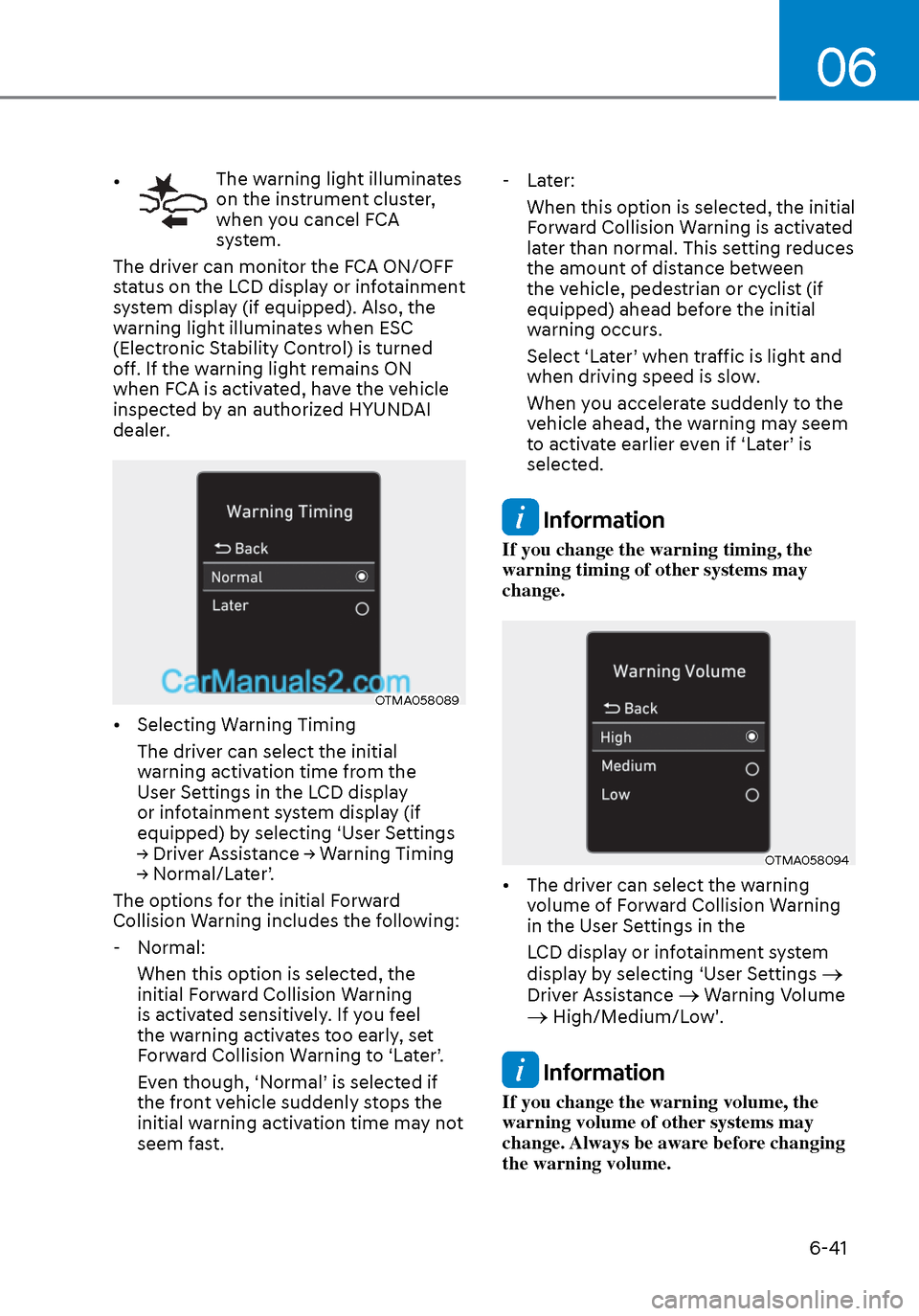
• Selecting Warning Timing
The driver can select the initial
warning activation time from the
User Settings in the LCD display
or infotainment system display (if
equipped) by selecting ‘User Settings
→ Driver Assistance → Warning Timing
→ Normal/Later’.
The options for the initial Forward
Collision Warning includes the following:
- Normal: When this option is selected, the
initial Forward Collision Warning
is activated sensitively. If you feel
the warning activates too early, set
Forward Collision Warning to ‘Later’.
Even though, ‘Normal’ is selected if
the front vehicle suddenly stops the
initial warning activation time may not
seem fast. - Later:
When this option is selected, the initial
Forward Collision Warning is activated
later than normal. This setting reduces
the amount of distance between
the vehicle, pedestrian or cyclist (if
equipped) ahead before the initial
warning occurs.
Select ‘Later’ when traffic is light and
when driving speed is slow.
When you accelerate suddenly to the
vehicle ahead, the warning may seem
to activate earlier even if ‘Later’ is
selected.
Information
If you change the warning timing, the
warning timing of other systems may
change.
OTMA058094OTMA058094
• The driver can select the warning volume of Forward Collision Warning
in the User Settings in the
LCD display or infotainment system
display by selecting ‘User Settings
Driver Assistance Warning Volume High/Medium/Low'.
Information
If you change the warning volume, the
warning volume of other systems may
change. Always be aware before changing
the warning volume.
Page 326 of 537
While Driving6-42
Prerequisite for activation
FCA gets ready to be activated, when
‘Active Assist’ or ‘Warning Only’ under
Forward Safety is selected in the cluster
LCD display, and when the following
prerequisites are satisfied.
- ESC (Electronic Stability Control) is on.
- Vehicle speed is over 6 mph (10 km/h ).
(FCA is only activated within a certain
speed range.)
- The system detects a pedestrian, cyclist or a vehicle in front, which may
collide with your vehicle. However,
FCA may not be activated or may only
sound a warning alarm depending on
the driving or vehicle conditions.
FCA may not operate properly according
to the frontal situation, condition of the
vehicle, the direction of pedestrian or
cyclist or speed. If you select "Warning
Only", only warnings occur.
WARNING
To avoid driver distractions, do not
attempt to set or cancel FCA while
driving the vehicle. Always completely
stop the vehicle at a safe place before
setting or canceling the system.
FCA automatically activates upon
placing the ignition switch to the ON
position. The driver can deactivate FCA
by canceling the system setting on the
cluster LCD display or infotainment
system display (if equipped).
FCA automatically deactivates upon
canceling ESC (Electronic Stability
Control). When ESC is canceled, FCA
cannot be activated in the LCD display
or infotainment system display (if
equipped). In this situation, the FCA
warning light will illuminate which is
normal.
FCA Warning Message and Brake
Control
FCA produces warning messages,
warning alarms, and emergency braking
based on the level of risk of a frontal
collision, such as when a vehicle ahead
suddenly brakes, or the system detects
that a collision with a pedestrian or
cyclist is imminent.
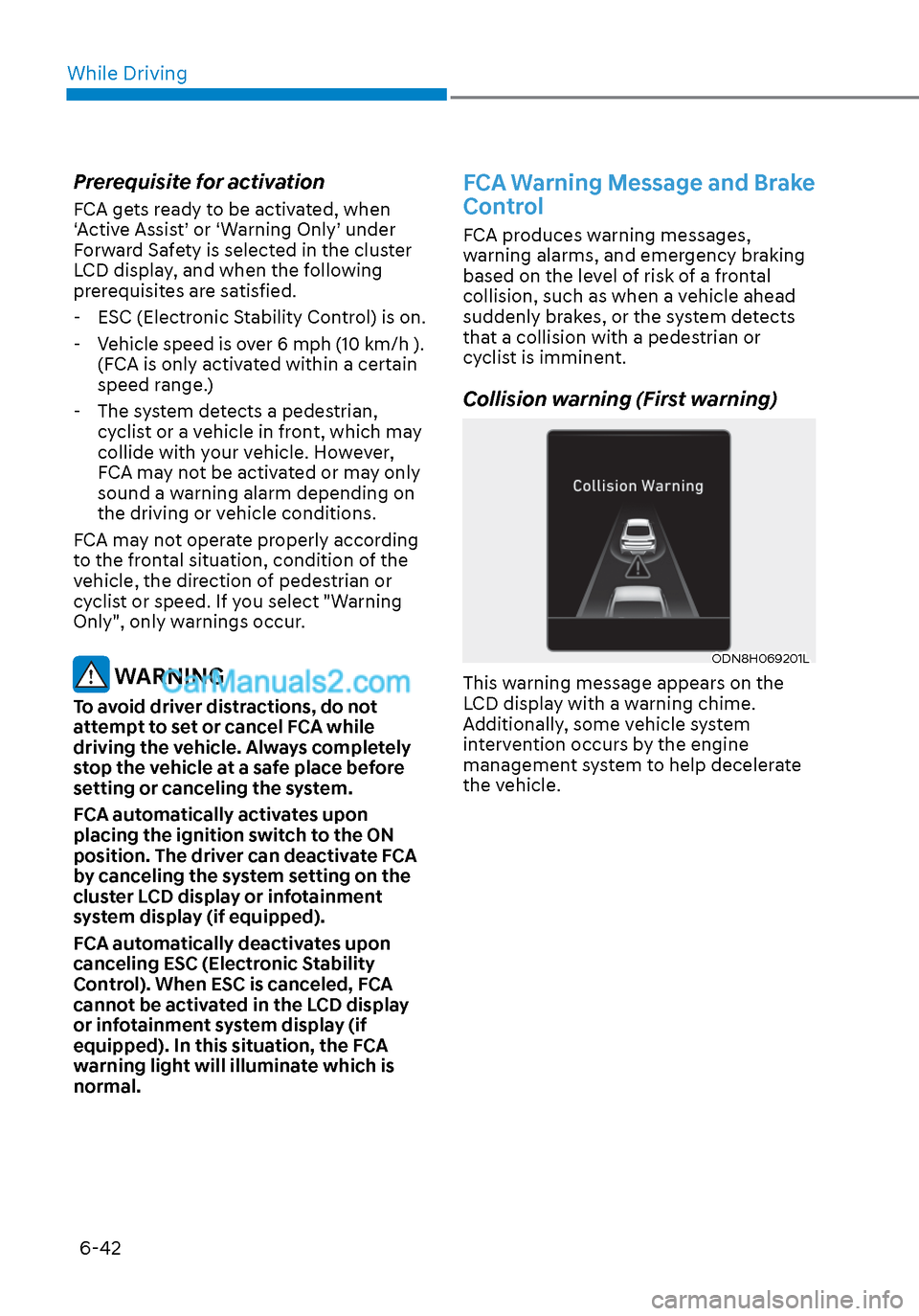
Collision warning (First warning)
ODN8H069201LODN8H069201L
This warning message appears on the
LCD display with a warning chime.
Additionally, some vehicle system
intervention occurs by the engine
management system to help decelerate
the vehicle.
Page 338 of 537
While Driving6-54
• The pedestrian or cyclist is not fully detected by the camera recognition
system, for example, if the pedestrian
is leaning over or is not fully walking
upright
• The pedestrian or cyclist is moving very quickly or appears abruptly in the
camera detection area
• The pedestrian or cyclist is wearing clothing that easily blends into the
background, making it difficult to be
detected by the camera recognition
system
• The outside lighting is too bright (e.g. when driving in bright sunlight or
in sun glare) or too dark (e.g. when
driving on a dark rural road at night)
• It is difficult to detect and distinguish the pedestrian or cyclist from other
objects in the surroundings, for
example, when there is a group of
pedestrians, cyclists or a large crowd
• There is an item similar to a person’s body structure
• The pedestrian or cyclist is small
• The pedestrian has impaired mobility
• The sensor recognition is limited • The radar sensor or camera is blocked
with a foreign object or debris
• Inclement weather such as heavy rain or snow obscures the field of view of
the radar sensor or camera
• When light coming from a street light or an oncoming vehicle is reflected on
a wet road surface such as a puddle in
the road
• The field of view in front is obstructed by sun glare
• The windshield glass is fogged up; a clear view of the road is obstructed
• The adverse road conditions cause excessive vehicle vibrations while
driving
• The sensor recognition changes suddenly when passing over a speed
bump
• You are on a roundabout
• The pedestrian or cyclist suddenly interrupts in front of the vehicle
• The cyclist in front is riding intersected with the driving direction
• There is any other electromagnetic interference
• The construction area, rail or other metal object is near the cyclist
• The bicycle material is not reflected well on the radar
WARNING
Turn off Forward Collision avoidance
Assist system through cluster or
infotainment system before towing
a vehicle. Application of FCA system
while towing may adversely affect the
safety of your vehicle or the towing
vehicle.
Use extreme caution when the vehicle
in front of you has cargo that extends
rearward from the cab, or when the
vehicle in front of you has higher
ground clearance.