Side view mirror Hyundai Sonata 2020 Owner's Manual
[x] Cancel search | Manufacturer: HYUNDAI, Model Year: 2020, Model line: Sonata, Model: Hyundai Sonata 2020Pages: 537, PDF Size: 14.54 MB
Page 15 of 537
2-2
Vehicle Information
EXTERIOR OVERVIEW
Front view
The actual shape may differ from the illustration.ODN8A019001
1. Hood .....................................................5-64
2. Headlamp ..............................................8-55
3. Tires and wheels ..................................8-34
4. Side view mirror ................................... 5-53
5. Panoramic sunroof ...............................5-60
6. Front windshield wiper blades ............ 8-29
7. Windows ...............................................5-56
Page 17 of 537
2-4
Vehicle Information
The actual shape may differ from the illustration.ODN8A019003
1. Inside door handle ................................ 5-32
2. Seat position memory system .............5-39
3. Side view mirror control switch ...........5-54
4. Central door lock switch .......................5-33
5. Power window switches ......................5-56
6. Power window lock button ..................5-59
7. Steering wheel tilt/telescopic lever ....5-43
8. Steering wheel ......................................5-42
9. Instrument panel illumination control
switch
......................................................4-3
10. Idle Stop and Go (ISG) OFF button ......6-33
11. Lane Keeping Assist system button ....6-58
12. Trunk release button ............................5-65
13. ESC OFF button ....................................6-29
14. EPB (Electronic Parking Brake) .............6-21
15. Hood release lever ...............................5-64
INTERIOR OVERVIEW
Page 131 of 537

5. Convenient Features
Accessing Your Vehicle ........................................................................\
.......... 5-4Remote Key ........................................................................\
...................................... 5-4
Smart Key ........................................................................\
..........................................5-7
Immobilizer System ........................................................................\
........................ 5-14
Hyundai Digital Key ........................................................................\
......................... 5-15
Door Locks ........................................................................\
............................. 5-31Operating Door Locks from Outside the Vehicle .................................................. 5-31
Operating Door Locks from Inside the Vehicle .................................................... 5-32
Automatic Door Lock and Unlock Features .......................................................... 5-34
Child-Protector Rear Door Locks ........................................................................\
.. 5-35
Rear Occupant Alert (ROA) System ....................................................................... 5-36
Theft-Alarm System ........................................................................\
............. 5-38
Driver Position Memory System ................................................................. 5-39
Storing Positions into Memory ........................................................................\
..... 5-39
Recalling Positions from Memory ........................................................................\
.5-40
Resetting the Driver’s Seat Memory System ........................................................5-40
Easy Access Function ........................................................................\
......................5-41
Steering Wheel ........................................................................\
..................... 5-42Electric Power Steering (EPS) ........................................................................\
........ 5-42
Tilt Steering / Telescope Steering ........................................................................\
. 5-43
Heated Steering Wheel ........................................................................\
.................. 5-44
Horn........................................................................\
................................................. 5-45
Mirrors ......................................................................\
....................................5-46Inside Rearview Mirror ........................................................................\
................... 5-46
Side View Mirrors ........................................................................\
........................... 5-53
Reverse Parking Aid Function ........................................................................\
........ 5-55
Windows ......................................................................\
................................. 5-56Power Windows ........................................................................\
.............................. 5-57
Panoramic Sunroof ........................................................................\
..............5-60Sunshade ...............................................................\
..................................................5-61
Sliding the Sunroof ........................................................................\
..........................5-61
Tilting the Sunroof ........................................................................\
..........................5-61
Closing the Sunroof ........................................................................\
....................... 5-62
Resetting the Sunroof ........................................................................\
.................... 5-63
Sunroof Open Warning ........................................................................\
.................. 5-63
Exterior Features ........................................................................\
..................5-64Hood ....................................................................\
.................................................... 5-64
Trunk ...................................................................\
..................................................... 5 -65
Emergency Trunk Safety Release ........................................................................\
.. 5-66
Fuel Filler Door ........................................................................\
............................... 5-70
5
Page 169 of 537
05
5-39
ODN8A059019ODN8A059019
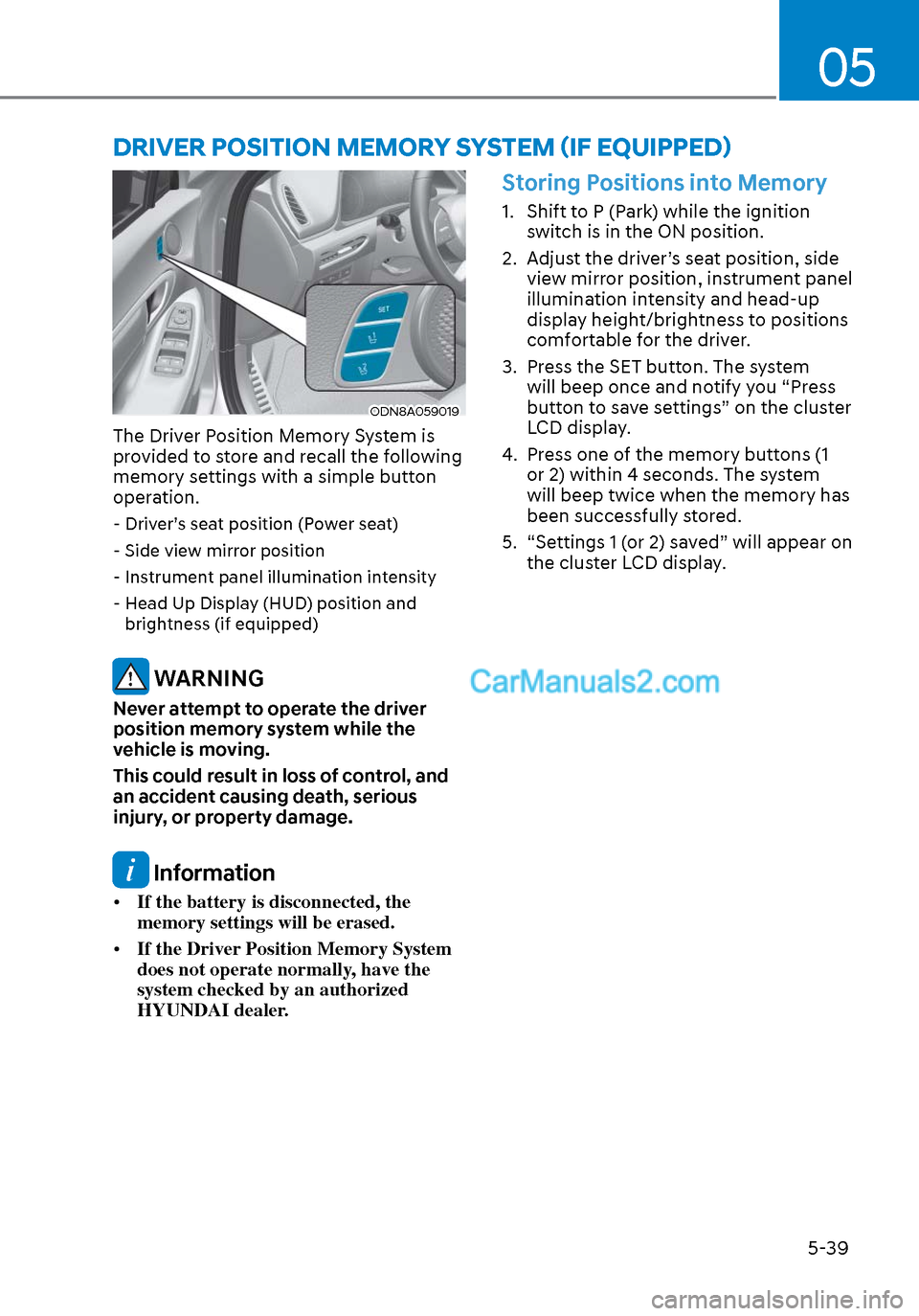
The Driver Position Memory System is
provided to store and recall the following
memory settings with a simple button
operation.
- Driver’s seat position (Power seat)
- Side view mirror position
- Instrument panel illumination intensity
- Head Up Display (HUD) position and brightness (if equipped)
WARNING
Never attempt to operate the driver
position memory system while the
vehicle is moving.
This could result in loss of control, and
an accident causing death, serious
injury, or property damage.
Information
• If the battery is disconnected, the
memory settings will be erased.
• If the Driver Position Memory System
does not operate normally, have the
system checked by an authorized
HYUNDAI dealer.
Storing Positions into Memory
1. Shift to P (Park) while the ignition
switch is in the ON position.
2. Adjust the driver’s seat position, side view mirror position, instrument panel
illumination intensity and head-up
display height/brightness to positions
comfortable for the driver.
3. Press the SET button. The system will beep once and notify you “Press
button to save settings” on the cluster
LCD display.
4. Press one of the memory buttons (1 or 2) within 4 seconds. The system
will beep twice when the memory has
been successfully stored.
5. “Settings 1 (or 2) saved” will appear on the cluster LCD display.
DRIVER POSITION MEMORY SYSTEM (IF EQUIPPED)
Page 170 of 537
Convenient Features5-40
Recalling Positions from Memory
1. Shift to P (Park) while the ignition switch is in the ON position.
2. Press the desired memory button (1 or 2). The system will beep once,
and then the driver’s seat position,
side view mirror position, instrument
panel illumination intensity and
head-up display height/brightness
will automatically adjust to the stored
positions.
3. “Settings 1 (or 2) applied” will appear on the cluster LCD display.
If your vehicle is equipped with
additional navigation, please refer to the
infotainment system manual separately
supplied.
Information
• While recalling the “1” memory
position, pressing the SET or 1 button
temporarily stops the adjustment of
the recalled memory position. Pressing
the 2 button recalls the “2” memory
position.
• While recalling the “2” memory
position, pressing the SET or 2 button
temporarily stops the adjustment of
the recalled memory position. Pressing
the 1 button recalls the “1” memory
position.
• While recalling the stored positions,
pressing one of the control buttons
for the driver’s seat, side view mirror,
instrument panel illumination or head-
up display will cause the movement of
that component to stop and move in
the direction that the control button is
pressed.
Resetting the Driver’s Seat
Memory System
Take the following procedures to reset
the driver’s seat memory system, when it
does not operate properly.
To reset the driver’s seat memory
system
1. Place the ignition switch to the ON
position, shift to P (Park), and open
the driver’s door.
2. Operate the control switch to set the driver’s seat and seatback to the
foremost position.
3. Simultaneously press the SET button and push forward the seat movement
switch over 2 seconds.
While resetting the driver’s seat
memory system
1. It starts with the notification sound.
2. The driver’s seat and seatback is adjusted to the rearward position with
the notification sound.
3. The driver’s seat and seatback is re-adjusted to the default position
(central position) with the notification
sound.
However, in the following cases, the
resetting procedure and the notification
sound may stop.
- The memory button is pressed.
- The control switch is operated.
- The gear is shifted out of P (Park) .
- The driving speed exceeds 2 mph (3 km/h).
- The driver’s door is closed.
Page 176 of 537
Convenient Features5-46
MIRRORS
Inside Rearview Mirror
Before driving your vehicle, check to
see that your inside rearview mirror is
properly positioned. Adjust the rearview
mirror so that the view through the rear
window is properly centered.
WARNING
Make sure your line of sight is not
obstructed. Do not place objects in the
rear seat, cargo area, or behind the rear
head restraints which could interfere
with your vision through the rear
window.
WARNING
To prevent serious injury during an
accident or deployment of the air bag,
do not modify the rearview mirror and
do not install a wide mirror.
WARNING
NEVER adjust the mirror while driving.
This may cause loss of vehicle control
resulting in an accident.
NOTICE
When cleaning the mirror, use a paper
towel or similar material dampened
with glass cleaner. Do not spray glass
cleaner directly on the mirror as this
may cause the liquid cleaner to enter
the mirror housing.
Day/night rearview mirror
(if equipped)
ODN8059025LODN8059025L
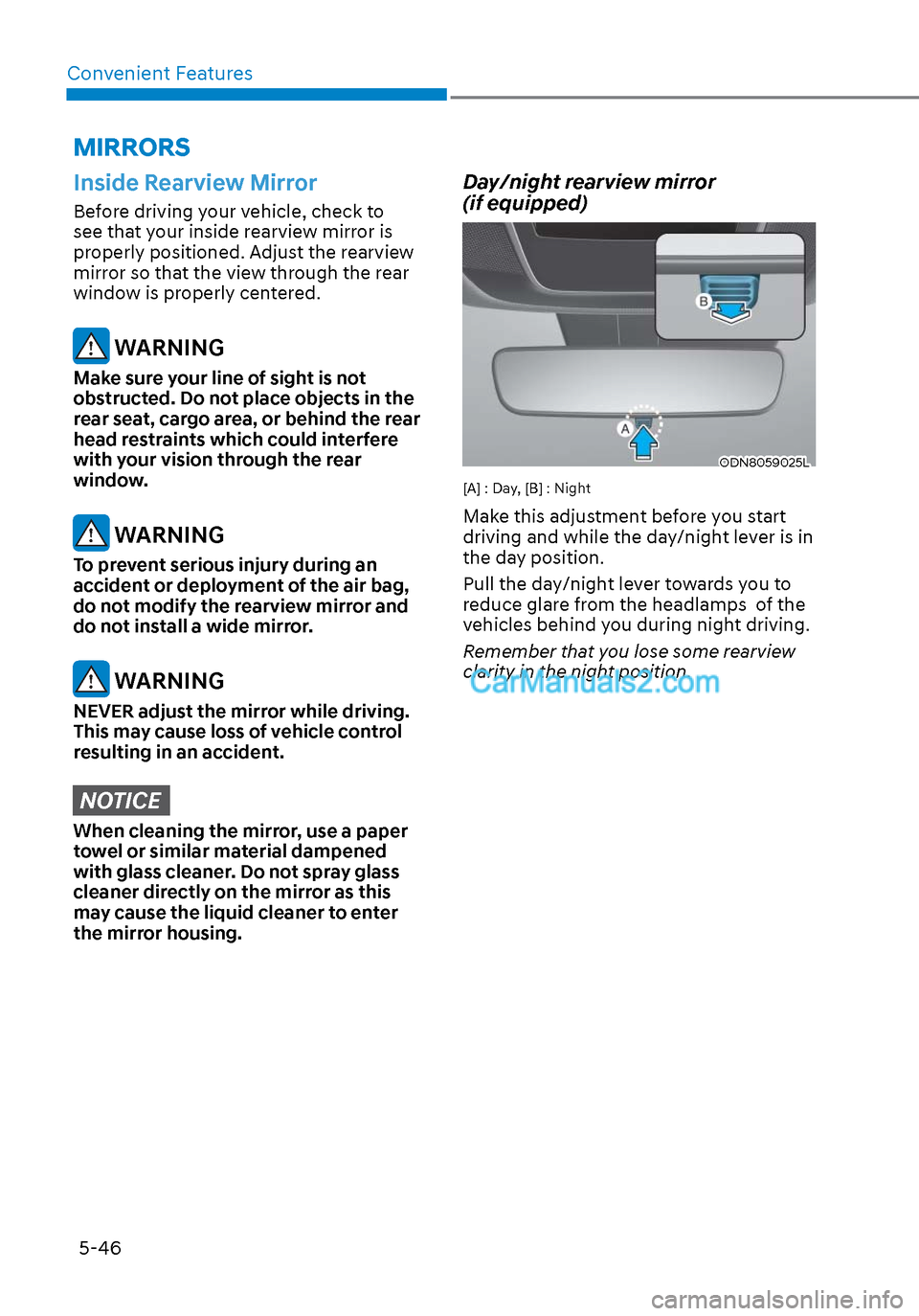
[A] : Day, [B] : Night
Make this adjustment before you start
driving and while the day/night lever is in
the day position.
Pull the day/night lever towards you to
reduce glare from the headlamps of the
vehicles behind you during night driving.
Remember that you lose some rearview
clarity in the night position.
Page 183 of 537
05
5-53
Information
Two way communication range distance
between “vehicle” and “garage door
opener” is 100m.
The range may be reduced or increased
a little due to obstacle conditions around
the garage door opener, such as houses or
trees.
Side View Mirrors
ODN8059024ODN8059024
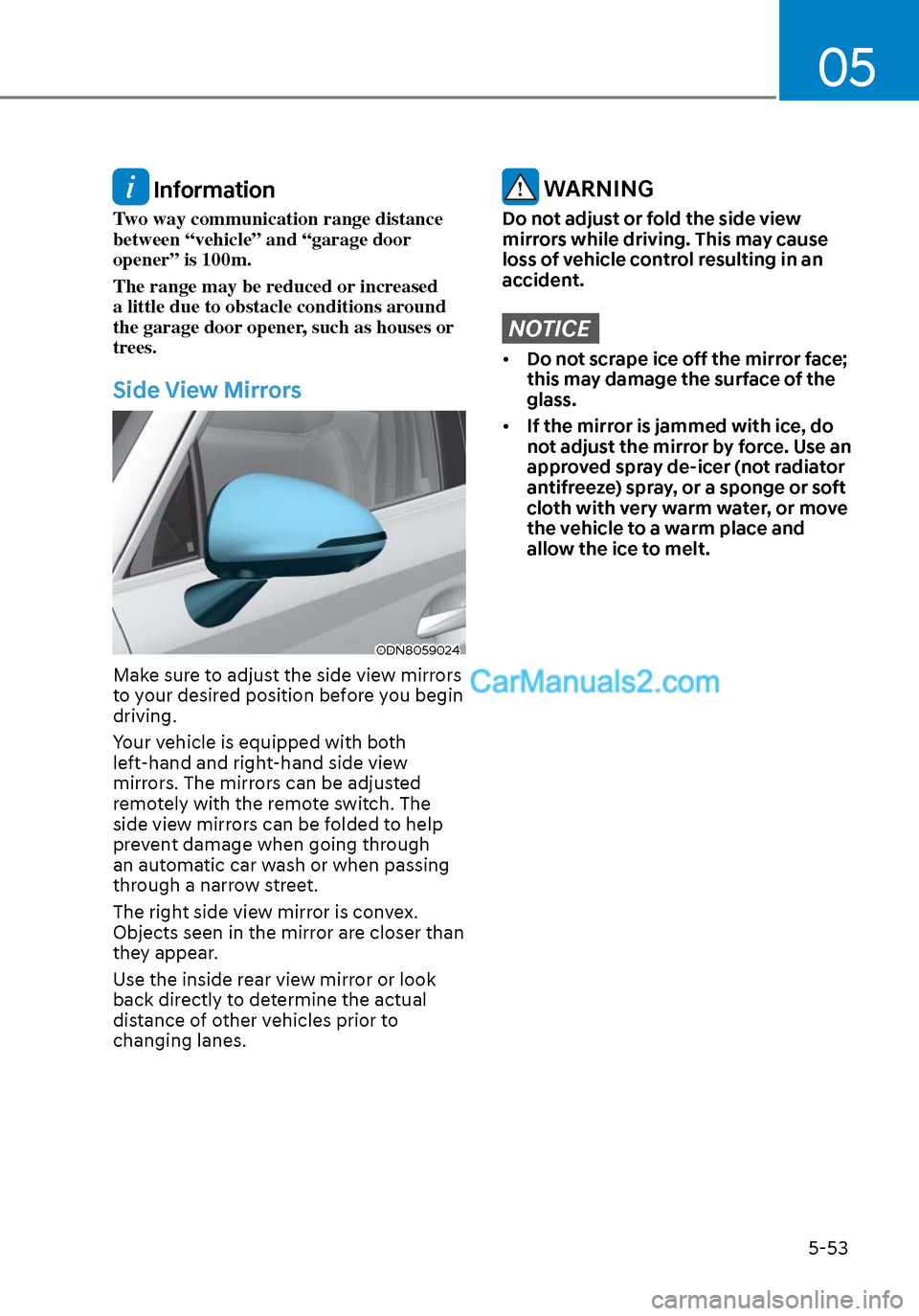
Make sure to adjust the side view mirrors
to your desired position before you begin
driving.
Your vehicle is equipped with both
left-hand and right-hand side view
mirrors. The mirrors can be adjusted
remotely with the remote switch. The
side view mirrors can be folded to help
prevent damage when going through
an automatic car wash or when passing
through a narrow street.
The right side view mirror is convex.
Objects seen in the mirror are closer than
they appear.
Use the inside rear view mirror or look
back directly to determine the actual
distance of other vehicles prior to
changing lanes.
WARNING
Do not adjust or fold the side view
mirrors while driving. This may cause
loss of vehicle control resulting in an
accident.
NOTICE
• Do not scrape ice off the mirror face;
this may damage the surface of the
glass.
• If the mirror is jammed with ice, do
not adjust the mirror by force. Use an
approved spray de-icer (not radiator
antifreeze) spray, or a sponge or soft
cloth with very warm water, or move
the vehicle to a warm place and
allow the ice to melt.
Page 184 of 537
Convenient Features5-54
Side View Mirror Adjustment
ODN8A059026ODN8A059026
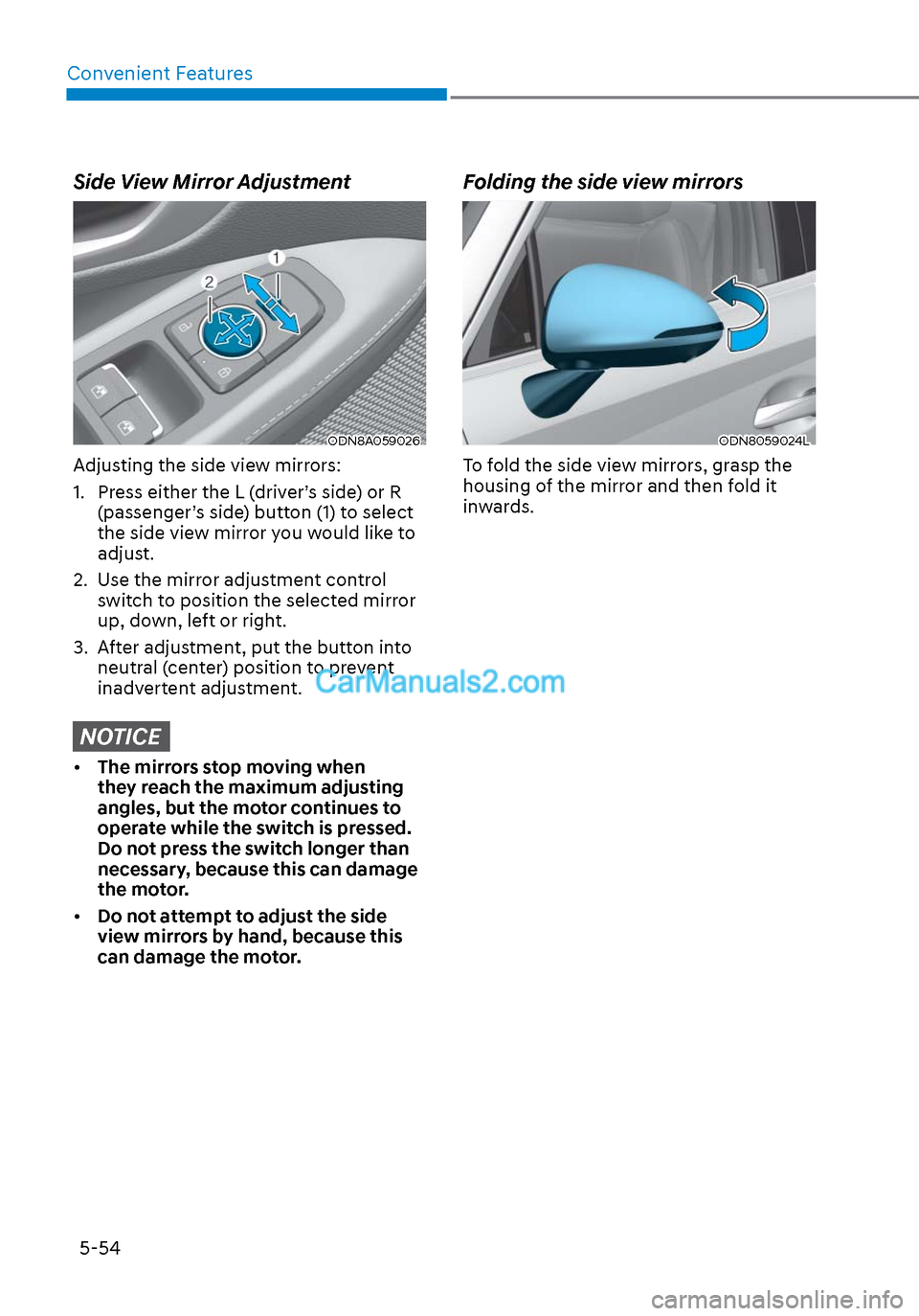
Adjusting the side view mirrors:
1. Press either the L (driver’s side) or R (passenger’s side) button (1) to select
the side view mirror you would like to
adjust.
2. Use the mirror adjustment control switch to position the selected mirror
up, down, left or right.
3. After adjustment, put the button into neutral (center) position to prevent
inadvertent adjustment.
NOTICE
• The mirrors stop moving when
they reach the maximum adjusting
angles, but the motor continues to
operate while the switch is pressed.
Do not press the switch longer than
necessary, because this can damage
the motor.
• Do not attempt to adjust the side
view mirrors by hand, because this
can damage the motor.
Folding the side view mirrors
ODN8059024LODN8059024L
To fold the side view mirrors, grasp the
housing of the mirror and then fold it
inwards.
Page 185 of 537
05
5-55
Reverse Parking Aid Function
(if equipped)
ODN8A059028ODN8A059028
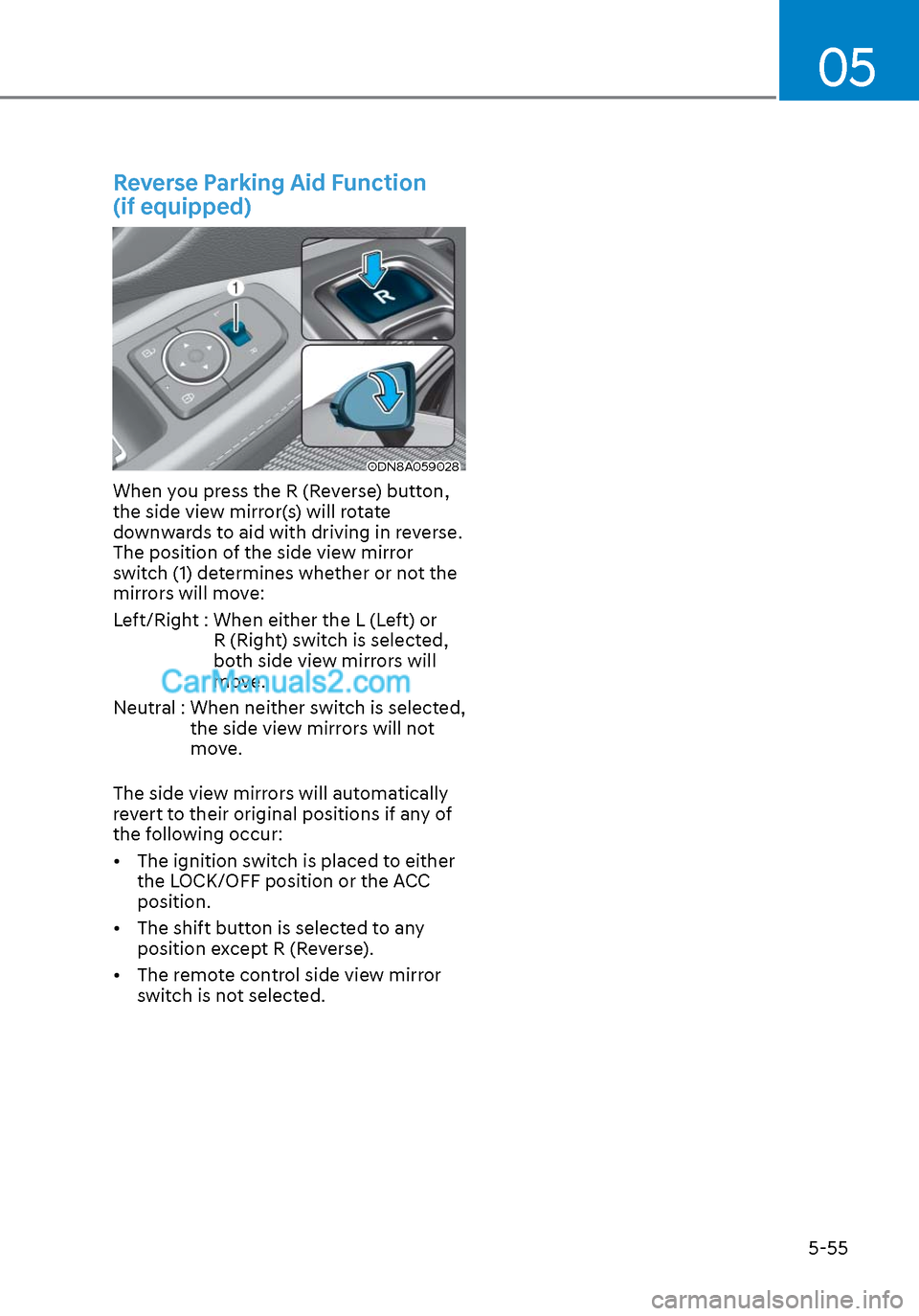
When you press the R (Reverse) button,
the side view mirror(s) will rotate
downwards to aid with driving in reverse.
The position of the side view mirror
switch (1) determines whether or not the
mirrors will move:
Left/Right : When either the L (Left) or R (Right) switch is selected,
both side view mirrors will
move.
Neutral : When neither switch is selected, the side view mirrors will not
move.
The side view mirrors will automatically
revert to their original positions if any of
the following occur:
• The ignition switch is placed to either the LOCK/OFF position or the ACC
position.
• The shift button is selected to any position except R (Reverse).
• The remote control side view mirror switch is not selected.
Page 208 of 537
Convenient Features5-78
2. When the High Beam Assist camera is adversely affected by an external
condition. Such examples may
include:
• When the vehicle’s headlamps
have been damaged or not
repaired properly.
• When the vehicle headlamps are
not aimed properly.
• When the vehicle is driven on a
narrow curved road or rough road
• When the vehicle is driven on an
uphill road or downhill road
• When only part of the vehicle in
front is visible on a crossroad or
curved road.
• When there is a traffic light,
reflecting sign, flashing sign or
mirror.
• When the road conditions are bad
such as being wet or covered with
snow.
• When a vehicle suddenly appears
from a curve.
• When the vehicle is tilted from a
flat tire or being towed.
• When Lane Keeping Assist system
warning light illuminates.
• When the light from the on-coming
or front vehicle is not detected
because of exhaust fume, smoke,
fog, snow, etc.
• When the front window is covered
with foreign matters such as ice,
dust, fog, or is damaged.
3. When the forward visibility is poor. Such examples may include:
• When the headlamps of an on-
coming vehicle or a vehicle in front
is not detected due to poor outside
visibility (smog, smoke, dust, fog,
heavy rain, snow, etc.).
• When the windshield visibility is
poor. WARNING
• Do not attempt to disassemble
the front view camera without the
assistance of an authorized HYUNDAI
dealer technician. If the front camera
is removed for any reason, the
system may need to be re-calibrated.
Have the system inspected by an
authorized HYUNDAI dealer.
• If the windshield of your vehicle is
replaced, most likely the front view
camera will need to be re-calibrated.
If this occurs, have your vehicle
inspected and have the system re-
calibrated by an authorized HYUNDAI
dealer.
• Be careful that water doesn’t get into
High Beam Assist unit and do not
remove or damage related parts of
High Beam Assist system.
• Do not place objects on the crash
pad that reflect light such as mirrors,
white paper, etc. The system may
malfunction if sunlight is reflected.
• At times, High Beam Assist system
may not work properly. The system
is for your convenience only. It is the
responsibility of the driver for safe
driving practices and always check
the road conditions for your safety.
• When the system does not operate
normally, change the headlamp
position manually between the high
beam and low beam.