check auto HYUNDAI SONATA 2021 User Guide
[x] Cancel search | Manufacturer: HYUNDAI, Model Year: 2021, Model line: SONATA, Model: HYUNDAI SONATA 2021Pages: 546, PDF Size: 51.21 MB
Page 215 of 546
05
5-85
Information
If the wiper switch is set in AUTO mode
when Engine Start/Stop button is in the
ON position, the wiper will operate once to
perform a self-check of the system. Set the
wiper to the OFF position when the wiper
is not in use.
WARNING
To avoid personal injury from the
windshield wipers, when the engine
is running and the windshield wiper
switch is placed in the AUTO mode:
•
Do no
t touch the upper end of the
windshield glass facing the rain
sensor.
•
Do no
t wipe the upper end of the
windshield glass with a damp or wet
cloth.
•
Do no
t put pressure on the
windshield glass.
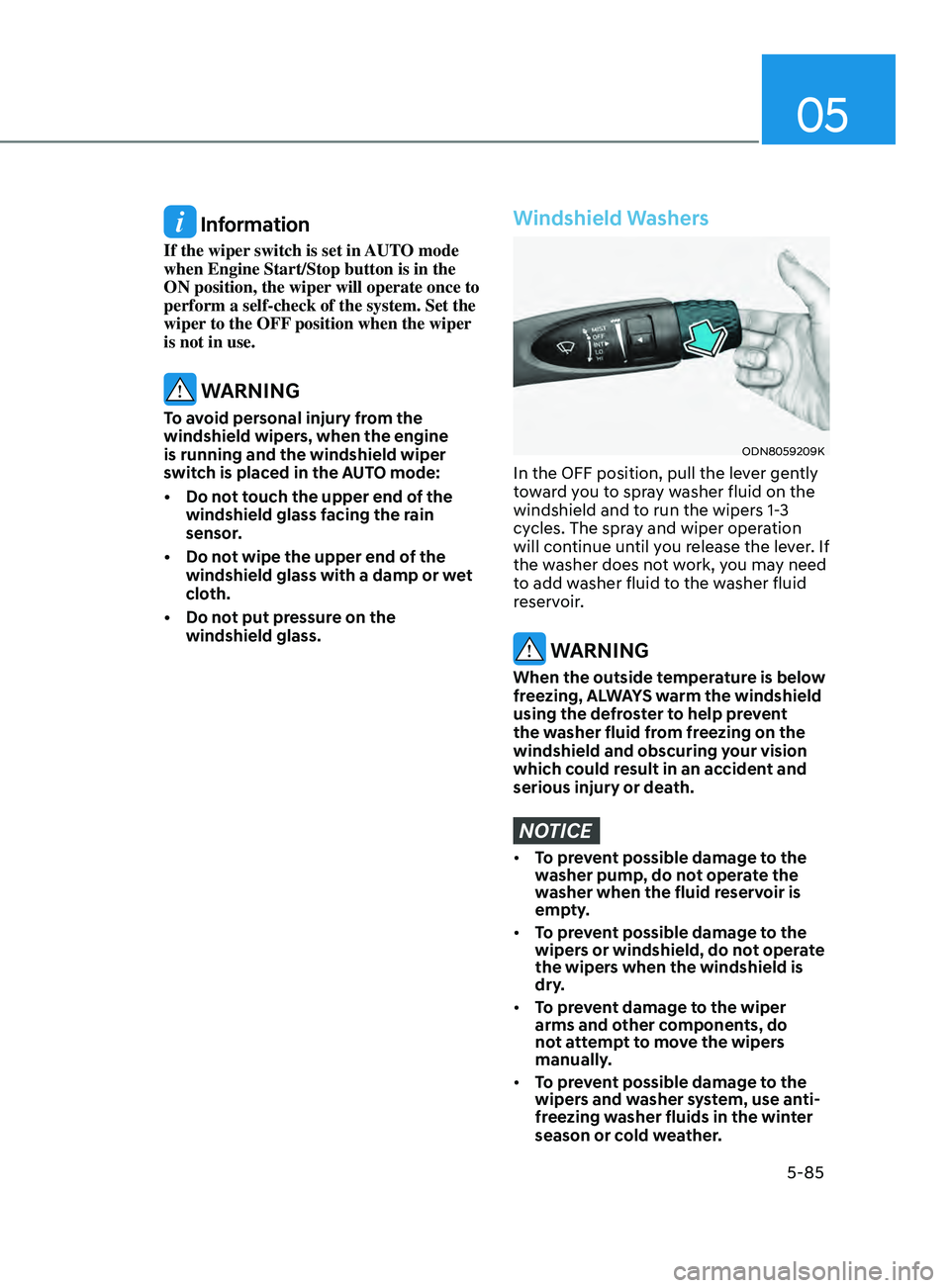
Windshield Washers
ODN8059209K
In the OFF position, pull the lever gently
toward you to spray washer fluid on the
windshield and to run the wipers 1-3
cycles. The spray and wiper operation
will continue until you release the lever. If
the washer does not work, you may need
to add washer fluid to the washer fluid
reservoir.
WARNING
When the outside temperature is below
freezing, ALWAYS warm the windshield
using the defroster to help prevent
the washer fluid from freezing on the
windshield and obscuring your vision
which could result in an accident and
serious injury or death.
NOTICE
• To prevent possible damage to the
washer pump, do not operate the
washer when the fluid reservoir is
empty.
• To prevent possible damage to the
wipers or windshield, do not operate
the wipers when the windshield is
dry.
• To prevent damage to the wiper
arms and other components, do
not attempt to move the wipers
manually.
• To prevent possible damage to the
wipers and washer system, use anti-
freezing washer fluids in the winter
season or cold weather.
Page 218 of 546
Convenient Features5-88
SUrroUnD view moniTor (Svm ) (if eQU ippe D )
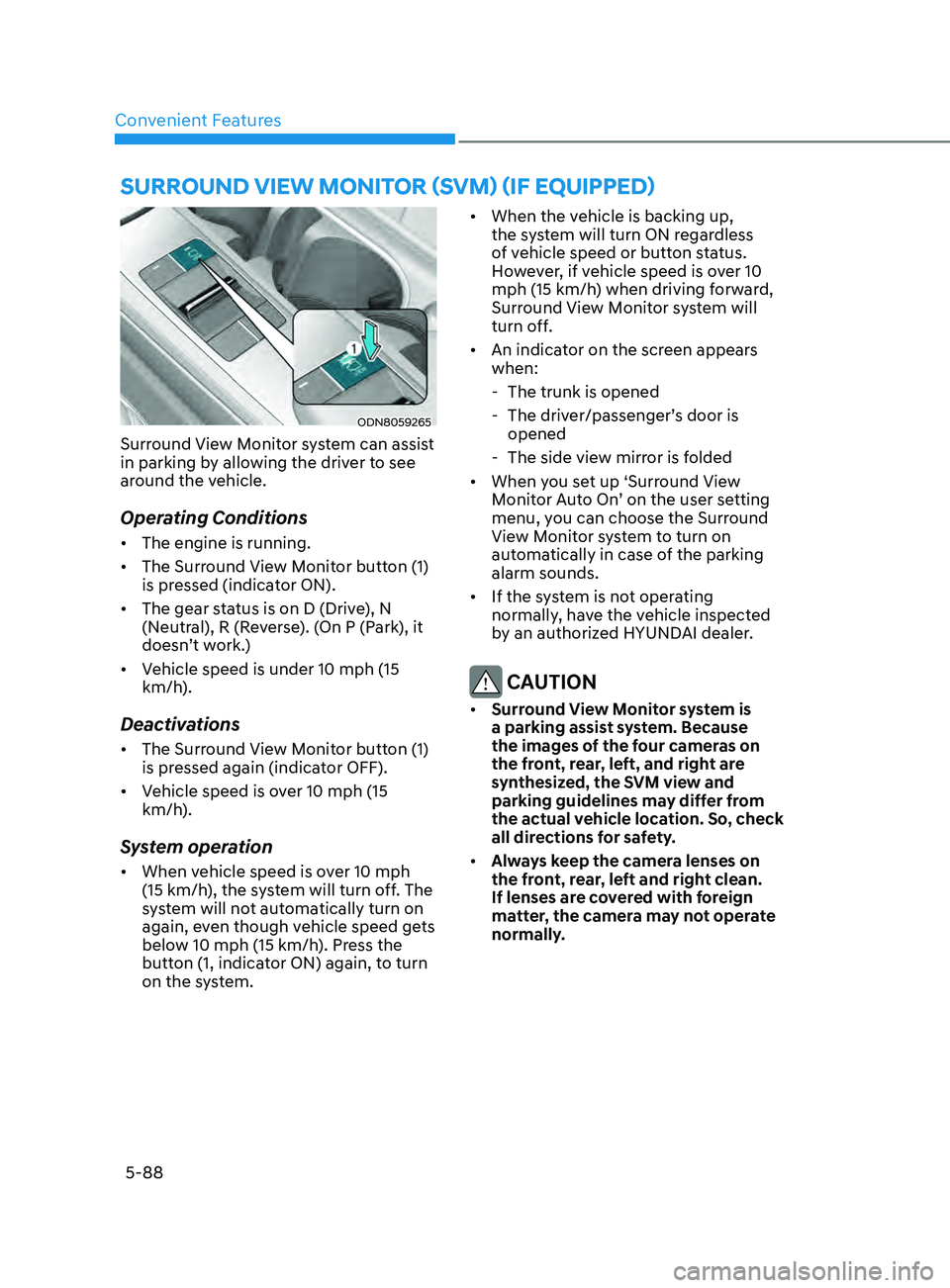
ODN8059265
Surround View Monitor system can assist
in parking by allowing the driver to see
around the vehicle.
Operating Conditions
• The engine is running.
• The Surround View Monitor button (1)
is pressed (indicator ON).
• The gear status is on D (Drive), N
(Neutral), R (Reverse). (On P (Park), it
doesn’t work.)
• Vehicle speed is under 10 mph (15
km/h).
Deactivations
• The Surround View Monitor button (1)
is pressed again (indicator OFF).
• Vehicle speed is over 10 mph (15
km/h).
System operation
• When vehicle speed is over 10 mph
(15 km/h), the system will turn off. The
system will not automatically turn on
again, even though vehicle speed gets
below 10 mph (15 km/h). Press the
button (1, indicator ON) again, to turn
on the system. •
When the vehicle is backing up,
the system will turn ON regardless
of vehicle speed or button status.
However, if vehicle speed is over 10
mph (15 km/h) when driving forward,
Surround View Monitor system will
turn off.
• An indicator on the screen appears
when:
- The trunk is opened
- The driv
er/passenger’s door is
opened
- The side vie
w mirror is folded
• When you set up ‘Surround View
Monitor Auto On’ on the user setting
menu, you can choose the Surround
View Monitor system to turn on
automatically in case of the parking
alarm sounds.
• If the system is not operating
normally, have the vehicle inspected
by an authorized HYUNDAI dealer.
CAUTION
• Surround View Monitor system is
a parking assist system. Because
the images of the four cameras on
the front, rear, left, and right are
synthesized, the SVM view and
parking guidelines may differ from
the actual vehicle location. So, check
all directions for safety.
• Always keep the camera lenses on
the front, rear, left and right clean.
If lenses are covered with foreign
matter, the camera may not operate
normally.
Page 223 of 546
05
5-93
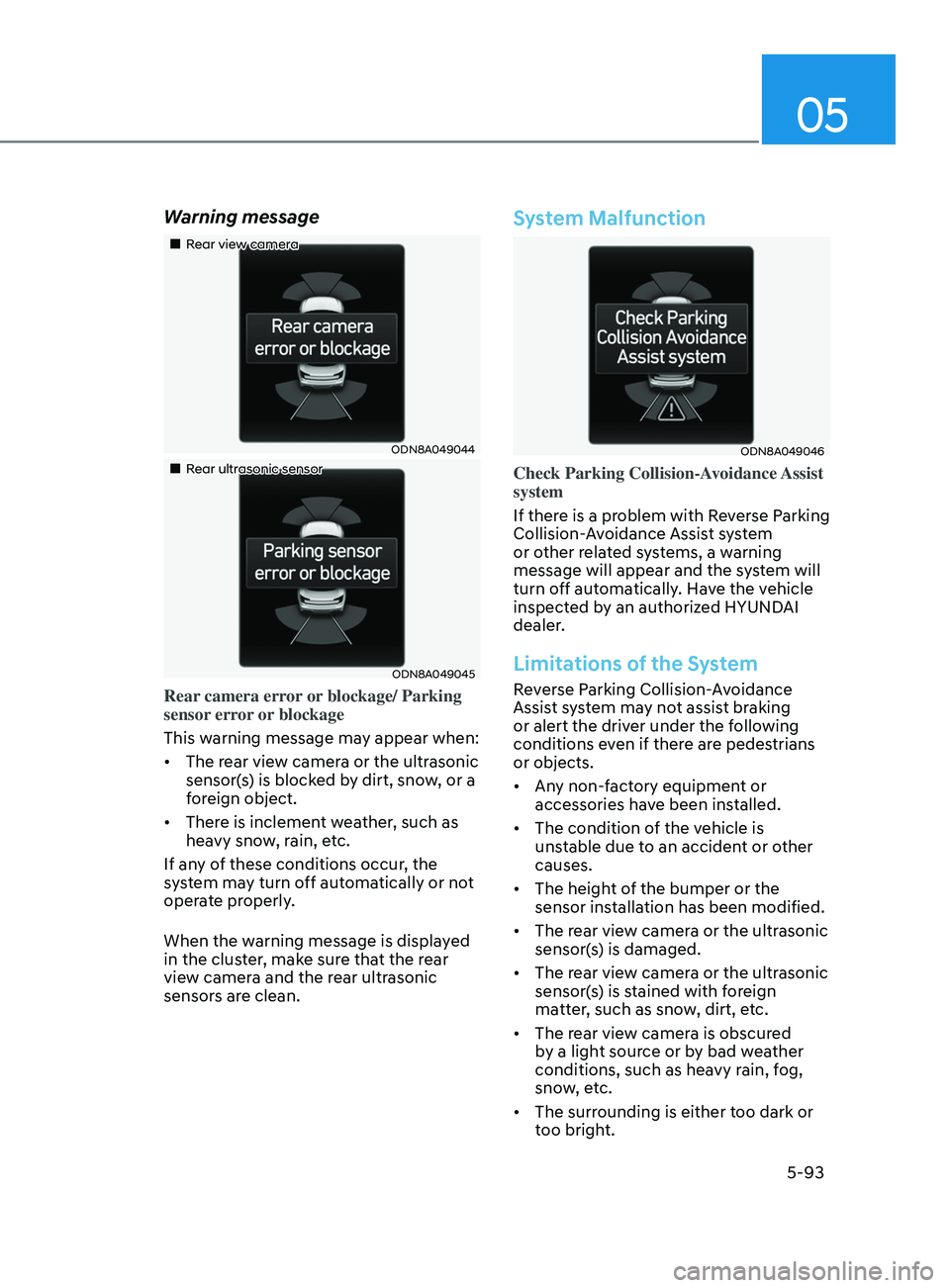
Warning message
„„Rear view camera
ODN8A049044
„„Rear ultrasonic sensor
ODN8A049045
Rear camera error or blockage/ Parking
sensor error or blockage
This warning message may appear when:
• The rear view camera or the ultrasonic
sensor(s) is blocked by dirt, snow, or a
foreign object.
• There is inclement weather, such as
heavy snow, rain, etc.
If any of these conditions occur, the
system may turn off automatically or not
operate properly.
When the warning message is displayed
in the cluster, make sure that the rear
view camera and the rear ultrasonic
sensors are clean.
System Malfunction
ODN8A049046
Check Parking Collision-Avoidance Assist
system
If there is a problem with Reverse Parking
Collision-Avoidance Assist system
or other related systems, a warning
message will appear and the system will
turn off automatically. Have the vehicle
inspected by an authorized HYUNDAI
dealer.
Limitations of the System
Reverse Parking Collision-Avoidance
Assist system may not assist braking
or alert the driver under the following
conditions even if there are pedestrians
or objects.
• Any non-factory equipment or
accessories have been installed.
• The condition of the vehicle is
unstable due to an accident or other
causes.
• The height of the bumper or the
sensor installation has been modified.
• The rear view camera or the ultrasonic
sensor(s) is damaged.
• The rear view camera or the ultrasonic
sensor(s) is stained with foreign
matter, such as snow, dirt, etc.
• The rear view camera is obscured
by a light source or by bad weather
conditions, such as heavy rain, fog,
snow, etc.
• The surrounding is either too dark or
too bright.
Page 234 of 546
Convenient Features5-104
remoT e S m A rT pA r K in G ASS i ST ( rS pA) ( if eQU ippe D)
Remote Smart Parking Assist system
helps drivers recognize surrounding
objects by using sensors to detect
parking spaces control the steering
wheel, shift the gear and adjust vehicle
speed automatically.
Remote moving forward and backward
function provides assistance for forward
and backward movement as well as
taking the vehicle out of the parking
space with driver outside the vehicle.
The driver should check the distance
between the parking space and the
objects in direct and be careful to
operate.
Due to the surrounding environment and
array or shape of the parked vehicles, the
vehicle may not be parked or exit at the
exact spot you have wished.
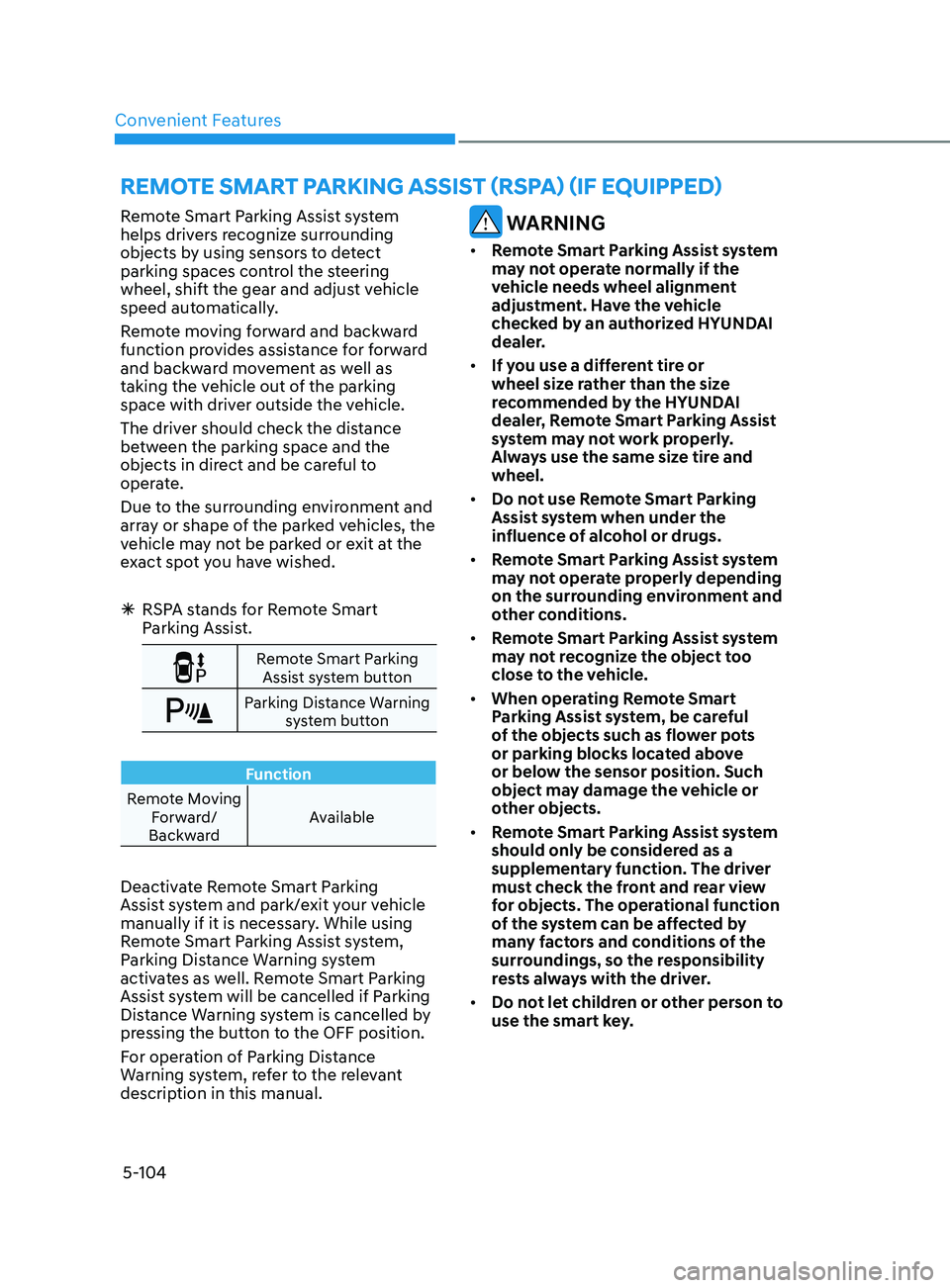
ÃRSP
A stands for Remote Smart
Parking Assist.
Remote Smart Parking
Assist system button
Parking Distance Warning system button
Function
Remote Moving Forward/
Backward Available
Deactivate Remote Smart Parking
Assist system and park/exit your vehicle
manually if it is necessary. While using
Remote Smart Parking Assist system,
Parking Distance Warning system
activates as well. Remote Smart Parking
Assist system will be cancelled if Parking
Distance Warning system is cancelled by
pressing the button to the OFF position.
For operation of Parking Distance
Warning system, refer to the relevant
description in this manual.
WARNING
•
Remote Smart Parking Assist system
may not operate normally if the
vehicle needs wheel alignment
adjustment. Have the vehicle
checked by an authorized HYUNDAI
dealer.
• If you use a different tire or
wheel size rather than the size
recommended by the HYUNDAI
dealer, Remote Smart Parking Assist
system may not work properly.
Always use the same size tire and
wheel.
• Do not use Remote Smart Parking
Assist system when under the
influence of alcohol or drugs.
• Remote Smart Parking Assist system
may not operate properly depending
on the surrounding environment and
other conditions.
• Remote Smart Parking Assist system
may not recognize the object too
close to the vehicle.
• When operating Remote Smart
Parking Assist system, be careful
of the objects such as flower pots
or parking blocks located above
or below the sensor position. Such
object may damage the vehicle or
other objects.
• Remote Smart Parking Assist system
should only be considered as a
supplementary function. The driver
must check the front and rear view
for objects. The operational function
of the system can be affected by
many factors and conditions of the
surroundings, so the responsibility
rests always with the driver.
• Do not let children or other person to
use the smart key.
Page 239 of 546
05
5-109
ODN8A059248
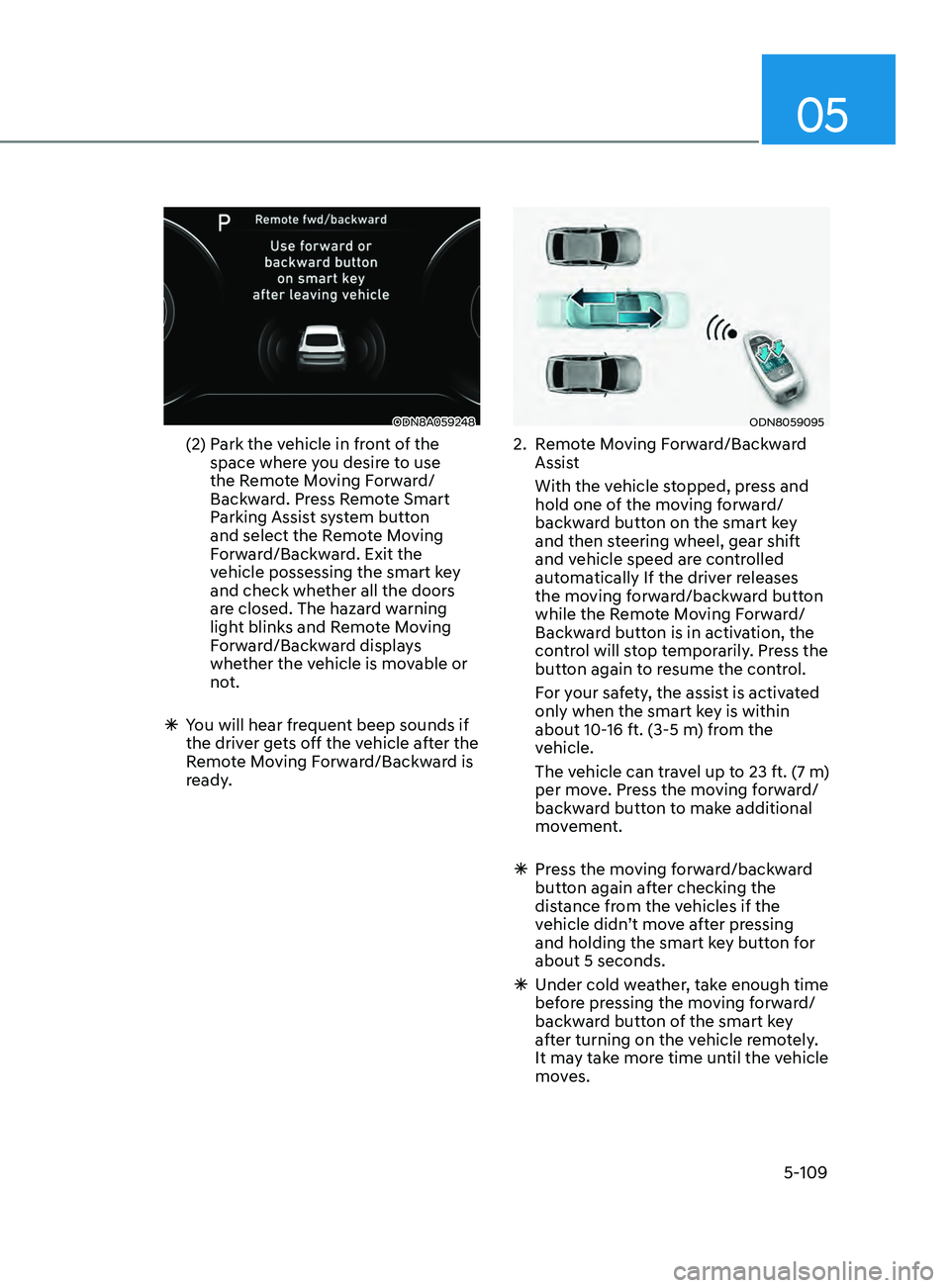
(2) Park the vehicle in front of the
space where you desire to use
the Remote Moving Forward/
Backward. Press Remote Smart
Parking Assist system button
and select the Remote Moving
Forward/Backward. Exit the
vehicle possessing the smart key
and check whether all the doors
are closed. The hazard warning
light blinks and Remote Moving
Forward/Backward displays
whether the vehicle is movable or
not.
ÃY
ou will hear frequent beep sounds if
the driver gets off the vehicle after the
Remote Moving Forward/Backward is
ready.
ODN8059095
2. Remote Moving Forward/Backward Assist
With the v
ehicle stopped, press and
hold one of the moving forward/
backward button on the smart key
and then steering wheel, gear shift
and vehicle speed are controlled
automatically If the driver releases
the moving forward/backward button
while the Remote Moving Forward/
Backward button is in activation, the
control will stop temporarily. Press the
button again to resume the control.
F
or your safety, the assist is activated
only when the smart key is within
about 10-16 ft. (3-5 m) from the
vehicle.
The v
ehicle can travel up to 23 ft. (7 m)
per move. Press the moving forward/
backward button to make additional
movement.
à Pr
ess the moving forward/backward
button again after checking the
distance from the vehicles if the
vehicle didn’t move after pressing
and holding the smart key button for
about 5 seconds.
à Under cold w
eather, take enough time
before pressing the moving forward/
backward button of the smart key
after turning on the vehicle remotely.
It may take more time until the vehicle
moves.
Page 240 of 546
Convenient Features
5-110
ÃWhen the R emote Moving Forward
is ready by the above No. (1)
method, the vehicle recognizes the
condition as exit. After confirming
the surroundings within 13 ft. (4 m), it
allows to operate the steering wheel
up to the conditions ahead.
à When R
emote Moving Forward is
ready by the above No. (2) method,
the vehicle recognizes the condition
as entering to the parking space.
According to the front condition, it
immediately allows the vehicle to
enter to the parking space and line
up with the steering wheel control.
However, the function performance
can be degraded up to the shape or
position of the surrounding objects.
à If y
ou select the remote moving
backward, both of the No. (1) and (2)
methods make the vehicle go straight
after lining up.
à While R
emote Moving Forward/
Backward assist is operating, the
brake light turns on.
ODN8A059249
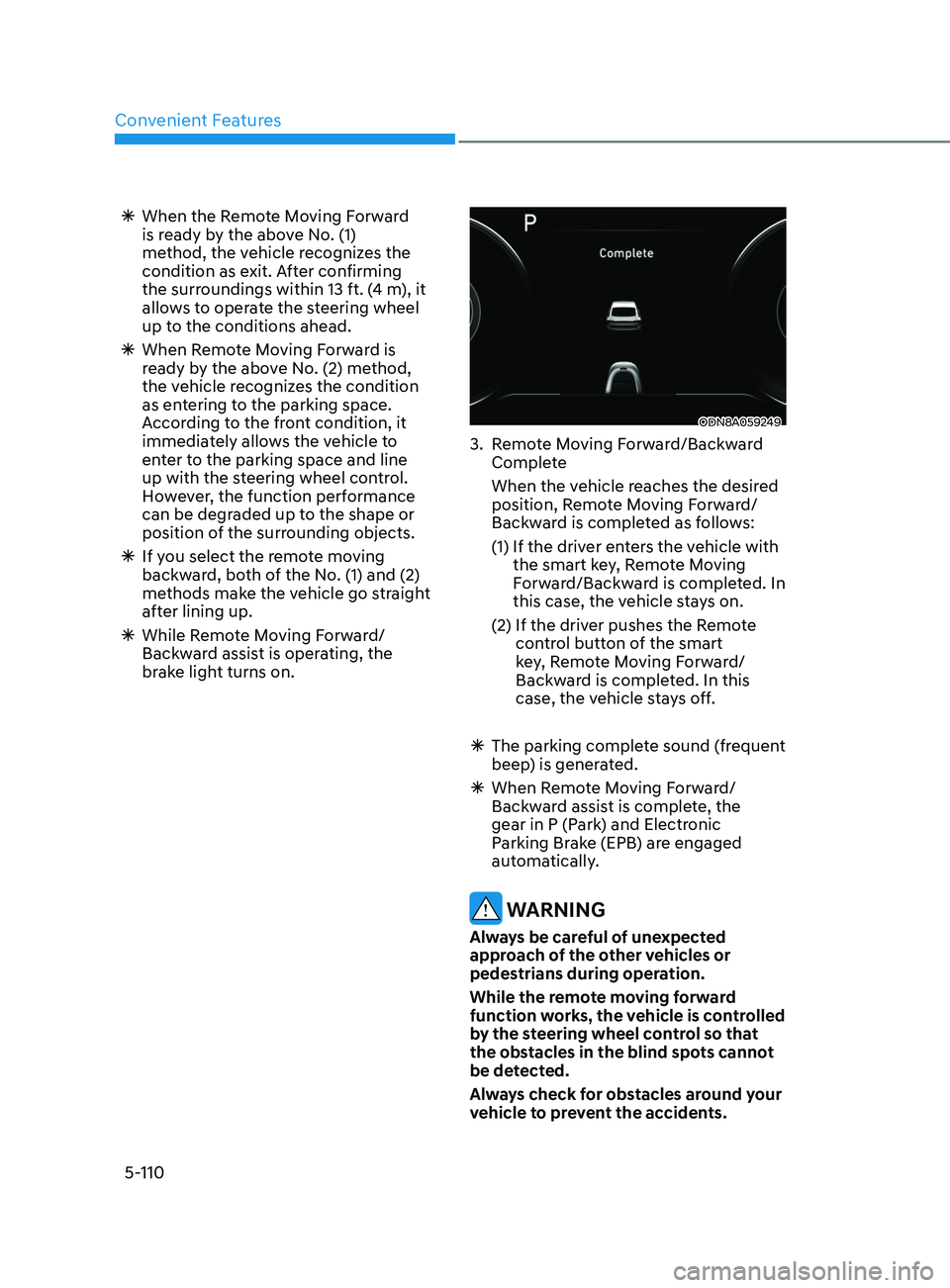
3. Remote Moving Forward/Backward Complete
When the v
ehicle reaches the desired
position, Remote Moving Forward/
Backward is completed as follows:
(1)
If the driv
er enters the vehicle with
the smart key, Remote Moving
Forward/Backward is completed. In
this case, the vehicle stays on.
(2)
If the driv
er pushes the Remote
control button of the smart
key, Remote Moving Forward/
Backward is completed. In this
case, the vehicle stays off.
à The parking comple
te sound (frequent
beep) is generated.
à When R
emote Moving Forward/
Backward assist is complete, the
gear in P (Park) and Electronic
Parking Brake (EPB) are engaged
automatically.
WARNING
Always be careful of unexpected
approach of the other vehicles or
pedestrians during operation.
While the remote moving forward
function works, the vehicle is controlled
by the steering wheel control so that
the obstacles in the blind spots cannot
be detected.
Always check for obstacles around your
vehicle to prevent the accidents.
Page 288 of 546
6-4
WARNING
Carbon monoxide (CO) gas is toxic. Breathing CO can cause unconsciousness and
death.
Engine exhaust contains carbon monoxide which cannot be seen or smelled.
Do not inhale engine exhaust.
If at any time you smell engine exhaust inside the vehicle, open the windows
immediately. Exposure to CO can cause unconsciousness and death by asphyxiation.
Be sure the exhaust system does not leak.
The exhaust system should be checked whenever the vehicle is raised to change the
oil or for any other purpose. If you hear a change in the sound of the exhaust or if you
drive over something that strikes the underneath side of the vehicle, have the exhaust
system checked as soon as possible by an authorized HYUNDAI dealer.
Do not run the engine in an enclosed area.
Letting the engine idle in your garage, even with the garage door open, is a hazardous
practice. Run the engine only long enough to start the engine and to move the vehicle
out of the garage.
Avoid idling the engine for prolonged periods with people inside the vehicle.
If it is necessary to idle the engine for a prolonged period with people inside the
vehicle, be sure to do so only in an open area with the air intake set at "Fresh" and fan
control set to high so fresh air is drawn into the interior.
Keep the air intakes clear.
To assure proper operation of the ventilation system, keep the ventilation air intakes
located in front of the windshield clear of snow, ice, leaves, or other obstructions.
If you must drive with the trunk open:
Close all windows.
Open instrument panel air vents.
Set the air intake control at "Fresh", the air flow control at "Floor" or "Face", and the fan
control set to high.
WARNING
CALIFORNIA PROPOSITION 65 WARNING
Engine exhaust and a wide variety of automobile components including
components found in the interior furnishings in a vehicle, contain or emit harmful
chemicals known to the State of California to cause cancer and birth defects and
reproductive harm. In addition, certain fluids contained in vehicles and certain
products of components contain or emit chemicals known to the State of California
to cause cancer and birth defects or other reproductive harm.
While Driving
Page 294 of 546
6-10
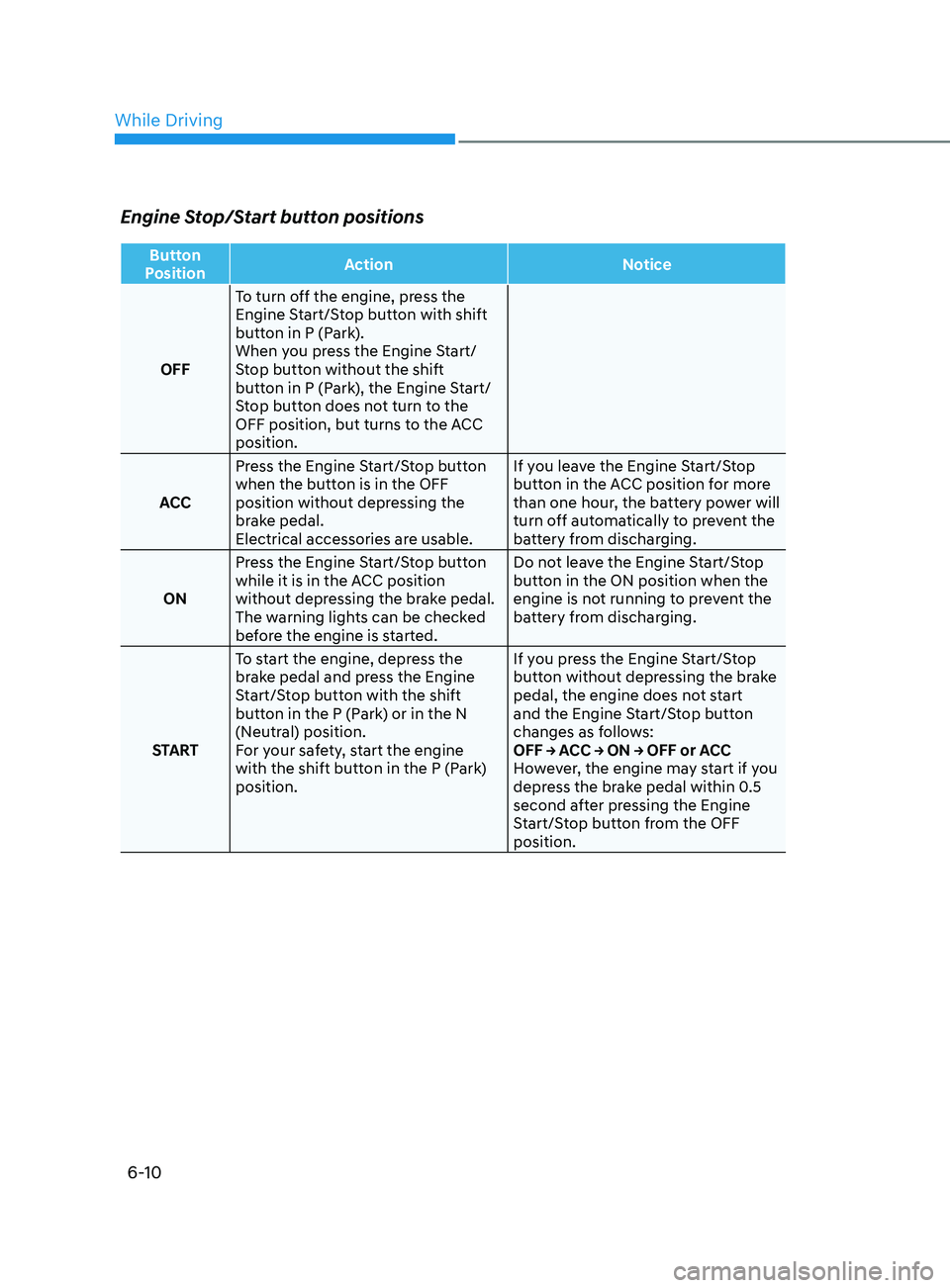
Engine Stop/Start button positions
Button
Position Action
Notice
OFF To turn off the engine, press the
Engine Start/Stop button with shift
button in P (Park).
When you press the Engine Start/
Stop button without the shift
button in P (Park), the Engine Start/
Stop button does not turn to the
OFF position, but turns to the ACC
position.
ACC Press the Engine Start/Stop button
when the button is in the OFF
position without depressing the
brake pedal.
Electrical accessories are usable. If you leave the Engine Start/Stop
button in the ACC position for more
than one hour, the battery power will
turn off automatically to prevent the
battery from discharging.
ON Press the Engine Start/Stop button
while it is in the ACC position
without depressing the brake pedal.
The warning lights can be checked
before the engine is started. Do not leave the Engine Start/Stop
button in the ON position when the
engine is not running to prevent the
battery from discharging.
START To start the engine, depress the
brake pedal and press the Engine
Start/Stop button with the shift
button in the P (Park) or in the N
(Neutral) position.
For your safety, start the engine
with the shift button in the P (Park)
position. If you press the Engine Start/Stop
button without depressing the brake
pedal, the engine does not start
and the Engine Start/Stop button
changes as follows:
OFF → ACC → ON → OFF or ACC
However, the engine may start if you
depress the brake pedal within 0.5
second after pressing the Engine
Start/Stop button from the OFF
position.
While Driving
Page 298 of 546
6-14
Transmission ranges
The indicator in the instrument cluster
displays the gear position when the
ignition switch is in the ON position.
WARNING
To reduce the risk of serious injury or
death:
• ALWAYS check the surrounding
areas near your vehicle for people,
especially children, before shifting a
vehicle into D (Drive) or R (Reverse).
• Before leaving the driver’s seat,
always make sure the gear is in
the P (Park) position, then set
the parking brake, and place the
ignition switch in the LOCK/OFF
position. Unexpected and sudden
vehicle movement can occur if these
precautions are not followed.
• If equipped, do not use the engine
brake (shifting from a high gear to
lower gear using the paddle shifters)
rapidly on slippery roads.
P (Park)
Always come to a complete stop before
shifting into P (Park).
To shift from P (Park), you must depress
firmly on the brake pedal and make sure
your foot is off the accelerator pedal.
The gear must be in P (Park) before
turning the engine off.
WARNING
• Shifting into P (Park) while the
vehicle is in motion may cause you to
lose control of the vehicle.
• After the vehicle has stopped, always
make sure the gear is in P (Park),
apply the parking brake, and turn
the engine off.
• Do not use the P (Park) position in
place of the parking brake.
R (Reverse)
Use this position to drive the vehicle
backward.
NOTICE
Always come to a complete stop before
shifting into or out of R (Reverse); you
may damage the transmission if you
shift into R (Reverse) while the vehicle is
in motion.
When the vehicle is stopped in
R (Reverse) position, if you open
the driver's door with the seat belt
unfastened, the gear is shifted to P (Park)
position automatically.
However when the vehicle moves
in R (Reverse) position, if you open
the driver's door with the seat belt
unfastened, the gear may be not shifted
to P (Park) position automatically for
protecting the automatic transmission.
N (Neutral)
The wheels and transmission are not
engaged.
Use N (Neutral) if you need to restart a
stalled engine, or if it is necessary to stop
with the engine ON. Shift into P (Park)
if you need to leave your vehicle for any
reason.
Always depress the brake pedal when
you are shifting from N (Neutral) to
another gear.
WARNING
Do not shift into gear unless your foot is
firmly on the brake pedal. Shifting into
gear when the engine is running at high
speed can cause the vehicle to move
very rapidly. You could lose control of
the vehicle and hit people or objects.
While Driving
Page 307 of 546
06
6-23
Information
• A clicking sound may be heard while
operating or releasing the EPB. These
conditions are normal and indicate that
the EPB is functioning properly.
• When leaving your keys with a parking
attendant or assistant, make sure to
inform him/her how to operate the
EPB.
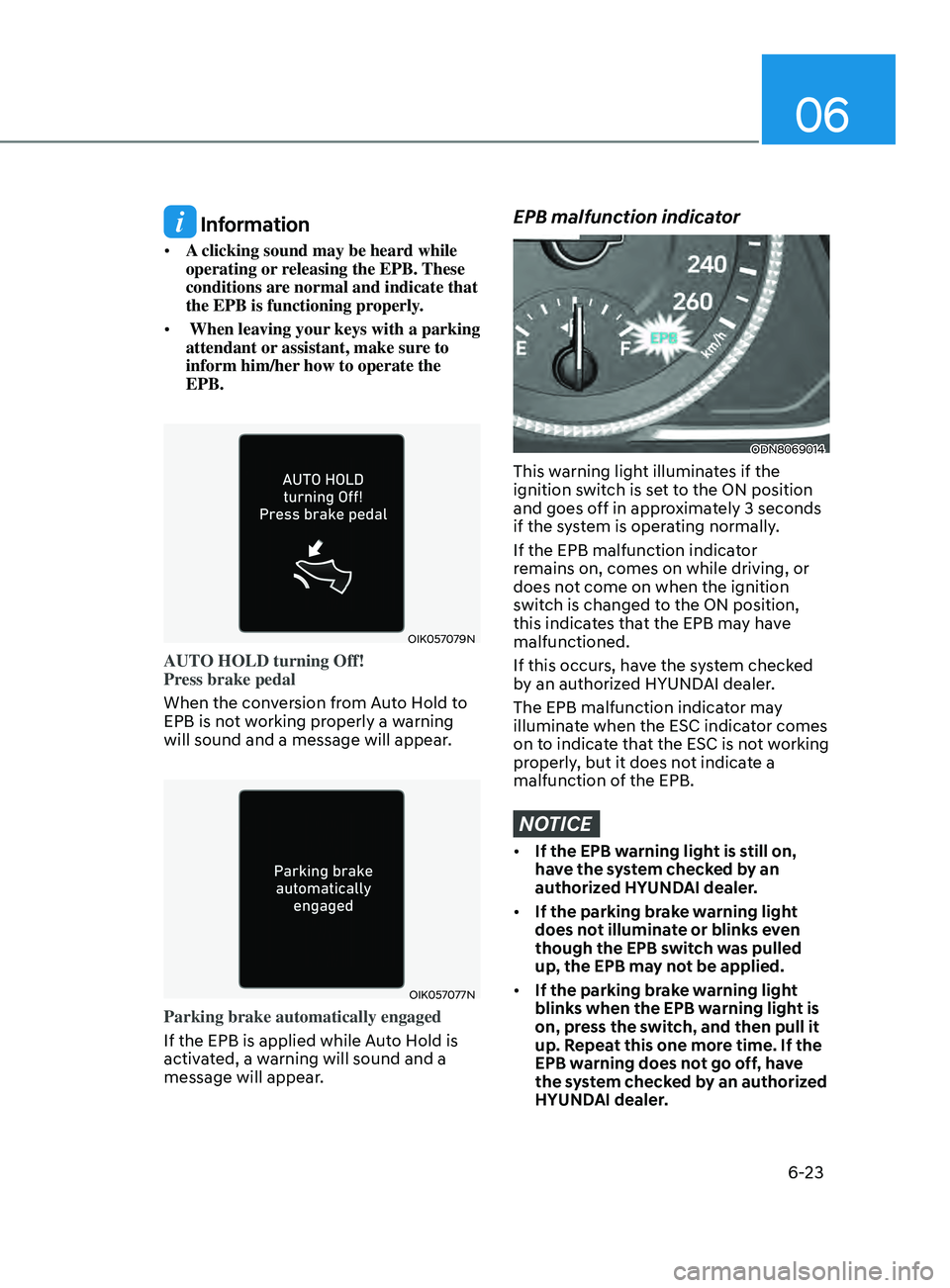
OIK057079N
AUTO HOLD turning Off!
Press brake pedal
When the conversion from Auto Hold to
EPB is not working properly a warning
will sound and a message will appear.
OIK057077N
Parking brake automatically engaged
If the EPB is applied while Auto Hold is
activated, a warning will sound and a
message will appear.
EPB malfunction indicator
ODN8069014
This warning light illuminates if the
ignition switch is set to the ON position
and goes off in approximately 3 seconds
if the system is operating normally.
If the EPB malfunction indicator
remains on, comes on while driving, or
does not come on when the ignition
switch is changed to the ON position,
this indicates that the EPB may have
malfunctioned.
If this occurs, have the system checked
by an authorized HYUNDAI dealer.
The EPB malfunction indicator may
illuminate when the ESC indicator comes
on to indicate that the ESC is not working
properly, but it does not indicate a
malfunction of the EPB.
NOTICE
• If the EPB warning light is still on,
have the system checked by an
authorized HYUNDAI dealer.
• If the parking brake warning light
does not illuminate or blinks even
though the EPB switch was pulled
up, the EPB may not be applied.
• If the parking brake warning light
blinks when the EPB warning light is
on, press the switch, and then pull it
up. Repeat this one more time. If the
EPB warning does not go off, have
the system checked by an authorized
HYUNDAI dealer.