light system HYUNDAI SONATA 2021 Repair Manual
[x] Cancel search | Manufacturer: HYUNDAI, Model Year: 2021, Model line: SONATA, Model: HYUNDAI SONATA 2021Pages: 546, PDF Size: 51.21 MB
Page 287 of 546
Highway Driving Assist (HDA) ...................................................................6- 122System Setting and Operation ........................................................................\
.....6- 123
Warning Message ........................................................................\
.......................... 6-125
Rear Cross-Traffic Collision Warning (RCCW) /
Rear Cross-Traffic Collision-Avoidance Assist (RCCA)
...........................6-128
System Description ........................................................................\
....................... 6- 128
System Setting and Activation ........................................................................\
..... 6-129
Warning and System Control
........................................................................\
........ 6-131
Detecting Sensors
........................................................................\
.........................6-134
Limitations of the System
........................................................................\
............. 6-135
Special Driving Conditions ........................................................................\
6- 140Hazardous Driving Conditions ........................................................................\
....6- 140
Rocking the Vehicle ........................................................................\
..................... 6-140
Smooth Cornering
........................................................................\
......................... 6-141
Driving at Night
........................................................................\
............................. 6-141
Driving in the Rain
........................................................................\
......................... 6-141
Driving in Flooded Areas
........................................................................\
............... 6-142
Highway Driving
........................................................................\
............................ 6-142
Winter Driving ........................................................................\
....................6- 143Snow or Icy Conditions ........................................................................\
.................6-143
Win ter Precautions ........................................................................\
....................... 6-144
Vehicle load limit........................................................................\
................ 6-146
Tire Loading Information Label ........................................................................\
...6- 146
Trailer Towing ........................................................................\
......................6- 151
Lane Keeping Assist (LKA) ........................................................................\
..6-59LKA Operation ........................................................................\
................................ 6-61
LKA System Function Change ........................................................................\
....... 6-61
Warning Light and Message ........................................................................\
.......... 6-64
Limitations of the System ........................................................................\
.............. 6-65
Blind-Spot Collision Warning (BCW) /
Blind-Spot Collision-Avoidance Assist (BCA) ............................................6-67
System Description ........................................................................\
........................ 6-67
System Setting and Activation ........................................................................\
...... 6-68
Warning and System Control ........................................................................\
......... 6-70
Detecting Sensors
(Front view camera and Rear corner radar).......................................................... 6-72
Limitations of the System ........................................................................\
.............. 6-75
Declaration of Conformity ........................................................................\
...6-79The radio frequency components (Rear Corner Radar) complies: ..................... 6-79
Safe Exit Assist (SEA) ........................................................................\
.........6-80Function settings ........................................................................\
............................ 6-81
Function operation ........................................................................\
......................... 6-82
Function malfunction and limitations ................................................................... 6-84
Driver Attention Warning (DAW) ................................................................ 6-86System Setting and Operation ........................................................................\
...... 6-86
Resetting the System ........................................................................\
..................... 6-88
System Standby ........................................................................\
.............................. 6-89
System Malfunction ........................................................................\
....................... 6-89
Leading Vehicle Departure Alert ........................................................................\
... 6-91
Blind-Spot View Monitor (BVM) ................................................................. 6-94
Smart cruise control (SCC) ........................................................................\
. 6-95
Smart Cruise Control Switch ........................................................................\
......... 6-96
To Convert to Cruise Control Mode ...................................................................... 6-96
Smart Cruise Control Speed ........................................................................\
.......... 6-97
Smart Cruise Control Vehicle-to-Vehicle Distance ............................................ 6-103
Limitations of the System ........................................................................\
............ 6-108
Navigation-Based Smart Cruise Control ..................................................6-112System Setting and Operation ........................................................................\
..... 6-113
Lane Following Assist (LFA) ....................................................................... 6-116LFA Operation ........................................................................\
................................ 6-118
Warning Message ........................................................................\
.......................... 6-118
Limitations of the System ........................................................................\
............ 6-120
6
6. While Driving
Page 290 of 546
6-6
Key Ignition Switch (if equipped)
WARNING
To reduce the risk of SERIOUS INJURY or
DEATH, take the following precautions:
• NEVER allow children or any person
who is unfamiliar with the vehicle to
touch the ignition switch or related
parts. Unexpected and sudden
vehicle movement can occur.
• NEVER reach through the steering
wheel for the ignition switch, or any
other control, while the vehicle is in
motion. The presence of your hand
or arm in this area may cause a loss
of vehicle control resulting in an
accident.
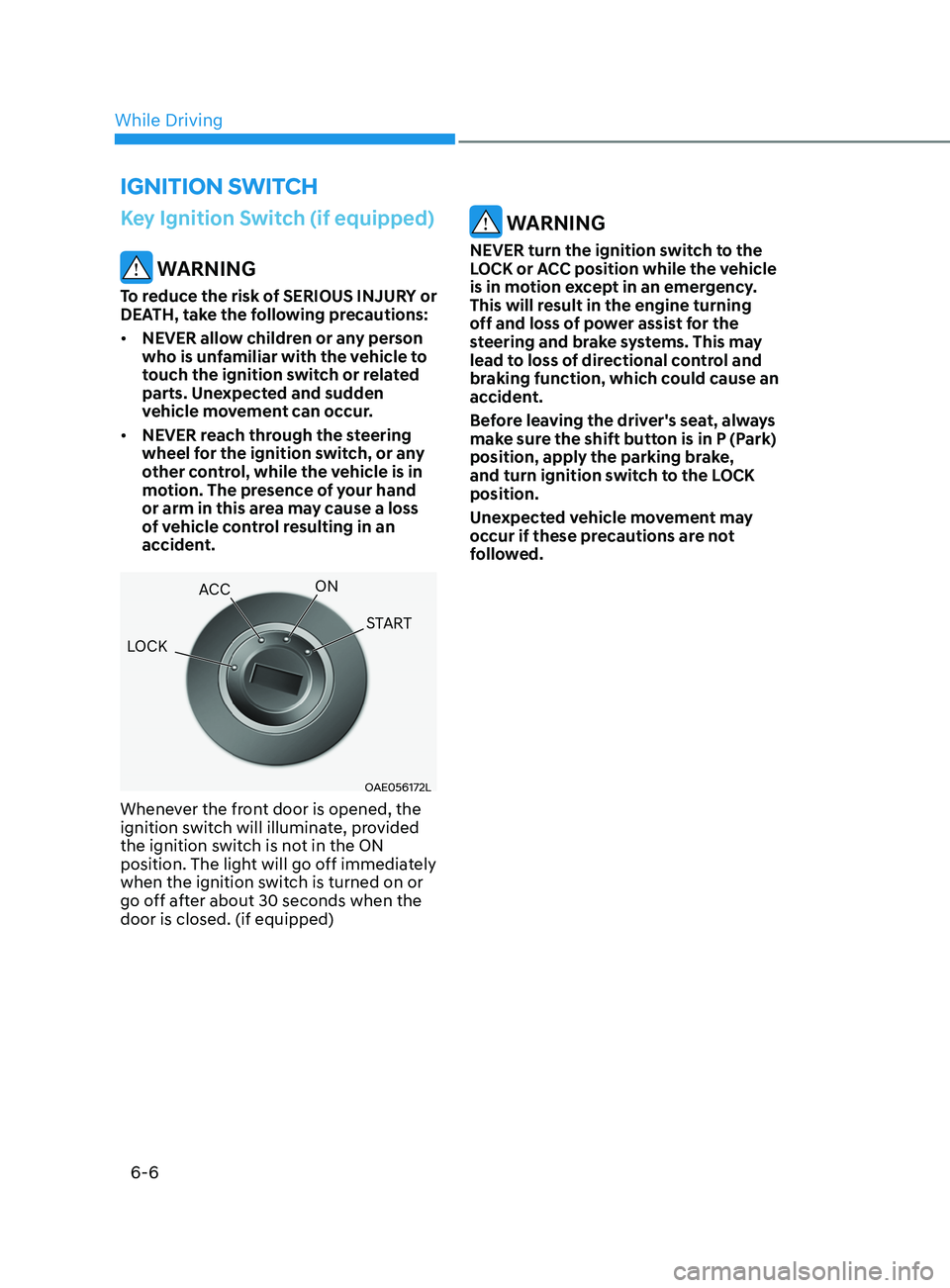
OAE056172L
Whenever the front door is opened, the
ignition switch will illuminate, provided
the ignition switch is not in the ON
position. The light will go off immediately
when the ignition switch is turned on or
go off after about 30 seconds when the
door is closed. (if equipped)
WARNING
NEVER turn the ignition switch to the
LOCK or ACC position while the vehicle
is in motion except in an emergency.
This will result in the engine turning
off and loss of power assist for the
steering and brake systems. This may
lead to loss of directional control and
braking function, which could cause an
accident.
Before leaving the driver's seat, always
make sure the shift button is in P (Park)
position, apply the parking brake,
and turn ignition switch to the LOCK
position.
Unexpected vehicle movement may
occur if these precautions are not
followed.
ignition Switch
LOCK ACC
ON
START
While Driving
Page 304 of 546
6-20
BrAke SySteM
Power Brakes
Your vehicle has power-assisted brakes
that adjust automatically through normal
usage.
If the engine is not running or is turned
off while driving, the power assist for
the brakes will not work. You can still
stop your vehicle by applying greater
force to the brake pedal than typical.
The stopping distance, however, will be
longer than with power brakes.
When the engine is not running, the
reserve brake power is partially depleted
each time the brake pedal is applied.
Do not pump the brake pedal when the
power assist has been interrupted.
Only pump the brakes on slippery
surfaces if the power assist has been
interrupted to maintain steering control.
Do not pump the brakes on slippery
surfaces if the brakes are operating
normally.
WARNING
Take the following precautions:
• Do not drive with your foot resting
on the brake pedal. This will create
abnormal high brake temperatures,
excessive brake lining and pad wear,
and increased stopping distances.
• When descending down a long or
steep hill, move the gear shift button
to Manual Shift Mode and manually
downshift to a lower gear in order
to control your speed without using
the brake pedal excessively. Applying
the brakes continuously will cause
the brakes to overheat and could
result in a temporary loss of braking
performance.
• Wet brakes may impair the vehicle's
ability to safely slow down; the
vehicle may also pull to one side
when the brakes are applied.
Applying the brakes lightly will
indicate whether they have been
affected in this way. Always test your
brakes in this fashion after driving
through deep water. To dry the
brakes, lightly tap the brake pedal to
heat up the brakes while maintaining
a safe forward speed until brake
performance returns to normal.
Avoid driving at high speeds until the
brakes function correctly.
Disc Brakes Wear Indicator
When your brake pads are worn and new
pads are required, you will hear a high
pitched warning sound from your front
or rear brakes. You may hear this sound
come and go or it may occur whenever
you depress the brake pedal.
Note that some driving conditions or
climates may cause a brake squeal
when you first apply (or lightly apply)
the brakes. This is normal and does not
indicate a problem with your brakes.
NOTICE
To avoid costly brake repairs, do not
continue to drive with worn brake pads.
Information
Always replace brake pads as complete
front or rear axle sets.
While Driving
Page 305 of 546
06
6-21
Electronic Parking Brake (EPB)
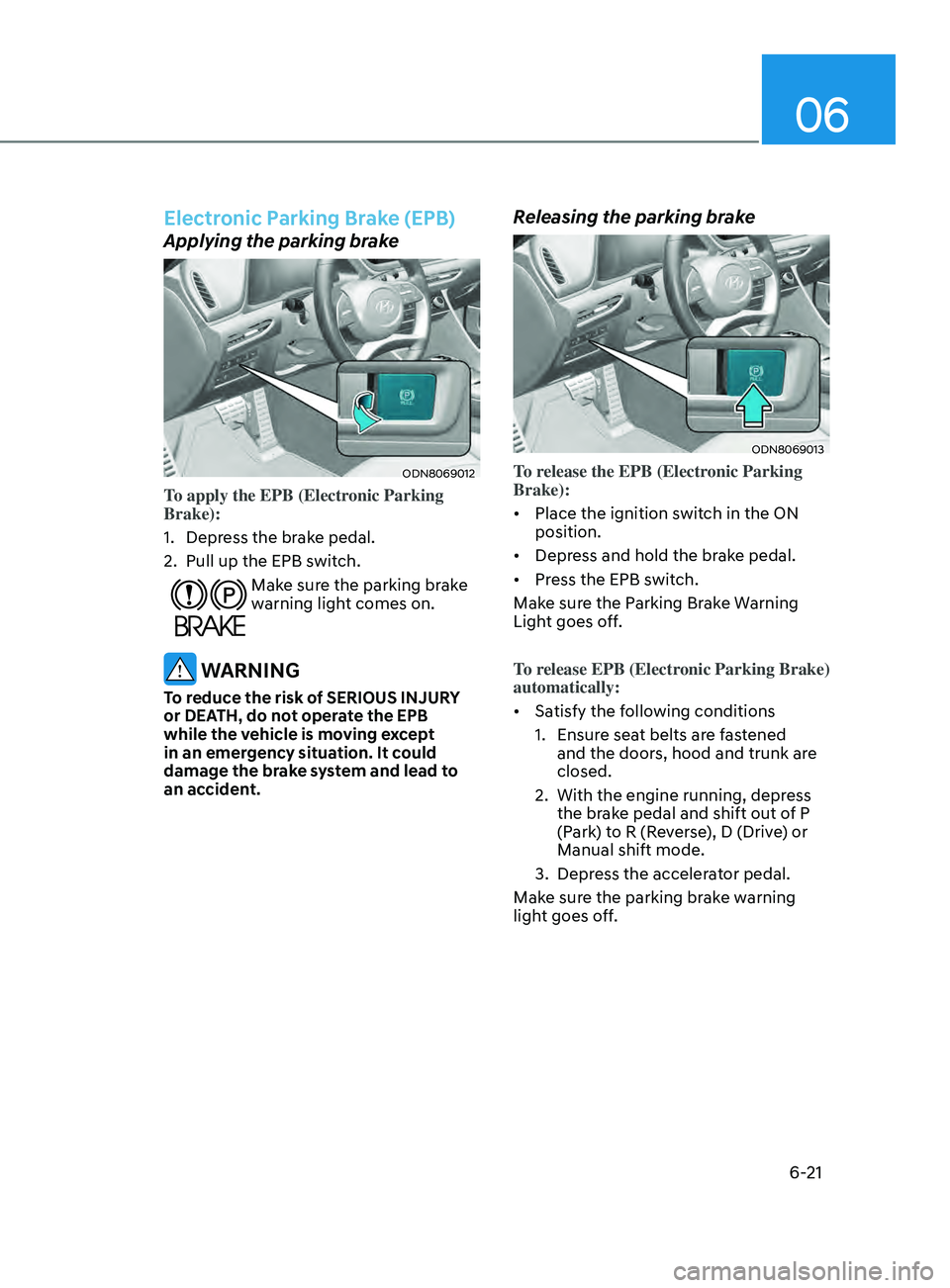
Applying the parking brake
ODN8069012
To apply the EPB (Electronic Parking
Brake):
1.
Depr
ess the brake pedal.
2.
Pull up the EPB s
witch.
Make sure the parking brake
warning light comes on.
WARNING
To reduce the risk of SERIOUS INJURY
or DEATH, do not operate the EPB
while the vehicle is moving except
in an emergency situation. It could
damage the brake system and lead to
an accident.
Releasing the parking brake
ODN8069013
To release the EPB (Electronic Parking
Brake):
• Place the ignition switch in the ON
position.
• Depress and hold the brake pedal.
• Press the EPB switch.
Make sure the Parking Brake Warning
Light goes off.
To release EPB (Electronic Parking Brake)
automatically:
• Satisfy the following conditions
1.
E
nsure seat belts are fastened
and the doors, hood and trunk are
closed.
2.
With the engine running, depr
ess
the brake pedal and shift out of P
(Park) to R (Reverse), D (Drive) or
Manual shift mode.
3.
Depr
ess the accelerator pedal.
Make sure the parking brake warning
light goes off.
Page 306 of 546
6-22
EPB (Electronic Parking Brake) may be
automatically applied when:
• Requested by other systems
• The driver turns the engine off while
Auto Hold is operating.
• The vehicle is parked on the slope and
the Engine Start/Stop button is in the
OFF position.
• The Engine is turned off when the
driver tries to park but the vehicle still
moves a bit.
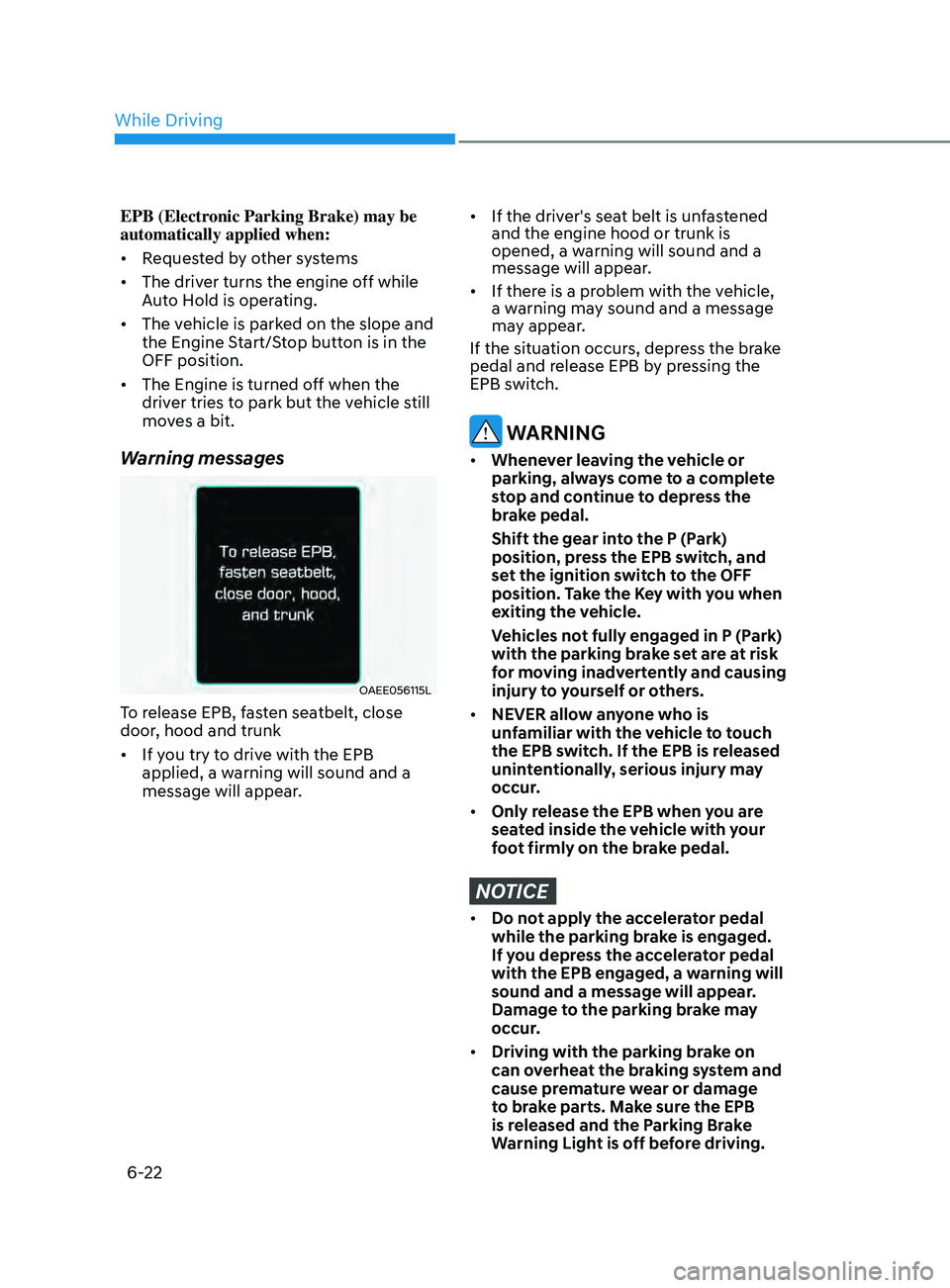
Warning messages
OAEE056115L
To release EPB, fasten seatbelt, close
door, hood and trunk
• If you try to drive with the EPB
applied, a warning will sound and a
message will appear.
• If the driver's seat belt is unfastened
and the engine hood or trunk is
opened, a warning will sound and a
message will appear.
• If there is a problem with the vehicle,
a warning may sound and a message
may appear.
If the situation occurs, depress the brake
pedal and release EPB by pressing the
EPB switch.
WARNING
• Whenever leaving the vehicle or
parking, always come to a complete
stop and continue to depress the
brake pedal.
Shift the gear in
to the P (Park)
position, press the EPB switch, and
set the ignition switch to the OFF
position. Take the Key with you when
exiting the vehicle.
V
ehicles not fully engaged in P (Park)
with the parking brake set are at risk
for moving inadvertently and causing
injury to yourself or others.
• NEVER allow anyone who is
unfamiliar with the vehicle to touch
the EPB switch. If the EPB is released
unintentionally, serious injury may
occur.
• Only release the EPB when you are
seated inside the vehicle with your
foot firmly on the brake pedal.
NOTICE
• Do not apply the accelerator pedal
while the parking brake is engaged.
If you depress the accelerator pedal
with the EPB engaged, a warning will
sound and a message will appear.
Damage to the parking brake may
occur.
• Driving with the parking brake on
can overheat the braking system and
cause premature wear or damage
to brake parts. Make sure the EPB
is released and the Parking Brake
Warning Light is off before driving.
While Driving
Page 307 of 546
06
6-23
Information
• A clicking sound may be heard while
operating or releasing the EPB. These
conditions are normal and indicate that
the EPB is functioning properly.
• When leaving your keys with a parking
attendant or assistant, make sure to
inform him/her how to operate the
EPB.
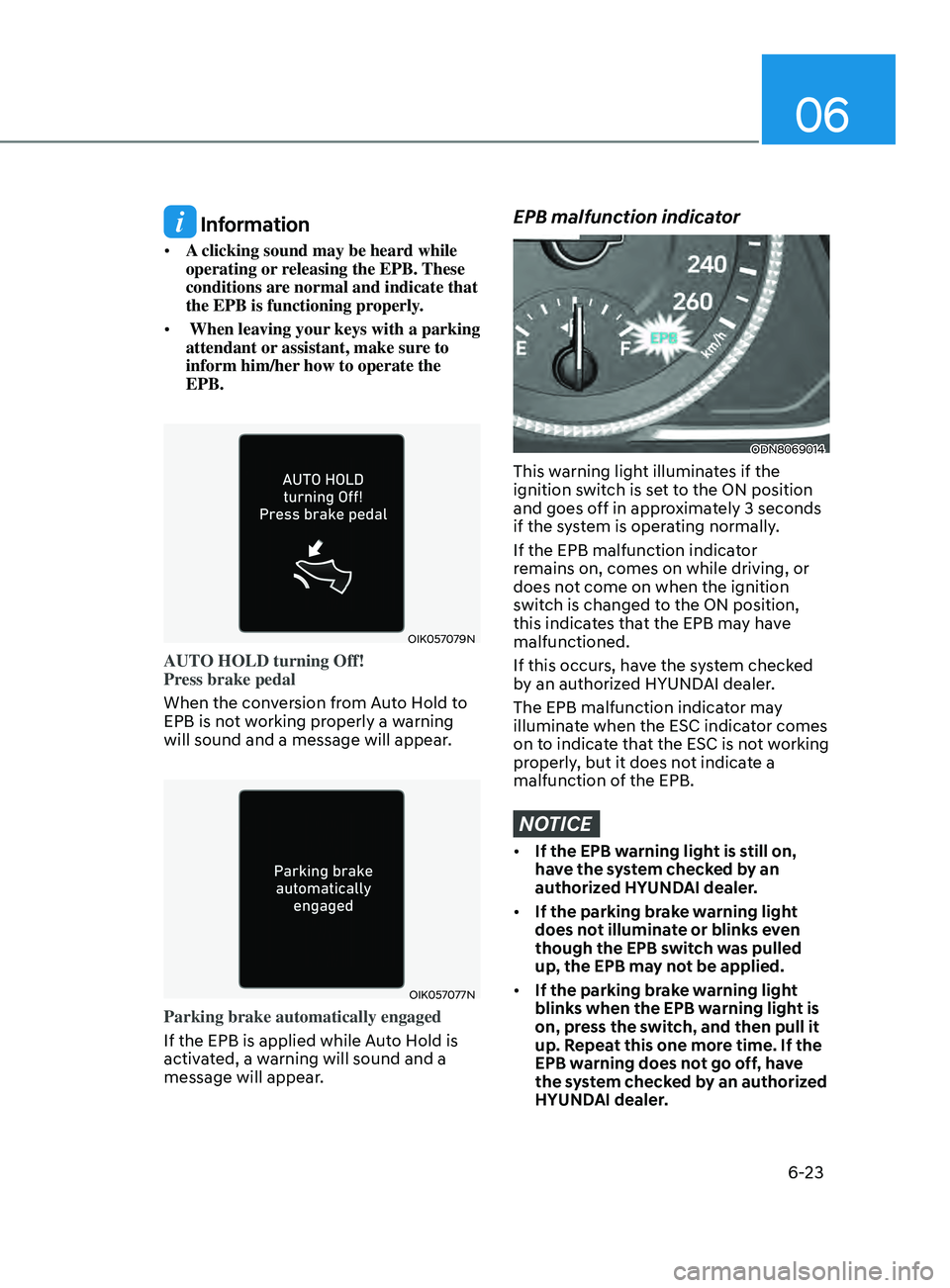
OIK057079N
AUTO HOLD turning Off!
Press brake pedal
When the conversion from Auto Hold to
EPB is not working properly a warning
will sound and a message will appear.
OIK057077N
Parking brake automatically engaged
If the EPB is applied while Auto Hold is
activated, a warning will sound and a
message will appear.
EPB malfunction indicator
ODN8069014
This warning light illuminates if the
ignition switch is set to the ON position
and goes off in approximately 3 seconds
if the system is operating normally.
If the EPB malfunction indicator
remains on, comes on while driving, or
does not come on when the ignition
switch is changed to the ON position,
this indicates that the EPB may have
malfunctioned.
If this occurs, have the system checked
by an authorized HYUNDAI dealer.
The EPB malfunction indicator may
illuminate when the ESC indicator comes
on to indicate that the ESC is not working
properly, but it does not indicate a
malfunction of the EPB.
NOTICE
• If the EPB warning light is still on,
have the system checked by an
authorized HYUNDAI dealer.
• If the parking brake warning light
does not illuminate or blinks even
though the EPB switch was pulled
up, the EPB may not be applied.
• If the parking brake warning light
blinks when the EPB warning light is
on, press the switch, and then pull it
up. Repeat this one more time. If the
EPB warning does not go off, have
the system checked by an authorized
HYUNDAI dealer.
Page 308 of 546
6-24
Parking brake warning light
Check the parking brake
warning light by placing the
ignition switch to the ON
position (do not start the
engine).
This light will be illuminated when the
parking brake is applied with the ignition
switch in the START or ON position.
If the parking brake warning light
remains on after the parking brake
is released while engine is running,
there may be a malfunction in the
brake system. Immediate attention is
necessary.
If at all possible, cease driving the vehicle
immediately. If that is not possible,
use extreme caution while operating
the vehicle and only continue to drive
the vehicle until you can reach a safe
location.
Emergency braking
If there is a problem with the brake
pedal while driving, emergency braking
is possible by pulling up and holding
the EPB switch. Braking is possible only
while you are holding the EPB switch.
However, braking distance will be longer
than normal.
WARNING
Do not operate the parking brake while
the vehicle is moving except in an
emergency situation. It could damage
the brake system and lead to a severe
accident.
Information
During emergency braking, the parking
brake warning light will illuminate to
indicate that the system is operating.
NOTICE
If you continuously notice a noise or
burning smell when the EPB is used
for emergency braking, have system
checked by an authorized HYUNDAI
dealer.
When the EPB (Electronic Parking Brake)
does not release
If the EPB does not release normally,
contact an authorized HYUNDAI dealer
by loading the vehicle on a flatbed tow
truck and have the system checked.
Auto Hold
The Auto Hold maintains the vehicle in a
standstill even though the brake pedal is
not depressed after the driver brings the
vehicle to a complete stop by depressing
the brake pedal.
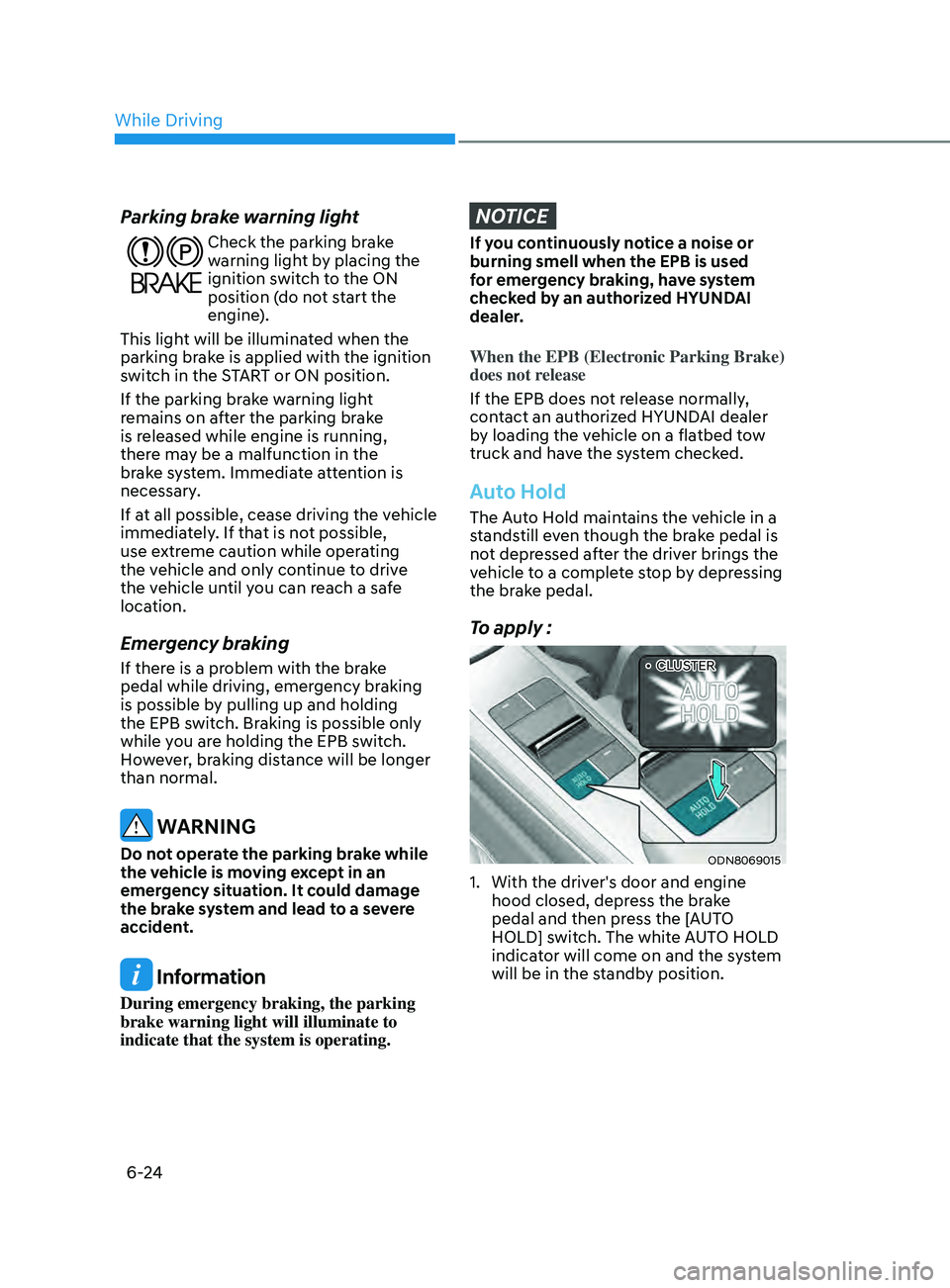
To apply :
ODN8069015
1. With the driv er's door and engine
hood closed, depress the brake
pedal and then press the [AUTO
HOLD] switch. The white AUTO HOLD
indicator will come on and the system
will be in the standby position.
••CLUSTER
While Driving
Page 310 of 546
6-26
In these cases, the parking brake
warning light comes on, the AUTO
HOLD indicator changes from green
to white, and a warning sound and a
message will appear to inform you that
EPB has been automatically engaged.
Before driving off again, press foot
brake pedal, check the surrounding
area near your vehicle and release
parking brake manually with the EPB
switch.
• While operating Auto Hold, you may
hear mechanical noise. However, it is
normal operating noise.
NOTICE
If the AUTO HOLD indicator changes
to yellow, the Auto Hold is not working
properly. Contact an authorized
HYUNDAI dealer.
WARNING
• Depress the accelerator pedal slowly
when you start the vehicle.
• For your safety, cancel the Auto Hold
when you drive downhill, back up the
vehicle or park the vehicle.
NOTICE
If there is a malfunction with the
driver's door or engine hood open
detection system, the Auto Hold may
not work properly.
Contact an authorized HYUNDAI dealer.
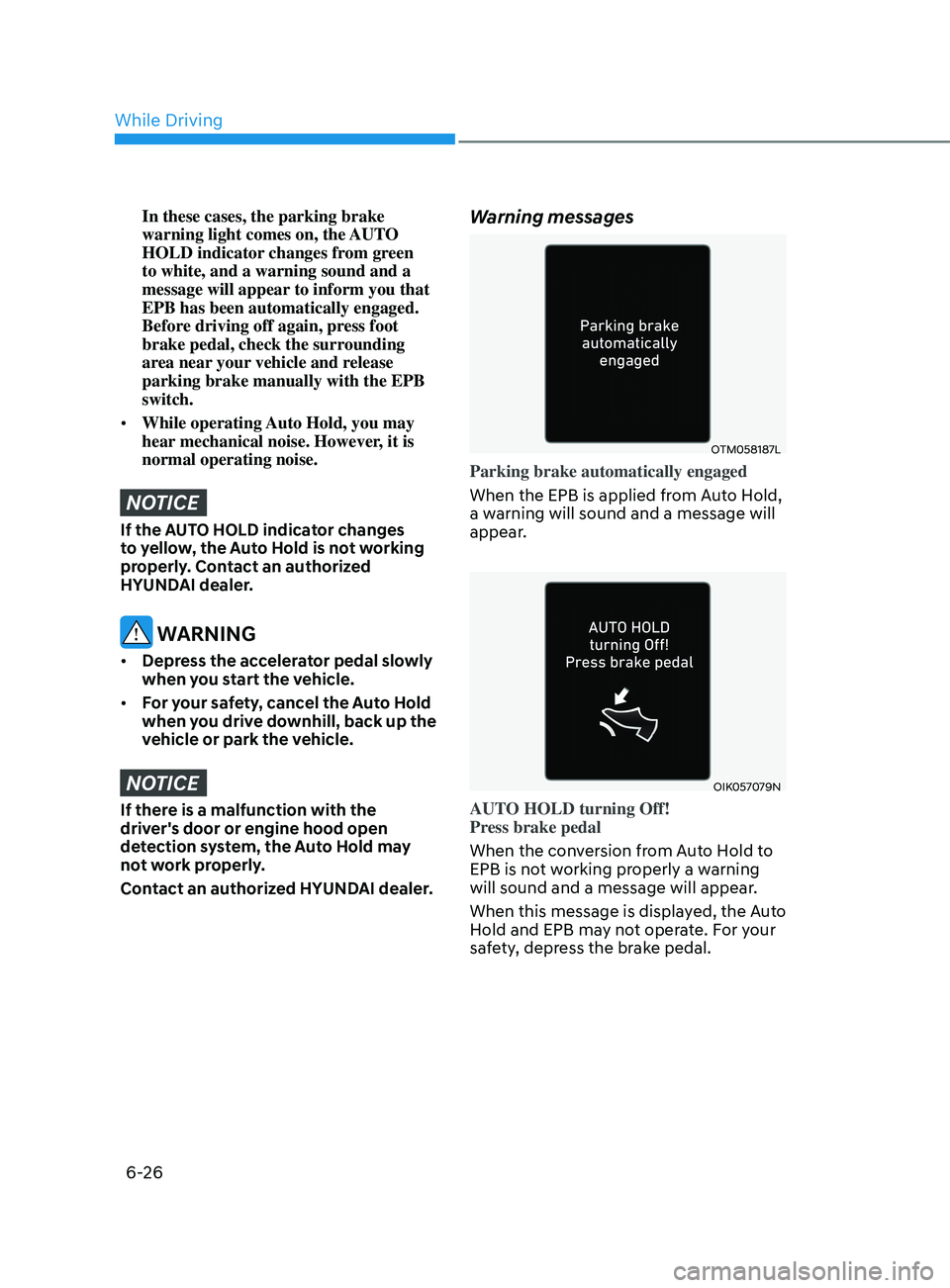
Warning messages
OTM058187L
Parking brake automatically engaged
When the EPB is applied from Auto Hold,
a warning will sound and a message will
appear.
OIK057079N
AUTO HOLD turning Off!
Press brake pedal
When the conversion from Auto Hold to
EPB is not working properly a warning
will sound and a message will appear.
When this message is displayed, the Auto
Hold and EPB may not operate. For your
safety, depress the brake pedal.
While Driving
Page 312 of 546
6-28
Using ABS
To obtain the maximum benefit from
your ABS in an emergency situation,
do not attempt to modulate your brake
pressure and do not try to pump your
brakes. Depress your brake pedal as hard
as possible.
When you apply your brakes under
conditions which may lock the wheels,
you may hear sounds from the brakes,
or feel a corresponding sensation in the
brake pedal. This is normal and it means
your ABS is active.
ABS does not reduce the time or distance
it takes to stop the vehicle.
Always maintain a safe distance from the
vehicle in front of you.
ABS will not prevent a skid that results
from sudden changes in direction, such
as trying to take a corner too fast or
making a sudden lane change. Always
drive at a safe speed for the road and
weather conditions.
ABS cannot prevent a loss of stability.
Always steer moderately when braking
hard. Severe or sharp steering wheel
movement can still cause your vehicle to
veer into oncoming traffic or off the road.
On loose or uneven road surfaces,
operation of the anti-lock brake system
may result in a longer stopping distance
than for vehicles equipped with a
conventional brake system.
The ABS warning light (
) will stay on
for several seconds after the ignition
switch is in the ON position. During
that time, the ABS will go through self-
diagnosis and the light will go off if
everything is normal. If the light stays on,
you may have a problem with your ABS.
Contact an authorized HYUNDAI dealer
as soon as possible.
WARNING
If the ABS warning light () is on and
stays on, you may have a problem with
the ABS. Your power brakes will work
normally. To reduce the risk of serious
injury or death, contact your HYUNDAI
dealer as soon as possible.
CAUTION
When you drive on a road having poor
traction, such as an icy road, and apply
your brakes continuously, the ABS will
be active continuously and the ABS
warning light (
) may illuminate. Pull
your car over to a safe place and turn
the engine off.
Restart the engine. If the ABS warning
light is off, then your ABS system is
normal.
Otherwise, you may have a problem
with your ABS system. Contact an
authorized HYUNDAI dealer as soon as
possible.
Information
When you jump start your vehicle because
of a drained battery, the ABS warning
light (
) may turn on at the same
time. This happens because of the low
battery voltage. It does not mean your
ABS is malfunctioning. Have the battery
recharged before driving the vehicle.
While Driving
Page 313 of 546
06
6-29
Electronic Stability Control (ESC)
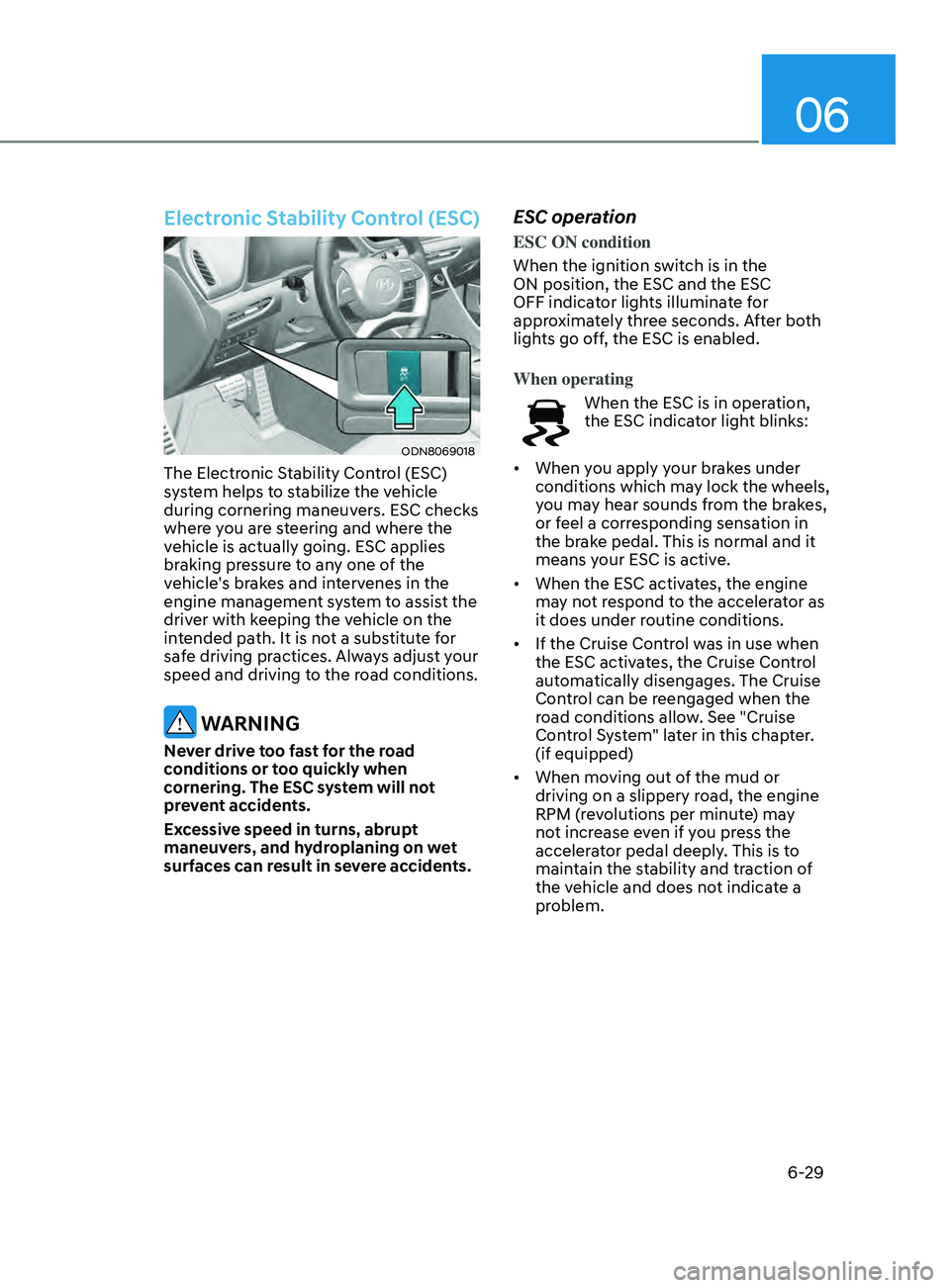
ODN8069018
The Electronic Stability Control (ESC)
system helps to stabilize the vehicle
during cornering maneuvers. ESC checks
where you are steering and where the
vehicle is actually going. ESC applies
braking pressure to any one of the
vehicle's brakes and intervenes in the
engine management system to assist the
driver with keeping the vehicle on the
intended path. It is not a substitute for
safe driving practices. Always adjust your
speed and driving to the road conditions.
WARNING
Never drive too fast for the road
conditions or too quickly when
cornering. The ESC system will not
prevent accidents.
Excessive speed in turns, abrupt
maneuvers, and hydroplaning on wet
surfaces can result in severe accidents.
ESC operation
ESC ON condition
When the ignition switch is in the
ON position, the ESC and the ESC
OFF indicator lights illuminate for
approximately three seconds. After both
lights go off, the ESC is enabled.
When operating
When the ESC is in operation,
the ESC indicator light blinks:
• When you apply your brakes under
conditions which may lock the wheels,
you may hear sounds from the brakes,
or feel a corresponding sensation in
the brake pedal. This is normal and it
means your ESC is active.
• When the ESC activates, the engine
may not respond to the accelerator as
it does under routine conditions.
• If the Cruise Control was in use when
the ESC activates, the Cruise Control
automatically disengages. The Cruise
Control can be reengaged when the
road conditions allow. See "Cruise
Control System" later in this chapter.
(if equipped)
• When moving out of the mud or
driving on a slippery road, the engine
RPM (revolutions per minute) may
not increase even if you press the
accelerator pedal deeply. This is to
maintain the stability and traction of
the vehicle and does not indicate a
problem.