brake light HYUNDAI SONATA 2023 User Guide
[x] Cancel search | Manufacturer: HYUNDAI, Model Year: 2023, Model line: SONATA, Model: HYUNDAI SONATA 2023Pages: 555, PDF Size: 42.72 MB
Page 224 of 555
Convenience Features
5-78
The brake assist will turn off when:
- The driver shifts the gear to P (Park) or
D (Drive)
- The driver depresses the brake pedal with sufficient power
- The braking has been assisted for approximately 2 seconds
The warning will turn off when:
- The driver shifts the gear to P (Park), N (Neutral), or D (Drive)
The brake control may not operate
properly depending on the status of the
ESC (Electronic Stability Control). There
will only be a warning when:
- The ESC (Electronic Stability Control) warning light is on
- The ESC (Electronic Stability Control) is engaged in a different function
Warning only
• If the system detects a risk of collision with a pedestrian or an object, the
system will warn the driver with
audible warning and warnings on the
cluster LCD display or infotainment
system display.
• If ‘Warning Only’ is selected, braking will not be assisted.
The warning will turn off when:
- The driver shifts the gear to P (Park), N (Neutral), or D (Drive)
WARNING
• Reverse Parking Collision- Avoidance Assist system may
not operate properly or may
operate unnecessarily in some
circumstances.
• Always pay extreme caution while driving. The driver is responsible for
controlling the brake appropriately.
CAUTION
• Always pay attention to road and traffic conditions while driving, whether or not there is a warning.
• Playing the vehicle audio system at high volume may prevent occupants from hearing Reverse Parking Collision-Avoidance Assist system warning sounds.
• If any other warning sound, such as seat belt warning chime, is already generated, Reverse Parking Collision-Avoidance Assist system warning may not sound.
Information
The system can detect a pedestrian or an object when:
- A pedestrian is standing behind the vehicle.
- A large obstacle, such as a vehicle, is parked in the rear center of the vehicle.
Page 227 of 555
05
5-81
• Outside air temperature is hot or cold.
• The wind is either strong (over
20 km/h (12 mph)) or blowing
perpendicular to the rear bumper.
• Objects generating excessive noise, such as vehicle horns, loud
motorcycle engines, or truck air
brakes, are near the vehicle.
• An ultrasonic sensor with a similar frequency is near the vehicle.
• There is ground height difference between the vehicle and the
pedestrian.
• The image of the pedestrian in the rear view camera is indistinguishable
from the background.
• The pedestrian is near the rear edge of the vehicle.
• The pedestrian is not standing upright. • The pedestrian is either too short or too tall for the system to recognize.
• The pedestrian is wearing clothes that are hard for the system to recognize.
• The pedestrian is wearing a cloth that does not reflect ultrasound well.
• The size, thickness, height, or shape of the object does not reflect ultrasound
well (e.g., pole, bush, curbs, carts,
edge of a wall, etc.).
• The pedestrian or the object is moving.
• The pedestrian or the object is very close to the rear of the vehicle.
• A wall is behind the pedestrian or the object.
• The object is not at the rear center of the vehicle.
• The plane of the obstacle is not parallel to the rear bumper.
• The road is slippery or inclined.
• The driver backs up the vehicle immediately after shifting to R
(Reverse).
• The driver accelerates or turns the vehicle. Reverse Parking Collision-Avoidance
Assist system may alert the driver or
apply brake power unnecessarily under
the following conditions even if there are
"no" pedestrians or objects.
• Any non-factory equipment or
accessories have been installed.
• The condition of the vehicle is unstable due to an accident or other causes.
• The height of the bumper or the sensor installation has been modified.
• The bumper height has changed due to heavy loads, tire pressure change,
etc.
• The rear view camera or the ultrasonic sensor(s) is stained with foreign
matter, such as snow, dirt, etc.
• The pattern on the road is mistaken for a pedestrian.
• There is a shadow or a light reflecting on the ground.
• Pedestrians or objects are around the path of the vehicle.
• Objects generating excessive noise, such as vehicle horns, loud
motorcycle engines, or truck air
brakes, are near the vehicle.
• The vehicle is backing towards a narrow passage or parking space.
• The vehicle is backing towards an uneven road surface, such as unpaved
road, gravel, bump, gradient, etc.
• A trailer is attached to the vehicle.
Page 230 of 555
Convenience Features
5-84
To Turn off Reverse Parking
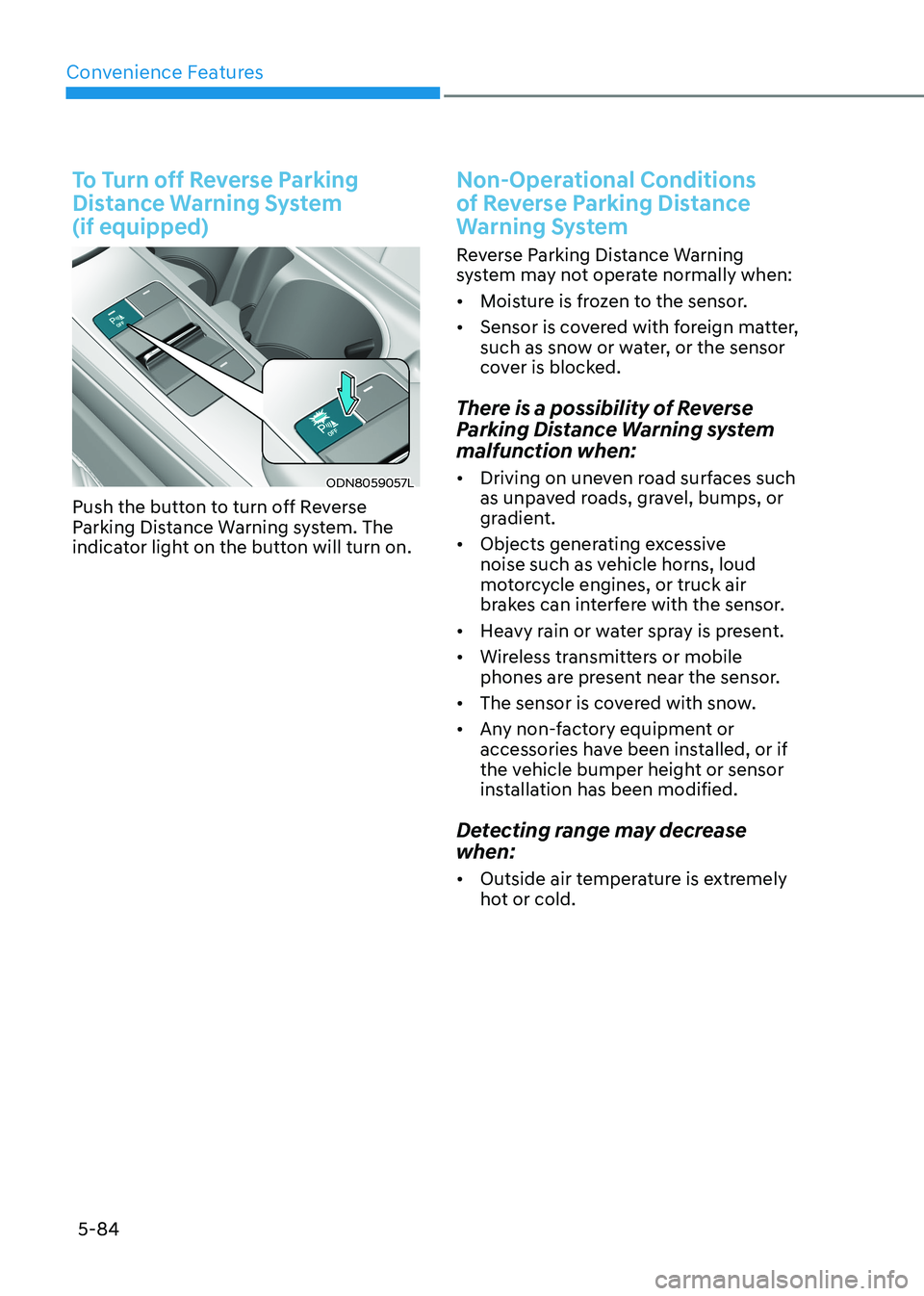
Distance Warning System (if equipped)
ODN8059057L
Push the button to turn off Reverse
Parking Distance Warning system. The
indicator light on the button will turn on.
Non-Operational Conditions
of Reverse Parking Distance
Warning System
Reverse Parking Distance Warning
system may not operate normally when: • Moisture is frozen to the sensor.
• Sensor is covered with foreign matter,
such as snow or water, or the sensor
cover is blocked.
There is a possibility of Reverse
Parking Distance Warning system
malfunction when: • Driving on uneven road surfaces such
as unpaved roads, gravel, bumps, or
gradient.
• Objects generating excessive
noise such as vehicle horns, loud
motorcycle engines, or truck air
brakes can interfere with the sensor.
• Heavy rain or water spray is present.
• Wireless transmitters or mobile
phones are present near the sensor.
• The sensor is covered with snow.
• Any non-factory equipment or
accessories have been installed, or if
the vehicle bumper height or sensor
installation has been modified.
Detecting range may decrease when: • Outside air temperature is extremely
hot or cold.
Page 243 of 555
05
5-97
à Press the moving forward/backward
button again after checking the
distance from the vehicles if the
vehicle didn’t move after pressing
and holding the smart key button for about 5 seconds.
à Under cold weather, take enough time
before pressing the moving forward/
backward button of the smart key
after turning on the vehicle remotely.
It may take more time until the vehicle
moves.
à When Remote Moving Forward is
ready by the above No. (1) method,
the vehicle recognizes the condition
as exit. After confirming the
surroundings within 4 m (13 ft.), it
allows to operate the steering wheel
up to the conditions ahead.
à When Remote Moving Forward is
ready by the above No. (2) method,
the vehicle recognizes the condition
as entering to the parking space.
According to the front condition, it
immediately allows the vehicle to
enter to the parking space and line
up with the steering wheel control.
However, the function performance
can be degraded up to the shape or
position of the surrounding objects.
à If you select the remote moving
backward, both of the No. (1) and (2)
methods make the vehicle go straight
after lining up.
à While Remote Moving Forward/
Backward assist is operating, the
brake light turns on.
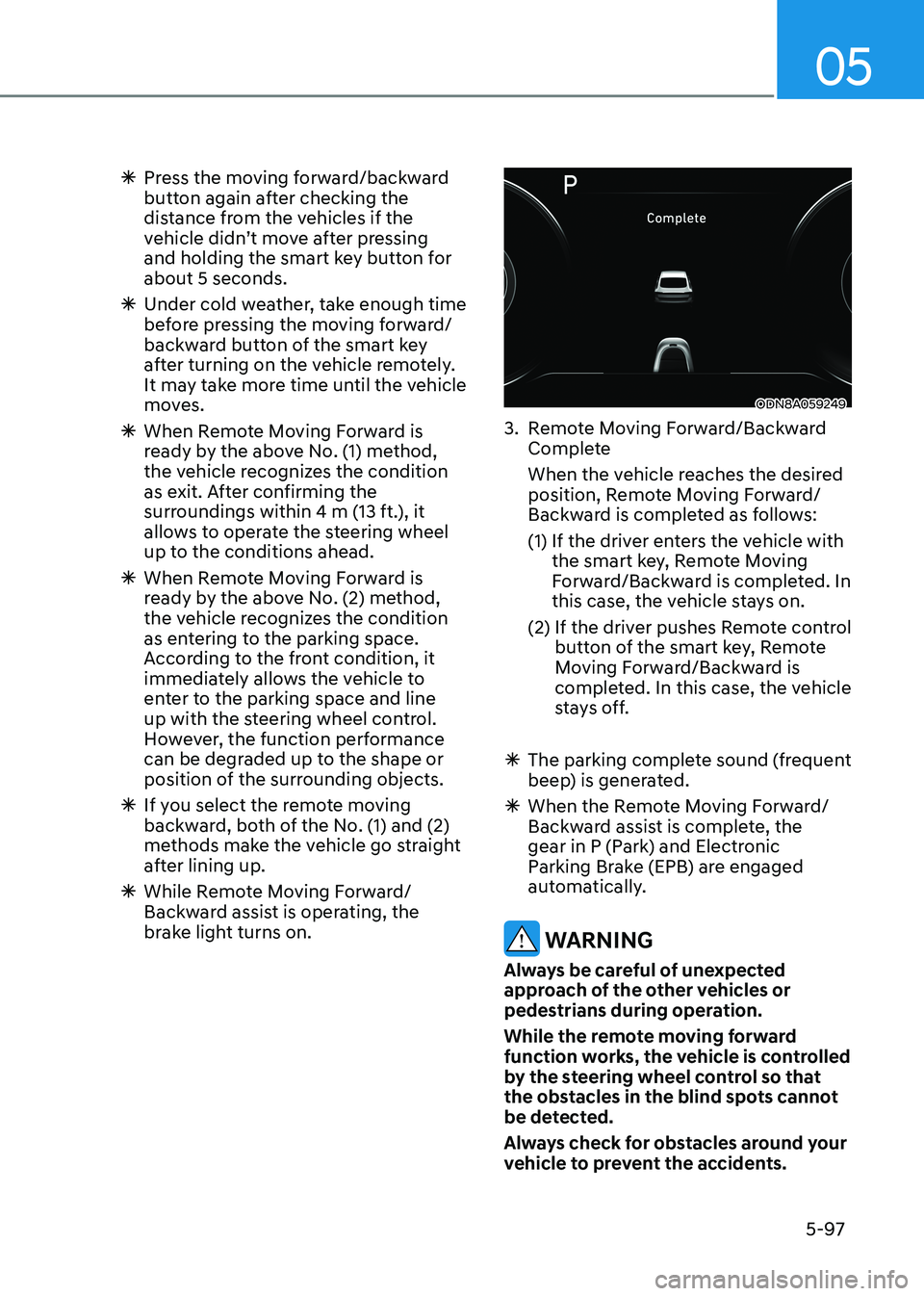
ODN8A059249
3. Remote Moving Forward/Backward Complete
When the vehicle reaches the desired position, Remote Moving Forward/
Backward is completed as follows:
(1) If the driver enters the vehicle with the smart key, Remote Moving
Forward/Backward is completed. In
this case, the vehicle stays on.
(2) If the driver pushes Remote control button of the smart key, Remote
Moving Forward/Backward is
completed. In this case, the vehicle
stays off.
à The parking complete sound (frequent
beep) is generated.
à When the Remote Moving Forward/
Backward assist is complete, the
gear in P (Park) and Electronic
Parking Brake (EPB) are engaged
automatically.
WARNING
Always be careful of unexpected
approach of the other vehicles or
pedestrians during operation.
While the remote moving forward
function works, the vehicle is controlled
by the steering wheel control so that
the obstacles in the blind spots cannot
be detected.
Always check for obstacles around your
vehicle to prevent the accidents.
Page 289 of 555
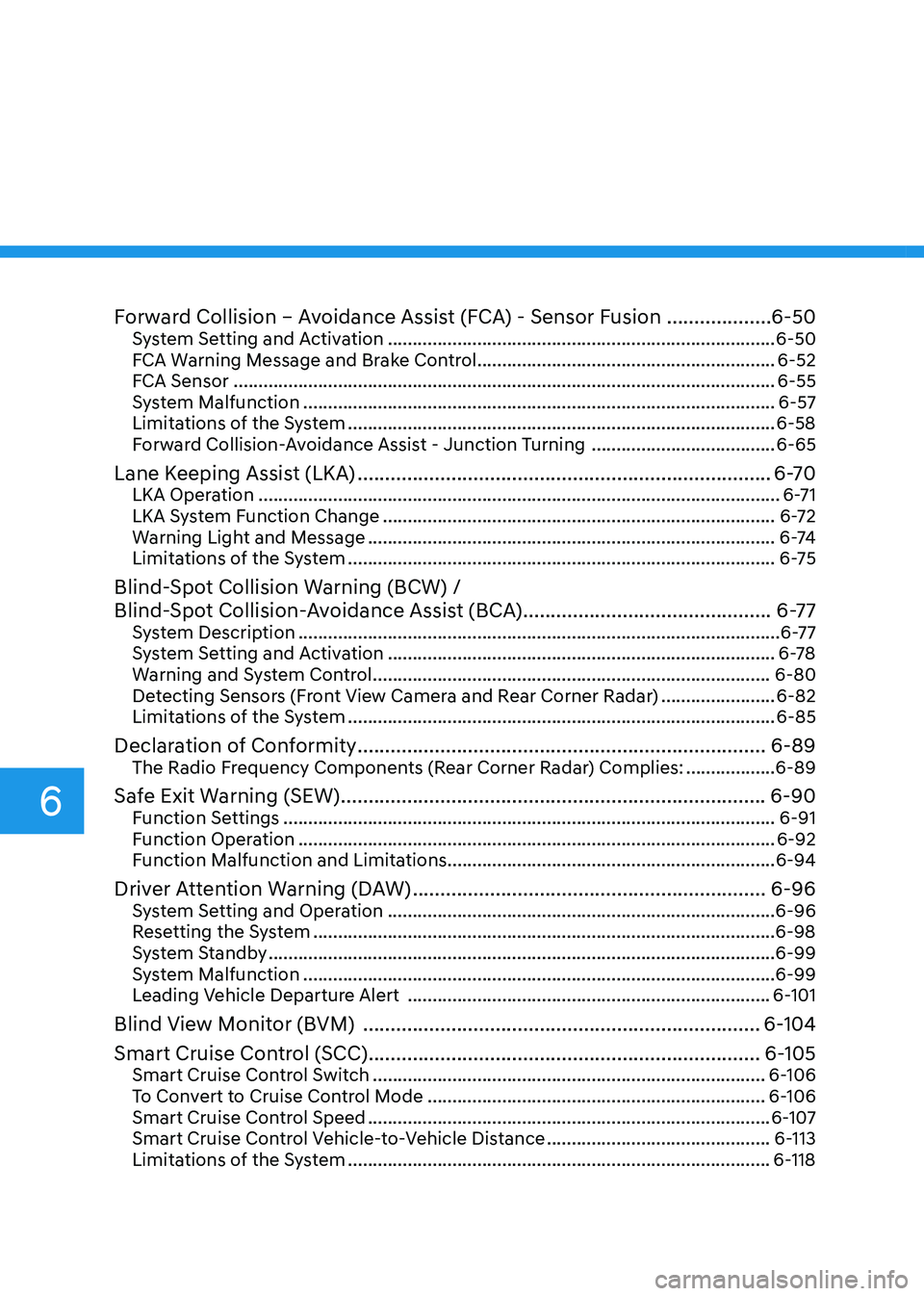
Forward Collision – Avoidance Assist (FCA) - Sensor Fusion ...................6-50
System Setting and Activation .............................................................................. 6-50
FCA Warning Message and Brake Control ............................................................6-52
FCA Sensor ............................................................................................................. 6-55
System Malfunction ............................................................................................... 6-57
Limitations of the System ...................................................................................... 6-58
Forward Collision-Avoidance Assist - Junction Turning .....................................6-65
Lane Keeping Assist (LKA) ........................................................................... 6-70
LKA Operation ......................................................................................................... 6-71
LKA System Function Change ............................................................................... 6-72
Warning Light and Message .................................................................................. 6 -74
Limitations of the System ...................................................................................... 6-75
Blind-Spot Collision Warning (BCW) /
Blind-Spot Collision-Avoidance Assist (BCA) .............................................6-77
System Description ................................................................................................. 6-77
System Setting and Activation .............................................................................. 6-78
Warning and System Control ................................................................................ 6-80
Detecting Sensors (Front View Camera and Rear Corner Radar) .......................6-82
Limitations of the System ...................................................................................... 6-85
Declaration of Conformity .......................................................................... 6-89
The Radio Frequency Components (Rear Corner Radar) Complies: ..................6-89
Safe Exit Warning (SEW) ............................................................................. 6-90
Function Settings ................................................................................................... 6-91
Function Operation ................................................................................................ 6-92
Function Malfunction and Limitations .................................................................. 6-94
Driver Attention Warning (DAW) ................................................................ 6-96
System Setting and Operation .............................................................................. 6-96
Resetting the System ............................................................................................. 6-98
System Standby ...................................................................................................... 6-99
System Malfunction ............................................................................................... 6-99
Leading Vehicle Departure Alert ......................................................................... 6-101
Blind View Monitor (BVM) ........................................................................ 6-104
Smart Cruise Control (SCC) ....................................................................... 6-105
Smart Cruise Control Switch ............................................................................... 6-106
To Convert to Cruise Control Mode .................................................................... 6-106
Smart Cruise Control Speed ................................................................................. 6-107
Smart Cruise Control Vehicle-to-Vehicle Distance .............................................6-113
Limitations of the System ..................................................................................... 6-118
6
Page 293 of 555
While Driving
6-6
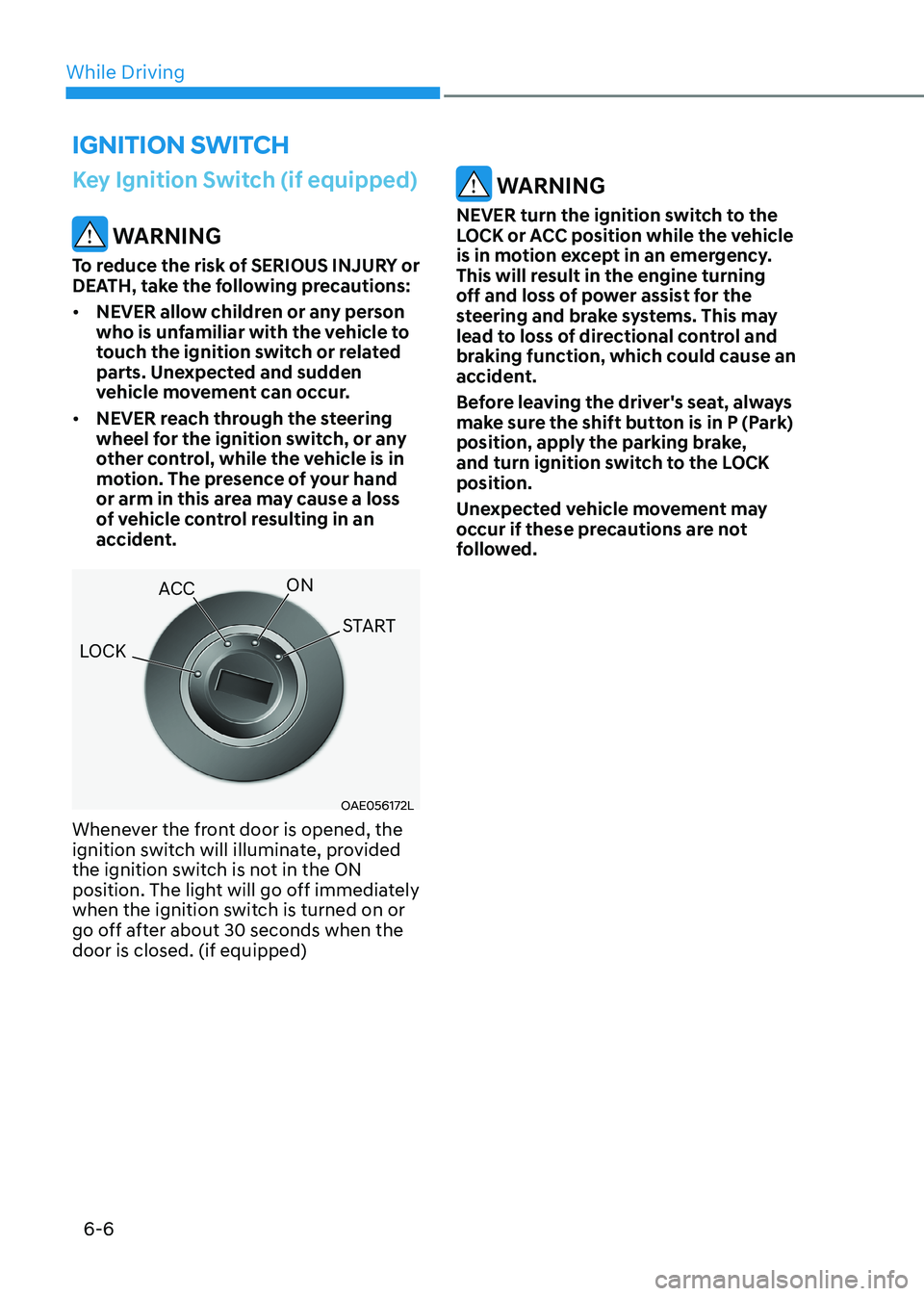
Key Ignition Switch (if equipped)
WARNING
To reduce the risk of SERIOUS INJURY or
DEATH, take the following precautions: • NEVER allow children or any person
who is unfamiliar with the vehicle to
touch the ignition switch or related
parts. Unexpected and sudden
vehicle movement can occur.
• NEVER reach through the steering
wheel for the ignition switch, or any
other control, while the vehicle is in
motion. The presence of your hand
or arm in this area may cause a loss
of vehicle control resulting in an
accident.
OAE056172L
Whenever the front door is opened, the
ignition switch will illuminate, provided
the ignition switch is not in the ON
position. The light will go off immediately
when the ignition switch is turned on or
go off after about 30 seconds when the door is closed. (if equipped)
WARNING
NEVER turn the ignition switch to the
LOCK or ACC position while the vehicle
is in motion except in an emergency.
This will result in the engine turning
off and loss of power assist for the
steering and brake systems. This may
lead to loss of directional control and
braking function, which could cause an
accident.
Before leaving the driver's seat, always
make sure the shift button is in P (Park)
position, apply the parking brake,
and turn ignition switch to the LOCK position.
Unexpected vehicle movement may
occur if these precautions are not
followed.
ignition Switch
LOCK ACC
ON
START
Page 297 of 555
While Driving
6-10
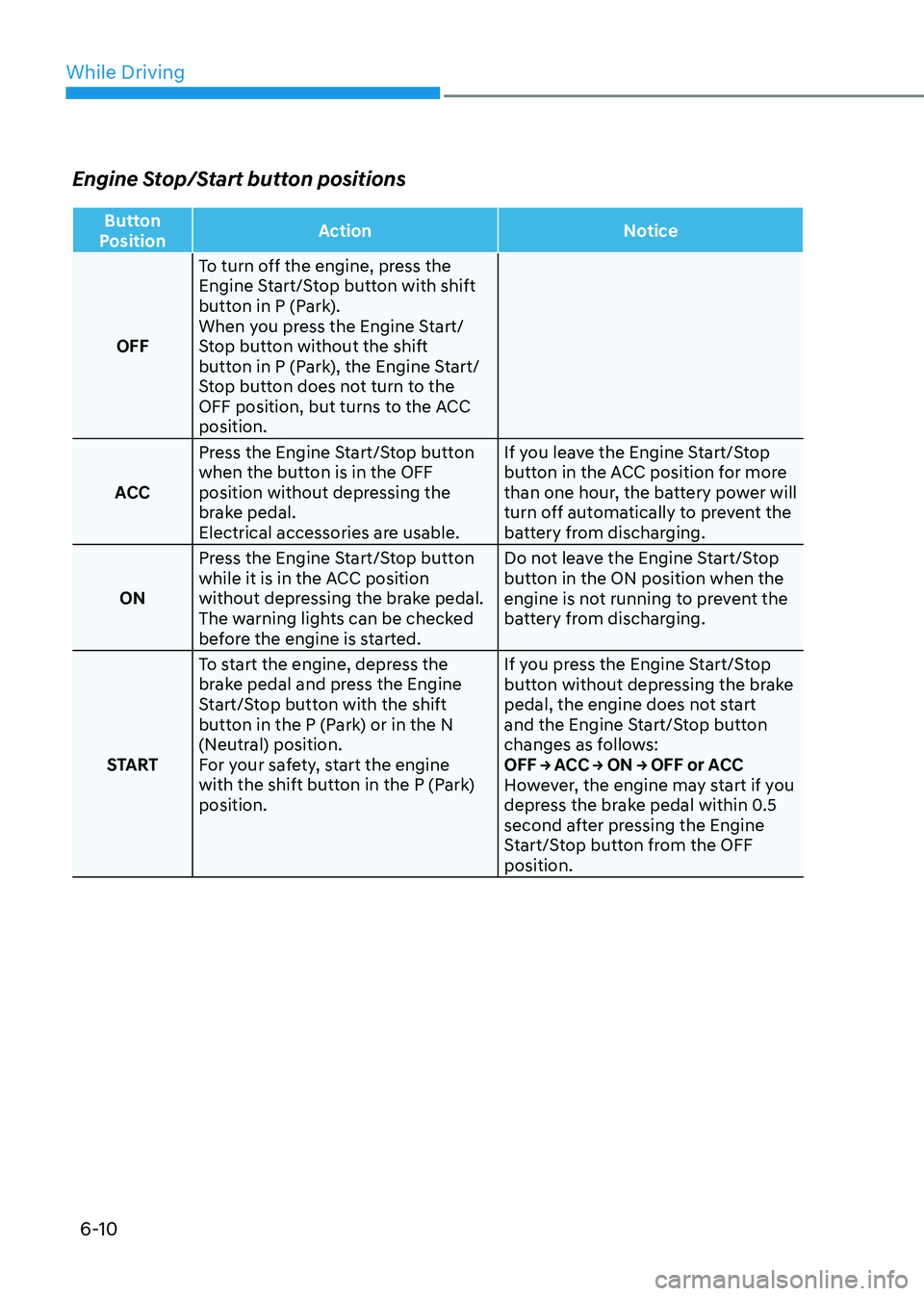
Engine Stop/Start button positions
Button
Position Action Notice
OFFTo turn off the engine, press the
Engine Start/Stop button with shift
button in P (Park).
When you press the Engine Start/
Stop button without the shift
button in P (Park), the Engine Start/
Stop button does not turn to the
OFF position, but turns to the ACC position.
ACC Press the Engine Start/Stop button
when the button is in the OFF
position without depressing the
brake pedal.
Electrical accessories are usable. If you leave the Engine Start/Stop
button in the ACC position for more
than one hour, the battery power will
turn off automatically to prevent the
battery from discharging.
ON Press the Engine Start/Stop button
while it is in the ACC position
without depressing the brake pedal.
The warning lights can be checked
before the engine is started. Do not leave the Engine Start/Stop
button in the ON position when the
engine is not running to prevent the
battery from discharging.
START To start the engine, depress the
brake pedal and press the Engine
Start/Stop button with the shift
button in the P (Park) or in the N
(Neutral) position.
For your safety, start the engine
with the shift button in the P (Park) position. If you press the Engine Start/Stop
button without depressing the brake
pedal, the engine does not start
and the Engine Start/Stop button
changes as follows:
OFF → ACC → ON → OFF or ACC
However, the engine may start if you
depress the brake pedal within 0.5
second after pressing the Engine
Start/Stop button from the OFF position.
Page 305 of 555
While Driving
6-18
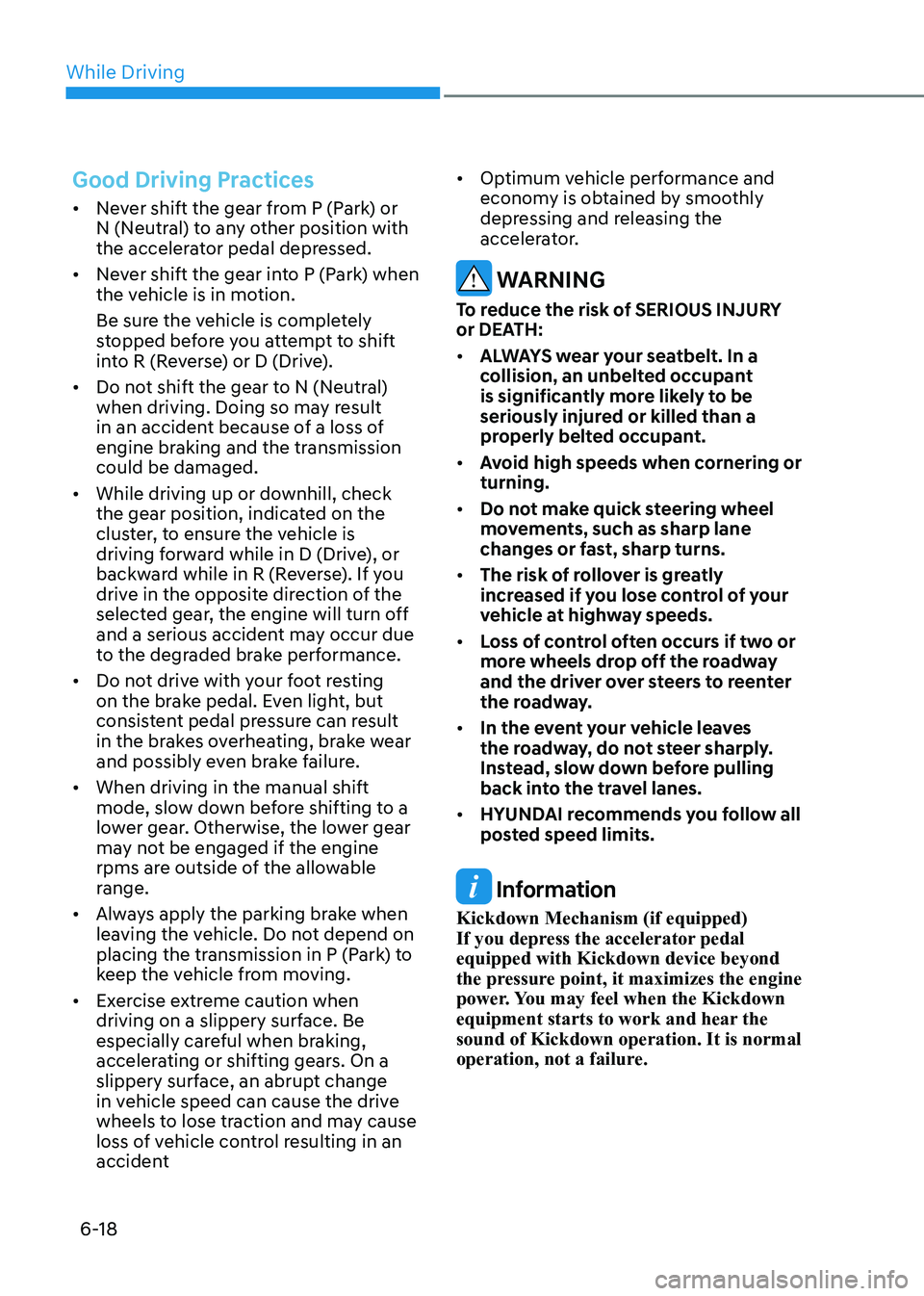
Good Driving Practices
• Never shift the gear from P (Park) or
N (Neutral) to any other position with
the accelerator pedal depressed.
• Never shift the gear into P (Park) when
the vehicle is in motion.
Be sure the vehicle is completely
stopped before you attempt to shift
into R (Reverse) or D (Drive).
• Do not shift the gear to N (Neutral)
when driving. Doing so may result
in an accident because of a loss of
engine braking and the transmission could be damaged.
• While driving up or downhill, check
the gear position, indicated on the
cluster, to ensure the vehicle is
driving forward while in D (Drive), or
backward while in R (Reverse). If you
drive in the opposite direction of the
selected gear, the engine will turn off
and a serious accident may occur due
to the degraded brake performance.
• Do not drive with your foot resting
on the brake pedal. Even light, but
consistent pedal pressure can result
in the brakes overheating, brake wear
and possibly even brake failure.
• When driving in the manual shift
mode, slow down before shifting to a
lower gear. Otherwise, the lower gear
may not be engaged if the engine
rpms are outside of the allowable
range.
• Always apply the parking brake when
leaving the vehicle. Do not depend on
placing the transmission in P (Park) to
keep the vehicle from moving.
• Exercise extreme caution when
driving on a slippery surface. Be
especially careful when braking,
accelerating or shifting gears. On a
slippery surface, an abrupt change
in vehicle speed can cause the drive
wheels to lose traction and may cause
loss of vehicle control resulting in an
accident •
Optimum vehicle performance and
economy is obtained by smoothly
depressing and releasing the
accelerator.
WARNING
To reduce the risk of SERIOUS INJURY
or DEATH: • ALWAYS wear your seatbelt. In a
collision, an unbelted occupant
is significantly more likely to be
seriously injured or killed than a
properly belted occupant.
• Avoid high speeds when cornering or turning.
• Do not make quick steering wheel
movements, such as sharp lane
changes or fast, sharp turns.
• The risk of rollover is greatly
increased if you lose control of your
vehicle at highway speeds.
• Loss of control often occurs if two or
more wheels drop off the roadway
and the driver over steers to reenter
the roadway.
• In the event your vehicle leaves
the roadway, do not steer sharply.
Instead, slow down before pulling
back into the travel lanes.
• HYUNDAI recommends you follow all
posted speed limits.
Information
Kickdown Mechanism (if equipped)
If you depress the accelerator pedal equipped with Kickdown device beyond
the pressure point, it maximizes the engine
power. You may feel when the Kickdown
equipment starts to work and hear the sound of Kickdown operation. It is normal
operation, not a failure.
Page 308 of 555
06
6-21
•
The dual clutch transmission can be
thought of as an automatically shifting
manual transmission. It gives the
driving feel of a manual transmission,
yet provides the ease of a fully
automatic transmission.
• When D (Drive) is selected, the
transmission will automatically
shift through the gears similar to a
conventional automatic transmission.
Unlike a traditional automatic
transmission, the gear shifting can
sometimes be felt and heard as the
actuators engage the clutches and the
gears are selected.
• The dual clutch transmission
incorporates a wet-type dual clutch
mechanism, which allows for better
acceleration performance and
increased fuel efficiency while driving.
But it differs from a conventional
automatic transmission because
it does not incorporate a torque
converter. Instead, the transition from
one gear to the next is managed by
clutch slip, especially at lower speeds.
As a result, shifts are sometimes more
noticeable, and a light vibration can
be felt as the transmission shaft speed
is matched with the engine shaft
speed. This is a normal condition of
the dual clutch transmission.
• The wet-type clutch transfers torque
more directly and provides a direct-
drive feeling which may feel different
from a conventional automatic
transmission. This may be more
noticeable when launching the vehicle
from a stop or when traveling at low,
stop-and-go vehicle speeds. •
When rapidly accelerating from a
lower vehicle speed, the engine
rpm may increase dramatically as a
result of clutch slip as the dual clutch
transmission selects the correct gear. This is a normal condition.
• When accelerating from a stop on
an incline, press the accelerator
smoothly and gradually to avoid any
shudder feeling or jerkiness.
• When traveling at a lower vehicle
speed, if you release the accelerator
pedal quickly, you may feel engine
braking before the transmission
changes gears. This engine braking
feeling is similar to operating a
manual transmission at low speed.
• When driving downhill, you may wish
to move the gear shift lever/button to
Manual Shift mode and downshift to
a lower gear in order to control your
speed without using the brake pedal
excessively.
• When you turn the engine on and off,
you may hear clicking sounds as the
system goes through a self-test. This
is a normal sound for the dual clutch
transmission.
• During the first 1,500 km (1000 miles),
you may feel that the vehicle may not
be smooth when accelerating at low
speed. During this break-in period, the
shift quality and performance of your
new vehicle is continuously optimized.
Page 316 of 555
06
6-29
Good driving practices
• Never move the shift lever/button
from P (Park) or N (Neutral) to any
other position with the accelerator
pedal depressed.
• Never move the shift lever/button into
P (Park) when the vehicle is in motion.
Be sure the vehicle is completely
stopped before you attempt to shift
into R (Reverse) or D (Drive).
• Do not move the shift lever/button
to N (Neutral) when driving. Doing
so may result in an accident because
of a loss of engine braking and the
transmission could be damaged.
• Do not drive with your foot resting
on the brake pedal. Even light, but
consistent pedal pressure can result
in the brakes overheating, brake wear
and possibly even brake failure.
• Always apply the parking brake when
leaving the vehicle. Do not depend on
placing the transmission in P (Park) to
keep the vehicle from moving.
• Exercise extreme caution when
driving on a slippery surface. Be
especially careful when braking,
accelerating or shifting gears. On a
slippery surface, an abrupt change
in vehicle speed can cause the drive
wheels to lose traction and may cause
loss of vehicle control resulting in an
accident.
• Optimum vehicle performance and
economy is obtained by smoothly
depressing and releasing the
accelerator. WARNING
To reduce the risk of SERIOUS INJURY
or DEATH: • ALWAYS wear your seatbelt. In a
collision, an unbelted occupant
is significantly more likely to be
seriously injured or killed than a
properly belted occupant.
• Avoid high speeds when cornering or turning.
• Do not make quick steering wheel
movements, such as sharp lane
changes or fast, sharp turns.
• The risk of rollover is greatly
increased if you lose control of your
vehicle at highway speeds.
• Loss of control often occurs if two or
more wheels drop off the roadway
and the driver over steers to reenter
the roadway.
• In the event your vehicle leaves
the roadway, do not steer sharply.
Instead, slow down before pulling
back into the travel lanes.
• HYUNDAI recommends you follow all
posted speed limits.