charging HYUNDAI SONATA 2023 User Guide
[x] Cancel search | Manufacturer: HYUNDAI, Model Year: 2023, Model line: SONATA, Model: HYUNDAI SONATA 2023Pages: 555, PDF Size: 42.72 MB
Page 282 of 555
Convenience Features
5-136
• The wireless charging process may
temporarily stop, when temperature
abnormally increases inside the
wireless cellular phone charging
system. Stop the charging cellular
phone and wait until temperature
falls to a certain level.
• The wireless charging process may temporarily stop when there is
any metallic item, such as a coin,
between the wireless cellular phone
charging system and the cellular phone.
• When charging some cellular phones with a self-protection feature,
the wireless charging speed may
decrease and the wireless charging
may stop.
• If the cellular phone has a thick cover, the wireless charging may not be possible.
• If the cellular phone is not completely contacting the charging
pad, wireless charging may not
operate properly.
• Some magnetic items like credit cards, phone cards or rail tickets may
be damaged if left with the cellular
phone during the charging process.
• When any cellular phone without a wireless charging function or a
metallic object is placed on the
charging pad, a small noise may
sound. This small sound is due to the
vehicle discerning compatibility of
the object placed on the charging
pad. It does not affect your vehicle or
the cellular phone in any way.
Information
If the ignition switch is in the OFF position, the charging also stops.
Information
This device complies with Industry Canada RSS-210 standard. Operation is subject to the following two conditions: 1. This device may not cause harmful
interference.
2. This device must accept any
interference received, including
interference that may cause undesired operation.
Page 294 of 555
06
6 -7
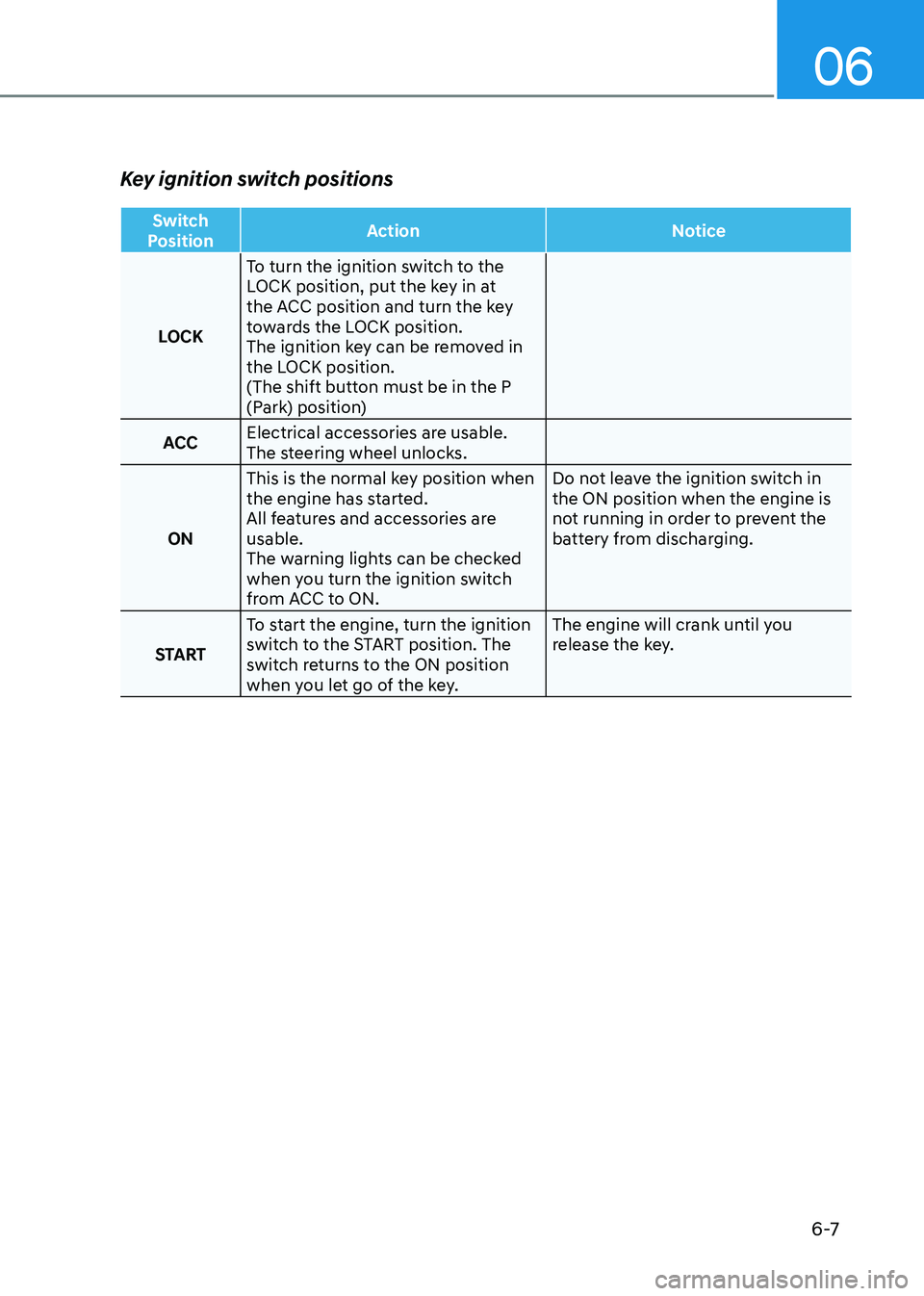
Key ignition switch positions
Switch
Position Action Notice
LOCKTo turn the ignition switch to the
LOCK position, put the key in at
the ACC position and turn the key
towards the LOCK position.
The ignition key can be removed in
the LOCK position.
(The shift button must be in the P
(Park) position)
ACC Electrical accessories are usable.
The steering wheel unlocks.
ON This is the normal key position when
the engine has started.
All features and accessories are usable.
The warning lights can be checked
when you turn the ignition switch
from ACC to ON. Do not leave the ignition switch in the ON position when the engine is
not running in order to prevent the
battery from discharging.
START To start the engine, turn the ignition
switch to the START position. The
switch returns to the ON position
when you let go of the key. The engine will crank until you
release the key.
Page 297 of 555
While Driving
6-10
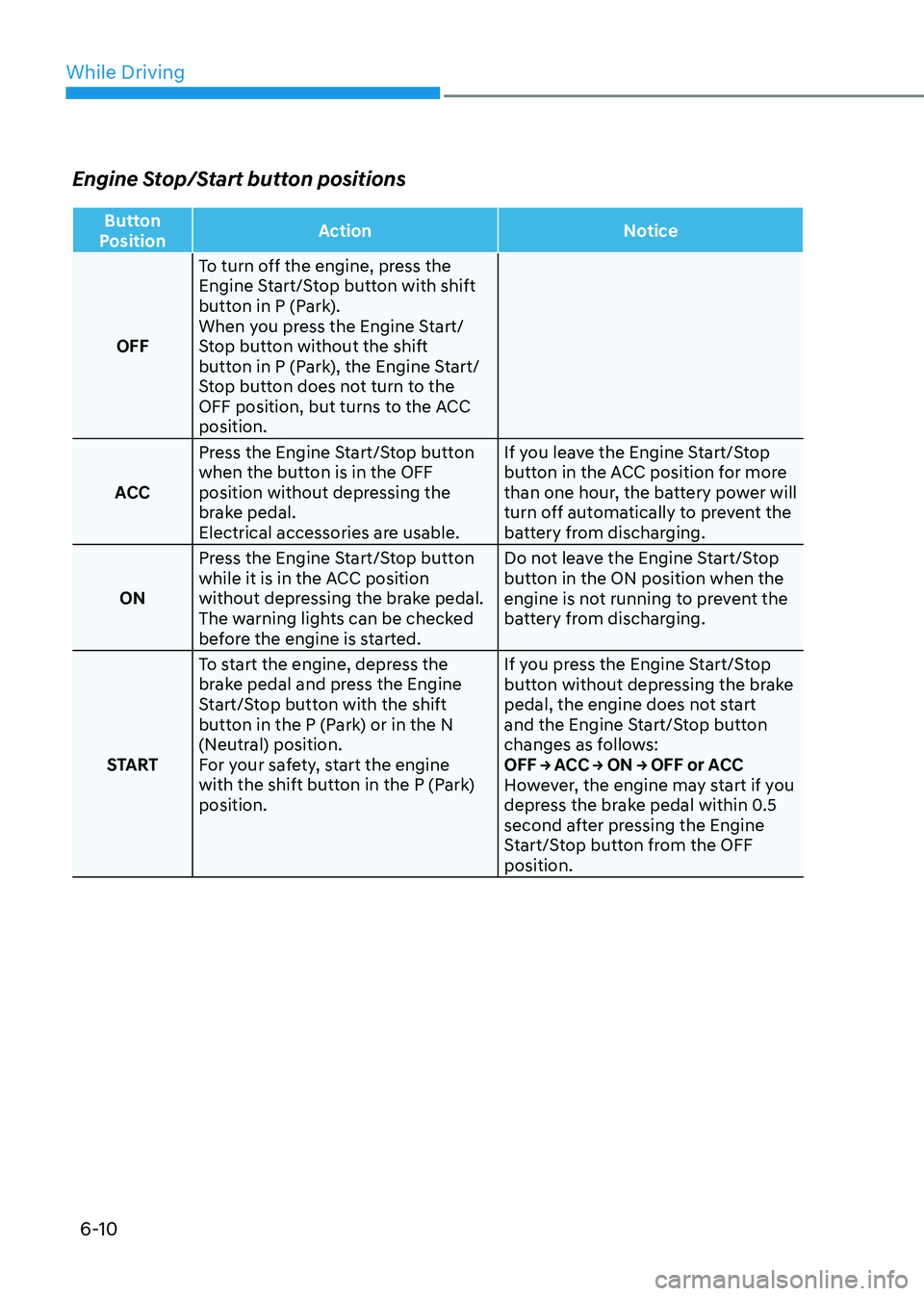
Engine Stop/Start button positions
Button
Position Action Notice
OFFTo turn off the engine, press the
Engine Start/Stop button with shift
button in P (Park).
When you press the Engine Start/
Stop button without the shift
button in P (Park), the Engine Start/
Stop button does not turn to the
OFF position, but turns to the ACC position.
ACC Press the Engine Start/Stop button
when the button is in the OFF
position without depressing the
brake pedal.
Electrical accessories are usable. If you leave the Engine Start/Stop
button in the ACC position for more
than one hour, the battery power will
turn off automatically to prevent the
battery from discharging.
ON Press the Engine Start/Stop button
while it is in the ACC position
without depressing the brake pedal.
The warning lights can be checked
before the engine is started. Do not leave the Engine Start/Stop
button in the ON position when the
engine is not running to prevent the
battery from discharging.
START To start the engine, depress the
brake pedal and press the Engine
Start/Stop button with the shift
button in the P (Park) or in the N
(Neutral) position.
For your safety, start the engine
with the shift button in the P (Park) position. If you press the Engine Start/Stop
button without depressing the brake
pedal, the engine does not start
and the Engine Start/Stop button
changes as follows:
OFF → ACC → ON → OFF or ACC
However, the engine may start if you
depress the brake pedal within 0.5
second after pressing the Engine
Start/Stop button from the OFF position.
Page 453 of 555
07
7-5
Jump starting procedure
1. Position the vehicles close enough
that the jumper cables will reach, but
do not allow the vehicles to touch.
2. Avoid fans or any moving parts in the engine compartment at all times, even
when the vehicles are turned off.
3. Turn off all electrical devices such as radios, lights, air conditioning, etc.
Put the vehicles in P (Park) and set
the parking brakes. Turn both vehicles
OFF.
ODN8A079022
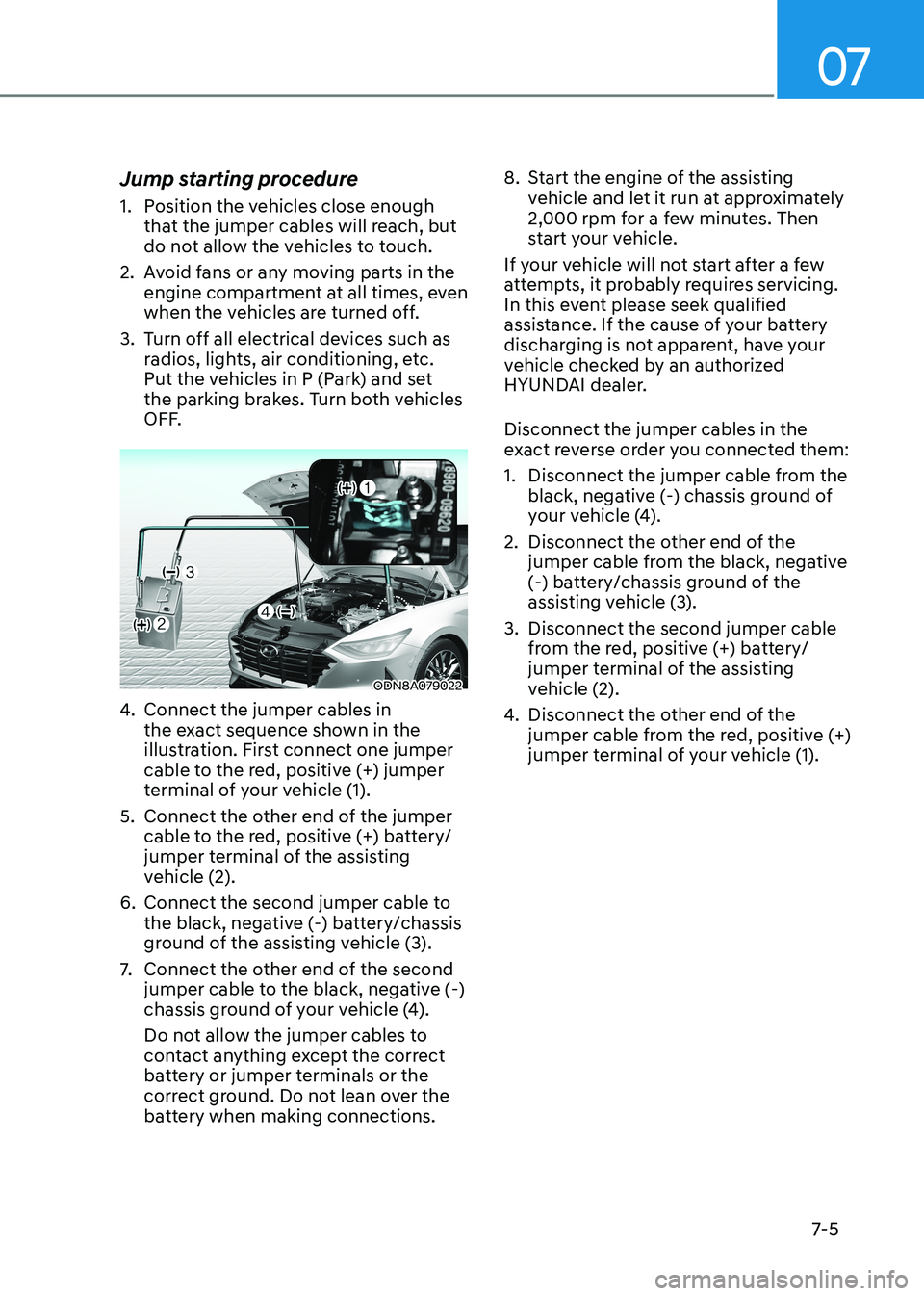
4. Connect the jumper cables in
the exact sequence shown in the
illustration. First connect one jumper
cable to the red, positive (+) jumper
terminal of your vehicle (1).
5. Connect the other end of the jumper cable to the red, positive (+) battery/
jumper terminal of the assisting
vehicle (2).
6. Connect the second jumper cable to the black, negative (-) battery/chassis
ground of the assisting vehicle (3).
7. Connect the other end of the second
jumper cable to the black, negative (-)
chassis ground of your vehicle (4).
Do not allow the jumper cables to
contact anything except the correct
battery or jumper terminals or the
correct ground. Do not lean over the
battery when making connections. 8. Start the engine of the assisting
vehicle and let it run at approximately
2,000 rpm for a few minutes. Then
start your vehicle.
If your vehicle will not start after a few
attempts, it probably requires servicing.
In this event please seek qualified
assistance. If the cause of your battery
discharging is not apparent, have your
vehicle checked by an authorized
HYUNDAI dealer. Disconnect the jumper cables in the
exact reverse order you connected them:
1. Disconnect the jumper cable from the black, negative (-) chassis ground of
your vehicle (4).
2. Disconnect the other end of the jumper cable from the black, negative
(-) battery/chassis ground of the
assisting vehicle (3).
3. Disconnect the second jumper cable from the red, positive (+) battery/
jumper terminal of the assisting
vehicle (2).
4. Disconnect the other end of the
jumper cable from the red, positive (+)
jumper terminal of your vehicle (1).
Page 471 of 555
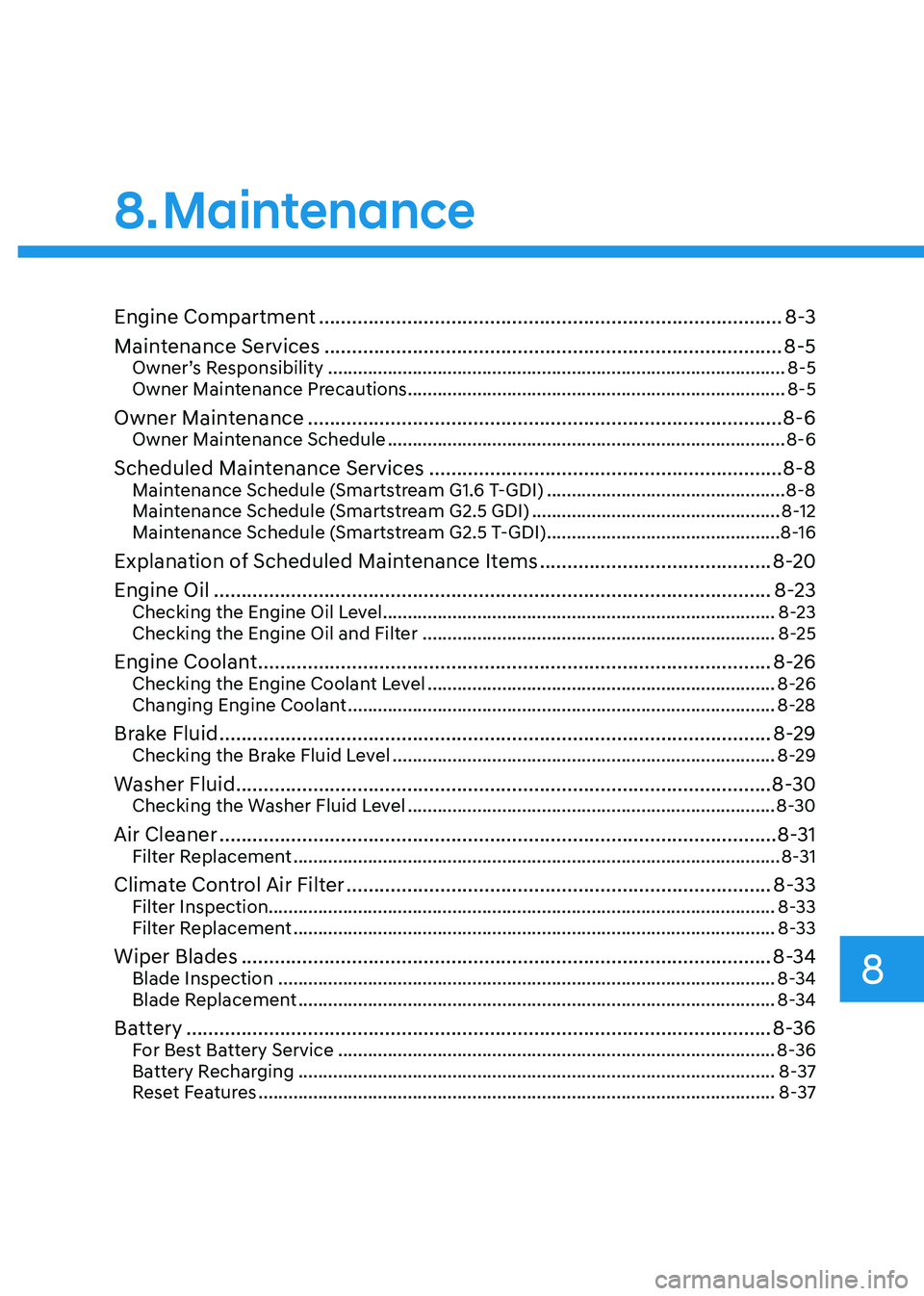
Engine Compartment .................................................................................... 8-3
Maintenance Services ................................................................................... 8-5
Owner’s Responsibility ............................................................................................ 8-5
Owner Maintenance Precautions ............................................................................ 8-5
Owner Maintenance ...................................................................................... 8-6
Owner Maintenance Schedule ................................................................................ 8-6
Scheduled Maintenance Services ................................................................ 8-8
Maintenance Schedule (Smartstream G1.6 T-GDI) ................................................8-8
Maintenance Schedule (Smartstream G2.5 GDI) ..................................................8-12
Maintenance Schedule (Smartstream G2.5 T-GDI) ...............................................8-16
Explanation of Scheduled Maintenance Items ..........................................8-20
Engine Oil ..................................................................................................... 8-23
Checking the Engine Oil Level ............................................................................... 8-23
Checking the Engine Oil and Filter ....................................................................... 8-25
Engine Coolant ............................................................................................. 8-26
Checking the Engine Coolant Level ...................................................................... 8-26
Changing Engine Coolant ...................................................................................... 8-28
Brake Fluid .................................................................................................... 8-29
Checking the Brake Fluid Level ............................................................................. 8-29
Washer Fluid ................................................................................................. 8-30
Checking the Washer Fluid Level .......................................................................... 8-30
Air Cleaner ..................................................................................................... 8-31
Filter Replacement .................................................................................................. 8-31
Climate Control Air Filter ............................................................................. 8-33
Filter Inspection...................................................................................................... 8-33
Filter Replacement ................................................................................................. 8-33
Wiper Blades ................................................................................................ 8-34
Blade Inspection .................................................................................................... 8-34
Blade Replacement ................................................................................................ 8-34
Battery .......................................................................................................... 8-36
For Best Battery Service ........................................................................................ 8-36
Battery Recharging ................................................................................................ 8-37
Reset Features ........................................................................................................ 8-37
8. Maintenance
8
Page 507 of 555
08
8-37
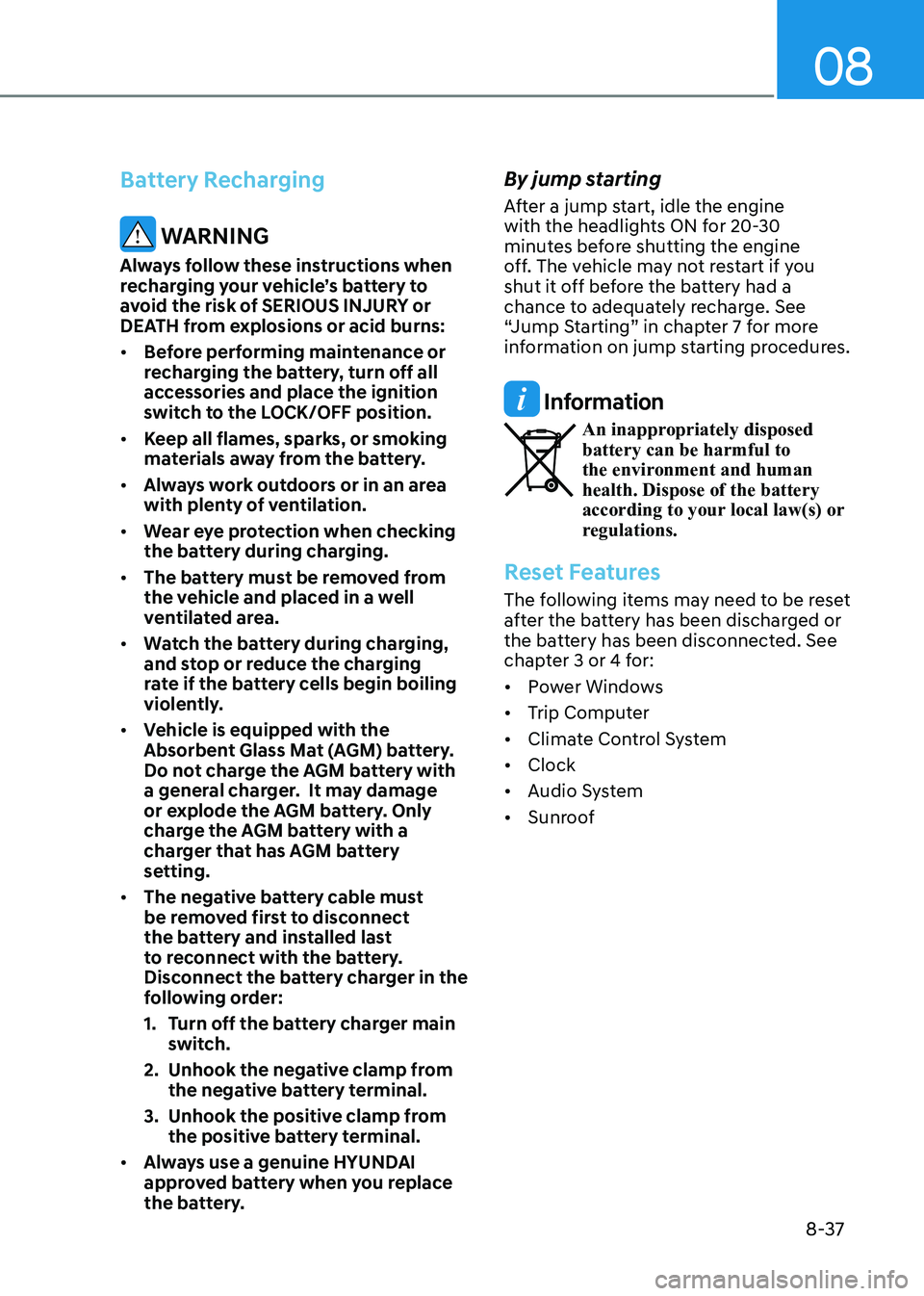
Battery Recharging
WARNING
Always follow these instructions when
recharging your vehicle’s battery to
avoid the risk of SERIOUS INJURY or
DEATH from explosions or acid burns: • Before performing maintenance or
recharging the battery, turn off all
accessories and place the ignition
switch to the LOCK/OFF position.
• Keep all flames, sparks, or smoking
materials away from the battery.
• Always work outdoors or in an area
with plenty of ventilation.
• Wear eye protection when checking
the battery during charging.
• The battery must be removed from
the vehicle and placed in a well
ventilated area.
• Watch the battery during charging,
and stop or reduce the charging
rate if the battery cells begin boiling
violently.
• Vehicle is equipped with the
Absorbent Glass Mat (AGM) battery.
Do not charge the AGM battery with
a general charger. It may damage
or explode the AGM battery. Only
charge the AGM battery with a
charger that has AGM battery
setting.
• The negative battery cable must
be removed first to disconnect
the battery and installed last
to reconnect with the battery.
Disconnect the battery charger in the
following order:
1. Turn off the battery charger main
switch.
2. Unhook the negative clamp from the negative battery terminal.
3. Unhook the positive clamp from the positive battery terminal.
• Always use a genuine HYUNDAI
approved battery when you replace
the battery. By jump starting
After a jump start, idle the engine
with the headlights ON for 20-30
minutes before shutting the engine
off. The vehicle may not restart if you
shut it off before the battery had a
chance to adequately recharge. See
“Jump Starting” in chapter 7 for more
information on jump starting procedures.
Information
An inappropriately disposed battery can be harmful to
the environment and human health. Dispose of the battery
according to your local law(s) or
regulations.
Reset Features
The following items may need to be reset
after the battery has been discharged or
the battery has been disconnected. See
chapter 3 or 4 for: •
Power Windows
• Trip Computer
• Climate Control System
• Clock
• Audio System
• Sunroof
Page 545 of 555
I
I-3
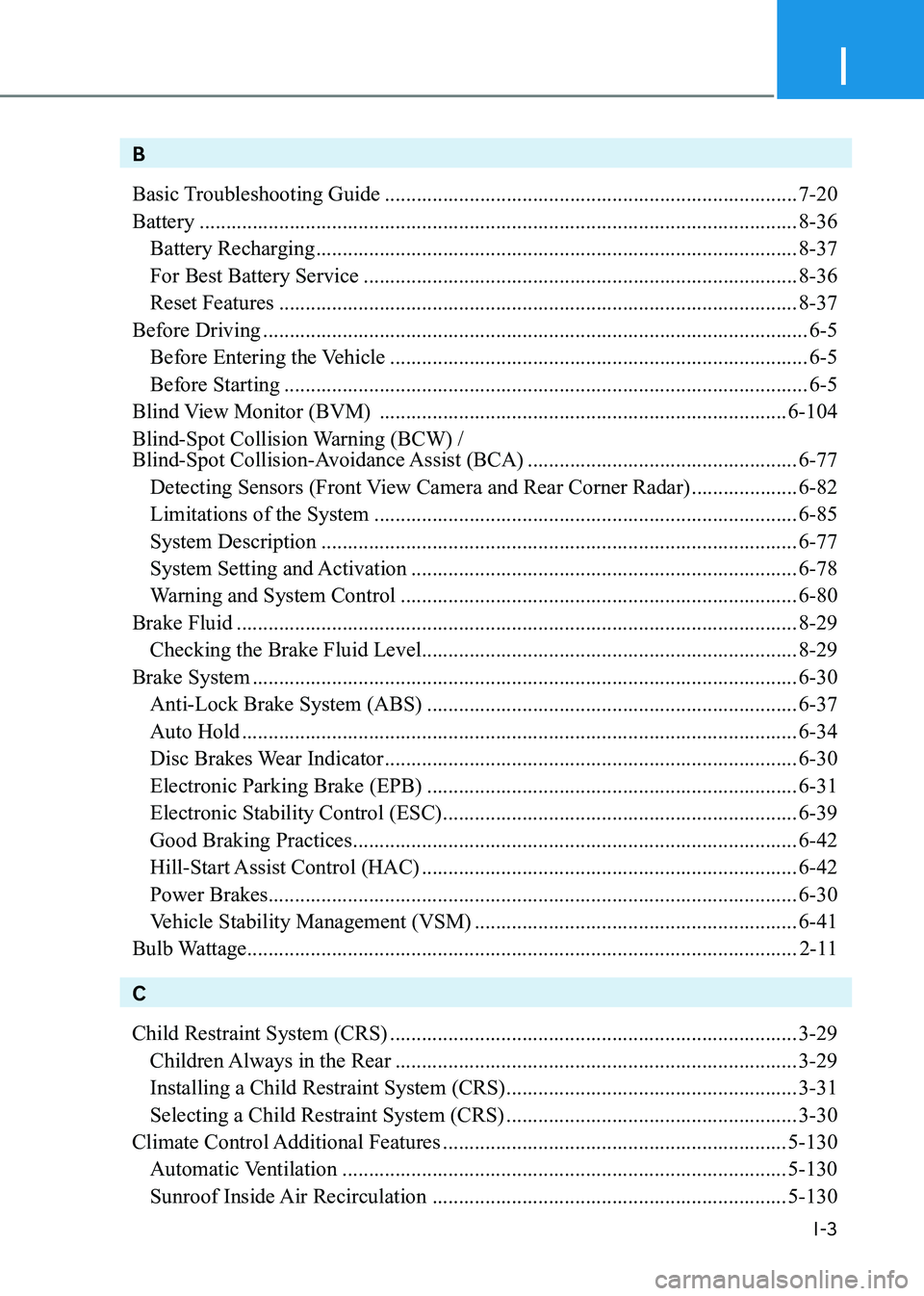
B
Basic Troubleshooting Guide .............................................................................. 7-20
Battery ................................................................................................................. 8-36
Battery Recharging ........................................................................................... 8-37
For Best Battery Service .................................................................................. 8-36
Reset Features .................................................................................................. 8-37
Before Driving ....................................................................................................... 6-5
Before Entering the Vehicle ............................................................................... 6-5
Before Starting ................................................................................................... 6-5
Blind View Monitor (BVM) ............................................................................. 6-104
Blind-Spot Collision Warning (BCW) /
Blind-Spot Collision-Avoidance Assist (BCA) ...................................................6-77
Detecting Sensors (Front View Camera and Rear Corner Radar) ....................6-82
Limitations of the System ................................................................................ 6-85
System Description .......................................................................................... 6-77
System Setting and Activation ......................................................................... 6-78
Warning and System Control ........................................................................... 6-80
Brake Fluid .......................................................................................................... 8-29
Checking the Brake Fluid Level ....................................................................... 8-29
Brake System ....................................................................................................... 6-30
Anti-Lock Brake System (ABS) ...................................................................... 6-37
Auto Hold ......................................................................................................... 6-34
Disc Brakes Wear Indicator .............................................................................. 6-30
Electronic Parking Brake (EPB) ...................................................................... 6-31
Electronic Stability Control (ESC) ................................................................... 6-39
Good Braking Practices .................................................................................... 6-42
Hill-Start Assist Control (HAC) ....................................................................... 6-42
Power Brakes .................................................................................................... 6-30
Vehicle Stability Management (VSM) .............................................................6-41
Bulb Wattage ........................................................................................................ 2-11
C Child Restraint System (CRS) ............................................................................. 3-29
Children Always in the Rear ............................................................................ 3-29
Installing a Child Restraint System (CRS) .......................................................3-31
Selecting a Child Restraint System (CRS) .......................................................3-30
Climate Control Additional Features ................................................................. 5-130
Automatic Ventilation .................................................................................... 5-130
Sunroof Inside Air Recirculation ................................................................... 5-130
Page 549 of 555
I
I -7
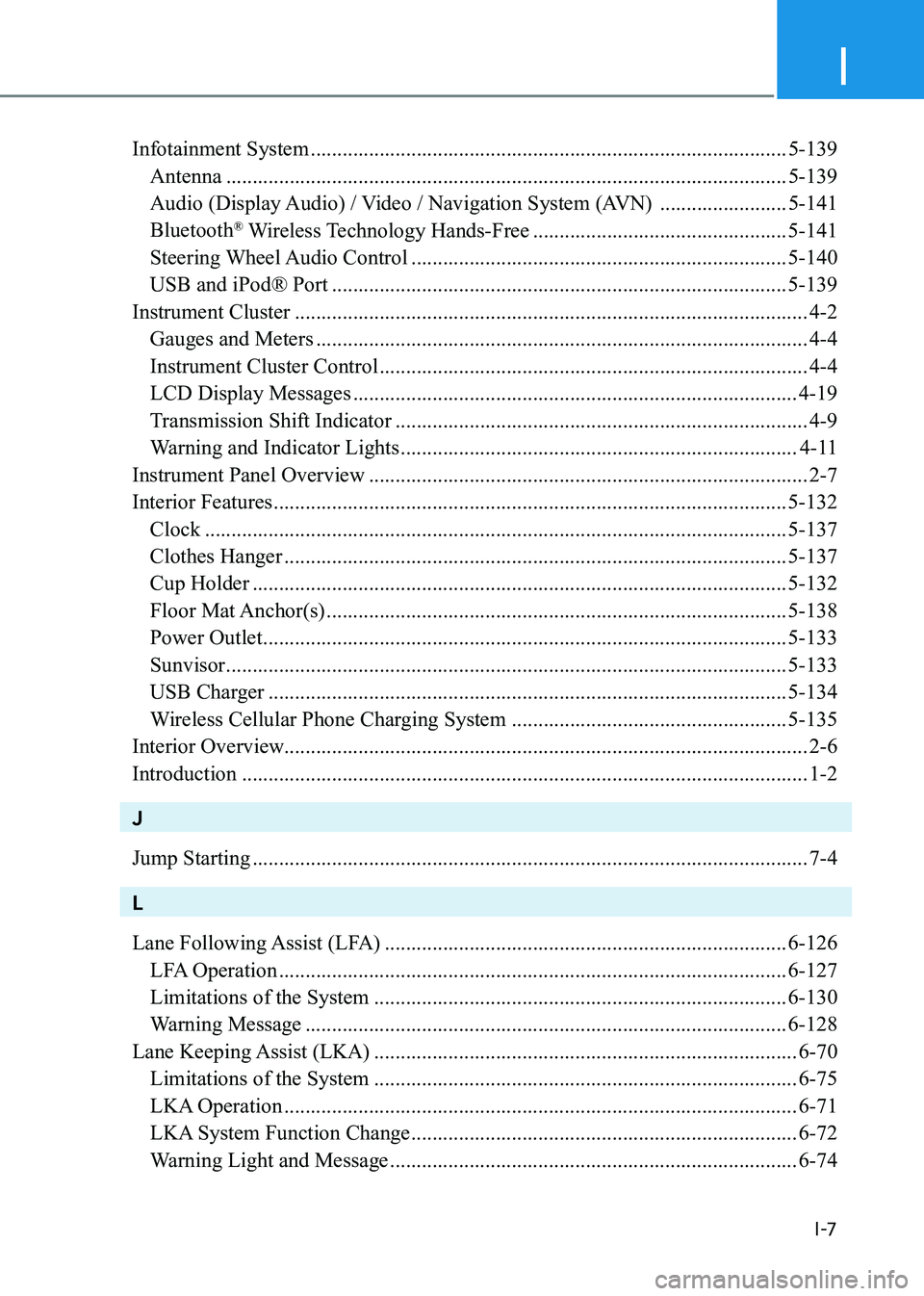
Infotainment System .......................................................................................... 5-139
Antenna .......................................................................................................... 5-139
Audio (Display Audio) / Video / Navigation System (AVN) ........................5-141
Bluetooth ®
Wireless Technology Hands-Free ................................................5-141
Steering Wheel Audio Control ....................................................................... 5-140
USB and iPod® Port ...................................................................................... 5-139
Instrument Cluster ................................................................................................. 4-2
Gauges and Meters ............................................................................................. 4-4
Instrument Cluster Control ................................................................................. 4-4
LCD Display Messages .................................................................................... 4-19
Transmission Shift Indicator .............................................................................. 4-9
Warning and Indicator Lights ........................................................................... 4-11
Instrument Panel Overview ................................................................................... 2-7
Interior Features ................................................................................................. 5-132
Clock .............................................................................................................. 5-137
Clothes Hanger ............................................................................................... 5-137
Cup Holder ..................................................................................................... 5-132
Floor Mat Anchor(s) ....................................................................................... 5-138
Power Outlet ................................................................................................... 5-133
Sunvisor .......................................................................................................... 5-133
USB Charger .................................................................................................. 5-134
Wireless Cellular Phone Charging System ....................................................5-135
Interior Overview................................................................................................... 2-6 Introduction ........................................................................................................... 1-2
J Jump Starting ......................................................................................................... 7-4
L
Lane Following Assist (LFA) ............................................................................ 6-126
LFA Operation ................................................................................................ 6-127
Limitations of the System .............................................................................. 6-130
Warning Message ........................................................................................... 6-128
Lane Keeping Assist (LKA) ................................................................................ 6-70
Limitations of the System ................................................................................ 6-75
LKA Operation ................................................................................................. 6-71
LKA System Function Change ......................................................................... 6-72
Warning Light and Message ............................................................................. 6-74