cruise control HYUNDAI SONATA 2023 User Guide
[x] Cancel search | Manufacturer: HYUNDAI, Model Year: 2023, Model line: SONATA, Model: HYUNDAI SONATA 2023Pages: 555, PDF Size: 42.72 MB
Page 290 of 555
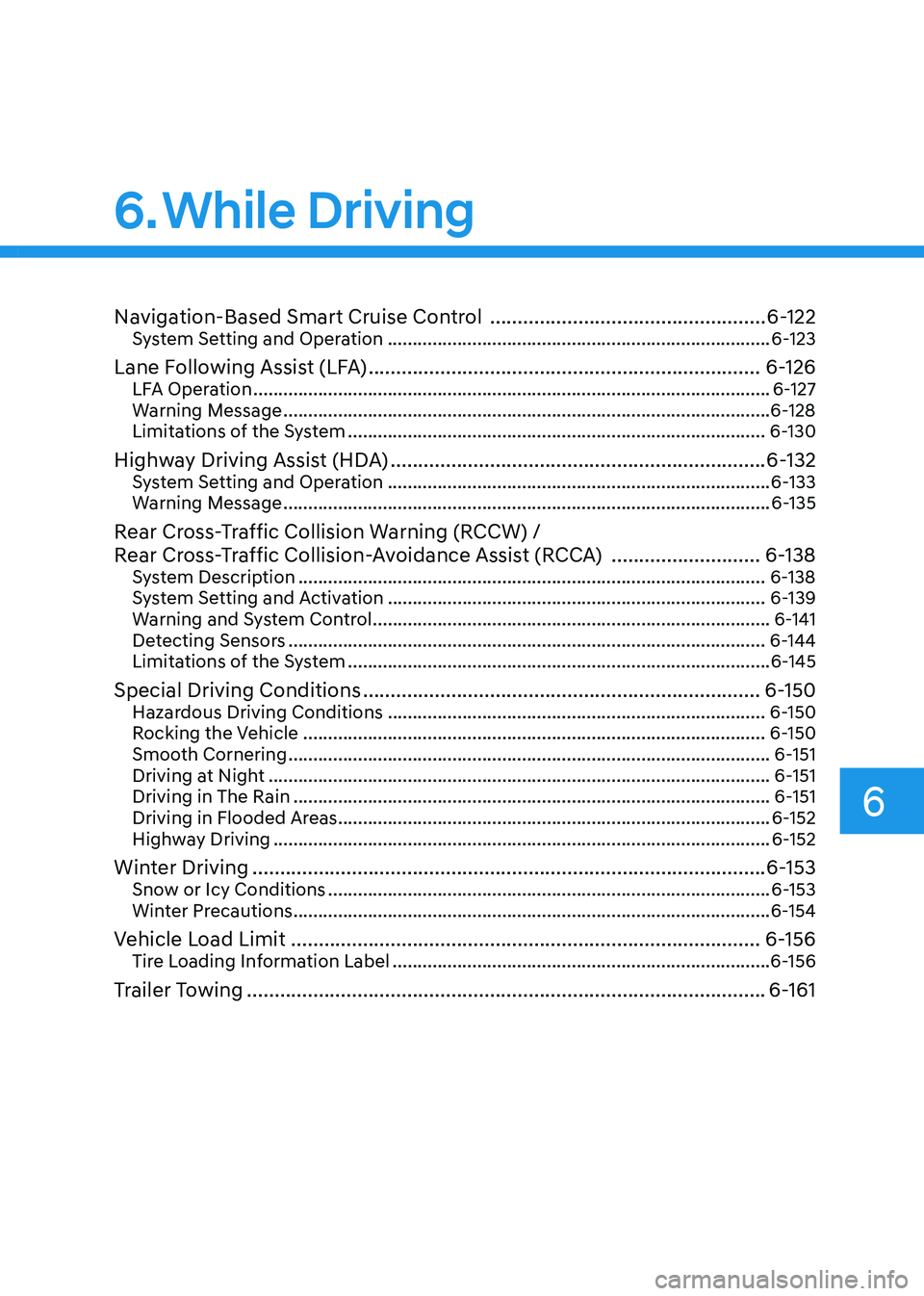
Navigation-Based Smart Cruise Control ..................................................6-122
System Setting and Operation ............................................................................. 6-123
Lane Following Assist (LFA) ....................................................................... 6-126
LFA Operation ........................................................................................................ 6-127
Warning Message .................................................................................................. 6-128
Limitations of the System .................................................................................... 6-130
Highway Driving Assist (HDA) .................................................................... 6-132
System Setting and Operation ............................................................................. 6-133
Warning Message .................................................................................................. 6-135
Rear Cross-Traffic Collision Warning (RCCW) /
Rear Cross-Traffic Collision-Avoidance Assist (RCCA) ...........................6-138
System Description .............................................................................................. 6-138
System Setting and Activation ............................................................................ 6-139
Warning and System Control ................................................................................ 6-141
Detecting Sensors ................................................................................................ 6-144
Limitations of the System ..................................................................................... 6-145
Special Driving Conditions ........................................................................ 6-150
Hazardous Driving Conditions ............................................................................ 6-150
Rocking the Vehicle ............................................................................................. 6-150
Smooth Cornering ................................................................................................. 6-151
Driving at Night ..................................................................................................... 6-151
Driving in The Rain ................................................................................................ 6-151
Driving in Flooded Areas ....................................................................................... 6-152
Highway Driving .................................................................................................... 6-152
Winter Driving ............................................................................................. 6-153
Snow or Icy Conditions ......................................................................................... 6-153
Winter Precautions ................................................................................................ 6-154
Vehicle Load Limit ..................................................................................... 6-156
Tire Loading Information Label ............................................................................ 6-156
Trailer Towing .............................................................................................. 6-161
6
6. While Driving
Page 322 of 555
06
6-35
ODN8069016
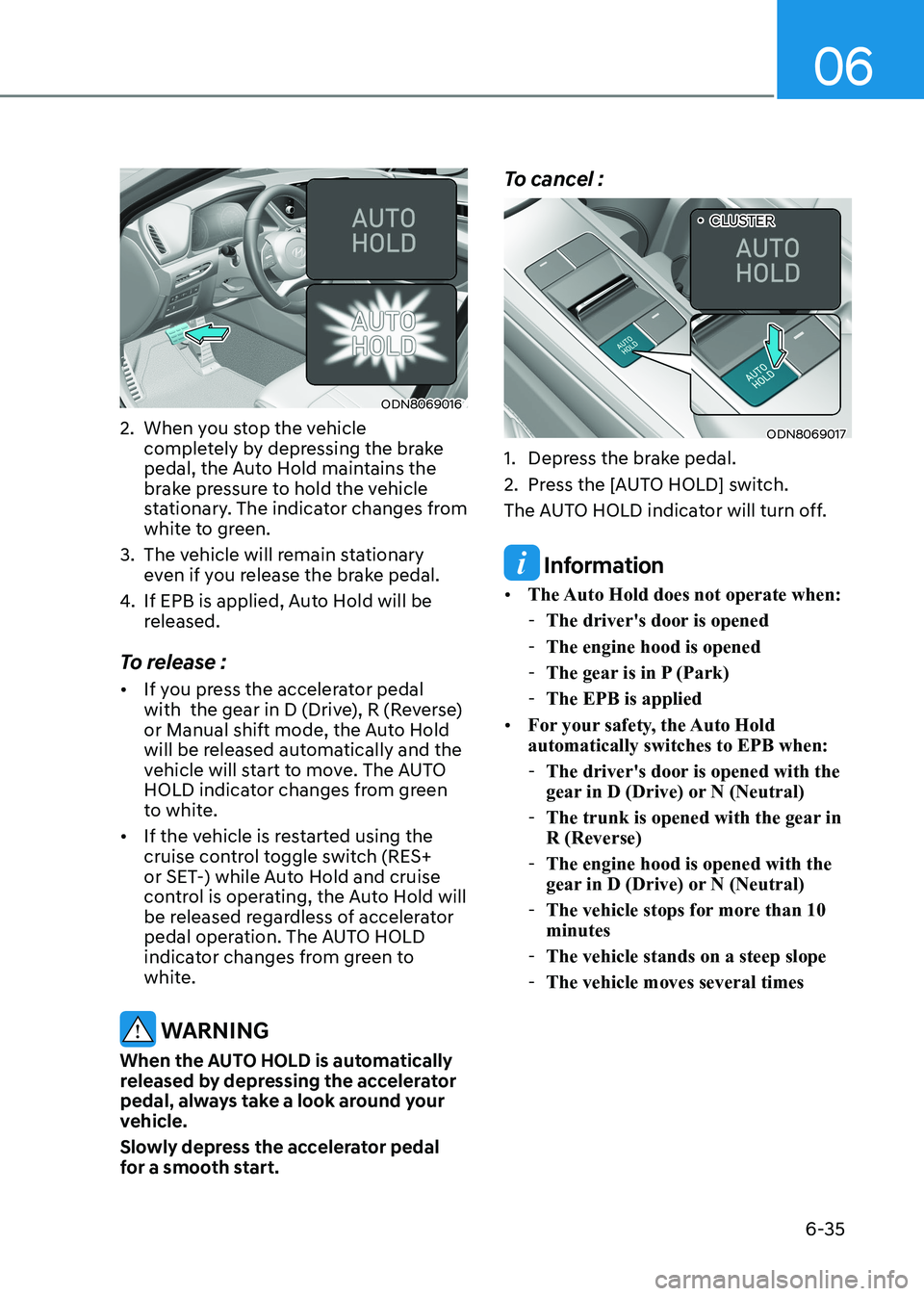
2. When you stop the vehicle completely by depressing the brake
pedal, the Auto Hold maintains the
brake pressure to hold the vehicle
stationary. The indicator changes from
white to green.
3. The vehicle will remain stationary even if you release the brake pedal.
4. If EPB is applied, Auto Hold will be
released.
To release : • If you press the accelerator pedal
with the gear in D (Drive), R (Reverse)
or Manual shift mode, the Auto Hold
will be released automatically and the
vehicle will start to move. The AUTO
HOLD indicator changes from green
to white.
• If the vehicle is restarted using the
cruise control toggle switch (RES+
or SET-) while Auto Hold and cruise
control is operating, the Auto Hold will
be released regardless of accelerator
pedal operation. The AUTO HOLD
indicator changes from green to
white.
WARNING
When the AUTO HOLD is automatically
released by depressing the accelerator
pedal, always take a look around your
vehicle.
Slowly depress the accelerator pedal
for a smooth start. To cancel :
ODN8069017
1. Depress the brake pedal.
2. Press the [AUTO HOLD] switch.
The AUTO HOLD indicator will turn off.
Information
• The Auto Hold does not operate when:
- The driver's door is opened
- The engine hood is opened
- The gear is in P (Park)
- The EPB is applied
• For your safety, the Auto Hold automatically switches to EPB when:
- The driver's door is opened with the
gear in D (Drive) or N (Neutral)
- The trunk is opened with the gear in R (Reverse)
- The engine hood is opened with the
gear in D (Drive) or N (Neutral)
- The vehicle stops for more than 10 minutes
- The vehicle stands on a steep slope
- The vehicle moves several times „
•CLUSTER
Page 326 of 555
06
6-39
Electronic Stability Control (ESC)
ODN8069018
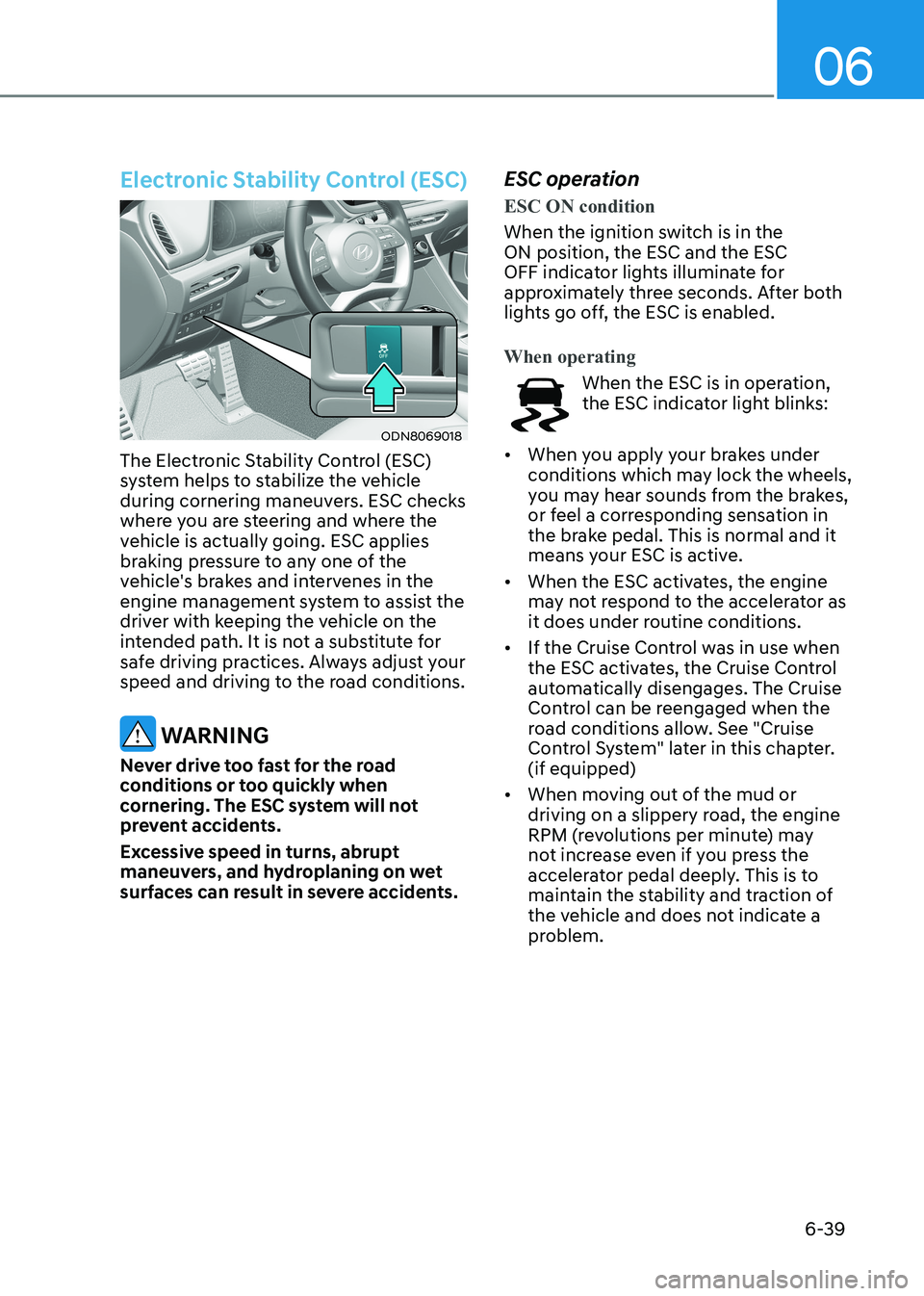
The Electronic Stability Control (ESC)
system helps to stabilize the vehicle
during cornering maneuvers. ESC checks
where you are steering and where the
vehicle is actually going. ESC applies
braking pressure to any one of the
vehicle's brakes and intervenes in the
engine management system to assist the
driver with keeping the vehicle on the
intended path. It is not a substitute for
safe driving practices. Always adjust your
speed and driving to the road conditions.
WARNING
Never drive too fast for the road
conditions or too quickly when
cornering. The ESC system will not
prevent accidents.
Excessive speed in turns, abrupt
maneuvers, and hydroplaning on wet
surfaces can result in severe accidents. ESC operation
ESC ON condition
When the ignition switch is in the ON position, the ESC and the ESC
OFF indicator lights illuminate for
approximately three seconds. After both
lights go off, the ESC is enabled.
When operating
When the ESC is in operation,
the ESC indicator light blinks:
• When you apply your brakes under
conditions which may lock the wheels,
you may hear sounds from the brakes,
or feel a corresponding sensation in
the brake pedal. This is normal and it
means your ESC is active.
• When the ESC activates, the engine
may not respond to the accelerator as
it does under routine conditions.
• If the Cruise Control was in use when
the ESC activates, the Cruise Control
automatically disengages. The Cruise
Control can be reengaged when the
road conditions allow. See "Cruise
Control System" later in this chapter. (if equipped)
• When moving out of the mud or
driving on a slippery road, the engine
RPM (revolutions per minute) may
not increase even if you press the
accelerator pedal deeply. This is to
maintain the stability and traction of
the vehicle and does not indicate a
problem.
Page 332 of 555
06
6-45
Drive moDe integrateD control system (if equippeD)
Drive Mode
ODN8069020
The drive mode may be selected
according to the driver’s preference or
road condition.
Information
If there is a problem with the
instrument cluster, the drive mode will
be in COMFORT mode and may not
change to NORMAL mode or SPORT mode.
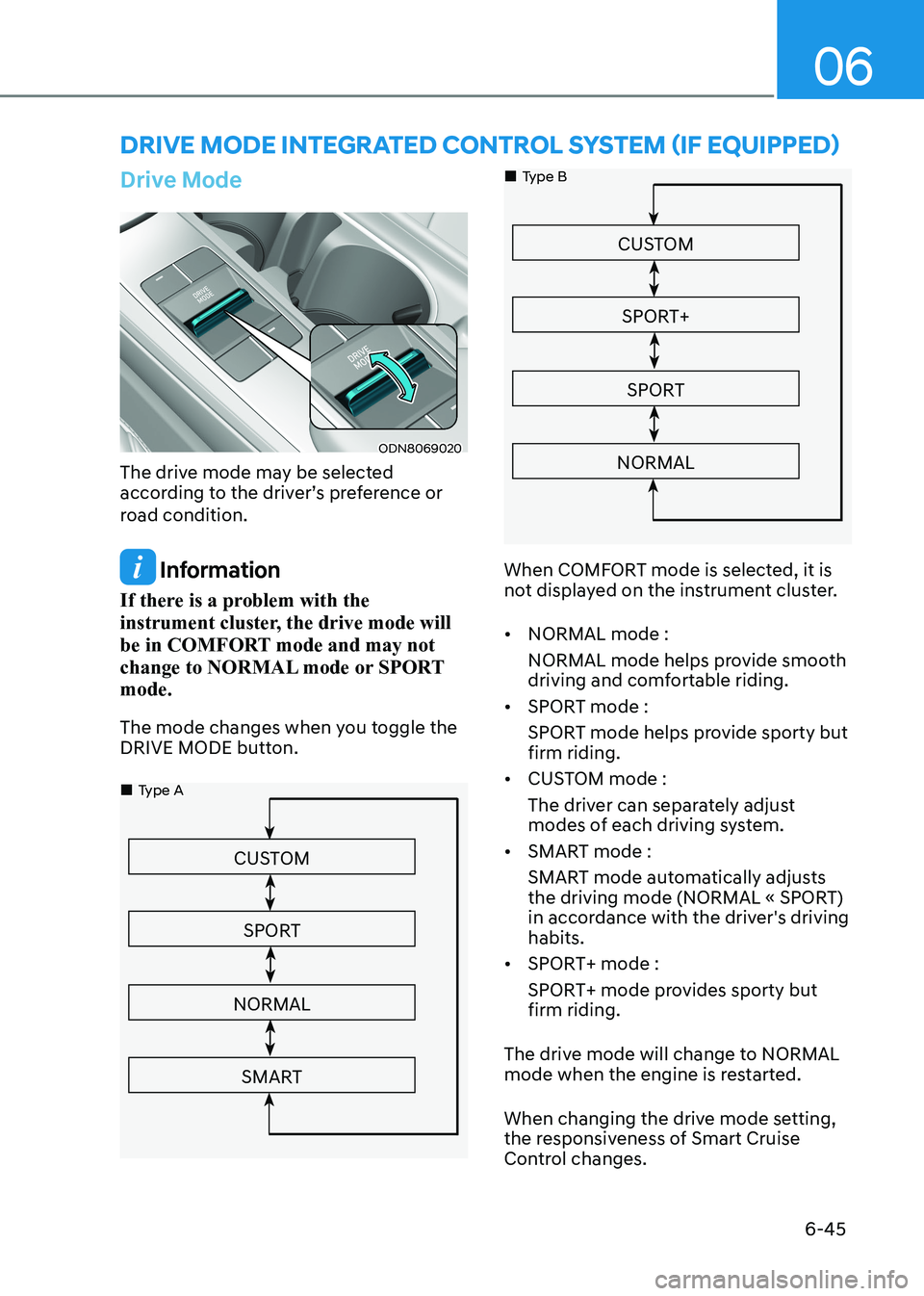
The mode changes when you toggle the
DRIVE MODE button.
CUSTOM
SPORT
NORMAL
SMART
„„Type A
CUSTOM
SPORT+
SPORT
NORMAL
„„Type B
When COMFORT mode is selected, it is
not displayed on the instrument cluster. • NORMAL mode :
NORMAL mode helps provide smooth
driving and comfortable riding.
• SPORT mode :
SPORT mode helps provide sporty but firm riding.
• CUSTOM mode :
The driver can separately adjust
modes of each driving system.
• SMART mode :
SMART mode automatically adjusts
the driving mode (NORMAL « SPORT)
in accordance with the driver's driving habits.
• SPORT+ mode :
SPORT+ mode provides sporty but firm riding.
The drive mode will change to NORMAL
mode when the engine is restarted.
When changing the drive mode setting,
the responsiveness of Smart Cruise
Control changes.
Page 335 of 555
While Driving
6-48
Various driving situations, which you may
encounter in SMART mode
• The driving mode automatically
changes to SMART SPORT, when
you abruptly accelerate the vehicle
or repetitively operate the steering
wheel (Your driving is categorized
to be sporty.). In this mode, your
vehicle drives in a lower gear for
abrupt accelerating/decelerating
and increases the engine brake
performance.
• You may still sense the engine
braking performance, even when
you release the accelerator pedal in
SMART SPORT mode. It is because
your vehicle remains in lower gear
over a certain period of time for next
acceleration. Thus, it is a normal
driving situation, not indicating any malfunction.
• The driving mode automatically
changes to SMART SPORT mode only
in harsh driving situations. In most
of the normal driving situations, the
driving mode sets to be in SMART NORMAL mode.
Limitation of SMART mode
The SMART mode may be limited in
following situations. (The OFF indicator
illuminates in those situations.) • The driver uses the paddle shifter
(manual shift mode) :
It deactivates SMART mode. The
vehicle drives, as the driver manually
changes gear with the paddle shifter.
• The cruise control is activated :
The cruise control system may
deactivate the SMART mode when
the vehicle is controlled by the set
speed of Smart Cruise Control system.
(SMART mode is not deactivated
just by activating the cruise control
system.)
• The transmission oil temperature is
either extremely low or extremely high :
The SMART mode can be active in
most of the normal driving situations.
However, an extremely high/ low
transmission oil temperature may
temporarily deactivate the SMART
mode, because the transmission
condition is out of normal operation condition.
Page 387 of 555
While Driving
6-100
Information
The system may suggest a break according
to the driver’s driving pattern or habits
even if the driver doesn’t feel fatigue.
NOTICE
• Driver Attention Warning system
utilizes the camera sensor on the
front windshield for its operation. To
keep the camera sensor in the best
condition, you should observe the
followings:
• Never install any accessories or
stickers on the front windshield, or
tint the front windshield.
• NEVER place any reflective objects
(i.e. white paper, mirror) over the
dashboard. Any light reflection
may cause a malfunction of Driver
Attention Warning system.
• Pay extreme caution to keep the
camera sensor dry.
• Never disassemble the camera
assembly, or apply any impact on the
camera assembly.
If the sensor is forcibly moved out
of proper alignment, the system
may not operate correctly. Have the
vehicle inspected by an authorized
HYUNDAI dealer.
CAUTION
• Driver Attention Warning system may
not provide alerts in the following
situations:
• Driver Attention Warning system
is using the front view camera. To
optimize the function of the front
view camera, the driver should
manage carefully. For detailed
information, please refer to the
warning statements in Lane Keeping
Assist system section.
• The lane detection performance
is limited. (For more information,
refer to “Lane Keeping Assist (LKA)”
section in this chapter.)
• The vehicle is erratically driven
or is abruptly turned for obstacle
avoidance (e.g. construction area,
other vehicles, fallen objects, bumpy
road).
• Forward drivability of the vehicle is
severely undermined (possibly due
to wide variation in tire pressures,
uneven tire wear-out, toe-in/toe-out
alignment).
• The vehicle is driven on a curvy road.
• The vehicle is driven through a windy
area.
• The vehicle is driven on a bumpy
road.
• The vehicle is controlled by the
following driving assist systems:
- Forward Collision-Avoidance Assist
system
- Lane Keeping Assist system
- Smart Cruise Control system
- Lane Following Assist system
CAUTION
Playing the vehicle audio system at
high volume may prevent occupants
from hearing Driver Attention Warning
system warning sounds.
Page 392 of 555
06
6-105
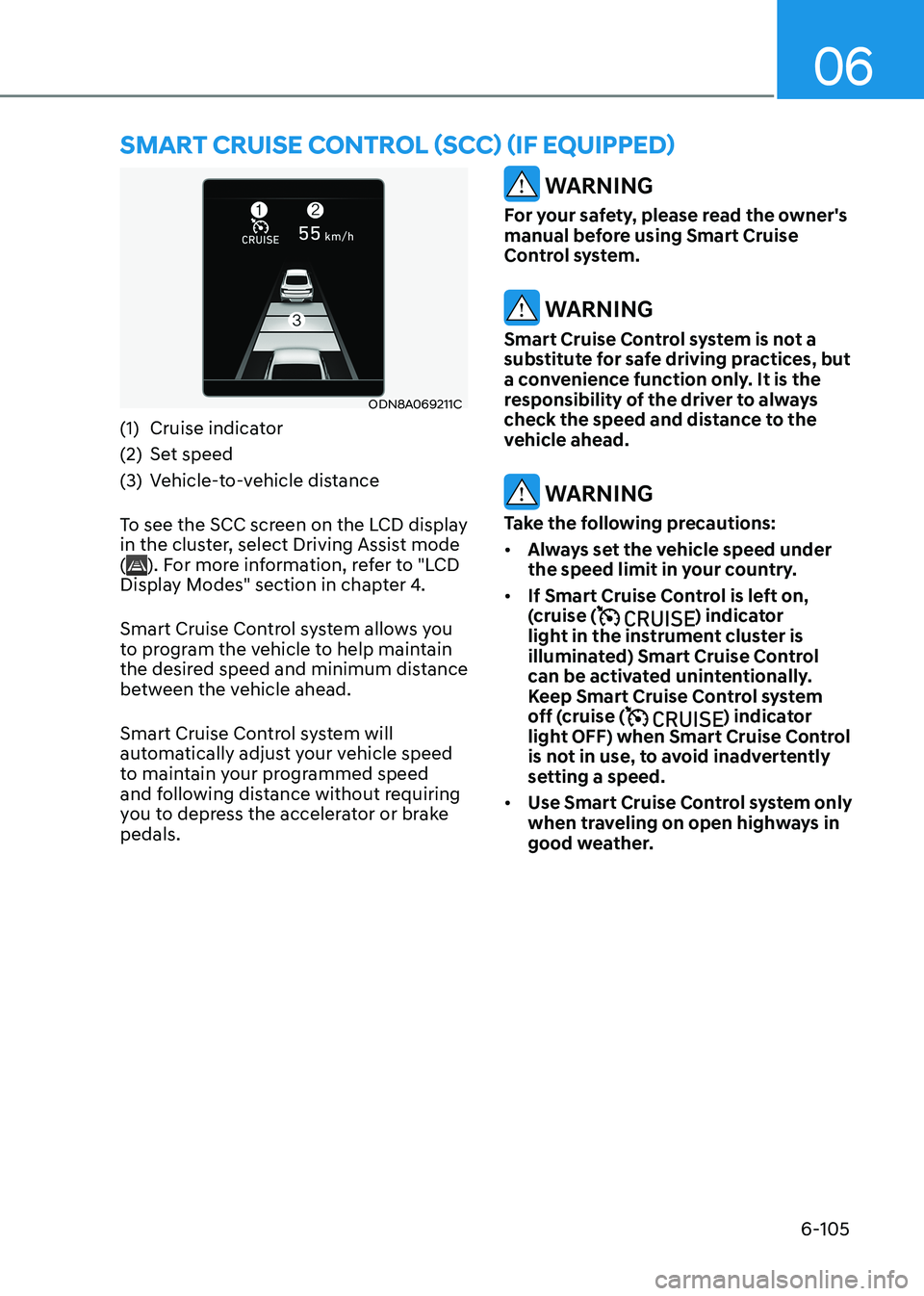
ODN8A069211C
(1) Cruise indicator
(2) Set speed
(3) Vehicle-to-vehicle distance
To see the SCC screen on the LCD display
in the cluster, select Driving Assist mode (
). For more information, refer to "LCD
Display Modes" section in chapter 4.
Smart Cruise Control system allows you
to program the vehicle to help maintain
the desired speed and minimum distance
between the vehicle ahead.
Smart Cruise Control system will
automatically adjust your vehicle speed
to maintain your programmed speed
and following distance without requiring
you to depress the accelerator or brake pedals.
WARNING
For your safety, please read the owner's
manual before using Smart Cruise
Control system.
WARNING
Smart Cruise Control system is not a
substitute for safe driving practices, but
a convenience function only. It is the
responsibility of the driver to always
check the speed and distance to the
vehicle ahead.
WARNING
Take the following precautions: • Always set the vehicle speed under
the speed limit in your country.
• If Smart Cruise Control is left on,
(cruise (
) indicator
light in the instrument cluster is
illuminated) Smart Cruise Control
can be activated unintentionally.
Keep Smart Cruise Control system
off (cruise (
) indicator
light OFF) when Smart Cruise Control
is not in use, to avoid inadvertently
setting a speed.
• Use Smart Cruise Control system only
when traveling on open highways in
good weather.
smart cruise control (scc) (if equippeD)
Page 393 of 555
While Driving
6-106
•
Do not use Smart Cruise Control
when it may not be safe to keep the
vehicle at a constant speed:
- When driving in heavy traffic or
when traffic conditions make it
difficult to drive at a constant speed
- When driving on rainy, icy, or
snow-covered roads
- When driving on a steep downhill or uphill
- When driving in windy areas
- When driving in parking lots
- When driving near crash barriers
- When driving on a sharp curve
- When driving with limited view
(possibly due to bad weather, such
as fog, snow, rain or sandstorm)
- When the vehicle sensing
ability decreases due to vehicle
modification resulting level
difference of the vehicle's front
and rear
• Unexpected situations may lead to
possible accidents. Pay attention
continuously to road conditions
and driving even when smart cruise
control system is being operated.
Smart Cruise Control Switch
CRUISE/:Turns cruise control system
on or off.
RES+: Resumes or increases cruise control speed.
SET-: Sets or decreases cruise control speed.
:Sets vehicle-to-vehicle distance.
CANCEL (CNCL): Cancels cruise control operation.
To Convert to Cruise Control
Mode
The driver may choose to only use the
conventional Cruise Control mode
(speed control function) by doing as
follows:
1. Turn Smart Cruise Control system on (the cruise indicator light will be on
but the system will not be activated).
2. Push and hold the Vehicle-to-Vehicle Distance button for more than 2 seconds.
3. Choose between “Smart Cruise Control” and “Cruise Control”.
When the system is canceled using the CRUISE/
button or the CRUISE button
is used after the engine is turned on, the
Smart Cruise Control mode will turn on.
WARNING
When using the Cruise Control mode,
you must manually adjust the distance
to other vehicles by depressing the
brake pedal. The system does not
automatically adjust the distance to
vehicles in front of you.
Page 394 of 555
06
6-107
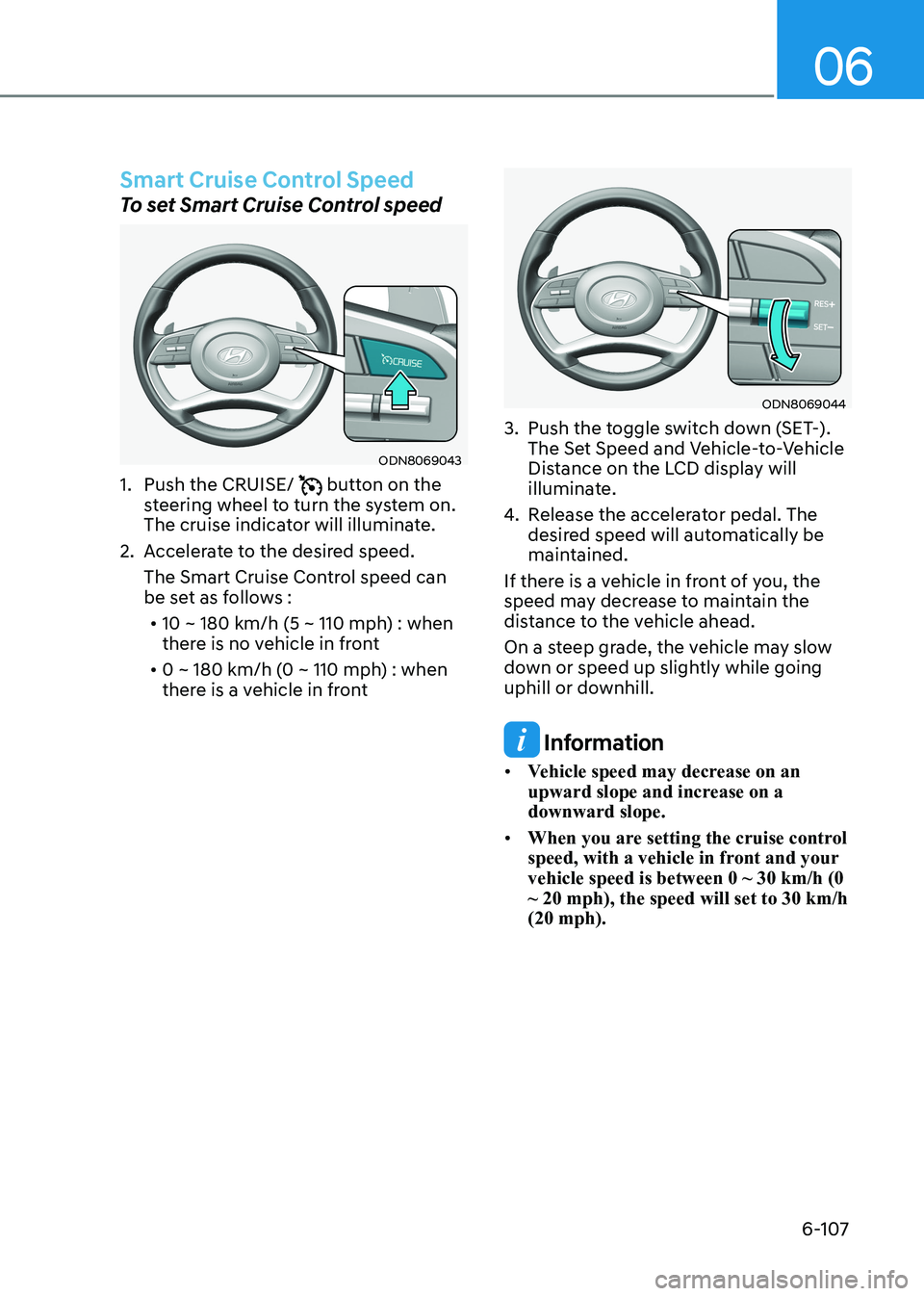
Smart Cruise Control Speed
To set Smart Cruise Control speed
ODN8069043
1. Push the CRUISE/
button on the
steering wheel to turn the system on.
The cruise indicator will illuminate.
2. Accelerate to the desired speed. The Smart Cruise Control speed can
be set as follows :• 10 ~ 180 km/h (5 ~ 110 mph) : when
there is no vehicle in front
• 0 ~ 180 km/h (0 ~ 110 mph) : when
there is a vehicle in front
ODN8069044
3. Push the toggle switch down (SET-). The Set Speed and Vehicle-to-Vehicle
Distance on the LCD display will
illuminate.
4. Release the accelerator pedal. The
desired speed will automatically be
maintained.
If there is a vehicle in front of you, the
speed may decrease to maintain the
distance to the vehicle ahead.
On a steep grade, the vehicle may slow
down or speed up slightly while going
uphill or downhill.
Information
• Vehicle speed may decrease on an
upward slope and increase on a downward slope.
• When you are setting the cruise control
speed, with a vehicle in front and your vehicle speed is between 0 ~ 30 km/h (0 ~ 20 mph), the speed will set to 30 km/h (20 mph).
Page 395 of 555
While Driving
6-108
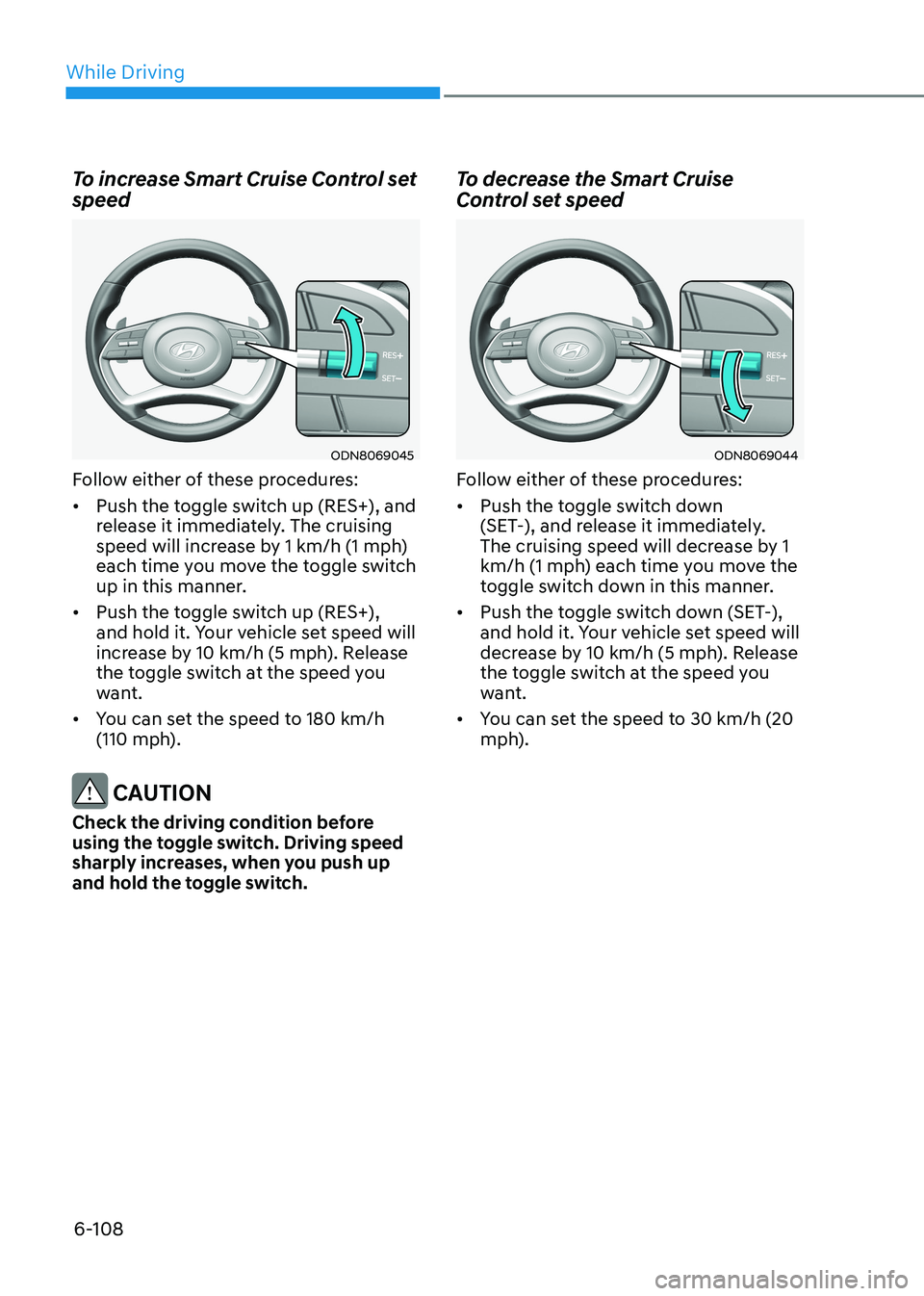
To increase Smart Cruise Control set speed
ODN8069045
Follow either of these procedures: • Push the toggle switch up (RES+), and
release it immediately. The cruising
speed will increase by 1 km/h (1 mph)
each time you move the toggle switch
up in this manner.
• Push the toggle switch up (RES+),
and hold it. Your vehicle set speed will
increase by 10 km/h (5 mph). Release
the toggle switch at the speed you
want.
• You can set the speed to 180 km/h
(110 mph).
CAUTION
Check the driving condition before
using the toggle switch. Driving speed
sharply increases, when you push up
and hold the toggle switch. To decrease the Smart Cruise
Control set speed
ODN8069044
Follow either of these procedures: • Push the toggle switch down
(SET-), and release it immediately.
The cruising speed will decrease by 1
km/h (1 mph) each time you move the
toggle switch down in this manner.
• Push the toggle switch down (SET-),
and hold it. Your vehicle set speed will
decrease by 10 km/h (5 mph). Release
the toggle switch at the speed you
want.
• You can set the speed to 30 km/h (20
mph).