wheel HYUNDAI SONATA 2023 User Guide
[x] Cancel search | Manufacturer: HYUNDAI, Model Year: 2023, Model line: SONATA, Model: HYUNDAI SONATA 2023Pages: 555, PDF Size: 42.72 MB
Page 68 of 555
03
3-39
Where Are the Air Bags?
Driver’s and passenger’s front air bags
Your vehicle is equipped with an
Advanced Supplemental Restraint
System (SRS) and lap/shoulder belts at
both the driver and passenger seating positions.
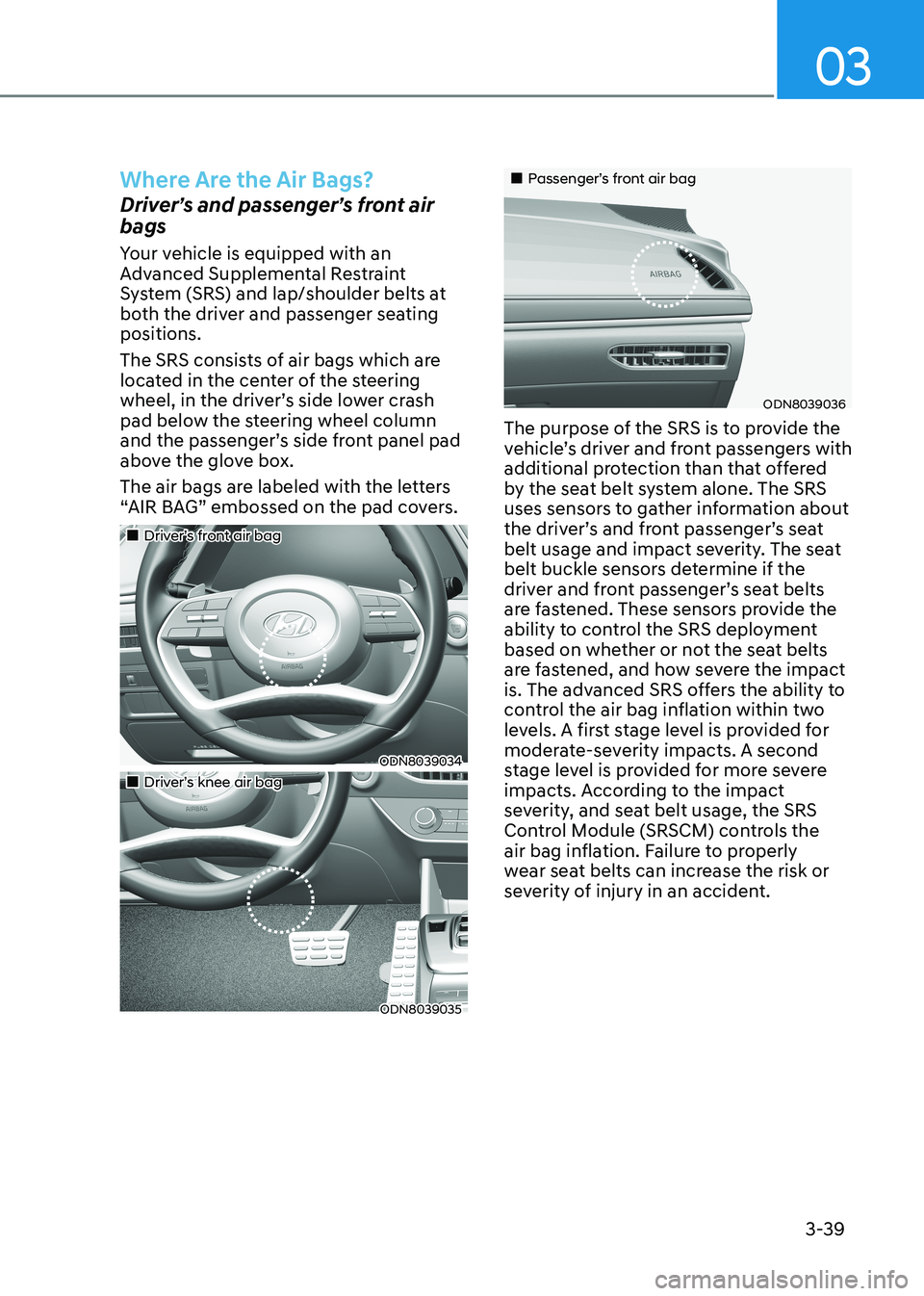
The SRS consists of air bags which are
located in the center of the steering
wheel, in the driver’s side lower crash
pad below the steering wheel column
and the passenger’s side front panel pad
above the glove box.
The air bags are labeled with the letters
“AIR BAG” embossed on the pad covers.
„„Driver’s front air bag
ODN8039034
„„Driver’s knee air bag
ODN8039035
„„Passenger’s front air bag
ODN8039036
The purpose of the SRS is to provide the
vehicle’s driver and front passengers with
additional protection than that offered
by the seat belt system alone. The SRS
uses sensors to gather information about
the driver’s and front passenger’s seat
belt usage and impact severity. The seat
belt buckle sensors determine if the
driver and front passenger’s seat belts
are fastened. These sensors provide the
ability to control the SRS deployment
based on whether or not the seat belts
are fastened, and how severe the impact
is. The advanced SRS offers the ability to
control the air bag inflation within two
levels. A first stage level is provided for
moderate-severity impacts. A second
stage level is provided for more severe
impacts. According to the impact
severity, and seat belt usage, the SRS
Control Module (SRSCM) controls the
air bag inflation. Failure to properly
wear seat belts can increase the risk or
severity of injury in an accident.
Page 69 of 555
Seats & Safety System
3-40
WARNING
To reduce the risk of serious injury or
death from inflating front air bags, take
the following precautions: • Seat belts must be worn at all times
to help keep occupants positioned
properly.
• Move your seat as far back as
possible from front air bags, while
still maintaining control of the
vehicle.
• Never lean against the door or center
console.
• Do not allow the front passenger
to place their feet or legs on the
dashboard.
• No objects (such as crash pad
cover, cellular phone holder, cup
holder, perfume or stickers) should
be placed over or near the air bag
modules on the steering wheel,
instrument panel, windshield glass,
and the front passenger’s panel
above the glove box. Such objects
could cause harm if the vehicle is in a
crash severe enough to cause the air
bags to deploy. Side air bags
ODN8039040
ODN8039041
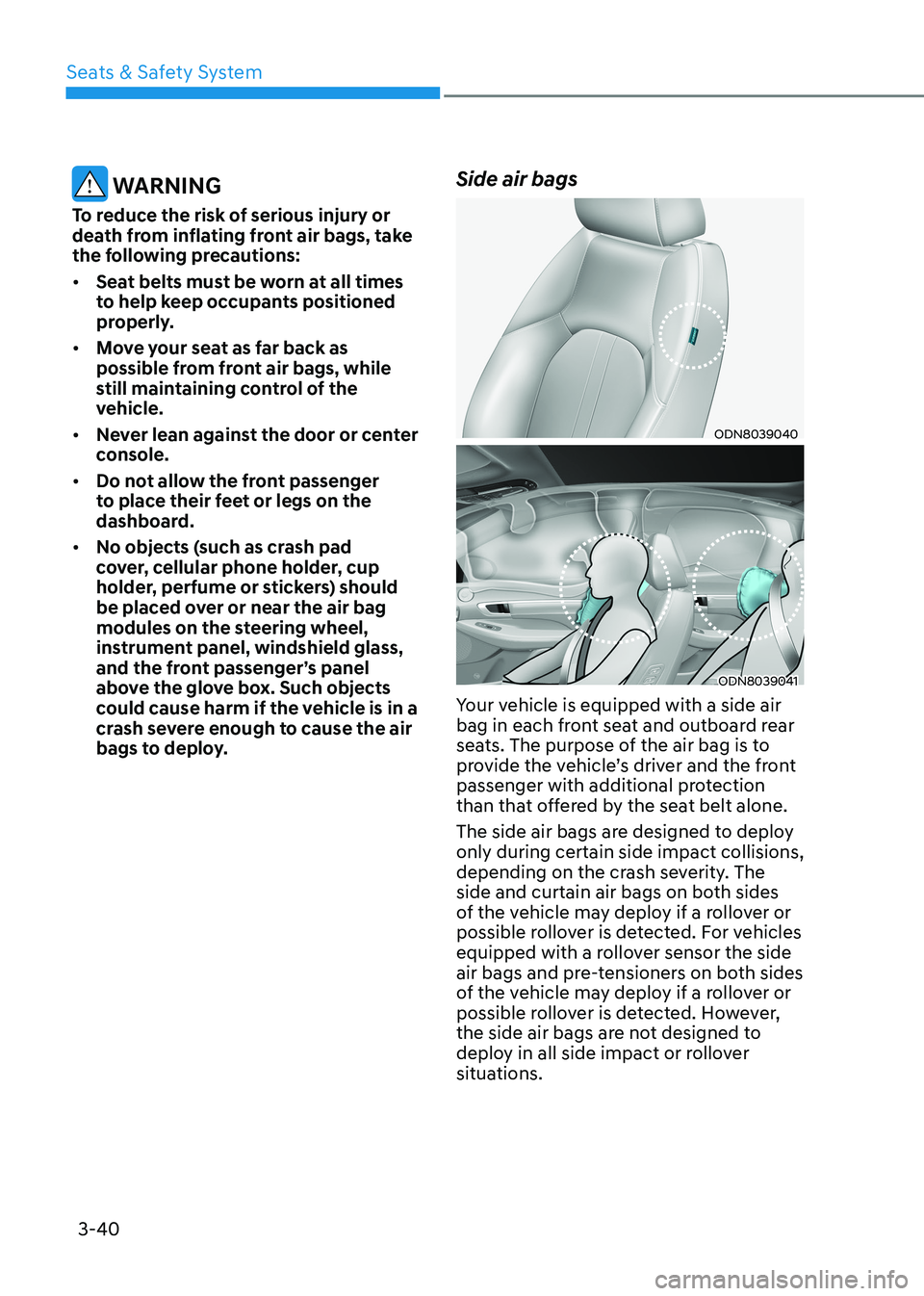
Your vehicle is equipped with a side air
bag in each front seat and outboard rear
seats. The purpose of the air bag is to
provide the vehicle’s driver and the front
passenger with additional protection
than that offered by the seat belt alone.
The side air bags are designed to deploy only during certain side impact collisions,
depending on the crash severity. The
side and curtain air bags on both sides
of the vehicle may deploy if a rollover or
possible rollover is detected. For vehicles
equipped with a rollover sensor the side
air bags and pre-tensioners on both sides
of the vehicle may deploy if a rollover or
possible rollover is detected. However,
the side air bags are not designed to
deploy in all side impact or rollover
situations.
Page 70 of 555
03
3-41
WARNING
To reduce the risk of serious injury or
death from an inflating side air bag,
take the following precautions: • Seat belts must be worn at all times
to help keep occupants positioned
properly.
• Do not allow passengers to lean their
heads or bodies onto doors, put their
arms on the doors, stretch their arms
out of the window, or place objects
between the doors and seats.
• Hold the steering wheel at the 9
o’clock and 3 o’clock positions, to
minimize the risk of injuries to your hands and arms.
• Do not use any accessory seat
covers. This could reduce or prevent
the effectiveness of the system.
• Do not place any objects over the
air bag or between the air bag and
yourself. Also, do not attach any
objects around the area the air bag
inflates such as the door, side door
glass, front and rear pillar.
• Do not place any objects between
the door and the seat. They may
become dangerous projectiles if the
side air bag inflates.
• Do not install any accessories on the side or near the side air bags.
• Do not put any objects between the
side airbag label and seat cushion. It
could cause harm if the vehicle is in a
crash severe enough to cause the air
bags to deploy.
• Do not cause impact to the doors
when the ignition switch button is in
the ON position as this may cause the
side air bags to inflate.
• If the seat or seat cover is damaged,
have the vehicle checked and
repaired by an authorized HYUNDAI
dealer. Curtain air bags
ODN8039042
ODN8039043
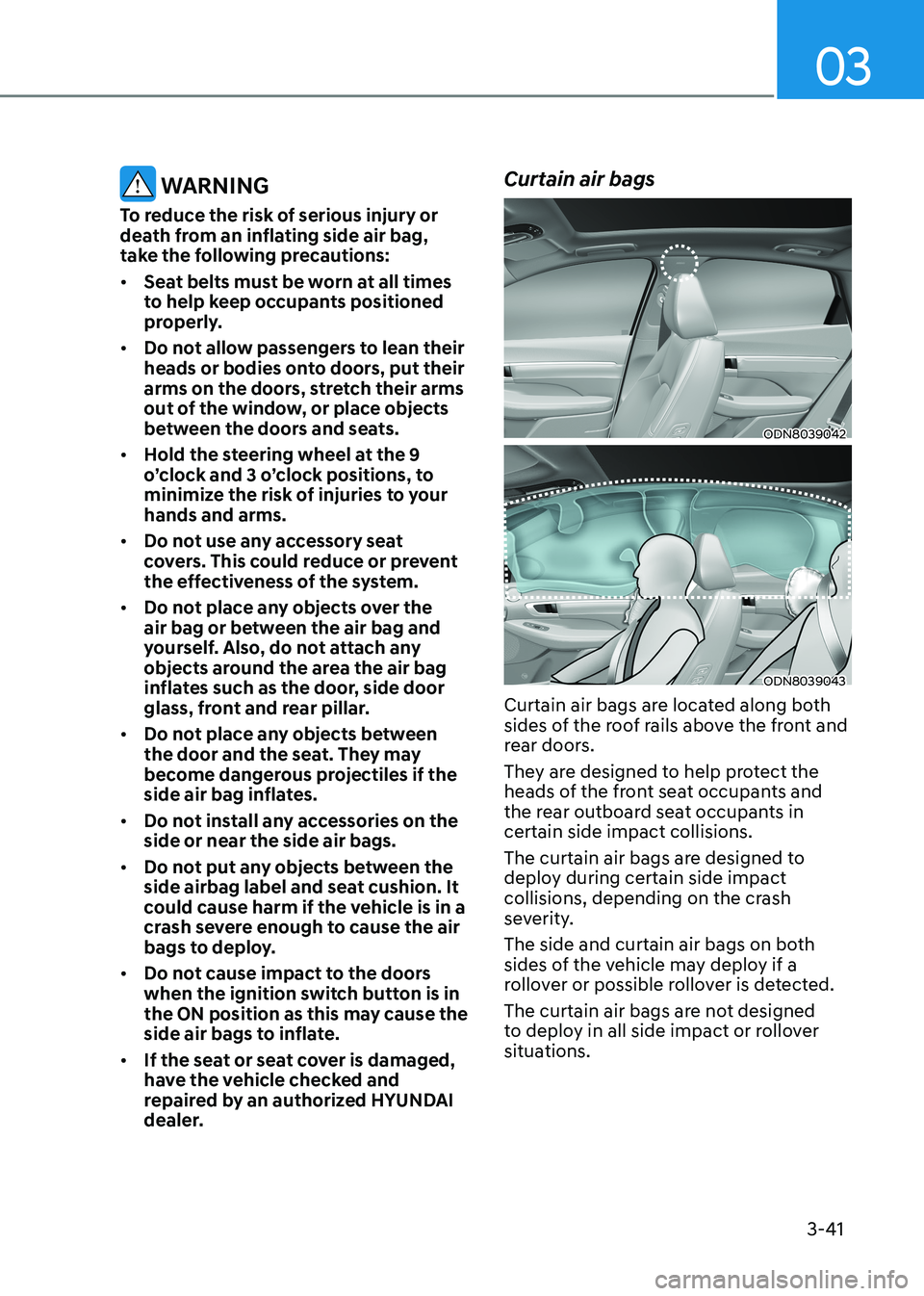
Curtain air bags are located along both
sides of the roof rails above the front and
rear doors.
They are designed to help protect the
heads of the front seat occupants and
the rear outboard seat occupants in certain side impact collisions.
The curtain air bags are designed to
deploy during certain side impact
collisions, depending on the crash
severity.
The side and curtain air bags on both
sides of the vehicle may deploy if a
rollover or possible rollover is detected.
The curtain air bags are not designed
to deploy in all side impact or rollover
situations.
Page 73 of 555
Seats & Safety System
3-44
•
In addition to inflating in certain side
collisions, vehicles equipped with a
rollover sensor, side and curtain air
bags will inflate if the sensing system
detects a rollover.
When a rollover is detected, side and
curtain air bags will remain inflated
longer to help provide protection
from ejection, especially when used in
conjunction with the seat belts.
• To help provide protection, the air
bags must inflate rapidly. The speed
of air bag inflation is a consequence
of extremely short time in which
to inflate the air bag between the
occupant and the vehicle structures
before the occupant impacts those
structures. This speed of inflation
reduces the risk of serious or life-
threatening injuries and is thus a
necessary part of air bag design.
However, the rapid air bag inflation can also cause injuries which can
include facial abrasions, bruises and
broken bones because the inflation
speed also causes the air bags to
expand with a great deal of force.
• There are even circumstances under
which contact with the air bag can
cause fatal injuries, especially if the
occupant is positioned excessively
close to the air bag.
You can take steps to help reduce the
risk of being injured by an inflating air
bag. The greatest risk is sitting too close
to the air bag. An air bag needs space to
inflate. It is recommended that drivers sit
as far as possible between the center of
the steering wheel and the chest while
still maintaining control of the vehicle.
WARNING
To reduce the risk of serious injury or
death from an inflating air bag, take the
following precautions: • NEVER place a child restraint in the
front passenger seat.
Always properly restrain children
under age 13 in the rear seats of the
vehicle.
• Adjust the front passenger’s and
driver’s seats as far to the rear as
possible while allowing you to
maintain full control of the vehicle.
• Hold the steering wheel with
hands at the 9 o’clock and 3 o’clock positions.
• NEVER place anything or anyone
between the air bag and the seat
occupant.
• Do not allow the front passenger
to place their feet or legs on the
dashboard.
Page 85 of 555
Seats & Safety System
3-56
ODN8A039088
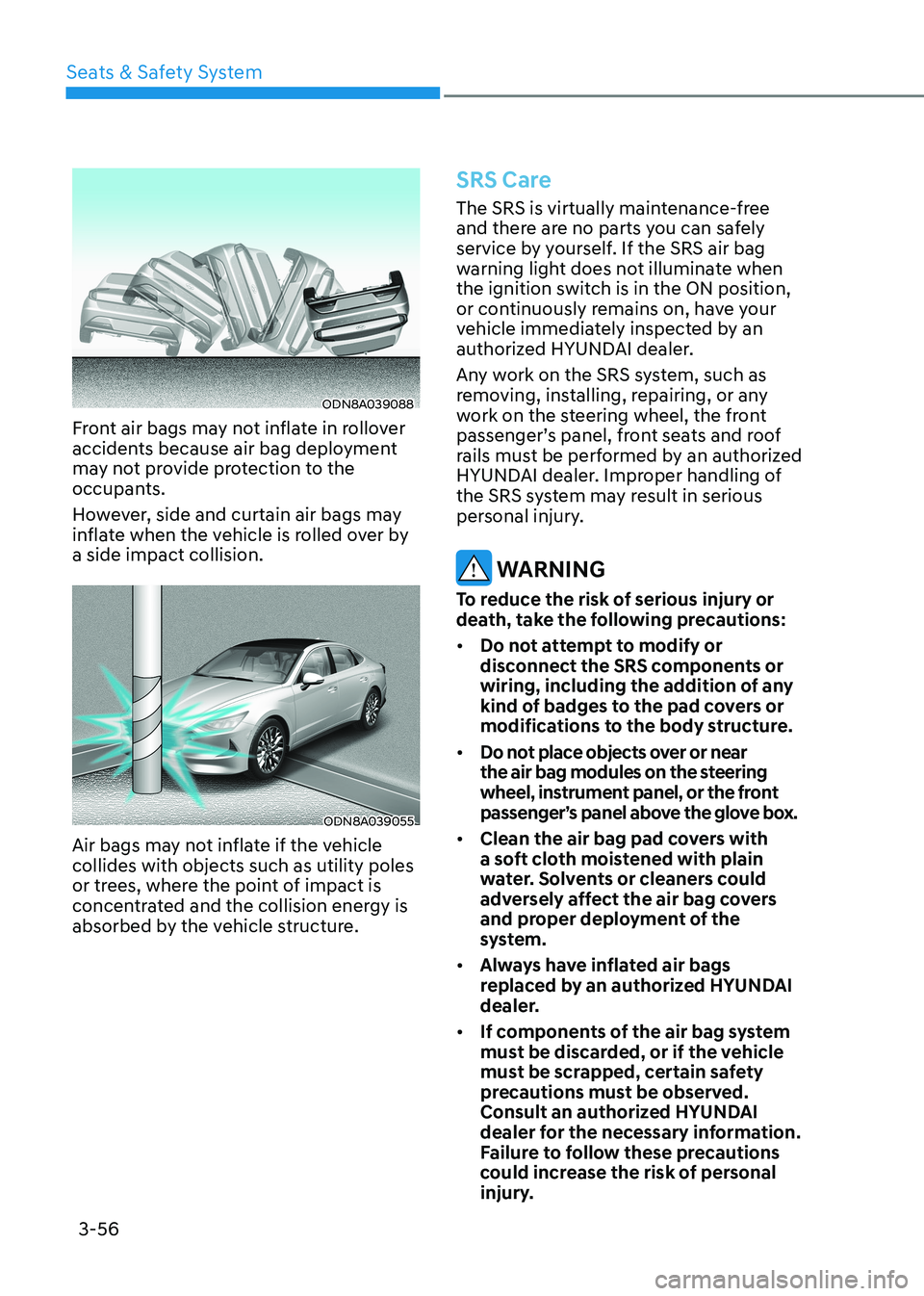
Front air bags may not inflate in rollover
accidents because air bag deployment
may not provide protection to the
occupants.
However, side and curtain air bags may
inflate when the vehicle is rolled over by a side impact collision.
ODN8A039055
Air bags may not inflate if the vehicle collides with objects such as utility poles
or trees, where the point of impact is
concentrated and the collision energy is
absorbed by the vehicle structure.
SRS Care
The SRS is virtually maintenance-free
and there are no parts you can safely
service by yourself. If the SRS air bag
warning light does not illuminate when
the ignition switch is in the ON position,
or continuously remains on, have your
vehicle immediately inspected by an
authorized HYUNDAI dealer.
Any work on the SRS system, such as
removing, installing, repairing, or any
work on the steering wheel, the front
passenger’s panel, front seats and roof
rails must be performed by an authorized
HYUNDAI dealer. Improper handling of
the SRS system may result in serious
personal injury.
WARNING
To reduce the risk of serious injury or
death, take the following precautions: • Do not attempt to modify or
disconnect the SRS components or
wiring, including the addition of any
kind of badges to the pad covers or
modifications to the body structure.
• Do not place objects over or near
the air bag modules on the steering
wheel, instrument panel, or the front
passenger’s panel above the glove box.
• Clean the air bag pad covers with
a soft cloth moistened with plain
water. Solvents or cleaners could
adversely affect the air bag covers
and proper deployment of the
system.
• Always have inflated air bags
replaced by an authorized HYUNDAI
dealer.
• If components of the air bag system
must be discarded, or if the vehicle
must be scrapped, certain safety
precautions must be observed.
Consult an authorized HYUNDAI
dealer for the necessary information.
Failure to follow these precautions
could increase the risk of personal
injury.
Page 98 of 555
Instrument Cluster
4-12
Dual-diagonal braking system
Your vehicle is equipped with dual-
diagonal braking systems. This means
you still have braking on two wheels even
if one of the dual systems should fail.
With only one of the dual systems
working, more than normal pedal travel
and greater pedal pressure is required to
stop the vehicle.
If the brakes fail while you are driving,
shift to a lower gear for additional engine
braking and stop the vehicle as soon as it
is safe to do so.
WARNING
Parking Brake & Brake Fluid Warning
Light
Driving the vehicle with a warning light
ON is dangerous. If the Parking Brake &
Brake Fluid Warning Light illuminates
with the parking brake released, it
indicates that the brake fluid level is
low.
In this case, have the vehicle inspected
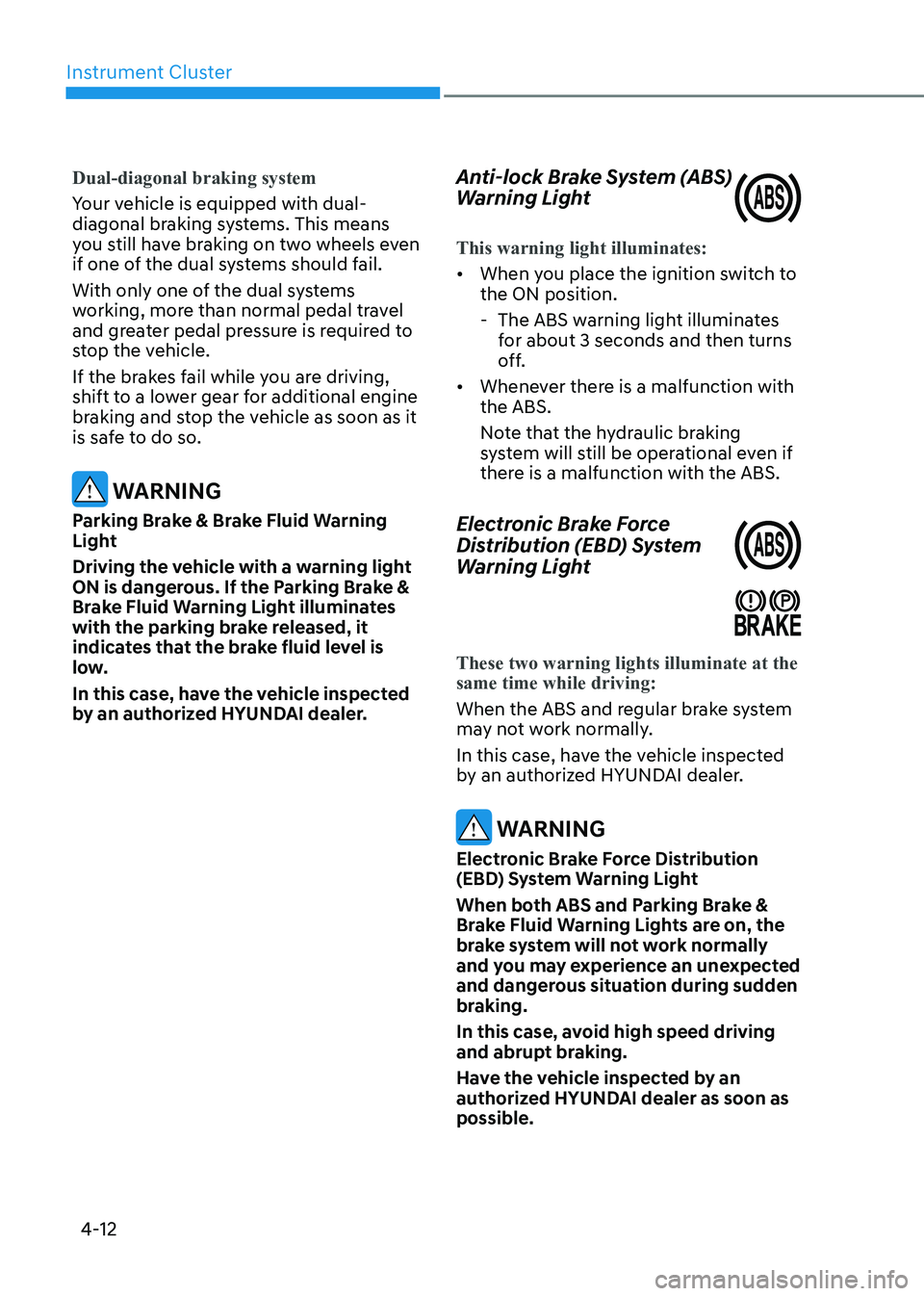
by an authorized HYUNDAI dealer. Anti-lock Brake System (ABS)
Warning Light
This warning light illuminates:
•
When you place the ignition switch to the ON position.
- The ABS warning light illuminates for about 3 seconds and then turns
off.
• Whenever there is a malfunction with the ABS.
Note that the hydraulic braking
system will still be operational even if
there is a malfunction with the ABS.
Electronic Brake Force
Distribution (EBD) System
Warning Light
These two warning lights illuminate at the same time while driving:
When the ABS and regular brake system
may not work normally.
In this case, have the vehicle inspected
by an authorized HYUNDAI dealer.
WARNING
Electronic Brake Force Distribution
(EBD) System Warning Light
When both ABS and Parking Brake &
Brake Fluid Warning Lights are on, the
brake system will not work normally
and you may experience an unexpected
and dangerous situation during sudden
braking.
In this case, avoid high speed driving
and abrupt braking.
Have the vehicle inspected by an
authorized HYUNDAI dealer as soon as possible.
Page 120 of 555
Instrument Cluster
4-34
Trip Computer
The trip computer is a microcomputer-
controlled driver information system that
displays information related to driving.
Information
Some driving information stored in the
trip computer (for example Average
Vehicle Speed) resets if the battery is disconnected.
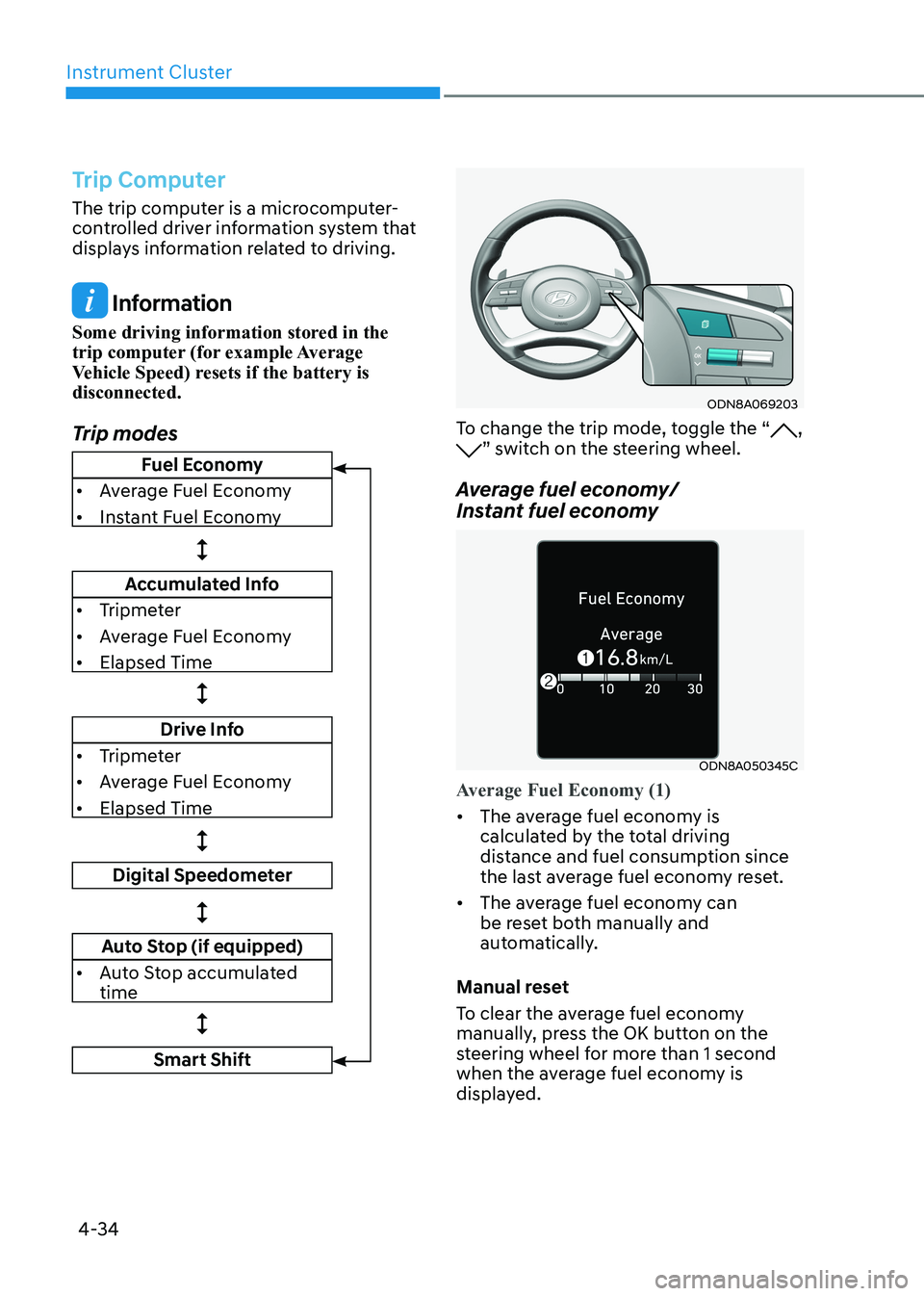
Trip modes
ODN8A069203
To change the trip mode, toggle the “, ” switch on the steering wheel.
Average fuel economy/
Instant fuel economy
ODN8A050345C
Average Fuel Economy (1)
• The average fuel economy is
calculated by the total driving
distance and fuel consumption since
the last average fuel econ omy reset.
• The average fuel economy can
be reset both manually and
automatically.
Manual reset
To clear the average fuel economy
manually, press the OK button on the
steering wheel for more than 1 second
when the average fuel economy is
displayed.
Fuel Economy
• Average Fuel Economy
• Instant Fuel Economy
Accumulated Info
• Tripmeter
• Average Fuel Economy
• Elapsed Time
Drive Info
• Tripmeter
• Average Fuel Economy
• Elapsed Time
Digital Speedometer
Auto Stop (if equipped)
• Auto Stop accumulated time
Smart Shift
Page 147 of 555
5. Convenience Features
Accessing Your Vehicle .................................................................................. 5-4
Remote Key .............................................................................................................. 5-4
Smart Key .................................................................................................................. 5 -7
Immobilizer System ................................................................................................ 5-14
Door Locks .................................................................................................... 5-16
Operating Door Locks from Outside the Vehicle ..................................................5-16
Operating Door Locks from Inside the Vehicle .....................................................5-17
Automatic Door Lock and Unlock Features ..........................................................5-20
Child-Protector Rear Door Locks .......................................................................... 5-20
Rear Occupant Alert (ROA) System ........................................................................ 5-21
Vehicle Auto-Shut Off Function ............................................................................ 5-22
Theft-Alarm System ..................................................................................... 5-23
Driver position memory system ................................................................. 5-24
Storing Positions into Memory ............................................................................. 5-24
Recalling Positions from Memory ......................................................................... 5-25
Resetting the Driver’s Seat Memory System ........................................................5-25
Easy Access Function ............................................................................................. 5-26
Steering Wheel ............................................................................................. 5-27
Electric Power Steering (EPS) ................................................................................. 5-27
Tilt Steering / Telescope Steering ......................................................................... 5-28
Heated Steering Wheel ......................................................................................... 5-29
Horn......................................................................................................................... 5-30
Mirrors ........................................................................................................... 5-31
Inside Rearview Mirror ............................................................................................ 5-31
Side View Mirrors ................................................................................................... 5-39
Reverse Parking Aid Function ................................................................................ 5-41
Windows ....................................................................................................... 5-42
Power Windows ...................................................................................................... 5-43
Panoramic Sunroof ..................................................................................... 5-46
Sunshade ................................................................................................................ 5-47
Sliding the Sunroof ................................................................................................. 5-47
Tilting the Sunroof ................................................................................................. 5-47
Closing the Sunroof ............................................................................................... 5-48
Resetting the Sunroof ............................................................................................ 5-49
Sunroof Open Warning .......................................................................................... 5-49
5
Page 149 of 555
5
Manual Climate Control System .......................................................................... 5-105
Heating and Air Conditioning .............................................................................. 5-106
System Operation ................................................................................................... 5-111
System Maintenance ............................................................................................. 5-112
Automatic Climate Control System ........................................................... 5-114
Automatic Heating and Air Conditioning .............................................................5-115
Manual Temperature Control Mode ..................................................................... 5-116
System Operation .................................................................................................. 5-122
System Maintenance ............................................................................................ 5-123
Windshield Defrosting and Defogging ......................................................5-125
Manual Climate Control System........................................................................... 5-125
Automatic Climate Control System...................................................................... 5-126
Defogging Logic .................................................................................................... 5-127
Auto Defogging System (Only for Automatic Climate Control System) ............5-128
Defroster ................................................................................................................ 5-129
Climate Control Additional Features ........................................................5-130
Sunroof Inside Air Recirculation .......................................................................... 5-130
Automatic Ventilation .......................................................................................... 5-130
Storage Compartment ................................................................................ 5-131
Center Console Storage ......................................................................................... 5-131
Glove Box ................................................................................................................ 5-131
Interior Features .......................................................................................... 5-132
Cup Holder ............................................................................................................. 5-132
Sunvisor ................................................................................................................. 5-133
Power Outlet .......................................................................................................... 5-133
USB Charger .......................................................................................................... 5-134
Wireless Cellular Phone Charging System ..........................................................5-135
Clock ...................................................................................................................... 5-137
Clothes Hanger ...................................................................................................... 5-137
Floor Mat Anchor(s) ............................................................................................... 5-138
Infotainment System .................................................................................. 5-139
USB and iPod® Port ............................................................................................... 5-139
Antenna .................................................................................................................. 5-139
Steering Wheel Audio Control ............................................................................. 5-140
Bluetooth ® Wireless Technology Hands-Free .....................................................5-141
Audio (Display Audio) / Video / Navigation System (AVN) ................................5-141
5. Convenience Features
Page 157 of 555
05
5-11
Start-up
You can start the vehicle without
inserting the key.
For information, refer to the “Engine
Start/Stop Button” section in chapter 6.
NOTICE
To prevent damaging the smart key: • Keep the smart key in a cool,
dry place to avoid damage or
malfunction. Exposure to moisture
or high temperature may cause
the internal circuit of the smart key
to malfunction which may not be
covered under warranty.
• Avoid dropping or throwing the
smart key.
• Protect the smart key from extreme
temperatures. Remote start
You can start the vehicle using the
Remote Start button (7) of the smart key.
To start the vehicle remotely:•
Lock the doors by pressing the door
lock button within 10 m (32 feet)
distance from the vehicle.
• Press the remote start button for over
2 seconds within 4 seconds after
locking the doors and the hazard
warning will blink.
To turn off the remote start function,
press the remote start button once.
In case of the manual operation,
the climate control system will be
maintained even when the engine is
turned OFF. However, the automatic
operation is set to 22°C (72°F).
Remote smart parking assist (RSPA) (if equipped)
The Remote smart parking assist (RSPA)
system helps the drivers park their
vehicle by using sensors to measure
parking spaces and control the steering
wheel, gear shift and vehicle speed to
semi-automatically park the vehicle.
With the smart key, the driver can move
the vehicle forward or backward using
the rearward /forward buttons (5, 6) on
the smart key.
For information, refer to “Remote smart
parking assist (RSPA)” in this chapter.