ignition Hyundai Sonata
[x] Cancel search | Manufacturer: HYUNDAI, Model Year: , Model line: , Model:Pages: 283, PDF Size: 13.5 MB
Page 69 of 283
1
FEATURES OF YOUR HYUNDAI
55
!
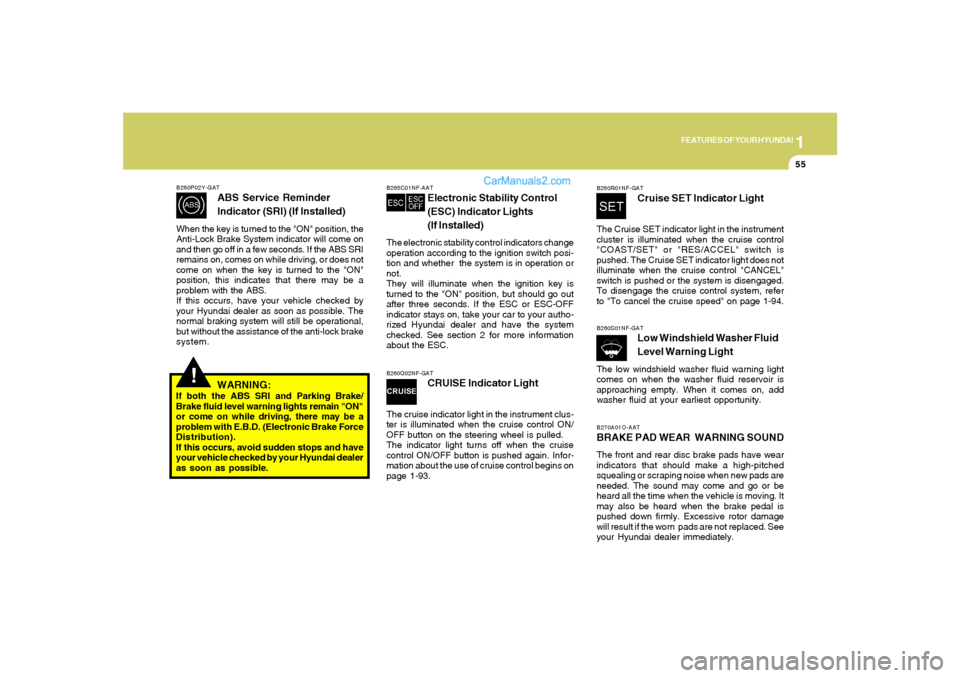
B260P02Y-GAT
ABS Service Reminder
Indicator (SRI) (If Installed)
When the key is turned to the "ON" position, the
Anti-Lock Brake System indicator will come on
and then go off in a few seconds. If the ABS SRI
remains on, comes on while driving, or does not
come on when the key is turned to the "ON"
position, this indicates that there may be a
problem with the ABS.
If this occurs, have your vehicle checked by
your Hyundai dealer as soon as possible. The
normal braking system will still be operational,
but without the assistance of the anti-lock brake
system.
WARNING:
If both the ABS SRI and Parking Brake/
Brake fluid level warning lights remain "ON"
or come on while driving, there may be a
problem with E.B.D. (Electronic Brake Force
Distribution).
If this occurs, avoid sudden stops and have
your vehicle checked by your Hyundai dealer
as soon as possible.
B265C01NF-AAT
Electronic Stability Control
(ESC) Indicator Lights
(If Installed)
The electronic stability control indicators change
operation according to the ignition switch posi-
tion and whether the system is in operation or
not.
They will illuminate when the ignition key is
turned to the "ON" position, but should go out
after three seconds. If the ESC or ESC-OFF
indicator stays on, take your car to your autho-
rized Hyundai dealer and have the system
checked. See section 2 for more information
about the ESC.B260Q02NF-GAT
CRUISE Indicator Light
The cruise indicator light in the instrument clus-
ter is illuminated when the cruise control ON/
OFF button on the steering wheel is pulled.
The indicator light turns off when the cruise
control ON/OFF button is pushed again. Infor-
mation about the use of cruise control begins on
page 1-93.
B260R01NF-GAT
Cruise SET Indicator Light
The Cruise SET indicator light in the instrument
cluster is illuminated when the cruise control
"COAST/SET" or "RES/ACCEL" switch is
pushed. The Cruise SET indicator light does not
illuminate when the cruise control "CANCEL"
switch is pushed or the system is disengaged.
To disengage the cruise control system, refer
to "To cancel the cruise speed" on page 1-94.B260S01NF-GAT
Low Windshield Washer Fluid
Level Warning Light
The low windshield washer fluid warning light
comes on when the washer fluid reservoir is
approaching empty. When it comes on, add
washer fluid at your earliest opportunity.B270A01O-AATBRAKE PAD WEAR WARNING SOUNDThe front and rear disc brake pads have wear
indicators that should make a high-pitched
squealing or scraping noise when new pads are
needed. The sound may come and go or be
heard all the time when the vehicle is moving. It
may also be heard when the brake pedal is
pushed down firmly. Excessive rotor damage
will result if the worn pads are not replaced. See
your Hyundai dealer immediately.
Page 70 of 283
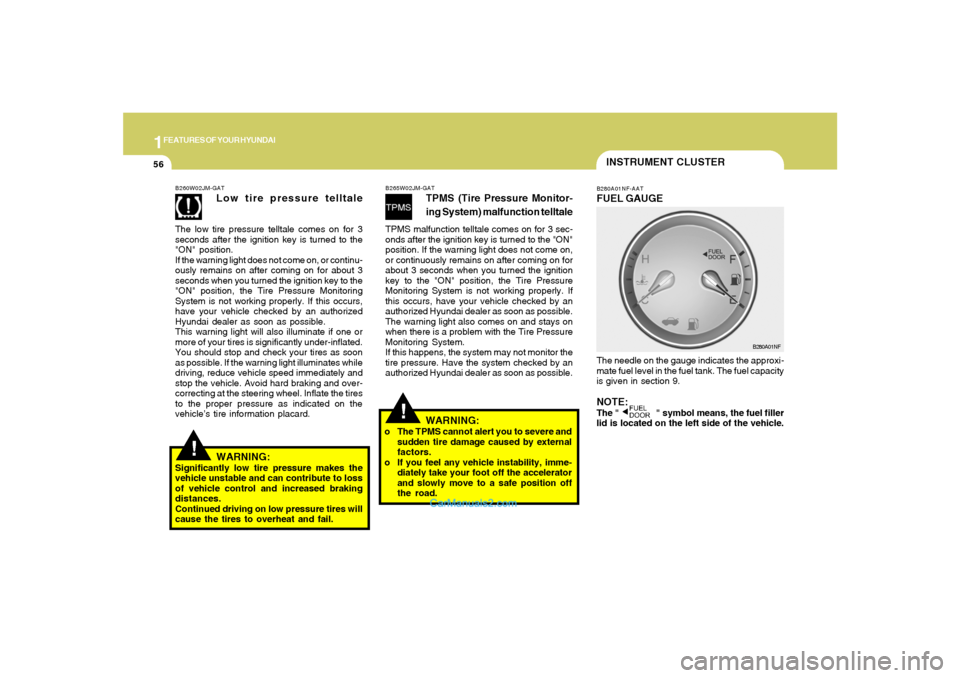
1FEATURES OF YOUR HYUNDAI56
INSTRUMENT CLUSTERB280A01NF-AATFUEL GAUGEThe needle on the gauge indicates the approxi-
mate fuel level in the fuel tank. The fuel capacity
is given in section 9.NOTE:The " " symbol means, the fuel filler
lid is located on the left side of the vehicle.
B280A01NF
!
!
WARNING:
Significantly low tire pressure makes the
vehicle unstable and can contribute to loss
of vehicle control and increased braking
distances.
Continued driving on low pressure tires will
cause the tires to overheat and fail.B260W02JM-GAT
Low tire pressure telltale
The low tire pressure telltale comes on for 3
seconds after the ignition key is turned to the
"ON" position.
If the warning light does not come on, or continu-
ously remains on after coming on for about 3
seconds when you turned the ignition key to the
"ON" position, the Tire Pressure Monitoring
System is not working properly. If this occurs,
have your vehicle checked by an authorized
Hyundai dealer as soon as possible.
This warning light will also illuminate if one or
more of your tires is significantly under-inflated.
You should stop and check your tires as soon
as possible. If the warning light illuminates while
driving, reduce vehicle speed immediately and
stop the vehicle. Avoid hard braking and over-
correcting at the steering wheel. Inflate the tires
to the proper pressure as indicated on the
vehicle’s tire information placard.
B265W02JM-GAT
TPMS (Tire Pressure Monitor-
ing System) malfunction telltale
TPMS malfunction telltale comes on for 3 sec-
onds after the ignition key is turned to the "ON"
position. If the warning light does not come on,
or continuously remains on after coming on for
about 3 seconds when you turned the ignition
key to the "ON" position, the Tire Pressure
Monitoring System is not working properly. If
this occurs, have your vehicle checked by an
authorized Hyundai dealer as soon as possible.
The warning light also comes on and stays on
when there is a problem with the Tire Pressure
Monitoring System.
If this happens, the system may not monitor the
tire pressure. Have the system checked by an
authorized Hyundai dealer as soon as possible.
WARNING:
o The TPMS cannot alert you to severe and
sudden tire damage caused by external
factors.
o If you feel any vehicle instability, imme-
diately take your foot off the accelerator
and slowly move to a safe position off
the road.
Page 72 of 283
1FEATURES OF YOUR HYUNDAI58
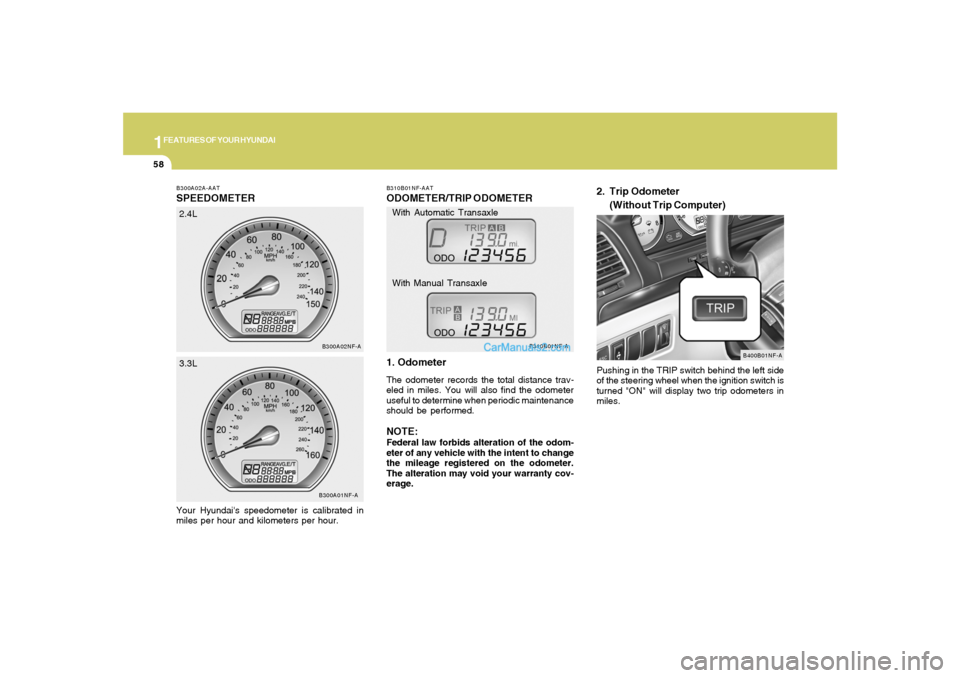
B300A02A-AATSPEEDOMETERYour Hyundai's speedometer is calibrated in
miles per hour and kilometers per hour.
B300A01NF-AB300A02NF-A
2.4L
3.3L
B310B01NF-AATODOMETER/TRIP ODOMETER
1. OdometerThe odometer records the total distance trav-
eled in miles. You will also find the odometer
useful to determine when periodic maintenance
should be performed.NOTE:Federal law forbids alteration of the odom-
eter of any vehicle with the intent to change
the mileage registered on the odometer.
The alteration may void your warranty cov-
erage.Pushing in the TRIP switch behind the left side
of the steering wheel when the ignition switch is
turned "ON" will display two trip odometers in
miles.
B310B01NF-A
B400B01NF-A
With Automatic Transaxle
With Manual Transaxle
2. Trip Odometer
(Without Trip Computer)
Page 74 of 283
1FEATURES OF YOUR HYUNDAI60
TRIPMETER
DRIVE TIME
AVERAGE SPEED
AVERAGE FUEL CONSUMPTION
DISTANCE TO EMPTY
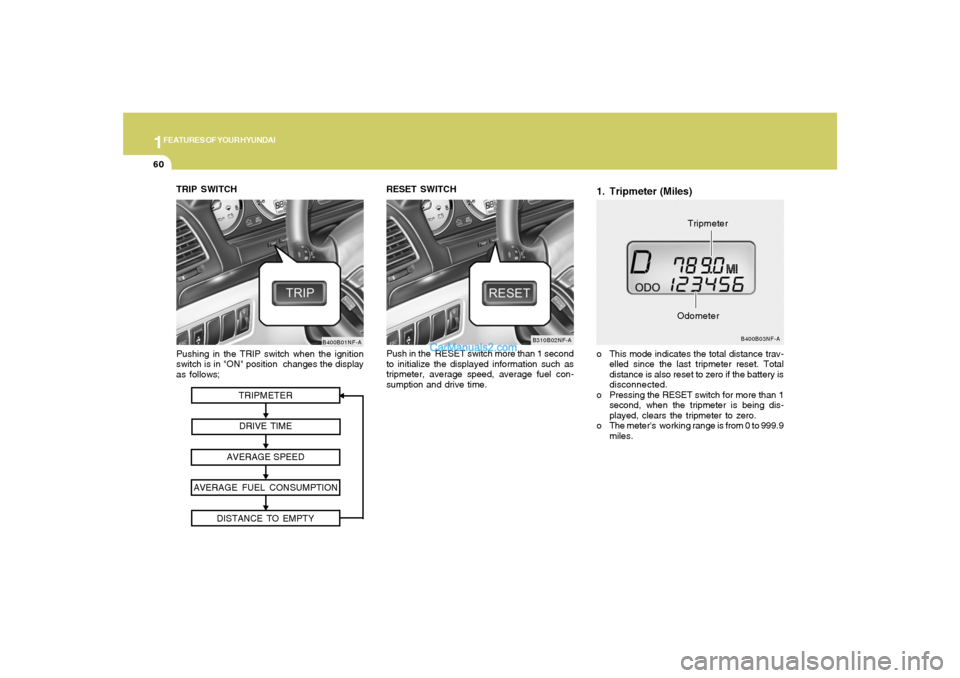
Pushing in the TRIP switch when the ignition
switch is in "ON" position changes the display
as follows;
B400B01NF-A
TRIP SWITCH
1. Tripmeter (Miles)o This mode indicates the total distance trav-
elled since the last tripmeter reset. Total
distance is also reset to zero if the battery is
disconnected.
o Pressing the RESET switch for more than 1
second, when the tripmeter is being dis-
played, clears the tripmeter to zero.
o The meter's working range is from 0 to 999.9
miles.
B400B03NF-A
OdometerTripmeter RESET SWITCH
Push in the RESET switch more than 1 second
to initialize the displayed information such as
tripmeter, average speed, average fuel con-
sumption and drive time.
B310B02NF-A
Page 75 of 283
1
FEATURES OF YOUR HYUNDAI
61
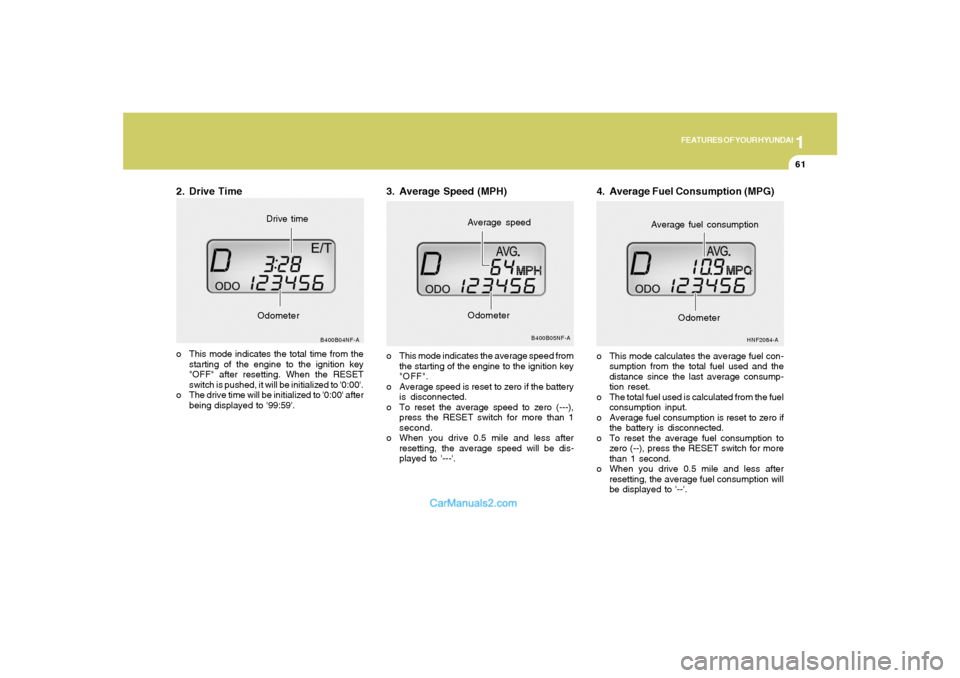
2. Drive Timeo This mode indicates the total time from the
starting of the engine to the ignition key
"OFF" after resetting. When the RESET
switch is pushed, it will be initialized to '0:00'.
o The drive time will be initialized to '0:00' after
being displayed to '99:59'.
B400B04NF-A
OdometerDrive time
3. Average Speed (MPH)o This mode indicates the average speed from
the starting of the engine to the ignition key
"OFF".
o Average speed is reset to zero if the battery
is disconnected.
o To reset the average speed to zero (---),
press the RESET switch for more than 1
second.
o When you drive 0.5 mile and less after
resetting, the average speed will be dis-
played to '---'.
B400B05NF-A
Average speed
Odometer
4. Average Fuel Consumption (MPG)o This mode calculates the average fuel con-
sumption from the total fuel used and the
distance since the last average consump-
tion reset.
o The total fuel used is calculated from the fuel
consumption input.
o Average fuel consumption is reset to zero if
the battery is disconnected.
o To reset the average fuel consumption to
zero (--), press the RESET switch for more
than 1 second.
o When you drive 0.5 mile and less after
resetting, the average fuel consumption will
be displayed to '--'.
HNF2084-A
Average fuel consumption
Odometer
Page 77 of 283
1
FEATURES OF YOUR HYUNDAI
63
B340D01A-AATHigh-beam Switch
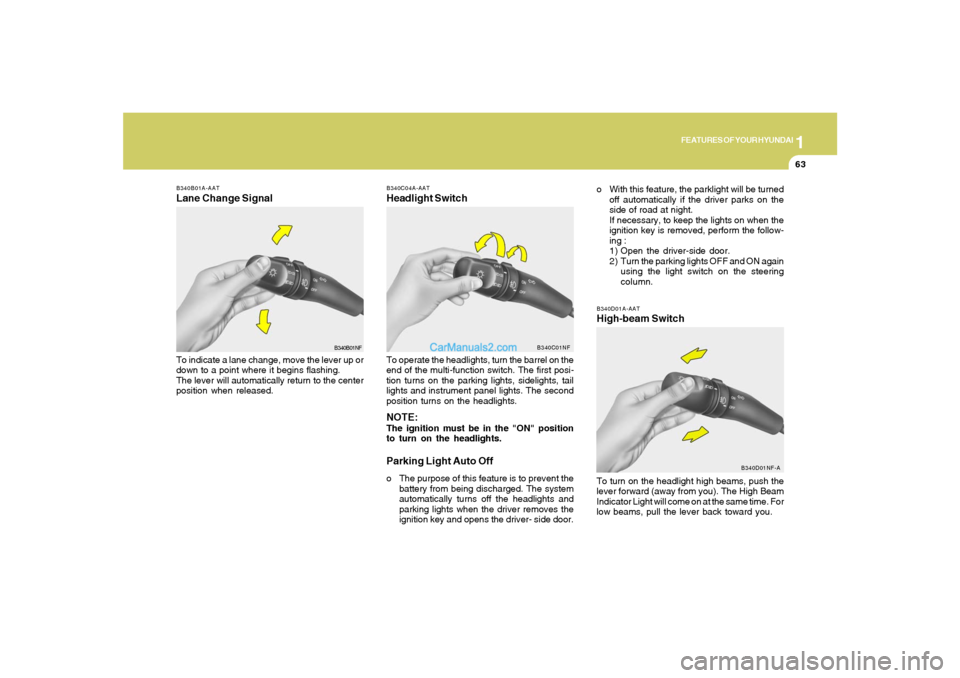
B340B01A-AATLane Change SignalTo indicate a lane change, move the lever up or
down to a point where it begins flashing.
The lever will automatically return to the center
position when released.
B340C04A-AATHeadlight SwitchTo operate the headlights, turn the barrel on the
end of the multi-function switch. The first posi-
tion turns on the parking lights, sidelights, tail
lights and instrument panel lights. The second
position turns on the headlights.NOTE:The ignition must be in the "ON" position
to turn on the headlights.Parking Light Auto Offo The purpose of this feature is to prevent the
battery from being discharged. The system
automatically turns off the headlights and
parking lights when the driver removes the
ignition key and opens the driver- side door.
B340B01NFB340C01NF
To turn on the headlight high beams, push the
lever forward (away from you). The High Beam
Indicator Light will come on at the same time. For
low beams, pull the lever back toward you.
B340D01NF-A
o With this feature, the parklight will be turned
off automatically if the driver parks on the
side of road at night.
If necessary, to keep the lights on when the
ignition key is removed, perform the follow-
ing :
1) Open the driver-side door.
2) Turn the parking lights OFF and ON again
using the light switch on the steering
column.
Page 80 of 283
1FEATURES OF YOUR HYUNDAI66
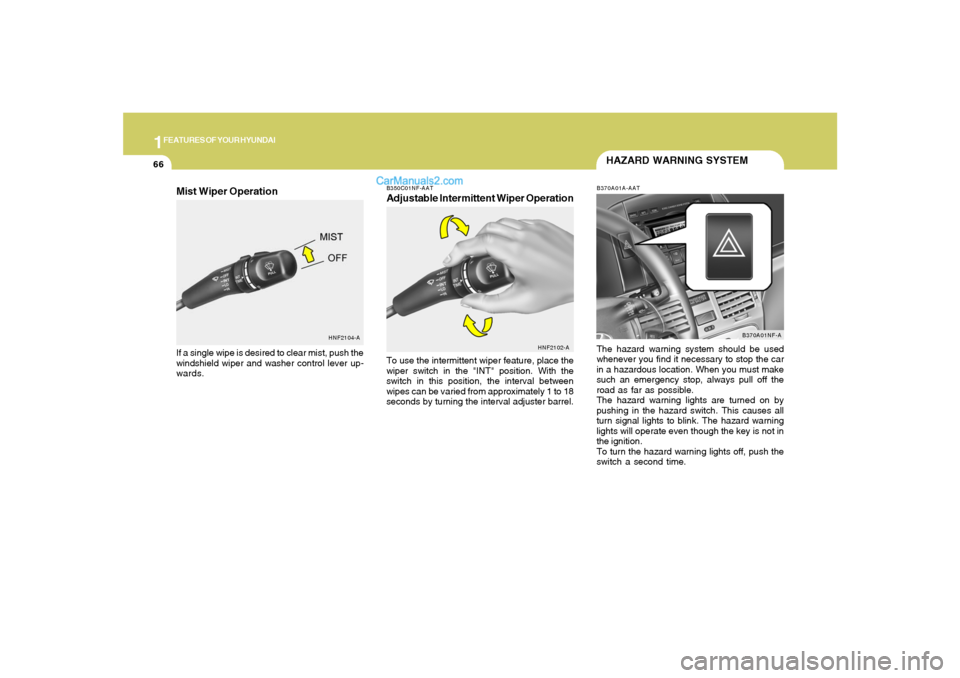
B350C01NF-AATAdjustable Intermittent Wiper OperationTo use the intermittent wiper feature, place the
wiper switch in the "INT" position. With the
switch in this position, the interval between
wipes can be varied from approximately 1 to 18
seconds by turning the interval adjuster barrel.
HNF2102-A
HAZARD WARNING SYSTEMB370A01A-AATThe hazard warning system should be used
whenever you find it necessary to stop the car
in a hazardous location. When you must make
such an emergency stop, always pull off the
road as far as possible.
The hazard warning lights are turned on by
pushing in the hazard switch. This causes all
turn signal lights to blink. The hazard warning
lights will operate even though the key is not in
the ignition.
To turn the hazard warning lights off, push the
switch a second time.
B370A01NF-A
HNF2104-A
Mist Wiper OperationIf a single wipe is desired to clear mist, push the
windshield wiper and washer control lever up-
wards.
Page 85 of 283
1
FEATURES OF YOUR HYUNDAI
71
!SUNROOFB460A02Y-AAT(If Installed)
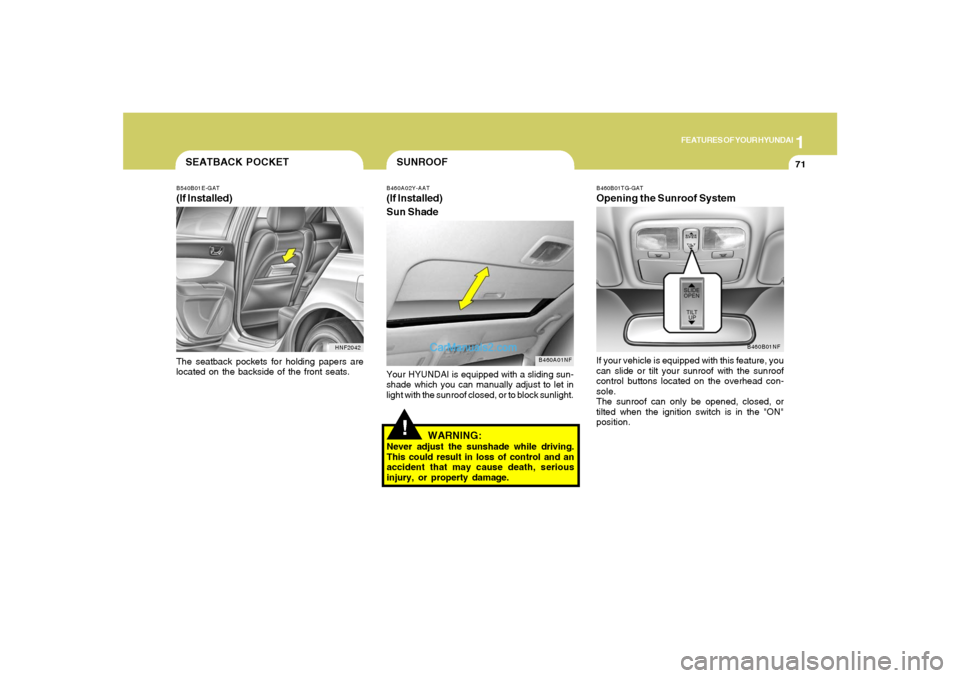
Sun Shade
B460A01NF
Your HYUNDAI is equipped with a sliding sun-
shade which you can manually adjust to let in
light with the sunroof closed, or to block sunlight.
WARNING:
Never adjust the sunshade while driving.
This could result in loss of control and an
accident that may cause death, serious
injury, or property damage.
B460B01TG-GATOpening the Sunroof SystemIf your vehicle is equipped with this feature, you
can slide or tilt your sunroof with the sunroof
control buttons located on the overhead con-
sole.
The sunroof can only be opened, closed, or
tilted when the ignition switch is in the "ON"
position.
B460B01NF
SEATBACK POCKETB540B01E-GAT(If Installed)
HNF2042
The seatback pockets for holding papers are
located on the backside of the front seats.
Page 88 of 283
1FEATURES OF YOUR HYUNDAI74
!
CAUTION:
If the sunroof is not reset, it may not operate
properly.B460E01TG-GATResetting the sunroofWhenever the vehicle battery is disconnected
or discharged, or you use the emergency handle
to operate the sunroof, you have to reset your
sunroof system as follows:
1. Turn the ignition key to the "ON" position.
2. Press the TILT UP button for more than 1
second to tilt up the sunroof completely when
the sunroof is fully closed. Then, release the
button.
3. Press and hold the TILT UP button once again
until the sunroof has returned to the original
position of TILT UP after it is raised a little
higher than the maximum TILT UP position.
Then, release the button.
4. Press and hold the TILT UP button within 5
seconds until the sunroof is operated as
follows;
TILT DOWN → SLIDE OPEN → SLIDE
CLOSE
Then, release the button.
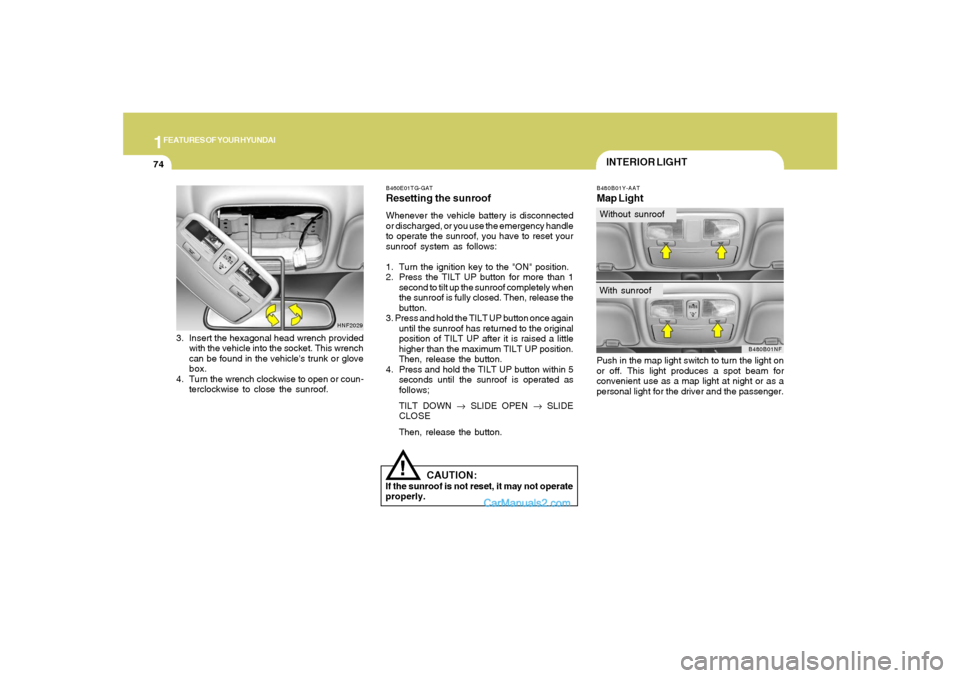
B480B01Y-AATMap LightPush in the map light switch to turn the light on
or off. This light produces a spot beam for
convenient use as a map light at night or as a
personal light for the driver and the passenger.
B480B01NF
INTERIOR LIGHTWithout sunroofWith sunroof
3. Insert the hexagonal head wrench provided
with the vehicle into the socket. This wrench
can be found in the vehicle's trunk or glove
box.
4. Turn the wrench clockwise to open or coun-
terclockwise to close the sunroof.
HNF2029
Page 89 of 283
1
FEATURES OF YOUR HYUNDAI
75
CAUTION:
Do not leave this button pressed for an
extended period of time when the vehicle is
not running.
!
SUNGLASS HOLDER!
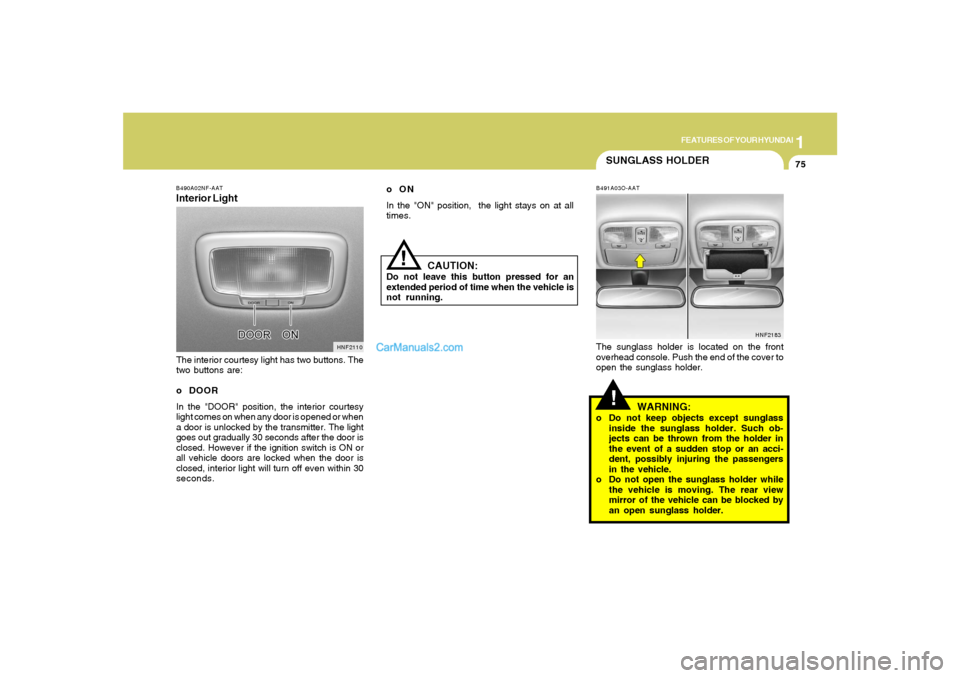
B491A03O-AATThe sunglass holder is located on the front
overhead console. Push the end of the cover to
open the sunglass holder.
WARNING:
o Do not keep objects except sunglass
inside the sunglass holder. Such ob-
jects can be thrown from the holder in
the event of a sudden stop or an acci-
dent, possibly injuring the passengers
in the vehicle.
o Do not open the sunglass holder while
the vehicle is moving. The rear view
mirror of the vehicle can be blocked by
an open sunglass holder.
HNF2183
B490A02NF-AATInterior LightThe interior courtesy light has two buttons. The
two buttons are:
o DOOR
In the "DOOR" position, the interior courtesy
light comes on when any door is opened or when
a door is unlocked by the transmitter. The light
goes out gradually 30 seconds after the door is
closed. However if the ignition switch is ON or
all vehicle doors are locked when the door is
closed, interior light will turn off even within 30
seconds.
HNF2110
oON
In the "ON" position, the light stays on at all
times.