light Hyundai Sonata
[x] Cancel search | Manufacturer: HYUNDAI, Model Year: , Model line: , Model:Pages: 283, PDF Size: 13.5 MB
Page 105 of 283
1
FEATURES OF YOUR HYUNDAI
91
!
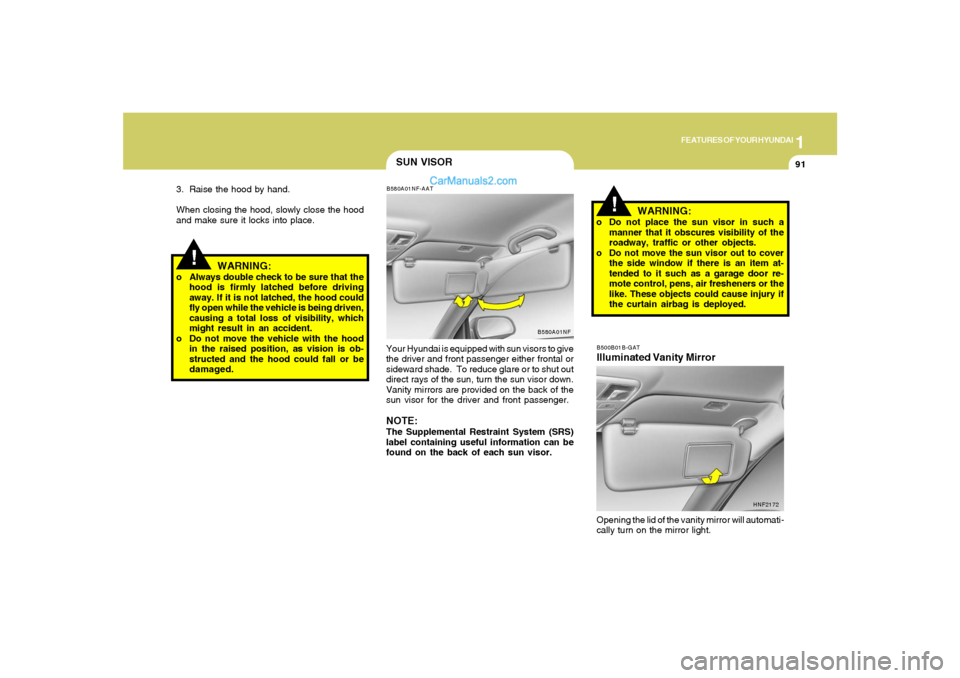
SUN VISORB580A01NF-AATYour Hyundai is equipped with sun visors to give
the driver and front passenger either frontal or
sideward shade. To reduce glare or to shut out
direct rays of the sun, turn the sun visor down.
Vanity mirrors are provided on the back of the
sun visor for the driver and front passenger.NOTE:The Supplemental Restraint System (SRS)
label containing useful information can be
found on the back of each sun visor.
B580A01NF
WARNING:
o Do not place the sun visor in such a
manner that it obscures visibility of the
roadway, traffic or other objects.
o Do not move the sun visor out to cover
the side window if there is an item at-
tended to it such as a garage door re-
mote control, pens, air fresheners or the
like. These objects could cause injury if
the curtain airbag is deployed.
!
3. Raise the hood by hand.
When closing the hood, slowly close the hood
and make sure it locks into place.
WARNING:
o Always double check to be sure that the
hood is firmly latched before driving
away. If it is not latched, the hood could
fly open while the vehicle is being driven,
causing a total loss of visibility, which
might result in an accident.
o Do not move the vehicle with the hood
in the raised position, as vision is ob-
structed and the hood could fall or be
damaged.
B500B01B-GATIlluminated Vanity MirrorOpening the lid of the vanity mirror will automati-
cally turn on the mirror light.
HNF2172
Page 107 of 283
1
FEATURES OF YOUR HYUNDAI
93
FRONT DOOR WARNING
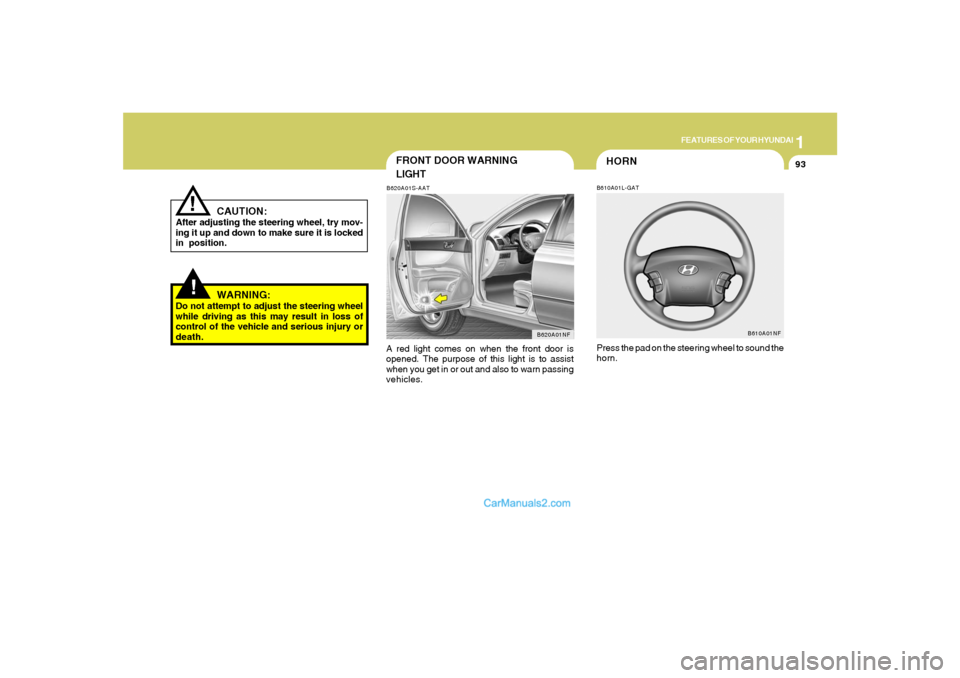
LIGHTB620A01S-AATA red light comes on when the front door is
opened. The purpose of this light is to assist
when you get in or out and also to warn passing
vehicles.
B620A01NF
!
CAUTION:
After adjusting the steering wheel, try mov-
ing it up and down to make sure it is locked
in position.
!
WARNING:
Do not attempt to adjust the steering wheel
while driving as this may result in loss of
control of the vehicle and serious injury or
death.
HORNB610A01L-GATPress the pad on the steering wheel to sound the
horn.
B610A01NF
Page 108 of 283
1FEATURES OF YOUR HYUNDAI94
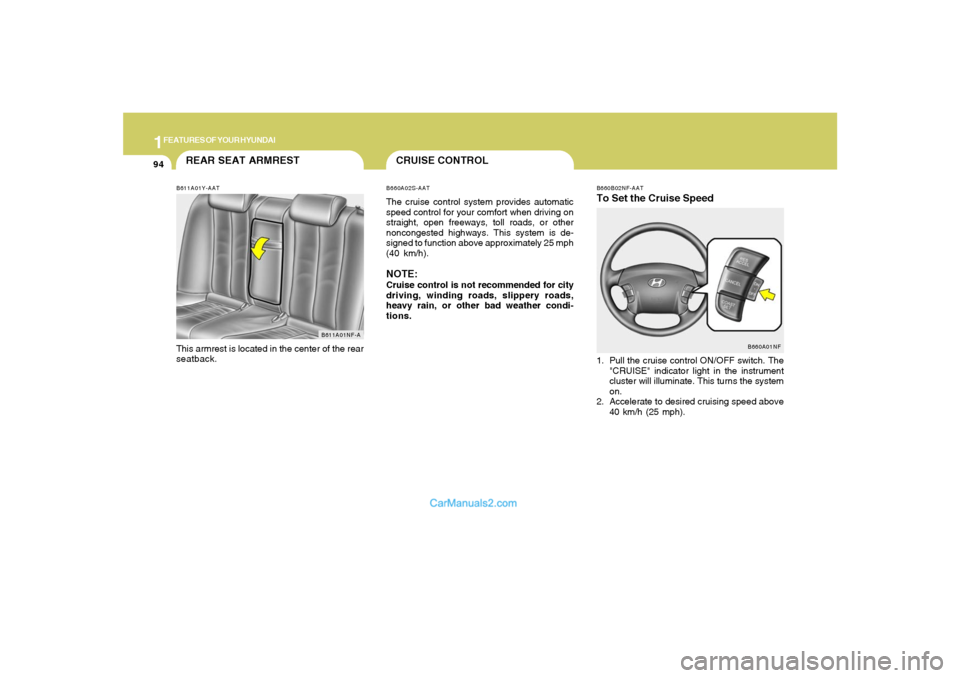
B660B02NF-AATTo Set the Cruise Speed1. Pull the cruise control ON/OFF switch. The
"CRUISE" indicator light in the instrument
cluster will illuminate. This turns the system
on.
2. Accelerate to desired cruising speed above
40 km/h (25 mph).
B660A01NF
REAR SEAT ARMRESTB611A01Y-AATThis armrest is located in the center of the rear
seatback.
B611A01NF-A
CRUISE CONTROLB660A02S-AATThe cruise control system provides automatic
speed control for your comfort when driving on
straight, open freeways, toll roads, or other
noncongested highways. This system is de-
signed to function above approximately 25 mph
(40 km/h).NOTE:Cruise control is not recommended for city
driving, winding roads, slippery roads,
heavy rain, or other bad weather condi-
tions.
Page 109 of 283
1
FEATURES OF YOUR HYUNDAI
95
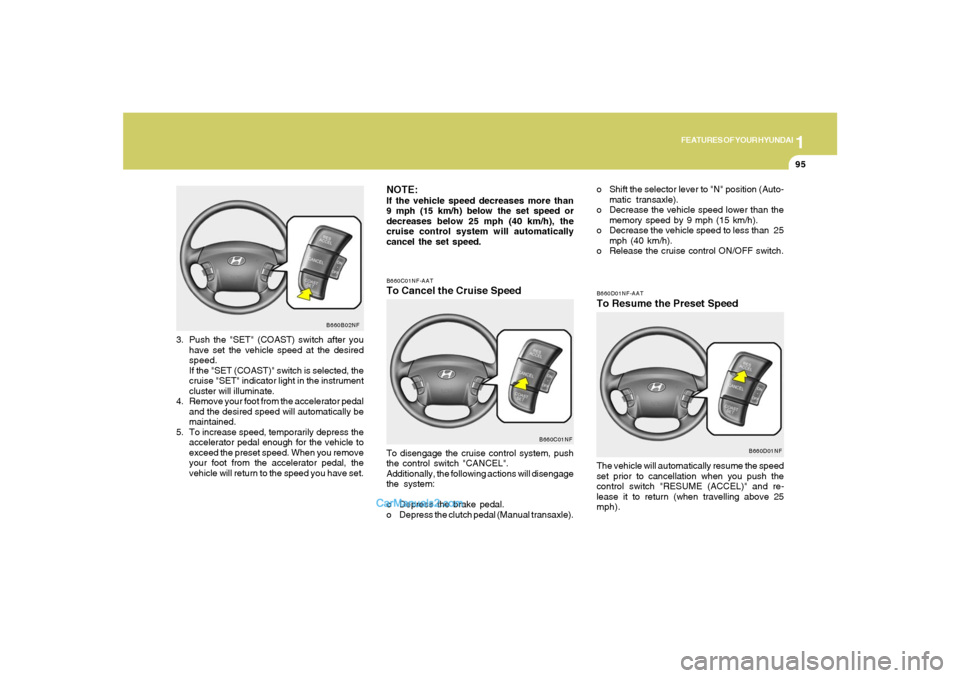
B660C01NF-AATTo Cancel the Cruise SpeedTo disengage the cruise control system, push
the control switch "CANCEL".
Additionally, the following actions will disengage
the system:
o Depress the brake pedal.
o Depress the clutch pedal (Manual transaxle).
B660C01NF
B660B02NF
3. Push the "SET" (COAST) switch after you
have set the vehicle speed at the desired
speed.
If the "SET (COAST)" switch is selected, the
cruise "SET" indicator light in the instrument
cluster will illuminate.
4. Remove your foot from the accelerator pedal
and the desired speed will automatically be
maintained.
5. To increase speed, temporarily depress the
accelerator pedal enough for the vehicle to
exceed the preset speed. When you remove
your foot from the accelerator pedal, the
vehicle will return to the speed you have set.
NOTE:If the vehicle speed decreases more than
9 mph (15 km/h) below the set speed or
decreases below 25 mph (40 km/h), the
cruise control system will automatically
cancel the set speed.
B660D01NF-AATTo Resume the Preset SpeedThe vehicle will automatically resume the speed
set prior to cancellation when you push the
control switch "RESUME (ACCEL)" and re-
lease it to return (when travelling above 25
mph).
B660D01NF
o Shift the selector lever to "N" position (Auto-
matic transaxle).
o Decrease the vehicle speed lower than the
memory speed by 9 mph (15 km/h).
o Decrease the vehicle speed to less than 25
mph (40 km/h).
o Release the cruise control ON/OFF switch.
Page 110 of 283
1FEATURES OF YOUR HYUNDAI96
!
WARNING:
o Keep the cruise control ON/OFF switch
off when not using the cruise control to
avoid inadvertently setting a speed.
o Use the cruise control system only when
traveling on open highways in good
weather.
o Do not use the cruise control when it
may not be safe to keep the car at a
constant speed, for instance, driving in
heavy or varying traffic, or on slippery
(rainy, icy or snow-covered) or winding
roads or over 6% up-hill or down-hill
roads.
o Pay particular attention to the driving
conditions whenever using the cruise
control system.
o During cruise-speed driving of a manual
transaxle vehicle, do not shift into neu-
tral without depressing the clutch pedal,
since the engine will be overrevved. If
this happens, depress the clutch pedal
or release the cruise control ON/OFF
switch.
o During normal cruise control operation,
when the "SET" switch is activated or
reactivated after applying the brakes,
the cruise control will energize after ap-
proximately 3 seconds. This delay is
normal.
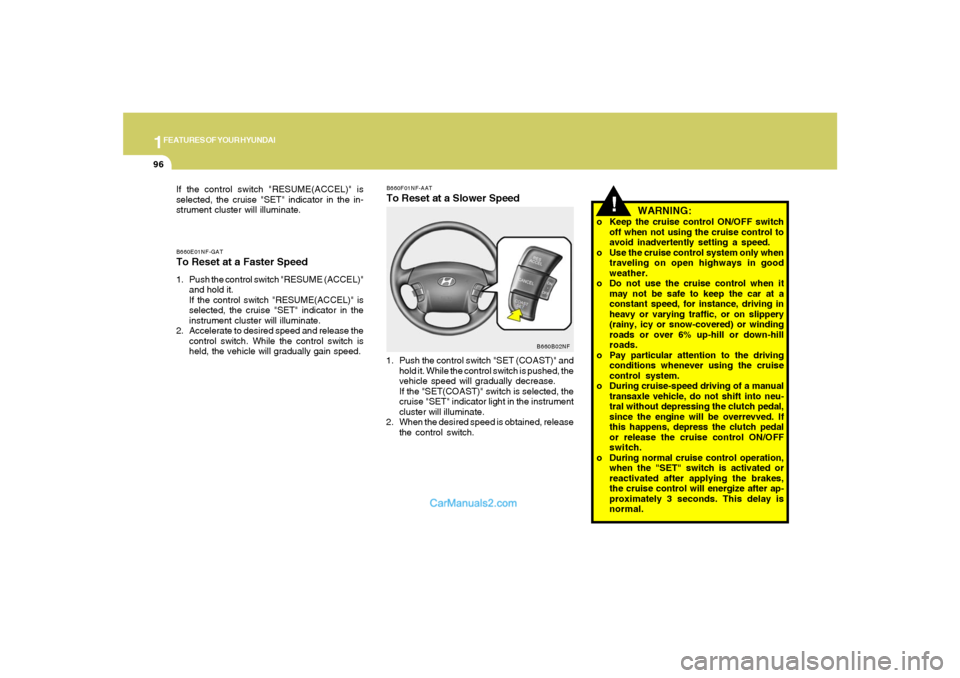
B660F01NF-AATTo Reset at a Slower Speed1. Push the control switch "SET (COAST)" and
hold it. While the control switch is pushed, the
vehicle speed will gradually decrease.
If the "SET(COAST)" switch is selected, the
cruise "SET" indicator light in the instrument
cluster will illuminate.
2. When the desired speed is obtained, release
the control switch.
B660B02NF B660E01NF-GAT
To Reset at a Faster Speed1. Push the control switch "RESUME (ACCEL)"
and hold it.
If the control switch "RESUME(ACCEL)" is
selected, the cruise "SET" indicator in the
instrument cluster will illuminate.
2. Accelerate to desired speed and release the
control switch. While the control switch is
held, the vehicle will gradually gain speed. If the control switch "RESUME(ACCEL)" is
selected, the cruise "SET" indicator in the in-
strument cluster will illuminate.
Page 119 of 283
1
FEATURES OF YOUR HYUNDAI
105105
AIR CONDITIONING SYSTEM
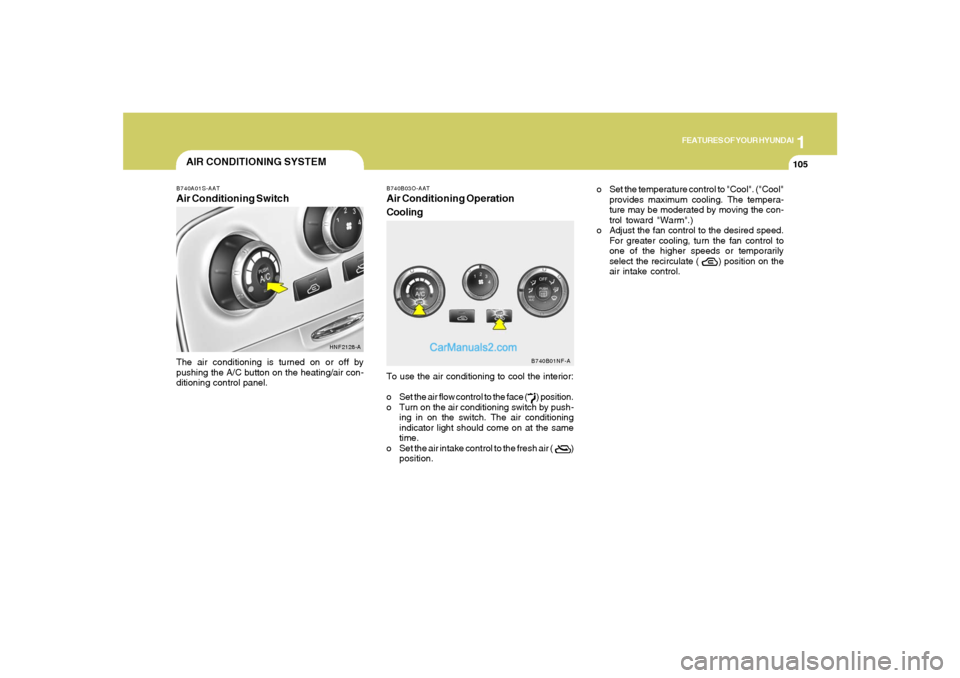
B740B03O-AATAir Conditioning Operation
CoolingTo use the air conditioning to cool the interior:
o Set the air flow control to the face ( ) position.
o Turn on the air conditioning switch by push-
ing in on the switch. The air conditioning
indicator light should come on at the same
time.
o Set the air intake control to the fresh air ( )
position.
B740A01S-AATAir Conditioning SwitchThe air conditioning is turned on or off by
pushing the A/C button on the heating/air con-
ditioning control panel.
HNF2128-A
B740B01NF-A
o Set the temperature control to "Cool". ("Cool"
provides maximum cooling. The tempera-
ture may be moderated by moving the con-
trol toward "Warm".)
o Adjust the fan control to the desired speed.
For greater cooling, turn the fan control to
one of the higher speeds or temporarily
select the recirculate ( ) position on the
air intake control.
Page 120 of 283
1FEATURES OF YOUR HYUNDAI
106
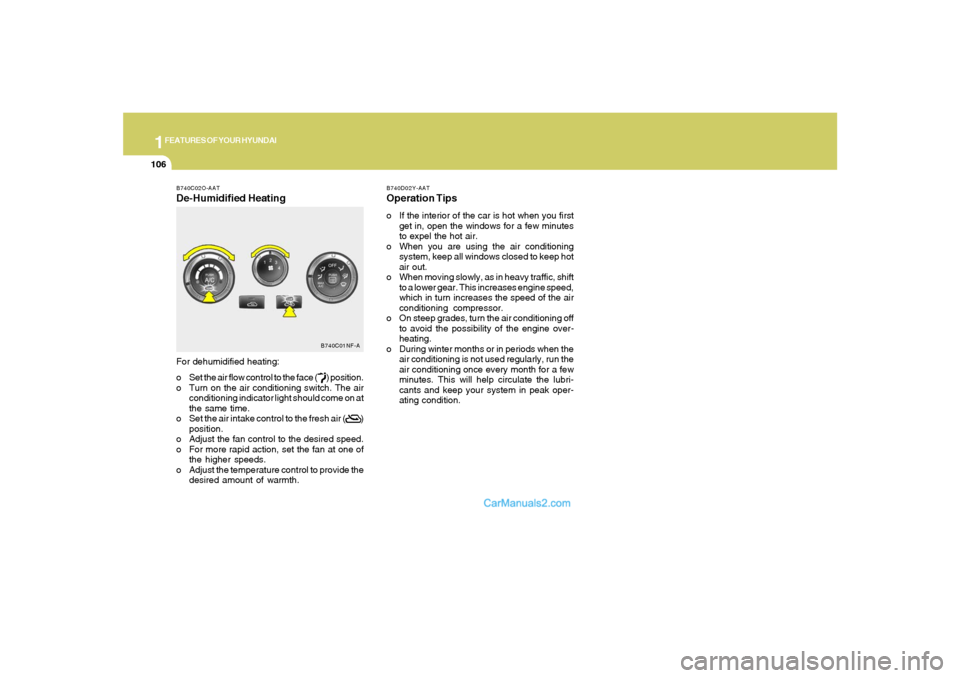
B740C02O-AATDe-Humidified HeatingFor dehumidified heating:
o Set the air flow control to the face ( ) position.
o Turn on the air conditioning switch. The air
conditioning indicator light should come on at
the same time.
o Set the air intake control to the fresh air ( )
position.
o Adjust the fan control to the desired speed.
o For more rapid action, set the fan at one of
the higher speeds.
o Adjust the temperature control to provide the
desired amount of warmth.
B740C01NF-A
B740D02Y-AATOperation Tipso If the interior of the car is hot when you first
get in, open the windows for a few minutes
to expel the hot air.
o When you are using the air conditioning
system, keep all windows closed to keep hot
air out.
o When moving slowly, as in heavy traffic, shift
to a lower gear. This increases engine speed,
which in turn increases the speed of the air
conditioning compressor.
o On steep grades, turn the air conditioning off
to avoid the possibility of the engine over-
heating.
o During winter months or in periods when the
air conditioning is not used regularly, run the
air conditioning once every month for a few
minutes. This will help circulate the lubri-
cants and keep your system in peak oper-
ating condition.
Page 123 of 283
1
FEATURES OF YOUR HYUNDAI
109109
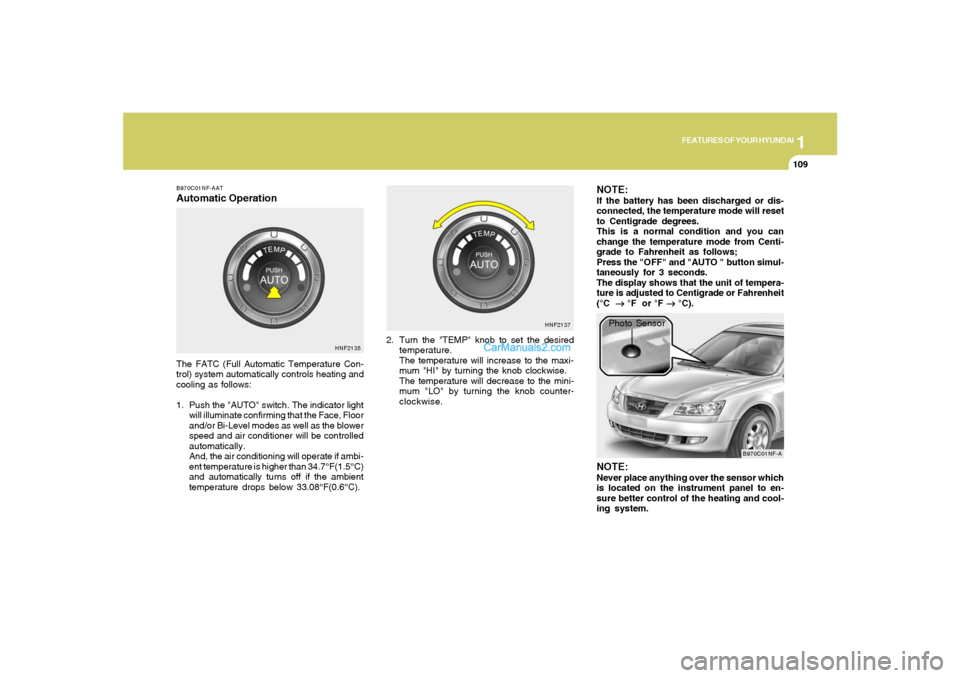
B970C01NF-AATAutomatic OperationThe FATC (Full Automatic Temperature Con-
trol) system automatically controls heating and
cooling as follows:
1. Push the "AUTO" switch. The indicator light
will illuminate confirming that the Face, Floor
and/or Bi-Level modes as well as the blower
speed and air conditioner will be controlled
automatically.
And, the air conditioning will operate if ambi-
ent temperature is higher than 34.7°F(1.5°C)
and automatically turns off if the ambient
temperature drops below 33.08°F(0.6°C).2. Turn the "TEMP" knob to set the desired
temperature.
The temperature will increase to the maxi-
mum "HI" by turning the knob clockwise.
The temperature will decrease to the mini-
mum "LO" by turning the knob counter-
clockwise.
NOTE:If the battery has been discharged or dis-
connected, the temperature mode will reset
to Centigrade degrees.
This is a normal condition and you can
change the temperature mode from Centi-
grade to Fahrenheit as follows;
Press the "OFF" and "AUTO " button simul-
taneously for 3 seconds.
The display shows that the unit of tempera-
ture is adjusted to Centigrade or Fahrenheit
(°C
→ →→ →
→ °F or °F
→ →→ →
→ °C).
HNF2135HNF2137
B970C01NF-A
Photo Sensor
NOTE:Never place anything over the sensor which
is located on the instrument panel to en-
sure better control of the heating and cool-
ing system.
Page 124 of 283
1FEATURES OF YOUR HYUNDAI
110
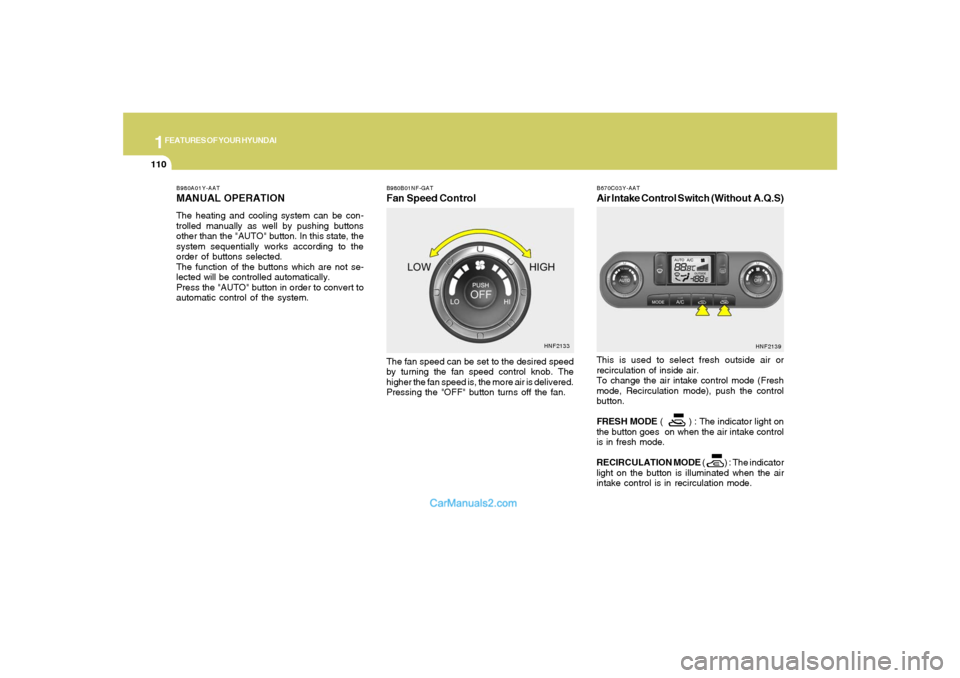
B980B01NF-GATFan Speed ControlThe fan speed can be set to the desired speed
by turning the fan speed control knob. The
higher the fan speed is, the more air is delivered.
Pressing the "OFF" button turns off the fan.
HNF2133 B980A01Y-AAT
MANUAL OPERATIONThe heating and cooling system can be con-
trolled manually as well by pushing buttons
other than the "AUTO" button. In this state, the
system sequentially works according to the
order of buttons selected.
The function of the buttons which are not se-
lected will be controlled automatically.
Press the "AUTO" button in order to convert to
automatic control of the system.
B670C03Y-AATAir Intake Control Switch (Without A.Q.S)This is used to select fresh outside air or
recirculation of inside air.
To change the air intake control mode (Fresh
mode, Recirculation mode), push the control
button.
FRESH MODE ( ) : The indicator light on
the button goes on when the air intake control
is in fresh mode.
RECIRCULATION MODE ( ) : The indicator
light on the button is illuminated when the air
intake control is in recirculation mode.
HNF2139
Page 126 of 283
1FEATURES OF YOUR HYUNDAI
112
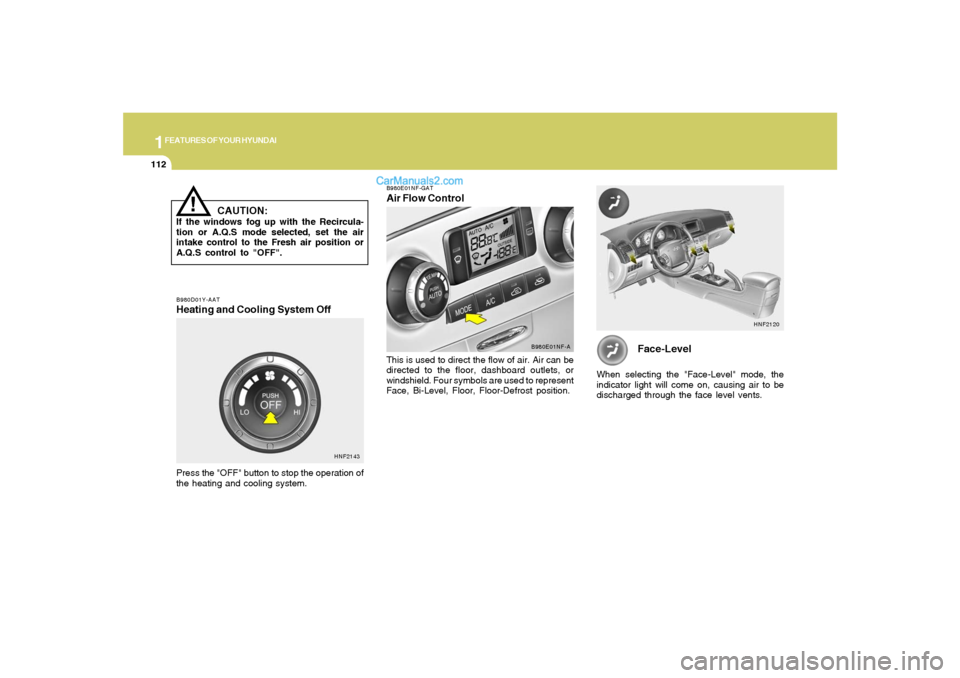
Face-Level
When selecting the "Face-Level" mode, the
indicator light will come on, causing air to be
discharged through the face level vents.
HNF2120
B980D01Y-AATHeating and Cooling System OffPress the "OFF" button to stop the operation of
the heating and cooling system.
HNF2143B980E01NF-GAT
Air Flow ControlThis is used to direct the flow of air. Air can be
directed to the floor, dashboard outlets, or
windshield. Four symbols are used to represent
Face, Bi-Level, Floor, Floor-Defrost position.
B980E01NF-A
!
CAUTION:
If the windows fog up with the Recircula-
tion or A.Q.S mode selected, set the air
intake control to the Fresh air position or
A.Q.S control to "OFF".