key Hyundai Sonata
[x] Cancel search | Manufacturer: HYUNDAI, Model Year: , Model line: , Model:Pages: 380, PDF Size: 7.97 MB
Page 143 of 380
463
Features of your vehicle
Cruise SET indicator
The indicator light illuminates when the
cruise function switch (SET- or RES+) is
ON.
The cruise SET indicator light in the
instrument cluster is illuminated when
the cruise control switch (SET- or RES+)
is pushed. The cruise SET indicator light
does not illuminate when the cruise con-
trol switch (CANCEL) is pushed or the
system is disengaged.Electronic power steering(EPS) system warning light This indicator light comes on after the
ignition key is turned to the ON position
and then it will go out.
This light also comes on when the EPS
needs repairs. If it comes on while driv-
ing, have your vehicle inspected by an
authorized HYUNDAI dealer.
Key reminder warning chime Without smart key
If the driver’s door is opened while the
ignition key is left in the ignition switch
(ACC or LOCK position), the key
reminder warning chime will sound. This
helps prevent you from locking your keys
in the vehicle. The chime sounds until the
key is removed from the ignition switch or
the driver’s door is closed.
With smart key
If the driver’s door is opened while the
smart key is in the vehicle with the
engine start/stop button in ACC or the
smart key is in the smart key holder with
the engine start/stop button in OFF, the
key reminder warning chime will sound.
The chime sounds until the smart key is
removed from the smart key holder or the
driver’s door is closed.
Warning on the LCD screen
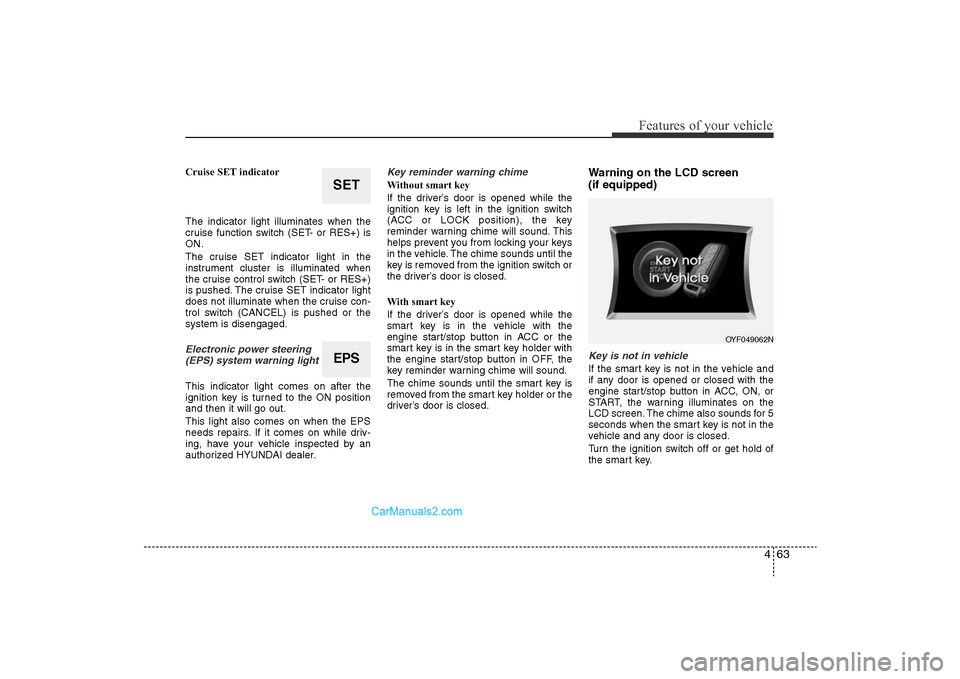
(if equipped)Key is not in vehicleIf the smart key is not in the vehicle and
if any door is opened or closed with the
engine start/stop button in ACC, ON, or
START, the warning illuminates on the
LCD screen. The chime also sounds for 5
seconds when the smart key is not in the
vehicle and any door is closed.
Turn the ignition switch off or get hold of
the smart key.
SETEPS
OYF049062N
YF HMA 4-103.QXP 12/24/2009 5:13 PM Page 63
Page 144 of 380
Features of your vehicle64
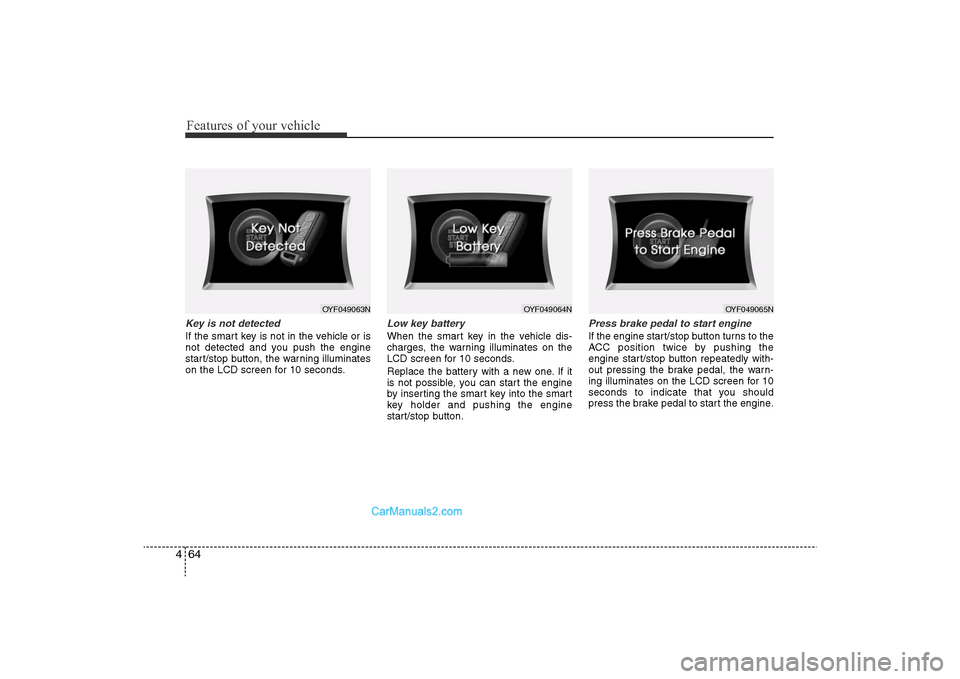
4Key is not detectedIf the smart key is not in the vehicle or is
not detected and you push the engine
start/stop button, the warning illuminates
on the LCD screen for 10 seconds.
Low key batteryWhen the smart key in the vehicle dis-
charges, the warning illuminates on the
LCD screen for 10 seconds.
Replace the battery with a new one. If it
is not possible, you can start the engine
by inserting the smart key into the smart
key holder and pushing the engine
start/stop button.
Press brake pedal to start engineIf the engine start/stop button turns to the
ACC position twice by pushing the
engine start/stop button repeatedly with-
out pressing the brake pedal, the warn-
ing illuminates on the LCD screen for 10
seconds to indicate that you should
press the brake pedal to start the engine.
OYF049063N
OYF049064N
OYF049065N
YF HMA 4-103.QXP 12/24/2009 5:13 PM Page 64
Page 145 of 380
465
Features of your vehicle
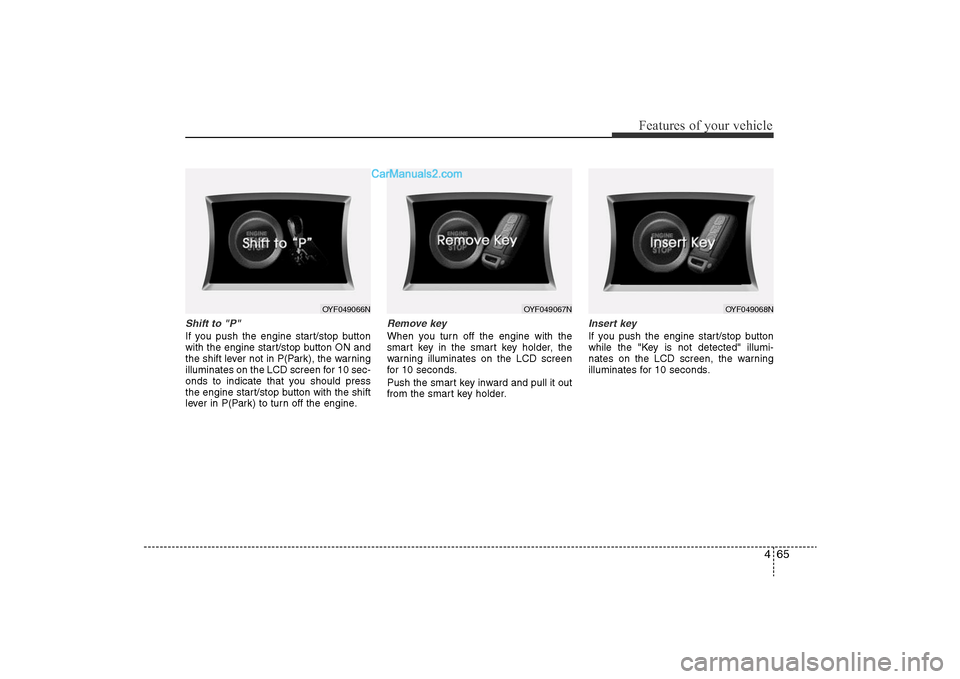
Shift to "P" If you push the engine start/stop button
with the engine start/stop button ON and
the shift lever not in P(Park), the warning
illuminates on the LCD screen for 10 sec-
onds to indicate that you should press
the engine start/stop button with the shift
lever in P(Park) to turn off the engine.
Remove keyWhen you turn off the engine with the
smart key in the smart key holder, the
warning illuminates on the LCD screen
for 10 seconds.
Push the smart key inward and pull it out
from the smart key holder.
Insert keyIf you push the engine start/stop button
while the "Key is not detected" illumi-
nates on the LCD screen, the warning
illuminates for 10 seconds.
OYF049066N
OYF049067N
OYF049068N
YF HMA 4-103.QXP 12/24/2009 5:13 PM Page 65
Page 148 of 380
Features of your vehicle68
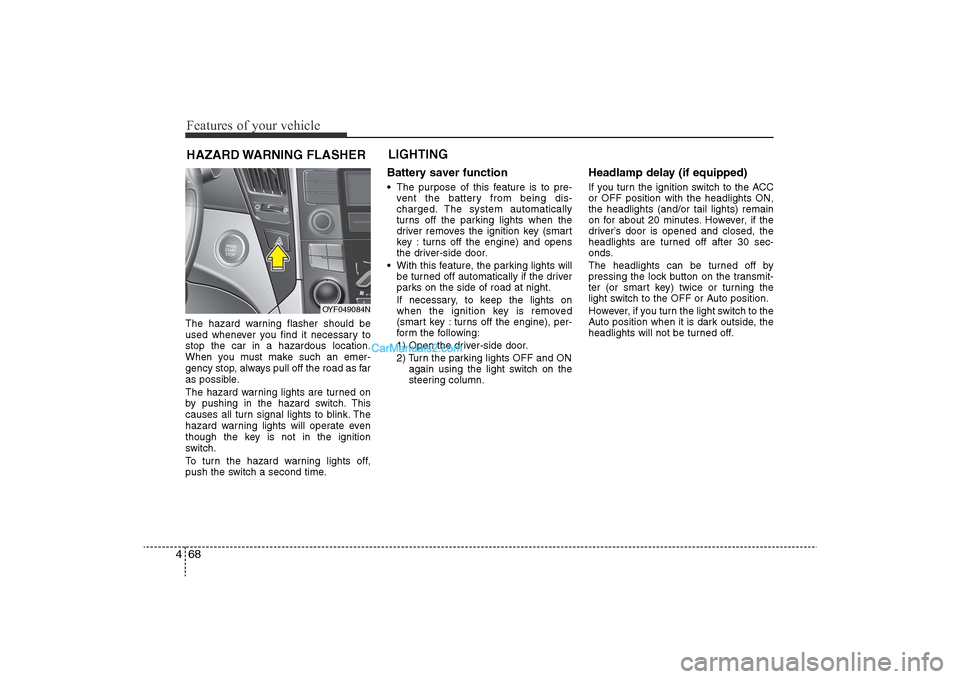
4The hazard warning flasher should be
used whenever you find it necessary to
stop the car in a hazardous location.
When you must make such an emer-
gency stop, always pull off the road as far
as possible.
The hazard warning lights are turned on
by pushing in the hazard switch. This
causes all turn signal lights to blink. The
hazard warning lights will operate even
though the key is not in the ignition
switch.
To turn the hazard warning lights off,
push the switch a second time.
Battery saver function • The purpose of this feature is to pre-
vent the battery from being dis-
charged. The system automatically
turns off the parking lights when the
driver removes the ignition key (smart
key : turns off the engine) and opens
the driver-side door.
• With this feature, the parking lights will be turned off automatically if the driver
parks on the side of road at night.
If necessary, to keep the lights on
when the ignition key is removed
(smart key : turns off the engine), per-
form the following:
1) Open the driver-side door.
2) Turn the parking lights OFF and ON again using the light switch on the
steering column.
Headlamp delay (if equipped)If you turn the ignition switch to the ACC
or OFF position with the headlights ON,
the headlights (and/or tail lights) remain
on for about 20 minutes. However, if the
driver’s door is opened and closed, the
headlights are turned off after 30 sec-
onds.
The headlights can be turned off by
pressing the lock button on the transmit-
ter (or smart key) twice or turning the
light switch to the OFF or Auto position.
However, if you turn the light switch to the
Auto position when it is dark outside, the
headlights will not be turned off.
HAZARD WARNING FLASHER LIGHTING
OYF049084N
YF HMA 4-103.QXP 1/12/2010 5:50 PM Page 68
Page 149 of 380
469
Features of your vehicle
Headlamp welcome functionWhen the headlight switch is in the ON or
AUTO position and all doors (and trunk)
are closed and locked, if you press the
door unlock button on the transmitter (or
the smart key), the headlights will come
on for about 15 seconds. At this time, if
you press the door lock button on the
transmitter (or smart key) the headlights
will turn off immediately.Daytime running light
(if equipped)Daytime Running Lights (DRL) can make
it easier for others to see the front of your
vehicle during the day. DRL can be help-
ful in many different driving conditions,
and it is especially helpful after dawn and
before sunset.
The DRL system will make the head-
lights turn OFF when:
1. The headlight is ON.
2. Engine stops.
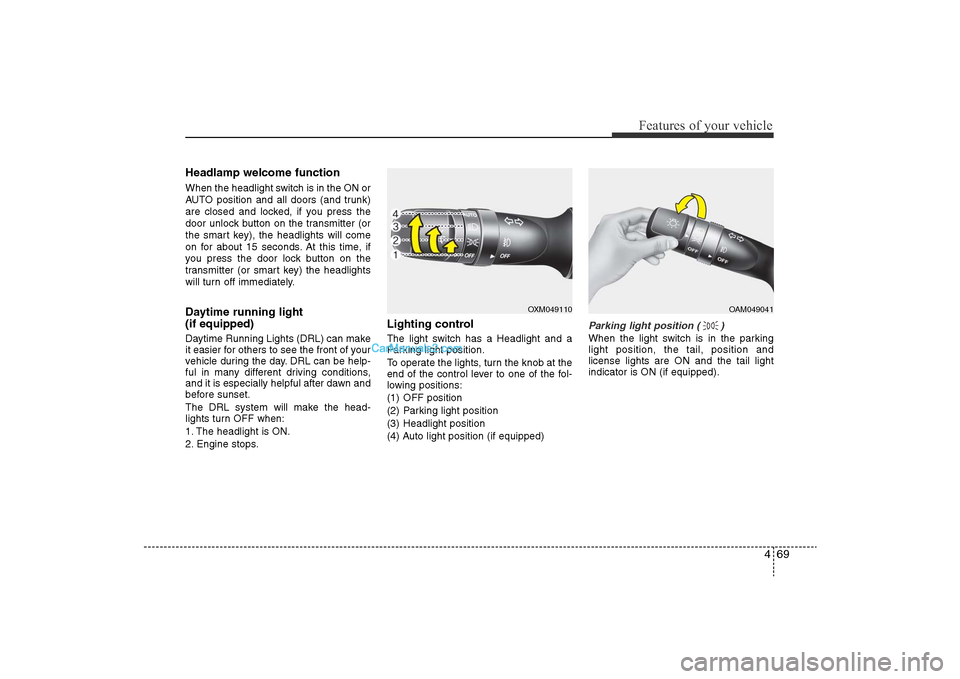
Lighting controlThe light switch has a Headlight and a
Parking light position.
To operate the lights, turn the knob at the
end of the control lever to one of the fol-
lowing positions:
(1) OFF position
(2) Parking light position
(3) Headlight position
(4) Auto light position (if equipped)
Parking light position ( )When the light switch is in the parking
light position, the tail, position and
license lights are ON and the tail light
indicator is ON (if equipped).
OXM049110
OAM049041
YF HMA 4-103.QXP 12/24/2009 5:14 PM Page 69
Page 155 of 380
475
Features of your vehicle
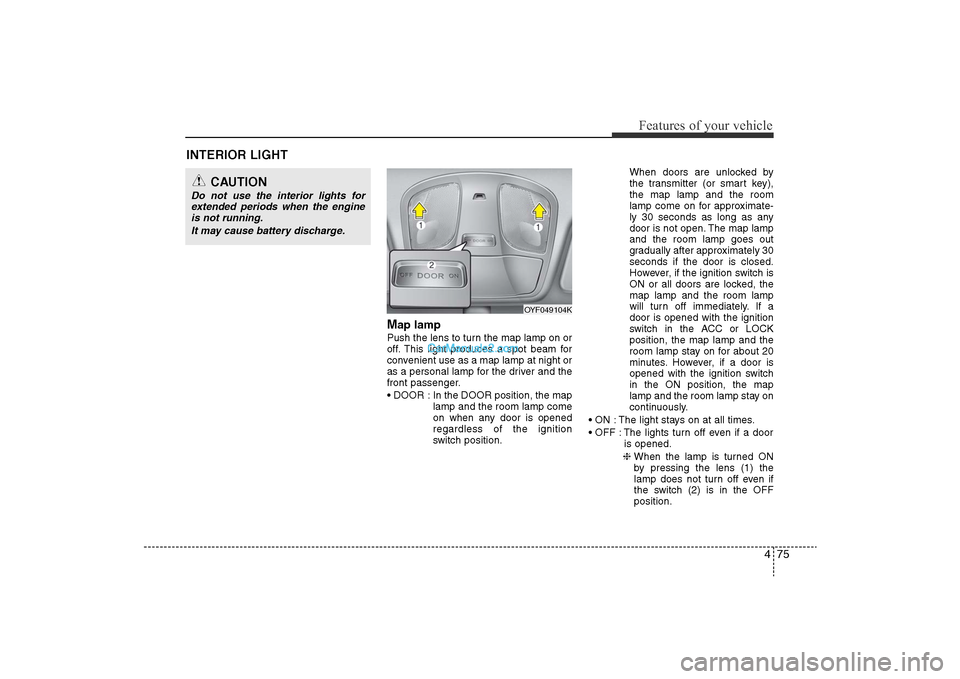
Map lamp Push the lens to turn the map lamp on or
off. This light produces a spot beam for
convenient use as a map lamp at night or
as a personal lamp for the driver and the
front passenger.
• DOOR : In the DOOR position, the maplamp and the room lamp come
on when any door is opened
regardless of the ignition
switch position. When doors are unlocked by
the transmitter (or smart key),
the map lamp and the room
lamp come on for approximate-
ly 30 seconds as long as any
door is not open. The map lamp
and the room lamp goes out
gradually after approximately 30
seconds if the door is closed.
However, if the ignition switch is
ON or all doors are locked, the
map lamp and the room lamp
will turn off immediately. If a
door is opened with the ignition
switch in the ACC or LOCK
position, the map lamp and the
room lamp stay on for about 20
minutes. However, if a door is
opened with the ignition switch
in the ON position, the map
lamp and the room lamp stay on
continuously.
• ON : The light stays on at all times.
• OFF : The lights turn off even if a door is opened.
❈ When the lamp is turned ON
by pressing the lens (1) the
lamp does not turn off even if
the switch (2) is in the OFF
position.
OYF049104K
INTERIOR LIGHT
CAUTION
Do not use the interior lights for
extended periods when the engineis not running.
It may cause battery discharge.
YF HMA 4-103.QXP 12/24/2009 5:14 PM Page 75
Page 156 of 380
Features of your vehicle76
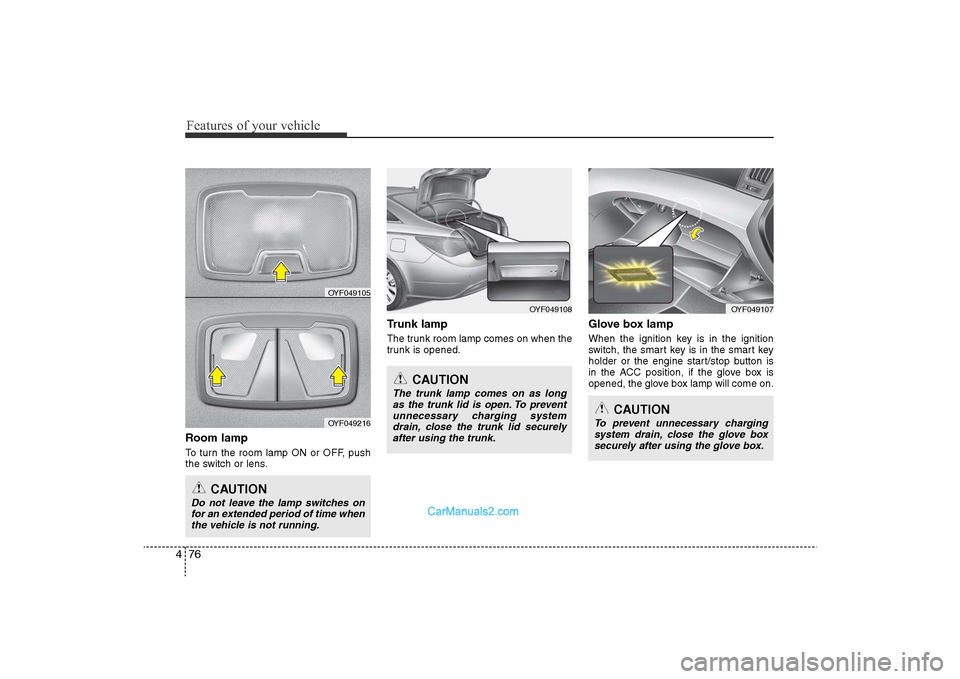
4Room lampTo turn the room lamp ON or OFF, push
the switch or lens.
Trunk lampThe trunk room lamp comes on when the
trunk is opened.
Glove box lampWhen the ignition key is in the ignition
switch, the smart key is in the smart key
holder or the engine start/stop button is
in the ACC position, if the glove box is
opened, the glove box lamp will come on.
OYF049108
CAUTION
Do not leave the lamp switches on
for an extended period of time when the vehicle is not running.
CAUTION
The trunk lamp comes on as longas the trunk lid is open. To preventunnecessary charging systemdrain, close the trunk lid securelyafter using the trunk.
OYF049105
OYF049216
OYF049107
CAUTION
To prevent unnecessary charging system drain, close the glove boxsecurely after using the glove box.
YF HMA 4-103.QXP 12/24/2009 5:15 PM Page 76
Page 178 of 380
Features of your vehicle98
4These compartments can be used to
store small items.
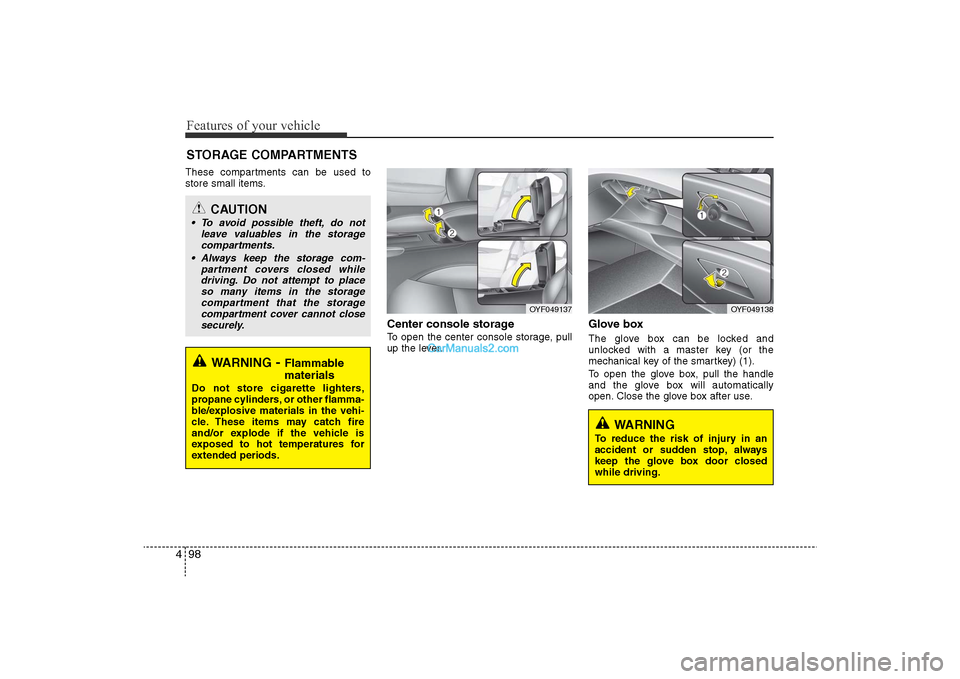
Center console storage To open the center console storage, pull
up the lever.
Glove boxThe glove box can be locked and
unlocked with a master key (or the
mechanical key of the smartkey) (1).
To open the glove box, pull the handle
and the glove box will automatically
open. Close the glove box after use.
STORAGE COMPARTMENTS
WARNING
-Flammable
materials
Do not store cigarette lighters,
propane cylinders, or other flamma-
ble/explosive materials in the vehi-
cle. These items may catch fire
and/or explode if the vehicle is
exposed to hot temperatures for
extended periods.
CAUTION
• To avoid possible theft, do not
leave valuables in the storagecompartments.
• Always keep the storage com- partment covers closed whiledriving. Do not attempt to place so many items in the storagecompartment that the storagecompartment cover cannot close securely.
OYF049138
OYF049137
WARNING
To reduce the risk of injury in an
accident or sudden stop, always
keep the glove box door closed
while driving.
YF HMA 4-103.QXP 12/24/2009 5:18 PM Page 98
Page 184 of 380
Features of your vehicle104
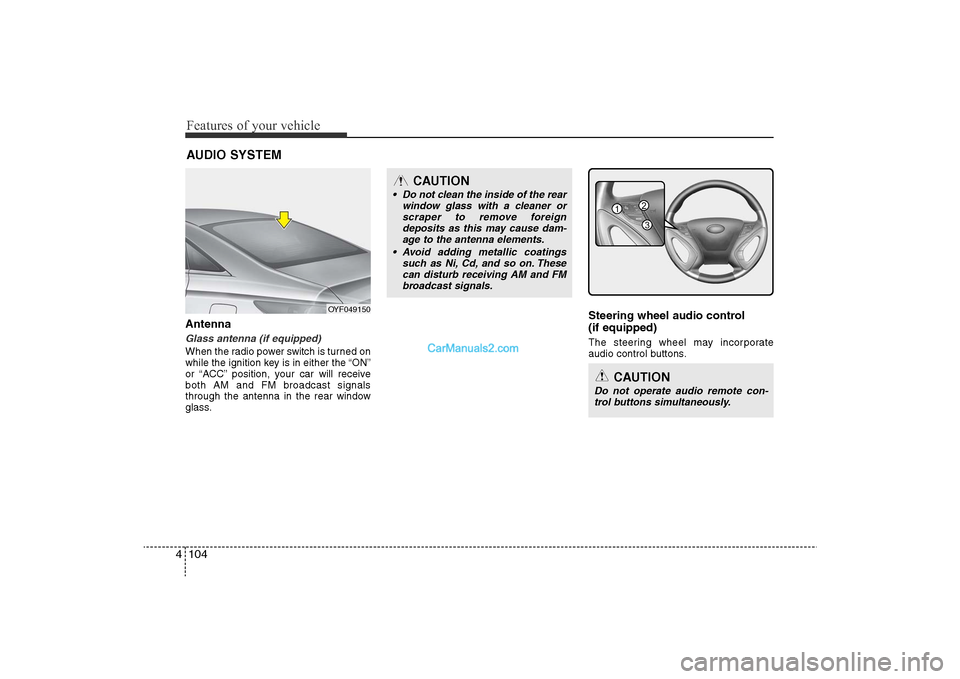
4AntennaGlass antenna (if equipped)When the radio power switch is turned on
while the ignition key is in either the “ON”
or “ACC” position, your car will receive
both AM and FM broadcast signals
through the antenna in the rear window
glass.
Steering wheel audio control
(if equipped) The steering wheel may incorporate
audio control buttons.
AUDIO SYSTEM
OYF049150
CAUTION
• Do not clean the inside of the rear
window glass with a cleaner orscraper to remove foreign deposits as this may cause dam-age to the antenna elements.
• Avoid adding metallic coatings such as Ni, Cd, and so on. Thesecan disturb receiving AM and FMbroadcast signals.
CAUTION
Do not operate audio remote con- trol buttons simultaneously.
1
3
2
YF HMA 4-104~(AUDIO).QXP 12/24/2009 5:21 PM Page 104
Page 197 of 380
4 117
Features of your vehicle
(Continued)
• If the USB device is divided by logical drives, only the music fileson the highest-priority drive arerecognized by car audio.
• Devices such as MP3 Player/ Cellular phone/Digital camera canbe unrecognizable by standard USB I/F can be unrecognizable.
• Some non-standard USB devices (METAL COVER TYPE USB) can beunrecognizable.
• Some USB flash memory readers (such as CF, SD, microSD, etc.) orexternal-HDD type devices can beunrecognizable.
• Music files protected by DRM (DIGITAL RIGHTS MANAGEMENT)are not recognizalbe.
• The data in the USB memory may be lost while using this audio.Always back up important data ona personal storage device.
(Continued)
(Continued)
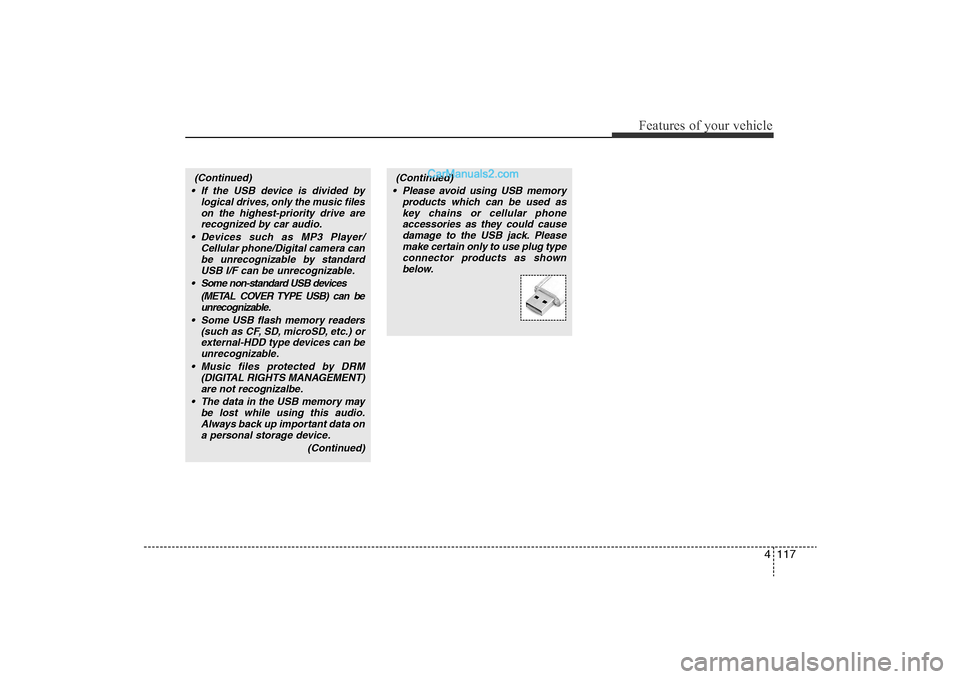
• Please avoid using USB memory products which can be used askey chains or cellular phoneaccessories as they could causedamage to the USB jack. Pleasemake certain only to use plug typeconnector products as shownbelow.
YF HMA 4-104~(AUDIO).QXP 12/24/2009 5:21 PM Page 117