ignition Hyundai Sonata
[x] Cancel search | Manufacturer: HYUNDAI, Model Year: , Model line: , Model:Pages: 380, PDF Size: 7.97 MB
Page 153 of 380
473
Features of your vehicle
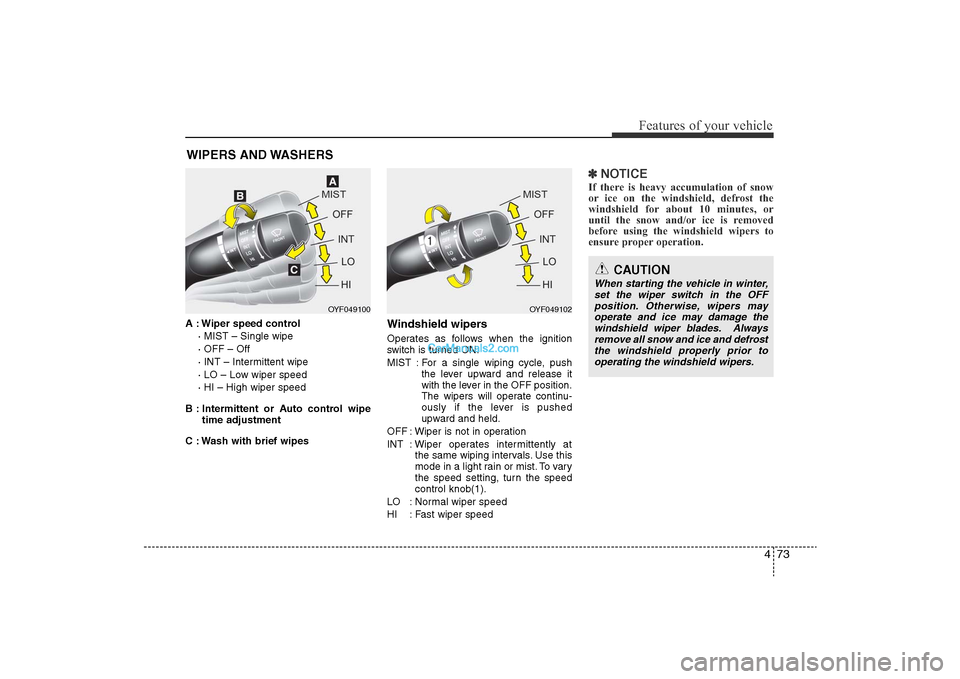
WIPERS AND WASHERSA : Wiper speed control· MIST – Single wipe
· OFF – Off
· INT – Intermittent wipe
· LO – Low wiper speed
· HI – High wiper speed
B : Intermittent or Auto control wipe time adjustment
C : Wash with brief wipes
Windshield wipers Operates as follows when the ignition
switch is turned ON.
MIST : For a single wiping cycle, push the lever upward and release it
with the lever in the OFF position.
The wipers will operate continu-
ously if the lever is pushed
upward and held.
OFF : Wiper is not in operation
INT : Wiper operates intermittently at the same wiping intervals. Use this
mode in a light rain or mist. To vary
the speed setting, turn the speed
control knob(1).
LO : Normal wiper speed
HI : Fast wiper speed
✽ NOTICEIf there is heavy accumulation of snow
or ice on the windshield, defrost the
windshield for about 10 minutes, or
until the snow and/or ice is removed
before using the windshield wipers to
ensure proper operation.
OYF049100
OYF049102
CAUTION
When starting the vehicle in winter,
set the wiper switch in the OFFposition. Otherwise, wipers mayoperate and ice may damage the windshield wiper blades. Alwaysremove all snow and ice and defrost the windshield properly prior tooperating the windshield wipers.
YF HMA 4-103.QXP 12/24/2009 5:14 PM Page 73
Page 155 of 380
475
Features of your vehicle
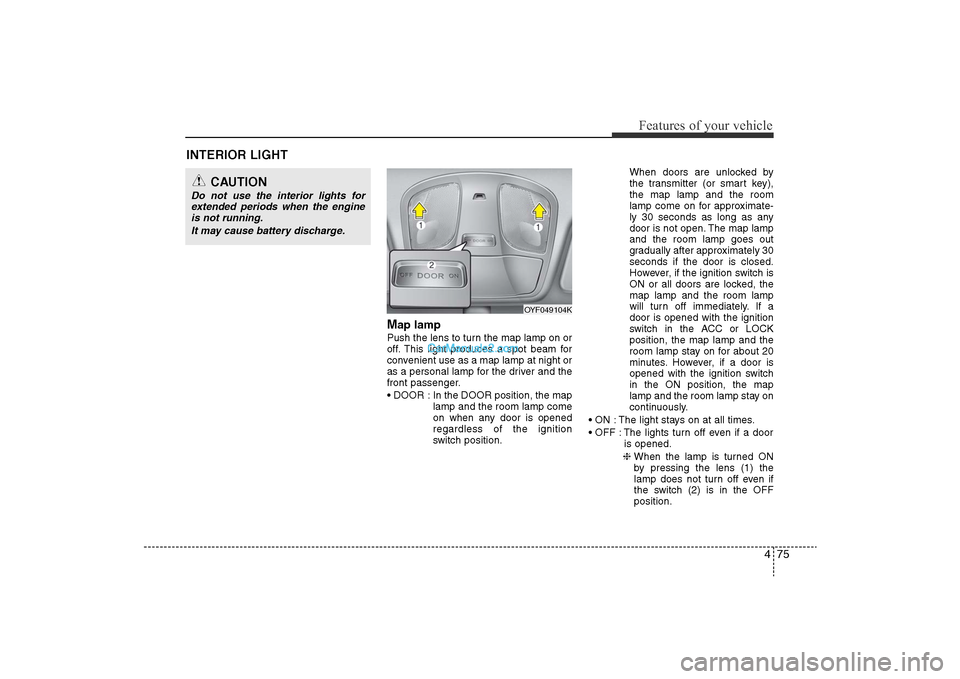
Map lamp Push the lens to turn the map lamp on or
off. This light produces a spot beam for
convenient use as a map lamp at night or
as a personal lamp for the driver and the
front passenger.
• DOOR : In the DOOR position, the maplamp and the room lamp come
on when any door is opened
regardless of the ignition
switch position. When doors are unlocked by
the transmitter (or smart key),
the map lamp and the room
lamp come on for approximate-
ly 30 seconds as long as any
door is not open. The map lamp
and the room lamp goes out
gradually after approximately 30
seconds if the door is closed.
However, if the ignition switch is
ON or all doors are locked, the
map lamp and the room lamp
will turn off immediately. If a
door is opened with the ignition
switch in the ACC or LOCK
position, the map lamp and the
room lamp stay on for about 20
minutes. However, if a door is
opened with the ignition switch
in the ON position, the map
lamp and the room lamp stay on
continuously.
• ON : The light stays on at all times.
• OFF : The lights turn off even if a door is opened.
❈ When the lamp is turned ON
by pressing the lens (1) the
lamp does not turn off even if
the switch (2) is in the OFF
position.
OYF049104K
INTERIOR LIGHT
CAUTION
Do not use the interior lights for
extended periods when the engineis not running.
It may cause battery discharge.
YF HMA 4-103.QXP 12/24/2009 5:14 PM Page 75
Page 156 of 380
Features of your vehicle76
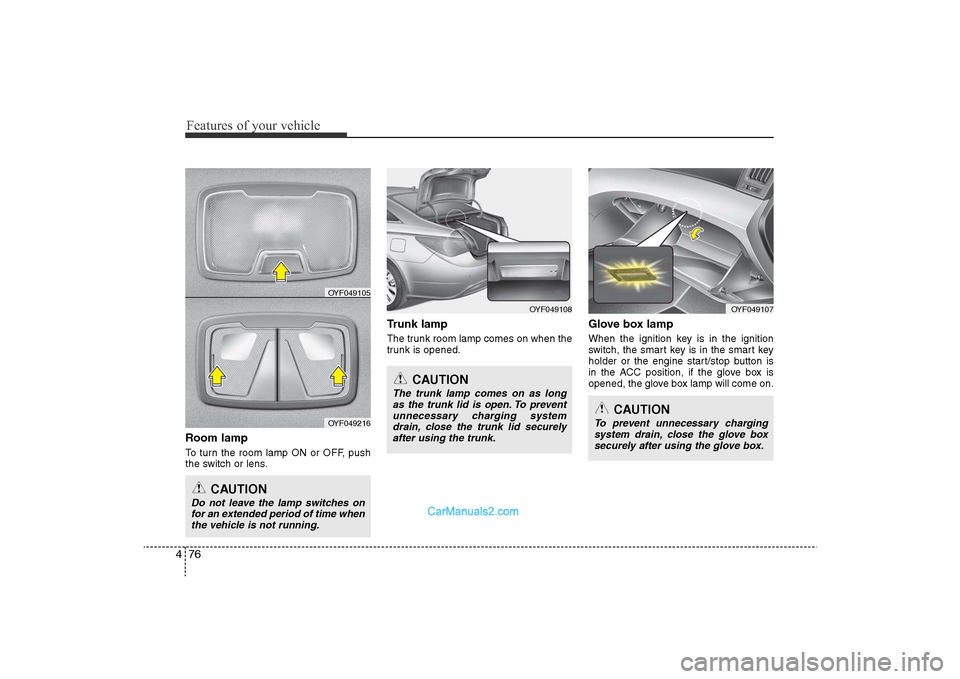
4Room lampTo turn the room lamp ON or OFF, push
the switch or lens.
Trunk lampThe trunk room lamp comes on when the
trunk is opened.
Glove box lampWhen the ignition key is in the ignition
switch, the smart key is in the smart key
holder or the engine start/stop button is
in the ACC position, if the glove box is
opened, the glove box lamp will come on.
OYF049108
CAUTION
Do not leave the lamp switches on
for an extended period of time when the vehicle is not running.
CAUTION
The trunk lamp comes on as longas the trunk lid is open. To preventunnecessary charging systemdrain, close the trunk lid securelyafter using the trunk.
OYF049105
OYF049216
OYF049107
CAUTION
To prevent unnecessary charging system drain, close the glove boxsecurely after using the glove box.
YF HMA 4-103.QXP 12/24/2009 5:15 PM Page 76
Page 158 of 380
Features of your vehicle78
4✽
NOTICEIf you want to defrost and defog the
front windshield, refer to “Windshield
defrosting and defogging” in this sec-
tion.
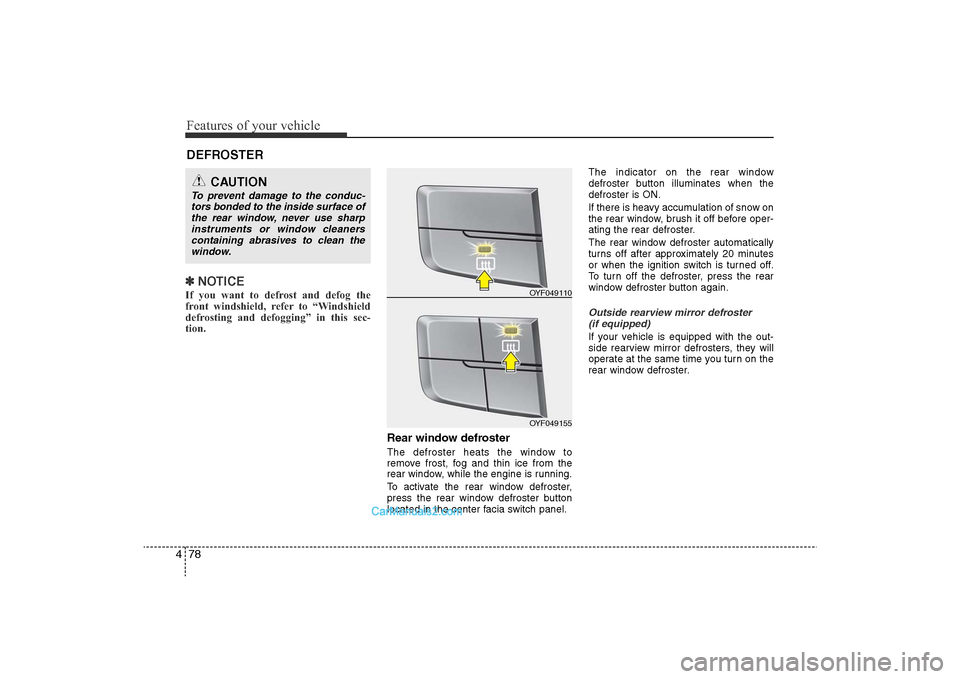
Rear window defrosterThe defroster heats the window to
remove frost, fog and thin ice from the
rear window, while the engine is running.
To activate the rear window defroster,
press the rear window defroster button
located in the center facia switch panel. The indicator on the rear window
defroster button illuminates when the
defroster is ON.
If there is heavy accumulation of snow on
the rear window, brush it off before oper-
ating the rear defroster.
The rear window defroster automatically
turns off after approximately 20 minutes
or when the ignition switch is turned off.
To turn off the defroster, press the rear
window defroster button again.
Outside rearview mirror defroster
(if equipped)If your vehicle is equipped with the out-
side rearview mirror defrosters, they will
operate at the same time you turn on the
rear window defroster.
CAUTION
To prevent damage to the conduc- tors bonded to the inside surface ofthe rear window, never use sharp instruments or window cleanerscontaining abrasives to clean thewindow.DEFROSTER
OYF049110
OYF049155
YF HMA 4-103.QXP 12/24/2009 5:15 PM Page 78
Page 164 of 380
Features of your vehicle84
4
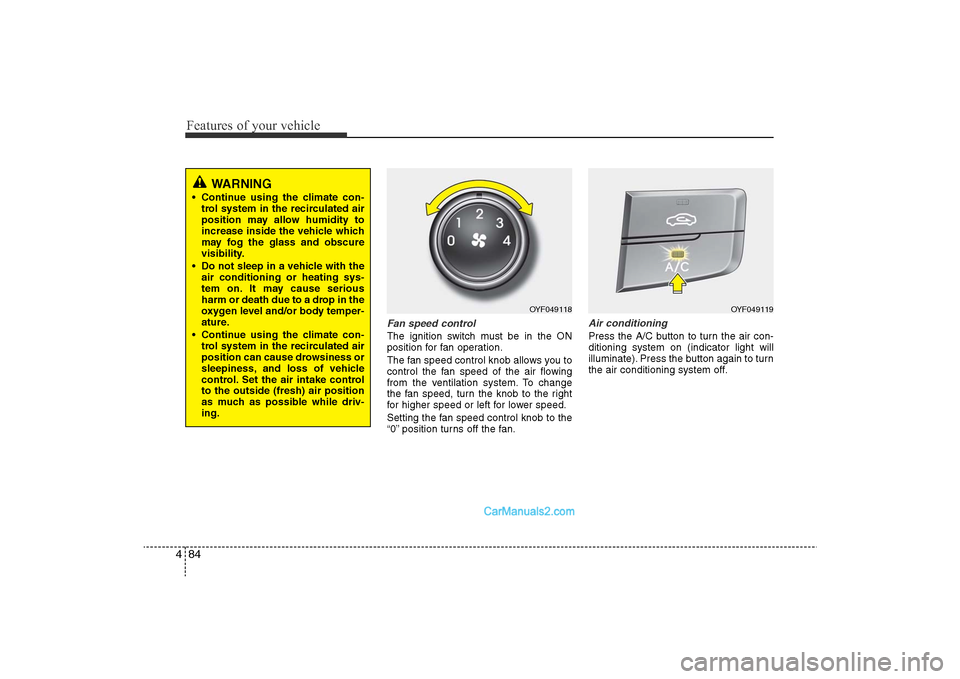
Fan speed controlThe ignition switch must be in the ON
position for fan operation.
The fan speed control knob allows you to
control the fan speed of the air flowing
from the ventilation system. To change
the fan speed, turn the knob to the right
for higher speed or left for lower speed.
Setting the fan speed control knob to the
“0” position turns off the fan.
Air conditioningPress the A/C button to turn the air con-
ditioning system on (indicator light will
illuminate). Press the button again to turn
the air conditioning system off.
OYF049118
OYF049119
WARNING
• Continue using the climate con-
trol system in the recirculated air
position may allow humidity to
increase inside the vehicle which
may fog the glass and obscure
visibility.
• Do not sleep in a vehicle with the air conditioning or heating sys-
tem on. It may cause serious
harm or death due to a drop in the
oxygen level and/or body temper-
ature.
• Continue using the climate con- trol system in the recirculated air
position can cause drowsiness or
sleepiness, and loss of vehicle
control. Set the air intake control
to the outside (fresh) air position
as much as possible while driv-
ing.
YF HMA 4-103.QXP 12/24/2009 5:16 PM Page 84
Page 174 of 380
Features of your vehicle94
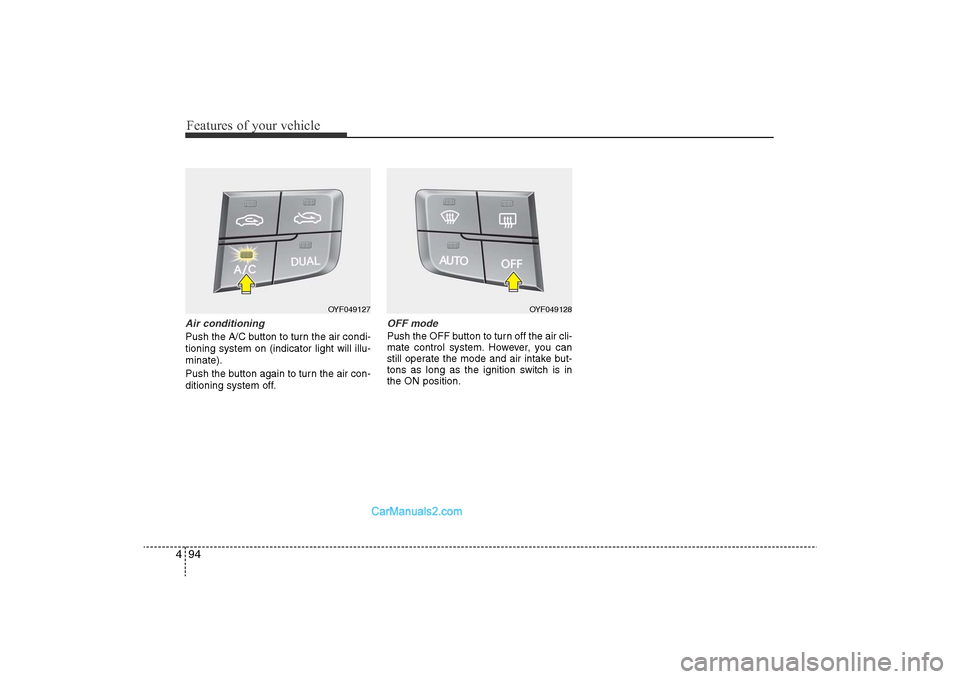
4Air conditioningPush the A/C button to turn the air condi-
tioning system on (indicator light will illu-
minate).
Push the button again to turn the air con-
ditioning system off.
OFF modePush the OFF button to turn off the air cli-
mate control system. However, you can
still operate the mode and air intake but-
tons as long as the ignition switch is in
the ON position.
OYF049127
OYF049128
YF HMA 4-103.QXP 12/24/2009 5:17 PM Page 94
Page 177 of 380
497
Features of your vehicle
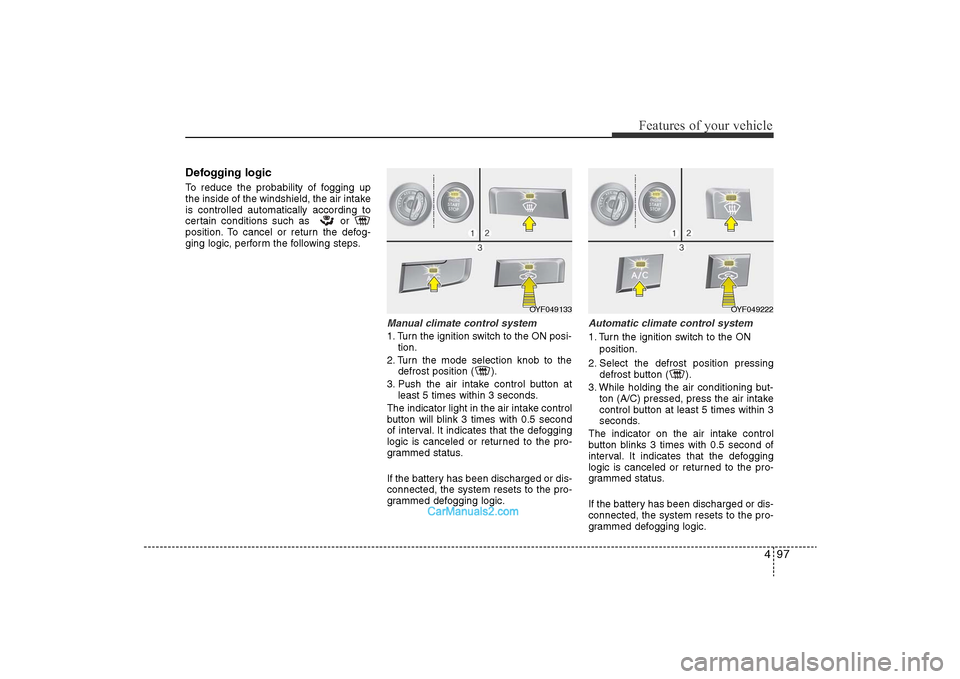
Defogging logicTo reduce the probability of fogging up
the inside of the windshield, the air intake
is controlled automatically according to
certain conditions such as or
position. To cancel or return the defog-
ging logic, perform the following steps.
Manual climate control system1. Turn the ignition switch to the ON posi-tion.
2. Turn the mode selection knob to the defrost position ( ).
3. Push the air intake control button at least 5 times within 3 seconds.
The indicator light in the air intake control
button will blink 3 times with 0.5 second
of interval. It indicates that the defogging
logic is canceled or returned to the pro-
grammed status.
If the battery has been discharged or dis-
connected, the system resets to the pro-
grammed defogging logic.
Automatic climate control system1. Turn the ignition switch to the ON position.
2. Select the defrost position pressing defrost button ( ).
3. While holding the air conditioning but- ton (A/C) pressed, press the air intake
control button at least 5 times within 3
seconds.
The indicator on the air intake control
button blinks 3 times with 0.5 second of
interval. It indicates that the defogging
logic is canceled or returned to the pro-
grammed status.
If the battery has been discharged or dis-
connected, the system resets to the pro-
grammed defogging logic.
OYF049222
OYF049133
YF HMA 4-103.QXP 12/24/2009 5:18 PM Page 97
Page 182 of 380
Features of your vehicle102
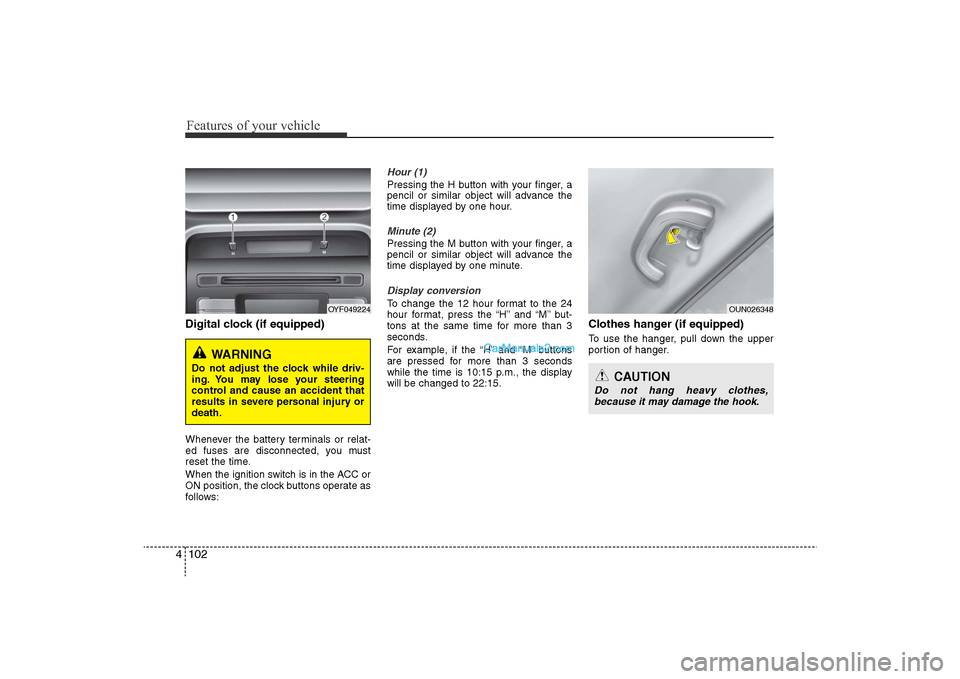
4Digital clock (if equipped)Whenever the battery terminals or relat-
ed fuses are disconnected, you must
reset the time.
When the ignition switch is in the ACC or
ON position, the clock buttons operate as
follows:
Hour (1)Pressing the H button with your finger, a
pencil or similar object will advance the
time displayed by one hour.Minute (2)Pressing the M button with your finger, a
pencil or similar object will advance the
time displayed by one minute.Display conversionTo change the 12 hour format to the 24
hour format, press the “H” and “M” but-
tons at the same time for more than 3
seconds.
For example, if the “H” and “M” buttons
are pressed for more than 3 seconds
while the time is 10:15 p.m., the display
will be changed to 22:15.
Clothes hanger (if equipped)To use the hanger, pull down the upper
portion of hanger.
OYF049224
WARNING
Do not adjust the clock while driv-
ing. You may lose your steering
control and cause an accident that
results in severe personal injury or
death.
OUN026348
CAUTION
Do not hang heavy clothes,
because it may damage the hook.
YF HMA 4-103.QXP 12/24/2009 5:19 PM Page 102
Page 184 of 380
Features of your vehicle104
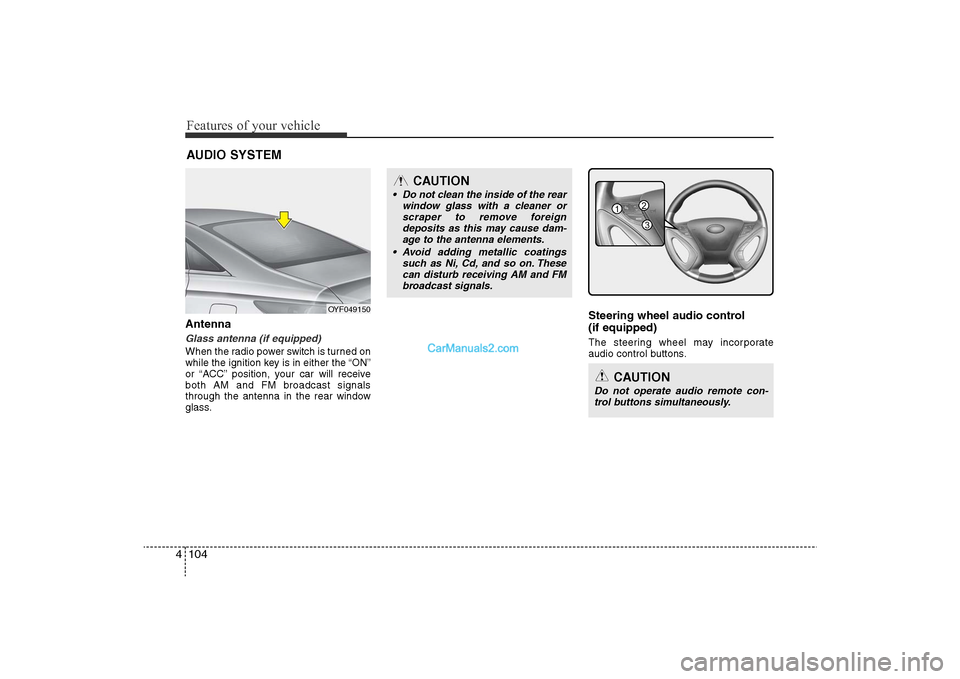
4AntennaGlass antenna (if equipped)When the radio power switch is turned on
while the ignition key is in either the “ON”
or “ACC” position, your car will receive
both AM and FM broadcast signals
through the antenna in the rear window
glass.
Steering wheel audio control
(if equipped) The steering wheel may incorporate
audio control buttons.
AUDIO SYSTEM
OYF049150
CAUTION
• Do not clean the inside of the rear
window glass with a cleaner orscraper to remove foreign deposits as this may cause dam-age to the antenna elements.
• Avoid adding metallic coatings such as Ni, Cd, and so on. Thesecan disturb receiving AM and FMbroadcast signals.
CAUTION
Do not operate audio remote con- trol buttons simultaneously.
1
3
2
YF HMA 4-104~(AUDIO).QXP 12/24/2009 5:21 PM Page 104
Page 190 of 380
![Hyundai Sonata
Features of your vehicle110
41. AM Selection ButtonPressing the [AM] button selects the AM
band. AM Mode is displayed on the LCD.2. FM Selection ButtonTurns to FM mode and toggles FM1and
FM2 when the](/img/35/16817/w960_16817-189.png "Hyundai Sonata
Features of your vehicle110
41. AM Selection ButtonPressing the [AM] button selects the AM
band. AM Mode is displayed on the LCD.2. FM Selection ButtonTurns to FM mode and toggles FM1and
FM2 when the")
Features of your vehicle110
41. AM Selection ButtonPressing the [AM] button selects the AM
band. AM Mode is displayed on the LCD.2. FM Selection ButtonTurns to FM mode and toggles FM1and
FM2 when the button is pressed each
time.3. FM/AM ButtonTurns to FM or AM mode, and toggles in
the order of FM1
➟FM2
➟AM
➟FM1...
when the button is pressed each time.
4.
Power ON/OFF Button & VolumeControl Knob
Turns on/off the set when the IGNITION
SWITCH is on ACC or ON. If the button
is turned to the right, it increases the vol-
ume and left,decreases the volume.
• Adjusts the volume of the car audio system. Rotate clockwise to increase
the volume or counterclockwise to
decrease.
5. Preset ButtonPush [1]~[6] buttons less than 0.8 sec-
ond to play the channel saved in each
button.Push Preset button for 0.8 second
or longer to save current channel to the
respective button with a beep.6. SCAN Button• When the button is pressed, it automat-ically scans the radio stations upwards.
• The SCAN feature steps through each station, starting from the initial station,
for ten seconds.
• press the [SCAN] button again to stop the scan feature and to listen to the cur-
rently selected channel.7. MUTE ButtonPress the button to mute the sound.
8. SETUP Button
Press this button to turn to the XM option
and the other adjustment mode.
If no action is taken for 5 seconds after
pressing the button, it will return to the
play mode.(After entering SEPUP mode,
move between items using the left, right
and PUSH functions of the [TUNE]
knob.)
The setup changes in the order of TEXT
SCROLL
➟AV C
➟BT
➟XM
In case of PA760YF, Using the
[ FOLDER ] and [ENTER] button.
The setup Change in the order of
SOUND
➟XM
➟HD RADIO
➟ AVC
➟ CLOCK
➟SCROLL
➟PHONE
➟RETURN
• SCROLL
ters longer than the LCD text display
and can be turned ON/OFF through the
sound quality control knob.
(For PA760YF, Press the [ FOLDER ]
button.)
YF HMA 4-104~(AUDIO).QXP 12/24/2009 5:21 PM Page 110