display Hyundai Sonata Hybrid 2011 User Guide
[x] Cancel search | Manufacturer: HYUNDAI, Model Year: 2011, Model line: Sonata Hybrid, Model: Hyundai Sonata Hybrid 2011Pages: 404, PDF Size: 11.04 MB
Page 142 of 404
Features of your vehicle
48 4
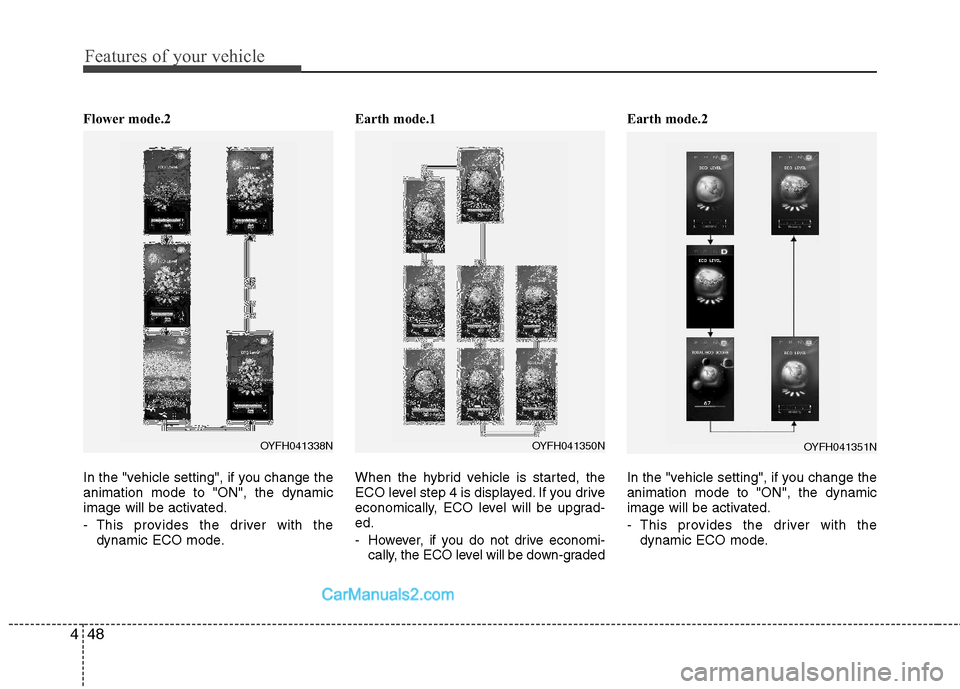
Flower mode.2
In the "vehicle setting", if you change the
animation mode to "ON", the dynamic
image will be activated.
- This provides the driver with the
dynamic ECO mode.Earth mode.1
When the hybrid vehicle is started, the
ECO level step 4 is displayed. If you drive
economically, ECO level will be upgrad-
ed.
- However, if you do not drive economi-
cally, the ECO level will be down-gradedEarth mode.2
In the "vehicle setting", if you change the
animation mode to "ON", the dynamic
image will be activated.
- This provides the driver with the
dynamic ECO mode.
OYFH041350NOYFH041351NOYFH041338N
Page 143 of 404
449
Features of your vehicle
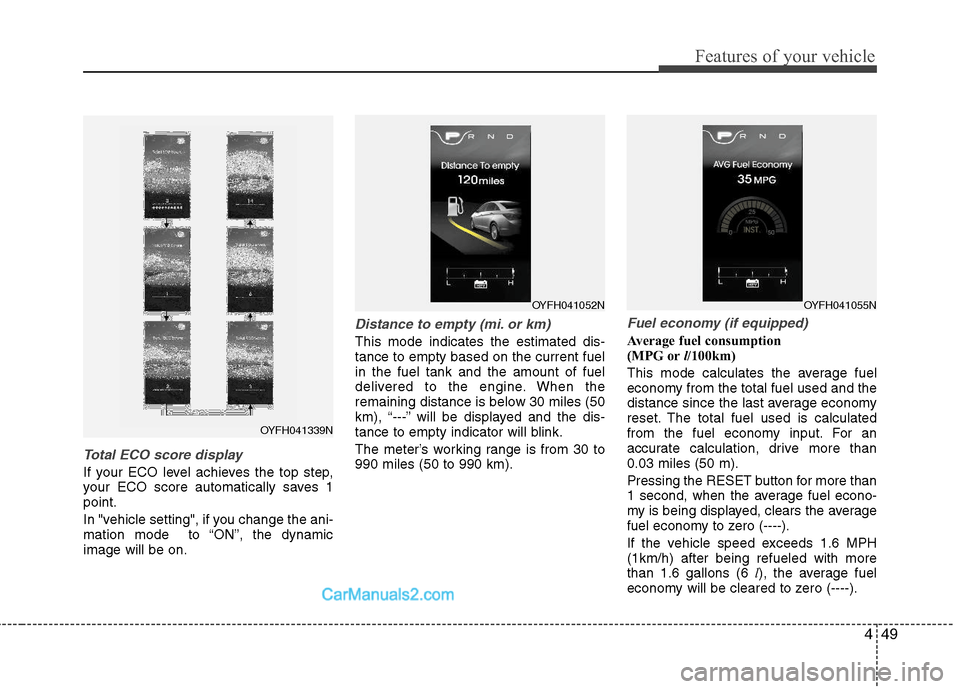
Total ECO score display
If your ECO level achieves the top step,
your ECO score automatically saves 1
point.
In "vehicle setting", if you change the ani-
mation mode to “ON”, the dynamic
image will be on.
Distance to empty (mi. or km)
This mode indicates the estimated dis-
tance to empty based on the current fuel
in the fuel tank and the amount of fuel
delivered to the engine. When the
remaining distance is below 30 miles (50
km), “---” will be displayed and the dis-
tance to empty indicator will blink.
The meter’s working range is from 30 to
990 miles (50 to 990 km).
Fuel economy (if equipped)
Average fuel consumption
(MPG orl/100km)
This mode calculates the average fuel
economy from the total fuel used and the
distance since the last average economy
reset. The total fuel used is calculated
from the fuel economy input. For an
accurate calculation, drive more than
0.03 miles (50 m).
Pressing the RESET button for more than
1 second, when the average fuel econo-
my is being displayed, clears the average
fuel economy to zero (----).
If the vehicle speed exceeds 1.6 MPH
(1km/h) after being refueled with more
than 1.6 gallons (6 l), the average fuel
economy will be cleared to zero (----).
OYFH041052NOYFH041055N
OYFH041339N
Page 144 of 404
Features of your vehicle
50 4
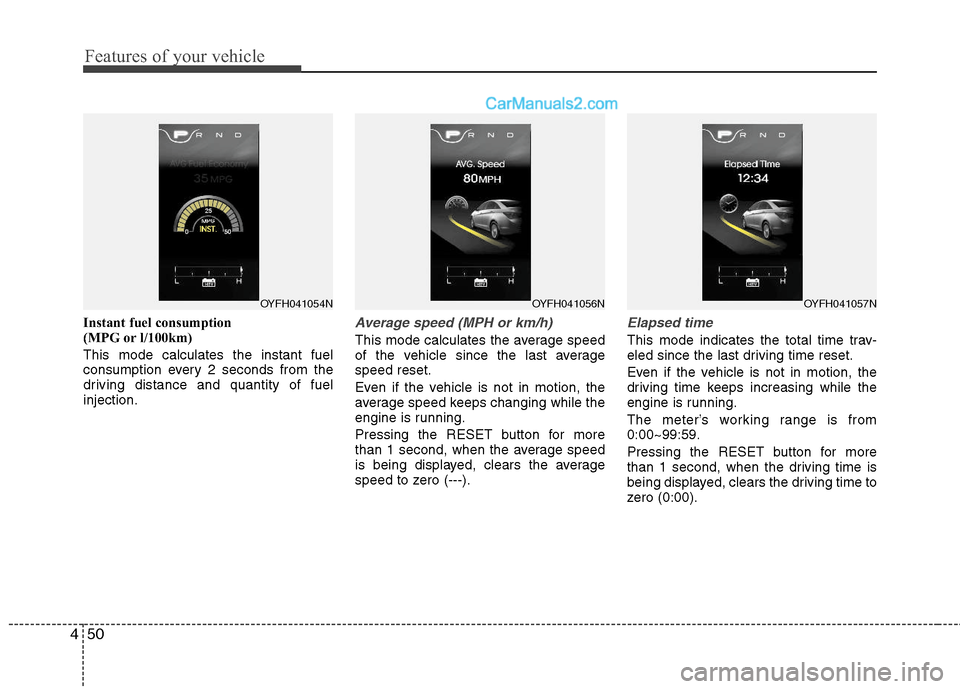
Instant fuel consumption
(MPG or l/100km)
This mode calculates the instant fuel
consumption every 2 seconds from the
driving distance and quantity of fuel
injection.Average speed (MPH or km/h)
This mode calculates the average speed
of the vehicle since the last average
speed reset.
Even if the vehicle is not in motion, the
average speed keeps changing while the
engine is running.
Pressing the RESET button for more
than 1 second, when the average speed
is being displayed, clears the average
speed to zero (---).
Elapsed time
This mode indicates the total time trav-
eled since the last driving time reset.
Even if the vehicle is not in motion, the
driving time keeps increasing while the
engine is running.
The meter’s working range is from
0:00~99:59.
Pressing the RESET button for more
than 1 second, when the driving time is
being displayed, clears the driving time to
zero (0:00).
OYFH041057NOYFH041056NOYFH041054N
Page 150 of 404
Features of your vehicle
56 4
WARNING
Driving the vehicle with a warning
light on is dangerous. If the brake
warning light remains on, have the
brakes checked and repaired imme-
diately by an authorized HYUNDAI
dealer.
Brake system &
Parking brake &
Brake fluid warning light
The brake warning light turned on when
the regenerative brake system is not
operated with brake system malfunction.
Have the system checked by an author-
ized HYUNDAI dealer as soon as possi-
ble.
When the brake function is not well or the
regenerative brake system is not operat-
ed with brake system malfunction, the
brake warning light turned on and 'check
brake' is displayed on the LCD. Have the
system checked by an authorized
HYUNDAI dealer as soon as possible.
Parking brake warning
This light illuminated when the parking
brake is applied with engine start/stop
button in the START or ON position. The
warning light should go off when the
parking brake is released.Low brake fluid level warning
If the warning light remains on, it may
indicate that the brake fluid level in the
reservoir is low.
If the warning light remains on:
1. Drive carefully to the nearest safe
location and stop your vehicle.
2. With the engine stopped, check the
brake fluid level immediately and add
fluid as required. Then check all brake
components for fluid leaks.
3. Do not drive the vehicle if leaks are
found, the warning light remains on or
the brakes do not operate properly.
Have the vehicle towed to any author-
ized HYUNDAI dealer for a brake sys-
tem inspection and necessary repairs.
Your vehicle is equipped with a dual-
diagonal braking system. This means you
still have braking on two wheels even if
one of the brake circuits is damaged or
malfunctions. With only one of the circuits
working, more than normal pedal travel
and greater pedal pressure are required
to stop the car. Also, the car will not stop
in as short a distance with only a portion
of the brake system working. If the
brakes fail while you are driving, shift to a
lower gear for additional engine braking
and stop the car as soon as it is safe to
do so.To check bulb operation, check whether
the parking brake and brake fluid warning
light illuminates when the engine
start/stop button is in the ON position.
CAUTION
When the brake function is not well
and the regenerative brake system is
not operated with brake system mal-
function, the brake warning light
turned on with 'check brake' is dis-
played on the LCD and warning
chime will sound. In this condition
you can stop your vehicle by apply-
ing greater force to the brake pedal
than normal and the stopping dis-
tance will be longer. Have the system
checked by an authorized HYUNDAI
dealer as soon as possible.
Page 151 of 404
457
Features of your vehicle
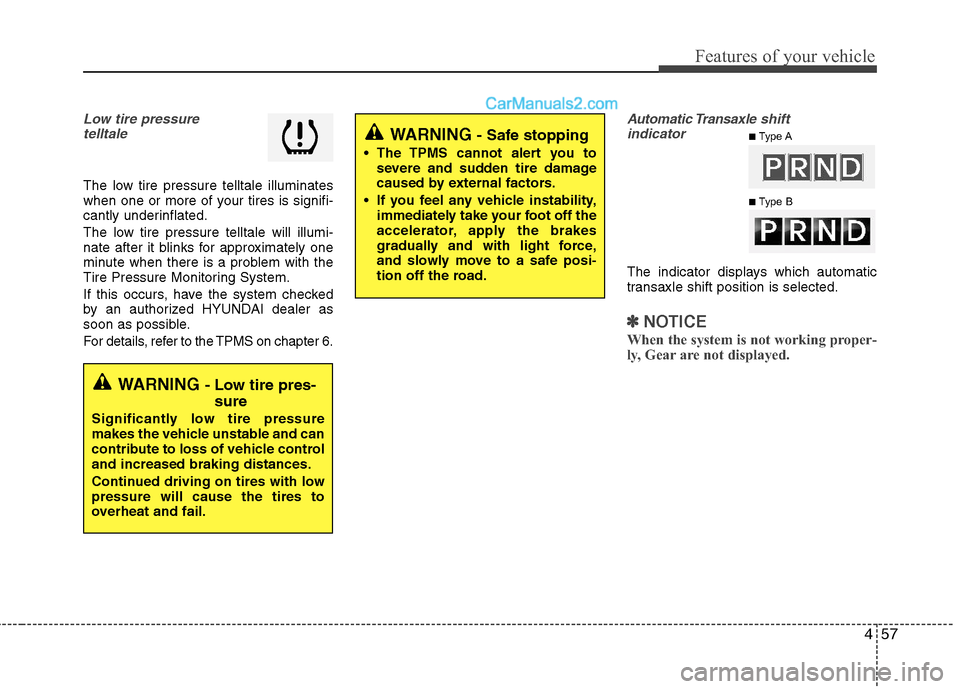
Low tire pressure
telltale
The low tire pressure telltale illuminates
when one or more of your tires is signifi-
cantly underinflated.
The low tire pressure telltale will illumi-
nate after it blinks for approximately one
minute when there is a problem with the
Tire Pressure Monitoring System.
If this occurs, have the system checked
by an authorized HYUNDAI dealer as
soon as possible.
For details, refer to the TPMS on chapter 6.
Automatic Transaxleshift
indicator
The indicator displays which automatic
transaxle shift position is selected.
✽ ✽
NOTICE
When the system is not working proper-
ly, Gear are not displayed.
WARNING - Low tire pres-
sure
Significantly low tire pressure
makes the vehicle unstable and can
contribute to loss of vehicle control
and increased braking distances.
Continued driving on tires with low
pressure will cause the tires to
overheat and fail.
WARNING - Safe stopping
The TPMS cannot alert you to
severe and sudden tire damage
caused by external factors.
If you feel any vehicle instability,
immediately take your foot off the
accelerator, apply the brakes
gradually and with light force,
and slowly move to a safe posi-
tion off the road.
■Type A
■Type B
Page 159 of 404
465
Features of your vehicle
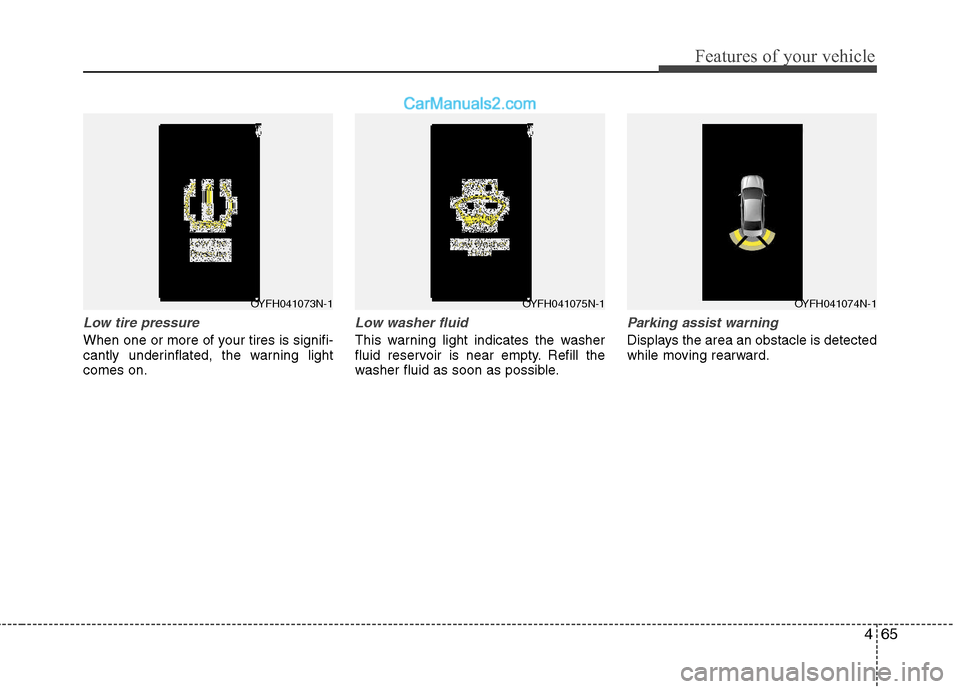
Low tire pressure
When one or more of your tires is signifi-
cantly underinflated, the warning light
comes on.
Low washer fluid
This warning light indicates the washer
fluid reservoir is near empty. Refill the
washer fluid as soon as possible.
Parking assist warning
Displays the area an obstacle is detected
while moving rearward.
OYFH041073N-1OYFH041075N-1OYFH041074N-1
Page 160 of 404
Features of your vehicle
66 4
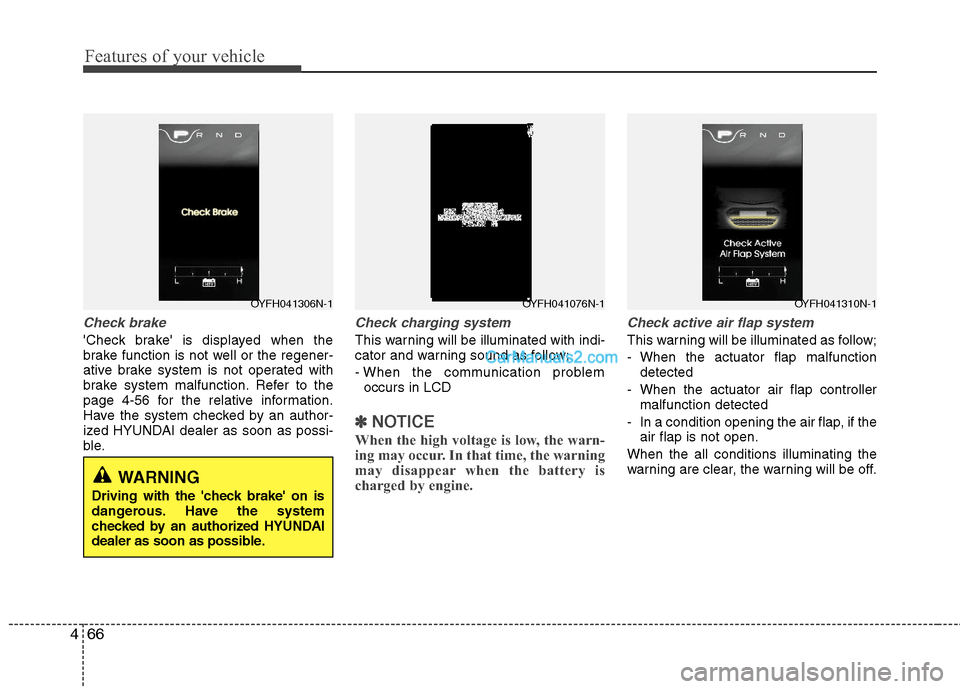
Check brake
'Check brake' is displayed when the
brake function is not well or the regener-
ative brake system is not operated with
brake system malfunction. Refer to the
page 4-56 for the relative information.
Have the system checked by an author-
ized HYUNDAI dealer as soon as possi-
ble.
Check charging system
This warning will be illuminated with indi-
cator and warning sound as follow;
- When the communication problem
occurs in LCD
✽ ✽
NOTICE
When the high voltage is low, the warn-
ing may occur. In that time, the warning
may disappear when the battery is
charged by engine.
Check active air flap system
This warning will be illuminated as follow;
- When the actuator flap malfunction
detected
- When the actuator air flap controller
malfunction detected
- In a condition opening the air flap, if the
air flap is not open.
When the all conditions illuminating the
warning are clear, the warning will be off.
OYFH041306N-1OYFH041076N-1OYFH041310N-1
WARNING
Driving with the 'check brake' on is
dangerous. Have the system
checked by an authorized HYUNDAI
dealer as soon as possible.
Page 192 of 404
Features of your vehicle
98 4
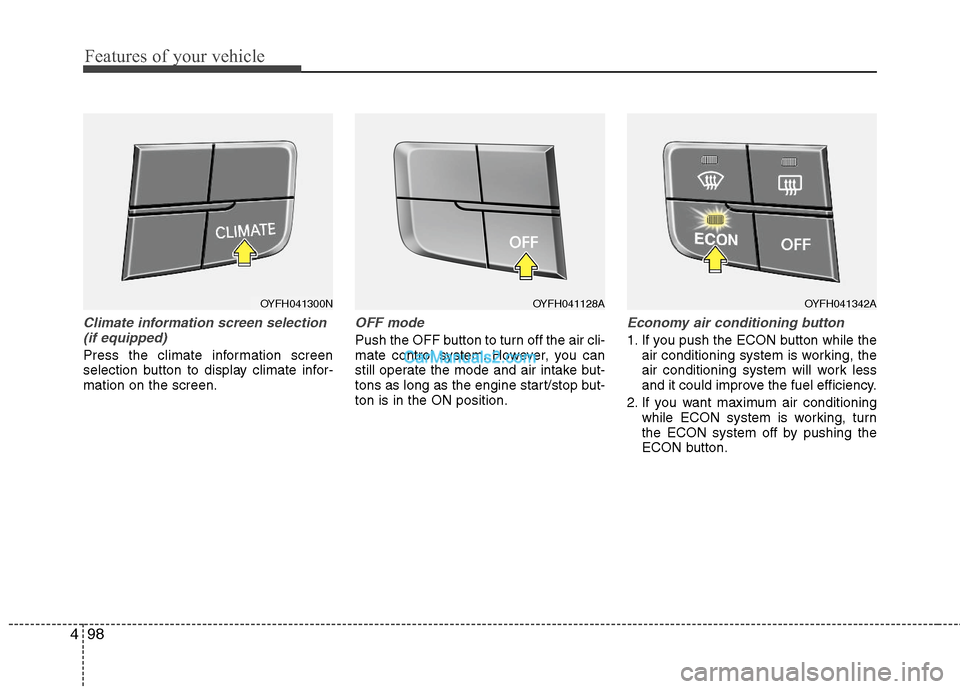
Climate information screen selection
(if equipped)
Press the climate information screen
selection button to display climate infor-
mation on the screen.
OFF mode
Push the OFF button to turn off the air cli-
mate control system. However, you can
still operate the mode and air intake but-
tons as long as the engine start/stop but-
ton is in the ON position.
Economy air conditioning button
1. If you push the ECON button while the
air conditioning system is working, the
air conditioning system will work less
and it could improve the fuel efficiency.
2. If you want maximum air conditioning
while ECON system is working, turn
the ECON system off by pushing the
ECON button.
OYFH041300NOYFH041128AOYFH041342A
Page 203 of 404
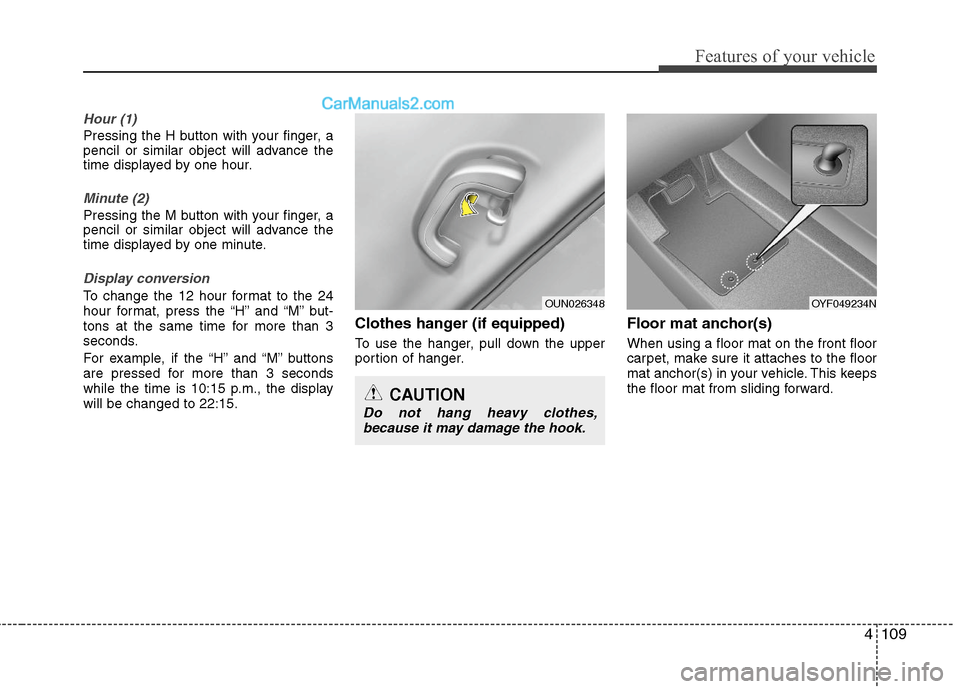
4109
Features of your vehicle
Hour (1)
Pressing the H button with your finger, a
pencil or similar object will advance the
time displayed by one hour.
Minute (2)
Pressing the M button with your finger, a
pencil or similar object will advance the
time displayed by one minute.
Display conversion
To change the 12 hour format to the 24
hour format, press the “H” and “M” but-
tons at the same time for more than 3
seconds.
For example, if the “H” and “M” buttons
are pressed for more than 3 seconds
while the time is 10:15 p.m., the display
will be changed to 22:15.
Clothes hanger (if equipped)
To use the hanger, pull down the upper
portion of hanger.
Floor mat anchor(s)
When using a floor mat on the front floor
carpet, make sure it attaches to the floor
mat anchor(s) in your vehicle. This keeps
the floor mat from sliding forward.
OUN026348
CAUTION
Do not hang heavy clothes,
because it may damage the hook.
OYF049234N
Page 211 of 404
![Hyundai Sonata Hybrid 2011 User Guide 4117
Features of your vehicle
1. AM Selection Button
Pressing the [AM] button selects the AM
band. AM Mode is displayed on the LCD.
2. FM Selection Button
Turns to FM mode and toggles FM1and
FM2 when](/img/35/19652/w960_19652-210.png "Hyundai Sonata Hybrid 2011 User Guide 4117
Features of your vehicle
1. AM Selection Button
Pressing the [AM] button selects the AM
band. AM Mode is displayed on the LCD.
2. FM Selection Button
Turns to FM mode and toggles FM1and
FM2 when")
4117
Features of your vehicle
1. AM Selection Button
Pressing the [AM] button selects the AM
band. AM Mode is displayed on the LCD.
2. FM Selection Button
Turns to FM mode and toggles FM1and
FM2 when the button is pressed each
time.
3.Power ON/OFF Button & VolumeControl Knob
Turns on/off the set when the IGNITION
SWITCH is on ACC or ON. If the button
is turned to the right, it increases the vol-
ume and left,decreases the volume.
system. Rotate clockwise to increase
the volume or counterclockwise to
decrease.
4. Preset Button
Push [1]~[6] buttons less than 0.8 sec-
ond to play the channel saved in each
button.Push Preset button for 0.8 second
or longer to save current channel to the
respective button with a beep.
5. SCAN Button
ically scans the radio stations upwards.
station, starting from the initial station,
for ten seconds.
the scan feature and to listen to the cur-
rently selected channel.
6. MUTE Button
Press the button to mute the sound.
7. SETUP Button
Press this button to turn to the XM option
and the other adjustment mode.
If no action is taken for 5 seconds after
pressing the button, it will return to the
play mode.(After entering SEPUP mode,
move between items using the left, right
and PUSH functions of the [TUNE]
knob.)
The setup changes in the order of TEXT
SCROLL
➟AV C➟BT➟XM
This funtion is used to display characters
longer than the LCD text display and can
be turned ON/OFF through the sound
quality control knob.
This funtion automatically adjusts the
volume level according to the speed of
the vehicle and can be turned ON/OFF
through the sound quality control knob.