start Hyundai Sonata Hybrid 2012 Owner's Guide
[x] Cancel search | Manufacturer: HYUNDAI, Model Year: 2012, Model line: Sonata Hybrid, Model: Hyundai Sonata Hybrid 2012Pages: 403, PDF Size: 7.86 MB
Page 86 of 403
45
Features of your vehicle
Smart key precautions
✽
✽NOTICE
• If, for some reason, you happen to lose
your smart key, you will not be able to
start the hybrid system. Tow the vehi-
cle, if necessary, and contact an
authorized HYUNDAI dealer.
• A maximum of 2 smart keys can be registered to a single vehicle. If you
lose a smart key, you should immedi-
ately take the vehicle and the second
key to your authorized HYUNDAI
dealer to protect it from potential
theft.
• The smart key will not work if any of the following occur:
- The smart key is close to a radiotransmitter such as a radio station or
an airport which can interfere with
normal operation of the smart key.
- The smart key near a mobile two- way radio system or a cellular
phone.
- Another vehicle’s smart key is being operated close to your vehicle.
When the smart key does not work
correctly, open and close the door with
the mechanical key. If you have a
problem with the smart key, contact
an authorized HYUNDAI dealer.
This device complies with Part 15 of
the FCC rules.
Operation is subject to the following two
conditions:
1. This device may not cause harmful
interference, and
2. This device must accept any interfer- ence received, including interference
that may cause undesired operation.
WARNING
Changes or modifications not
expressly approved by the party
responsible for compliance could
void the user’s authority to operate
the equipment. If the keyless entry
system is inoperative due to
changes or modifications not
expressly approved by the party
responsible for compliance, it will
not be covered by your manufactur-
er’s vehicle warranty.
CAUTION
Keep the smart key away fromwater or any liquid. If the keylessentry system is inoperative due toexposure to water or liquids, it willnot be covered by your manufactur- er’s vehicle warranty.
Page 87 of 403
Features of your vehicle
64
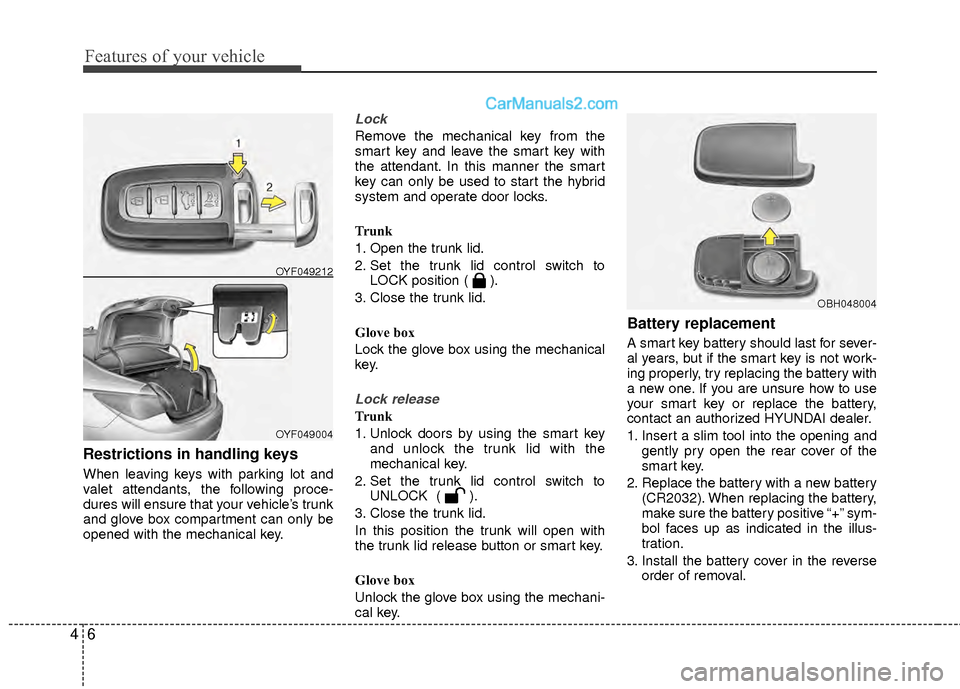
Restrictions in handling keys
When leaving keys with parking lot and
valet attendants, the following proce-
dures will ensure that your vehicle’s trunk
and glove box compartment can only be
opened with the mechanical key.
Lock
Remove the mechanical key from the
smart key and leave the smart key with
the attendant. In this manner the smart
key can only be used to start the hybrid
system and operate door locks.
Trunk
1. Open the trunk lid.
2. Set the trunk lid control switch toLOCK position ( ).
3. Close the trunk lid.
Glove box
Lock the glove box using the mechanical
key.
Lock release
Trunk
1. Unlock doors by using the smart key and unlock the trunk lid with the
mechanical key.
2. Set the trunk lid control switch to UNLOCK ( ).
3. Close the trunk lid.
In this position the trunk will open with
the trunk lid release button or smart key.
Glove box
Unlock the glove box using the mechani-
cal key.
Battery replacement
A smart key battery should last for sever-
al years, but if the smart key is not work-
ing properly, try replacing the battery with
a new one. If you are unsure how to use
your smart key or replace the battery,
contact an authorized HYUNDAI dealer.
1. Insert a slim tool into the opening and gently pry open the rear cover of the
smart key.
2. Replace the battery with a new battery (CR2032). When replacing the battery,
make sure the battery positive “+” sym-
bol faces up as indicated in the illus-
tration.
3. Install the battery cover in the reverse order of removal.
OYF049004
OYF049212
OBH048004
Page 88 of 403
47
Features of your vehicle
Immobilizer system
Your vehicle is equipped with an electron-
ic engine immobilizer system to reduce
the risk of unauthorized vehicle use.
Your immobilizer system is comprised of
a small transponder in the smart key and
electronic devices inside the vehicle.
With the immobilizer system, whenever
you turn the engine start/stop button to
the ON position by pressing the button
while carrying the smart key, it checks
and determines and verifies if the smart
key is valid or not.
If the key is determined to be valid, the
engine will start.
If the key is determined to be invalid, the
engine will not start.
To deactivate the immobilizer sys-tem:
Turn the engine start/stop button to the
ON position by pressing the button while
carrying the smart key.
To activate the immobilizer system:
Turn the engine start/stop button to the
OFF position. The immobilizer system
activates automatically. Without a valid
smart key for your vehicle, the engine will
not start.
CAUTION
The smart key is designed to give you years of trouble-free use,however it can malfunction ifexposed to moisture or staticelectricity. If you are unsure how to use or replace the battery, con-tact an authorized HYUNDAI deal-er.
Using the wrong battery can cause the smart key to malfunc-tion. Be sure to use the correctbattery.
To avoid damaging the smart key, don't drop it, get it wet, or exposeit to heat or sunlight.
An inappropriately disposed bat- tery can be harmful to the envi-ronment and human health.
Dispose the battery according toyour local law(s) or regulation.
WARNING
In order to prevent theft of your vehi-
cle, do not leave spare keys any-
where in your vehicle. Your
Immobilizer password is a customer
unique password and should be
kept confidential. Do not leave this
number anywhere in your vehicle.
Page 89 of 403
Features of your vehicle
84
✽
✽NOTICE
When starting the engine, do not use the
key with other immobilizer keys around.
Otherwise the engine may not start or
may stop soon after it starts. Keep each
key separate in order to avoid a starting
malfunction.
✽ ✽NOTICE
If you need additional keys or lose your
keys, consult an authorized HYUNDAI
dealer.
This device complies with Part 15 of
the FCC rules.
Operation is subject to the following two
conditions:
1. This device may not cause harmful
interference, and
2. This device must accept any interfer- ence received, including interference
that may cause undesired operation.
WARNING
Changes or modifications not
expressly approved by the party
responsible for compliance could
void the user’s authority to operate
the equipment. If the keyless entry
system is inoperative due to
changes or modifications not
expressly approved by the party
responsible for compliance, it will
not be covered by your manufactur-
er’s vehicle warranty.
CAUTION
The transponder in your smart keyis an important part of the immobi-lizer system. It is designed to giveyears of trouble-free service, how-ever you should avoid exposure to moisture, static electricity andrough handling. Immobilizer sys-tem malfunction could occur.
CAUTION
Do not change, alter or adjust theimmobilizer system because itcould cause the immobilizer sys- tem to malfunction and should onlybe serviced by an authorizedHYUNDAI dealer.
Malfunctions caused by improperalterations, adjustments or modifi- cations to the immobilizer systemare not covered by your vehiclemanufacturer warranty.
CAUTION
Do not put metal accessories near the smart key.
The engine may not start becausethe metal accessories may interruptthe transponder signal from trans- mitting normally.
Page 91 of 403

Features of your vehicle
10
4
Theft-alarm stage
The alarm will be activated if any of the
following occurs while the system is
armed.
A door is opened without using the
smart key.
The trunk is opened without using the smart key.
The engine hood is opened.
The horn will sound and the hazard
warning lights will blink continuously for
approximately 30 seconds, and the alarm
will repeat once more unless the system
is disarmed. To turn off the system,
unlock the doors with the smart key.
Opening the trunk with the alarm
armed (if equipped)
When the alarm is armed, the alarm will
not sound if the trunk lid is opened with
smart key.
Once the trunk is opened and then
closed, the trunk will be locked automati-
cally and the system will be armed again.
Also, if any of the doors or hood is
opened while the trunk lid is open and
the alarm is armed, the alarm will sound.
Disarmed stage
The system will be disarmed when the
doors are unlocked by pressing the
unlock button on the smart key or press-
ing the lock/unlock button of the front out-
side door handle with the smart key in
your possession.
After unlocking the doors, the hazard
warning lights and chime will operate
twice to indicate that the system is dis-
armed.
After unlocking the doors, if any door is
not opened within 30 seconds, the sys-
tem will be rearmed.
✽ ✽ NOTICE- Smart key system
• If the system is not disarmed with the
smart key, start the engine with the
smart key. Then the system will be
disarmed.
• If you lose your keys, consult your authorized HYUNDAI dealer.
CAUTION
Do not change, alter or adjust the
theft-alarm system because it could cause the theft-alarm system tomalfunction and should only beserviced by an authorized HYUNDAIdealer.
Malfunctions caused by improperalterations, adjustments or modifi-cations to the theft-alarm systemare not covered by your vehiclemanufacturer warranty.
Page 94 of 403
413
Features of your vehicle
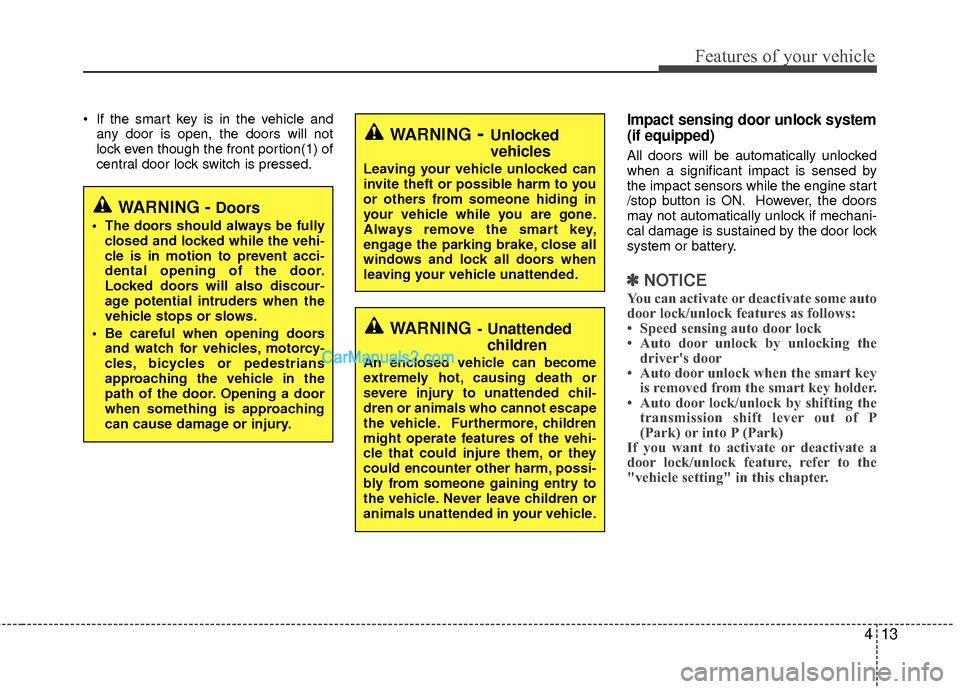
If the smart key is in the vehicle andany door is open, the doors will not
lock even though the front portion(1) of
central door lock switch is pressed.Impact sensing door unlock system
(if equipped)
All doors will be automatically unlocked
when a significant impact is sensed by
the impact sensors while the engine start
/stop button is ON. However, the doors
may not automatically unlock if mechani-
cal damage is sustained by the door lock
system or battery.
✽ ✽ NOTICE
You can activate or deactivate some auto
door lock/unlock features as follows:
• Speed sensing auto door lock
• Auto door unlock by unlocking the
driver's door
• Auto door unlock when the smart key is removed from the smart key holder.
• Auto door lock/unlock by shifting the transmission shift lever out of P
(Park) or into P (Park)
If you want to activate or deactivate a
door lock/unlock feature, refer to the
"vehicle setting" in this chapter.
WARNING- Unlocked
vehicles
Leaving your vehicle unlocked can
invite theft or possible harm to you
or others from someone hiding in
your vehicle while you are gone.
Always remove the smart key,
engage the parking brake, close all
windows and lock all doors when
leaving your vehicle unattended.
WARNING- Unattended
children
An enclosed vehicle can become
extremely hot, causing death or
severe injury to unattended chil-
dren or animals who cannot escape
the vehicle. Furthermore, children
might operate features of the vehi-
cle that could injure them, or they
could encounter other harm, possi-
bly from someone gaining entry to
the vehicle. Never leave children or
animals unattended in your vehicle.
WARNING - Doors
The doors should always be fully
closed and locked while the vehi-
cle is in motion to prevent acci-
dental opening of the door.
Locked doors will also discour-
age potential intruders when the
vehicle stops or slows.
Be careful when opening doors and watch for vehicles, motorcy-
cles, bicycles or pedestrians
approaching the vehicle in the
path of the door. Opening a door
when something is approaching
can cause damage or injury.
Page 99 of 403

Features of your vehicle
18
4
Power windows
The engine start/stop button must be in
the ON position for power windows to
operate.
Each door has a power window switch
that controls the door's window. The driv-
er has a power window lock switch which
can block the operation of passenger
windows. The power windows can be
operated for approximately 30 seconds
after the engine start/stop button is
turned to the ACC or LOCK position.
However, if the front doors are opened,
the power windows cannot be operated
even within the 30 second period.
✽ ✽
NOTICE
While driving with the rear windows
down or with the sunroof (if equipped) in
an open (or partially open) position, your
vehicle may demonstrate a wind buffet-
ing or pulsation noise. This noise is a
normal occurrence and can be reduced
or eliminated by taking the following
actions. If the noise occurs with one or
both of the rear windows down, partially
lower both front windows approximate-
ly one inch. If you experience the noise
with the sunroof open, slightly reduce the
size of the sunroof opening.
Window opening and closing
To open or close a window, press down
or pull up the front portion of the corre-
sponding switch to the first detent posi-
tion (5).
Auto down window (if equipped)
(driver’s window)
Pressing the power window switch
momentarily to the second detent posi-
tion (6) completely lowers the driver’s
window even when the switch is
released. To stop the window at the
desired position while the window is in
operation, momentarily pull the switch in
the direction opposite of the window
movement.
OYF049016OYF049015N
Page 100 of 403

419
Features of your vehicle
Auto up/down window (if equipped)
Pressing or pulling up the power window
switch momentarily to the second detent
position (6) completely lowers or lifts the
window even when the switch is released.
To stop the window at the desired position
while the window is in operation, momen-
tarily pull the switch in the direction oppo-
site of the window’s movement.
If the power window is not operated cor-
rectly, the automatic power window system
must be reset as follows:
1. Turn the engine start/stop button to theON position.
2. Close driver’s windows and continue pulling up on the power window switch
for at least 1 second after the window is
completely closed. Automatic reversal
If the upward movement of the window is
blocked by an object or part of the body,
the window will detect the resistance and
will stop upward movement. The window
will then lower approximately 11.8 in. (30
cm) to allow the object to be cleared.
If the window detects the resistance
while the power window switch is pulled
up continuously, the window will stop
upward movement then lower approxi-
mately 1 in. (2.5 cm). If the power window
switch is pulled up continuously again
within 5 seconds after the window is low-
ered by the automatic window reversal
feature, the automatic window reversal
will not operate.
✽ ✽
NOTICE
The automatic reverse feature for the
driver’s window is only active when the
“auto up” feature is used by fully
pulling up the switch. The automatic
reverse feature will not operate if the
window is raised using the halfway posi-
tion on the power window switch.
WARNING
Always check for obstructions
before raising any window to avoid
injuries or vehicle damage. If an
object less than 0.16 in. (4 mm) in
diameter is caught between the
window glass and the upper win-
dow channel, the automatic reverse
window may not detect the resist-
ance and will not stop and reverse
direction.OUN026013OYF049015
Page 104 of 403
423
Features of your vehicle
(Continued)Use only approved portable plas-
tic fuel containers designed to
carry and store gasoline.
Do not use cellular phones while refueling. Electric current and/or
electronic interference from cel-
lular phones can potentially
ignite fuel vapors causing a fire.
When refueling, always shut the engine off. Sparks produced by
electrical components related to
the engine can ignite fuel vapors
causing a fire. Once refueling is
complete, check to make sure the
filler cap and filler door are
securely closed, before starting
the engine.
DO NOT use matches or a lighter and DO NOT SMOKE or leave a lit
cigarette in your vehicle while at
a gas station especially during
refueling. Automotive fuel is
highly flammable and can, when
ignited, result in fire.
(Continued)(Continued)
Do not get back into a vehicleonce you have begun refueling
since you can generate static
electricity by touching, rubbing
or sliding against any item or fab-
ric (polyester, satin, nylon, etc.)
capable of producing static elec-
tricity. Static electricity discharge
can ignite fuel vapors resulting in
rapid burning. If you must re-
enter the vehicle, you should
once again eliminate potentially
dangerous static electricity dis-
charge by touching a metal part
of the vehicle, away from the fuel
filler neck, nozzle or other gaso-
line source.
When using an approved portable fuel container, be sure to
place the container on the
ground prior to refueling. Static
electricity discharge from the
container can ignite fuel vapors
causing a fire. Once refueling has
begun, contact with the vehicle
should be maintained until the
filling is complete.
(Continued)WARNING - Refueling dan-
gers
Automotive fuels are flammable
materials. When refueling, please
note the following guidelines care-
fully. Failure to follow these guide-
lines may result in severe personal
injury, severe burns or death by fire
or explosion.
Read and follow all warningsposted at the gas station facility.
Before refueling, note the loca- tion of the Emergency Gasoline
Shut-Off, if available, at the gas
station facility.
Before touching the fuel nozzle, you should eliminate potentially
dangerous static electricity dis-
charge by touching another metal
part of the vehicle, a safe dis-
tance away from the fuel filler
neck, nozzle, or other gas source.
(Continued)
Page 106 of 403
425
Features of your vehicle
PANORAMA SUNROOF (IF EQUIPPED)
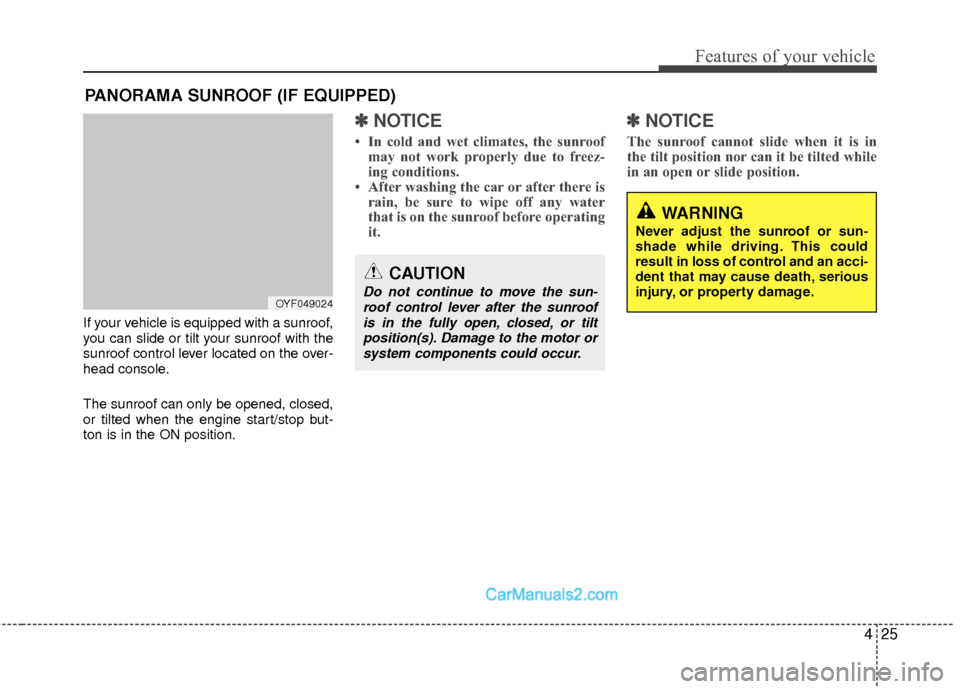
If your vehicle is equipped with a sunroof,
you can slide or tilt your sunroof with the
sunroof control lever located on the over-
head console.
The sunroof can only be opened, closed,
or tilted when the engine start/stop but-
ton is in the ON position.
✽ ✽NOTICE
• In cold and wet climates, the sunroof
may not work properly due to freez-
ing conditions.
• After washing the car or after there is rain, be sure to wipe off any water
that is on the sunroof before operating
it.
✽ ✽ NOTICE
The sunroof cannot slide when it is in
the tilt position nor can it be tilted while
in an open or slide position.
OYF049024
CAUTION
Do not continue to move the sun-
roof control lever after the sunroofis in the fully open, closed, or tiltposition(s). Damage to the motor orsystem components could occur.
WARNING
Never adjust the sunroof or sun-
shade while driving. This could
result in loss of control and an acci-
dent that may cause death, serious
injury, or property damage.