light Hyundai Sonata Hybrid 2013 Service Manual
[x] Cancel search | Manufacturer: HYUNDAI, Model Year: 2013, Model line: Sonata Hybrid, Model: Hyundai Sonata Hybrid 2013Pages: 425, PDF Size: 36.95 MB
Page 117 of 425
437
Features of your vehicle
Gate operator & Canadian program-
ming
During programming, your handheld
transmitter may automatically stop trans-
mitting. Continue to press the Integrated
HomeLink
®Wireless Control System but-
ton (note steps 2 through 3 in the
Programming portion of this document)
while you press and re-press ("cycle")
your handheld transmitter every two sec-
onds until the frequency signal has been
learned. The indicator light will flash
slowly and then rapidly after several sec-
onds upon successful training.
Operating HomeLink
®
To operate, simply press and release the
programmed HomeLink®button.
Activation will now occur for the trained
device (i.e. garage door opener, gate
operator, security system, entry door
lock, home/office lighting, etc.). For con-
venience, the hand-held transmitter of
the device may also be used at any time.Reprogramming a single HomeLink
®
button
To program a device to HomeLink®using
a HomeLink®button previously trained,
follow these steps:
1. Press and hold the desired HomeLink
®
button. DO NOT release the button.
2. The indicator light will begin to flash
after 20 seconds. Without releasing the
HomeLink
®button, proceed with
"Programming" step 2.
For questions or comments, contact
HomeLink
®at www.homelink.comor 1-
800-355-3515.
Erasing HomeLink
®buttons
Individual buttons cannot be erased.
However, to erase all three programmed
buttons:
1. Press and hold the two outer
HomeLink
®buttons until the indicator
light begins to flash after 10 seconds.
2. Release both buttons. Do not hold for
longer than 20 seconds.
The Integrated HomeLink
®Wireless
Control System is now in the training
(learn) mode and can be programmed at
any time following the appropriate steps
in the Programming sections above.FCC ID: NZLTLMHL4
IC: 4112A-TLMHL4
This device complies with Part 15 of
the FCC Rules.
Operation is subject to the following two
conditions:
1. This device may not cause harmful
interference, and
2. This device must accept any interfer-
ence received, including interference
that may cause undesired operation.
NVS
®is a registered trademark and Z-
Nav™ is a trademark of the Gentex
Corporation, Zeeland, Michigan.
HomeLink
®is a registered trademark
owned by Johnson Controls,
Incorporated, Milwaukee, Wisconsin.
CAUTION
The transceiver has been tested and
complies with FCC and Industry
Canada rules. Changes or modifica-
tions not expressly approved by the
party responsible for compliance
could void the user's authority to
operate the device.
Page 119 of 425
439
Features of your vehicle
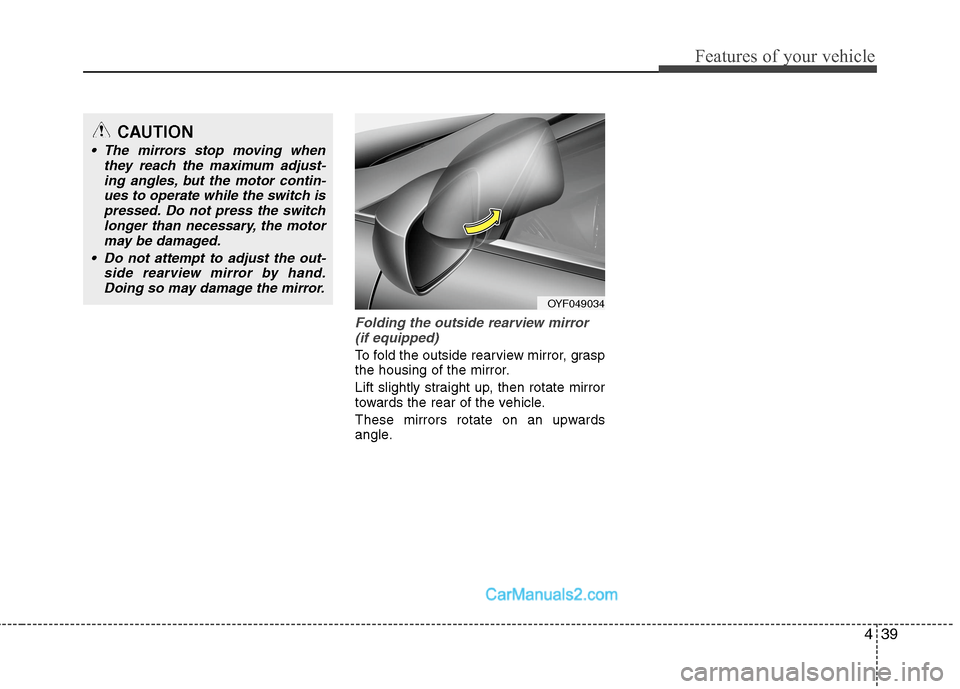
Folding the outside rearview mirror
(if equipped)
To fold the outside rearview mirror, grasp
the housing of the mirror.
Lift slightly straight up, then rotate mirror
towards the rear of the vehicle.
These mirrors rotate on an upwards
angle.
CAUTION
The mirrors stop moving when
they reach the maximum adjust-
ing angles, but the motor contin-
ues to operate while the switch is
pressed. Do not press the switch
longer than necessary, the motor
may be damaged.
Do not attempt to adjust the out-
side rearview mirror by hand.
Doing so may damage the mirror.
OYF049034
Page 120 of 425
Features of your vehicle
40 4
INSTRUMENT CLUSTER
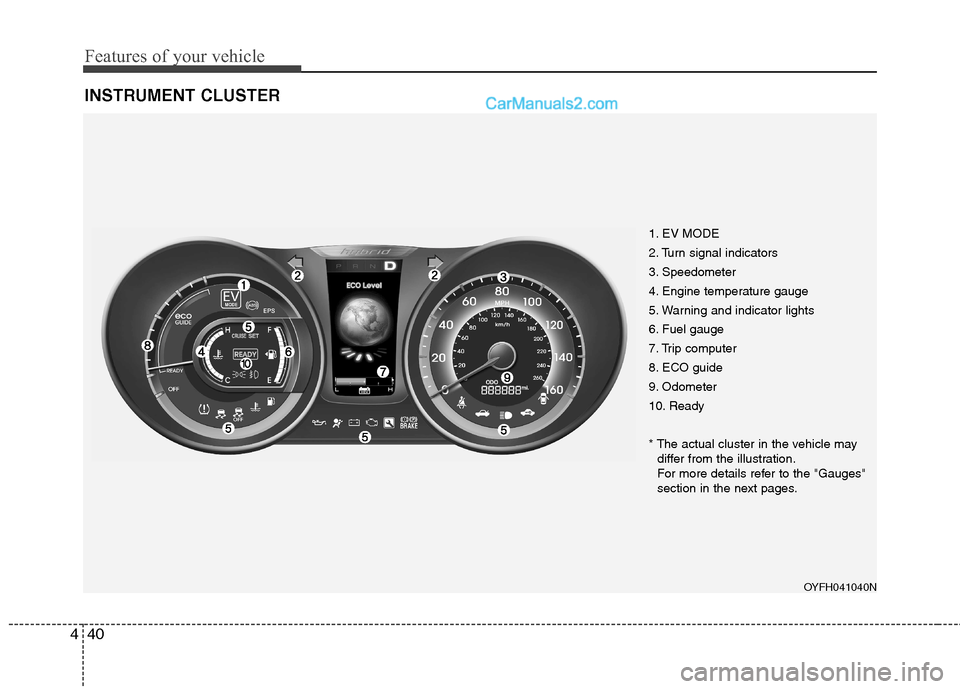
1. EV MODE
2. Turn signal indicators
3. Speedometer
4. Engine temperature gauge
5. Warning and indicator lights
6. Fuel gauge
7. Trip computer
8. ECO guide
9. Odometer
10. Ready
* The actual cluster in the vehicle may
differ from the illustration.
For more details refer to the "Gauges"
section in the next pages.
OYFH041040N
Page 121 of 425
441
Features of your vehicle
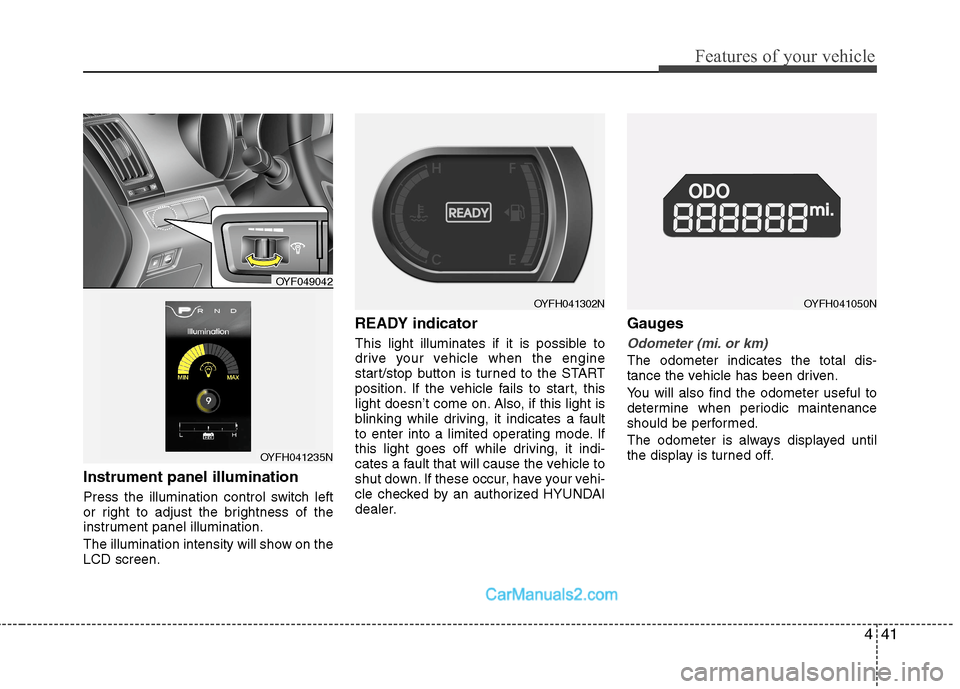
Instrument panel illumination
Press the illumination control switch left
or right to adjust the brightness of the
instrument panel illumination.
The illumination intensity will show on the
LCD screen.
READY indicator
This light illuminates if it is possible to
drive your vehicle when the engine
start/stop button is turned to the START
position. If the vehicle fails to start, this
light doesn’t come on. Also, if this light is
blinking while driving, it indicates a fault
to enter into a limited operating mode. If
this light goes off while driving, it indi-
cates a fault that will cause the vehicle to
shut down. If these occur, have your vehi-
cle checked by an authorized HYUNDAI
dealer.
Gauges
Odometer (mi. or km)
The odometer indicates the total dis-
tance the vehicle has been driven.
You will also find the odometer useful to
determine when periodic maintenance
should be performed.
The odometer is always displayed until
the display is turned off.
OYFH041050N
OYF049042
OYFH041235N
OYFH041302N
Page 123 of 425
443
Features of your vehicle
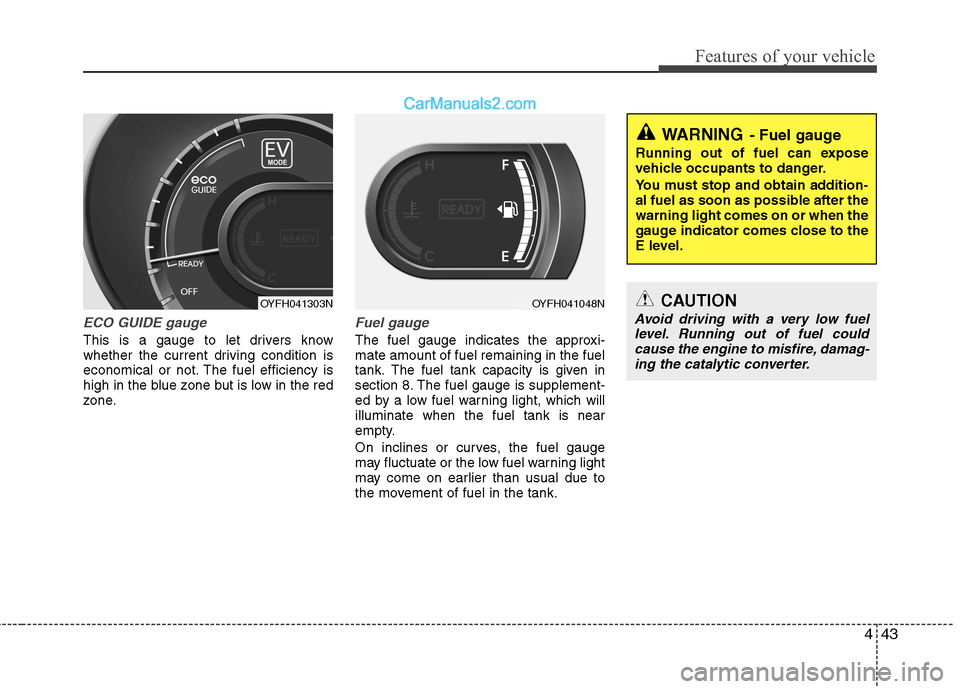
ECO GUIDE gauge
This is a gauge to let drivers know
whether the current driving condition is
economical or not. The fuel efficiency is
high in the blue zone but is low in the red
zone.
Fuel gauge
The fuel gauge indicates the approxi-
mate amount of fuel remaining in the fuel
tank.
The fuel tank capacity is given in
section 8.The fuel gauge is supplement-
ed by a low fuel warning light, which will
illuminate when the fuel tank is near
empty.
On inclines or curves, the fuel gauge
may fluctuate or the low fuel warning light
may come on earlier than usual due to
the movement of fuel in the tank.
OYFH041048NCAUTION
Avoid driving with a very low fuel
level. Running out of fuel could
cause the engine to misfire, damag-
ing the catalytic converter.
WARNING- Fuel gauge
Running out of fuel can expose
vehicle occupants to danger.
You must stop and obtain addition-
al fuel as soon as possible after the
warning light comes on or when the
gauge indicator comes close to the
E level.
OYFH041303N
Page 132 of 425
Features of your vehicle
52 4
Auto door lock
Off- The auto door lock operation will be
canceled.
Speed- All doors will be automatically
locked when the vehicle speed
exceeds 9.3mph (15km/h).
Shift Lever
All doors will be automatically locked if
the shift lever is shifted from the P(Park)
position to the R(Reverse), N(Neutral) or
D(Drive) position.
Auto door unlock
Off- The auto door unlock operation will
be canceled.
Key Out- All doors will be automatically
unlocked when smart key is
removed from the smart key
holder.
Door- All doors will be automatically
unlocked if the driver's door is
unlocked inside.
Shift Lever
All doors will be automatically unlocked if
the shift lever is shifted to the P(Park)
position.
Two-press unlock
Driver Door 1st Press- The driver's door
will unlock when pressing the unlock but-
ton on the transmitter or smart key, press-
ing the button of the driver's outside door
handle with the smart key, or inserting the
key into the key hole of the driver's out-
side door and turning the key toward the
rear of the vehicle. All doors will unlock
when pressing the unlock button on the
smart key, pressing the button of the dri-
ver's outside door handle with the smart
key, or inserting the key into the key hole
of the driver's outside door and turning
the key toward the rear of the vehicle
within 4 seconds.
All Doors 1st Press- All doors will
unlock when pressing the unlock button
on the smart key, pressing the button of
the driver's outside door handle with the
smart key, or inserting the key into the
key hole of the driver's outside door and
turning the key toward the rear of the
vehicle.
Headlamp delay
On- If you turn the engine start/stop but-
ton to the ACC or OFF position with
the headlamp ON, the headlamps
remain on for about 20 minutes.
Also, the headlamp welcome opera-
tion will be activated. Refer to the
[LIGHTING] section in this chapter.
Off- The headlamp delay and headlamp
welcome operation will be can-
celed.
Page 133 of 425
453
Features of your vehicle
Warnings and indicators
All warning lights are checked by turning
the engine start/stop button ON (do not
start the engine). Any light that does not
illuminate should be checked by an
authorized HYUNDAI dealer.
After starting the Hybrid system, check to
make sure that all warning lights are off.
If any are still on, this indicates a situa-
tion that needs attention. When releasing
the parking brake, the brake system
warning light should go off. The fuel
warning light will stay on if the fuel level
is low.
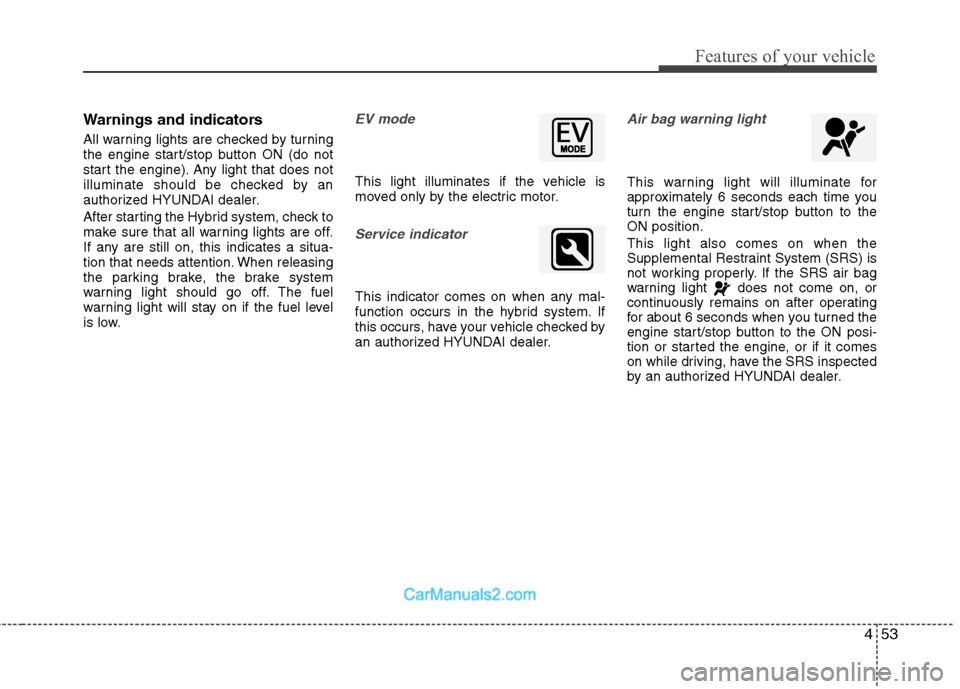
EV mode
This light illuminates if the vehicle is
moved only by the electric motor.
Service indicator
This indicator comes on when any mal-
function occurs in the hybrid system. If
this occurs, have your vehicle checked by
an authorized HYUNDAI dealer.
Air bag warning light
This warning light will illuminate for
approximately 6 seconds each time you
turn the engine start/stop button to the
ON position.
This light also comes on when the
Supplemental Restraint System (SRS) is
not working properly. If the SRS air bag
warning light does not come on, or
continuously remains on after operating
for about 6 seconds when you turned the
engine start/stop button to the ON posi-
tion or started the engine, or if it comes
on while driving, have the SRS inspected
by an authorized HYUNDAI dealer.
Page 134 of 425
Features of your vehicle
54 4
Anti-lock brake system
(ABS) warning light
This light illuminates if the engine
start/stop button is turned ON and goes
off in approximately 3 seconds if the sys-
tem is operating normally.
If the ABS warning light remains on, comes
on while driving, or does not come on when
the engine start/stop button is turned to the
ON position, this indicates that there may
be a malfunction with the ABS.
If this occurs, have your vehicle checked
by an authorized HYUNDAI dealer as
soon as possible. The normal braking sys-
tem will still be operational, but without the
assistance of the anti-lock brake system.
Electronic brake force distri-
bution (EBD) system warning
light
If these two warning lights illuminate at
the same time while driving, your vehicle
may have a malfunction with the ABS
and EBD system.In this case, your ABS and regular brake
system may not work normally. Have the
vehicle checked by an authorized
HYUNDAI dealer as soon as possible.
✽ ✽
NOTICE
If the ABS warning light or EBD warn-
ing light is on and stays on, the
speedometer or odometer/tripmeter
may not work. In this case, have your
vehicle checked by an authorized
HYUNDAI dealer as soon as possible.
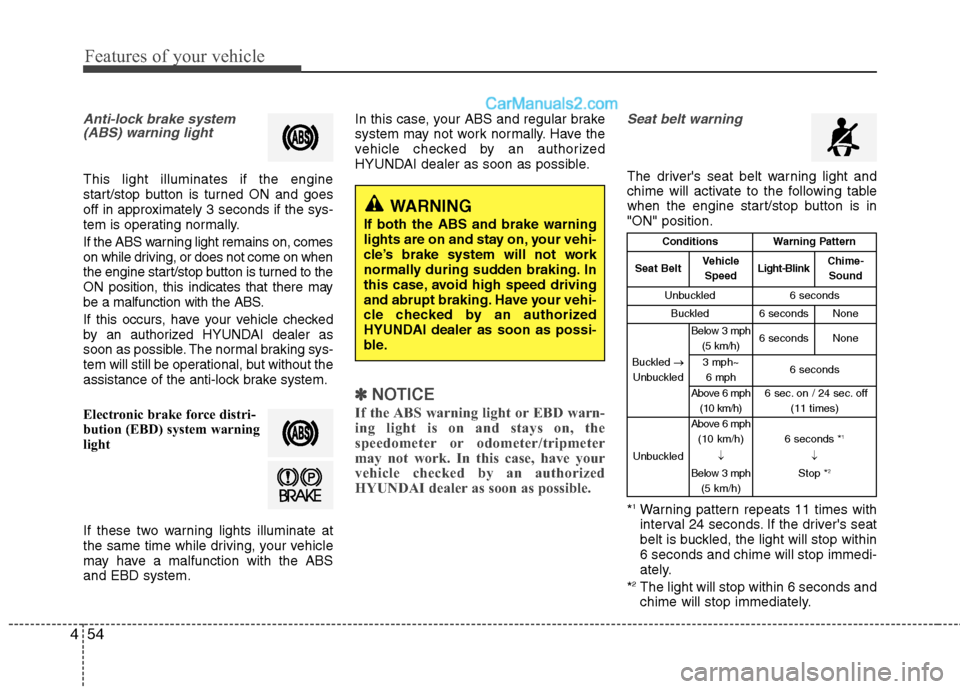
Seat belt warning
The driver's seat belt warning light and
chime will activate to the following table
when the engine start/stop button is in
"ON" position.
*
1Warning pattern repeats 11 times with
interval 24 seconds. If the driver's seat
belt is buckled, the light will stop within
6 seconds and chime will stop immedi-
ately.
*
2The light will stop within 6 seconds and
chime will stop immediately.
WARNING
If both the ABS and brake warning
lights are on and stay on, your vehi-
cle’s brake system will not work
normally during sudden braking. In
this case, avoid high speed driving
and abrupt braking. Have your vehi-
cle checked by an authorized
HYUNDAI dealer as soon as possi-
ble.
ConditionsWarning Pattern
Seat BeltVehicle
SpeedLight-BlinkChime-
Sound
Unbuckled6 seconds
Buckled6 secondsNone
Buckled →
Unbuckled
Below 3 mph
(5 km/h)6 secondsNone
3 mph~
6 mph6 seconds
Above 6 mph
(10 km/h)6 sec. on / 24 sec. off
(11 times)
Unbuckled
Above 6 mph
(10 km/h)
↓
Below 3 mph
(5 km/h)6 seconds *1
↓
Stop *2
Page 135 of 425
455
Features of your vehicle
Turn signal indicator
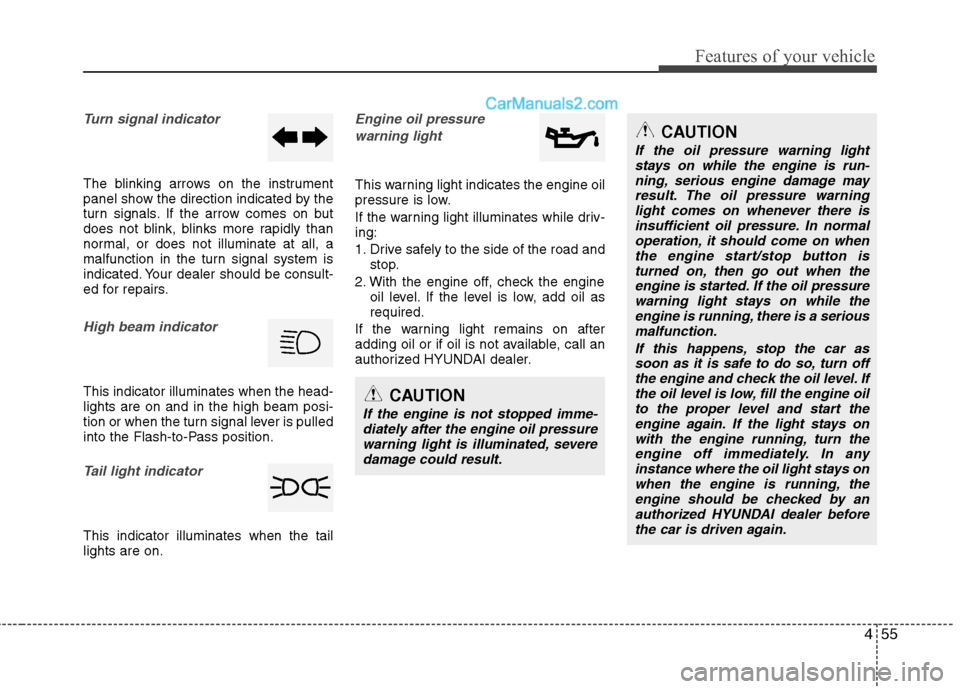
The blinking arrows on the instrument
panel show the direction indicated by the
turn signals. If the arrow comes on but
does not blink, blinks more rapidly than
normal, or does not illuminate at all, a
malfunction in the turn signal system is
indicated. Your dealer should be consult-
ed for repairs.
High beam indicator
This indicator illuminates when the head-
lights are on and in the high beam posi-
tion or when the turn signal lever is pulled
into the Flash-to-Pass position.
Tail light indicator
This indicator illuminates when the tail
lights are on.
Engine oil pressure
warning light
This warning light indicates the engine oil
pressure is low.
If the warning light illuminates while driv-
ing:
1. Drive safely to the side of the road and
stop.
2. With the engine off, check the engine
oil level. If the level is low, add oil as
required.
If the warning light remains on after
adding oil or if oil is not available, call an
authorized HYUNDAI dealer.
CAUTION
If the engine is not stopped imme-
diately after the engine oil pressure
warning light is illuminated, severe
damage could result.
CAUTION
If the oil pressure warning light
stays on while the engine is run-
ning, serious engine damage may
result. The oil pressure warning
light comes on whenever there is
insufficient oil pressure. In normal
operation, it should come on when
the engine start/stop button is
turned on, then go out when the
engine is started. If the oil pressure
warning light stays on while the
engine is running, there is a serious
malfunction.
If this happens, stop the car as
soon as it is safe to do so, turn off
the engine and check the oil level. If
the oil level is low, fill the engine oil
to the proper level and start the
engine again. If the light stays on
with the engine running, turn the
engine off immediately. In any
instance where the oil light stays on
when the engine is running, the
engine should be checked by an
authorized HYUNDAI dealer before
the car is driven again.
Page 136 of 425
Features of your vehicle
56 4
WARNING
Driving the vehicle with a warning
light on is dangerous. If the brake
warning light remains on, have the
brakes checked and repaired imme-
diately by an authorized HYUNDAI
dealer.
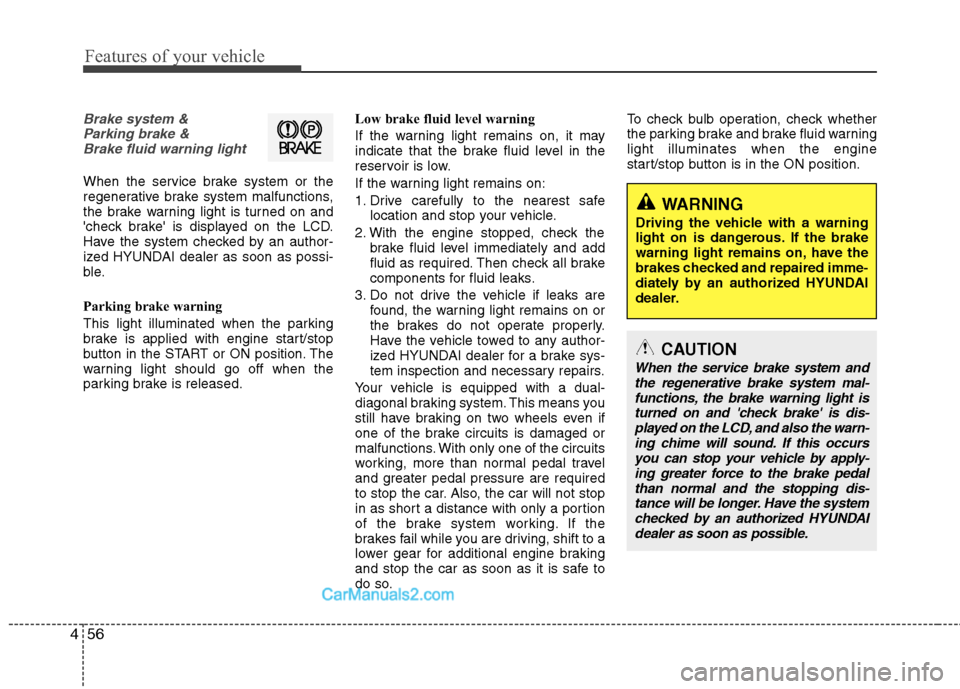
Brake system &
Parking brake &
Brake fluid warning light
When the service brake system or the
regenerative brake system malfunctions,
the brake warning light is turned on and
'check brake' is displayed on the LCD.
Have the system checked by an author-
ized HYUNDAI dealer as soon as possi-
ble.
Parking brake warning
This light illuminated when the parking
brake is applied with engine start/stop
button in the START or ON position. The
warning light should go off when the
parking brake is released.Low brake fluid level warning
If the warning light remains on, it may
indicate that the brake fluid level in the
reservoir is low.
If the warning light remains on:
1. Drive carefully to the nearest safe
location and stop your vehicle.
2. With the engine stopped, check the
brake fluid level immediately and add
fluid as required. Then check all brake
components for fluid leaks.
3. Do not drive the vehicle if leaks are
found, the warning light remains on or
the brakes do not operate properly.
Have the vehicle towed to any author-
ized HYUNDAI dealer for a brake sys-
tem inspection and necessary repairs.
Your vehicle is equipped with a dual-
diagonal braking system. This means you
still have braking on two wheels even if
one of the brake circuits is damaged or
malfunctions. With only one of the circuits
working, more than normal pedal travel
and greater pedal pressure are required
to stop the car. Also, the car will not stop
in as short a distance with only a portion
of the brake system working. If the
brakes fail while you are driving, shift to a
lower gear for additional engine braking
and stop the car as soon as it is safe to
do so.To check bulb operation, check whether
the parking brake and brake fluid warning
light illuminates when the engine
start/stop button is in the ON position.
CAUTION
When the service brake system and
the regenerative brake system mal-
functions, the brake warning light is
turned on and 'check brake' is dis-
played on the LCD, and also the warn-
ing chime will sound. If this occurs
you can stop your vehicle by apply-
ing greater force to the brake pedal
than normal and the stopping dis-
tance will be longer. Have the system
checked by an authorized HYUNDAI
dealer as soon as possible.