display HYUNDAI SONATA HYBRID 2014 Owner's Manual
[x] Cancel search | Manufacturer: HYUNDAI, Model Year: 2014, Model line: SONATA HYBRID, Model: HYUNDAI SONATA HYBRID 2014Pages: 410, PDF Size: 17.26 MB
Page 207 of 410
Features of your vehicle
126
4
Automatic switching between dig-
ital and analog broadcasting
If the reception of the digital signal is lost,
the system switches automatically to the
analog signal. As soon as the digital sig-
nal is available again, it will switch back.
Due to the fact that sub channels are
only broadcasted digital, the system
mutes playback if you have tuned to a
sub channel and the digital signal is lost.
The main line will shows the message No
HD signal in place of station name.
After approximately one minute with the
digital signal lost, the system will auto-
matically tune to the analog signal of the
corresponding frequency.
Text based information
HD Radio
TM
stations are able to broad-
cast text based information, e.g. station
name, song title and artist name. The
Driver Information System is able to dis-
play this information.
Digital, CD-quality sound. HD Radio
Technology enables local radio stations
to broadcast a clean digital signal. AM
sounds like today’s FM and FM sounds
like a CD.
Program Service Data : Contributes to
the superior user experience of HD
Radio Technology. Presents song
name, artist, station IDs, HD2/HD3
Channel Guide, and other relevant data
stream.
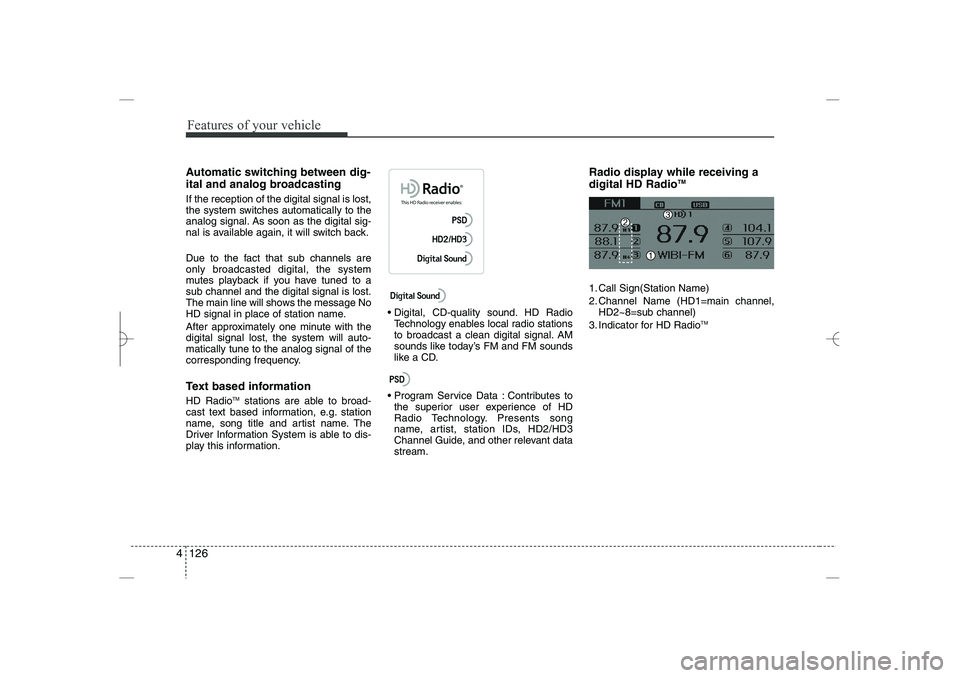
Radio display while receiving a
digital HD Radio
TM
1. Call Sign(Station Name)
2. Channel Name (HD1=main channel,
HD2~8=sub channel)
3. Indicator for HD Radio
TM
YF HMA 4b-112~(Audio).qxp 3/5/2012 4:24 PM Page 126
Page 208 of 410
4 127
Features of your vehicle
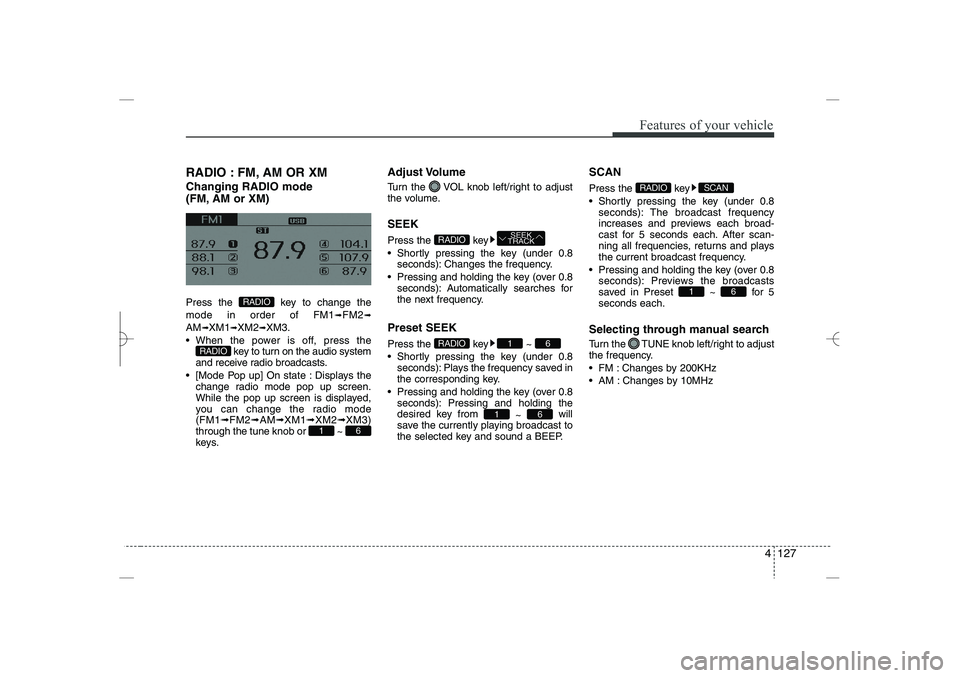
RADIO : FM, AM OR XM
Changing RADIO mode
(FM, AM or XM)
Press the key to change the
mode in order of FM1
➟
FM2
➟
AM
➟
XM1
➟
XM2
➟
XM3.
When the power is off, press the
key to turn on the audio system
and receive radio broadcasts.
[Mode Pop up] On state : Displays the
change radio mode pop up screen.
While the pop up screen is displayed,
you can change the radio mode
(FM1
➟
FM2
➟
AM
➟
XM1
➟
XM2
➟
XM3)
through the tune knob or ~
keys.
Adjust Volume
Turn the VOL knob left/right to adjust
the volume.
SEEK
Press the key
Shortly pressing the key (under 0.8
seconds): Changes the frequency.
Pressing and holding the key (over 0.8
seconds): Automatically searches for
the next frequency.
Preset SEEK
Press the key ~
Shortly pressing the key (under 0.8
seconds): Plays the frequency saved in
the corresponding key.
Pressing and holding the key (over 0.8
seconds): Pressing and holding the
desired key from
~
will
save the currently playing broadcast to
the selected key and sound a BEEP.
SCAN
Press the key
Shortly pressing the key (under 0.8
seconds): The broadcast frequency
increases and previews each broad-
cast for 5 seconds each. After scan-
ning all frequencies, returns and plays
the current broadcast frequency.
Pressing and holding the key (over 0.8
seconds): Previews the broadcasts
saved in Preset ~ for 5
seconds each.
Selecting through manual search
Turn the TUNE knob left/right to adjust
the frequency.
FM : Changes by 200KHz
AM : Changes by 10MHz
6
1
SCAN
RADIO
6
1
6
1
RADIO
SEEK
TRACK
RADIO
6
1
RADIO
RADIO
YF HMA 4b-112~(Audio).qxp 3/5/2012 4:24 PM Page 127
Page 209 of 410
![HYUNDAI SONATA HYBRID 2014 Owners Manual
Features of your vehicle
128
4
MENU
Within
key
are the A.Store (Auto
Store) and Info functions.
A.Store
Press the key Set [A.Store]
through TUNE knob or key
Saves broadcasts with superior recep-](/img/35/58887/w960_58887-208.png "HYUNDAI SONATA HYBRID 2014 Owners Manual
Features of your vehicle
128
4
MENU
Within
key
are the A.Store (Auto
Store) and Info functions.
A.Store
Press the key Set [A.Store]
through TUNE knob or key
Saves broadcasts with superior recep-")
Features of your vehicle
128
4
MENU
Within
key
are the A.Store (Auto
Store) and Info functions.
A.Store
Press the key Set [A.Store]
through TUNE knob or key
Saves broadcasts with superior recep-
tion to ~ keys. If no frequen-
cies are received, then the most recently
received frequency will be broadcast.
Info (Information)
Press the key Set [Info] through
TUNE knob or key
Displays details on the HD Radio.
❈
The Info menu is displayed on when
receiving HD Radio.
2
MENU
6
1
1
MENU
MENU
YF HMA 4b-112~(Audio).qxp 3/5/2012 4:24 PM Page 128
Page 210 of 410
4 129
Features of your vehicle
HD RADIO
Listening to HD Radio Stations
HD Radio Technology is a digital radio
technology used by AM and FM radio
station to transmit audio and data via a
digital signal in conjunction with their
analog signals.
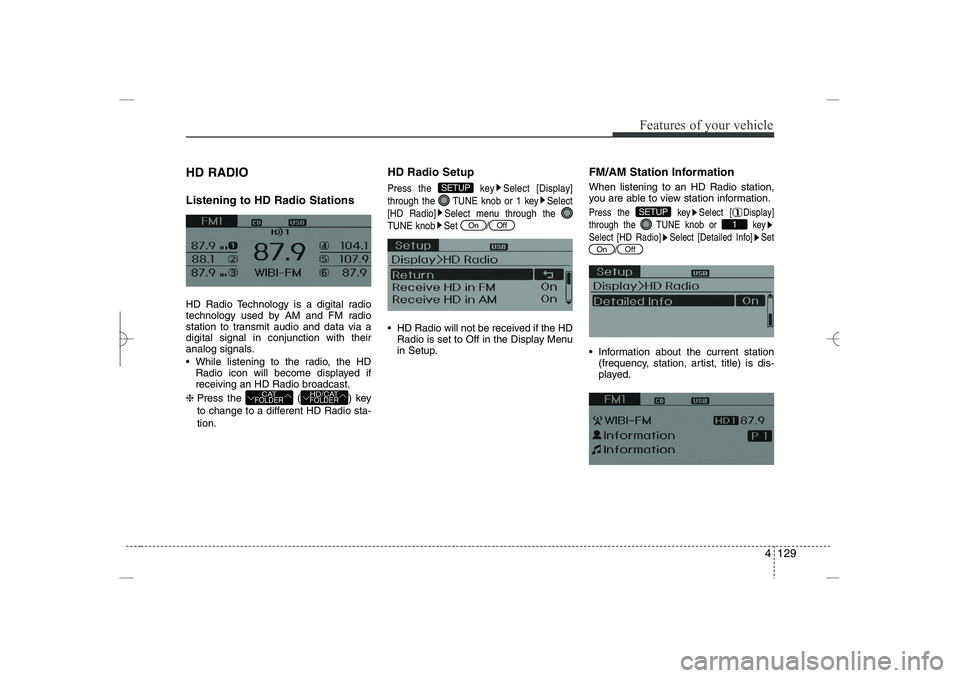
While listening to the radio, the HD
Radio icon will become displayed if
receiving an HD Radio broadcast.
❈
Press the ( ) key
to change to a different HD Radio sta-
tion.
HD Radio Setup
Press the key Select [Display]
through the TUNE knob or 1 key Select
[HD Radio] Select menu through the
TUNE knob Set /
HD Radio will not be received if the HD
Radio is set to Off in the Display Menu
in Setup.
FM/AM Station Information
When listening to an HD Radio station,
you are able to view station information.
Press the key Select [ Display]
through the TUNE knob or key
Select [HD Radio] Select [Detailed Info] Set
/
Information about the current station
(frequency, station, artist, title) is dis-
played.
Off
On
1
SETUP
Off
On
SETUP
HD/CAT
FOLDER
CAT
FOLDER
YF HMA 4b-112~(Audio).qxp 3/5/2012 4:24 PM Page 129
Page 211 of 410
Features of your vehicle
130
4
XM RADIO
Using XM satellite Radio
Your vehicle is equipped with a 3 month
complimentary period of XM Satellite
Radio. XM provides access to over 130
channels of music, information, and
entertainment programming.
SEEK
Press the key
Shortly pressing the key (under 0.8 sec-
onds): select previous or next channel.
Pressing and holding the key (over 0.8
seconds): continuously move to previ-
ous or next channel.
❈
If the “Category” icon is displayed,
channels are changed within the cur-
rent category.
SCAN
Press the key
Shortly pressing the key (under 0.8
seconds): Previews each broadcast for
5 seconds each
❈
Press the key again to continue
listening to the current frequency
❈
If the “Category” icon is displayed,
channels are changed within the cur-
rent category.
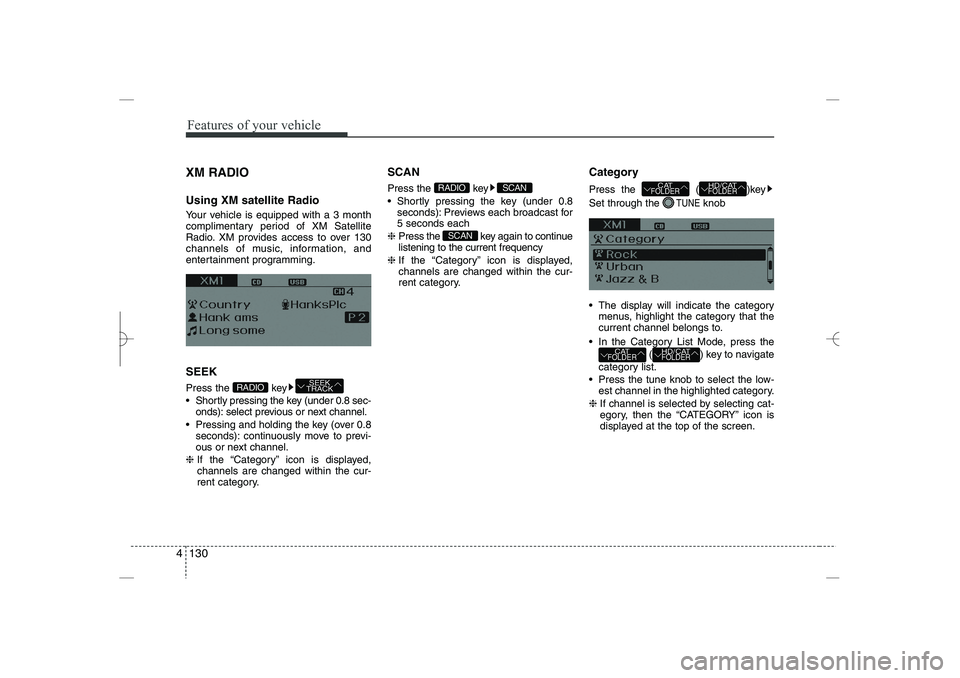
Category
Press the
( )key
Set through the
TUNE
knob
The display will indicate the category
menus, highlight the category that the
current channel belongs to.
In the Category List Mode, press the
( ) key to navigate
category list.
Press the tune knob to select the low-
est channel in the highlighted category.
❈
If channel is selected by selecting cat-
egory, then the “CATEGORY” icon is
displayed at the top of the screen.
HD/CAT
FOLDER
CAT
FOLDER
HD/CAT
FOLDER
CAT
FOLDER
SCAN
SCAN
RADIO
SEEK
TRACK
RADIO
YF HMA 4b-112~(Audio).qxp 3/5/2012 4:24 PM Page 130
Page 212 of 410
4 131
Features of your vehicle
Preset
Press the key ~
Shortly pressing the key (under 0.8
seconds): Plays the frequency saved in
the corresponding key.
Pressing and holding the key (over 0.8
seconds): Pressing and holding the
desired key from
~
will
save the current broadcast to the
selected key and sound a BEEP.
Tune
Rotate TUNE knob : Changes the
channel number or scrolls category list.
Press TUNE knob : Selects the
menu.
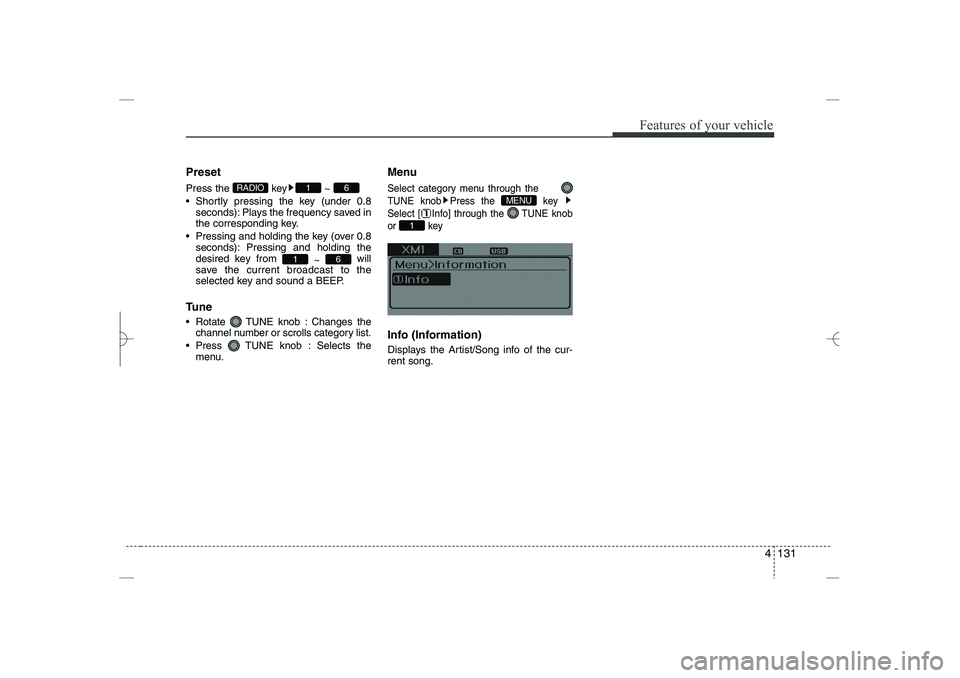
Menu
Select category menu through the
TUNE knob Press the key
Select [ Info] through the TUNE knob
or key
Info (Information)
Displays the Artist/Song info of the cur-
rent song.
1
MENU
6
1
6
1
RADIO
YF HMA 4b-112~(Audio).qxp 3/5/2012 4:24 PM Page 131
Page 216 of 410
4 135
Features of your vehicle
BASIC METHOD OF USE :
Audio CD / MP3 CD / USB /
iPod / My Music
Press the key to change the mod
mode in order of CD
➟
USB(iPod)
➟
AUX
➟
My Music
➟
BT Audio.
The folder/file name is displayed on the
screen.
❈
The CD is automatically played when
a CD is inserted.
❈
The USB music is automatically
played when a USB is connected.
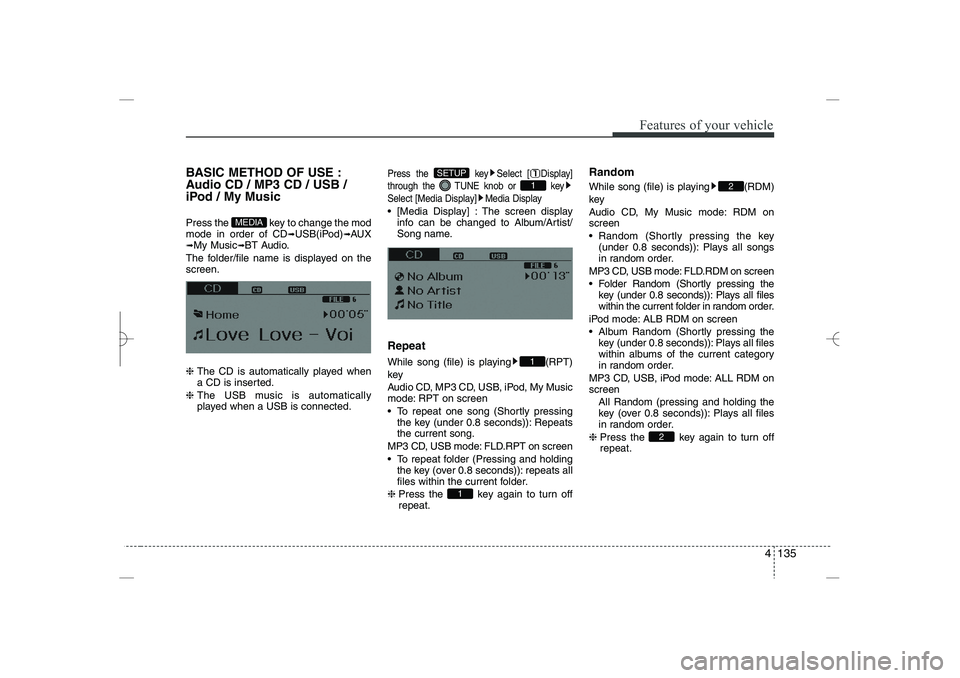
Press the key Select [ Display]
through the TUNE knob or key
Select [Media Display] Media Display
[Media Display] : The screen display
info can be changed to Album/Artist/
Song name.
Repeat
While song (file) is playing (RPT)
key
Audio CD, MP3 CD, USB, iPod, My Music
mode: RPT on screen
To repeat one song (Shortly pressing
the key (under 0.8 seconds)): Repeats
the current song.
MP3 CD, USB mode: FLD.RPT on screen
To repeat folder (Pressing and holding
the key (over 0.8 seconds)): repeats all
files within the current folder.
❈
Press the key again to turn off
repeat.
Random
While song (file) is playing (RDM)
key
Audio CD, My Music mode: RDM on
screen
Random (Shortly pressing the key
(under 0.8 seconds)): Plays all songs
in random order.
MP3 CD, USB mode: FLD.RDM on screen
Folder Random (Shortly pressing the
key (under 0.8 seconds)): Plays all files
within the current folder in random order.
iPod mode: ALB RDM on screen
Album Random (Shortly pressing the
key (under 0.8 seconds)): Plays all files
within albums of the current category
in random order.
MP3 CD, USB, iPod mode: ALL RDM on
screen
All Random (pressing and holding the
key (over 0.8 seconds)): Plays all files
in random order.
❈
Press the key again to turn off
repeat.
2
2
1
1
1
SETUP
MEDIA
YF HMA 4b-112~(Audio).qxp 3/5/2012 4:24 PM Page 135
Page 218 of 410
![HYUNDAI SONATA HYBRID 2014 Owners Manual
4 137
Features of your vehicle
MENU : Audio CD
Press the CD MP3 mode key to
set the Repeat, Random, Information
features.
Repeat
Press the key Set [ RPT]
through the
TUNE
knob or key to
repeat th](/img/35/58887/w960_58887-217.png "HYUNDAI SONATA HYBRID 2014 Owners Manual
4 137
Features of your vehicle
MENU : Audio CD
Press the CD MP3 mode key to
set the Repeat, Random, Information
features.
Repeat
Press the key Set [ RPT]
through the
TUNE
knob or key to
repeat th")
4 137
Features of your vehicle
MENU : Audio CD
Press the CD MP3 mode key to
set the Repeat, Random, Information
features.
Repeat
Press the key Set [ RPT]
through the
TUNE
knob or key to
repeat the current song.
❈
Press RPT again to turn off.
Random
Press the key Set [ RDM]
through the
TUNE
knob or key to
randomly play songs within the current
folder.
❈
Press RDM again to turn off.
Information
Press the key Set [ Info]
through the
TUNE
knob or key to
display information of the current song.
❈
Press the key to turn off info
display.
MENU
3
MENU
2
MENU
1
MENU
MENU
YF HMA 4b-112~(Audio).qxp 3/5/2012 4:24 PM Page 137
Page 219 of 410
Features of your vehicle
138
4
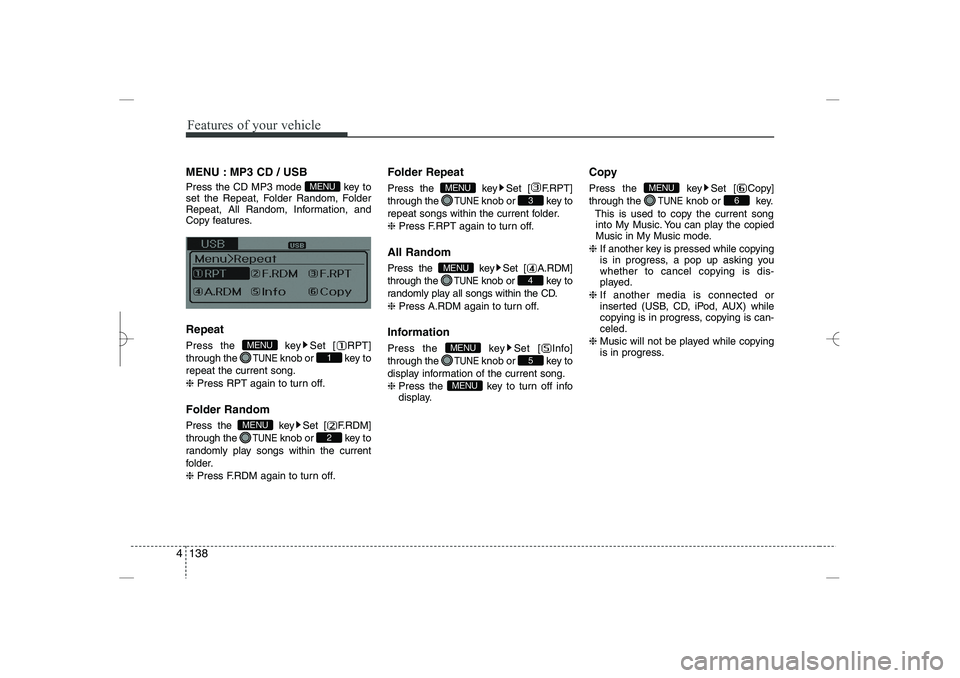
MENU : MP3 CD / USB
Press the CD MP3 mode key to
set the Repeat, Folder Random, Folder
Repeat, All Random, Information, and
Copy features.
Repeat
Press the key Set [ RPT]
through the
TUNE
knob or key to
repeat the current song.
❈
Press RPT again to turn off.
Folder Random
Press the key Set [ F.RDM]
through the
TUNE
knob or key to
randomly play songs within the current
folder.
❈
Press F.RDM again to turn off.
Folder Repeat
Press the key Set [ F.RPT]
through the
TUNE
knob or key to
repeat songs within the current folder.
❈
Press F.RPT again to turn off.
All Random
Press the key Set [ A.RDM]
through the
TUNE
knob or key to
randomly play all songs within the CD.
❈
Press A.RDM again to turn off.
Information
Press the key Set [ Info]
through the
TUNE
knob or key to
display information of the current song.
❈
Press the key to turn off info
display.
Copy
Press the key Set [ Copy]
through the
TUNE
knob or key.
This is used to copy the current song
into My Music. You can play the copied
Music in My Music mode.
❈
If another key is pressed while copying
is in progress, a pop up asking you
whether to cancel copying is dis-
played.
❈
If another media is connected or
inserted (USB, CD, iPod, AUX) while
copying is in progress, copying is can-
celed.
❈
Music will not be played while copying
is in progress.
6
MENU
MENU
5
MENU
4
MENU
3
MENU
2
MENU
1
MENU
MENU
YF HMA 4b-112~(Audio).qxp 3/5/2012 4:24 PM Page 138
Page 220 of 410
![HYUNDAI SONATA HYBRID 2014 Owners Manual
4 139
Features of your vehicle
MENU : iPod
In iPod mode, press the key to
set the Repeat, Album Random, All
Random, and Information features.
Repeat
Press the key Set [ RPT]
through the
TUNE
knob](/img/35/58887/w960_58887-219.png "HYUNDAI SONATA HYBRID 2014 Owners Manual
4 139
Features of your vehicle
MENU : iPod
In iPod mode, press the key to
set the Repeat, Album Random, All
Random, and Information features.
Repeat
Press the key Set [ RPT]
through the
TUNE
knob")
4 139
Features of your vehicle
MENU : iPod
In iPod mode, press the key to
set the Repeat, Album Random, All
Random, and Information features.
Repeat
Press the key Set [ RPT]
through the
TUNE
knob or key to
repeat the current song.
❈
Press RPT again to turn repeat off.
Album Random
Press the key Set [ Alb.RDM]
through the
TUNE
knob or key.
Plays albums within the currently playing
category in random order.
❈
Press Alb.RDM again to turn off.
All Random
Press the key Set [ A.RDM]
through the
TUNE
knob or key.
Plays all songs within the currently play-
ing category in random order.
❈
Press A.RDM again to turn off.
Information
Press the key Set [ Info]
through the
TUNE
knob or key.
Displays information of the current song.
❈
Press the key to turn off info
display.
MENU : My Music Mode
In My Music mode, press the key
to set the Repeat, Random, Information,
Delete, Delete All, and Delete Selection
features.
Repeat
Press the key Set [ RPT]
through the TUNE knob or key.
Repeats the currently playing song.
❈
Press RPT again to turn repeat off.
Random
Press the key Set [ RDM]
through the
TUNE
knob or key.
Plays all songs within the currently play-
ing folder in random order.
❈
Press RDM again to turn random off.
2
MENU
1
MENU
MENU
MENU
4
MENU
3
MENU
2
MENU
1
MENU
MENU
YF HMA 4b-112~(Audio).qxp 3/5/2012 4:24 PM Page 139