key HYUNDAI SONATA HYBRID 2014 Workshop Manual
[x] Cancel search | Manufacturer: HYUNDAI, Model Year: 2014, Model line: SONATA HYBRID, Model: HYUNDAI SONATA HYBRID 2014Pages: 410, PDF Size: 17.26 MB
Page 217 of 410
Features of your vehicle
136
4
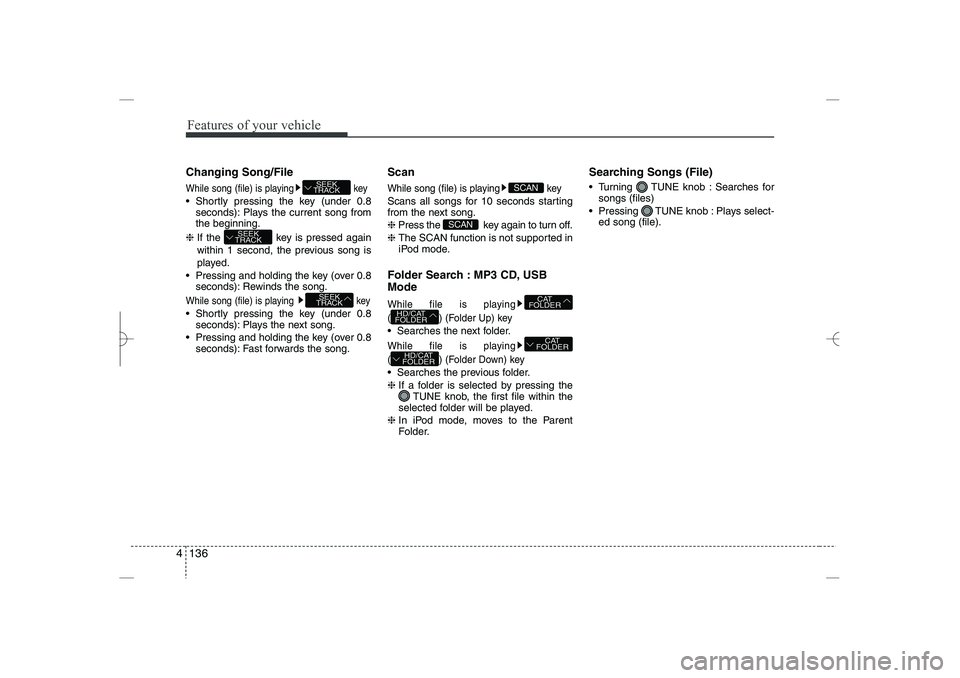
Changing Song/File
While song (file) is playing
key
Shortly pressing the key (under 0.8
seconds): Plays the current song from
the beginning.
❈
If the key is pressed again
within 1 second, the previous song is
played.
Pressing and holding the key (over 0.8
seconds): Rewinds the song.
While song (file) is playing
key
Shortly pressing the key (under 0.8
seconds): Plays the next song.
Pressing and holding the key (over 0.8
seconds): Fast forwards the song.
Scan
While song (file) is playing key
Scans all songs for 10 seconds starting
from the next song.
❈
Press the key again to turn off.
❈
The SCAN function is not supported in
iPod mode.
Folder Search : MP3 CD, USB
Mode
While file is playing
( ) (Folder Up) key
Searches the next folder.
While file is playing
( ) (Folder Down) key
Searches the previous folder.
❈
If a folder is selected by pressing the
TUNE knob, the first file within the
selected folder will be played.
❈
In iPod mode, moves to the Parent
Folder.
Searching Songs (File)
Turning TUNE knob : Searches for
songs (files)
Pressing TUNE knob : Plays select-
ed song (file).
HD/CAT
FOLDER
CAT
FOLDER
HD/CAT
FOLDER
CAT
FOLDER
SCAN
SCAN
SEEK
TRACK
SEEK
TRACK
SEEK
TRACK
YF HMA 4b-112~(Audio).qxp 3/5/2012 4:24 PM Page 136
Page 218 of 410
![HYUNDAI SONATA HYBRID 2014 Workshop Manual
4 137
Features of your vehicle
MENU : Audio CD
Press the CD MP3 mode key to
set the Repeat, Random, Information
features.
Repeat
Press the key Set [ RPT]
through the
TUNE
knob or key to
repeat th](/img/35/58887/w960_58887-217.png "HYUNDAI SONATA HYBRID 2014 Workshop Manual
4 137
Features of your vehicle
MENU : Audio CD
Press the CD MP3 mode key to
set the Repeat, Random, Information
features.
Repeat
Press the key Set [ RPT]
through the
TUNE
knob or key to
repeat th")
4 137
Features of your vehicle
MENU : Audio CD
Press the CD MP3 mode key to
set the Repeat, Random, Information
features.
Repeat
Press the key Set [ RPT]
through the
TUNE
knob or key to
repeat the current song.
❈
Press RPT again to turn off.
Random
Press the key Set [ RDM]
through the
TUNE
knob or key to
randomly play songs within the current
folder.
❈
Press RDM again to turn off.
Information
Press the key Set [ Info]
through the
TUNE
knob or key to
display information of the current song.
❈
Press the key to turn off info
display.
MENU
3
MENU
2
MENU
1
MENU
MENU
YF HMA 4b-112~(Audio).qxp 3/5/2012 4:24 PM Page 137
Page 219 of 410
Features of your vehicle
138
4
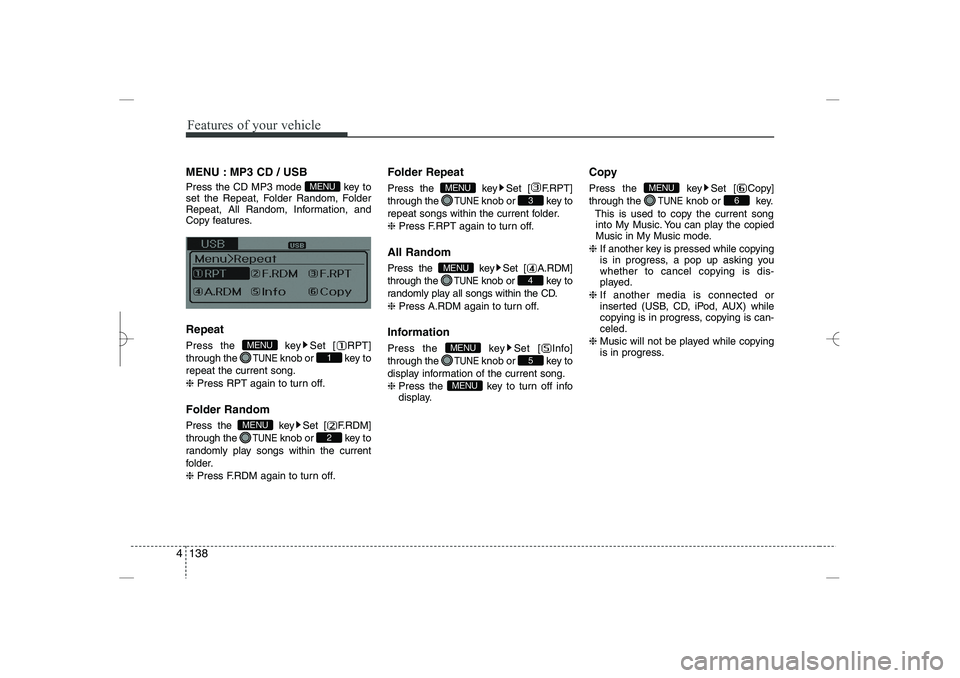
MENU : MP3 CD / USB
Press the CD MP3 mode key to
set the Repeat, Folder Random, Folder
Repeat, All Random, Information, and
Copy features.
Repeat
Press the key Set [ RPT]
through the
TUNE
knob or key to
repeat the current song.
❈
Press RPT again to turn off.
Folder Random
Press the key Set [ F.RDM]
through the
TUNE
knob or key to
randomly play songs within the current
folder.
❈
Press F.RDM again to turn off.
Folder Repeat
Press the key Set [ F.RPT]
through the
TUNE
knob or key to
repeat songs within the current folder.
❈
Press F.RPT again to turn off.
All Random
Press the key Set [ A.RDM]
through the
TUNE
knob or key to
randomly play all songs within the CD.
❈
Press A.RDM again to turn off.
Information
Press the key Set [ Info]
through the
TUNE
knob or key to
display information of the current song.
❈
Press the key to turn off info
display.
Copy
Press the key Set [ Copy]
through the
TUNE
knob or key.
This is used to copy the current song
into My Music. You can play the copied
Music in My Music mode.
❈
If another key is pressed while copying
is in progress, a pop up asking you
whether to cancel copying is dis-
played.
❈
If another media is connected or
inserted (USB, CD, iPod, AUX) while
copying is in progress, copying is can-
celed.
❈
Music will not be played while copying
is in progress.
6
MENU
MENU
5
MENU
4
MENU
3
MENU
2
MENU
1
MENU
MENU
YF HMA 4b-112~(Audio).qxp 3/5/2012 4:24 PM Page 138
Page 220 of 410
![HYUNDAI SONATA HYBRID 2014 Workshop Manual
4 139
Features of your vehicle
MENU : iPod
In iPod mode, press the key to
set the Repeat, Album Random, All
Random, and Information features.
Repeat
Press the key Set [ RPT]
through the
TUNE
knob](/img/35/58887/w960_58887-219.png "HYUNDAI SONATA HYBRID 2014 Workshop Manual
4 139
Features of your vehicle
MENU : iPod
In iPod mode, press the key to
set the Repeat, Album Random, All
Random, and Information features.
Repeat
Press the key Set [ RPT]
through the
TUNE
knob")
4 139
Features of your vehicle
MENU : iPod
In iPod mode, press the key to
set the Repeat, Album Random, All
Random, and Information features.
Repeat
Press the key Set [ RPT]
through the
TUNE
knob or key to
repeat the current song.
❈
Press RPT again to turn repeat off.
Album Random
Press the key Set [ Alb.RDM]
through the
TUNE
knob or key.
Plays albums within the currently playing
category in random order.
❈
Press Alb.RDM again to turn off.
All Random
Press the key Set [ A.RDM]
through the
TUNE
knob or key.
Plays all songs within the currently play-
ing category in random order.
❈
Press A.RDM again to turn off.
Information
Press the key Set [ Info]
through the
TUNE
knob or key.
Displays information of the current song.
❈
Press the key to turn off info
display.
MENU : My Music Mode
In My Music mode, press the key
to set the Repeat, Random, Information,
Delete, Delete All, and Delete Selection
features.
Repeat
Press the key Set [ RPT]
through the TUNE knob or key.
Repeats the currently playing song.
❈
Press RPT again to turn repeat off.
Random
Press the key Set [ RDM]
through the
TUNE
knob or key.
Plays all songs within the currently play-
ing folder in random order.
❈
Press RDM again to turn random off.
2
MENU
1
MENU
MENU
MENU
4
MENU
3
MENU
2
MENU
1
MENU
MENU
YF HMA 4b-112~(Audio).qxp 3/5/2012 4:24 PM Page 139
Page 221 of 410
![HYUNDAI SONATA HYBRID 2014 Workshop Manual
Features of your vehicle
140
4
Information
Press the key Set [ Info]
through the
TUNE
knob or key.
Displays information of the current song.
❈
Press the key to turn off info
display.
Delete
Pr](/img/35/58887/w960_58887-220.png "HYUNDAI SONATA HYBRID 2014 Workshop Manual
Features of your vehicle
140
4
Information
Press the key Set [ Info]
through the
TUNE
knob or key.
Displays information of the current song.
❈
Press the key to turn off info
display.
Delete
Pr")
Features of your vehicle
140
4
Information
Press the key Set [ Info]
through the
TUNE
knob or key.
Displays information of the current song.
❈
Press the key to turn off info
display.
Delete
Press the key Set [ Delete]
through the
TUNE
knob or key.
Deletes currently playing file
In the play screen, pressing delete will
delete the currently playing song.
Deletes file from list
➀
Select the file you wish to delete by
using the TUNE knob.
➁
Press the key and select the
delete menu to delete the selected file.
Delete All
Press the key Set [ Del.All]
through the
TUNE
knob or key.
Deletes all songs of My Music.
Delete Selection
Press the key Set [ Del.Sel]
through the
TUNE
knob or key.
Songs within My Music are selected and
deleted.
➀
Select the songs you wish to delete
from the list.
➁
After selecting, press the key
and select the delete menu.
AUX
AUX is used to play external MEDIA cur-
rently connected with the AUX terminal.
AUX mode will automatically start when
an external device is connected to the
AUX terminal.
If an external device is connected, you
can also press the key to change
to AUX mode.
❈
AUX mode cannot be started unless
there is an external device connected
to the AUX terminal.
MEDIA
MENU
6
MENU
5
MENU
MENU
4
MENU
MENU
3
MENU
YF HMA 4b-112~(Audio).qxp 3/5/2012 4:24 PM Page 140
Page 224 of 410
4 143
Features of your vehicle
✽
✽
NOTICE FOR USING THE
iPod
®
DEVICE
• Some iPod models may not support
communication protocol and files may
not properly play.
Supported iPod models:
- iPod Mini
- iPod 4th(Photo) ~ 6th(Classic)
generation
- iPod Nano 1st~4th generation
- iPod Touch 1st~2nd generation
• The order of search or playback of
songs in the iPod can be different
from the order searched in the audio
system.
• If the iPod disabled due to its own
malfunction, reset the iPod. (Reset:
Refer to iPod manual)
• An iPod may not operate normally on
low battery.
• Some iPod devices, such as the
iPhone, can be connected through the
Bluetooth
®
Wireless Technology inter-
face. The device must have audio
Bluetooth
®
Wireless Technology capa-
bility (such as for stereo headphone
Bluetooth
®
Wireless Technology). The
device can play, but it will not be con-
trolled by the audio system.
(Continued)
(Continued)
Some USB flash memory readers
(such as CF, SD, micro SD, etc.) or
external-HDD type devices can be
unrecognizable.
Music files protected by DRM
(DIGITAL RIGHTS MANAGE-
MENT) are not recognizable.
The data in the USB memory may
be lost while using this audio.
Always back up important data on
a personal storage device.
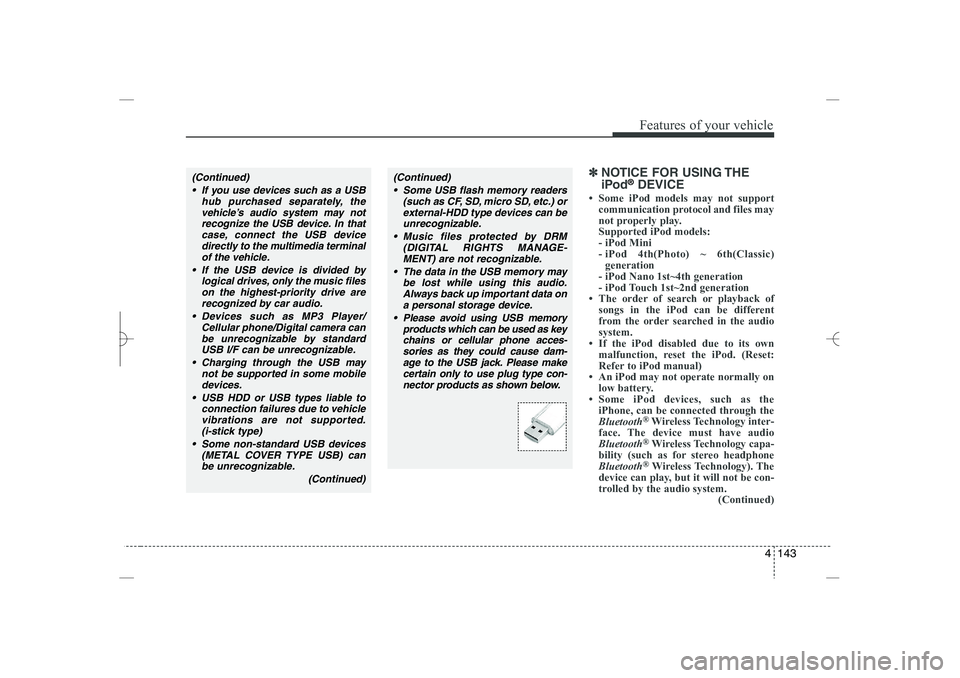
Please avoid using USB memory
products which can be used as key
chains or cellular phone acces-
sories as they could cause dam-
age to the USB jack. Please make
certain only to use plug type con-
nector products as shown below.
(Continued)
If you use devices such as a USB
hub purchased separately, the
vehicle’s audio system may not
recognize the USB device. In that
case, connect the USB device
directly to the multimedia terminal
of the vehicle.
If the USB device is divided by
logical drives, only the music files
on the highest-priority drive are
recognized by car audio.
Devices such as MP3 Player/
Cellular phone/Digital camera can
be unrecognizable by standard
USB I/F can be unrecognizable.
Charging through the USB may
not be supported in some mobile
devices.
USB HDD or USB types liable to
connection failures due to vehicle
vibrations are not supported.
(i-stick type)
Some non-standard USB devices
(METAL COVER TYPE USB) can
be unrecognizable.
(Continued)
YF HMA 4b-112~(Audio).qxp 3/5/2012 4:24 PM Page 143
Page 226 of 410
4 145
Features of your vehicle
Bluetooth
®
Wireless Technology
AUDIO
What is
Bluetooth
®
Wireless
Technology?
Bluetooth
®
Wireless Technology is a
wireless technology that allows multiple
devices to be connected in a short range,
low-powered devices like hands-free,
stereo headset, wireless remote con-
troller, etc. For more information, visit the
Bluetooth
®
Wireless Technology website
at www
.Bluetooth.com
Before using
Bluetooth
®
Wireless
Technology audio features
Bluetooth
®
Wireless Technology audio
may not be supported depending on
the compatibility of your
Bluetooth
®
Wireless Technology mobile phone.
In order to use
Bluetooth
®
Wireless
Technology audio, you must first pair
and connect the
Bluetooth
®
Wireless
Technology mobile phone.
Bluetooth
®
Wireless Technology audio
can be used only when the [Audio
Streaming] of Phone is turned .
❈
Setting
Bluetooth
®
Wireless
Technology Audio Streaming : Press
the key Select [Phone]
through the tune knob or key
Select [Audio Streaming] through the
TUNE knob Set
/
Starting
Bluetooth
®
Wireless
Technology Audio
Press the key to change the
mode in order of CD
➟
USB
➟
AUX
➟
My
Music
➟
BT Audio.
If BT Audio is selected,
Bluetooth
®
Wireless Technology audio will start
playing.
❈
Audio may not automatically start playing
in some mobile phones.
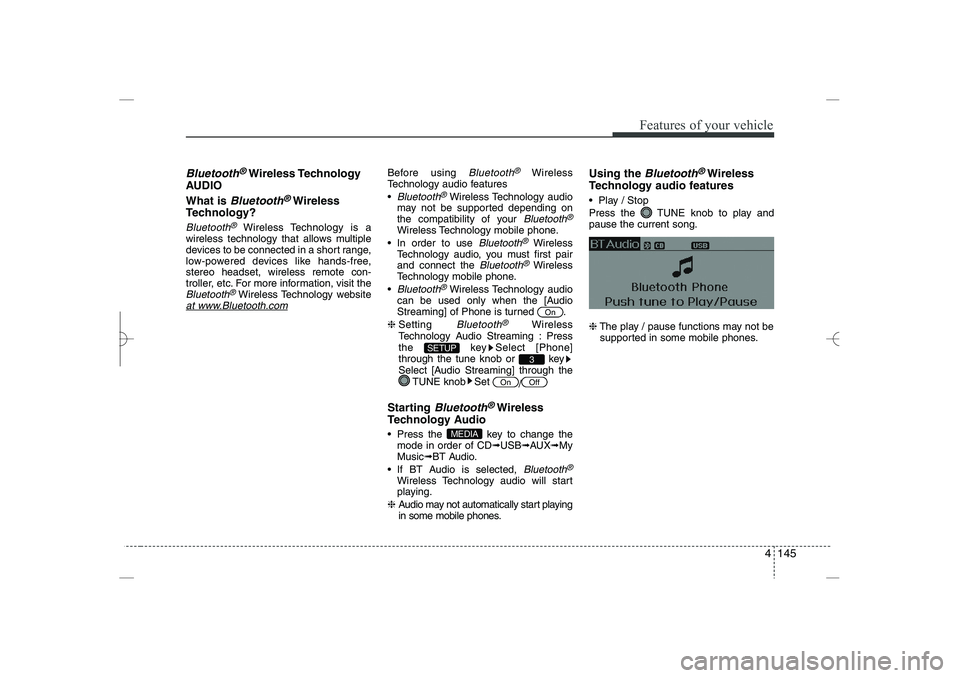
Using the
Bluetooth
®
Wireless
Technology audio features
Play / Stop
Press the TUNE knob to play and
pause the current song.
❈
The play / pause functions may not be
supported in some mobile phones.
MEDIA
Off
On
3
SETUP
On
YF HMA 4b-112~(Audio).qxp 3/5/2012 4:24 PM Page 145
Page 227 of 410
Features of your vehicle
146
4
Phone
Before using the
Bluetooth
®
Wireless
Technology enabled phone features
In order to use
Bluetooth
®
Wireless
Technology phone, you must first pair
and connect the
Bluetooth
®
Wireless
Technology mobile phone.
If the mobile phone is not paired or
connected, it is not possible to enter
Phone mode. Once a phone is paired
or connected, the guidance screen will
be displayed.
If Priority is set upon vehicle ignition
(IGN/ACC ON), the
Bluetooth
®
Wireless Technology enabled phone
will be automatically connected. Even if
you are outside, the
Bluetooth
®
Wireless Technology enabled phone
will be automatically connected once
you are in the vicinity of the vehicle. If
you do not want automatic
Bluetooth
®
Wireless Technology enabled phone
connection, set the
Bluetooth
®
Wireless Technology power to OFF.
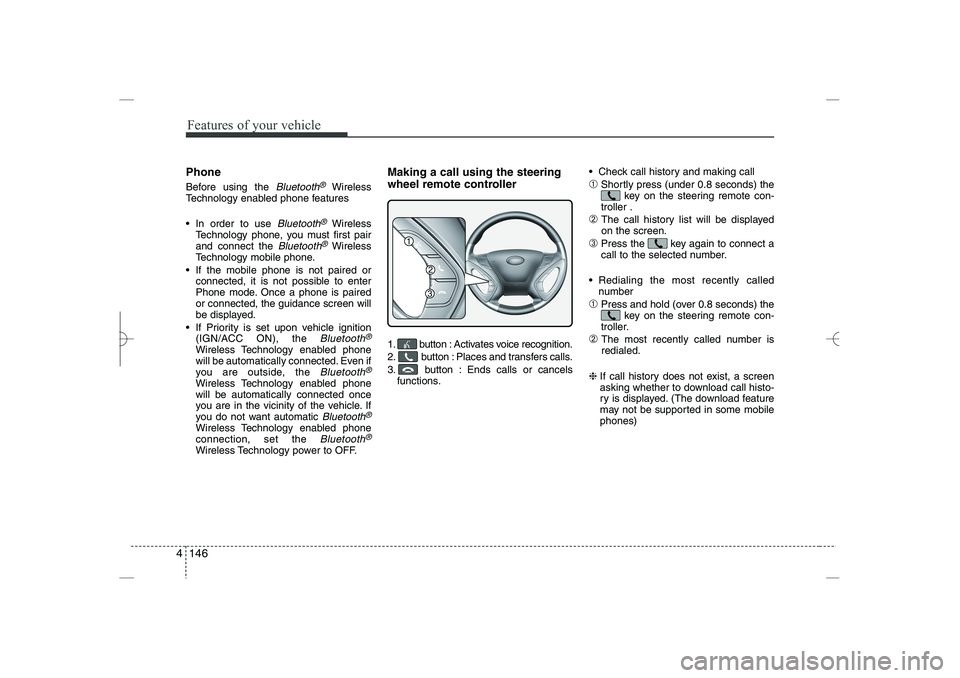
Making a call using the steering
wheel remote controller
1. button : Activates voice recognition.
2. button : Places and transfers calls.
3. button : Ends calls or cancels
functions.
Check call history and making call
➀
Shortly press (under 0.8 seconds) the
key on the steering remote con-
troller .
➁
The call history list will be displayed
on the screen.
➂
Press the key again to connect a
call to the selected number.
Redialing the most recently called
number
➀
Press and hold (over 0.8 seconds) the
key on the steering remote con-
troller.
➁
The most recently called number is
redialed.
❈
If call history does not exist, a screen
asking whether to download call histo-
ry is displayed. (The download feature
may not be supported in some mobile
phones)
YF HMA 4b-112~(Audio).qxp 3/5/2012 4:24 PM Page 146
Page 228 of 410
![HYUNDAI SONATA HYBRID 2014 Workshop Manual
4 147
Features of your vehicle
Phone MENU
Press the key to display three
menus (Call History, Contacts, Phone
Setup).
Call history
Press the key Set [ Call
History] through the TUNE knob or
key.
T](/img/35/58887/w960_58887-227.png "HYUNDAI SONATA HYBRID 2014 Workshop Manual
4 147
Features of your vehicle
Phone MENU
Press the key to display three
menus (Call History, Contacts, Phone
Setup).
Call history
Press the key Set [ Call
History] through the TUNE knob or
key.
T")
4 147
Features of your vehicle
Phone MENU
Press the key to display three
menus (Call History, Contacts, Phone
Setup).
Call history
Press the key Set [ Call
History] through the TUNE knob or
key.
The call history is displayed and can be
used to select a number and make a call.
If call history does not exist, a screen
asking whether to download call history
is displayed. (The download feature may
not be supported in some mobile
phones)
Contacts
Press the key Set [ Contacts]
through the
TUNE
knob or key.
The Contacts are displayed and can be
used to select a number and make a call.
❈
If more than one number is saved to
one contact, then a screen showing
the mobile phone number, house and
office number are displayed. Select the
desired number to make the call.
❈
If Contacts do not exist, a screen asking
whether to download Contacts is dis-
played. (The download feature may not
be supported in some mobile phones)
Phone Setup
Press the key Set [ Phone
Setup] through the
TUNE
knob or
key.
The
Bluetooth
®
Wireless Technology
enabled mobile phone setup screen is
displayed. For more information, refer to
“Phone Setup”.
3
PHONE
2
PHONE
1
PHONE
PHONE
CAUTION IN USING
BLUETOOTH
®
WIRELESS
TECHNOLOGY CELLU-
LAR PHONE
Do not use a cellular phone or
perform Bluetooth
®
Wireless
Technology settings (e.g. pairing
a phone) while driving.
Some Bluetooth
®
Wireless
Technology-enabled phones may
not be recognized by the system or
fully compatible with the system.
Before using Bluetooth
®
Wireless
Technology related features of
the audio system, refer your
phone’s User’s Manual for phone-
side Bluetooth
®
Wireless
Technology operations.
The phone must be paired to the
audio system to use Bluetooth
®
Wireless Technology related fea-
tures.
You will not be able to use the
hands-free feature when your
phone (in the car) is outside of
the cellular service area (e.g. in a
tunnel, in a underground, in a
mountainous area, etc.).
(Continued)
YF HMA 4b-112~(Audio).qxp 3/5/2012 4:24 PM Page 147
Page 231 of 410
![HYUNDAI SONATA HYBRID 2014 Workshop Manual
Features of your vehicle
150
4
VOICE COMMAND
Starting Voice Command
To start voice command, shortly press
the key on the steering wheel
remote controller.
If voice command is in [Normal Mode],](/img/35/58887/w960_58887-230.png "HYUNDAI SONATA HYBRID 2014 Workshop Manual
Features of your vehicle
150
4
VOICE COMMAND
Starting Voice Command
To start voice command, shortly press
the key on the steering wheel
remote controller.
If voice command is in [Normal Mode],")
Features of your vehicle
150
4
VOICE COMMAND
Starting Voice Command
To start voice command, shortly press
the key on the steering wheel
remote controller.
If voice command is in [Normal Mode],
then the system will say “Please say a
command. Beep”
❈
If voice command is in [Expert Mode],
then the system will only say a “Beep-”
❈
Setting Voice command [Normal
Mode]/[Expert Mode]:
Press the key Select [System]
through the TUNE knob or
key Select [Voice Command Mode]
through the TUNE knob Set [Normal
Mode]/[Expert Mode]
Say the voice command.
Skipping the Guidance Message
While the guidance message is being
stated, shortly press the key (under
0.8 seconds) to discontinue the guidance
message and sound the “beep”.
After the “beep”, say the voice command.
Ending Voice Command
While using voice command, press and
hold the key (over 0.8 seconds) to
end voice command.
While using voice command, pressing
the steering wheel remote controller or
a different key will end voice command.
In a state where the system is waiting
for your voice command, say “cancel”
or “end” to end voice command.
In a state where the system is waiting
for your voice command, shortly press
the key (under 0.8 seconds) to
end voice command.
5
SETUP
CAUTION
For proper voice recognition, say the
voice command after the guidance
message and the “Beep” sound.
YF HMA 4b-112~(Audio).qxp 3/5/2012 4:24 PM Page 150