remote control Hyundai Sonata Hybrid 2015 User Guide
[x] Cancel search | Manufacturer: HYUNDAI, Model Year: 2015, Model line: Sonata Hybrid, Model: Hyundai Sonata Hybrid 2015Pages: 543, PDF Size: 25.53 MB
Page 341 of 543
Features of your vehicle
260
4
VOICE RECOGNITION
Using Voice Recognition
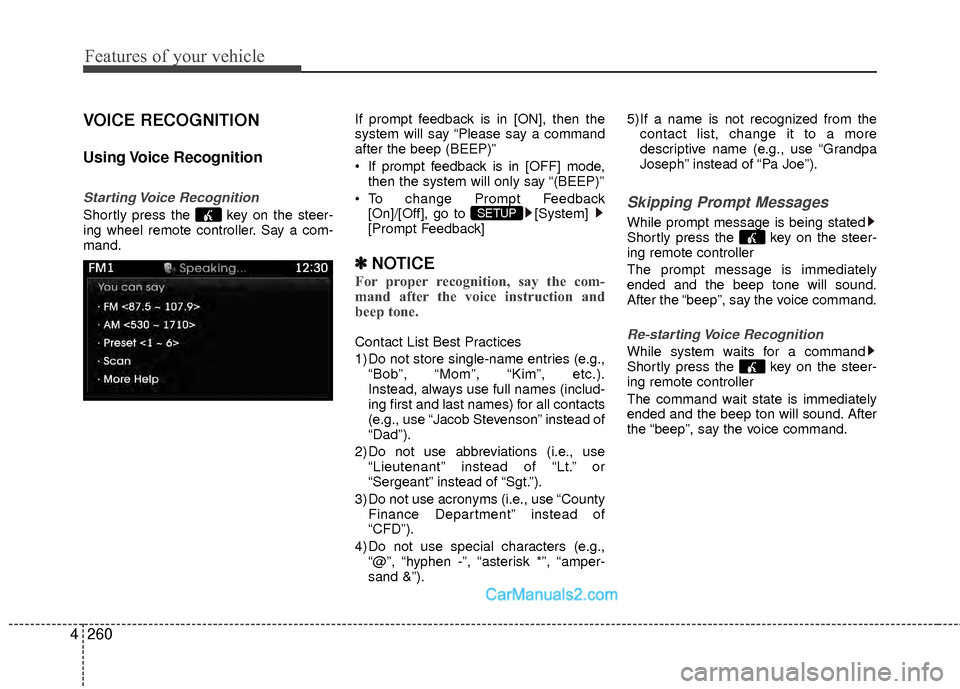
Starting Voice Recognition
Shortly press the key on the steer-
ing wheel remote controller. Say a com-
mand. If prompt feedback is in [ON], then the
system will say “Please say a command
after the beep (BEEP)”
If prompt feedback is in [OFF] mode,
then the system will only say “(BEEP)”
To change Prompt Feedback [On]/[Off], go to [System]
[Prompt Feedback]
✽ ✽ NOTICE
For proper recognition, say the com-
mand after the voice instruction and
beep tone.
Contact List Best Practices
1) Do not store single-name entries (e.g.,
“Bob”, “Mom”, “Kim”, etc.).
Instead, always use full names (includ-
ing first and last names) for all contacts
(e.g., use “Jacob Stevenson” instead of
“Dad”).
2) Do not use abbreviations (i.e., use “Lieutenant” instead of “Lt.” or
“Sergeant” instead of “Sgt.”).
3) Do not use acronyms (i.e., use “County Finance Department” instead of
“CFD”).
4) Do not use special characters (e.g., “@”, “hyphen -”, “asterisk *”, “amper-
sand &”). 5) If a name is not recognized from the
contact list, change it to a more
descriptive name (e.g., use “Grandpa
Joseph” instead of “Pa Joe”).
Skipping Prompt Messages
While prompt message is being stated
Shortly press the key on the steer-
ing remote controller
The prompt message is immediately
ended and the beep tone will sound.
After the “beep”, say the voice command.
Re-starting Voice Recognition
While system waits for a command
Shortly press the key on the steer-
ing remote controller
The command wait state is immediately
ended and the beep ton will sound. After
the “beep”, say the voice command.
SETUP
Page 355 of 543
Features of your vehicle
274
4
NOTE:
The Turn by Turn(TBT) feature sup-
ports the store of ten(10) destinations
in the TBT destinations directory.
3. Route Preview
“Route Preview” VR command allows the
user to preview the route instructions
(upcoming maneuver instructions) at any
time during the route guidance.
4. Destinations List
“Destinations List” VR command allows
the user to preview and delete the stored
destinations with their associated voice
tags in the Turn by Turn destinations
directory. 5. Voice Guidance
“Voice Guidance” VR command allows
the user to mute/unmute the Turn by
Turn(TBT) direction announcements.
6. Suspend Route
“Suspend Route” VR command allows
the user to suspend and pause Turn by
Turn(TBT) route guidance while in the
guidance mode.
7. Resume Route
“Resume Route” VR command allows
the user to resume Turn by Turn(TBT)
route guidance.
➂
(Blue Link
®for SOS)
In the case of an emergency, requests for
help to the Blue Link
®center.
Call is connected to the Blue Link®emer-
gency rescue center. Re-pressing the
key will end the call.
If already on a Bluetooth
®phone call, the
call will end to connect you to the Blue Link®
Emergency Rescue Center.
CAUTION
You cannot talk simultaneously on the Bluetooth®phone and
Blue Link®phone.
While on a Bluetooth®call, press-
ing the key or key will display a message indicating thatyou are currently on a call.
A message will be displayed if you receive a Bluetooth
®Bluetooth®
Wireless Technology call whilealready on a Blue Link®call. At
this time, press the key on the steering wheel remote controllerto accept the call. The phone bell will not ring.
Page 412 of 543
611
What to do in an emergency
TPMS (Tire Pressure
Monitoring System)
malfunction indicator
The TPMS malfunction indicator will
illuminate after it blinks for approxi-
mately one minute when there is a
problem with the Tire Pressure
Monitoring System. If the system is
able to correctly detect an under infla-
tion warning at the same time as sys-
tem failure then it will illuminate the
TPMS malfunction indicator.
Have the system checked by an
authorized HYUNDAI dealer as soon
as possible to determine the cause
of the problem.
WARNING - Low pressure damage
Significantly low tire pressure
makes the vehicle unstable and
can contribute to loss of vehicle
control and increased braking
distances.
Continued driving on low pres-
sure tires can cause the tires to
overheat and fail.CAUTION
The TPMS malfunction indica- tor may be illuminated if thevehicle is moving around elec-tric power supply cables orradio transmitters such as atpolice stations, governmentand public offices, broadcast-ing stations, military installa-tions, airports, or transmittingtowers, etc. This can interferewith normal operation of theTire Pressure MonitoringSystem (TPMS).
The TPMS malfunction indica- tor may illuminate if snowchains or some separatelypurchased devices such asnotebook computers, mobilechargers, remote starters,GPS navigation etc. are usedin the vehicle. This can inter-fere with normal operation ofthe Tire Pressure MonitoringSystem (TPMS).